RF Solutions Q1864-BTN Operator button for activating of Tensator Q1864 queue forwarding system User Manual T01150 Wireless Operation v2

RF Solutions Ltd. Operator button for activating of Tensator Q1864 queue forwarding system T01150 Wireless Operation v2

User manual
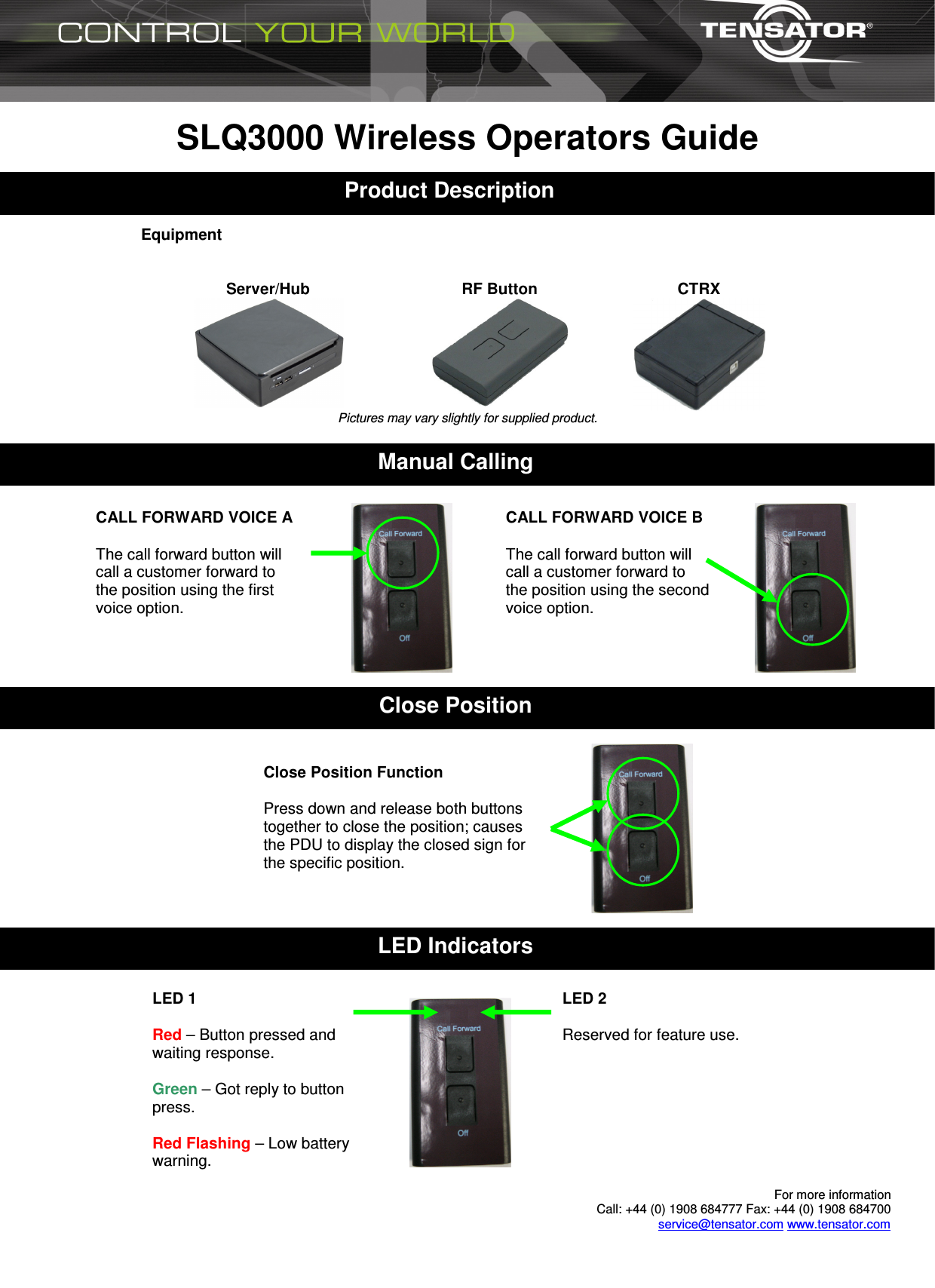
 For more information  Call: +44 (0) 1908 684777 Fax: +44 (0) 1908 684700 service@tensator.com www.tensator.com  SLQ3000 Wireless Operators Guide    Equipment   Server/Hub  RF Button  CTRX  Pictures may vary slightly for supplied product.   1 Product Description Close Position Manual Calling Close Position Function  Press down and release both buttons together to close the position; causes the PDU to display the closed sign for the specific position. CALL FORWARD VOICE A  The call forward button will call a customer forward to the position using the first voice option.  CALL FORWARD VOICE B  The call forward button will call a customer forward to the position using the second voice option.  LED Indicators LED 2  Reserved for feature use. LED 1  Red – Button pressed and waiting response.  Green – Got reply to button press.  Red Flashing – Low battery warning.
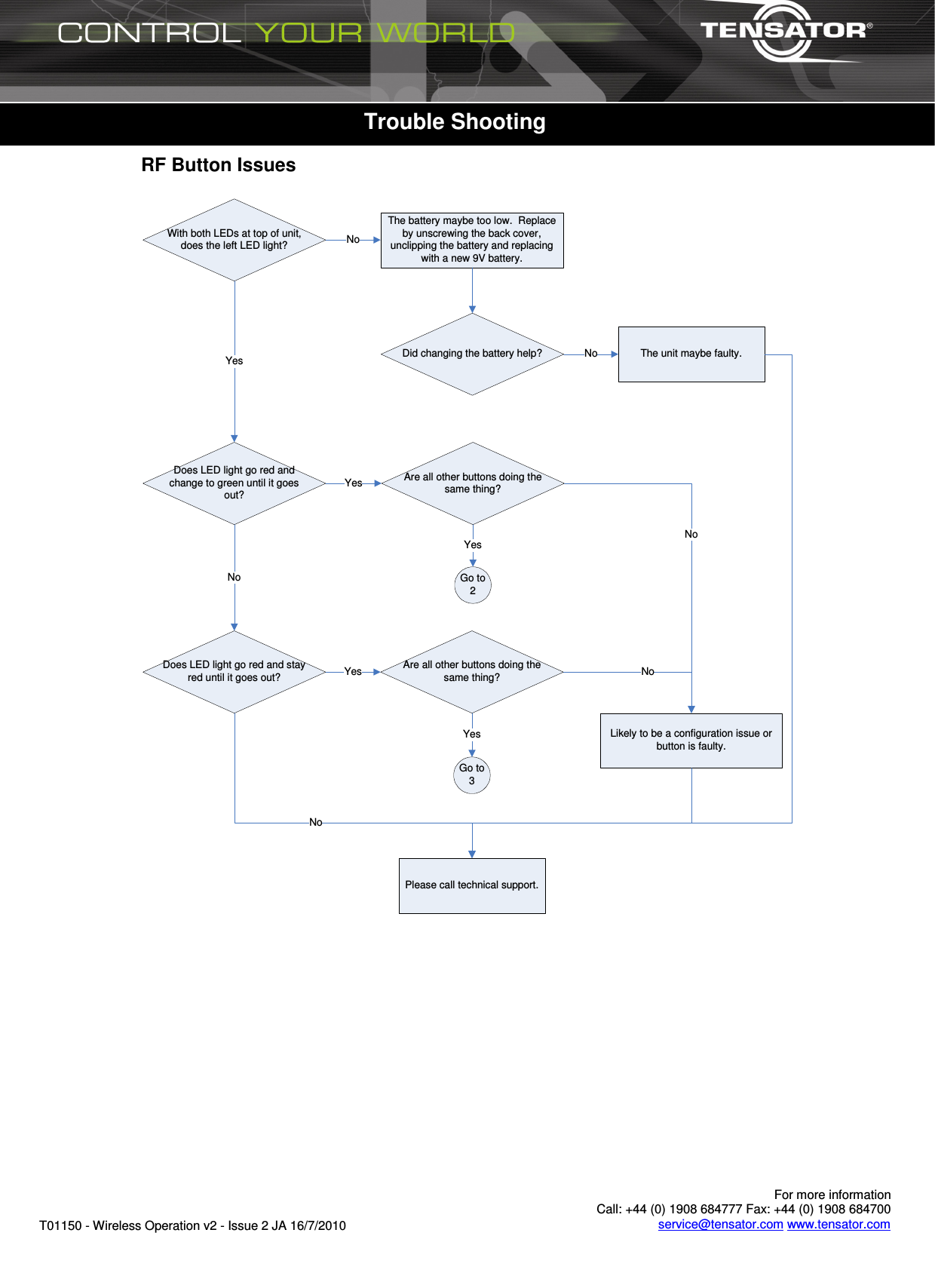
      For more information  Call: +44 (0) 1908 684777 Fax: +44 (0) 1908 684700 service@tensator.com www.tensator.com T01150 - Wireless Operation v2 - Issue 2 JA 16/7/2010   RF Button Issues  With both LEDs at top of unit, does the left LED light?Does LED light go red and stay red until it goes out?Does LED light go red and change to green until it goes out?YesYesThe battery maybe too low.  Replace by unscrewing the back cover, unclipping the battery and replacing with a new 9V battery.NoDid changing the battery help? The unit maybe faulty.NoNoPlease call technical support.NoAre all other buttons doing the same thing?YesLikely to be a configuration issue or button is faulty.Go to 3YesGo to 2Are all other buttons doing the same thing?YesNoNo  Trouble Shooting
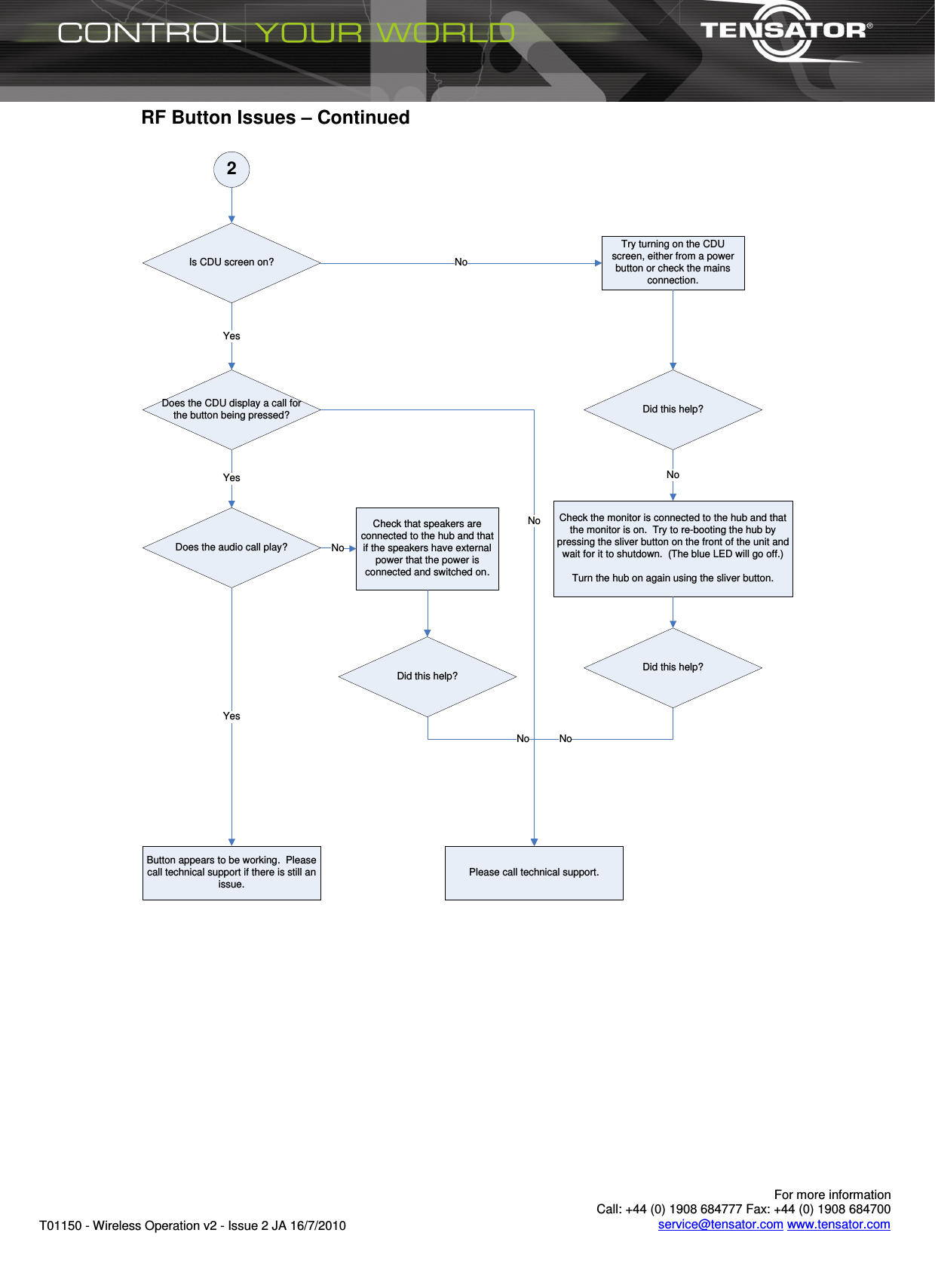
      For more information  Call: +44 (0) 1908 684777 Fax: +44 (0) 1908 684700 service@tensator.com www.tensator.com T01150 - Wireless Operation v2 - Issue 2 JA 16/7/2010 RF Button Issues – Continued  2Is CDU screen on?Does the CDU display a call for the button being pressed?Does the audio call play?YesYesButton appears to be working.  Please call technical support if there is still an issue.YesTry turning on the CDU screen, either from a power button or check the mains connection.Did this help?Check the monitor is connected to the hub and that the monitor is on.  Try to re-booting the hub by pressing the sliver button on the front of the unit and wait for it to shutdown.  (The blue LED will go off.)Turn the hub on again using the sliver button.Did this help?NoNoPlease call technical support.NoNoCheck that speakers are connected to the hub and that if the speakers have external power that the power is connected and switched on.Did this help?NoNo
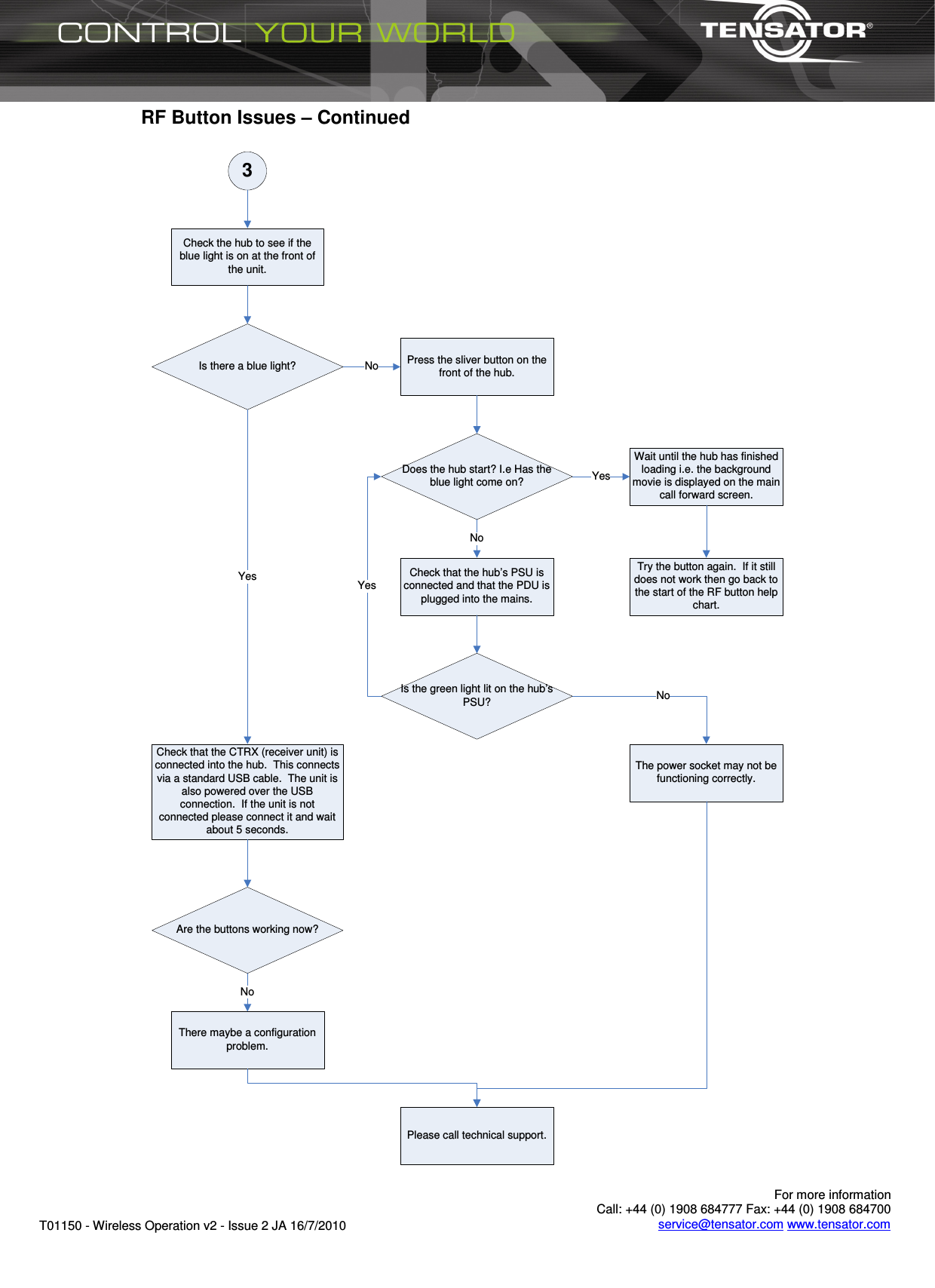
      For more information  Call: +44 (0) 1908 684777 Fax: +44 (0) 1908 684700 service@tensator.com www.tensator.com T01150 - Wireless Operation v2 - Issue 2 JA 16/7/2010 RF Button Issues – Continued  3Check the hub to see if the blue light is on at the front of the unit.Is there a blue light? Press the sliver button on the front of the hub.Does the hub start? I.e Has the blue light come on?Check that the hub’s PSU is connected and that the PDU is plugged into the mains.Is the green light lit on the hub’s PSU?NoNoYesWait until the hub has finished loading i.e. the background movie is displayed on the main call forward screen.Try the button again.  If it still does not work then go back to the start of the RF button help chart.YesCheck that the CTRX (receiver unit) is connected into the hub.  This connects via a standard USB cable.  The unit is also powered over the USB connection.  If the unit is not connected please connect it and wait about 5 seconds.Are the buttons working now?YesThe power socket may not be functioning correctly.Please call technical support.NoThere maybe a configuration problem.No
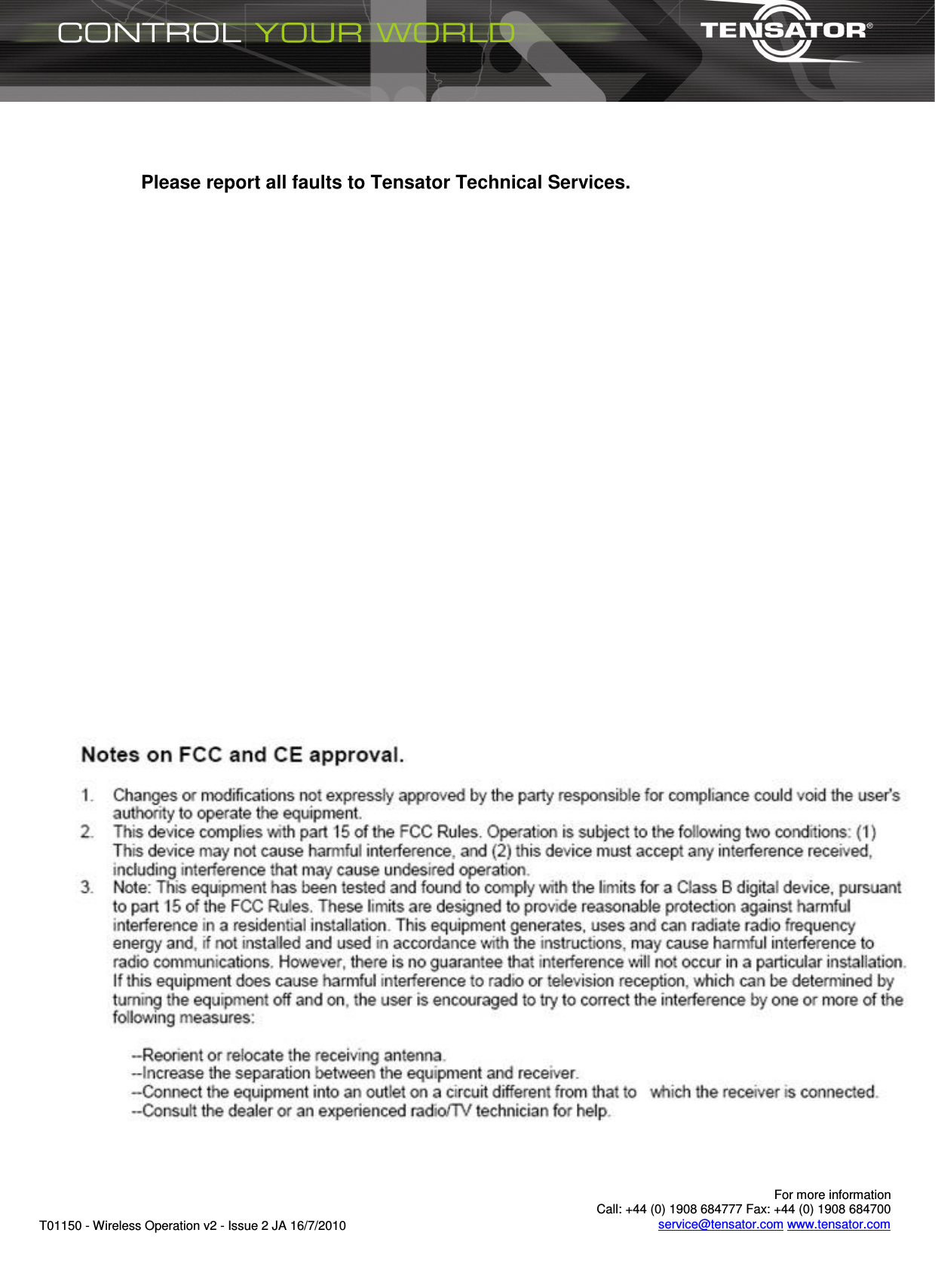
      For more information  Call: +44 (0) 1908 684777 Fax: +44 (0) 1908 684700 service@tensator.com www.tensator.com T01150 - Wireless Operation v2 - Issue 2 JA 16/7/2010    Please report all faults to Tensator Technical Services.

Navigation menu