Ruckus SCG™200,vSZ H™ And SZ™300 Alarm Event Reference Guide For SmartZone 3.5.1 Smart Zone (MR1) (SZ300/SCG200/v SZ H) Scg200Vszh Sz300 351 20170616
2017-08-03
User Manual: Ruckus SmartZone 3.5.1 (MR1) Alarm and Event Reference Guide (SZ300/SCG200/vSZ-H)
Open the PDF directly: View PDF  .
.
Page Count: 531 [warning: Documents this large are best viewed by clicking the View PDF Link!]
- Contents
- About This Guide
- Revision History
- Alarm and Event Management
- Alarm Types
- Accounting Alarms
- AP Authentication Alarms
- AP Communication Alarms
- AP LBS Alarms
- AP State Change Alarms
- Authentication Alarms
- Authentication server not reachable
- Authentication failed over to secondary
- Authentication fallback to primary
- AD/LDAP connectivity failure
- Bind fails with AD/LDAP
- Bind success with LDAP, but unable to find clear text password for the user
- RADIUS fails to connect to AD NPS server
- RADIUS fails to authenticate with AD NPS server
- Fails to establish TLS tunnel with AD/LDAP
- Control and Data Plane Interface Alarms
- Cluster Alarms
- New node failed to join
- Node removal failed
- Node out of service
- Cluster in maintenance state
- Cluster backup failed
- Cluster restore failed
- Cluster upgrade failed
- Cluster application stopped
- Node bond interface down
- Node physical interface down
- Cluster node rebooted
- Cluster node shut down
- Disk usage exceed threshold
- Cluster out of service
- Cluster upload AP firmware failed
- Cluster add AP firmware failed
- Unsync NTP time
- Cluster upload KSP file failed
- Configuration backup failed
- Configuration restore failed
- Configuration Alarms
- Data Plane Alarms
- Data plane configuration update failed
- Data plane disconnected
- Data plane physical interface down
- Data plane rebooted
- Data plane packet pool is under low water mark
- Data plane packet pool is under critical low water mark
- Data plane core dead
- Data plane process restarted
- Data plane license is not enough
- Data plane upgrade failed
- Data plane of data center side fails to connect to the CALEA server
- Data plane fails to connects to the other data plane
- Data plane DHCP IP pool usage rate is 100 percent
- GA Interface Alarms
- Gn/S2a Interface Alarms
- GGSN restarted
- GGSN not reachable
- GGSN not resolved
- PDNGW could not be resolved
- PDNGW version not supported
- Associated PDNGW down
- Create session response failed
- Decode failed
- Modify bearer response failed
- Delete session response failed
- Delete bearer request failed
- Update bearer request failed
- CGF server not configured
- GR Interface Alarms
- IPMI Alarms
- Licensing Alarms
- PMIPv6 Alarms
- SCI Alarms
- Session Alarms
- STA Interface Alarms
- System Alarms
- No LS responses
- LS authentication failure
- {produce.short.name} failed to connect to LS
- Syslog server unreachable
- CSV export FTP maximum retry
- CSV export disk threshold exceeded
- CSV export disk max capacity reached
- Process restart
- Service unavailable
- Keepalive failure
- Resource unavailable
- HIP failed over
- The last one data plane is disconnected zone affinity profile
- Diameter initialization error
- Diameter peer transport failure
- Diameter CER error
- Diameter peer add error
- Diameter peer remove successful
- Diameter realm entry error
- Diameter failover to alternate peer
- Diameter fail back to peer
- Diameter CEA unknown peer
- Diameter no common application
- Process initiated
- PMIPv6 unavailable
- Memory allocation failed
- Threshold Alarms
- Tunnel Alarms - Access Point
- Events Types
- 3rd Party Access Point Events
- Accounting Events
- Accounting session started
- Accounting session start failed
- Accounting session disabled
- Accounting session stopped successfully
- Accounting session stopped failed
- Accounting session interim failed
- Accounting server not reachable
- Accounting failed over to secondary
- Accounting fallback to primary
- AP accounting message mandatory parameter missing
- Unknown realm
- AP accounting message decode failed
- AP accounting retransmission message dropped
- AP accounting response while invalid config
- AP account message drop while no accounting start message
- Unauthorized COA/DM message dropped
- AP Authentication Events
- Radius server reachable
- Radius server unreachable
- LDAP server reachable
- LDAP server unreachable
- AD server reachable
- AD server unreachable
- Wechat ESP authentication server reachable
- WeChat ESP authentication server unreachable
- WeChat ESP authentication server resolvable
- WeChat ESP authentication server unresolvable
- WeChat ESP DNAT server reachable
- WeChat ESP DNAT server unreachable
- WeChat ESP DNAT server resolvable
- WeChat ESP DNAT server unresolvable
- AP Communication Events
- AP discovery succeeded
- AP managed
- AP rejected
- AP firmware updated
- AP firmware update failed
- Updating AP firmware
- Updating AP configuration
- AP configuration updated
- AP configuration update failed
- AP pre-provision model mismatched
- AP swap model mismatched
- AP WLAN oversubscribed
- AP join zone failed
- AP illegal to change country code
- AP configuration get failed
- Rogue AP
- SSID-spoofing rogue AP
- MAC-spoofing rogue AP
- Same-network rogue AP
- Ad-hoc network device
- Rogue AP disappeared
- AP LBS Events
- AP Mesh Events
- EMAP downlink connected to MAP
- EMAP downlink disconnected from MAP
- EMAP uplink connected to MAP
- EMAP uplink disconnected from MAP
- MAP disconnected
- MAP downlink connected
- MAP downlink connected to EMAP
- MAP downlink disconnected from EMAP
- RAP downlink connected to MAP
- MAP uplink connected to EMAP
- MAP uplink disconnected from EMAP
- MAP uplink connected to RAP
- MAP uplink connected to MAP
- Mesh state updated to MAP
- Mesh state updated to MAP no channel
- Mesh state updated to RAP
- Mesh state update to RAP no channel
- MAP downlink connected to MAP
- MAP downlink disconnected from MAP
- RAP downlink disconnected from MAP
- AP State Change Events
- AP rebooted by user
- AP rebooted by system
- AP disconnected
- AP IP address updated
- AP reset to factory default
- AP channel updated
- AP country code updated
- AP channel updated because dynamic frequency selection (DFS) detected a radar
- AP change control plane
- AP connected
- AP deleted
- AP heartbeat lost
- AP tagged as critical
- AP cable modem interface down
- AP brownout
- AP cable modem power-cycled by user
- AP smart monitor turn off WLAN
- AP client load balancing limit reached
- AP client load balancing limit recovered
- AP WLAN state changed
- AP capacity reached
- AP capacity recovered
- AP cable modem interface up
- AP cable modem soft-rebooted by user
- AP cable modem set to factory default by user
- AP health high latency flag
- AP health low capacity flag
- AP health high connection failure flag
- AP health high client count flag
- AP health high latency clear
- AP health low capacity clear
- AP health high connection failure clear
- AP health high client count clear
- Primary DHCP AP is down
- Primary DHCP AP is up
- Secondary DHCP AP is down
- Secondary DHCP AP is up
- Primary or secondary DHCP AP detects 90% of the configured total IPs
- Both primary and secondary DHCP server APs are down
- AP NAT gateway IP failover detected for particular VLAN pool
- AP NAT gateway IP fall back detected for particular VLAN pool
- NAT VLAN capacity affected detected by NAT gateway AP at zone due to three (3) consecutive NAT gateway AP IPs are down for particular VLAN pool
- NAT VLAN capacity restored detected by NAT gateway AP due to (at least) one out of the three (3) consecutive NAT gateway AP IP were down is now up
- AP NAT failure detected by SZ due to three (3) consecutive NAT gateway APs are down
- AP health high airtime utilization flag
- AP health high airtime utilization clear
- AP USB Events
- Authentication Events
- Authentication server not reachable
- Unknown realm
- Authentication succeeded
- Authentication failed
- Pseudonym authentication succeeded
- Pseudonym authentication failed
- Fast re-authentication succeeded
- Fast re-authentication failed
- Authentication failed over to secondary
- Authentication fallback to primary
- AD/LDAP connected successfully
- AD/LDAP connectivity failure
- Bind fails with AD/LDAP
- Bind success with LDAP, but unable to find clear text password for the user
- RADIUS fails to connect to AD NPS server
- RADIUS fails to authenticate with AD NPS server
- Successfully established the TLS tunnel with AD/LDAP
- Fails to establish TLS tunnel with AD/LDAP
- Authorization Events
- Control and Data Plane Interface
- Client Events
- Client authentication failed
- Client joined
- Client failed to join
- Client disconnected
- Client connection timed out
- Client authorization successfully
- Client authorization failed
- Client session expired
- Client roaming
- Client logged out
- 3rd party client join
- 3rd party client inactivity timeout
- 3rd party client authorization
- 3rd party client authorization failure
- 3rd party client session expiration
- 3rd party client roaming
- 3rd party client session logout
- Client roaming disconnected
- Client blocked
- Client grace period
- Onboarding registration succeeded
- Onboarding registration failed
- Remediation succeeded
- Remediation failed
- Force DHCP disconnected
- WDS device joined
- WDS device left
- Client is blocked because of barring UE rule
- Client is unblocked by barring UE rule
- Start CALEA mirroring client
- Stop CALEA mirroring client
- Wired client joined
- Wired client failed to join
- Wired client disconnected
- Wired client authorization successfully
- Wired client session expired
- Cluster Events
- Cluster created successfully
- New node joined successfully
- New node failed to join
- Node removal completed
- Node removal failed
- Node out of service
- Cluster in maintenance state
- Cluster back in service
- Cluster backup completed
- Cluster backup failed
- Cluster restore completed
- Cluster restore failed
- Cluster node upgrade completed
- Entire cluster upgraded successfully
- Cluster upgrade failed
- Cluster application stopped
- Cluster application started
- Cluster backup started
- Cluster upgrade started
- Cluster leader changed
- Node bond interface down
- Node bond interface up
- Node IP address changed
- Node physical interface down
- Node physical interface up
- Cluster node rebooted
- NTP time synchronized
- Cluster node shutdown
- Cluster upload started
- Cluster upload completed
- Cluster upload failed
- SSH tunnel switched
- Cluster remove node started
- Node back in service
- Disk usage exceed threshold
- Cluster out of service
- Initiated moving APs in node to a new cluster
- Cluster upload vSZ-D firmware started
- Cluster upload vSZ-D firmware completed
- Cluster upload vSZ-D firmware failed
- Cluster upload AP firmware started
- Cluster upload AP firmware completed
- Cluster upload AP firmware failed
- Cluster add AP firmware started
- Cluster add AP firmware completed
- Cluster add AP firmware failed
- Cluster name is changed
- Unsync NTP time
- Cluster upload KSP file started
- Cluster upload KSP file completed
- Cluster upload KSP file failed
- Configuration backup started
- Configuration backup succeeded
- Configuration backup failed
- Configuration restore succeeded
- Configuration restore failed
- AP Certificate Expired
- AP Certificate Updated
- Configuration restore started
- Upgrade SSTable failed
- Reindex elastic search finished
- Initiated APs contact APR
- Node IPv6 address added
- Node IPv6 address deleted
- Configuration Events
- Configuration updated
- Configuration update failed
- Configuration receive failed
- Incorrect flat file configuration
- Zone configuration preparation failed
- AP configuration generation failed
- End-of-life AP model detected
- VLAN configuration mismatch on non-DHCP/NAT WLAN
- VLAN configuration mismatch on DHCP/NAT WLAN
- Data Plane Events
- Data plane discovered
- Data plane discovery failed
- Data plane configuration updated
- Data plane configuration update failed
- Data plane rebooted
- Data plane heartbeat lost
- Data plane IP address updated
- Data plane updated to a new control plane
- Data plane status update failed
- Data plane statistics update failed
- Data plane connected
- Data plane disconnected
- Data plane physical interface down
- Data plane physical interface up
- Data plane packet pool is under low water mark
- Data plane packet pool is under critical low water mark
- Data plane packet pool is above high water mark
- Data plane core dead
- Data plane process restarted
- Data plane discovery succeeded
- Data plane managed
- Data plane deleted
- Data plane license is not enough
- Data plane upgrade started
- Data plane upgrading
- Data plane upgrade succeeded
- Data plane upgrade failed
- Data plane of data center side successfully connects to the CALEA server
- Data plane of data center side fails to connect to the CALEA server
- Data Plane of data center side disconnects to CALEA server
- Data plane successfully connects to the other data plane
- Data plane fails to connects to the other data plane
- Data plane disconnects to the other data plane
- Start CALEA mirroring client in data plane
- Stop CALEA mirroring client in data plane
- Data plane DHCP IP pool usage rate is 100 percent
- Data plane DHCP IP pool usage rate is 80 percent
- CALEA UE Matched
- DHCP Events
- GA Interface Events
- Gn/S2a Interface Events
- GGSN restarted
- GGSN not reachable
- Echo response not received
- GGSN not resolved
- PDP context established
- PDP create failed
- PDP update by HLR succeeded
- PDP update by HLR failed
- PDP update by roaming succeeded
- PDP update by roaming failed
- PDP update by GGSN succeeded
- PDP update by GGSN failed
- PDP delete by TTG succeeded
- PDP delete by TTG failed
- PDP delete by GGSN succeeded
- PDP delete by GGSN failed
- IP assigned
- IP not assigned
- Unknown UE
- PDP update success COA
- PDP update fail COA
- PDNGW could not be resolved
- PDNGW version not supported
- Associated PDNGW down
- Create session response failed
- Decode failed
- Modify bearer response failed
- Delete session response failed
- Delete bearer request failed
- Update bearer request failed
- CGF server not configured
- Gr Interface Event
- Destination not reachable
- Destination available
- App server down
- App server inactive
- App server active
- Association establishment failed
- Association down
- Association up
- Send auth info success
- Auth info sending failed
- GPRS location update succeeded
- GPRS location update failed
- Insert sub data success
- Insert sub data failed
- Outbound routing failure
- Did allocation failure
- Restore data success
- Restore data failed
- IPMI Events
- ipmiVoltage
- ipmiThempBB
- ipmiThempFP
- ipmiThempIOH
- ipmiThempMemP
- ipmiThempPS
- ipmiThempP
- ipmiThempHSBP
- ipmiFan
- ipmiPower
- ipmiCurrent
- ipmiFanStatus
- ipmiPsStatus
- ipmiDrvStatus
- ipmiREVotage
- ipmiREThempBB
- ipmiREThempFP
- ipmiREThempIOH
- ipmiREThempMemP
- ipmiREThempPS
- ipmiREThempP
- ipmiREThempHSBP
- ipmiREFan
- ipmiREPower
- ipmiRECurrent
- ipmiREFanStatus
- ipmiREPsStatus
- ipmiREDrvStatus
- Licensing Interface Events
- Location Delivery Events
- PMIPv6 Events
- SCI Events
- Session Events
- STA Interface Events
- STA successful authentication
- STA authentication failed transport down
- STA authentication failed failure response
- STA authentication failed decode failure
- STA session termination {produce.short.name} initiated success
- STA session termination AAA initiated success
- STA session termination AAA initiated failed
- STA re-authorization successful
- STA re-authorization failed
- STA response timer expired
- Retransmission exhausted
- System Events
- No LS responses
- LS authentication failure
- {produce.short.name} connected to LS
- {produce.short.name} failed to connect to LS
- {produce.short.name} received passive request
- {produce.short.name} sent controller information report
- {produce.short.name} received management request
- {produce.short.name} sent AP info by venue report
- {produce.short.name} sent query venues report
- {produce.short.name} sent associated client report
- {produce.short.name} forwarded calibration request to AP
- {produce.short.name} forwarded footfall request to AP
- {produce.short.name} received unrecognized request
- Syslog server reachable
- Syslog server unreachable
- Syslog server switched
- Generate AP config for plane load rebalance succeeded
- Generate AP config for plane load rebalance failed
- FTP transfer
- FTP transfer error
- CSV export FTP transfer
- CSV export FTP transfer error
- CSV export FTP transfer maximum retry
- CSV export disk threshold exceeded
- CSV export disk max capacity reached
- CSV export disk threshold back to normal
- File upload
- Email sent successfully
- Email sent failed
- SMS sent successfully
- SMS sent failed
- Process restart
- Service unavailable
- Keepalive failure
- Resource unavailable
- HIP started
- HIP stopped
- HIP failed over
- Standby HIP restarted
- HIP cache cleaned
- Data plane of data center side successfully connects to the CALEA server
- Data plane of data center side fails to connect to the CALEA server
- Data Plane of data center side disconnects to CALEA server
- Data plane successfully connects to the other data plane
- Data plane fails to connects to the other data plane
- Data plane disconnects to the other data plane
- Start CALEA mirroring client in data plane
- Stop CALEA mirroring client in data plane
- Data plane DHCP IP pool usage rate is 100 percent
- Data plane DHCP IP pool usage rate is 80 percent
- All data planes in the zone affinity profile are disconnected
- CALEA UE Matched
- Diameter initialization error
- Diameter initialization
- Diameter peer transport failure
- Diameter CER error
- Diameter CER success
- Diameter invalid version
- Diameter peer add error
- Diameter peer add successful
- Diameter peer remove successful
- Diameter realm entry error
- Diameter failover to alternate peer
- Diameter fail back to peer
- Diameter CEA unknown peer
- Diameter no common application
- ZD AP migrating
- ZD AP migrated
- ZD AP rejected
- ZD AP migration failed
- Database error
- Recover cassandra error
- Process initiated
- PMIPv6 unavailable
- Memory allocation failed
- Process stopped
- Threshold Events
- CPU threshold exceeded
- Memory threshold exceeded
- Disk usage threshold exceeded
- CPU threshold back to normal
- Memory threshold back to normal
- Disk threshold back to normal
- License threshold exceeded
- Rate limit threshold surpassed
- Rate limit threshold restored
- Rate limit for TOR surpassed
- The number of users exceed its limit
- The number of devices exceeded its limit
- Tunnel Events - Access Point (AP)
- Data plane accepted a tunnel request
- Data plane rejected a tunnel request
- Data plane terminated a tunnel
- AP created a tunnel
- AP tunnel disconnected
- AP softGRE tunnel fails over primary to secondary
- AP softGRE tunnel fails over secondary to primary
- AP softGRE gateway reachable
- AP softGRE gateway not reachable
- Data plane set up a tunnel
- AP secure gateway association success
- AP is disconnected from secure gateway
- AP secure gateway association failure
- Tunnel Events - Data Plane
- Index

Ruckus Wireless™
SmartCell Gateway™200 / SmartZone™300
and
Virtual SmartZone™ High Scale
Alarm and Event Reference Guide for
SmartZone 3.5.1
Part Number 800-71512-001 Rev A
Published June 2017
www.ruckuswireless.com

SCG200, SZ300 and vSZ-H Alarm and Event Reference Guide for SmartZone 3.5.1, 800-71512-001 Rev A 2
Copyright Notice and Proprietary Information
Copyright 2017. Ruckus Wireless, Inc. All rights reserved.
No part of this documentation may be used, reproduced, transmitted, or translated, in any form or by any means,
electronic, mechanical, manual, optical, or otherwise, without prior written permission of Ruckus Wireless, Inc.
(“Ruckus”), or as expressly provided by under license from Ruckus.
Destination Control Statement
Technical data contained in this publication may be subject to the export control laws of the United States of America.
Disclosure to nationals of other countries contrary to United States law is prohibited. It is the reader’s responsibility to
determine the applicable regulations and to comply with them.
Disclaimer
THIS DOCUMENTATION AND ALL INFORMATION CONTAINED HEREIN (“MATERIAL”) IS PROVIDED FOR GENERAL
INFORMATION PURPOSES ONLY. RUCKUS AND ITS LICENSORS MAKE NO WARRANTY OF ANY KIND, EXPRESS
OR IMPLIED, WITH REGARD TO THE MATERIAL, INCLUDING, BUT NOT LIMITED TO, THE IMPLIED WARRANTIES
OF MERCHANTABILITY, NON-INFRINGEMENT AND FITNESS FOR A PARTICULAR PURPOSE, OR THAT THE
MATERIAL IS ERROR-FREE, ACCURATE OR RELIABLE. RUCKUS RESERVES THE RIGHT TO MAKE CHANGES OR
UPDATES TO THE MATERIAL AT ANY TIME.
Limitation of Liability
IN NO EVENT SHALL RUCKUS BE LIABLE FOR ANY DIRECT, INDIRECT, INCIDENTAL, SPECIAL OR CONSEQUEN-
TIAL DAMAGES, OR DAMAGES FOR LOSS OF PROFITS, REVENUE, DATA OR USE, INCURRED BY YOU OR ANY
THIRD PARTY, WHETHER IN AN ACTION IN CONTRACT OR TORT, ARISING FROM YOUR ACCESS TO, OR USE
OF, THE MATERIAL.
Trademarks
Ruckus Wireless, Ruckus, the bark logo, ZoneFlex, FlexMaster, ZoneDirector, SmartMesh, Channelfly, Smartcell,
Dynamic PSK, and Simply Better Wireless are trademarks of Ruckus Wireless, Inc. in the United States and other
countries. All other product or company names may be trademarks of their respective owners.

SCG200, SZ300 and vSZ-H Alarm and Event Reference Guide for SmartZone 3.5.1, 800-71512-001 Rev A 3
Contents
About This Guide
Document Conventions . . . . . . . . . . . . . . . . . . . . . . . . . . . . . . . . . . . . . . . . . . . . . . . . . 26
Terminology . . . . . . . . . . . . . . . . . . . . . . . . . . . . . . . . . . . . . . . . . . . . . . . . . . . . . . . . . . 27
Related Documentation . . . . . . . . . . . . . . . . . . . . . . . . . . . . . . . . . . . . . . . . . . . . . . . . . 31
Online Training Resources . . . . . . . . . . . . . . . . . . . . . . . . . . . . . . . . . . . . . . . . . . . . . . . 31
Documentation Feedback. . . . . . . . . . . . . . . . . . . . . . . . . . . . . . . . . . . . . . . . . . . . . . . . 31
1 Revision History
SmartZone Version 3.5.1 . . . . . . . . . . . . . . . . . . . . . . . . . . . . . . . . . . . . . . . . . . . . . . . . 33
New Event . . . . . . . . . . . . . . . . . . . . . . . . . . . . . . . . . . . . . . . . . . . . . . . . . . . . . . . . 33
SmartZone Version 3.5 . . . . . . . . . . . . . . . . . . . . . . . . . . . . . . . . . . . . . . . . . . . . . . . . . . 33
Deprecated Alarm and Event. . . . . . . . . . . . . . . . . . . . . . . . . . . . . . . . . . . . . . . . . . . 33
New Alarm . . . . . . . . . . . . . . . . . . . . . . . . . . . . . . . . . . . . . . . . . . . . . . . . . . . . . . . . 33
New Event . . . . . . . . . . . . . . . . . . . . . . . . . . . . . . . . . . . . . . . . . . . . . . . . . . . . . . . . 34
SmartZone Version 3.4.1 . . . . . . . . . . . . . . . . . . . . . . . . . . . . . . . . . . . . . . . . . . . . . . . . 36
SmartZone Version 3.4 . . . . . . . . . . . . . . . . . . . . . . . . . . . . . . . . . . . . . . . . . . . . . . . . . . 36
New Alarm . . . . . . . . . . . . . . . . . . . . . . . . . . . . . . . . . . . . . . . . . . . . . . . . . . . . . . . . 36
Displayed on the Web Interface. . . . . . . . . . . . . . . . . . . . . . . . . . . . . . . . . . . . . . . . . 37
New Event . . . . . . . . . . . . . . . . . . . . . . . . . . . . . . . . . . . . . . . . . . . . . . . . . . . . . . . . 37
SmartZone Version 3.2.1 . . . . . . . . . . . . . . . . . . . . . . . . . . . . . . . . . . . . . . . . . . . . . . . . 37
New Alarm . . . . . . . . . . . . . . . . . . . . . . . . . . . . . . . . . . . . . . . . . . . . . . . . . . . . . . . . 37
New Event . . . . . . . . . . . . . . . . . . . . . . . . . . . . . . . . . . . . . . . . . . . . . . . . . . . . . . . . 38
Event on Web Interface . . . . . . . . . . . . . . . . . . . . . . . . . . . . . . . . . . . . . . . . . . . . . . . 38
SmartZone Version 3.2 . . . . . . . . . . . . . . . . . . . . . . . . . . . . . . . . . . . . . . . . . . . . . . . . . . 39
New Alarm . . . . . . . . . . . . . . . . . . . . . . . . . . . . . . . . . . . . . . . . . . . . . . . . . . . . . . . . 39
Attribute Change. . . . . . . . . . . . . . . . . . . . . . . . . . . . . . . . . . . . . . . . . . . . . . . . . . . . 39
Renamed Alarm . . . . . . . . . . . . . . . . . . . . . . . . . . . . . . . . . . . . . . . . . . . . . . . . . . . . 40
New Event . . . . . . . . . . . . . . . . . . . . . . . . . . . . . . . . . . . . . . . . . . . . . . . . . . . . . . . . 40
Severity Change . . . . . . . . . . . . . . . . . . . . . . . . . . . . . . . . . . . . . . . . . . . . . . . . . . . . 41
Attribute Change. . . . . . . . . . . . . . . . . . . . . . . . . . . . . . . . . . . . . . . . . . . . . . . . . . . . 42
Renamed Event . . . . . . . . . . . . . . . . . . . . . . . . . . . . . . . . . . . . . . . . . . . . . . . . . . . . 42
Auto Clearance of Event . . . . . . . . . . . . . . . . . . . . . . . . . . . . . . . . . . . . . . . . . . . . . . 43
SmartZone Version 3.1.1 . . . . . . . . . . . . . . . . . . . . . . . . . . . . . . . . . . . . . . . . . . . . . . . . 43

Contents
SCG200, SZ300 and vSZ-H Alarm and Event Reference Guide for SmartZone 3.5.1, 800-71512-001 Rev A 4
New Alarm . . . . . . . . . . . . . . . . . . . . . . . . . . . . . . . . . . . . . . . . . . . . . . . . . . . . . . . . 43
New Event . . . . . . . . . . . . . . . . . . . . . . . . . . . . . . . . . . . . . . . . . . . . . . . . . . . . . . . . 43
Re-added Event . . . . . . . . . . . . . . . . . . . . . . . . . . . . . . . . . . . . . . . . . . . . . . . . . . . . 44
Renamed Event . . . . . . . . . . . . . . . . . . . . . . . . . . . . . . . . . . . . . . . . . . . . . . . . . . . . 44
RuckOS Version 3.1 . . . . . . . . . . . . . . . . . . . . . . . . . . . . . . . . . . . . . . . . . . . . . . . . . . . . 45
New Alarm . . . . . . . . . . . . . . . . . . . . . . . . . . . . . . . . . . . . . . . . . . . . . . . . . . . . . . . . 45
Deprecated Alarm. . . . . . . . . . . . . . . . . . . . . . . . . . . . . . . . . . . . . . . . . . . . . . . . . . . 46
Renamed Alarm . . . . . . . . . . . . . . . . . . . . . . . . . . . . . . . . . . . . . . . . . . . . . . . . . . . . 46
New Event . . . . . . . . . . . . . . . . . . . . . . . . . . . . . . . . . . . . . . . . . . . . . . . . . . . . . . . . 47
Modified Event Severity. . . . . . . . . . . . . . . . . . . . . . . . . . . . . . . . . . . . . . . . . . . . . . . 49
Renamed Event . . . . . . . . . . . . . . . . . . . . . . . . . . . . . . . . . . . . . . . . . . . . . . . . . . . . 49
RuckOS Version 3.0 . . . . . . . . . . . . . . . . . . . . . . . . . . . . . . . . . . . . . . . . . . . . . . . . . . . . 54
New Alarm. . . . . . . . . . . . . . . . . . . . . . . . . . . . . . . . . . . . . . . . . . . . . . . . . . . . . . . . . . 54
Deprecated Alarm . . . . . . . . . . . . . . . . . . . . . . . . . . . . . . . . . . . . . . . . . . . . . . . . . . . . 55
Renamed Alarm Type . . . . . . . . . . . . . . . . . . . . . . . . . . . . . . . . . . . . . . . . . . . . . . . . . 56
Modification of Alarm Severity . . . . . . . . . . . . . . . . . . . . . . . . . . . . . . . . . . . . . . . . . . . 56
Renamed Alarm. . . . . . . . . . . . . . . . . . . . . . . . . . . . . . . . . . . . . . . . . . . . . . . . . . . . . . 57
New Event . . . . . . . . . . . . . . . . . . . . . . . . . . . . . . . . . . . . . . . . . . . . . . . . . . . . . . . . . . 58
Deprecated Event . . . . . . . . . . . . . . . . . . . . . . . . . . . . . . . . . . . . . . . . . . . . . . . . . . . . 61
Re-added Event. . . . . . . . . . . . . . . . . . . . . . . . . . . . . . . . . . . . . . . . . . . . . . . . . . . . . . 61
Modifications to Event Severity. . . . . . . . . . . . . . . . . . . . . . . . . . . . . . . . . . . . . . . . . . . 61
Renamed Event Type. . . . . . . . . . . . . . . . . . . . . . . . . . . . . . . . . . . . . . . . . . . . . . . . . . 62
Renamed Event . . . . . . . . . . . . . . . . . . . . . . . . . . . . . . . . . . . . . . . . . . . . . . . . . . . . . 63
2 Alarm and Event Management
Overview. . . . . . . . . . . . . . . . . . . . . . . . . . . . . . . . . . . . . . . . . . . . . . . . . . . . . . . . . . . . . 68
Alarm and Event Management . . . . . . . . . . . . . . . . . . . . . . . . . . . . . . . . . . . . . . . . . . . . 68
Event Categories . . . . . . . . . . . . . . . . . . . . . . . . . . . . . . . . . . . . . . . . . . . . . . . . . . . . . 68
Event Attributes . . . . . . . . . . . . . . . . . . . . . . . . . . . . . . . . . . . . . . . . . . . . . . . . . . . . . . 69
Generation of Alarm and Event. . . . . . . . . . . . . . . . . . . . . . . . . . . . . . . . . . . . . . . . . . . 69
3Alarm Types
Accounting Alarms . . . . . . . . . . . . . . . . . . . . . . . . . . . . . . . . . . . . . . . . . . . . . . . . . . . . . 74
Accounting server not reachable . . . . . . . . . . . . . . . . . . . . . . . . . . . . . . . . . . . . . . . . . 74
Accounting failed over to secondary. . . . . . . . . . . . . . . . . . . . . . . . . . . . . . . . . . . . . . . 75
Accounting fallback to primary . . . . . . . . . . . . . . . . . . . . . . . . . . . . . . . . . . . . . . . . . . . 75
AP accounting message mandatory parameter missing . . . . . . . . . . . . . . . . . . . . . . . . 76
AP accounting message decode failed . . . . . . . . . . . . . . . . . . . . . . . . . . . . . . . . . . . . 77
AP account message drop while no accounting start message . . . . . . . . . . . . . . . . . . 78

Contents
SCG200, SZ300 and vSZ-H Alarm and Event Reference Guide for SmartZone 3.5.1, 800-71512-001 Rev A 5
Unauthorized CoA/DM message dropped . . . . . . . . . . . . . . . . . . . . . . . . . . . . . . . . . . 79
AP Authentication Alarms . . . . . . . . . . . . . . . . . . . . . . . . . . . . . . . . . . . . . . . . . . . . . . . . 80
RADIUS server unreachable. . . . . . . . . . . . . . . . . . . . . . . . . . . . . . . . . . . . . . . . . . . . . 80
LDAP server unreachable. . . . . . . . . . . . . . . . . . . . . . . . . . . . . . . . . . . . . . . . . . . . . . . 81
AD server unreachable. . . . . . . . . . . . . . . . . . . . . . . . . . . . . . . . . . . . . . . . . . . . . . . . . 81
WeChat ESP authentication server unreachable. . . . . . . . . . . . . . . . . . . . . . . . . . . . . . 82
WeChat ESP authentication server unresolvable . . . . . . . . . . . . . . . . . . . . . . . . . . . . . 82
WeChat ESP DNAT server unreachable . . . . . . . . . . . . . . . . . . . . . . . . . . . . . . . . . . . . 83
WeChat ESP DNAT server unresolvable. . . . . . . . . . . . . . . . . . . . . . . . . . . . . . . . . . . . 84
AP Communication Alarms . . . . . . . . . . . . . . . . . . . . . . . . . . . . . . . . . . . . . . . . . . . . . . . 85
AP rejected . . . . . . . . . . . . . . . . . . . . . . . . . . . . . . . . . . . . . . . . . . . . . . . . . . . . . . . . . 85
AP configuration update failed . . . . . . . . . . . . . . . . . . . . . . . . . . . . . . . . . . . . . . . . . . . 86
AP swap model mismatched . . . . . . . . . . . . . . . . . . . . . . . . . . . . . . . . . . . . . . . . . . . . 86
AP pre-provision model mismatched . . . . . . . . . . . . . . . . . . . . . . . . . . . . . . . . . . . . . . 87
AP firmware update failed . . . . . . . . . . . . . . . . . . . . . . . . . . . . . . . . . . . . . . . . . . . . . . 87
AP WLAN oversubscribed . . . . . . . . . . . . . . . . . . . . . . . . . . . . . . . . . . . . . . . . . . . . . . 88
AP join zone failed . . . . . . . . . . . . . . . . . . . . . . . . . . . . . . . . . . . . . . . . . . . . . . . . . . . . 89
AP LBS Alarms . . . . . . . . . . . . . . . . . . . . . . . . . . . . . . . . . . . . . . . . . . . . . . . . . . . . . . . . 90
No LS responses . . . . . . . . . . . . . . . . . . . . . . . . . . . . . . . . . . . . . . . . . . . . . . . . . . . . . 90
LS authentication failure. . . . . . . . . . . . . . . . . . . . . . . . . . . . . . . . . . . . . . . . . . . . . . . . 91
AP failed to connect to LS . . . . . . . . . . . . . . . . . . . . . . . . . . . . . . . . . . . . . . . . . . . . . . 92
AP State Change Alarms . . . . . . . . . . . . . . . . . . . . . . . . . . . . . . . . . . . . . . . . . . . . . . . . 93
AP rebooted by system . . . . . . . . . . . . . . . . . . . . . . . . . . . . . . . . . . . . . . . . . . . . . . . . 93
AP disconnected . . . . . . . . . . . . . . . . . . . . . . . . . . . . . . . . . . . . . . . . . . . . . . . . . . . . . 94
AP deleted. . . . . . . . . . . . . . . . . . . . . . . . . . . . . . . . . . . . . . . . . . . . . . . . . . . . . . . . . . 94
AP cable modem interface down . . . . . . . . . . . . . . . . . . . . . . . . . . . . . . . . . . . . . . . . . 95
AP DHCP service failure. . . . . . . . . . . . . . . . . . . . . . . . . . . . . . . . . . . . . . . . . . . . . . . . 95
AP NAT failure . . . . . . . . . . . . . . . . . . . . . . . . . . . . . . . . . . . . . . . . . . . . . . . . . . . . . . . 96
Authentication Alarms . . . . . . . . . . . . . . . . . . . . . . . . . . . . . . . . . . . . . . . . . . . . . . . . . . . 97
Authentication server not reachable . . . . . . . . . . . . . . . . . . . . . . . . . . . . . . . . . . . . . . . 97
Authentication failed over to secondary . . . . . . . . . . . . . . . . . . . . . . . . . . . . . . . . . . . . 98
Authentication fallback to primary. . . . . . . . . . . . . . . . . . . . . . . . . . . . . . . . . . . . . . . . . 98
AD/LDAP connectivity failure . . . . . . . . . . . . . . . . . . . . . . . . . . . . . . . . . . . . . . . . . . . . 99
Bind fails with AD/LDAP. . . . . . . . . . . . . . . . . . . . . . . . . . . . . . . . . . . . . . . . . . . . . . . 100
Bind success with LDAP, but unable to find clear text password for the user . . . . . . . 101
RADIUS fails to connect to AD NPS server. . . . . . . . . . . . . . . . . . . . . . . . . . . . . . . . . 101
RADIUS fails to authenticate with AD NPS server. . . . . . . . . . . . . . . . . . . . . . . . . . . . 102
Fails to establish TLS tunnel with AD/LDAP . . . . . . . . . . . . . . . . . . . . . . . . . . . . . . . . 103
Control and Data Plane Interface Alarms. . . . . . . . . . . . . . . . . . . . . . . . . . . . . . . . . . . . 104

Contents
SCG200, SZ300 and vSZ-H Alarm and Event Reference Guide for SmartZone 3.5.1, 800-71512-001 Rev A 6
GtpManager (DP) disconnected . . . . . . . . . . . . . . . . . . . . . . . . . . . . . . . . . . . . . . . . . 104
Cluster Alarms . . . . . . . . . . . . . . . . . . . . . . . . . . . . . . . . . . . . . . . . . . . . . . . . . . . . . . . 105
New node failed to join. . . . . . . . . . . . . . . . . . . . . . . . . . . . . . . . . . . . . . . . . . . . . . . . 106
Node removal failed . . . . . . . . . . . . . . . . . . . . . . . . . . . . . . . . . . . . . . . . . . . . . . . . . . 107
Node out of service . . . . . . . . . . . . . . . . . . . . . . . . . . . . . . . . . . . . . . . . . . . . . . . . . . 107
Cluster in maintenance state . . . . . . . . . . . . . . . . . . . . . . . . . . . . . . . . . . . . . . . . . . . 108
Cluster backup failed . . . . . . . . . . . . . . . . . . . . . . . . . . . . . . . . . . . . . . . . . . . . . . . . . 109
Cluster restore failed . . . . . . . . . . . . . . . . . . . . . . . . . . . . . . . . . . . . . . . . . . . . . . . . . 110
Cluster upgrade failed . . . . . . . . . . . . . . . . . . . . . . . . . . . . . . . . . . . . . . . . . . . . . . . . 110
Cluster application stopped . . . . . . . . . . . . . . . . . . . . . . . . . . . . . . . . . . . . . . . . . . . . 111
Node bond interface down. . . . . . . . . . . . . . . . . . . . . . . . . . . . . . . . . . . . . . . . . . . . . 112
Node physical interface down . . . . . . . . . . . . . . . . . . . . . . . . . . . . . . . . . . . . . . . . . . 112
Cluster node rebooted . . . . . . . . . . . . . . . . . . . . . . . . . . . . . . . . . . . . . . . . . . . . . . . . 113
Cluster node shut down. . . . . . . . . . . . . . . . . . . . . . . . . . . . . . . . . . . . . . . . . . . . . . . 113
Disk usage exceed threshold . . . . . . . . . . . . . . . . . . . . . . . . . . . . . . . . . . . . . . . . . . . 114
Cluster out of service . . . . . . . . . . . . . . . . . . . . . . . . . . . . . . . . . . . . . . . . . . . . . . . . . 115
Cluster upload AP firmware failed. . . . . . . . . . . . . . . . . . . . . . . . . . . . . . . . . . . . . . . . 115
Cluster add AP firmware failed . . . . . . . . . . . . . . . . . . . . . . . . . . . . . . . . . . . . . . . . . . 116
Unsync NTP time. . . . . . . . . . . . . . . . . . . . . . . . . . . . . . . . . . . . . . . . . . . . . . . . . . . . 116
Cluster upload KSP file failed . . . . . . . . . . . . . . . . . . . . . . . . . . . . . . . . . . . . . . . . . . . 117
Configuration backup failed . . . . . . . . . . . . . . . . . . . . . . . . . . . . . . . . . . . . . . . . . . . . 117
Configuration restore failed . . . . . . . . . . . . . . . . . . . . . . . . . . . . . . . . . . . . . . . . . . . . 118
Configuration Alarms. . . . . . . . . . . . . . . . . . . . . . . . . . . . . . . . . . . . . . . . . . . . . . . . . . . 119
Zone configuration preparation failed . . . . . . . . . . . . . . . . . . . . . . . . . . . . . . . . . . . . . 119
AP configuration generation failed . . . . . . . . . . . . . . . . . . . . . . . . . . . . . . . . . . . . . . . 120
End-of-life AP model detected . . . . . . . . . . . . . . . . . . . . . . . . . . . . . . . . . . . . . . . . . . 121
VLAN configuration mismatch on non DHCP/NAT WLAN . . . . . . . . . . . . . . . . . . . . . 122
VLAN configuration mismatch on DHCP/NAT WLAN . . . . . . . . . . . . . . . . . . . . . . . . . 123
Data Plane Alarms . . . . . . . . . . . . . . . . . . . . . . . . . . . . . . . . . . . . . . . . . . . . . . . . . . . . 124
Data plane configuration update failed . . . . . . . . . . . . . . . . . . . . . . . . . . . . . . . . . . . . 124
Data plane disconnected . . . . . . . . . . . . . . . . . . . . . . . . . . . . . . . . . . . . . . . . . . . . . . 125
Data plane physical interface down . . . . . . . . . . . . . . . . . . . . . . . . . . . . . . . . . . . . . . 126
Data plane rebooted . . . . . . . . . . . . . . . . . . . . . . . . . . . . . . . . . . . . . . . . . . . . . . . . . 126
Data plane packet pool is under low water mark . . . . . . . . . . . . . . . . . . . . . . . . . . . . 127
Data plane packet pool is under critical low water mark . . . . . . . . . . . . . . . . . . . . . . . 127
Data plane core dead. . . . . . . . . . . . . . . . . . . . . . . . . . . . . . . . . . . . . . . . . . . . . . . . . 128
Data plane process restarted . . . . . . . . . . . . . . . . . . . . . . . . . . . . . . . . . . . . . . . . . . . 128
Data plane license is not enough . . . . . . . . . . . . . . . . . . . . . . . . . . . . . . . . . . . . . . . . 129
Data plane upgrade failed . . . . . . . . . . . . . . . . . . . . . . . . . . . . . . . . . . . . . . . . . . . . . 130

Contents
SCG200, SZ300 and vSZ-H Alarm and Event Reference Guide for SmartZone 3.5.1, 800-71512-001 Rev A 7
Data plane of data center side fails to connect to the CALEA server. . . . . . . . . . . . . . 131
Data plane fails to connects to the other data plane. . . . . . . . . . . . . . . . . . . . . . . . . . 131
Data plane DHCP IP pool usage rate is 100 percent . . . . . . . . . . . . . . . . . . . . . . . . . 132
GA Interface Alarms . . . . . . . . . . . . . . . . . . . . . . . . . . . . . . . . . . . . . . . . . . . . . . . . . . . 133
Connection to CGF failed. . . . . . . . . . . . . . . . . . . . . . . . . . . . . . . . . . . . . . . . . . . . . . 133
CDR transfer failed. . . . . . . . . . . . . . . . . . . . . . . . . . . . . . . . . . . . . . . . . . . . . . . . . . . 134
CDR generation failed . . . . . . . . . . . . . . . . . . . . . . . . . . . . . . . . . . . . . . . . . . . . . . . . 135
Gn/S2a Interface Alarms. . . . . . . . . . . . . . . . . . . . . . . . . . . . . . . . . . . . . . . . . . . . . . . . 136
GGSN restarted . . . . . . . . . . . . . . . . . . . . . . . . . . . . . . . . . . . . . . . . . . . . . . . . . . . . . 136
GGSN not reachable . . . . . . . . . . . . . . . . . . . . . . . . . . . . . . . . . . . . . . . . . . . . . . . . . 137
GGSN not resolved . . . . . . . . . . . . . . . . . . . . . . . . . . . . . . . . . . . . . . . . . . . . . . . . . . 138
PDNGW could not be resolved . . . . . . . . . . . . . . . . . . . . . . . . . . . . . . . . . . . . . . . . . 139
PDNGW version not supported . . . . . . . . . . . . . . . . . . . . . . . . . . . . . . . . . . . . . . . . . 140
Associated PDNGW down . . . . . . . . . . . . . . . . . . . . . . . . . . . . . . . . . . . . . . . . . . . . . 140
Create session response failed. . . . . . . . . . . . . . . . . . . . . . . . . . . . . . . . . . . . . . . . . . 141
Decode failed. . . . . . . . . . . . . . . . . . . . . . . . . . . . . . . . . . . . . . . . . . . . . . . . . . . . . . . 142
Modify bearer response failed . . . . . . . . . . . . . . . . . . . . . . . . . . . . . . . . . . . . . . . . . . 142
Delete session response failed . . . . . . . . . . . . . . . . . . . . . . . . . . . . . . . . . . . . . . . . . . 143
Delete bearer request failed . . . . . . . . . . . . . . . . . . . . . . . . . . . . . . . . . . . . . . . . . . . . 144
Update bearer request failed . . . . . . . . . . . . . . . . . . . . . . . . . . . . . . . . . . . . . . . . . . . 144
CGF server not configured . . . . . . . . . . . . . . . . . . . . . . . . . . . . . . . . . . . . . . . . . . . . . 145
GR Interface Alarms . . . . . . . . . . . . . . . . . . . . . . . . . . . . . . . . . . . . . . . . . . . . . . . . . . . 146
Destination not reachable. . . . . . . . . . . . . . . . . . . . . . . . . . . . . . . . . . . . . . . . . . . . . . 146
App server down . . . . . . . . . . . . . . . . . . . . . . . . . . . . . . . . . . . . . . . . . . . . . . . . . . . . 147
App server inactive. . . . . . . . . . . . . . . . . . . . . . . . . . . . . . . . . . . . . . . . . . . . . . . . . . . 147
Association establishment failed. . . . . . . . . . . . . . . . . . . . . . . . . . . . . . . . . . . . . . . . . 148
Association down. . . . . . . . . . . . . . . . . . . . . . . . . . . . . . . . . . . . . . . . . . . . . . . . . . . . 149
Outbound routing failure. . . . . . . . . . . . . . . . . . . . . . . . . . . . . . . . . . . . . . . . . . . . . . . 149
Did allocation failure . . . . . . . . . . . . . . . . . . . . . . . . . . . . . . . . . . . . . . . . . . . . . . . . . . 150
IPMI Alarms . . . . . . . . . . . . . . . . . . . . . . . . . . . . . . . . . . . . . . . . . . . . . . . . . . . . . . . . . 151
ipmiVoltage . . . . . . . . . . . . . . . . . . . . . . . . . . . . . . . . . . . . . . . . . . . . . . . . . . . . . . . . 152
ipmiThempBB . . . . . . . . . . . . . . . . . . . . . . . . . . . . . . . . . . . . . . . . . . . . . . . . . . . . . . 153
ipmiThempFP. . . . . . . . . . . . . . . . . . . . . . . . . . . . . . . . . . . . . . . . . . . . . . . . . . . . . . . 154
ipmiThempIOH. . . . . . . . . . . . . . . . . . . . . . . . . . . . . . . . . . . . . . . . . . . . . . . . . . . . . . 154
ipmiThempMemP. . . . . . . . . . . . . . . . . . . . . . . . . . . . . . . . . . . . . . . . . . . . . . . . . . . . 155
ipmiThempPS . . . . . . . . . . . . . . . . . . . . . . . . . . . . . . . . . . . . . . . . . . . . . . . . . . . . . . 156
ipmiThempP . . . . . . . . . . . . . . . . . . . . . . . . . . . . . . . . . . . . . . . . . . . . . . . . . . . . . . . 157
ipmiThempHSBP . . . . . . . . . . . . . . . . . . . . . . . . . . . . . . . . . . . . . . . . . . . . . . . . . . . . 157
ipmiFan . . . . . . . . . . . . . . . . . . . . . . . . . . . . . . . . . . . . . . . . . . . . . . . . . . . . . . . . . . . 158

Contents
SCG200, SZ300 and vSZ-H Alarm and Event Reference Guide for SmartZone 3.5.1, 800-71512-001 Rev A 8
ipmiPower . . . . . . . . . . . . . . . . . . . . . . . . . . . . . . . . . . . . . . . . . . . . . . . . . . . . . . . . . 158
ipmiCurrent . . . . . . . . . . . . . . . . . . . . . . . . . . . . . . . . . . . . . . . . . . . . . . . . . . . . . . . . 159
ipmiFanStatus . . . . . . . . . . . . . . . . . . . . . . . . . . . . . . . . . . . . . . . . . . . . . . . . . . . . . . 159
ipmiPsStatus . . . . . . . . . . . . . . . . . . . . . . . . . . . . . . . . . . . . . . . . . . . . . . . . . . . . . . . 160
ipmiDrvStatus . . . . . . . . . . . . . . . . . . . . . . . . . . . . . . . . . . . . . . . . . . . . . . . . . . . . . . 161
Licensing Alarms. . . . . . . . . . . . . . . . . . . . . . . . . . . . . . . . . . . . . . . . . . . . . . . . . . . . . . 162
TTG session critical threshold . . . . . . . . . . . . . . . . . . . . . . . . . . . . . . . . . . . . . . . . . . 162
TTG session license exhausted . . . . . . . . . . . . . . . . . . . . . . . . . . . . . . . . . . . . . . . . . 163
License going to expire . . . . . . . . . . . . . . . . . . . . . . . . . . . . . . . . . . . . . . . . . . . . . . . 163
Insufficient license capacity . . . . . . . . . . . . . . . . . . . . . . . . . . . . . . . . . . . . . . . . . . . . 164
PMIPv6 Alarms . . . . . . . . . . . . . . . . . . . . . . . . . . . . . . . . . . . . . . . . . . . . . . . . . . . . . . . 165
Config update failed . . . . . . . . . . . . . . . . . . . . . . . . . . . . . . . . . . . . . . . . . . . . . . . . . . 165
LMA ICMP unreachable . . . . . . . . . . . . . . . . . . . . . . . . . . . . . . . . . . . . . . . . . . . . . . . 166
LMA failed over . . . . . . . . . . . . . . . . . . . . . . . . . . . . . . . . . . . . . . . . . . . . . . . . . . . . . 166
DHCP connection lost . . . . . . . . . . . . . . . . . . . . . . . . . . . . . . . . . . . . . . . . . . . . . . . . 167
SCI Alarms . . . . . . . . . . . . . . . . . . . . . . . . . . . . . . . . . . . . . . . . . . . . . . . . . . . . . . . . . . 168
Connect to SCI failure . . . . . . . . . . . . . . . . . . . . . . . . . . . . . . . . . . . . . . . . . . . . . . . . 168
SCI has been disabled . . . . . . . . . . . . . . . . . . . . . . . . . . . . . . . . . . . . . . . . . . . . . . . . 169
SCI and FTP have been disabled . . . . . . . . . . . . . . . . . . . . . . . . . . . . . . . . . . . . . . . . 169
Session Alarms. . . . . . . . . . . . . . . . . . . . . . . . . . . . . . . . . . . . . . . . . . . . . . . . . . . . . . . 171
Binding failed . . . . . . . . . . . . . . . . . . . . . . . . . . . . . . . . . . . . . . . . . . . . . . . . . . . . . . . 171
STA Interface Alarms . . . . . . . . . . . . . . . . . . . . . . . . . . . . . . . . . . . . . . . . . . . . . . . . . . 172
STA authentication failed transport down. . . . . . . . . . . . . . . . . . . . . . . . . . . . . . . . . . 172
STA authentication failed failure response . . . . . . . . . . . . . . . . . . . . . . . . . . . . . . . . . 173
STA authentication failed decode failure. . . . . . . . . . . . . . . . . . . . . . . . . . . . . . . . . . . 174
STA re-authorization failed . . . . . . . . . . . . . . . . . . . . . . . . . . . . . . . . . . . . . . . . . . . . . 174
STA response timer expired . . . . . . . . . . . . . . . . . . . . . . . . . . . . . . . . . . . . . . . . . . . . 175
Retransmission exhausted . . . . . . . . . . . . . . . . . . . . . . . . . . . . . . . . . . . . . . . . . . . . . 176
System Alarms . . . . . . . . . . . . . . . . . . . . . . . . . . . . . . . . . . . . . . . . . . . . . . . . . . . . . . . 177
No LS responses . . . . . . . . . . . . . . . . . . . . . . . . . . . . . . . . . . . . . . . . . . . . . . . . . . . . 178
LS authentication failure. . . . . . . . . . . . . . . . . . . . . . . . . . . . . . . . . . . . . . . . . . . . . . . 178
{produce.short.name} failed to connect to LS . . . . . . . . . . . . . . . . . . . . . . . . . . . . . . 179
Syslog server unreachable . . . . . . . . . . . . . . . . . . . . . . . . . . . . . . . . . . . . . . . . . . . . . 179
CSV export FTP maximum retry. . . . . . . . . . . . . . . . . . . . . . . . . . . . . . . . . . . . . . . . . 180
CSV export disk threshold exceeded . . . . . . . . . . . . . . . . . . . . . . . . . . . . . . . . . . . . . 181
CSV export disk max capacity reached . . . . . . . . . . . . . . . . . . . . . . . . . . . . . . . . . . . 181
Process restart. . . . . . . . . . . . . . . . . . . . . . . . . . . . . . . . . . . . . . . . . . . . . . . . . . . . . . 182
Service unavailable. . . . . . . . . . . . . . . . . . . . . . . . . . . . . . . . . . . . . . . . . . . . . . . . . . . 182
Keepalive failure. . . . . . . . . . . . . . . . . . . . . . . . . . . . . . . . . . . . . . . . . . . . . . . . . . . . . 183

Contents
SCG200, SZ300 and vSZ-H Alarm and Event Reference Guide for SmartZone 3.5.1, 800-71512-001 Rev A 9
Resource unavailable . . . . . . . . . . . . . . . . . . . . . . . . . . . . . . . . . . . . . . . . . . . . . . . . . 183
HIP failed over . . . . . . . . . . . . . . . . . . . . . . . . . . . . . . . . . . . . . . . . . . . . . . . . . . . . . . 184
The last one data plane is disconnected zone affinity profile. . . . . . . . . . . . . . . . . . . . 185
Diameter initialization error . . . . . . . . . . . . . . . . . . . . . . . . . . . . . . . . . . . . . . . . . . . . . 186
Diameter peer transport failure . . . . . . . . . . . . . . . . . . . . . . . . . . . . . . . . . . . . . . . . . . 186
Diameter CER error . . . . . . . . . . . . . . . . . . . . . . . . . . . . . . . . . . . . . . . . . . . . . . . . . . 187
Diameter peer add error. . . . . . . . . . . . . . . . . . . . . . . . . . . . . . . . . . . . . . . . . . . . . . . 188
Diameter peer remove successful . . . . . . . . . . . . . . . . . . . . . . . . . . . . . . . . . . . . . . . 189
Diameter realm entry error . . . . . . . . . . . . . . . . . . . . . . . . . . . . . . . . . . . . . . . . . . . . . 189
Diameter failover to alternate peer . . . . . . . . . . . . . . . . . . . . . . . . . . . . . . . . . . . . . . . 190
Diameter fail back to peer . . . . . . . . . . . . . . . . . . . . . . . . . . . . . . . . . . . . . . . . . . . . . 191
Diameter CEA unknown peer. . . . . . . . . . . . . . . . . . . . . . . . . . . . . . . . . . . . . . . . . . . 192
Diameter no common application. . . . . . . . . . . . . . . . . . . . . . . . . . . . . . . . . . . . . . . . 192
Process initiated. . . . . . . . . . . . . . . . . . . . . . . . . . . . . . . . . . . . . . . . . . . . . . . . . . . . . 193
PMIPv6 unavailable . . . . . . . . . . . . . . . . . . . . . . . . . . . . . . . . . . . . . . . . . . . . . . . . . . 194
Memory allocation failed. . . . . . . . . . . . . . . . . . . . . . . . . . . . . . . . . . . . . . . . . . . . . . . 195
Threshold Alarms . . . . . . . . . . . . . . . . . . . . . . . . . . . . . . . . . . . . . . . . . . . . . . . . . . . . . 196
CPU threshold exceeded . . . . . . . . . . . . . . . . . . . . . . . . . . . . . . . . . . . . . . . . . . . . . . 196
Memory threshold exceeded . . . . . . . . . . . . . . . . . . . . . . . . . . . . . . . . . . . . . . . . . . . 197
Disk usage threshold exceeded . . . . . . . . . . . . . . . . . . . . . . . . . . . . . . . . . . . . . . . . . 197
License threshold exceeded. . . . . . . . . . . . . . . . . . . . . . . . . . . . . . . . . . . . . . . . . . . . 198
Rate limit for TOR surpassed . . . . . . . . . . . . . . . . . . . . . . . . . . . . . . . . . . . . . . . . . . . 199
The number of users exceeded its limit . . . . . . . . . . . . . . . . . . . . . . . . . . . . . . . . . . . 199
The number of devices exceeded its limit. . . . . . . . . . . . . . . . . . . . . . . . . . . . . . . . . . 200
Tunnel Alarms - Access Point . . . . . . . . . . . . . . . . . . . . . . . . . . . . . . . . . . . . . . . . . . . . 201
AP softGRE gateway not reachable . . . . . . . . . . . . . . . . . . . . . . . . . . . . . . . . . . . . . . 201
AP is disconnected from secure gateway. . . . . . . . . . . . . . . . . . . . . . . . . . . . . . . . . . 202
AP secure gateway association failure . . . . . . . . . . . . . . . . . . . . . . . . . . . . . . . . . . . . 203
4 Events Types
3rd Party Access Point Events . . . . . . . . . . . . . . . . . . . . . . . . . . . . . . . . . . . . . . . . . . . 205
3rd party AP connected. . . . . . . . . . . . . . . . . . . . . . . . . . . . . . . . . . . . . . . . . . . . . . . 205
Accounting Events . . . . . . . . . . . . . . . . . . . . . . . . . . . . . . . . . . . . . . . . . . . . . . . . . . . . 206
Accounting session started . . . . . . . . . . . . . . . . . . . . . . . . . . . . . . . . . . . . . . . . . . . . 206
Accounting session start failed. . . . . . . . . . . . . . . . . . . . . . . . . . . . . . . . . . . . . . . . . . 207
Accounting session disabled . . . . . . . . . . . . . . . . . . . . . . . . . . . . . . . . . . . . . . . . . . . 208
Accounting session stopped successfully . . . . . . . . . . . . . . . . . . . . . . . . . . . . . . . . . 208
Accounting session stopped failed. . . . . . . . . . . . . . . . . . . . . . . . . . . . . . . . . . . . . . . 209
Accounting session interim failed . . . . . . . . . . . . . . . . . . . . . . . . . . . . . . . . . . . . . . . . 210

Contents
SCG200, SZ300 and vSZ-H Alarm and Event Reference Guide for SmartZone 3.5.1, 800-71512-001 Rev A 10
Accounting server not reachable . . . . . . . . . . . . . . . . . . . . . . . . . . . . . . . . . . . . . . . . 211
Accounting failed over to secondary. . . . . . . . . . . . . . . . . . . . . . . . . . . . . . . . . . . . . . 211
Accounting fallback to primary . . . . . . . . . . . . . . . . . . . . . . . . . . . . . . . . . . . . . . . . . . 212
AP accounting message mandatory parameter missing . . . . . . . . . . . . . . . . . . . . . . . 213
Unknown realm . . . . . . . . . . . . . . . . . . . . . . . . . . . . . . . . . . . . . . . . . . . . . . . . . . . . . 214
AP accounting message decode failed . . . . . . . . . . . . . . . . . . . . . . . . . . . . . . . . . . . 214
AP accounting retransmission message dropped. . . . . . . . . . . . . . . . . . . . . . . . . . . . 215
AP accounting response while invalid config . . . . . . . . . . . . . . . . . . . . . . . . . . . . . . . 216
AP account message drop while no accounting start message . . . . . . . . . . . . . . . . . 217
Unauthorized COA/DM message dropped. . . . . . . . . . . . . . . . . . . . . . . . . . . . . . . . . 218
AP Authentication Events . . . . . . . . . . . . . . . . . . . . . . . . . . . . . . . . . . . . . . . . . . . . . . . 219
Radius server reachable. . . . . . . . . . . . . . . . . . . . . . . . . . . . . . . . . . . . . . . . . . . . . . . 219
Radius server unreachable . . . . . . . . . . . . . . . . . . . . . . . . . . . . . . . . . . . . . . . . . . . . . 220
LDAP server reachable. . . . . . . . . . . . . . . . . . . . . . . . . . . . . . . . . . . . . . . . . . . . . . . . 220
LDAP server unreachable. . . . . . . . . . . . . . . . . . . . . . . . . . . . . . . . . . . . . . . . . . . . . . 221
AD server reachable. . . . . . . . . . . . . . . . . . . . . . . . . . . . . . . . . . . . . . . . . . . . . . . . . . 221
AD server unreachable. . . . . . . . . . . . . . . . . . . . . . . . . . . . . . . . . . . . . . . . . . . . . . . . 222
Wechat ESP authentication server reachable . . . . . . . . . . . . . . . . . . . . . . . . . . . . . . . 222
WeChat ESP authentication server unreachable. . . . . . . . . . . . . . . . . . . . . . . . . . . . . 223
WeChat ESP authentication server resolvable . . . . . . . . . . . . . . . . . . . . . . . . . . . . . . 223
WeChat ESP authentication server unresolvable . . . . . . . . . . . . . . . . . . . . . . . . . . . . 224
WeChat ESP DNAT server reachable. . . . . . . . . . . . . . . . . . . . . . . . . . . . . . . . . . . . . 224
WeChat ESP DNAT server unreachable . . . . . . . . . . . . . . . . . . . . . . . . . . . . . . . . . . . 225
WeChat ESP DNAT server resolvable. . . . . . . . . . . . . . . . . . . . . . . . . . . . . . . . . . . . . 225
WeChat ESP DNAT server unresolvable. . . . . . . . . . . . . . . . . . . . . . . . . . . . . . . . . . . 226
AP Communication Events . . . . . . . . . . . . . . . . . . . . . . . . . . . . . . . . . . . . . . . . . . . . . . 227
AP discovery succeeded . . . . . . . . . . . . . . . . . . . . . . . . . . . . . . . . . . . . . . . . . . . . . . 228
AP managed . . . . . . . . . . . . . . . . . . . . . . . . . . . . . . . . . . . . . . . . . . . . . . . . . . . . . . . 228
AP rejected . . . . . . . . . . . . . . . . . . . . . . . . . . . . . . . . . . . . . . . . . . . . . . . . . . . . . . . . 229
AP firmware updated . . . . . . . . . . . . . . . . . . . . . . . . . . . . . . . . . . . . . . . . . . . . . . . . . 229
AP firmware update failed . . . . . . . . . . . . . . . . . . . . . . . . . . . . . . . . . . . . . . . . . . . . . 230
Updating AP firmware . . . . . . . . . . . . . . . . . . . . . . . . . . . . . . . . . . . . . . . . . . . . . . . . 230
Updating AP configuration . . . . . . . . . . . . . . . . . . . . . . . . . . . . . . . . . . . . . . . . . . . . . 231
AP configuration updated. . . . . . . . . . . . . . . . . . . . . . . . . . . . . . . . . . . . . . . . . . . . . . 231
AP configuration update failed . . . . . . . . . . . . . . . . . . . . . . . . . . . . . . . . . . . . . . . . . . 232
AP pre-provision model mismatched . . . . . . . . . . . . . . . . . . . . . . . . . . . . . . . . . . . . . 232
AP swap model mismatched . . . . . . . . . . . . . . . . . . . . . . . . . . . . . . . . . . . . . . . . . . . 233
AP WLAN oversubscribed . . . . . . . . . . . . . . . . . . . . . . . . . . . . . . . . . . . . . . . . . . . . . 233
AP join zone failed . . . . . . . . . . . . . . . . . . . . . . . . . . . . . . . . . . . . . . . . . . . . . . . . . . . 234

Contents
SCG200, SZ300 and vSZ-H Alarm and Event Reference Guide for SmartZone 3.5.1, 800-71512-001 Rev A 11
AP illegal to change country code . . . . . . . . . . . . . . . . . . . . . . . . . . . . . . . . . . . . . . . 234
AP configuration get failed . . . . . . . . . . . . . . . . . . . . . . . . . . . . . . . . . . . . . . . . . . . . . 235
Rogue AP . . . . . . . . . . . . . . . . . . . . . . . . . . . . . . . . . . . . . . . . . . . . . . . . . . . . . . . . . 235
SSID-spoofing rogue AP . . . . . . . . . . . . . . . . . . . . . . . . . . . . . . . . . . . . . . . . . . . . . . 235
MAC-spoofing rogue AP . . . . . . . . . . . . . . . . . . . . . . . . . . . . . . . . . . . . . . . . . . . . . . 236
Same-network rogue AP . . . . . . . . . . . . . . . . . . . . . . . . . . . . . . . . . . . . . . . . . . . . . . 236
Ad-hoc network device . . . . . . . . . . . . . . . . . . . . . . . . . . . . . . . . . . . . . . . . . . . . . . . 237
Rogue AP disappeared . . . . . . . . . . . . . . . . . . . . . . . . . . . . . . . . . . . . . . . . . . . . . . . 237
AP LBS Events . . . . . . . . . . . . . . . . . . . . . . . . . . . . . . . . . . . . . . . . . . . . . . . . . . . . . . . 238
No LS responses . . . . . . . . . . . . . . . . . . . . . . . . . . . . . . . . . . . . . . . . . . . . . . . . . . . . 238
LS authentication failure. . . . . . . . . . . . . . . . . . . . . . . . . . . . . . . . . . . . . . . . . . . . . . . 239
AP connected to LS. . . . . . . . . . . . . . . . . . . . . . . . . . . . . . . . . . . . . . . . . . . . . . . . . . 239
AP failed to connect to LS . . . . . . . . . . . . . . . . . . . . . . . . . . . . . . . . . . . . . . . . . . . . . 240
AP started location service. . . . . . . . . . . . . . . . . . . . . . . . . . . . . . . . . . . . . . . . . . . . . 240
AP stopped location service. . . . . . . . . . . . . . . . . . . . . . . . . . . . . . . . . . . . . . . . . . . . 241
AP received passive calibration request . . . . . . . . . . . . . . . . . . . . . . . . . . . . . . . . . . . 241
AP received passive footfall request . . . . . . . . . . . . . . . . . . . . . . . . . . . . . . . . . . . . . . 242
AP received unrecognized request. . . . . . . . . . . . . . . . . . . . . . . . . . . . . . . . . . . . . . . 242
AP Mesh Events . . . . . . . . . . . . . . . . . . . . . . . . . . . . . . . . . . . . . . . . . . . . . . . . . . . . . . 243
EMAP downlink connected to MAP . . . . . . . . . . . . . . . . . . . . . . . . . . . . . . . . . . . . . . 243
EMAP downlink disconnected from MAP . . . . . . . . . . . . . . . . . . . . . . . . . . . . . . . . . . 244
EMAP uplink connected to MAP . . . . . . . . . . . . . . . . . . . . . . . . . . . . . . . . . . . . . . . . 244
EMAP uplink disconnected from MAP . . . . . . . . . . . . . . . . . . . . . . . . . . . . . . . . . . . . 245
MAP disconnected. . . . . . . . . . . . . . . . . . . . . . . . . . . . . . . . . . . . . . . . . . . . . . . . . . . 245
MAP downlink connected . . . . . . . . . . . . . . . . . . . . . . . . . . . . . . . . . . . . . . . . . . . . . 245
MAP downlink connected to EMAP . . . . . . . . . . . . . . . . . . . . . . . . . . . . . . . . . . . . . . 246
MAP downlink disconnected from EMAP . . . . . . . . . . . . . . . . . . . . . . . . . . . . . . . . . . 246
RAP downlink connected to MAP . . . . . . . . . . . . . . . . . . . . . . . . . . . . . . . . . . . . . . . 247
MAP uplink connected to EMAP . . . . . . . . . . . . . . . . . . . . . . . . . . . . . . . . . . . . . . . . 247
MAP uplink disconnected from EMAP . . . . . . . . . . . . . . . . . . . . . . . . . . . . . . . . . . . . 248
MAP uplink connected to RAP. . . . . . . . . . . . . . . . . . . . . . . . . . . . . . . . . . . . . . . . . . 248
MAP uplink connected to MAP . . . . . . . . . . . . . . . . . . . . . . . . . . . . . . . . . . . . . . . . . 249
Mesh state updated to MAP . . . . . . . . . . . . . . . . . . . . . . . . . . . . . . . . . . . . . . . . . . . 249
Mesh state updated to MAP no channel . . . . . . . . . . . . . . . . . . . . . . . . . . . . . . . . . . 250
Mesh state updated to RAP. . . . . . . . . . . . . . . . . . . . . . . . . . . . . . . . . . . . . . . . . . . . 250
Mesh state update to RAP no channel. . . . . . . . . . . . . . . . . . . . . . . . . . . . . . . . . . . . 251
MAP downlink connected to MAP . . . . . . . . . . . . . . . . . . . . . . . . . . . . . . . . . . . . . . . 251
MAP downlink disconnected from MAP . . . . . . . . . . . . . . . . . . . . . . . . . . . . . . . . . . . 252
RAP downlink disconnected from MAP . . . . . . . . . . . . . . . . . . . . . . . . . . . . . . . . . . . 252

Contents
SCG200, SZ300 and vSZ-H Alarm and Event Reference Guide for SmartZone 3.5.1, 800-71512-001 Rev A 12
AP State Change Events. . . . . . . . . . . . . . . . . . . . . . . . . . . . . . . . . . . . . . . . . . . . . . . . 253
AP rebooted by user . . . . . . . . . . . . . . . . . . . . . . . . . . . . . . . . . . . . . . . . . . . . . . . . . 255
AP rebooted by system . . . . . . . . . . . . . . . . . . . . . . . . . . . . . . . . . . . . . . . . . . . . . . . 255
AP disconnected . . . . . . . . . . . . . . . . . . . . . . . . . . . . . . . . . . . . . . . . . . . . . . . . . . . . 256
AP IP address updated . . . . . . . . . . . . . . . . . . . . . . . . . . . . . . . . . . . . . . . . . . . . . . . 256
AP reset to factory default . . . . . . . . . . . . . . . . . . . . . . . . . . . . . . . . . . . . . . . . . . . . . 256
AP channel updated . . . . . . . . . . . . . . . . . . . . . . . . . . . . . . . . . . . . . . . . . . . . . . . . . 257
AP country code updated . . . . . . . . . . . . . . . . . . . . . . . . . . . . . . . . . . . . . . . . . . . . . 257
AP channel updated because dynamic frequency selection (DFS) detected a radar . . 258
AP change control plane . . . . . . . . . . . . . . . . . . . . . . . . . . . . . . . . . . . . . . . . . . . . . . 258
AP connected . . . . . . . . . . . . . . . . . . . . . . . . . . . . . . . . . . . . . . . . . . . . . . . . . . . . . . 259
AP deleted. . . . . . . . . . . . . . . . . . . . . . . . . . . . . . . . . . . . . . . . . . . . . . . . . . . . . . . . . 259
AP heartbeat lost . . . . . . . . . . . . . . . . . . . . . . . . . . . . . . . . . . . . . . . . . . . . . . . . . . . . 260
AP tagged as critical . . . . . . . . . . . . . . . . . . . . . . . . . . . . . . . . . . . . . . . . . . . . . . . . . 260
AP cable modem interface down . . . . . . . . . . . . . . . . . . . . . . . . . . . . . . . . . . . . . . . . 260
AP brownout . . . . . . . . . . . . . . . . . . . . . . . . . . . . . . . . . . . . . . . . . . . . . . . . . . . . . . . 262
AP cable modem power-cycled by user. . . . . . . . . . . . . . . . . . . . . . . . . . . . . . . . . . . 262
AP smart monitor turn off WLAN . . . . . . . . . . . . . . . . . . . . . . . . . . . . . . . . . . . . . . . . 263
AP client load balancing limit reached . . . . . . . . . . . . . . . . . . . . . . . . . . . . . . . . . . . . 263
AP client load balancing limit recovered . . . . . . . . . . . . . . . . . . . . . . . . . . . . . . . . . . . 264
AP WLAN state changed . . . . . . . . . . . . . . . . . . . . . . . . . . . . . . . . . . . . . . . . . . . . . . 264
AP capacity reached . . . . . . . . . . . . . . . . . . . . . . . . . . . . . . . . . . . . . . . . . . . . . . . . . 265
AP capacity recovered . . . . . . . . . . . . . . . . . . . . . . . . . . . . . . . . . . . . . . . . . . . . . . . . 265
AP cable modem interface up . . . . . . . . . . . . . . . . . . . . . . . . . . . . . . . . . . . . . . . . . . 266
AP cable modem soft-rebooted by user. . . . . . . . . . . . . . . . . . . . . . . . . . . . . . . . . . . 266
AP cable modem set to factory default by user . . . . . . . . . . . . . . . . . . . . . . . . . . . . . 267
AP health high latency flag . . . . . . . . . . . . . . . . . . . . . . . . . . . . . . . . . . . . . . . . . . . . . 267
AP health low capacity flag . . . . . . . . . . . . . . . . . . . . . . . . . . . . . . . . . . . . . . . . . . . . 268
AP health high connection failure flag. . . . . . . . . . . . . . . . . . . . . . . . . . . . . . . . . . . . . 268
AP health high client count flag . . . . . . . . . . . . . . . . . . . . . . . . . . . . . . . . . . . . . . . . . 269
AP health high latency clear . . . . . . . . . . . . . . . . . . . . . . . . . . . . . . . . . . . . . . . . . . . . 269
AP health low capacity clear . . . . . . . . . . . . . . . . . . . . . . . . . . . . . . . . . . . . . . . . . . . 270
AP health high connection failure clear. . . . . . . . . . . . . . . . . . . . . . . . . . . . . . . . . . . . 270
AP health high client count clear . . . . . . . . . . . . . . . . . . . . . . . . . . . . . . . . . . . . . . . . 271
Primary DHCP AP is down. . . . . . . . . . . . . . . . . . . . . . . . . . . . . . . . . . . . . . . . . . . . . 271
Primary DHCP AP is up . . . . . . . . . . . . . . . . . . . . . . . . . . . . . . . . . . . . . . . . . . . . . . . 272
Secondary DHCP AP is down . . . . . . . . . . . . . . . . . . . . . . . . . . . . . . . . . . . . . . . . . . 272
Secondary DHCP AP is up. . . . . . . . . . . . . . . . . . . . . . . . . . . . . . . . . . . . . . . . . . . . . 273
Primary or secondary DHCP AP detects 90% of the configured total IPs . . . . . . . . . . 273

Contents
SCG200, SZ300 and vSZ-H Alarm and Event Reference Guide for SmartZone 3.5.1, 800-71512-001 Rev A 13
Both primary and secondary DHCP server APs are down . . . . . . . . . . . . . . . . . . . . . 274
AP NAT gateway IP failover detected for particular VLAN pool . . . . . . . . . . . . . . . . . . 274
AP NAT gateway IP fall back detected for particular VLAN pool . . . . . . . . . . . . . . . . . 275
NAT VLAN capacity affected detected by NAT gateway AP at zone due to three (3)
consecutive NAT gateway AP IPs are down for particular VLAN pool . . . . . . . . . . . . 275
NAT VLAN capacity restored detected by NAT gateway AP due to (at least) one out of the
three (3) consecutive NAT gateway AP IP were down is now up . . . . . . . . . . . . . . . . 276
AP NAT failure detected by SZ due to three (3) consecutive NAT gateway APs are down
277
AP health high airtime utilization flag. . . . . . . . . . . . . . . . . . . . . . . . . . . . . . . . . . . . . . 277
AP health high airtime utilization clear. . . . . . . . . . . . . . . . . . . . . . . . . . . . . . . . . . . . . 278
AP USB Events. . . . . . . . . . . . . . . . . . . . . . . . . . . . . . . . . . . . . . . . . . . . . . . . . . . . . . . 279
AP USB software package downloaded. . . . . . . . . . . . . . . . . . . . . . . . . . . . . . . . . . . 279
AP USB software package download failed . . . . . . . . . . . . . . . . . . . . . . . . . . . . . . . . 279
Authentication Events . . . . . . . . . . . . . . . . . . . . . . . . . . . . . . . . . . . . . . . . . . . . . . . . . . 280
Authentication server not reachable . . . . . . . . . . . . . . . . . . . . . . . . . . . . . . . . . . . . . . 281
Unknown realm . . . . . . . . . . . . . . . . . . . . . . . . . . . . . . . . . . . . . . . . . . . . . . . . . . . . . 281
Authentication succeeded . . . . . . . . . . . . . . . . . . . . . . . . . . . . . . . . . . . . . . . . . . . . . 282
Authentication failed. . . . . . . . . . . . . . . . . . . . . . . . . . . . . . . . . . . . . . . . . . . . . . . . . . 283
Pseudonym authentication succeeded. . . . . . . . . . . . . . . . . . . . . . . . . . . . . . . . . . . . 284
Pseudonym authentication failed . . . . . . . . . . . . . . . . . . . . . . . . . . . . . . . . . . . . . . . . 285
Fast re-authentication succeeded . . . . . . . . . . . . . . . . . . . . . . . . . . . . . . . . . . . . . . . 286
Fast re-authentication failed . . . . . . . . . . . . . . . . . . . . . . . . . . . . . . . . . . . . . . . . . . . . 287
Authentication failed over to secondary . . . . . . . . . . . . . . . . . . . . . . . . . . . . . . . . . . . 288
Authentication fallback to primary. . . . . . . . . . . . . . . . . . . . . . . . . . . . . . . . . . . . . . . . 289
AD/LDAP connected successfully . . . . . . . . . . . . . . . . . . . . . . . . . . . . . . . . . . . . . . . 289
AD/LDAP connectivity failure . . . . . . . . . . . . . . . . . . . . . . . . . . . . . . . . . . . . . . . . . . . 290
Bind fails with AD/LDAP. . . . . . . . . . . . . . . . . . . . . . . . . . . . . . . . . . . . . . . . . . . . . . . 290
Bind success with LDAP, but unable to find clear text password for the user . . . . . . . 291
RADIUS fails to connect to AD NPS server. . . . . . . . . . . . . . . . . . . . . . . . . . . . . . . . . 291
RADIUS fails to authenticate with AD NPS server. . . . . . . . . . . . . . . . . . . . . . . . . . . . 292
Successfully established the TLS tunnel with AD/LDAP . . . . . . . . . . . . . . . . . . . . . . . 292
Fails to establish TLS tunnel with AD/LDAP . . . . . . . . . . . . . . . . . . . . . . . . . . . . . . . . 293
Authorization Events . . . . . . . . . . . . . . . . . . . . . . . . . . . . . . . . . . . . . . . . . . . . . . . . . . . 294
DM received from AAA. . . . . . . . . . . . . . . . . . . . . . . . . . . . . . . . . . . . . . . . . . . . . . . . 294
DM NACK sent to AAA . . . . . . . . . . . . . . . . . . . . . . . . . . . . . . . . . . . . . . . . . . . . . . . 295
DM sent to NAS. . . . . . . . . . . . . . . . . . . . . . . . . . . . . . . . . . . . . . . . . . . . . . . . . . . . . 295
DM NACK received from NAS . . . . . . . . . . . . . . . . . . . . . . . . . . . . . . . . . . . . . . . . . . 296
CoA received from AAA . . . . . . . . . . . . . . . . . . . . . . . . . . . . . . . . . . . . . . . . . . . . . . . 296

Contents
SCG200, SZ300 and vSZ-H Alarm and Event Reference Guide for SmartZone 3.5.1, 800-71512-001 Rev A 14
CoA NACK sent to AAA . . . . . . . . . . . . . . . . . . . . . . . . . . . . . . . . . . . . . . . . . . . . . . . 297
CoA sent NAS . . . . . . . . . . . . . . . . . . . . . . . . . . . . . . . . . . . . . . . . . . . . . . . . . . . . . . 297
CoA NAK received NAS. . . . . . . . . . . . . . . . . . . . . . . . . . . . . . . . . . . . . . . . . . . . . . . 298
CoA authorize only access reject . . . . . . . . . . . . . . . . . . . . . . . . . . . . . . . . . . . . . . . . 298
CoA RWSG MWSG notification failure . . . . . . . . . . . . . . . . . . . . . . . . . . . . . . . . . . . . 299
Control and Data Plane Interface . . . . . . . . . . . . . . . . . . . . . . . . . . . . . . . . . . . . . . . . . 300
DP connected . . . . . . . . . . . . . . . . . . . . . . . . . . . . . . . . . . . . . . . . . . . . . . . . . . . . . . 300
GtpManager (DP) disconnected . . . . . . . . . . . . . . . . . . . . . . . . . . . . . . . . . . . . . . . . . 301
Session updated at DP . . . . . . . . . . . . . . . . . . . . . . . . . . . . . . . . . . . . . . . . . . . . . . . 301
Session update at DP failed . . . . . . . . . . . . . . . . . . . . . . . . . . . . . . . . . . . . . . . . . . . . 302
Session deleted at DP . . . . . . . . . . . . . . . . . . . . . . . . . . . . . . . . . . . . . . . . . . . . . . . . 302
Session delete at DP failed. . . . . . . . . . . . . . . . . . . . . . . . . . . . . . . . . . . . . . . . . . . . . 303
C2d configuration failed . . . . . . . . . . . . . . . . . . . . . . . . . . . . . . . . . . . . . . . . . . . . . . . 304
Client Events. . . . . . . . . . . . . . . . . . . . . . . . . . . . . . . . . . . . . . . . . . . . . . . . . . . . . . . . . 305
Client authentication failed . . . . . . . . . . . . . . . . . . . . . . . . . . . . . . . . . . . . . . . . . . . . . 306
Client joined . . . . . . . . . . . . . . . . . . . . . . . . . . . . . . . . . . . . . . . . . . . . . . . . . . . . . . . . 306
Client failed to join . . . . . . . . . . . . . . . . . . . . . . . . . . . . . . . . . . . . . . . . . . . . . . . . . . . 308
Client disconnected . . . . . . . . . . . . . . . . . . . . . . . . . . . . . . . . . . . . . . . . . . . . . . . . . . 308
Client connection timed out . . . . . . . . . . . . . . . . . . . . . . . . . . . . . . . . . . . . . . . . . . . . 309
Client authorization successfully. . . . . . . . . . . . . . . . . . . . . . . . . . . . . . . . . . . . . . . . . 309
Client authorization failed . . . . . . . . . . . . . . . . . . . . . . . . . . . . . . . . . . . . . . . . . . . . . . 310
Client session expired . . . . . . . . . . . . . . . . . . . . . . . . . . . . . . . . . . . . . . . . . . . . . . . . 310
Client roaming . . . . . . . . . . . . . . . . . . . . . . . . . . . . . . . . . . . . . . . . . . . . . . . . . . . . . . 311
Client logged out . . . . . . . . . . . . . . . . . . . . . . . . . . . . . . . . . . . . . . . . . . . . . . . . . . . . 311
3rd party client join. . . . . . . . . . . . . . . . . . . . . . . . . . . . . . . . . . . . . . . . . . . . . . . . . . . 312
3rd party client inactivity timeout . . . . . . . . . . . . . . . . . . . . . . . . . . . . . . . . . . . . . . . . 312
3rd party client authorization . . . . . . . . . . . . . . . . . . . . . . . . . . . . . . . . . . . . . . . . . . . 313
3rd party client authorization failure . . . . . . . . . . . . . . . . . . . . . . . . . . . . . . . . . . . . . . 313
3rd party client session expiration . . . . . . . . . . . . . . . . . . . . . . . . . . . . . . . . . . . . . . . 314
3rd party client roaming . . . . . . . . . . . . . . . . . . . . . . . . . . . . . . . . . . . . . . . . . . . . . . . 314
3rd party client session logout . . . . . . . . . . . . . . . . . . . . . . . . . . . . . . . . . . . . . . . . . . 315
Client roaming disconnected . . . . . . . . . . . . . . . . . . . . . . . . . . . . . . . . . . . . . . . . . . . 315
Client blocked . . . . . . . . . . . . . . . . . . . . . . . . . . . . . . . . . . . . . . . . . . . . . . . . . . . . . . 316
Client grace period. . . . . . . . . . . . . . . . . . . . . . . . . . . . . . . . . . . . . . . . . . . . . . . . . . . 316
Onboarding registration succeeded . . . . . . . . . . . . . . . . . . . . . . . . . . . . . . . . . . . . . . 317
Onboarding registration failed . . . . . . . . . . . . . . . . . . . . . . . . . . . . . . . . . . . . . . . . . . 317
Remediation succeeded . . . . . . . . . . . . . . . . . . . . . . . . . . . . . . . . . . . . . . . . . . . . . . 318
Remediation failed . . . . . . . . . . . . . . . . . . . . . . . . . . . . . . . . . . . . . . . . . . . . . . . . . . . 318
Force DHCP disconnected . . . . . . . . . . . . . . . . . . . . . . . . . . . . . . . . . . . . . . . . . . . . 319

Contents
SCG200, SZ300 and vSZ-H Alarm and Event Reference Guide for SmartZone 3.5.1, 800-71512-001 Rev A 15
WDS device joined. . . . . . . . . . . . . . . . . . . . . . . . . . . . . . . . . . . . . . . . . . . . . . . . . . . 319
WDS device left . . . . . . . . . . . . . . . . . . . . . . . . . . . . . . . . . . . . . . . . . . . . . . . . . . . . . 320
Client is blocked because of barring UE rule . . . . . . . . . . . . . . . . . . . . . . . . . . . . . . . 320
Client is unblocked by barring UE rule . . . . . . . . . . . . . . . . . . . . . . . . . . . . . . . . . . . . 321
Start CALEA mirroring client. . . . . . . . . . . . . . . . . . . . . . . . . . . . . . . . . . . . . . . . . . . . 321
Stop CALEA mirroring client. . . . . . . . . . . . . . . . . . . . . . . . . . . . . . . . . . . . . . . . . . . . 322
Wired client joined . . . . . . . . . . . . . . . . . . . . . . . . . . . . . . . . . . . . . . . . . . . . . . . . . . . 322
Wired client failed to join. . . . . . . . . . . . . . . . . . . . . . . . . . . . . . . . . . . . . . . . . . . . . . . 323
Wired client disconnected . . . . . . . . . . . . . . . . . . . . . . . . . . . . . . . . . . . . . . . . . . . . . 323
Wired client authorization successfully . . . . . . . . . . . . . . . . . . . . . . . . . . . . . . . . . . . . 324
Wired client session expired. . . . . . . . . . . . . . . . . . . . . . . . . . . . . . . . . . . . . . . . . . . . 324
Cluster Events. . . . . . . . . . . . . . . . . . . . . . . . . . . . . . . . . . . . . . . . . . . . . . . . . . . . . . . . 325
Cluster created successfully. . . . . . . . . . . . . . . . . . . . . . . . . . . . . . . . . . . . . . . . . . . . 326
New node joined successfully . . . . . . . . . . . . . . . . . . . . . . . . . . . . . . . . . . . . . . . . . . 326
New node failed to join. . . . . . . . . . . . . . . . . . . . . . . . . . . . . . . . . . . . . . . . . . . . . . . . 327
Node removal completed. . . . . . . . . . . . . . . . . . . . . . . . . . . . . . . . . . . . . . . . . . . . . . 327
Node removal failed . . . . . . . . . . . . . . . . . . . . . . . . . . . . . . . . . . . . . . . . . . . . . . . . . . 328
Node out of service . . . . . . . . . . . . . . . . . . . . . . . . . . . . . . . . . . . . . . . . . . . . . . . . . . 328
Cluster in maintenance state . . . . . . . . . . . . . . . . . . . . . . . . . . . . . . . . . . . . . . . . . . . 329
Cluster back in service . . . . . . . . . . . . . . . . . . . . . . . . . . . . . . . . . . . . . . . . . . . . . . . . 329
Cluster backup completed . . . . . . . . . . . . . . . . . . . . . . . . . . . . . . . . . . . . . . . . . . . . . 330
Cluster backup failed . . . . . . . . . . . . . . . . . . . . . . . . . . . . . . . . . . . . . . . . . . . . . . . . . 330
Cluster restore completed . . . . . . . . . . . . . . . . . . . . . . . . . . . . . . . . . . . . . . . . . . . . . 331
Cluster restore failed . . . . . . . . . . . . . . . . . . . . . . . . . . . . . . . . . . . . . . . . . . . . . . . . . 331
Cluster node upgrade completed. . . . . . . . . . . . . . . . . . . . . . . . . . . . . . . . . . . . . . . . 332
Entire cluster upgraded successfully . . . . . . . . . . . . . . . . . . . . . . . . . . . . . . . . . . . . . 332
Cluster upgrade failed . . . . . . . . . . . . . . . . . . . . . . . . . . . . . . . . . . . . . . . . . . . . . . . . 333
Cluster application stopped . . . . . . . . . . . . . . . . . . . . . . . . . . . . . . . . . . . . . . . . . . . . 333
Cluster application started . . . . . . . . . . . . . . . . . . . . . . . . . . . . . . . . . . . . . . . . . . . . . 334
Cluster backup started. . . . . . . . . . . . . . . . . . . . . . . . . . . . . . . . . . . . . . . . . . . . . . . . 334
Cluster upgrade started . . . . . . . . . . . . . . . . . . . . . . . . . . . . . . . . . . . . . . . . . . . . . . . 335
Cluster leader changed . . . . . . . . . . . . . . . . . . . . . . . . . . . . . . . . . . . . . . . . . . . . . . . 335
Node bond interface down. . . . . . . . . . . . . . . . . . . . . . . . . . . . . . . . . . . . . . . . . . . . . 336
Node bond interface up . . . . . . . . . . . . . . . . . . . . . . . . . . . . . . . . . . . . . . . . . . . . . . . 336
Node IP address changed . . . . . . . . . . . . . . . . . . . . . . . . . . . . . . . . . . . . . . . . . . . . . 337
Node physical interface down . . . . . . . . . . . . . . . . . . . . . . . . . . . . . . . . . . . . . . . . . . 337
Node physical interface up. . . . . . . . . . . . . . . . . . . . . . . . . . . . . . . . . . . . . . . . . . . . . 338
Cluster node rebooted . . . . . . . . . . . . . . . . . . . . . . . . . . . . . . . . . . . . . . . . . . . . . . . . 338
NTP time synchronized . . . . . . . . . . . . . . . . . . . . . . . . . . . . . . . . . . . . . . . . . . . . . . . 339

Contents
SCG200, SZ300 and vSZ-H Alarm and Event Reference Guide for SmartZone 3.5.1, 800-71512-001 Rev A 16
Cluster node shutdown . . . . . . . . . . . . . . . . . . . . . . . . . . . . . . . . . . . . . . . . . . . . . . . 339
Cluster upload started . . . . . . . . . . . . . . . . . . . . . . . . . . . . . . . . . . . . . . . . . . . . . . . . 340
Cluster upload completed . . . . . . . . . . . . . . . . . . . . . . . . . . . . . . . . . . . . . . . . . . . . . 340
Cluster upload failed . . . . . . . . . . . . . . . . . . . . . . . . . . . . . . . . . . . . . . . . . . . . . . . . . 340
SSH tunnel switched . . . . . . . . . . . . . . . . . . . . . . . . . . . . . . . . . . . . . . . . . . . . . . . . . 341
Cluster remove node started . . . . . . . . . . . . . . . . . . . . . . . . . . . . . . . . . . . . . . . . . . . 341
Node back in service . . . . . . . . . . . . . . . . . . . . . . . . . . . . . . . . . . . . . . . . . . . . . . . . . 342
Disk usage exceed threshold . . . . . . . . . . . . . . . . . . . . . . . . . . . . . . . . . . . . . . . . . . . 342
Cluster out of service . . . . . . . . . . . . . . . . . . . . . . . . . . . . . . . . . . . . . . . . . . . . . . . . . 343
Initiated moving APs in node to a new cluster . . . . . . . . . . . . . . . . . . . . . . . . . . . . . . 343
Cluster upload vSZ-D firmware started. . . . . . . . . . . . . . . . . . . . . . . . . . . . . . . . . . . . 344
Cluster upload vSZ-D firmware completed. . . . . . . . . . . . . . . . . . . . . . . . . . . . . . . . . 344
Cluster upload vSZ-D firmware failed . . . . . . . . . . . . . . . . . . . . . . . . . . . . . . . . . . . . . 345
Cluster upload AP firmware started . . . . . . . . . . . . . . . . . . . . . . . . . . . . . . . . . . . . . . 345
Cluster upload AP firmware completed . . . . . . . . . . . . . . . . . . . . . . . . . . . . . . . . . . . 346
Cluster upload AP firmware failed. . . . . . . . . . . . . . . . . . . . . . . . . . . . . . . . . . . . . . . . 346
Cluster add AP firmware started . . . . . . . . . . . . . . . . . . . . . . . . . . . . . . . . . . . . . . . . 347
Cluster add AP firmware completed. . . . . . . . . . . . . . . . . . . . . . . . . . . . . . . . . . . . . . 347
Cluster add AP firmware failed . . . . . . . . . . . . . . . . . . . . . . . . . . . . . . . . . . . . . . . . . . 348
Cluster name is changed . . . . . . . . . . . . . . . . . . . . . . . . . . . . . . . . . . . . . . . . . . . . . . 348
Unsync NTP time. . . . . . . . . . . . . . . . . . . . . . . . . . . . . . . . . . . . . . . . . . . . . . . . . . . . 349
Cluster upload KSP file started. . . . . . . . . . . . . . . . . . . . . . . . . . . . . . . . . . . . . . . . . . 349
Cluster upload KSP file completed . . . . . . . . . . . . . . . . . . . . . . . . . . . . . . . . . . . . . . . 350
Cluster upload KSP file failed . . . . . . . . . . . . . . . . . . . . . . . . . . . . . . . . . . . . . . . . . . . 350
Configuration backup started. . . . . . . . . . . . . . . . . . . . . . . . . . . . . . . . . . . . . . . . . . . 350
Configuration backup succeeded. . . . . . . . . . . . . . . . . . . . . . . . . . . . . . . . . . . . . . . . 351
Configuration backup failed . . . . . . . . . . . . . . . . . . . . . . . . . . . . . . . . . . . . . . . . . . . . 351
Configuration restore succeeded . . . . . . . . . . . . . . . . . . . . . . . . . . . . . . . . . . . . . . . . 352
Configuration restore failed . . . . . . . . . . . . . . . . . . . . . . . . . . . . . . . . . . . . . . . . . . . . 352
AP Certificate Expired . . . . . . . . . . . . . . . . . . . . . . . . . . . . . . . . . . . . . . . . . . . . . . . . 353
AP Certificate Updated . . . . . . . . . . . . . . . . . . . . . . . . . . . . . . . . . . . . . . . . . . . . . . . 353
Configuration restore started . . . . . . . . . . . . . . . . . . . . . . . . . . . . . . . . . . . . . . . . . . . 354
Upgrade SSTable failed . . . . . . . . . . . . . . . . . . . . . . . . . . . . . . . . . . . . . . . . . . . . . . . 354
Reindex elastic search finished. . . . . . . . . . . . . . . . . . . . . . . . . . . . . . . . . . . . . . . . . . 355
Initiated APs contact APR . . . . . . . . . . . . . . . . . . . . . . . . . . . . . . . . . . . . . . . . . . . . . 355
Node IPv6 address added . . . . . . . . . . . . . . . . . . . . . . . . . . . . . . . . . . . . . . . . . . . . . 356
Node IPv6 address deleted . . . . . . . . . . . . . . . . . . . . . . . . . . . . . . . . . . . . . . . . . . . . 356
Configuration Events. . . . . . . . . . . . . . . . . . . . . . . . . . . . . . . . . . . . . . . . . . . . . . . . . . . 357
Configuration updated . . . . . . . . . . . . . . . . . . . . . . . . . . . . . . . . . . . . . . . . . . . . . . . . 357

Contents
SCG200, SZ300 and vSZ-H Alarm and Event Reference Guide for SmartZone 3.5.1, 800-71512-001 Rev A 17
Configuration update failed . . . . . . . . . . . . . . . . . . . . . . . . . . . . . . . . . . . . . . . . . . . . 357
Configuration receive failed . . . . . . . . . . . . . . . . . . . . . . . . . . . . . . . . . . . . . . . . . . . . 358
Incorrect flat file configuration. . . . . . . . . . . . . . . . . . . . . . . . . . . . . . . . . . . . . . . . . . . 358
Zone configuration preparation failed . . . . . . . . . . . . . . . . . . . . . . . . . . . . . . . . . . . . . 359
AP configuration generation failed . . . . . . . . . . . . . . . . . . . . . . . . . . . . . . . . . . . . . . . 359
End-of-life AP model detected . . . . . . . . . . . . . . . . . . . . . . . . . . . . . . . . . . . . . . . . . . 360
VLAN configuration mismatch on non-DHCP/NAT WLAN . . . . . . . . . . . . . . . . . . . . . 360
VLAN configuration mismatch on DHCP/NAT WLAN . . . . . . . . . . . . . . . . . . . . . . . . . 361
Data Plane Events. . . . . . . . . . . . . . . . . . . . . . . . . . . . . . . . . . . . . . . . . . . . . . . . . . . . . 362
Data plane discovered . . . . . . . . . . . . . . . . . . . . . . . . . . . . . . . . . . . . . . . . . . . . . . . . 363
Data plane discovery failed. . . . . . . . . . . . . . . . . . . . . . . . . . . . . . . . . . . . . . . . . . . . . 363
Data plane configuration updated . . . . . . . . . . . . . . . . . . . . . . . . . . . . . . . . . . . . . . . 364
Data plane configuration update failed . . . . . . . . . . . . . . . . . . . . . . . . . . . . . . . . . . . . 364
Data plane rebooted . . . . . . . . . . . . . . . . . . . . . . . . . . . . . . . . . . . . . . . . . . . . . . . . . 365
Data plane heartbeat lost . . . . . . . . . . . . . . . . . . . . . . . . . . . . . . . . . . . . . . . . . . . . . . 365
Data plane IP address updated . . . . . . . . . . . . . . . . . . . . . . . . . . . . . . . . . . . . . . . . . 366
Data plane updated to a new control plane . . . . . . . . . . . . . . . . . . . . . . . . . . . . . . . . 366
Data plane status update failed . . . . . . . . . . . . . . . . . . . . . . . . . . . . . . . . . . . . . . . . . 367
Data plane statistics update failed . . . . . . . . . . . . . . . . . . . . . . . . . . . . . . . . . . . . . . . 367
Data plane connected . . . . . . . . . . . . . . . . . . . . . . . . . . . . . . . . . . . . . . . . . . . . . . . . 368
Data plane disconnected . . . . . . . . . . . . . . . . . . . . . . . . . . . . . . . . . . . . . . . . . . . . . . 368
Data plane physical interface down . . . . . . . . . . . . . . . . . . . . . . . . . . . . . . . . . . . . . . 369
Data plane physical interface up. . . . . . . . . . . . . . . . . . . . . . . . . . . . . . . . . . . . . . . . . 369
Data plane packet pool is under low water mark . . . . . . . . . . . . . . . . . . . . . . . . . . . . 370
Data plane packet pool is under critical low water mark . . . . . . . . . . . . . . . . . . . . . . . 370
Data plane packet pool is above high water mark . . . . . . . . . . . . . . . . . . . . . . . . . . . 371
Data plane core dead. . . . . . . . . . . . . . . . . . . . . . . . . . . . . . . . . . . . . . . . . . . . . . . . . 371
Data plane process restarted . . . . . . . . . . . . . . . . . . . . . . . . . . . . . . . . . . . . . . . . . . . 372
Data plane discovery succeeded . . . . . . . . . . . . . . . . . . . . . . . . . . . . . . . . . . . . . . . . 372
Data plane managed . . . . . . . . . . . . . . . . . . . . . . . . . . . . . . . . . . . . . . . . . . . . . . . . . 373
Data plane deleted. . . . . . . . . . . . . . . . . . . . . . . . . . . . . . . . . . . . . . . . . . . . . . . . . . . 373
Data plane license is not enough . . . . . . . . . . . . . . . . . . . . . . . . . . . . . . . . . . . . . . . . 374
Data plane upgrade started . . . . . . . . . . . . . . . . . . . . . . . . . . . . . . . . . . . . . . . . . . . . 374
Data plane upgrading. . . . . . . . . . . . . . . . . . . . . . . . . . . . . . . . . . . . . . . . . . . . . . . . . 375
Data plane upgrade succeeded . . . . . . . . . . . . . . . . . . . . . . . . . . . . . . . . . . . . . . . . . 375
Data plane upgrade failed . . . . . . . . . . . . . . . . . . . . . . . . . . . . . . . . . . . . . . . . . . . . . 376
Data plane of data center side successfully connects to the CALEA server . . . . . . . . 376
Data plane of data center side fails to connect to the CALEA server. . . . . . . . . . . . . . 377
Data Plane of data center side disconnects to CALEA server. . . . . . . . . . . . . . . . . . . 377

Contents
SCG200, SZ300 and vSZ-H Alarm and Event Reference Guide for SmartZone 3.5.1, 800-71512-001 Rev A 18
Data plane successfully connects to the other data plane . . . . . . . . . . . . . . . . . . . . . 378
Data plane fails to connects to the other data plane. . . . . . . . . . . . . . . . . . . . . . . . . . 378
Data plane disconnects to the other data plane . . . . . . . . . . . . . . . . . . . . . . . . . . . . . 379
Start CALEA mirroring client in data plane . . . . . . . . . . . . . . . . . . . . . . . . . . . . . . . . . 379
Stop CALEA mirroring client in data plane . . . . . . . . . . . . . . . . . . . . . . . . . . . . . . . . . 380
Data plane DHCP IP pool usage rate is 100 percent . . . . . . . . . . . . . . . . . . . . . . . . . 380
Data plane DHCP IP pool usage rate is 80 percent . . . . . . . . . . . . . . . . . . . . . . . . . . 381
CALEA UE Matched. . . . . . . . . . . . . . . . . . . . . . . . . . . . . . . . . . . . . . . . . . . . . . . . . . 381
DHCP Events . . . . . . . . . . . . . . . . . . . . . . . . . . . . . . . . . . . . . . . . . . . . . . . . . . . . . . . . 382
DHCP inform received . . . . . . . . . . . . . . . . . . . . . . . . . . . . . . . . . . . . . . . . . . . . . . . . 382
DHCP decline received . . . . . . . . . . . . . . . . . . . . . . . . . . . . . . . . . . . . . . . . . . . . . . . 383
GA Interface Events . . . . . . . . . . . . . . . . . . . . . . . . . . . . . . . . . . . . . . . . . . . . . . . . . . . 384
Connection to CGF failed. . . . . . . . . . . . . . . . . . . . . . . . . . . . . . . . . . . . . . . . . . . . . . 384
CGF keepalive not responded . . . . . . . . . . . . . . . . . . . . . . . . . . . . . . . . . . . . . . . . . . 385
CDR transfer succeeded . . . . . . . . . . . . . . . . . . . . . . . . . . . . . . . . . . . . . . . . . . . . . . 385
CDR transfer failed. . . . . . . . . . . . . . . . . . . . . . . . . . . . . . . . . . . . . . . . . . . . . . . . . . . 386
CDR generation failed . . . . . . . . . . . . . . . . . . . . . . . . . . . . . . . . . . . . . . . . . . . . . . . . 386
Gn/S2a Interface Events . . . . . . . . . . . . . . . . . . . . . . . . . . . . . . . . . . . . . . . . . . . . . . . . 387
GGSN restarted . . . . . . . . . . . . . . . . . . . . . . . . . . . . . . . . . . . . . . . . . . . . . . . . . . . . . 387
GGSN not reachable . . . . . . . . . . . . . . . . . . . . . . . . . . . . . . . . . . . . . . . . . . . . . . . . . 388
Echo response not received. . . . . . . . . . . . . . . . . . . . . . . . . . . . . . . . . . . . . . . . . . . . 388
GGSN not resolved . . . . . . . . . . . . . . . . . . . . . . . . . . . . . . . . . . . . . . . . . . . . . . . . . . 389
PDP context established . . . . . . . . . . . . . . . . . . . . . . . . . . . . . . . . . . . . . . . . . . . . . . 389
PDP create failed . . . . . . . . . . . . . . . . . . . . . . . . . . . . . . . . . . . . . . . . . . . . . . . . . . . . 390
PDP update by HLR succeeded . . . . . . . . . . . . . . . . . . . . . . . . . . . . . . . . . . . . . . . . 390
PDP update by HLR failed . . . . . . . . . . . . . . . . . . . . . . . . . . . . . . . . . . . . . . . . . . . . . 391
PDP update by roaming succeeded. . . . . . . . . . . . . . . . . . . . . . . . . . . . . . . . . . . . . . 391
PDP update by roaming failed . . . . . . . . . . . . . . . . . . . . . . . . . . . . . . . . . . . . . . . . . . 392
PDP update by GGSN succeeded . . . . . . . . . . . . . . . . . . . . . . . . . . . . . . . . . . . . . . . 393
PDP update by GGSN failed . . . . . . . . . . . . . . . . . . . . . . . . . . . . . . . . . . . . . . . . . . . 393
PDP delete by TTG succeeded . . . . . . . . . . . . . . . . . . . . . . . . . . . . . . . . . . . . . . . . . 394
PDP delete by TTG failed . . . . . . . . . . . . . . . . . . . . . . . . . . . . . . . . . . . . . . . . . . . . . . 394
PDP delete by GGSN succeeded. . . . . . . . . . . . . . . . . . . . . . . . . . . . . . . . . . . . . . . . 395
PDP delete by GGSN failed . . . . . . . . . . . . . . . . . . . . . . . . . . . . . . . . . . . . . . . . . . . . 395
IP assigned . . . . . . . . . . . . . . . . . . . . . . . . . . . . . . . . . . . . . . . . . . . . . . . . . . . . . . . . 396
IP not assigned . . . . . . . . . . . . . . . . . . . . . . . . . . . . . . . . . . . . . . . . . . . . . . . . . . . . . 396
Unknown UE . . . . . . . . . . . . . . . . . . . . . . . . . . . . . . . . . . . . . . . . . . . . . . . . . . . . . . . 397
PDP update success COA. . . . . . . . . . . . . . . . . . . . . . . . . . . . . . . . . . . . . . . . . . . . . 397
PDP update fail COA . . . . . . . . . . . . . . . . . . . . . . . . . . . . . . . . . . . . . . . . . . . . . . . . . 398

Contents
SCG200, SZ300 and vSZ-H Alarm and Event Reference Guide for SmartZone 3.5.1, 800-71512-001 Rev A 19
PDNGW could not be resolved . . . . . . . . . . . . . . . . . . . . . . . . . . . . . . . . . . . . . . . . . 398
PDNGW version not supported . . . . . . . . . . . . . . . . . . . . . . . . . . . . . . . . . . . . . . . . . 399
Associated PDNGW down . . . . . . . . . . . . . . . . . . . . . . . . . . . . . . . . . . . . . . . . . . . . . 399
Create session response failed. . . . . . . . . . . . . . . . . . . . . . . . . . . . . . . . . . . . . . . . . . 400
Decode failed. . . . . . . . . . . . . . . . . . . . . . . . . . . . . . . . . . . . . . . . . . . . . . . . . . . . . . . 400
Modify bearer response failed . . . . . . . . . . . . . . . . . . . . . . . . . . . . . . . . . . . . . . . . . . 401
Delete session response failed . . . . . . . . . . . . . . . . . . . . . . . . . . . . . . . . . . . . . . . . . . 401
Delete bearer request failed . . . . . . . . . . . . . . . . . . . . . . . . . . . . . . . . . . . . . . . . . . . . 402
Update bearer request failed . . . . . . . . . . . . . . . . . . . . . . . . . . . . . . . . . . . . . . . . . . . 402
CGF server not configured . . . . . . . . . . . . . . . . . . . . . . . . . . . . . . . . . . . . . . . . . . . . . 404
Gr Interface Event . . . . . . . . . . . . . . . . . . . . . . . . . . . . . . . . . . . . . . . . . . . . . . . . . . . . . 405
Destination not reachable. . . . . . . . . . . . . . . . . . . . . . . . . . . . . . . . . . . . . . . . . . . . . . 406
Destination available. . . . . . . . . . . . . . . . . . . . . . . . . . . . . . . . . . . . . . . . . . . . . . . . . . 406
App server down . . . . . . . . . . . . . . . . . . . . . . . . . . . . . . . . . . . . . . . . . . . . . . . . . . . . 407
App server inactive. . . . . . . . . . . . . . . . . . . . . . . . . . . . . . . . . . . . . . . . . . . . . . . . . . . 407
App server active . . . . . . . . . . . . . . . . . . . . . . . . . . . . . . . . . . . . . . . . . . . . . . . . . . . . 408
Association establishment failed. . . . . . . . . . . . . . . . . . . . . . . . . . . . . . . . . . . . . . . . . 408
Association down. . . . . . . . . . . . . . . . . . . . . . . . . . . . . . . . . . . . . . . . . . . . . . . . . . . . 409
Association up . . . . . . . . . . . . . . . . . . . . . . . . . . . . . . . . . . . . . . . . . . . . . . . . . . . . . . 409
Send auth info success . . . . . . . . . . . . . . . . . . . . . . . . . . . . . . . . . . . . . . . . . . . . . . . 410
Auth info sending failed . . . . . . . . . . . . . . . . . . . . . . . . . . . . . . . . . . . . . . . . . . . . . . . 410
GPRS location update succeeded . . . . . . . . . . . . . . . . . . . . . . . . . . . . . . . . . . . . . . . 411
GPRS location update failed . . . . . . . . . . . . . . . . . . . . . . . . . . . . . . . . . . . . . . . . . . . 411
Insert sub data success . . . . . . . . . . . . . . . . . . . . . . . . . . . . . . . . . . . . . . . . . . . . . . . 412
Insert sub data failed . . . . . . . . . . . . . . . . . . . . . . . . . . . . . . . . . . . . . . . . . . . . . . . . . 412
Outbound routing failure. . . . . . . . . . . . . . . . . . . . . . . . . . . . . . . . . . . . . . . . . . . . . . . 413
Did allocation failure . . . . . . . . . . . . . . . . . . . . . . . . . . . . . . . . . . . . . . . . . . . . . . . . . . 413
Restore data success . . . . . . . . . . . . . . . . . . . . . . . . . . . . . . . . . . . . . . . . . . . . . . . . 414
Restore data failed . . . . . . . . . . . . . . . . . . . . . . . . . . . . . . . . . . . . . . . . . . . . . . . . . . . 414
IPMI Events. . . . . . . . . . . . . . . . . . . . . . . . . . . . . . . . . . . . . . . . . . . . . . . . . . . . . . . . . . 415
ipmiVoltage . . . . . . . . . . . . . . . . . . . . . . . . . . . . . . . . . . . . . . . . . . . . . . . . . . . . . . . . 415
ipmiThempBB . . . . . . . . . . . . . . . . . . . . . . . . . . . . . . . . . . . . . . . . . . . . . . . . . . . . . . 416
ipmiThempFP. . . . . . . . . . . . . . . . . . . . . . . . . . . . . . . . . . . . . . . . . . . . . . . . . . . . . . . 416
ipmiThempIOH. . . . . . . . . . . . . . . . . . . . . . . . . . . . . . . . . . . . . . . . . . . . . . . . . . . . . . 417
ipmiThempMemP. . . . . . . . . . . . . . . . . . . . . . . . . . . . . . . . . . . . . . . . . . . . . . . . . . . . 417
ipmiThempPS . . . . . . . . . . . . . . . . . . . . . . . . . . . . . . . . . . . . . . . . . . . . . . . . . . . . . . 418
ipmiThempP . . . . . . . . . . . . . . . . . . . . . . . . . . . . . . . . . . . . . . . . . . . . . . . . . . . . . . . 418
ipmiThempHSBP . . . . . . . . . . . . . . . . . . . . . . . . . . . . . . . . . . . . . . . . . . . . . . . . . . . . 419
ipmiFan . . . . . . . . . . . . . . . . . . . . . . . . . . . . . . . . . . . . . . . . . . . . . . . . . . . . . . . . . . . 419

Contents
SCG200, SZ300 and vSZ-H Alarm and Event Reference Guide for SmartZone 3.5.1, 800-71512-001 Rev A 20
ipmiPower . . . . . . . . . . . . . . . . . . . . . . . . . . . . . . . . . . . . . . . . . . . . . . . . . . . . . . . . . 420
ipmiCurrent . . . . . . . . . . . . . . . . . . . . . . . . . . . . . . . . . . . . . . . . . . . . . . . . . . . . . . . . 420
ipmiFanStatus . . . . . . . . . . . . . . . . . . . . . . . . . . . . . . . . . . . . . . . . . . . . . . . . . . . . . . 421
ipmiPsStatus . . . . . . . . . . . . . . . . . . . . . . . . . . . . . . . . . . . . . . . . . . . . . . . . . . . . . . . 421
ipmiDrvStatus . . . . . . . . . . . . . . . . . . . . . . . . . . . . . . . . . . . . . . . . . . . . . . . . . . . . . . 422
ipmiREVotage . . . . . . . . . . . . . . . . . . . . . . . . . . . . . . . . . . . . . . . . . . . . . . . . . . . . . . 422
ipmiREThempBB . . . . . . . . . . . . . . . . . . . . . . . . . . . . . . . . . . . . . . . . . . . . . . . . . . . . 423
ipmiREThempFP . . . . . . . . . . . . . . . . . . . . . . . . . . . . . . . . . . . . . . . . . . . . . . . . . . . . 423
ipmiREThempIOH . . . . . . . . . . . . . . . . . . . . . . . . . . . . . . . . . . . . . . . . . . . . . . . . . . . 423
ipmiREThempMemP . . . . . . . . . . . . . . . . . . . . . . . . . . . . . . . . . . . . . . . . . . . . . . . . . 424
ipmiREThempPS . . . . . . . . . . . . . . . . . . . . . . . . . . . . . . . . . . . . . . . . . . . . . . . . . . . . 424
ipmiREThempP . . . . . . . . . . . . . . . . . . . . . . . . . . . . . . . . . . . . . . . . . . . . . . . . . . . . . 425
ipmiREThempHSBP. . . . . . . . . . . . . . . . . . . . . . . . . . . . . . . . . . . . . . . . . . . . . . . . . . 425
ipmiREFan . . . . . . . . . . . . . . . . . . . . . . . . . . . . . . . . . . . . . . . . . . . . . . . . . . . . . . . . . 425
ipmiREPower . . . . . . . . . . . . . . . . . . . . . . . . . . . . . . . . . . . . . . . . . . . . . . . . . . . . . . . 426
ipmiRECurrent . . . . . . . . . . . . . . . . . . . . . . . . . . . . . . . . . . . . . . . . . . . . . . . . . . . . . . 426
ipmiREFanStatus . . . . . . . . . . . . . . . . . . . . . . . . . . . . . . . . . . . . . . . . . . . . . . . . . . . . 427
ipmiREPsStatus . . . . . . . . . . . . . . . . . . . . . . . . . . . . . . . . . . . . . . . . . . . . . . . . . . . . . 427
ipmiREDrvStatus . . . . . . . . . . . . . . . . . . . . . . . . . . . . . . . . . . . . . . . . . . . . . . . . . . . . 428
Licensing Interface Events. . . . . . . . . . . . . . . . . . . . . . . . . . . . . . . . . . . . . . . . . . . . . . . 429
TTG session warning threshold . . . . . . . . . . . . . . . . . . . . . . . . . . . . . . . . . . . . . . . . . 429
TTG session major threshold . . . . . . . . . . . . . . . . . . . . . . . . . . . . . . . . . . . . . . . . . . . 430
TTG session critical threshold . . . . . . . . . . . . . . . . . . . . . . . . . . . . . . . . . . . . . . . . . . 430
TTG session license exhausted . . . . . . . . . . . . . . . . . . . . . . . . . . . . . . . . . . . . . . . . . 431
License sync succeeded . . . . . . . . . . . . . . . . . . . . . . . . . . . . . . . . . . . . . . . . . . . . . . 431
License sync failed. . . . . . . . . . . . . . . . . . . . . . . . . . . . . . . . . . . . . . . . . . . . . . . . . . . 432
License import succeeded . . . . . . . . . . . . . . . . . . . . . . . . . . . . . . . . . . . . . . . . . . . . . 432
License import failed . . . . . . . . . . . . . . . . . . . . . . . . . . . . . . . . . . . . . . . . . . . . . . . . . 433
License data changed . . . . . . . . . . . . . . . . . . . . . . . . . . . . . . . . . . . . . . . . . . . . . . . . 433
License going to expire . . . . . . . . . . . . . . . . . . . . . . . . . . . . . . . . . . . . . . . . . . . . . . . 433
Insufficient license capacity . . . . . . . . . . . . . . . . . . . . . . . . . . . . . . . . . . . . . . . . . . . . 434
Location Delivery Events . . . . . . . . . . . . . . . . . . . . . . . . . . . . . . . . . . . . . . . . . . . . . . . . 435
Unavailable location info requested . . . . . . . . . . . . . . . . . . . . . . . . . . . . . . . . . . . . . . 435
Incapable location info requested. . . . . . . . . . . . . . . . . . . . . . . . . . . . . . . . . . . . . . . . 436
Unsupported location delivery request . . . . . . . . . . . . . . . . . . . . . . . . . . . . . . . . . . . . 436
PMIPv6 Events . . . . . . . . . . . . . . . . . . . . . . . . . . . . . . . . . . . . . . . . . . . . . . . . . . . . . . . 437
Config update failed . . . . . . . . . . . . . . . . . . . . . . . . . . . . . . . . . . . . . . . . . . . . . . . . . . 437
LMA ICMP reachable . . . . . . . . . . . . . . . . . . . . . . . . . . . . . . . . . . . . . . . . . . . . . . . . . 438
LMA ICMP unreachable . . . . . . . . . . . . . . . . . . . . . . . . . . . . . . . . . . . . . . . . . . . . . . . 438

Contents
SCG200, SZ300 and vSZ-H Alarm and Event Reference Guide for SmartZone 3.5.1, 800-71512-001 Rev A 21
LMA server unreachable . . . . . . . . . . . . . . . . . . . . . . . . . . . . . . . . . . . . . . . . . . . . . . 439
LMA failed over . . . . . . . . . . . . . . . . . . . . . . . . . . . . . . . . . . . . . . . . . . . . . . . . . . . . . 439
DHCP connected. . . . . . . . . . . . . . . . . . . . . . . . . . . . . . . . . . . . . . . . . . . . . . . . . . . . 440
DHCP connection lost . . . . . . . . . . . . . . . . . . . . . . . . . . . . . . . . . . . . . . . . . . . . . . . . 440
SCI Events . . . . . . . . . . . . . . . . . . . . . . . . . . . . . . . . . . . . . . . . . . . . . . . . . . . . . . . . . . 441
Connect to SCI . . . . . . . . . . . . . . . . . . . . . . . . . . . . . . . . . . . . . . . . . . . . . . . . . . . . . 441
Disconnect to SCI . . . . . . . . . . . . . . . . . . . . . . . . . . . . . . . . . . . . . . . . . . . . . . . . . . . 441
Connect to SCI failure . . . . . . . . . . . . . . . . . . . . . . . . . . . . . . . . . . . . . . . . . . . . . . . . 442
SCI has been disabled . . . . . . . . . . . . . . . . . . . . . . . . . . . . . . . . . . . . . . . . . . . . . . . . 442
SCI and FTP have been disabled . . . . . . . . . . . . . . . . . . . . . . . . . . . . . . . . . . . . . . . . 443
Session Events . . . . . . . . . . . . . . . . . . . . . . . . . . . . . . . . . . . . . . . . . . . . . . . . . . . . . . . 444
Session timeout . . . . . . . . . . . . . . . . . . . . . . . . . . . . . . . . . . . . . . . . . . . . . . . . . . . . . 444
Delete all sessions . . . . . . . . . . . . . . . . . . . . . . . . . . . . . . . . . . . . . . . . . . . . . . . . . . . 445
Binding succeeded . . . . . . . . . . . . . . . . . . . . . . . . . . . . . . . . . . . . . . . . . . . . . . . . . . 445
Binding failed . . . . . . . . . . . . . . . . . . . . . . . . . . . . . . . . . . . . . . . . . . . . . . . . . . . . . . . 446
Binding time expired . . . . . . . . . . . . . . . . . . . . . . . . . . . . . . . . . . . . . . . . . . . . . . . . . 446
Binding revoked. . . . . . . . . . . . . . . . . . . . . . . . . . . . . . . . . . . . . . . . . . . . . . . . . . . . . 447
Binding released . . . . . . . . . . . . . . . . . . . . . . . . . . . . . . . . . . . . . . . . . . . . . . . . . . . . 447
STA Interface Events. . . . . . . . . . . . . . . . . . . . . . . . . . . . . . . . . . . . . . . . . . . . . . . . . . . 448
STA successful authentication . . . . . . . . . . . . . . . . . . . . . . . . . . . . . . . . . . . . . . . . . . 448
STA authentication failed transport down. . . . . . . . . . . . . . . . . . . . . . . . . . . . . . . . . . 449
STA authentication failed failure response . . . . . . . . . . . . . . . . . . . . . . . . . . . . . . . . . 449
STA authentication failed decode failure. . . . . . . . . . . . . . . . . . . . . . . . . . . . . . . . . . . 450
STA session termination {produce.short.name} initiated success . . . . . . . . . . . . . . . . 450
STA session termination AAA initiated success . . . . . . . . . . . . . . . . . . . . . . . . . . . . . 451
STA session termination AAA initiated failed. . . . . . . . . . . . . . . . . . . . . . . . . . . . . . . . 452
STA re-authorization successful . . . . . . . . . . . . . . . . . . . . . . . . . . . . . . . . . . . . . . . . . 452
STA re-authorization failed . . . . . . . . . . . . . . . . . . . . . . . . . . . . . . . . . . . . . . . . . . . . . 453
STA response timer expired . . . . . . . . . . . . . . . . . . . . . . . . . . . . . . . . . . . . . . . . . . . . 453
Retransmission exhausted . . . . . . . . . . . . . . . . . . . . . . . . . . . . . . . . . . . . . . . . . . . . . 454
System Events . . . . . . . . . . . . . . . . . . . . . . . . . . . . . . . . . . . . . . . . . . . . . . . . . . . . . . . 455
No LS responses . . . . . . . . . . . . . . . . . . . . . . . . . . . . . . . . . . . . . . . . . . . . . . . . . . . . 456
LS authentication failure. . . . . . . . . . . . . . . . . . . . . . . . . . . . . . . . . . . . . . . . . . . . . . . 457
{produce.short.name} connected to LS . . . . . . . . . . . . . . . . . . . . . . . . . . . . . . . . . . . 457
{produce.short.name} failed to connect to LS . . . . . . . . . . . . . . . . . . . . . . . . . . . . . . 457
{produce.short.name} received passive request. . . . . . . . . . . . . . . . . . . . . . . . . . . . . 458
{produce.short.name} sent controller information report. . . . . . . . . . . . . . . . . . . . . . . 458
{produce.short.name} received management request . . . . . . . . . . . . . . . . . . . . . . . . 459
{produce.short.name} sent AP info by venue report . . . . . . . . . . . . . . . . . . . . . . . . . . 459

Contents
SCG200, SZ300 and vSZ-H Alarm and Event Reference Guide for SmartZone 3.5.1, 800-71512-001 Rev A 22
{produce.short.name} sent query venues report. . . . . . . . . . . . . . . . . . . . . . . . . . . . . 460
{produce.short.name} sent associated client report . . . . . . . . . . . . . . . . . . . . . . . . . . 460
{produce.short.name} forwarded calibration request to AP . . . . . . . . . . . . . . . . . . . . 461
{produce.short.name} forwarded footfall request to AP . . . . . . . . . . . . . . . . . . . . . . . 461
{produce.short.name} received unrecognized request . . . . . . . . . . . . . . . . . . . . . . . . 462
Syslog server reachable . . . . . . . . . . . . . . . . . . . . . . . . . . . . . . . . . . . . . . . . . . . . . . . 462
Syslog server unreachable . . . . . . . . . . . . . . . . . . . . . . . . . . . . . . . . . . . . . . . . . . . . . 463
Syslog server switched . . . . . . . . . . . . . . . . . . . . . . . . . . . . . . . . . . . . . . . . . . . . . . . 463
Generate AP config for plane load rebalance succeeded . . . . . . . . . . . . . . . . . . . . . . 464
Generate AP config for plane load rebalance failed. . . . . . . . . . . . . . . . . . . . . . . . . . . 464
FTP transfer . . . . . . . . . . . . . . . . . . . . . . . . . . . . . . . . . . . . . . . . . . . . . . . . . . . . . . . . 465
FTP transfer error. . . . . . . . . . . . . . . . . . . . . . . . . . . . . . . . . . . . . . . . . . . . . . . . . . . . 465
CSV export FTP transfer . . . . . . . . . . . . . . . . . . . . . . . . . . . . . . . . . . . . . . . . . . . . . . 466
CSV export FTP transfer error . . . . . . . . . . . . . . . . . . . . . . . . . . . . . . . . . . . . . . . . . . 466
CSV export FTP transfer maximum retry . . . . . . . . . . . . . . . . . . . . . . . . . . . . . . . . . . 467
CSV export disk threshold exceeded . . . . . . . . . . . . . . . . . . . . . . . . . . . . . . . . . . . . . 467
CSV export disk max capacity reached . . . . . . . . . . . . . . . . . . . . . . . . . . . . . . . . . . . 468
CSV export disk threshold back to normal . . . . . . . . . . . . . . . . . . . . . . . . . . . . . . . . . 468
File upload . . . . . . . . . . . . . . . . . . . . . . . . . . . . . . . . . . . . . . . . . . . . . . . . . . . . . . . . . 469
Email sent successfully . . . . . . . . . . . . . . . . . . . . . . . . . . . . . . . . . . . . . . . . . . . . . . . 469
Email sent failed . . . . . . . . . . . . . . . . . . . . . . . . . . . . . . . . . . . . . . . . . . . . . . . . . . . . . 469
SMS sent successfully . . . . . . . . . . . . . . . . . . . . . . . . . . . . . . . . . . . . . . . . . . . . . . . . 470
SMS sent failed . . . . . . . . . . . . . . . . . . . . . . . . . . . . . . . . . . . . . . . . . . . . . . . . . . . . . 470
Process restart. . . . . . . . . . . . . . . . . . . . . . . . . . . . . . . . . . . . . . . . . . . . . . . . . . . . . . 471
Service unavailable. . . . . . . . . . . . . . . . . . . . . . . . . . . . . . . . . . . . . . . . . . . . . . . . . . . 471
Keepalive failure. . . . . . . . . . . . . . . . . . . . . . . . . . . . . . . . . . . . . . . . . . . . . . . . . . . . . 472
Resource unavailable . . . . . . . . . . . . . . . . . . . . . . . . . . . . . . . . . . . . . . . . . . . . . . . . . 472
HIP started. . . . . . . . . . . . . . . . . . . . . . . . . . . . . . . . . . . . . . . . . . . . . . . . . . . . . . . . . 473
HIP stopped. . . . . . . . . . . . . . . . . . . . . . . . . . . . . . . . . . . . . . . . . . . . . . . . . . . . . . . . 473
HIP failed over . . . . . . . . . . . . . . . . . . . . . . . . . . . . . . . . . . . . . . . . . . . . . . . . . . . . . . 474
Standby HIP restarted . . . . . . . . . . . . . . . . . . . . . . . . . . . . . . . . . . . . . . . . . . . . . . . . 474
HIP cache cleaned. . . . . . . . . . . . . . . . . . . . . . . . . . . . . . . . . . . . . . . . . . . . . . . . . . . 475
Data plane of data center side successfully connects to the CALEA server . . . . . . . . 475
Data plane of data center side fails to connect to the CALEA server. . . . . . . . . . . . . . 476
Data Plane of data center side disconnects to CALEA server. . . . . . . . . . . . . . . . . . . 476
Data plane successfully connects to the other data plane . . . . . . . . . . . . . . . . . . . . . 477
Data plane fails to connects to the other data plane. . . . . . . . . . . . . . . . . . . . . . . . . . 477
Data plane disconnects to the other data plane . . . . . . . . . . . . . . . . . . . . . . . . . . . . . 478
Start CALEA mirroring client in data plane . . . . . . . . . . . . . . . . . . . . . . . . . . . . . . . . . 478

Contents
SCG200, SZ300 and vSZ-H Alarm and Event Reference Guide for SmartZone 3.5.1, 800-71512-001 Rev A 23
Stop CALEA mirroring client in data plane . . . . . . . . . . . . . . . . . . . . . . . . . . . . . . . . . 479
Data plane DHCP IP pool usage rate is 100 percent . . . . . . . . . . . . . . . . . . . . . . . . . 479
Data plane DHCP IP pool usage rate is 80 percent . . . . . . . . . . . . . . . . . . . . . . . . . . 480
All data planes in the zone affinity profile are disconnected. . . . . . . . . . . . . . . . . . . . . 480
CALEA UE Matched. . . . . . . . . . . . . . . . . . . . . . . . . . . . . . . . . . . . . . . . . . . . . . . . . . 481
Diameter initialization error . . . . . . . . . . . . . . . . . . . . . . . . . . . . . . . . . . . . . . . . . . . . . 481
Diameter initialization . . . . . . . . . . . . . . . . . . . . . . . . . . . . . . . . . . . . . . . . . . . . . . . . . 482
Diameter peer transport failure . . . . . . . . . . . . . . . . . . . . . . . . . . . . . . . . . . . . . . . . . . 482
Diameter CER error . . . . . . . . . . . . . . . . . . . . . . . . . . . . . . . . . . . . . . . . . . . . . . . . . . 483
Diameter CER success . . . . . . . . . . . . . . . . . . . . . . . . . . . . . . . . . . . . . . . . . . . . . . . 484
Diameter invalid version . . . . . . . . . . . . . . . . . . . . . . . . . . . . . . . . . . . . . . . . . . . . . . . 485
Diameter peer add error. . . . . . . . . . . . . . . . . . . . . . . . . . . . . . . . . . . . . . . . . . . . . . . 486
Diameter peer add successful . . . . . . . . . . . . . . . . . . . . . . . . . . . . . . . . . . . . . . . . . . 486
Diameter peer remove successful . . . . . . . . . . . . . . . . . . . . . . . . . . . . . . . . . . . . . . . 487
Diameter realm entry error . . . . . . . . . . . . . . . . . . . . . . . . . . . . . . . . . . . . . . . . . . . . . 488
Diameter failover to alternate peer . . . . . . . . . . . . . . . . . . . . . . . . . . . . . . . . . . . . . . . 489
Diameter fail back to peer . . . . . . . . . . . . . . . . . . . . . . . . . . . . . . . . . . . . . . . . . . . . . 490
Diameter CEA unknown peer. . . . . . . . . . . . . . . . . . . . . . . . . . . . . . . . . . . . . . . . . . . 491
Diameter no common application. . . . . . . . . . . . . . . . . . . . . . . . . . . . . . . . . . . . . . . . 491
ZD AP migrating. . . . . . . . . . . . . . . . . . . . . . . . . . . . . . . . . . . . . . . . . . . . . . . . . . . . . 492
ZD AP migrated . . . . . . . . . . . . . . . . . . . . . . . . . . . . . . . . . . . . . . . . . . . . . . . . . . . . . 492
ZD AP rejected. . . . . . . . . . . . . . . . . . . . . . . . . . . . . . . . . . . . . . . . . . . . . . . . . . . . . . 493
ZD AP migration failed . . . . . . . . . . . . . . . . . . . . . . . . . . . . . . . . . . . . . . . . . . . . . . . . 493
Database error. . . . . . . . . . . . . . . . . . . . . . . . . . . . . . . . . . . . . . . . . . . . . . . . . . . . . . 494
Recover cassandra error . . . . . . . . . . . . . . . . . . . . . . . . . . . . . . . . . . . . . . . . . . . . . . 494
Process initiated. . . . . . . . . . . . . . . . . . . . . . . . . . . . . . . . . . . . . . . . . . . . . . . . . . . . . 495
PMIPv6 unavailable . . . . . . . . . . . . . . . . . . . . . . . . . . . . . . . . . . . . . . . . . . . . . . . . . . 495
Memory allocation failed. . . . . . . . . . . . . . . . . . . . . . . . . . . . . . . . . . . . . . . . . . . . . . . 496
Process stopped . . . . . . . . . . . . . . . . . . . . . . . . . . . . . . . . . . . . . . . . . . . . . . . . . . . . 496
Threshold Events . . . . . . . . . . . . . . . . . . . . . . . . . . . . . . . . . . . . . . . . . . . . . . . . . . . . . 497
CPU threshold exceeded . . . . . . . . . . . . . . . . . . . . . . . . . . . . . . . . . . . . . . . . . . . . . . 497
Memory threshold exceeded . . . . . . . . . . . . . . . . . . . . . . . . . . . . . . . . . . . . . . . . . . . 498
Disk usage threshold exceeded . . . . . . . . . . . . . . . . . . . . . . . . . . . . . . . . . . . . . . . . . 498
CPU threshold back to normal . . . . . . . . . . . . . . . . . . . . . . . . . . . . . . . . . . . . . . . . . . 499
Memory threshold back to normal . . . . . . . . . . . . . . . . . . . . . . . . . . . . . . . . . . . . . . . 499
Disk threshold back to normal . . . . . . . . . . . . . . . . . . . . . . . . . . . . . . . . . . . . . . . . . . 499
License threshold exceeded. . . . . . . . . . . . . . . . . . . . . . . . . . . . . . . . . . . . . . . . . . . . 500
Rate limit threshold surpassed . . . . . . . . . . . . . . . . . . . . . . . . . . . . . . . . . . . . . . . . . . 500
Rate limit threshold restored . . . . . . . . . . . . . . . . . . . . . . . . . . . . . . . . . . . . . . . . . . . 501

Contents
SCG200, SZ300 and vSZ-H Alarm and Event Reference Guide for SmartZone 3.5.1, 800-71512-001 Rev A 24
Rate limit for TOR surpassed . . . . . . . . . . . . . . . . . . . . . . . . . . . . . . . . . . . . . . . . . . . 502
The number of users exceed its limit . . . . . . . . . . . . . . . . . . . . . . . . . . . . . . . . . . . . . 502
The number of devices exceeded its limit. . . . . . . . . . . . . . . . . . . . . . . . . . . . . . . . . . 503
Tunnel Events - Access Point (AP) . . . . . . . . . . . . . . . . . . . . . . . . . . . . . . . . . . . . . . . . 504
Data plane accepted a tunnel request . . . . . . . . . . . . . . . . . . . . . . . . . . . . . . . . . . . . 504
Data plane rejected a tunnel request . . . . . . . . . . . . . . . . . . . . . . . . . . . . . . . . . . . . . 505
Data plane terminated a tunnel. . . . . . . . . . . . . . . . . . . . . . . . . . . . . . . . . . . . . . . . . . 505
AP created a tunnel . . . . . . . . . . . . . . . . . . . . . . . . . . . . . . . . . . . . . . . . . . . . . . . . . . 506
AP tunnel disconnected . . . . . . . . . . . . . . . . . . . . . . . . . . . . . . . . . . . . . . . . . . . . . . . 506
AP softGRE tunnel fails over primary to secondary. . . . . . . . . . . . . . . . . . . . . . . . . . . 507
AP softGRE tunnel fails over secondary to primary. . . . . . . . . . . . . . . . . . . . . . . . . . . 507
AP softGRE gateway reachable . . . . . . . . . . . . . . . . . . . . . . . . . . . . . . . . . . . . . . . . . 508
AP softGRE gateway not reachable . . . . . . . . . . . . . . . . . . . . . . . . . . . . . . . . . . . . . . 508
Data plane set up a tunnel . . . . . . . . . . . . . . . . . . . . . . . . . . . . . . . . . . . . . . . . . . . . . 509
AP secure gateway association success . . . . . . . . . . . . . . . . . . . . . . . . . . . . . . . . . . 509
AP is disconnected from secure gateway. . . . . . . . . . . . . . . . . . . . . . . . . . . . . . . . . . 510
AP secure gateway association failure . . . . . . . . . . . . . . . . . . . . . . . . . . . . . . . . . . . . 510
Tunnel Events - Data Plane. . . . . . . . . . . . . . . . . . . . . . . . . . . . . . . . . . . . . . . . . . . . . . 511
DP Core GW unreachable . . . . . . . . . . . . . . . . . . . . . . . . . . . . . . . . . . . . . . . . . . . . . 511
DP sGRE keep alive timeout . . . . . . . . . . . . . . . . . . . . . . . . . . . . . . . . . . . . . . . . . . . 512
DP Core GW inactive . . . . . . . . . . . . . . . . . . . . . . . . . . . . . . . . . . . . . . . . . . . . . . . . . 512
DP DHCPRelay no response . . . . . . . . . . . . . . . . . . . . . . . . . . . . . . . . . . . . . . . . . . . 513
DP DHCPRelay failover . . . . . . . . . . . . . . . . . . . . . . . . . . . . . . . . . . . . . . . . . . . . . . . 513
DP sGRE new tunnel . . . . . . . . . . . . . . . . . . . . . . . . . . . . . . . . . . . . . . . . . . . . . . . . . 514
DP sGRE del tunnel . . . . . . . . . . . . . . . . . . . . . . . . . . . . . . . . . . . . . . . . . . . . . . . . . . 514
DP sGRE keepalive recovery . . . . . . . . . . . . . . . . . . . . . . . . . . . . . . . . . . . . . . . . . . . 515
DP DHCPRelay response recovery . . . . . . . . . . . . . . . . . . . . . . . . . . . . . . . . . . . . . . 515
DP Core GW reachable . . . . . . . . . . . . . . . . . . . . . . . . . . . . . . . . . . . . . . . . . . . . . . . 516
DP Core GW active . . . . . . . . . . . . . . . . . . . . . . . . . . . . . . . . . . . . . . . . . . . . . . . . . . 516
DP sGRE GW failover. . . . . . . . . . . . . . . . . . . . . . . . . . . . . . . . . . . . . . . . . . . . . . . . . 517
Index
SCG200, SZ300 and vSZ-H Alarm and Event Reference Guide for SmartZone 3.5.1, 800-71512-001 Rev A 25
About This Guide
This SmartZone ™ Alarm and Event Reference Guide describes the various types
of alarms and events that the controller (SCG200, SZ300 or vSZ-H) generates. For
each alarm and event this guide provides the code, type, attributes, and description.
This guide is written for service operators and system administrators who are
responsible for managing, configuring, and troubleshooting Ruckus Wireless
devices. Consequently, it assumes a basic working knowledge of local area
networks, wireless networking, and wireless devices.
NOTE If release notes are shipped with your product and the information there
differs from the information in this guide, follow the instructions in the release notes.
Most user guides and release notes are available in Adobe Acrobat Reader Portable
Document Format (PDF) or HTML on the Ruckus Wireless Support Web site at
https://support.ruckuswireless.com/contact-us.
About This Guide
Document Conventions
SCG200, SZ300 and vSZ-H Alarm and Event Reference Guide for SmartZone 3.5.1, 800-71512-001 Rev A 26
Document Conventions
Table 1 and Table 2 list the text and notice conventions that are used throughout
this guide.
Table 1. Text conventions
Convention Description Example
monospace Represents information as it
appears on screen
[Device name]>
monospace bold Represents information that
you enter
[Device name]> set
ipaddr 10.0.0.12
default font bold Keyboard keys, software
buttons, and field names
On the Start menu, click All
Programs.
italics Screen or page names Click Advanced Settings. The
Advanced Settings page
appears.
Table 2. Notice conventions
Notice Type Description
NOTE Information that describes important features or instructions
CAUTION! Information that alerts you to potential loss of data or potential
damage to an application, system, or device
WARNING! Information that alerts you to potential personal injury

About This Guide
Terminology
SCG200, SZ300 and vSZ-H Alarm and Event Reference Guide for SmartZone 3.5.1, 800-71512-001 Rev A 27
Terminology
Table 3 lists the terms used in this guide.
Table 3. Terms used
Term Description
3GPP 3rd Generation Partnership Project
AAA Authentication, Authorization, and Accounting
AD Active Directory
AMBR Aggregate Maximum Bit Rate
AP Access Point
APN Access Point Name
ASP Application Service Provider
ASPDN ASP Down
ASPDN ACK ASP Down Acknowledgment
ASR Abort Session Request
AVP Ruckus Vendor specific attribute Pair
BMD Billing Mediation Device is a network component in a
telecommunications network that receives, processes,
reformats and sends information to other formats between
network elements.
BSSID Basic Service Set Identifier
CDF Charging Data Function
CDR Call Detail Record.
A formatted collection of information on chargeable events used
for accounting and billing. For example, call set-up, call duration
and amount of data transferred.
CEA Capabilities Exchange Answer
CER Capabilities Exchange Request
CGF Charging Gateway Function
CHAP Challenge Handshake Authentication Protocol
CIP Channel Interface Processor
CLB Client Load Balance

About This Guide
Terminology
SCG200, SZ300 and vSZ-H Alarm and Event Reference Guide for SmartZone 3.5.1, 800-71512-001 Rev A 28
CNN Configuration Change Notifier
CNR Configuration Notification Receiver
CoA Change of Authorization
Controller Refers to either SCG-200 or vSZ-H as the case may be.
CPE Customer-Premises Equipment
CTF Charging Trigger Function
DEA Diameter-EAP-Answer
DER Diameter-EAP-Request
DHCP Dynamic Host Configuration Protocol
DM Dynamic Multipoint
DNS Domain Name System
DPR Diameter Disconnect Peer Request
DRT Data Record Transfer
EAP Extensible Authentication Protocol
EBI EPS Bearer ID
EMAP Ethernet Mesh AP
EPC Evolved Packet Core
EPS Evolved Packet System
F-TEID Fully Qualified Tunnel Endpoint Identifier
FTP File Transfer Protocol
Ga Reference point between a CDF and the CGF for CDR transfer
GGSN Gateway GPRS Support Node
GPDU GTP Packet Data Unit
GPRS General Packet Radio Service
GSN GPRS Support Node
GSN APN GPRS serving node, is application module in the SCG handling
GTP messages
GTP GPRS Tunneling Protocol
Table 3. Terms used
Term Description

About This Guide
Terminology
SCG200, SZ300 and vSZ-H Alarm and Event Reference Guide for SmartZone 3.5.1, 800-71512-001 Rev A 29
GTP-C GTP control plane
GTP-U GTP user plane
GTP' GPRS protocol, used for CDR transport. It is derived from GTP
with enhancements to improve transport reliability necessary for
CDRs
GTPP GPRS Tunneling Protocol Prime
GTPv1-U GTP version 1, user plane
GTPv2-C GTP version 2, control plane
HIP Host Identity Protocol
HLR Home Location Register
ICMP Internet Control Message Protocol
IE Information Element
IMSI International Mobile Subscriber Identity
IP Internet Protocol
IP-CAN IP Connectivity Access Network
IPSP IP Signalling Protocol
LBS Location Based Service
LCS Location Services
LDAP Lightweight Directory Access Protocol
LMA Local Mobility Anchor
MAP Mobile Application Part
MCC Mobile Country Code
MNC Mobile Network Code
MOR Maximum Outstanding Requests
MS-ISDN Mobile Subscriber Integrated Services Digital Network Number
MTU Maximum Transmission Unit
MWSG Metro Wireless Security Gateway
NAS Network Access Server
NTP Network Time Protocol)
Table 3. Terms used
Term Description

About This Guide
Terminology
SCG200, SZ300 and vSZ-H Alarm and Event Reference Guide for SmartZone 3.5.1, 800-71512-001 Rev A 30
P-GW Packet Data Network Gateway
PAA PDN Address Allocation
PCN Packet switched Core network Node (SGSN, GGSN, S–GW, P–
GW)
PCO Protocol Configuration Options
PDN Packet Data Network
PDP Packet Data Protocol
PGW PDN Gateway
produce.short.name Refers to either SCG or vSZ-H
R-WSG/WSG Ruckus Wireless Security Gateway
RAC Radio Access Controller
RAP Root Access Point
RAR Re-Auth Request
RSSI Received Signal Strength Indicator
S-CDR SGSN Call Detail Record
SCG Ruckus Wireless Smart Cell Gateway
SCTP Stream Control Transmission Protocol
SCTP Stream Control Transmission Protocol
SG Signalling Gateway
SGSN Serving GPRS Support Node
SGW Serving Gateway
SSID Service Set Identifier (SSID)
STR STR (Session Termination-Request)
TCAP Transaction Capabilities Application Part
TCP Transmission Control Protocol
TEID Tunnel End Point Identifier
UDP User Datagram Protocol
UE User Equipment
Table 3. Terms used
Term Description

About This Guide
Related Documentation
SCG200, SZ300 and vSZ-H Alarm and Event Reference Guide for SmartZone 3.5.1, 800-71512-001 Rev A 31
Related Documentation
For a complete list of documents that accompany this release, refer to the Release
Notes.
Online Training Resources
To access a variety of online Ruckus Wireless training modules, including free
introductory courses to wireless networking essentials, site surveys, and Ruckus
Wireless products, visit the Ruckus Wireless Training Portal at:
https://training.ruckuswireless.com
Documentation Feedback
Ruckus Wireless is interested in improving its documentation and welcomes your
comments and suggestions. You can email your comments to Ruckus Wireless at:
docs@ruckuswireless.com
When contacting us, please include the following information:
• Document title
• Document part number (on the cover page)
• Page number (if appropriate)
For example:
• SCG200, SZ300 and vSZ-H Alarm and Event Reference Guide for SmartZone
3.5.1
• Part number: 800-71512-001
• Page 300
UI Web User Interface
USB Universal Serial Bus
WDS Wireless Distribution System
Table 3. Terms used
Term Description

SCG200, SZ300 and vSZ-H Alarm and Event Reference Guide for SmartZone 3.5.1, 800-71512-001 Rev A 32
1
Revision History
This chapter contains revision history for:
•SmartZone Version 3.5.1
•SmartZone Version 3.5
•SmartZone Version 3.4.1
•SmartZone Version 3.4
•SmartZone Version 3.2.1
•SmartZone Version 3.2
•SmartZone Version 3.1.1
•RuckOS Version 3.1
•RuckOS Version 3.0
Revision History
SmartZone Version 3.5.1
SCG200, SZ300 and vSZ-H Alarm and Event Reference Guide for SmartZone 3.5.1, 800-71512-001 Rev A 33
SmartZone Version 3.5.1
The following are the changes for version 3.5.1.
New Event
SmartZone Version 3.5
The following are the changes for version 3.5.
Deprecated Alarm and Event
New Alarm
• Description for Alarm 346 is changed.
Event Code Event
2802 wiredClientJoin
2803 wiredClientJoinFailure
2804 wiredClientDisconnect
2806 wiredClientAuthorization
2808 wiredClientSessionExpiration
Code Type Replace With
Alarm 835 and Event 837 resyncNTPTime Alarm and Event 855 -
unsyncNTPTime
Alarm Code Alarm
341 apDHCPServiceFailure
346 apNATFailureDetectedbySZ
855 unsyncNTPTime
858 clusterUploadKspFileFailed
974 csvFtpTransferMaxRetryReached
975 csvDiskThreshholdExceeded
Revision History
SmartZone Version 3.5
SCG200, SZ300 and vSZ-H Alarm and Event Reference Guide for SmartZone 3.5.1, 800-71512-001 Rev A 34
New Event
976 csvDiskMaxCapacityReached
1024 apCfgNonDhcpNatWlanVlanConfigMismatch
1025 apCfgDhcpNatWlanVlanConfigMismatch
1258 dpDcToCaleaConnectFail
1261 dpP2PTunnelConnectFail
1265 dpDhcpIpPoolUsageRate100
1267 zoneAffinityLastDpDisconnected
1762 racADLDAPTLSFailed
4003 disabledSciDueToUpgrade
4004 disabledSciDueToUpgrade
4005 disabledSciAndFtpDueToMutuallyExclusive
Event Code Event
117 apGetConfigFailed
228 clientBlockByBarringUERule
229 clientUnblockByBarringUERule
328 apHealthLatencyFlag
329 apHealthCapacityFlag
330 apHealthConnectionFailureFlag
331 apHealthClientCountFlag
332 apHealthLatencyClear
333 apHealthCapacityClear
334 apHealthConnectionFailureClear
335 apHealthClientCountClear
336 apDHCPFailoverDetected
337 apDHCPFallbackDetected
338 apSecondaryDHCPAPDown
Alarm Code Alarm

Revision History
SmartZone Version 3.5
SCG200, SZ300 and vSZ-H Alarm and Event Reference Guide for SmartZone 3.5.1, 800-71512-001 Rev A 35
339 apSecondaryDHCPAPUp
340 apDHCPIPPoolMaxThresholdReached
341 apDHCPServiceFailure
342 apNATFailoverDetected
343 apNATFallbackDetected
344 apNATVlanCapacityAffected
345 apNATVlanCapacityRestored
346 apNATFailureDetectedbySZ
347 apHealthAirUtilizationFlag
348 apHealthAirUtilizationClear
855 unsyncNTPTime
869 Reindex ElasticSearch finished
870 clusterInitContactApr
972 csvFtpTransfer
973 csvFtpTransferError
974 csvFtpTransferMaxRetryReached
975 csvDiskThreshholdExceeded
976 csvDiskMaxCapacityReached
977 csvDiskThreshholdBackToNormal
1024 apCfgNonDhcpNatWlanVlanConfigMismatch
1025 apCfgDhcpNatWlanVlanConfigMismatch
1257 dpDcToCaleaConnected
1258 dpDcToCaleaConnectFail
1259 dpDcToCaleaDisconnected
1260 dpP2PTunnelConnected
1261 dpP2PTunnelConnectFail
1262 dpP2PTunnelDisconnected
1263 dpStartMirroringClient
Event Code Event
Revision History
SmartZone Version 3.4.1
SCG200, SZ300 and vSZ-H Alarm and Event Reference Guide for SmartZone 3.5.1, 800-71512-001 Rev A 36
SmartZone Version 3.4.1
No changes in this release.
SmartZone Version 3.4
The following are the changes for version 3.4.
New Alarm
1264 dpStopMirroringClient
1265 dpDhcpIpPoolUsageRate100
1266 dpDhcpIpPoolUsageRate80
1267 zoneAffinityLastDpDisconnected
1268 dpCaleaUeInterimMatched’
1761 racADLDAPTLSSuccess
1762 racADLDAPTLSFailed
4001 connectedToSci
4002 disconnectedFromSci
4003 disabledSciDueToUpgrade
4004 disabledSciDueToUpgrade
4005 disabledSciAndFtpDueToMutuallyExclusive
Alarm Code Alarm
850 clusterUploadAPFirmwareFailed
853 clusterAddAPFirmwareFailed
1021 zoneCfgPrepareFailed
1022 apCfgGenFailed
1023 cfgGenSkippedDueToEolAp
Event Code Event
Revision History
SmartZone Version 3.2.1
SCG200, SZ300 and vSZ-H Alarm and Event Reference Guide for SmartZone 3.5.1, 800-71512-001 Rev A 37
Displayed on the Web Interface
New Event
2
SmartZone Version 3.2.1
The following are the changes for version 3.2.1.
New Alarm
Alarm Code Attribute Attribute Change
107 Added failure
reason
AP [{apName&&apMac}] failed to update its
firmware from [{fromVersion}] to [{toVersion}]
failure reason [{reason}]
Event Code Event
848 clusterUploadAPFirmwareStart
849 clusterUploadAPFirmwareSuccess
850 clusterUploadAPFirmwareFailed
851 clusterAddAPFirmwareStart
852 clusterAddAPFirmwareSuccess
853 clusterAddAPFirmwareFailed
854 clusterNameChanged
1021 zoneCfgPrepareFailed
1022 apCfgGenFailed
1023 cfgGenSkippedDueToEolAp
Alarm Code Alarm
865 apCertificateExpire
Revision History
SmartZone Version 3.2.1
SCG200, SZ300 and vSZ-H Alarm and Event Reference Guide for SmartZone 3.5.1, 800-71512-001 Rev A 38
New Event
2
Event on Web Interface
Event Code Event
226 wdsDeviceJoin
227 wdsDeviceLeave
865 apCertificateExpire
866 apCertificateExpireClear
3011 recoverCassandraError
Event
Code
Existing Display New Display
513 Data plane [{dpName&&dpKey}]
disconnected from
{produce.short.name}
[{cpName||wsgIP}].
Data plane [{dpName&&dpKey}]
disconnected from
{produce.short.name}
[{cpName||wsgIP}], Reason:
[{reason}].

Revision History
SmartZone Version 3.2
SCG200, SZ300 and vSZ-H Alarm and Event Reference Guide for SmartZone 3.5.1, 800-71512-001 Rev A 39
SmartZone Version 3.2
The following are the changes for version 3.2.
New Alarm
Attribute Change
Alarm Code Alarm
538 dpLicenseInsufficient
553 dpUpgradeFailed
751 syslogServerUnreachable
835 resyncNTPTime
1255 licenseGoingToExpire
1256 apConnectionTerminatedDueToInsufficientLicense
1752 racADLDAPFail
1753 racADLDAPBindFail
1754 racLDAPFailToFindPassword
1755 racADNPSFail
1756 racADNPSFailToAuthenticate
2102 radiusServerUnreachable
2122 ldapServerUnreachable
2142 adServerUnreachable
2152 espAuthServerUnreachable
2154 espAuthServerUnResolvable
2162 espDNATServerUnreachable
2164 espDNATServerUnresolvable
Module Attribute Attribute Change
Data Plane dpMac dpKey
Revision History
SmartZone Version 3.2
SCG200, SZ300 and vSZ-H Alarm and Event Reference Guide for SmartZone 3.5.1, 800-71512-001 Rev A 40
Renamed Alarm
New Event
2
Alarm
Code
Alarm Name Renamed To
1202 DP Disconnected GtpManager (DP) disconnected
7003 The number of users exceeded it's limit The number of users exceeded
its limit
7004 The number of devices exceeded it's limit The number of devices
exceeded its limit
Event Code Event
370 apUsbSoftwarePackageDownloaded
371 apUsbSoftwarePackageDownloadFailed
530 dpDiscoverySuccess
532 dpStatusManaged
537 dpDeleted
538 dpLicenseInsufficient
550 dpUpgradeStart
551 dpUpgrading
552 dpUpgradeSuccess
553 dpUpgradeFailed
750 syslogServerReachable
751 syslogServerUnreachable
752 syslogServerSwitched
770 planeLoadingRebalancingSucceeded
771 planeLoadingRebalancingFailed
845 clusterUploadVDPFirmwareStart
846 uploadClusterVDPFirmwareSuccess
847 uploadClusterVDPFirmwareFailed
Revision History
SmartZone Version 3.2
SCG200, SZ300 and vSZ-H Alarm and Event Reference Guide for SmartZone 3.5.1, 800-71512-001 Rev A 41
Severity Change
1255 licenseGoingToExpire
1256 apConnectionTerminatedDueToInsufficientLicense
1751 racADLDAPSuccess
1752 racADLDAPFail
1753 racADLDAPBindFail
1754 racLDAPFailToFindPassword
1755 racADNPSFail
1756 racADNPSFailToAuthenticate
2151 espAuthServerReachable
2152 espAuthServerUnreachable
2153 espAuthServerResolvable
2154 espAuthServerUnResolvable
2161 espDNATServerReachable
2162 espDNATServerUnreachable
2163 espDNATServerResolvable
2164 espDNATServerUnresolvable
Event Code and Event Severity Changed From Severity Changed To
516 - dpPktPoolLow Major Informational
517 - dpPktPoolCriticalLow Critical Major
519 - dpCoreDead Critical Major
837 - resyncNTPTime Informational Major
2102 -
radiusServerUnreachable
Informational Major
2122 -
ldapServerUnreachable
Informational Major
2142 - adServerUnreachable Informational Major
Event Code Event
Revision History
SmartZone Version 3.2
SCG200, SZ300 and vSZ-H Alarm and Event Reference Guide for SmartZone 3.5.1, 800-71512-001 Rev A 42
Attribute Change
Renamed Event
Module Attribute Attribute Change
Data Plane dpMac dpKey
AP Communication
Events
System Events
“model"="ZF7343" "model"="R700”
System Events "model"="ZF7962",
“firmware”=“3.0.0.0.0”
"model"="R700",
“firmware”=“3.2.0.0.x”
Event
Code
Event Name Renamed To
320 AP CLB limit reached AP client load balancing limit
reached
321 AP CLB limit recovered AP client load balancing limit
recovered
615 DP softGRE GW unreachable DP sGRE GW unreachable
616 DP softGRE keep alive timeout DP sGRE keep alive timeout
617 DP softGRE GW inactive DP sGRE GW inactive
620 DP softGRE new tunnel DP sGRE new tunnel
621 DP softGRE del tunnel DP sGRE del tunnel
622 DP softGRE keepalive recovery DP sGRE keepalive recovery
624 DP softGRE GW reachable DP sGRE GW reachable
625 DP softGRE GW active DP sGRE GW active
626 DP softGRE GW failover DP sGRE GW failover
1202 DP Disconnected GtpManager (DP) disconnected
Revision History
SmartZone Version 3.1.1
SCG200, SZ300 and vSZ-H Alarm and Event Reference Guide for SmartZone 3.5.1, 800-71512-001 Rev A 43
Auto Clearance of Event
SmartZone Version 3.1.1
The following are the changes for version 3.1.1.
New Alarm
New Event
2
Event Code Event Name
2102 This event triggers the alarm 2102, which is auto cleared by the
event code 2101
2122 This event triggers the alarm 2122, which is auto cleared by the
event code 2121
2142 This event triggers the alarm 2142, which is auto cleared by the
event code 2141.
Alarm Code Alarm
661 ipsecTunnelDisAssociated
662 ipsecTunnelAssociateFailed
Event Code Event
326 cmResetByUser
327 cmResetFactoryByUser
660 ipsecTunnelAssociated
661 ipsecTunnelDisassociated
662 ipsecTunnelAssociateFailed
844 clusterInitiatedMovingAp
2101 radiusServerReachable
2102 radiusServerUnreachable
2121 ldapServerReachable
Revision History
SmartZone Version 3.1.1
SCG200, SZ300 and vSZ-H Alarm and Event Reference Guide for SmartZone 3.5.1, 800-71512-001 Rev A 44
Re-added Event
Renamed Event
2122 ldapServerUnreachable
2141 adServerReachable
2142 adServerUnreachable
2201 zoneInitiatedMovingAp
2501 nodeIPv6Added
2502 nodeIPv6Deleted
Event Code Event
101 apDiscoverySuccess
Event
Code
Event Name Renamed To
318 AP cable modem rebooted by user AP cable modem power-cycled
by user
Event Code Event

Revision History
RuckOS Version 3.1
SCG200, SZ300 and vSZ-H Alarm and Event Reference Guide for SmartZone 3.5.1, 800-71512-001 Rev A 45
RuckOS Version 3.1
The following are the changes for version 3.1.
New Alarm
Alarm Code Alarm
516 dpPktPoolLow
517 dpPktPoolCriticalLow
519 dpCoreDead
520 dpProcessRestar
862 clusterCfgBackupFailed
864 clusterCfgRestoreFailed
1401 diaInitilizeErr
1403 diaPeerTransportFailure
1404 diaCERError
1407 diaPeerAddError
1409 diaPeerRemoveSuccess
1410 diaRealmEntryErr
1411 diaFailOverToAltPeer
1412 diaFailbackToPeer
1414 diaCEAUnknownPeer
1415 diaNoCommonApp
1551 staAuthFailedTransDown
1552 staAuthFailedFailureResp
1553 staAuthFailedDecodeFailure
1558 staReAuthFailed
1559 staResponseTimerExpired
1560 retransmitExausted
1651 authFailedOverToSecondary
1652 authFallbackToPrimary
Revision History
RuckOS Version 3.1
SCG200, SZ300 and vSZ-H Alarm and Event Reference Guide for SmartZone 3.5.1, 800-71512-001 Rev A 46
Deprecated Alarm
Renamed Alarm
1653 accFailedOverToSecondary
1654 accFallbackToPrimary
7003 tooManyUsers
7004 tooManyDevices
Alarm Code Alarm
1008 cfgUpdFailed
1902 unknownRealmAccounting
1909 apAcctRespWhileInvalidConfig
Alarm Code Alarm Type Renamed To
701 No LS Responses No LS responses
721 No LS Responses No LS responses
1623 App Server Down App server down
1624 App Server Inactive App server inactive
1627 Association Down Association down
1636 Outbound Routing Failure Outbound routing failure
1637 Did Allocation Failure Did allocation failure
1960 CGF Server Not Configured CGF server not configured
1242 TTG Session Critical Threshold TTG session critical threshold
1243 TTG Session License Exhausted TTG session license exhausted
1302 Rate Limit for TOR surpassed Rate limit for TOR surpassed
1911 Unauthorized CoA/DM message
dropped
Unauthorized COA/DM
message dropped
Alarm Code Alarm

Revision History
RuckOS Version 3.1
SCG200, SZ300 and vSZ-H Alarm and Event Reference Guide for SmartZone 3.5.1, 800-71512-001 Rev A 47
New Event
2
Event Code Event
223 remediationSuccess
224 remediationFailure
325 cableModemUp
520 dpProcessRestart
626 dpSgreGWFailOver
627 dpSetUpTunnel
860 clusterCfgBackupStart
861 clusterCfgBackupSuccess
862 clusterCfgBackupFailed
863 clusterCfgRestoreSuccess
864 clusterCfgRestoreSuccess
926 ipmiREVotage
927 ipmiREThempBB
928 ipmiREThempFP
929 ipmiREThempIOH
930 ipmiREThempMemP
931 ipmiREThempPS
932 ipmiREThempP
933 ipmiREThempHSBP
934 ipmiREFan
935 ipmiREPower
936 ipmiRECurrent
937 ipmiREFanStatus
938 ipmiREPsStatus
939 ipmiREDrvStatus
953 cpuThresholdBackToNormal
954 memoryThresholdBackToNormal

Revision History
RuckOS Version 3.1
SCG200, SZ300 and vSZ-H Alarm and Event Reference Guide for SmartZone 3.5.1, 800-71512-001 Rev A 48
955 diskUsageThresholdBackToNormal
1401 diaInitilizeErr
1402 diaInitialization
1403 diaPeerTransportFailure
1404 diaCERError
1405 diaCERSuccess
1406 diaInvalidVer
1407 diaPeerAddError
1408 diaPeerAddSuccess
1409 diaPeerRemoveSuccess
1410 diaRealmEntryErr
1411 diaFailOverToAltPeer
1412 diaFailbackToPeer
1414 diaCEAUnknownPeer
1415 diaNoCommonApp
1550 staSucessfulAuthentication
1551 staAuthFailedTransDown
1552 staAuthFailedFailureResp
1553 staAuthFailedDecodeFailure
1554 staSessionTermSCGInitSuccess
1555 staSessionTermAAAInitSucess
1556 staSessionTermAAAInitFail
1557 staReAuthSuccess
1558 staReAuthFailed
1559 staResponseTimerExpired
1560 retransmitExausted
1651 authFailedOverToSecondary
1652 authFallbackToPrimary
Event Code Event
Revision History
RuckOS Version 3.1
SCG200, SZ300 and vSZ-H Alarm and Event Reference Guide for SmartZone 3.5.1, 800-71512-001 Rev A 49
Modified Event Severity
Renamed Event
1653 accFailedOverToSecondary
1654 accFallbackToPrimary
1655 unavailableLocInfoRequested
1656 incapableLocInfoRequested
1657 unSupportedLocDeliveryRequest
7001 tooManyUsers
7002 tooManyDevices
Event Code Event Severity Changed To
516 dpPktPoolLow Informational Major
517 dpPktPoolCriticalLow Major Critical
519 dpCoreDead Major Critical
5006 lmaIcmpUnreachable Debug Major
Event
Code
Event Name Renamed To
181 Ssid-spoofing rogue AP SSID-spoofing rogue AP
209 Client Roaming Client roaming
211 3rd Party Client Join 3rd party client join
212 3rd Party Client Inactivity Timeout 3rd party client inactivity timeout
213 3rd Party Client Authorization 3rd party client authorization
214 3rd Party Client Authorization Failure 3rd party client authorization
failure
215 3rd Party Client Session Expiration 3rd party client session
expiration
216 3rd Party Client Roaming 3rd party client roaming
Event Code Event
Revision History
RuckOS Version 3.1
SCG200, SZ300 and vSZ-H Alarm and Event Reference Guide for SmartZone 3.5.1, 800-71512-001 Rev A 50
217 3rd Party Client Session Logout 3rd party client session logout
220 Client Grace Period Client grace period
308 AP channel updated because Dynamic
Frequency Selection (DFS) detected a
radar event
AP channel updated because
dynamic frequency selection
(DFS) detected a radar event
317 AP Brownout AP brownout
323 AP capacity Reached AP capacity reached
405 eMAP downlink connected to MAP EMAP downlink connected to
MAP
406 eMAP downlink disconnected from MAP EMAP downlink disconnected
from MAP
407 eMAP uplink connected to MAP EMAP uplink connected to MAP
408 eMAP uplink disconnected from MAP EMAP uplink disconnected from
MAP
422 Mesh state updated to MAP No Channel Mesh state updated to MAP no
channel
424 Mesh state update to RAP No Channel Mesh state update to RAP no
channel
515 Data plane physical Interface Up Data plane physical interface up
615 DP SoftgreGW Unreachable DP softGRE GW unreachable
616 DP Softgre Keep Alive Timeout DP softGRE keep alive timeout
617 DP SoftgreGW Inact DP softGRE GW inactive
618 DP DhcpRelay No Resp DP DHCPRelay no response
619 DP DhcpRelay FailOver DP DHCPRelay failOver
620 DP SoftGRE New Tunnel DP softGRE new tunnel
621 DP SoftGRE Del Tunnel DP softGRE del tunnel
622 DP SoftGRE Keepalive Recovery DP softGRE keepalive recovery
623 DP DhcpRelay Resp Recovery DP DHCPRelay response
recovery
Event
Code
Event Name Renamed To
Revision History
RuckOS Version 3.1
SCG200, SZ300 and vSZ-H Alarm and Event Reference Guide for SmartZone 3.5.1, 800-71512-001 Rev A 51
624 DP SoftGRE GW Reachable DP softGRE GW reachable
625 DP SoftGRE GW Active DP softGRE GW active
701 No LS Responses No LS responses
707 AP received Passive Calibration Request AP received passive calibration
request
708 AP received Passive Footfall Request AP received passive footfall
request
709 AP received Unrecognized Request AP received unrecognized
request
721 No LS Responses No LS responses
725 SCG received Passive Request SCG received passive request
727 SCG sent Controller Information report SCG sent controller information
report
728 SCG received Management Request SCG received management
request
729 SCG sent AP Info by Venue Report SCG sent AP info by venue
report
730 SCG sent Query Venues Report SCG sent query venues report
731 SCG sent Associated Client Report SCG sent associated client
report
732 SCG forwarded Calibration Request to AP SCG forwarded calibration
request to AP
733 SCG forwarded Footfall Request to AP SCG forwarded footfall request
to AP
734 SCG received Unrecognized Request SCG received unrecognized
request
833 SSH Tunnel Switched SSH tunnel switched
970 FTP Transfer FTP transfer
971 FTP Transfer Error FTP transfer error
980 File Upload File upload
Event
Code
Event Name Renamed To

Revision History
RuckOS Version 3.1
SCG200, SZ300 and vSZ-H Alarm and Event Reference Guide for SmartZone 3.5.1, 800-71512-001 Rev A 52
981 Email Sent Successfully Email sent successfully
982 Email Sent Failed Email sent failed
983 SMS Sent Successfully SMS sent successfully
984 SMS Sent Failed SMS sent failed
1012 Incorrect Flat File Configuration Incorrect flat file configuration
1220 PDP update by Roaming succeeded PDP update by roaming
succeeded
1221 PDP update by Roaming failed PDP update by roaming failed
1244 PDP Update Success COA PDP update success COA
1245 PDP Update Fail COA PDP update fail COA
1647 CoA Sent NAS CoA sent NAS
1648 CoA NAK Received NAS CoA NAK received NAS
1649 CoA Authorize Only Access Reject CoA authorize only access reject
1650 CoA RWSG MWSG Notification Failure CoA RWSG MWSG notification
failure
1960 CGF Server Not Configured CGF server not configured
2001 ZD AP Migrating ZD AP migrating
2002 ZD AP Migrated ZD AP migrated
2003 ZD AP Rejected ZD AP rejected
2004 ZD AP Migration Failed ZD AP migration failed
1302 Rate Limit for TOR surpassed Rate limit for TOR surpassed
1911 Unauthorized CoA/DM message dropped Unauthorized COA/DM
message dropped
1238 DHCP Inform Received DHCP inform received
1239 DHCP Dcln Received DHCP decline received
1240 TTG Session Warning Threshold TTG session warning threshold
1241 TTG Session Major Threshold TTG session major threshold
1242 TTG Session Critical Threshold TTG session critical threshold
Event
Code
Event Name Renamed To
Revision History
RuckOS Version 3.1
SCG200, SZ300 and vSZ-H Alarm and Event Reference Guide for SmartZone 3.5.1, 800-71512-001 Rev A 53
1243 TTG Session License Exhausted TTG session license exhausted
1620 Destination Available Destination available
1623 App Server Down App server down
1624 App Server Inactive App server inactive
1625 App Server Active App server active
1627 Association Down Association down
1628 Association Up Association up
1630 Send Auth Info Success Send auth info success
1634 Insert Sub Data Success Insert sub data success
1635 Insert Sub Data Failed Insert sub data failed
1636 Outbound Routing Failure Outbound routing failure
1637 Did Allocation Failure Did allocation failure
1639 Restore Data Success Restore data success
1640 Restore Data Failed Restore data failed
1641 DM Received from AAA DM received from AAA
1643 DM Sent to NAS DM sent to NAS
1644 DM NACK Received from NAS DM NACK received from NAS
1645 CoA Received from AAA CoA received from AAA
1801 3rdParty AP Connected 3rd party AP connected
Event
Code
Event Name Renamed To

Revision History
RuckOS Version 3.0
SCG200, SZ300 and vSZ-H Alarm and Event Reference Guide for SmartZone 3.5.1, 800-71512-001 Rev A 54
RuckOS Version 3.0
The following are the changes for version RuckOS 3.0.
New Alarm
Table 4.
Alarm Code Alarm
115 apJoinZoneFailed
510 dpReboot
614 apSoftGREGatewayNotReachable
701 apLBSNoResponses
702 apLBSAuthFailed
704 apLBSConnectFailed
721 scgLBSNoResponse
722 scgLBSAuthFailed
724 scgLBSConnectFailed
834 diskUsageExceed
1008 cfgUpdFailed
1302 rateLimitMORSurpassed
5001 processInit
5002 pmipUnavailable
5003 unallocatedMemory
5004 updateCfgFailed
5006 lmaIcmpUnreachable
5008 lmaFailOver
5010 bindingFailure
5102 lostCnxnToDHCP

Revision History
RuckOS Version 3.0
SCG200, SZ300 and vSZ-H Alarm and Event Reference Guide for SmartZone 3.5.1, 800-71512-001 Rev A 55
Deprecated Alarm
Alarm Code Alarm
106 apDiscoveryFail
109 apFirmwareUpdated
110 apConfUpdated
301 apRebootByUser
304 apFactoryReset
305 apConnected
307 apHeartbeatLost
309 cmRebootByUser
505 dpUpdateStatusFailed
506 dpUpdateStatisticFailed
507 dpConnected
508 dpPhyInterfaceUp
509 dpConfUpdated
603 dpTearDownTunnel
608 apBuildTunnelSuccess
609 apBuildTunnelFailed
610 apTunnelDisconnected
611 apSoftGRETunnelFailoverPtoS
612 apSoftGRETunnelFailoverStoP
812 upgradeClusterNodeSuccess
814 clusterLeaderChanged
815 upgradeEntireClusterSuccess
816 nodeBondInterfaceUp
817 nodePhyInterfaceUp
818 clusterBackToInService
819 backupClusterSuccess
820 newNodeJoinSuccess
Revision History
RuckOS Version 3.0
SCG200, SZ300 and vSZ-H Alarm and Event Reference Guide for SmartZone 3.5.1, 800-71512-001 Rev A 56
Renamed Alarm Type
Modification of Alarm Severity
821 clusterAppStart
822 removeNodeSuccess
823 restoreClusterSuccess
824 nodeBackToInService
833 sshTunnelSwitched
971 ftpTransferError
1010 smfRegFailed
Alarm Code Alarm Type Renamed To
108 apWlanMismatched apWlanOversubscribed
1242 sessionCriticalThreshold ttgSessionCriticalThreshold
1243 sessionLicenseExausted ttgSessionLicenseExausted
1302 rateLimitTORSurpassed rateLimitMORSurpassed
1626 assocCantStart assocEstbFailed
1960 CGFServerNotConfigured cgfServerNotConfigured
5004 updateCgfFailed updateCfgFailed
Alarm
Code
Alarm Severity Severity
Modified To
108 apWlanMismatched Informational Major
614 apSoftGREGatewayNotReachable Major Critical
960 licenseThresholdExceeded Warning Critical and
Major
1636 outboundRoutingFailure Major Critical
1952 pdnGwVersionNotSupportedMsgReceived Critical Major
Alarm Code Alarm
Revision History
RuckOS Version 3.0
SCG200, SZ300 and vSZ-H Alarm and Event Reference Guide for SmartZone 3.5.1, 800-71512-001 Rev A 57
Renamed Alarm
Code Alarm Name Renamed To
104 AP model different with swap AP
configuration
AP swap model mismatched
105 AP model different with pre-provision
configuration
AP pre-provision model
mismatched
108 AP WLAN mismatched AP WLAN oversubscribed
809 Control plane interface down Node bond interface down
810 Control plane physical interface down Node physical interface down
952 Disk Usage threshold exceeded Disk usage threshold exceeded
1003 Keep alive failure Keepalive failure
1016 HIP Failover HIP failed over
1202 Lost connection to Data plane DP disconnected
1302 Rate Limit for Total Outstanding Requests
(TOR) Surpassed
Rate Limit for MOR surpassed
1618 Destination Not reachable Destination not reachable
1626 Association cannot Start Association establishment failed
1902 Unknown realm accounting Unknown realm
1909 apAcctRespWhileInvalidConfig AP accounting response while
invalid config
1910 apAcctMsgDropNoAcctStartMsg AP account message drop while
no accounting start message
1911 unauthorizedCoaDmMessageDropped Unauthorized CoA/DM
message dropped
1960 CGFServerNotConfigured CGF Server Not Configured
5001 Initial Process Process initiated
5002 PMIPv6 is Unavailable PMIPv6 unavailable
5004 Update config failed Config update failed
5006 LMA ICMP is unreachable LMA ICMP unreachable
5008 LMA failover LMA failed over

Revision History
RuckOS Version 3.0
SCG200, SZ300 and vSZ-H Alarm and Event Reference Guide for SmartZone 3.5.1, 800-71512-001 Rev A 58
New Event
5010 Binding failure Binding failed
5102 Lost DHCP connection DHCP connection lost
Event Code Event
115 apJoinZoneFailed
116 apIllgalToChangeCountryCode
180 genericRogueAPDetected
181 ssid-spoofingRogueAPDetected
182 mac-spoofingRogueAPDetected
183 same-networkRogueAPDetected
184 ad-hoc-networkRogueAPDetected
185 maliciousRogueAPTimeout
218 smartRoamDisconnect
219 clientBlockByDeviceType
220 clientGracePeriod
221 onboardingRegistrationSuccess
222 onboardingRegistrationFailure
225 forceDHCPDisconnect
319 319##smartMonitorTurnOffWLAN
320 apCLBlimitReached
321 apCLBlimitRecovered
322 apWLANStateChanged
323 apCapacityReached
324 apCapacityRecovered
516 dpPktPoolLow
517 dpPktPoolCriticalLow
Code Alarm Name Renamed To

Revision History
RuckOS Version 3.0
SCG200, SZ300 and vSZ-H Alarm and Event Reference Guide for SmartZone 3.5.1, 800-71512-001 Rev A 59
518 dpPktPoolRecover
519 dpCoreDead
611 apSoftGRETunnelFailoverPtoS
612 apSoftGRETunnelFailoverStoP
613 apSoftGREGatewayReachable
614 apSoftGREGatewayNotReachable
701 apLBSNoResponses
702 apLBSAuthFailed
703 apLBSConnectSuccess
704 apLBSConnectFailed
705 apLBSStartLocationService
706 apLBSStopLocationService
707 apLBSRcvdPassiveCalReq
708 apLBSRcvdPassiveFFReq
709 apLBSRcvdUnrecognizedRequest
721 scgLBSNoResponse
722 scgLBSAuthFailed
723 scgLBSConnectSuccess
724 scgLBSConnectFailed
725 scgLBSStartLocationService
726 scgLBSRcvdNoPayload
727 scgLBSSentControllerInfo
728 scgLBSRcvdMgmtRequest
729 scgLBSSendAPInfobyVenueReport
730 scgLBSSendVenuesReport
731 scgLBSSendClientInfo
732 scgLBSFwdPassiveCalReq
733 scgLBSFwdPassiveFFReq
Event Code Event

Revision History
RuckOS Version 3.0
SCG200, SZ300 and vSZ-H Alarm and Event Reference Guide for SmartZone 3.5.1, 800-71512-001 Rev A 60
734 scgLBSRcvdUnrecognizedRequest
837 resyncNTPTime
838 diskUsageExceed
981 mailSendSuccess
982 mailSendFailed
983 smsSendSuccess
984 smsSendFailed
1250 licenseSyncSuccess
1251 licenseSyncFail
1252 licenseImportSuccess
1253 licenseImportFail
1254 licenseChanged
1300 rateLimitThresholdSurpassed
1301 rateLimitThresholdRestored
1302 rateLimitMORSurpassed
2001 zdAPMigrating
2002 zdAPMigrated
2003 zdAPRejected
2004 zdAPMigrationFailed
5001 processInit
5002 pmipUnavailable
5003 unallocatedMemory
5004 updateCfgFailed
5005 lmaIcmpReachable
5006 lmaIcmpUnreachable
5007 lmaHbUnreachable
5008 lmaFailOver
5009 bindingSuccess
Event Code Event
Revision History
RuckOS Version 3.0
SCG200, SZ300 and vSZ-H Alarm and Event Reference Guide for SmartZone 3.5.1, 800-71512-001 Rev A 61
Deprecated Event
Re-added Event
Modifications to Event Severity
5010 bindingFailure
5011 bindingExpired
5012 bindingRevoked
5013 bindingReleased
5100 processTerminated
5101 connectedToDHCP
5102 lostCnxnToDHCP
Event Code Event
101 apDiscoverySuccess
102 apDiscoveryFail
609 apBuildTunnelFailed
1004 keepAliveMissed
1010 smfRegFailed
1011 eventRegFailed
Event Code Event
827 ntpTimeSynched
Event Code Event Code Severity Changed To
114 apWlanOversubscribed Informational Major
320 apCLBlimitReached Informational Warning
Event Code Event
Revision History
RuckOS Version 3.0
SCG200, SZ300 and vSZ-H Alarm and Event Reference Guide for SmartZone 3.5.1, 800-71512-001 Rev A 62
Renamed Event Type
835 nodeBackToInService Major Informational
960 licenseThresholdExceeded Informational Warning
1007 cfgUpdSuccess Debug Informational
1008 cfgUpdFailed Major Debug
1009 cfgRcvFailed Major Debug
1201 connectedToDblade Debug Informational
1209 c2dCfgFailed Informational Warning
1301 rateLimitThresholdRestored Major Informational
1603 unknownRealm Major Debug
1908 apAcctRetransmittedMsgDropped Major Debug
1910 apAcctMsgDropNoAcctStartMsg Major Critical
1911 unauthorizedCoaDmMessageDro
pped
Major Critical
1952 pdnGwVersionNotSupportedMsg
Received
Critical Major
5006 lmaIcmpUnreachable Debug Major
Event Code Event Name Renamed To
114 apWlanMismatched apWlanOversubscribed
416 rmapDlinkConnectWithMap rapDlinkConnectWithMap
511 dpUpdateStatisticFalied dpUpdateStatisticFailed
1017 standbyHipRestart hipStandbyRestart
1240 sessionWarningThreshold ttgSessionWarningThreshold
1241 sessionMajorThreshold ttgSessionMajorThreshold
1242 sessionCriticalThreshold ttgSessionCriticalThreshold
1243 sessionLicenseExausted ttgSessionLicenseExausted
1302 rateLimitTORSurpassed rateLimitMORSurpassed
Event Code Event Code Severity Changed To
Revision History
RuckOS Version 3.0
SCG200, SZ300 and vSZ-H Alarm and Event Reference Guide for SmartZone 3.5.1, 800-71512-001 Rev A 63
Renamed Event
1626 assocCantStart assocEstbFailed
1960 CGFServerNotConfigured cgfServerNotConfigured
Code Event Name Renamed To
103 AP status changed to Managed AP managed
112 AP model different with pre-provision
configuration
AP pre-provision model
mismatched
113 AP model different with swap AP
configuration
AP swap model mismatched
114 AP WLAN mismatched AP WLAN oversubscribed
202 Client joined successfully Client joined
205 Client connection timed out due to
inactivity
Client connection timed out
210 Client session logout Client logged out
218 Client Roaming Disconnect Client roaming disconnected
303 AP connection lost AP disconnected
305 AP reset to factory default settings, new: AP reset to factory default
311 AP change control plane AP changed control plane
501 Data plane discovered successfully Data plane discovered
620 DP Softgre New Tunnel DP SoftGRE New Tunnel
621 DP Softgre Del Tunnel DP SoftGRE Del Tunnel
622 DP Softgre KeepAlive Recovery DP SoftGRE Keepalive
Recovery
624 DP SoftgreGW Reachable DP SoftGRE GW Reachable
625 DP SoftgreGW Active DP SoftGRE GW Active
826 Cluster Node rebooted Cluster node rebooted
828 Cluster node shutdown Cluster node shut down
Event Code Event Name Renamed To

Revision History
RuckOS Version 3.0
SCG200, SZ300 and vSZ-H Alarm and Event Reference Guide for SmartZone 3.5.1, 800-71512-001 Rev A 64
1003 Keep alive failure Keepalive failure
1014 HIP Started HIP started
1015 HIP Stopped HIP stopped
1016 HIP Failover HIP failed over
1017 Hip Restart Standby HIP restarted
1018 HIP Cache Cleanup HIP cache cleaned
1007 Configuration update success Configuration updated
1201 Connected to Data plane DP connected
1202 Lost connection to Data plane DP disconnected
1205 Session updated at Data plane Session updated at DP
1206 Session update error at Data plane Session update at DP failed
1207 Session deleted at Data plane Session deleted at DP
1208 Session delete error at Data plane Session delete at DP failed
1217 Create PDP Failed PDP create failed
1218 Initial PDP updated successfully HLR PDP update by HLR succeeded
1219 Initial PDP updated fail HLR PDP update by HLR failed
1220 Initial PDP updated successfully Roam PDP update by Roaming
succeeded
1221 Initial PDP updated fail Roam PDP update by Roaming failed
1222 Received PDP update successfully
GGSN
PDP update by GGSN
succeeded
1223 Received PDP update fail GGSN PDP update by GGSN failed
1224 Initial PDP deleted successfully PDP delete by TTG succeeded
1225 Initial PDP deleted fail PDP delete by TTG failed
1226 Received PDP deleted successfully PDP delete by GGSN
succeeded
1227 Received PDP deleted fail PDP delete by GGSN failed
1229 ipAssigned IP assigned
1300 Rate Limit Threshold Surpassed Rate limit threshold surpassed
Code Event Name Renamed To

Revision History
RuckOS Version 3.0
SCG200, SZ300 and vSZ-H Alarm and Event Reference Guide for SmartZone 3.5.1, 800-71512-001 Rev A 65
1301 Rate Limit Threshold Restored Rate limit threshold restored
1302 Rate Limit for Total Outstanding Requests
(TOR) Surpassed
Rate Limit for TOR surpassed
1604 Authentication success Authentication succeeded
1606 Pseudonym authentication success Pseudonym authentication
succeeded
1608 Fast re-authentication success Fast re-authentication
succeeded
1612 CGF keep alive not responded CGF keepalive not responded
1613 CDR transfer successful CDR transfer succeeded
1618 Destination Not Reachable Destination not reachable
1623 AppServer Down App Server Down
1624 AppServer Inactive App Server Inactive
1625 AppServer Active App Server Active
1626 Association can not Start Association establishment failed
1631 send Auth Info Failed Auth info sending failed
1632 Update GPRS Location Success GPRS location update
succeeded
1633 Update GPRS Location Failed GPRS location update failed
1902 Unknown realm accounting Unknown realm
5001 Initial Process Process initiated
5002 PMIPv6 is Unavailable PMIPv6 unavailable
5004 Update config failed Config update failed
5005 LMA ICMP is reachable LMA ICMP reachable
5006 LMA ICMP is unreachable LMA ICMP unreachable
5007 LMA server is unreachable LMA server unreachable
5008 LMA failover LMA failed over
5009 Binding success Binding succeeded
5010 Binding failure Binding failed
Code Event Name Renamed To
Revision History
RuckOS Version 3.0
SCG200, SZ300 and vSZ-H Alarm and Event Reference Guide for SmartZone 3.5.1, 800-71512-001 Rev A 66
5012 Revoke binding Binding revoked
5013 Release binding Binding released
5100 Stop process Process stopped
5101 Connect To DHCP DHCP connected
5102 Lost DHCP connection DHCP connection lost
Code Event Name Renamed To


Alarm and Event Management
Overview
SCG200, SZ300 and vSZ-H Alarm and Event Reference Guide for SmartZone 3.5.1, 800-71512-001 Rev A 68
Overview
This guide lists and describes the various types of alarm and event that the controller
generates. For each alarm and event, this guide provides the code, type, attributes,
and description.
NOTE: Refer to About This Guide for the conventions used in this guide.
Alarm and Event Management
This subsystem contains functions that help users to detect, isolate, and eventually
correct malfunctions in the managed network. This section covers:
•Event Categories
•Event Attributes
•Generation of Alarm and Event
Event Categories
Events are used for many different purposes, mainly for notifying users of certain
conditions in the system components as well as the managed network. They can
be classified into the following categories:
• Alarms: These are unexpected events indicating a condition that typically
requires management attention.
• Configuration Change Events: Configuration change events are events that
inform of a configuration change effect on the device.
• Threshold Crossing Alerts: These are events that inform of a performance-related
state variable that has exceeded a certain value. These events point to conditions
that might require management attention to prevent network and service degra-
dation.
• Logging Events: These are events that occur regularly and are expected to occur
during the operation of a network, that indicate what is currently going on in the
network. Some examples of these events include:
• Activity on the network and service
• Operator activity
• System activity
• Informational events – Any other kind of event

Alarm and Event Management
Alarm and Event Management
SCG200, SZ300 and vSZ-H Alarm and Event Reference Guide for SmartZone 3.5.1, 800-71512-001 Rev A 69
• Debug and Informational events - All the debug and informational events
pertaining to TTG modules like RADIUS proxy, HIP, CIP and AUT are not
displayed on the Web Interface. This is because it reduces the performance
of the system due to the volume. Enabling display of these events on the
Web Interface is possible through CLI but it is not recommended.
Event Attributes
An event always includes the following attributes:
• Event Source: The identifier of the source component that generates the event
• Timestamp: The time when the event occurred
• Event Severity: Severity is classified as critical, major, minor, warning, informa-
tional or debug
• Event Type: The type of event that has occurred
• Event Information: Contains detail attribute fields in a key-value pair, where a list
of field names is provided
Generation of Alarm and Event
The following are the steps involved in generating an alarm or event.
1Alarm
aAn alarm is a persistent indication of a fault that clears only when the triggering
condition has been resolved.
bAn alarm can be filtered in the controller Web Interface based on:
- Alarm Category - Alarm classifications
- Alarm Source: Source of the alarm
- Alarm Status: Could either be outstanding or cleared
- Acknowledge Time: The time when the alarm is acknowledged
- Date and Time - Date and time when the alarm is acknowledged
- Severity: Severity is classified as critical, major or minor
- Status - Could either be cleared or outstanding
-Type - Alarm type
cTo view the below alarm information in the controller web interface navigate
to Events & Alarms > Alarms
- Date and Time

Alarm and Event Management
Alarm and Event Management
SCG200, SZ300 and vSZ-H Alarm and Event Reference Guide for SmartZone 3.5.1, 800-71512-001 Rev A 70
-Code
-Alarm Type
-Severity
- Status
- Activity
- Acknowledged on
- Cleared By
- Cleared On
-Comments
dOn an alarm generation, the controller web interface provides the following
information as seen in Figure 1.
- Alarm console, which displays the cleared and outstanding alarms visible
to the user who is currently logged on
- Alarm summary, which lists various information such as outstanding alarm
counts, unacknowledged alarm counts, etc.
- You may clear an alarm or a set of alarms to let other administrators know
that you have already resolved the issue. When you select a group of
alarms, the Clear Alarm button is activated. Click this button. A text box
appears where you can enter comments or notes about the resolved
issue. Click Apply when done. To view the cleared alarms, select the
cleared option.
- You may acknowledge an alarm or a set of alarms to let other adminis-
trators know that you have acknowledged it. When you select an alarm
or group of alarms, the Acknowledge Alarm button is activated. Click
this button. A text box appears where you need to confirm the acknowl-
edgment. Click Yes when done. The Acknowledged on column in the
Alarms table gets updated.
- Filtering features based on the alarm attributes. The Filter button is
deactivated by default. Click this button if you want to turn on the filter.
Click the gear icon to set the filter. A text box appears where you can
enter the severity, status and start and end date and time. Click OK when
done.
- You may also export the data as a CSV file.
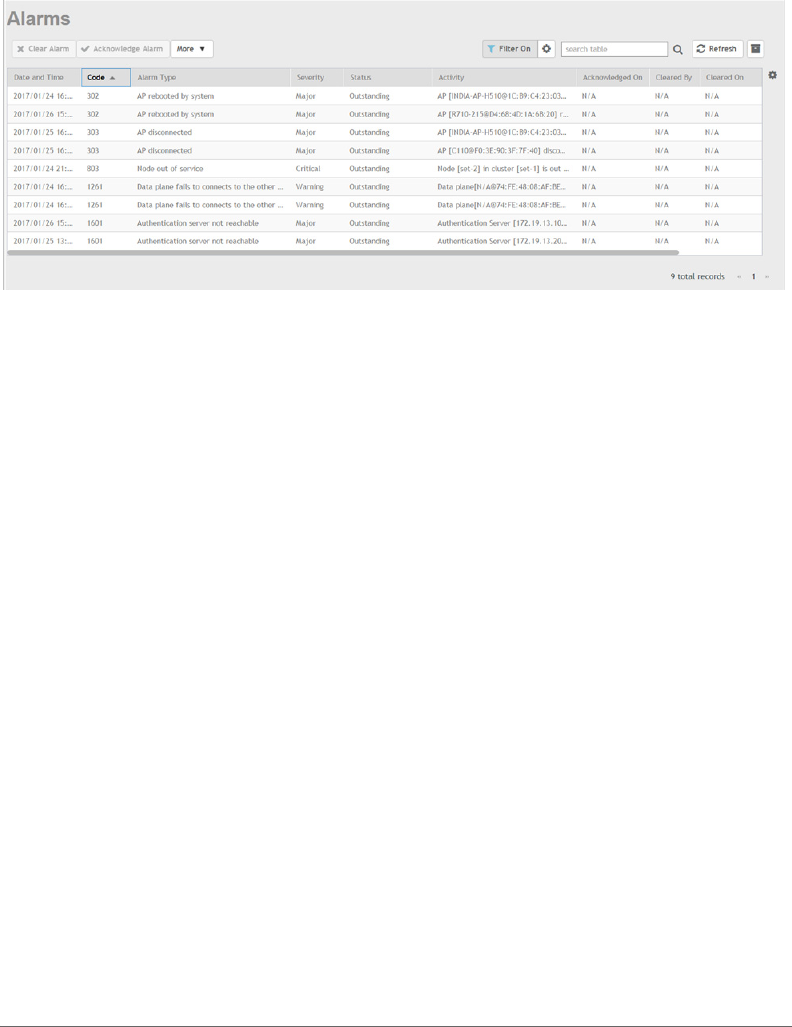
Alarm and Event Management
Alarm and Event Management
SCG200, SZ300 and vSZ-H Alarm and Event Reference Guide for SmartZone 3.5.1, 800-71512-001 Rev A 71
Figure 1. Alarms
\
2Event - On an event generation the:
aThe controller collects, receives, and maintains the raw events from the
managed entities (control plane, data plane, access points, etc.). These raw
events are kept in the database, and are automatically purged.
bThe controller allows users to enable/disable certain event types from the
managed entities.
Events - The web interface provides an Events log window as seen in Figure
2 for users to visualize and analyze the events. To view the below event
information in the controller web interface navigate to Events & Alarms >
Events.
- Date and Time
-Code
-Type
-Severity
- Activity
Event Management lists the disabled events that are filtered at the source
whenever possible to minimize resources for processing events. The SMTP
server is disabled by default. You must enable and configure the SMTP server
so notification emails can be delivered successfully.
Threshold Events are triggered at the source whenever possible.
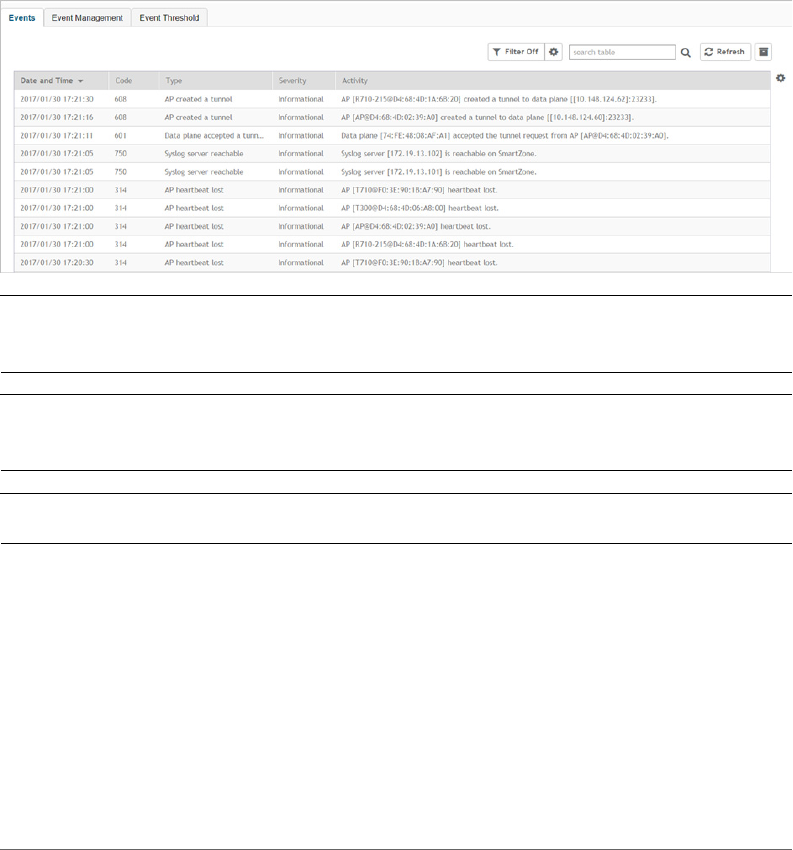
Alarm and Event Management
Alarm and Event Management
SCG200, SZ300 and vSZ-H Alarm and Event Reference Guide for SmartZone 3.5.1, 800-71512-001 Rev A 72
Users are able to perform various operations on the events, such as filtration,
aggregation and counting. The Filter button is deactivated by default. Click
this button if you want to turn on the filter. Click on the gear icon to set the
filter. A text box appears where you can enter the severity, status and start
and end date and time. Click OK when done.
The controller gives you the option of exporting t he data as a CSV file.
Figure 2. Event
NOTE: Refer to Alarm Types and Events Types for the list of alarm and event that
the SCG and vSZ-H generates.
NOTE: Refer to the SNMP MIB Reference Guide for the list of SNMP alarm traps
that the controller generates.
NOTE: Refer to the Administrator Guide for viewing Alarms and Events.

SCG200, SZ300 and vSZ-H Alarm and Event Reference Guide for SmartZone 3.5.1, 800-71512-001 Rev A 73
3
Alarm Types
This chapter provides information on the various types of alarms that the controller
generates. Alarms are a subset of the events defined. Categories are inherited from
the event.
In this chapter:
•Accounting Alarms
•AP Authentication Alarms
•AP Communication Alarms
•AP LBS Alarms
•AP State Change Alarms
•Authentication Alarms
•Control and Data Plane Interface Alarms
•Cluster Alarms
•Configuration Alarms
•Data Plane Alarms
•GA Interface Alarms
•Gn/S2a Interface Alarms
•GR Interface Alarms
•IPMI Alarms
•Licensing Alarms
•PMIPv6 Alarms
•SCI Alarms
•Session Alarms
•STA Interface Alarms
•System Alarms
•Threshold Alarms
•Tunnel Alarms - Access Point
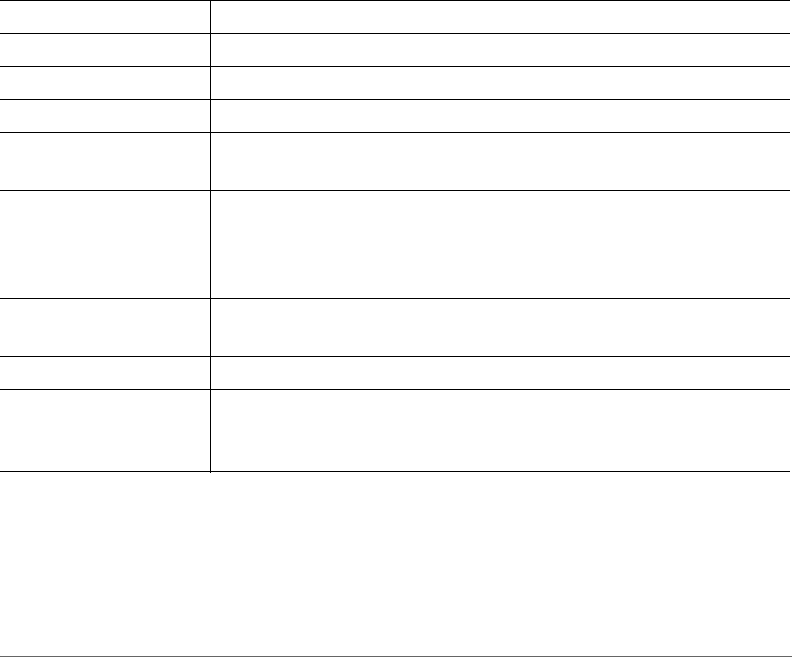
Alarm Types
Accounting Alarms
SCG200, SZ300 and vSZ-H Alarm and Event Reference Guide for SmartZone 3.5.1, 800-71512-001 Rev A 74
Accounting Alarms
Following are the alarms related to accounting.
•Accounting server not reachable
•Accounting failed over to secondary
•Accounting fallback to primary
•AP accounting message mandatory parameter missing
•AP accounting message decode failed
•AP account message drop while no accounting start message
•Unauthorized CoA/DM message dropped
Accounting server not reachable
Table 5. Accounting server not reachable alarm
Alarm Accounting server not reachable
Alarm Type accSrvrNotReachable
Alarm Code 1602
Severity Major
Aggregation Policy An alarm is raised for every event from the event code 1602. A single
event triggers a single alarm.
Attribute “mvnoId”=12, “ctrlBladeMac”=”aa:bb:cc:dd:ee:ff”,
“srcProcess”=”radiusd”, “realm”=”wlan.3gppnetwork.org",
“radProxyIp”=”7.7.7.7”, “accSrvrIp"=”30.30.30.30”,
"SCGMgmtIp"="2.2.2.2"
Displayed on the web
interface
Accounting Server [{accSrvrIp}] not reachable from Radius Proxy
[{radProxyIp}] on {produce.short.name} [{SCGMgmtIp}]
Description This alarm is triggered when the accounting server cannot be reached.
Recommended Actions Manual intervention is required. Check the web interface for the
connection to the AAA interface. Also, check if the RADIUS server can
reach the AAA server interface.
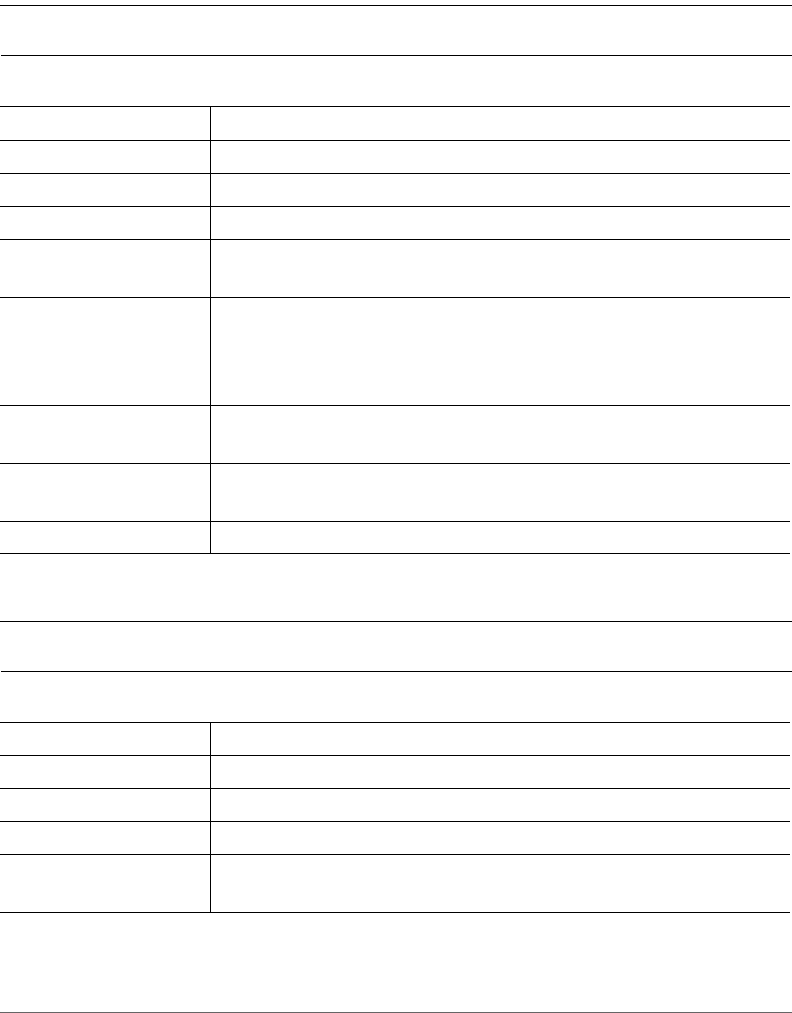
Alarm Types
Accounting Alarms
SCG200, SZ300 and vSZ-H Alarm and Event Reference Guide for SmartZone 3.5.1, 800-71512-001 Rev A 75
Accounting failed over to secondary
NOTE: This alarm is not applicable to vSZ-H.
Accounting fallback to primary
NOTE: This alarm is not applicable to vSZ-H.
Table 6. Accounting failed over to secondary alarm
Alarm Accounting failed over to secondary
Alarm Type accFailedOverToSecondary
Alarm Code 1653
Severity Major
Aggregation Policy An alarm is raised for every event from the event code 1653. A single
event triggers a single alarm.
Attribute “mvnoId”=12 “ctrlBladeMac”=”aa:bb:cc:dd:ee:ff”
“srcProcess”=”radiusd” “realm”=
”wlan.mnc080.mcc405.3gppnetwork.org" “radProxyIp”=”7.7.7.7”
“primary"=”20.20.20.20” “secondary”=”30.30.30.30”
Displayed on the web
interface
Radius Server Failed Over from Primary [{primary}] to Secondary
[{secondary}] on Radius Proxy [7.7.7.7] on SCG[2.2.2.2]
Description This alarm is triggered when the secondary accounting RADIUS server
is available after the primary server becomes unreachable.
Recommended Actions No action is required.
Table 7. Accounting fallback to primary alarm
Alarm Accounting fallback to primary
Alarm Type accFallbackToPrimary
Alarm Code 1654
Severity Major
Aggregation Policy An alarm is raised for every event from the event code 1654. A single
event triggers a single alarm.
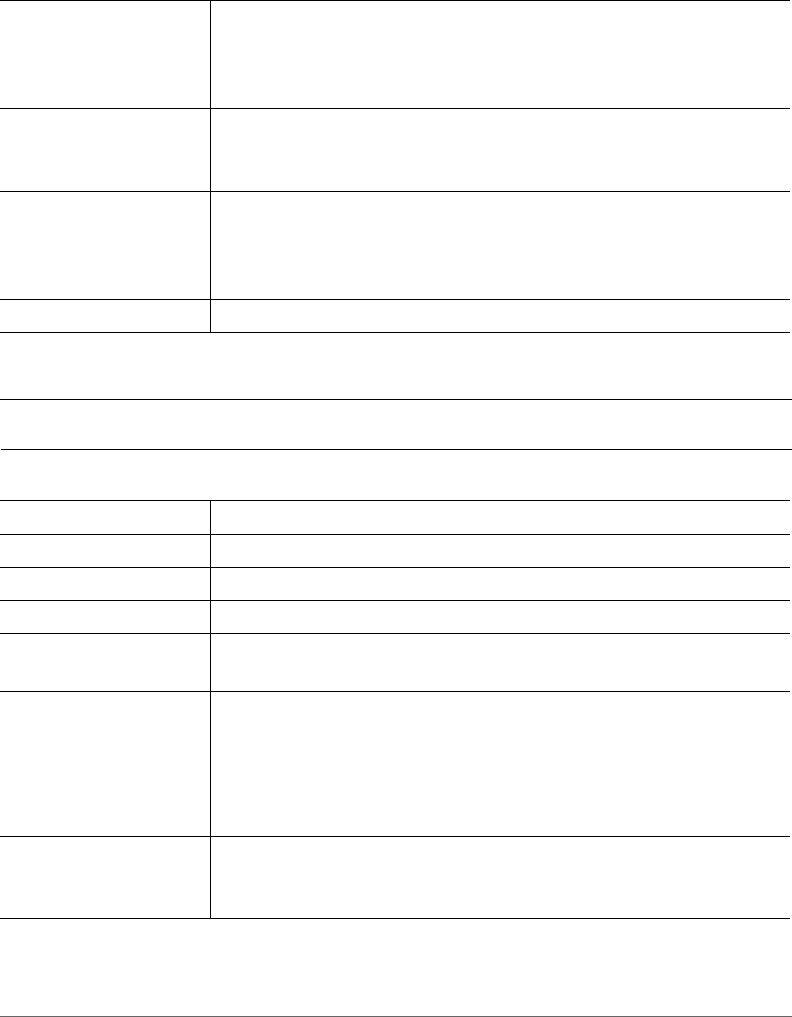
Alarm Types
Accounting Alarms
SCG200, SZ300 and vSZ-H Alarm and Event Reference Guide for SmartZone 3.5.1, 800-71512-001 Rev A 76
AP accounting message mandatory parameter missing
NOTE: This alarm is not applicable to vSZ-H.
Attribute “mvnoId”=12 “ctrlBladeMac”=”aa:bb:cc:dd:ee:ff”
“srcProcess”=”radiusd” “realm”=
”wlan.mnc080.mcc405.3gppnetwork.org" “radProxyIp”=”7.7.7.7”
“primary"=”20.20.20.20” “secondary”=”30.30.30.30”
Displayed on the web
interface
Radius Server Fallback to Primary [{primary}] from Secondary
[{secondary}] on Radius Proxy [{radProxyIp}] on {produce.short.name}
[{SCGMgmtIp}]
Description This alarm is triggered when the automatic fallback is enabled. The
accounting failover to secondary server has occurred, the revival timer
for the primary server has expired and the system falls back to the
primary server.
Recommended Actions No action is required.
Table 8. AP accounting message mandatory parameter missing alarm
Alarm AP accounting message mandatory parameter missing
Alarm Type apAcctMsgMandatoryPrmMissing
Alarm Code 1901
Severity Critical
Aggregation Policy From the event code 1901 an alarm is raised for every event. A single
event triggers a single alarm.
Attribute “mvnoId”=”12”,“wlanId”=1, “zoneId”=”10”,
“ctrlBladeMac”=”aa:bb:cc:dd:ee:ff”, “srcProcess”=”aut”,
“realm”=”wlan.3gppnetwork.org","SCGMgmtIp"="2.2.2.2",
“ueMacAddr”=”aa:bb:cc:gg:hh:ii”,“ueImsi”=”12345”,
“ueMsisdn”=”98787”
Displayed on the web
interface
[{srcProcess}] Mandatory attribute missing in Accounting Packet
received from AP [{apIpAddress}] on {produce.short.name}
[{SCGMgmtIp}], with username [{ueImsi}@{realm}]
Table 7. Accounting fallback to primary alarm
Alarm Types
Accounting Alarms
SCG200, SZ300 and vSZ-H Alarm and Event Reference Guide for SmartZone 3.5.1, 800-71512-001 Rev A 77
AP accounting message decode failed
NOTE: This alarm is not applicable to vSZ-H.
Description This alarm is triggered when the controller fails to the find the mandatory
parameter in the RADIUS accounting message received from the AP.
This mandatory parameter is required for generating the WAN-CDR.
Recommended Action Download the RADIUS log file from the web interface to check the error
cause.
Table 9. AP accounting message decode failed alarm
Alarm AP accounting message decode failed
Alarm Type apAcctMsgDecodeFailed
Alarm Code 1904
Severity Critical
Aggregation Policy From the event code 1904 an alarm is raised for every event. A single
event triggers a single alarm.
Attribute “mvnoId”=”12”,“wlanId”=1,“zoneId”=”10”,
“ctrlBladeMac”=”aa:bb:cc:dd:ee:ff”, “srcProcess”=”aut”,
“realm”=”wlan.3gppnetwork.org", "SCGMgmtIp"="2.2.2.2",
“ueMacAddr”=”aa:bb:cc:gg:hh:ii”, “ueImsi”=”12345”,
“ueMsisdn”=”98787”
Displayed on the web
interface
[{srcProcess}] Malformed Accounting Packet received from AP
[{apIpAddress}] on {produce.short.name} [{SCGMgmtIp}], with
username [{userName}]
Description This alarm is triggered when an AP accounting message decoding fails
due to a malformed packet.
Recommended Action Download the RADIUS log file from the web interface to check the error
cause.
Table 8. AP accounting message mandatory parameter missing alarm
Alarm Types
Accounting Alarms
SCG200, SZ300 and vSZ-H Alarm and Event Reference Guide for SmartZone 3.5.1, 800-71512-001 Rev A 78
AP account message drop while no accounting start
message
NOTE: This alarm is not applicable to vSZ-H.
Table 10. AP account message drop while no accounting start message alarm
Alarm AP account message drop while no accounting start message
Alarm Type apAcctMsgDropNoAcctStartMsg
Alarm Code 1910
Severity Critical
Aggregation Policy From the event code 1910 an alarm is raised for every event. A single
event triggers a single alarm.
Attribute “mvnoId”=”12”, “wlanId”=”1”, “zoneId”=”10”,
“ctrlBladeMac”=”aa:bb:cc:dd:ee:ff”, “srcProcess”=”aut”,
“realm”=”wlan.3gppnetwork.org",
Displayed on the web
interface
[{srcProcess}] Dropped Accounting Packet received from AP
[{apIpAddress}] on {produce.short.name} [{SCGMgmtIp}], with
username [{userName}]. Accounting session timer expired, stop or
interim message not received, as Account Start not received from NAS/
AP
Description This alarm is raised when accounting messages from the AP is dropped.
The attributes Acct Interim/Stop message as account start is not
received from the AP.
Recommended Action Check the accounting retransmit timer and retransmit count in the
Access Point (AP) configuration. Also check if the interface from the AP
to the controller is congested.
Alarm Types
Accounting Alarms
SCG200, SZ300 and vSZ-H Alarm and Event Reference Guide for SmartZone 3.5.1, 800-71512-001 Rev A 79
Unauthorized CoA/DM message dropped
NOTE: This alarm is not applicable to vSZ-H.
NOTE: Refer to Accounting Events.
Table 11. Unauthorized CoA/DM message dropped alarm
Alarm Unauthorized CoA/DM message dropped
Alarm Type unauthorizedCoaDmMessageDropped
Alarm Code 1911
Severity Critical
Aggregation Policy From the event code 1911 an alarm is raised for every event. A single
event triggers a single alarm.
Attribute “mvnoId”=”12” “wlanId”=”1” “zoneId”=”10”
“ctrlBladeMac”=”aa:bb:cc:dd:ee:ff” “srcProcess”=”aut”
“radSrvrIp”=”7.7.7.7” "SCGMgmtIp"="2.2.2.2"
Displayed on the web
interface
[{srcProcess}] Dropped CoA/DM Packet received from AAA [{radSrvrIp}]
on {produce.short.name} [{SCGMgmtIp}], Received message from
unauthorized AAA
Description This alarm is triggered when the controller receives a Change of
Authorization (CoA) or Dynamic Multipoint (DM) message from an
unauthorized AAA server.
Recommended Action Check the RADIUS server settings in the RADIUS service profile. Check
if the AAA server is authorized to send the change of authorization (CoA)
or dynamic multipoint (DM) messages. If it is authorized, include for
RADIUS server to send CoA/DM message in RADIUS service.
Alarm Types
AP Authentication Alarms
SCG200, SZ300 and vSZ-H Alarm and Event Reference Guide for SmartZone 3.5.1, 800-71512-001 Rev A 80
AP Authentication Alarms
Following are the alarms related to AP authentication.
•RADIUS server unreachable
•LDAP server unreachable
•AD server unreachable
•WeChat ESP authentication server unreachable
•WeChat ESP authentication server unresolvable
•WeChat ESP DNAT server unreachable
•WeChat ESP DNAT server unresolvable
RADIUS server unreachable
Table 12. RADIUS server unreachable alarm
Alarm RADIUS server unreachable
Alarm Type radiusServerUnreachable
Alarm Code 2102
Severity Major
Aggregation Policy From the event code 2102 an alarm is raised for every event. A single
event triggers a single alarm.
Attribute “apMac="xx:xx:xx:xx:xx:xx","ip"="17.0.0.12","fwVersion"="3.2.0.0.x","
model"="ZF7982","zoneUUID"="f77a8816-3049-40cd-8484-
82919275ddc3","zoneName"="Default Zone","apLocation"="".
Auto Clearance The alarm is auto cleared with the event code 2101.
Displayed on the web
interface
AP [{apName&&apMac}] is unable to reach radius server [{ip}].
Description This alarm is triggered when an AP is unable to reach the RADIUS server.
Recommended Actions Check the network connectivity between AP and RADIUS server.
Alarm Types
AP Authentication Alarms
SCG200, SZ300 and vSZ-H Alarm and Event Reference Guide for SmartZone 3.5.1, 800-71512-001 Rev A 81
LDAP server unreachable
AD server unreachable
Table 13. LDAP server unreachable alarm
Alarm LDAP server unreachable
Alarm Type ldapServerUnreachable
Alarm Code 2122
Severity Major
Aggregation Policy From the event code 2122 an alarm is raised for every event. A single
event triggers a single alarm.
Attribute “apMac="xx:xx:xx:xx:xx:xx","ip"="17.0.0.12","fwVersion"="3.2.0.0.x","
model"="ZF7982","zoneUUID"="f77a8816-3049-40cd-8484-
82919275ddc3","zoneName"="Default Zone","apLocation"=""
Auto Clearance The alarm is auto cleared with the event code 2121.
Displayed on the web
interface
AP [{apName&&apMac}] is unable to reach LDAP server [{ip}].
Description This alarm is triggered when the AP is unable to reach LDAP server.
Recommended Actions Check the network connectivity between AP and LDAP server.
Table 14. AD server unreachable alarm
Alarm AD server unreachable
Alarm Type adServerUnreachable
Alarm Code 2142
Severity Major
Aggregation Policy From the event code 2142 an alarm is raised for every event. A single
event triggers a single alarm.
Attribute “apMac="xx:xx:xx:xx:xx:xx","ip"="17.0.0.12","fwVersion"="3.2.0.0.x","
model"="ZF7982","zoneUUID"="f77a8816-3049-40cd-8484-
82919275ddc3","zoneName"="Default Zone","apLocation"=""
Auto Clearance The alarm is auto cleared with the event code 2141.
Displayed on the web
interface
AP [{apName&&apMac}] is unable to reach AD server [{ip}].

Alarm Types
AP Authentication Alarms
SCG200, SZ300 and vSZ-H Alarm and Event Reference Guide for SmartZone 3.5.1, 800-71512-001 Rev A 82
WeChat ESP authentication server unreachable
WeChat ESP authentication server unresolvable
Description This alarm is triggered when the AP is unable to reach AD server.
Recommended Actions Check the network connectivity between AP and AD server.
Table 15. WeChat ESP authentication server unreachable alarm
Alarm WeChat ESP authentication server unreachable
Alarm Type espAuthServerUnreachable
Alarm Code 2152
Severity Major
Aggregation Policy From the event code 2152 an alarm is raised for every event. A single
event triggers a single alarm.
Attribute "apMac"="xx:xx:xx:xx:xx:xx","ip"="17.0.0.12","profileId"="1","fwVersio
n"="3.2.0.0.x","model"="ZF7982","zoneUUID"="f77a8816-3049-
40cd-8484-82919275ddc3","zoneName"="Default
Zone","apLocation"=""
Auto Clearance The alarm is auto cleared with the event code 2151
Displayed on the web
interface
AP [{apName&&apMac}] is unable to reach WeChat ESP authentication
server [{ip}]
Description This alarm is triggered when the AP is unable to reach WeChat ESP
authentication server.
Recommended Actions Check the network connectivity between controller web interface and
WeChat ESP authentication server.
Table 16. WeChat ESP authentication server unresolvable alarm
Alarm WeChat ESP authentication server unresolvable
Alarm Type espAuthServerUnResolvable
Alarm Code 2154
Severity Major
Aggregation Policy From the event code 2154 an alarm is raised for every event. A single
event triggers a single alarm.
Table 14. AD server unreachable alarm
Alarm Types
AP Authentication Alarms
SCG200, SZ300 and vSZ-H Alarm and Event Reference Guide for SmartZone 3.5.1, 800-71512-001 Rev A 83
WeChat ESP DNAT server unreachable
Attribute "apMac"="xx:xx:xx:xx:xx:xx","dn"="www.test.com","profileId"="1","fw
Version"="3.2.0.0.x","model"="ZF7982","zoneUUID"="f77a8816-
3049-40cd-8484-82919275ddc3","zoneName"="Default
Zone","apLocation"=""
Auto Clearance The alarm is auto cleared with the event code 2153.
Displayed on the web
interface
AP [{apName&&apMac}] is unable to resolve WeChat ESP
authentication server domain name [{dn}] to IP
Description This alarm is triggered when the AP is unable to resolve the WeChat
ESP authentication server domain name.
Recommended Actions Check the DNS server configuration settings in the controller web
interface.
Table 17. WeChat ESP DNAT server unreachable alarm
Alarm WeChat ESP DNAT server unreachable
Alarm Type espDNATServerUnreachable
Alarm Code 2162
Severity Major
Aggregation Policy From the event code 2162 an alarm is raised for every event. A single
event triggers a single alarm.
Attribute "apMac"="xx:xx:xx:xx:xx:xx","ip"="17.0.0.12","profileId"="1","fwVersio
n"="3.2.0.0.x","model"="ZF7982","zoneUUID"="f77a8816-3049-
40cd-8484-82919275ddc3","zoneName"="Default
Zone","apLocation"=""
Auto Clearance The alarm is auto cleared with the event code 2161.
Displayed on the web
interface
AP [{apName&&apMac}] is unable to reach WeChat ESP DNAT server
[{ip}].
Description This alarm is triggered when the AP is unable to reach the WeChat ESP
DNAT server.
Recommended Actions Check the network connectivity between controller web interface and
WeChat ESP DNAT server.
Table 16. WeChat ESP authentication server unresolvable alarm
Alarm Types
AP Authentication Alarms
SCG200, SZ300 and vSZ-H Alarm and Event Reference Guide for SmartZone 3.5.1, 800-71512-001 Rev A 84
WeChat ESP DNAT server unresolvable
NOTE: Refer to AP Authentication Events.
Table 18. WeChat ESP DNAT server unresolvable alarm
Alarm WeChat ESP DNAT server unresolvable
Alarm Type espDNATServerUnresolvable
Alarm Code 2164
Severity Major
Aggregation Policy From the event code 2164 an alarm is raised for every event. A single
event triggers a single alarm.
Attribute "apMac"="xx:xx:xx:xx:xx:xx","dn"="www.test.com","profileId"="1","fw
Version"="3.2.0.0.x","model"="ZF7982","zoneUUID"="f77a8816-
3049-40cd-8484-82919275ddc3","zoneName"="Default
Zone","apLocation"=""
Auto Clearance The alarm is auto cleared with the event code 2163.
Displayed on the web
interface
AP [{apName&&apMac}] is unable to resolve WeChat ESP DNAT server
domain name [{dn}] to IP
Description This alarm is triggered when the AP is unable to resolve the WeChat
ESP DNAT server domain name.
Recommended Actions Check the DNS server configuration settings in the controller web
interface.
Alarm Types
AP Communication Alarms
SCG200, SZ300 and vSZ-H Alarm and Event Reference Guide for SmartZone 3.5.1, 800-71512-001 Rev A 85
AP Communication Alarms
Following are the alarms related to access point communications.
•AP rejected
•AP configuration update failed
•AP swap model mismatched
•AP pre-provision model mismatched
•AP firmware update failed
•AP WLAN oversubscribed
•AP join zone failed
AP rejected
Table 19. AP rejected alarm
Alarm AP rejected
Alarm Type apStatusRejected
Alarm Code 101
Severity Minor
Aggregation Policy From the event code 105 an alarm is raised for every event. A single
event triggers a single alarm.
Auto Clearance The alarm is auto cleared with the event code 103.
Attribute “apMac”=”xx:xx:xx:xx:xx:xx”, “wsgIP"=”xxx.xxx.xxx.xxx”,
“reason”=”xxx”
Displayed on the web
interface
{produce.short.name} [{wsgIP}] rejected AP [{apName&&apMac}]
because of [{reason}]
Description This alarm is triggered when the AP is rejected.
Recommended Actions Check if the number of licenses has been exceeded. Purchase
additional licenses.

Alarm Types
AP Communication Alarms
SCG200, SZ300 and vSZ-H Alarm and Event Reference Guide for SmartZone 3.5.1, 800-71512-001 Rev A 86
AP configuration update failed
AP swap model mismatched
Table 20. AP configuration update failed alarm
Alarm AP configuration update failed
Alarm Type apConfUpdateFailed
Alarm Code 102
Severity Major
fAggregation Policy From the event code 111 an alarm is raised for every event. A single
event triggers a single alarm.
Auto Clearance The alarm is auto cleared with the event code 110.
Attribute “apMac”=”xx:xx:xx:xx:xx:xx”, “configID”=”23456781234”
Displayed on the web
interface
AP [{apName&&apMac}] failed to update to configuration [{configID}]
Description This alarm is triggered when the controller is unable to update the AP
configuration details.
Recommended Actions Retrieve the AP support text. Reboot the AP to rigger another
configuration change. If it fails revert to the previous zone firmware.
Table 21. AP swap model mismatched alarm
Alarm AP swap model mismatched
Alarm Type apModelDiffWithSwapOutAP
Alarm Code 104
Severity Major
Aggregation Policy From the event code 113 an alarm is raised for every event. A single
event triggers a single alarm.
Attribute "apMac"="xx:xx:xx:xx:xx:xx", "wsgIP"="xxx.xxx.xxx.xxx"
“configModel”=”xxx.xxx.xxx.xxx”, “model”=”xxx.xxx.xxx.xxx
Displayed on the web
interface
AP [{apName&&apMac}] model [{model}] is different from swap
configuration model [{configModel}]
Description This alarm is triggered when the AP model differs from the swapped
configuration model.
Recommended Actions If the model is incorrect delete and rejoin the AP.
Alarm Types
AP Communication Alarms
SCG200, SZ300 and vSZ-H Alarm and Event Reference Guide for SmartZone 3.5.1, 800-71512-001 Rev A 87
AP pre-provision model mismatched
AP firmware update failed
Table 22. AP pre-provision model mismatched alarm
Alarm AP pre-provision model mismatched
Alarm Type apModelDiffWithPreProvConfig
Alarm Code 105
Severity Major
Aggregation Policy From the event code 112 an alarm is raised for every event. A single
event triggers a single alarm.
Attribute “apMac”=”xx:xx:xx:xx:xx:xx”, “wsgIP"=”xxx.xxx.xxx.xxx”,
“configModel”=”xxx.xxx.xxx.xxx”. “model”=”xxx.xxx.xxx.xxx”
Displayed on the web
interface
AP [{apName&&apMac}] model [{model}] is different from per-provision
configuration model [{configModel}]
Description This alarm is triggered when the AP model differs from the pre-
provisioned configuration model.
Recommended Actions If the model is incorrect, delete the AP to rejoin and receive the proper
AP configuration.
Table 23. AP firmware update failed alarm
Alarm AP firmware update failed
Alarm Type apFirmwareUpdateFailed
Alarm Code 107
Severity Major
Aggregation Policy From the event code 107 an alarm is raised for every event. A single
event triggers a single alarm.
Auto Clearance The alarm is auto cleared with the event code 106.
Attribute "apMac"="xx:xx:xx:xx:xx:xx", "wsgIP"="xxx.xxx.xxx.xxx"
Displayed on the web
interface
AP [{apName&&apMac}] failed to update its firmware from
[{fromVersion}] to [{toVersion}] [{reason}]
Description This alarm is triggered when the AP firmware update fails.
Alarm Types
AP Communication Alarms
SCG200, SZ300 and vSZ-H Alarm and Event Reference Guide for SmartZone 3.5.1, 800-71512-001 Rev A 88
AP WLAN oversubscribed
Recommended Actions Retrieve the AP support text. Reboot the AP and trigger another
configuration change for upgrading the AP. If it fails revert to the previous
zone firmware.
Table 24. AP WLAN oversubscribed alarm
Alarm AP WLAN oversubscribed
Alarm Type apWlanOversubscribed
Alarm Code 1081
Severity Major
Aggregation Policy From the event code 114 an alarm is raised for every event. A single
event triggers a single alarm.
Attribute "apMac"=”xx:xx:xx:xx:xx:xx”
Displayed on the web
interface
AP [{apName&&apMac}] does not have enough capacity to deploy all
wlans. Only maximum wlan number of the AP can be deployed
Description This alarm is triggered when the number of WLANs on an AP exceeds
its maximum capacity.
Recommended Actions Any of the following are the recommended actions.
• Create a new WLAN group with WLANs. Ensure that it is not more
than the AP's WLAN capacity. Apply the new WLAN group to either
the AP or the AP's AP Group.
• Find the WLAN group used by the AP and reduce the number of
WLANs.
Table 23. AP firmware update failed alarm
Alarm Types
AP Communication Alarms
SCG200, SZ300 and vSZ-H Alarm and Event Reference Guide for SmartZone 3.5.1, 800-71512-001 Rev A 89
AP join zone failed
NOTE: This alarm is not applicable to vSZ-H.
NOTE: Refer to AP Communication Events.
Table 25. AP join zone failed alarm
Alarm AP join zone failed
Alarm Type apJoinZoneFailed
Alarm Code 115
Severity Major
Aggregation Policy From the event code 115 an alarm is raised for every event. A single
event triggers a single alarm.
Attribute "apMac"=”xx:xx:xx:xx:xx:xx”, "zoneUUID"=”xx:xx:xx:xx:xx:xx”,
"targetZoneUUID"=”xx:xx:xx:xx:xx:xx”, "reason"=”xx:xx:xx:xx:xx:xx”
Displayed on the web
interface
AP [{apName&&apMac}] failed to join to zone [{targetZoneName}].
Reason: [{reason}]
Description This alarm is triggered when the AP fails to join the specified zone.
Recommended Actions Check if the number of RXGW (AP direct tunnel license) licenses has
exceeded the limit. Purchase additional licenses.
Alarm Types
AP LBS Alarms
SCG200, SZ300 and vSZ-H Alarm and Event Reference Guide for SmartZone 3.5.1, 800-71512-001 Rev A 90
AP LBS Alarms
Following are the alarms related to AP Location Based Service (LBS).
•No LS responses
•LS authentication failure
•AP failed to connect to LS
No LS responses
Table 26. No LS responses alarm
Alarm No LS responses
Alarm Type apLBSNoResponses
Alarm Code 701
Severity Major
Aggregation Policy From the event code 701 an alarm is raised for every event. A single
event triggers a single alarm.
Attribute “apMac”=“xx:xx:xx:xx:xx:xx“, “url”=““,”port”=““
Displayed on the
SmartZone web interface
AP [{apName&&apMac}] no response from LS: url=[{url}], port=[{port}]
Description This alarm is triggered when the AP does not get a response when trying
to connect to the location based service.
Recommended Actions This alarm is triggered when the location server fails to respond to the
AP request due to an error when the server is in maintenance mode.
Report this to the location server owner.
Alarm Types
AP LBS Alarms
SCG200, SZ300 and vSZ-H Alarm and Event Reference Guide for SmartZone 3.5.1, 800-71512-001 Rev A 91
LS authentication failure
Table 27. LS authentication failure alarm
Alarm LS authentication failure
Alarm Type apLBSAuthFailed
Alarm Code 702
Severity Major
Aggregation Policy From the event code 702 an alarm is raised for every event. A single
event triggers a single alarm.
Attribute “apMac”=“xx:xx:xx:xx:xx:xx“, “url”=““,”port”=““
Displayed on the
SmartZone web interface
AP [{apName&&apMac}] LBS authentication failed: url=[{url}],
port=[{port}]
Description This alarm is triggered when the AP fails to connect to the location
service.
Recommended Actions The password needs to be corrected in the LBS service page.
Alarm Types
AP LBS Alarms
SCG200, SZ300 and vSZ-H Alarm and Event Reference Guide for SmartZone 3.5.1, 800-71512-001 Rev A 92
AP failed to connect to LS
NOTE: Refer to AP LBS Events.
Table 28. AP failed to connect to LS alarm
Alarm AP failed to connect to LS
Alarm Type apLBSConnectFailed
Alarm Code 704
Severity Major
Aggregation Policy From the event code 704 an alarm is raised for every event. A single
event triggers a single alarm.
Auto Clearance The alarm is auto cleared with the event code 703.
Attribute “apMac”=“xx:xx:xx:xx:xx:xx“, “url”=““,”port”=““
Displayed on the
SmartZone web interface
AP [{apName&&apMac}] connection failed to LS: url=[{url}],
port=[{port}]
Description This alarm is triggered when the AP fails to connect to the location based
service.
Recommended Actions This alarm is triggered either when the location server is unreachable or
the network connection is unstable or the Domain Named System (DNS)
configuration is incorrect. It is recommended to check all the three
possible error codes - 701, 702 and 704.
Alarm Types
AP State Change Alarms
SCG200, SZ300 and vSZ-H Alarm and Event Reference Guide for SmartZone 3.5.1, 800-71512-001 Rev A 93
AP State Change Alarms
Following are the alarms related to access point state changes.
•AP rebooted by system
•AP disconnected
•AP deleted
•AP cable modem interface down
•AP DHCP service failure
•AP NAT failure
AP rebooted by system
Table 29. AP rebooted by system alarm
Alarm AP rebooted by system
Alarm Type apRebootBySystem
Alarm Code 302
Severity Major
Aggregation Policy From the event code 302 an alarm is raised for every event. A single
event triggers a single alarm.
Attribute “apMac”=”xx:xx:xx:xx:xx:xx”, “reason”=”xxxxx”
Displayed on the web
interface
AP [{apName&&apMac}] rebooted by the system because of [{reason}]
Description This alarm is triggered when the system reboots the AP.
Recommended Actions Check the reasons for the reboot. If the reason is unknown, retrieve the
AP support text and send it to Ruckus support.
Alarm Types
AP State Change Alarms
SCG200, SZ300 and vSZ-H Alarm and Event Reference Guide for SmartZone 3.5.1, 800-71512-001 Rev A 94
AP disconnected
AP deleted
Table 30. AP disconnected alarm
Alarm AP disconnected
Alarm Type apConnectionLost
Alarm Code 303
Severity Major
Aggregation Policy From the event code 303 an alarm is raised for every event. A single
event triggers a single alarm.
Auto Clearance The alarm is auto cleared with the event code 312
Attribute “apMac”=”xx:xx:xx:xx:xx:xx”
Displayed on the web
interface
AP [{apName&&apMac}] disconnected
Description This alarm is triggered when the AP disconnects from the controller.
Recommended Actions Check the network connectivity between the AP and controller. Try
rebooting the AP locally.
Table 31. AP deleted alarm
Alarm AP deleted
Alarm Type apDeleted
Alarm Code 306
Severity Major
Aggregation Policy From the event code 313 an alarm is raised for every event. A single
event triggers a single alarm.
Attribute “apMac”=”xx:xx:xx:xx:xx:xx”
Displayed on the web
interface
AP [{apName&&apMac}] deleted
Description This alarm is triggered when the AP is deleted.
Recommended Actions No action required.

Alarm Types
AP State Change Alarms
SCG200, SZ300 and vSZ-H Alarm and Event Reference Guide for SmartZone 3.5.1, 800-71512-001 Rev A 95
AP cable modem interface down
AP DHCP service failure
Table 32. AP cable modem interface down alarm
Alarm AP cable modem interface down
Alarm Type cableModemDown
Alarm Code 308
Severity Major
Aggregation Policy From the event code 316 an alarm is raised for every event. A single
event triggers a single alarm.
Auto Clearance The alarm is auto cleared with the event code 325.
Attribute “apMac”=”xx:xx:xx:xx:xx:xx”
Displayed on the web
interface
AP [{apName&&apMac}] cable modem interface is down
Description This alarm is triggered when the AP cable modem interface is down.
Recommended Actions Check cable modem. Try rebooting the cable modem.
Table 33. AP DHCP service failure alarm
Alarm Both primary and secondary DHCP server APs are down
Alarm Type apDHCPServiceFailure
Alarm Code 341
Severity Major
Aggregation Policy From the event code xxx an alarm is raised for every event. A single
event triggers a single alarm.
Attribute ”primaryServerMac”=“xx:xx:xx:xx:xx:xx”,
“secondaryServerMac”=“xx:xx:xx:xx:xx:xx”
Displayed on the web
interface
AP DHCP service failure. Both primary DHCP AP [{primaryServerMac}]
and secondary DHCP server AP [{secondaryServerMac}] are down.
Description This alarm is triggered when the primary and secondary DHCP server
APs fail.
Recommended Actions Deploy DHCP service on another AP.
Alarm Types
AP State Change Alarms
SCG200, SZ300 and vSZ-H Alarm and Event Reference Guide for SmartZone 3.5.1, 800-71512-001 Rev A 96
AP NAT failure
NOTE: Refer to AP State Change Events.
Table 34. AP NAT failure alarm
Alarm AP NAT failure detected by controller due to three (3) consecutive NAT
gateway APs are down.
Alarm Type apNATFailureDetectedbySZ
Alarm Code 346
Severity Critical
Aggregation Policy From the event code 346 an alarm is raised for every event. A single
event triggers a single alarm.
Attribute ”apMac1”=“xx:xx:xx:xx:xx:xx”, ”apMac2”=“xx:xx:xx:xx:xx:xx”,
”apMac3”=“xx:xx:xx:xx:xx:xx”
Displayed on the web
interface
NAT failure detected by SZ since three (3) consecutive NAT gateway IPs
are down AP1=[{apMac1}] AP2=[{apMac2}] AP3=[{apMac3}] (All
consecutive NAT APs are down in case of less than 3 NAT Gateway APs
configured). The NAT traffic for some of the clients may get affected for
the respective VLANs.
Description This alarm is triggered when the controller detects three (3) consecutive
failures of NAT server APs.
Alarm Types
Authentication Alarms
SCG200, SZ300 and vSZ-H Alarm and Event Reference Guide for SmartZone 3.5.1, 800-71512-001 Rev A 97
Authentication Alarms
The following are the alarms related to authentication.
•Authentication server not reachable
•Authentication failed over to secondary
•Authentication fallback to primary
•AD/LDAP connectivity failure
•Bind fails with AD/LDAP
•Bind success with LDAP, but unable to find clear text password for the user
•RADIUS fails to connect to AD NPS server
•RADIUS fails to authenticate with AD NPS server
Authentication server not reachable
Table 35. Authentication server not reachable alarm
Alarm Authentication server not reachable
Alarm Type authSrvrNotReachable
Alarm Code 1601
Severity Major
Aggregation Policy From the event code 1601 an alarm is raised for every event. A single
event triggers a single alarm.
Attribute “mvnoId”=12 “ctrlBladeMac”=”aa:bb:cc:dd:ee:ff”
“srcProcess”=”radiusd” “realm”=
”wlan.mnc080.mcc405.3gppnetwork.org" “radProxyIp”=”7.7.7.7”
“authSrvrIp"=”20.20.20.20” "SCGMgmtIp"="2.2.2.2"
Displayed on the web
interface
Authentication Server [{authSrvrIp}] not reachable from Radius Proxy
[{radProxyIp}] on {produce.short.name} [{SCGMgmtIp}].
Description This alarm is triggered when the primary or secondary authentication
servers are not reachable.
Recommended Actions Manual intervention is required. Check the web interface for the interface
from the controller to AAA server. Also check if the AAA server can be
reached from the controller. Ensure that the AAA server is UP.
Alarm Types
Authentication Alarms
SCG200, SZ300 and vSZ-H Alarm and Event Reference Guide for SmartZone 3.5.1, 800-71512-001 Rev A 98
Authentication failed over to secondary
Authentication fallback to primary
Table 36. Authentication failed over to secondary alarm
Alarm Authentication failed over to secondary
Alarm Type authFailedOverToSecondary
Alarm Code 1651
Severity Major
Aggregation Policy From the event code 1651 an alarm is raised for every event. A single
event triggers a single alarm.
Attribute “mvnoId”=12 “ctrlBladeMac”=”aa:bb:cc:dd:ee:ff”,
srcProcess”=”radiusd” “realm”=
”wlan.mnc080.mcc405.3gppnetwork.org" “radProxyIp”=”7.7.7.7”
“primary"=”20.20.20.20” “secondary”=”30.30.30.30”
"SCGMgmtIp"="2.2.2.2"
Displayed on the web
interface
Radius Server Failed Over from Primary [{primary}] to Secondary
[{secondary}] on Radius Proxy [{radProxyIp}] on {produce.short.name}
[{SCGMgmtIp}]a
Description This alarm is triggered when the secondary RADIUS server becomes
available after the primary server becomes unreachable.
Recommended Actions No operator action is required.
Table 37. Authentication fallback to primary alarm
Alarm Authentication fallback to primary
Alarm Type authFallbackToPrimary
Alarm Code 1652
Severity Major
Aggregation Policy From the event code 1652 an alarm is raised for every event. A single
event triggers a single alarm.
Attribute “mvnoId”=12 “ctrlBladeMac”=”aa:bb:cc:dd:ee:ff”
“srcProcess”=”radiusd” “realm”=
”wlan.mnc080.mcc405.3gppnetwork.org" “radProxyIp”=”7.7.7.7”
“primary"=”20.20.20.20” “secondary”=”30.30.30.30”
"SCGMgmtIp"="2.2.2.2"
Alarm Types
Authentication Alarms
SCG200, SZ300 and vSZ-H Alarm and Event Reference Guide for SmartZone 3.5.1, 800-71512-001 Rev A 99
AD/LDAP connectivity failure
Displayed on the web
interface
Radius Server Fallback to Primary [{primary}] from Secondary
[{secondary}] on Radius Proxy [{radProxyIp}] on {produce.short.name}
[{SCGMgmtIp}]
Description This alarm is triggered when authentication server failover recovery has
occurred.
Recommended Actions No action is required.
Table 38. AD/LDAP connectivity failure alarm
Alarm AD/LDAP connectivity failure
Alarm Type racADLDAPFail
Alarm Code 1752
Severity Major
Aggregation Policy From the event code 1752 an alarm is raised for every event. A single
event triggers a single alarm.
Attribute “ctrlBladeMac”=”aa:bb:cc:dd:ee:ff”, “mvnoId”=12,
“srcProcess”=”RAC”, “authSrvrIp”=“1.1.1.1”, "SCGMgmtIp"="2.2.2.2"
“desc”= "Connection to AD/LDAP fails"
Displayed on the web
interface
[{srcProcess}] Connect to AD/LDAP[{authSrvrIp}] fails from
SCG[{SCGMgmtIp}]
Description This alarm is triggered when the RADIUS server fails to connect with an
AD/LDAP server.
Recommended Actions • Check whether AD/LDAP server instance is running on the target
machine
• Check whether the AD/LDAP server can be reached from the
controller
• Verify if AD/LDAP server instances are listening on ports 3268 and
389
• Verify if the requests are reaching AD/LDAP servers by any packet
capture tool (tcpdump, wireshark)
Table 37. Authentication fallback to primary alarm
Alarm Types
Authentication Alarms
SCG200, SZ300 and vSZ-H Alarm and Event Reference Guide for SmartZone 3.5.1, 800-71512-001 Rev A 100
Bind fails with AD/LDAP
Table 39. Bind fails with AD/LDAP alarm
Alarm Bind fails with AD/LDAP
Alarm Type racADLDAPBindFail
Alarm Code 1753
Severity Major
Aggregation Policy From the event code 1753 an alarm is raised for every event. A single
event triggers a single alarm.
Attribute “ctrlBladeMac”=”aa:bb:cc:dd:ee:ff”, “mvnoId”=12,
“srcProcess”=”RAC”, “authSrvrIp”= “1.1.1.1”, “username”=“testuser’
"SCGMgmtIp"="2.2.2.2", “desc”=”Bind to AD/LDAP fails”
Displayed on the web
interface
[{srcProcess}] Bind to AD/LDAP[{authSrvrIp}] fails from
SCG[{SCGMgmtIp}] for User[{userName}]
Description This alarm is triggered when the RADIUS server binding to the AD/LDAP
server fails.
Recommended Actions • Verify the base and administrator domain names as configured in the
controller web interface
• Verify the administrator user name and password as configured in the
controller web interface
• Verify whether the configured administrator user name and password
is authenticated by the AD/LDAP servers

Alarm Types
Authentication Alarms
SCG200, SZ300 and vSZ-H Alarm and Event Reference Guide for SmartZone 3.5.1, 800-71512-001 Rev A 101
Bind success with LDAP, but unable to find clear text
password for the user
RADIUS fails to connect to AD NPS server
Table 40. Bind success with LDAP, but unable to find clear text password for the user alarm
Alarm Bind success with LDAP, but unable to find clear text password for the
user
Alarm Type racLDAPFailToFindPassword
Alarm Code 1754
Severity Major
Aggregation Policy From the event code 1754 an alarm is raised for every event. A single
event triggers a single alarm.
Attribute “ctrlBladeMac”=”aa:bb:cc:dd:ee:ff”, “mvnoId”=12,
“srcProcess”=”RAC”, “authSrvrIp”=“1.1.1.1”, “username”= “testuser’
"SCGMgmtIp"="2.2.2.2", “desc”=”Fail to find password”
Displayed on the web
interface
[{srcProcess}] failed to find password from LDAP[{authSrvrIp}] for
SCG[{SCGMgmtIp}] for User[{userName}]
Description This alarm is triggered when binding is successful with LDAP server
using root credentials but it is unable to retrieve the clear text password
for the user.
Recommended Actions Verify whether the given username and clear text password are
configured in the LDAP server.
Table 41. RADIUS fails to connect to AD NPS server alarm
Alarm RADIUS fails to connect to AD NPS server
Alarm Type racADNPSFail
Alarm Code 1755
Severity Major
Aggregation Policy From the event code 1755 an alarm is raised for every event. A single
event triggers a single alarm.
Attribute “ctrlBladeMac”=”aa:bb:cc:dd:ee:ff”, “mvnoId”=12
“srcProcess”=”RAC”, “authSrvrIp”=“1.1.1.1”, “username”=“testuser’
"SCGMgmtIp"="2.2.2.2", “desc”= ”Fails to connect to AD NPS server”
Alarm Types
Authentication Alarms
SCG200, SZ300 and vSZ-H Alarm and Event Reference Guide for SmartZone 3.5.1, 800-71512-001 Rev A 102
RADIUS fails to authenticate with AD NPS server
Displayed on the web
interface
[{srcProcess}] Fails to connect to AD NPS[{authSrvrIp}] from
SCG[{SCGMgmtIp}]
Description This alarm is triggered when the RADIUS server fails to connect to the
AD NPS server.
Recommended Actions • Verify if the configured NPS server instance is up and running
(Network Policy Server)
• Verify if the NPS server instance is communicating on the standard
RADIUS port 1812
• Ensure that Windows server where AD/NPS server is provisioned can
be reached from the controller web interface
Table 42. RADIUS fails to authenticate with AD NPS server alarm
Alarm RADIUS fails to authenticate with AD NPS server
Alarm Type racADNPSFailToAuthenticate
Alarm Code 1756
Severity Major
Aggregation Policy From the event code 1756 an alarm is raised for every event. A single
event triggers a single alarm.
Attribute “ctrlBladeMac”=”aa:bb:cc:dd:ee:ff”, “mvnoId”=12,
“srcProcess”=”RAC”, “authSrvrIp”=“1.1.1.1”, “username”=“testuser’
"SCGMgmtIp"="2.2.2.2", “desc”=”Fails to authenticate with AD NPS”
Displayed on the web
interface
[{srcProcess}] Fails to authenticate AD NPS[{authSrvrIp}] on
SCG[{SCGMgmtIp}] for User[{userName}
Description This alarm is triggered when the RADIUS server fails to authenticate with
the AD NPS server.
Table 41. RADIUS fails to connect to AD NPS server alarm
Alarm Types
Authentication Alarms
SCG200, SZ300 and vSZ-H Alarm and Event Reference Guide for SmartZone 3.5.1, 800-71512-001 Rev A 103
Fails to establish TLS tunnel with AD/LDAP
NOTE: Refer to Authentication Events.
Recommended Actions • The shared secret for NPS server should be same as that of
administrator password provisioned in the controller web interface for
AD server
• NPS should be configured to accept request (CHAP and MSCHAPv2)
from the controller
• For CHAP authentication to work the AD server should store the
password in reversible encryption format
• Ensure that NPS is registered with AD server
Table 43. Fails to establish TLS tunnel with AD/LDAP alarm
Alarm Fails to establish TLS tunnel with AD/LDAP
Alarm Type racADLDAPTLSFailed
Alarm Code 1762
Severity Major
Aggregation Policy From the event code 1762 an alarm is raised for every event. A single
event triggers a single alarm.
Attribute “ctrlBladeMac”=”aa:bb:cc:dd:ee:ff”, “mvnoId”=12
“srcProcess”=”RAC”, “authSrvrIp” =“1.1.1.1”
“authSrvrPort”=“636”, "SCGMgmtIp"="2.2.2.2"
“desc”=” Fail to establish TLS Tunnel with LDAP/AD”
Displayed on the web
interface
[{srcProcess}] Fails to authenticate AD NPS[{authSrvrIp}] on
SCG[{SCGMgmtIp}] for User[{userName}
Description This alarm is triggered when TLS connection between the controller and
AD/LDAP fails.
Table 42. RADIUS fails to authenticate with AD NPS server alarm
Alarm Types
Control and Data Plane Interface Alarms
SCG200, SZ300 and vSZ-H Alarm and Event Reference Guide for SmartZone 3.5.1, 800-71512-001 Rev A 104
Control and Data Plane Interface Alarms
NOTE: This section is not applicable to vSZ-H.
Following alarm is related to control and data plane.
•GtpManager (DP) disconnected
GtpManager (DP) disconnected
v
NOTE: Refer to Control and Data Plane Interface.
Table 44. GtpManager (DP) disconnected alarm
Alarm GtpManager (DP) disconnected
Alarm Type lostCnxnToDblade
Alarm Code 1202
Severity Major
Aggregation Policy From the event code 1202 an alarm is raised for every event. A single
event triggers a single alarm.
Auto Clearance The alarm code is auto cleared with the event code 1201.
Attribute “ctrlBladeMac”=”aa:bb:cc:dd:ee:ff”, “srcProcess”=”aut”,
“realm”=”NA”, “ctrlBladeIp”=”1.1.1.1”, "dataBladeIp"="3.3.3.3",
"SCGMgmtIp"="2.2.2.2
Displayed on the web
interface
The connectivity between Control plane [{ctrlBladeIp}] and Data plane
[{dataBladeIp}] is lost at {produce.short.name} [{SCGMgmtIp}]
Description This alarm is triggered due to transmission control protocol (TCP)
connection loss or when control plane is unable to complete the
configuration procedure successfully.
Recommended Actions A manual intervention is required. Refer to Control and Data Plane
Interface event 1201.

Alarm Types
Cluster Alarms
SCG200, SZ300 and vSZ-H Alarm and Event Reference Guide for SmartZone 3.5.1, 800-71512-001 Rev A 105
Cluster Alarms
Following are the alarms related to cluster.
•New node failed to join
•Node removal failed
•Node out of service
•Cluster in maintenance state
•Cluster backup failed
•Cluster restore failed
•Cluster upgrade failed
•Cluster application stopped
•Node bond interface down
•Node physical interface down
•Cluster node rebooted
•Cluster node shut down
•Disk usage exceed threshold
•Cluster out of service
•Cluster upload AP firmware failed
•Cluster add AP firmware failed
•Unsync NTP time
•Cluster upload KSP file failed
•Configuration backup failed
•Configuration restore failed
Alarm Types
Cluster Alarms
SCG200, SZ300 and vSZ-H Alarm and Event Reference Guide for SmartZone 3.5.1, 800-71512-001 Rev A 106
New node failed to join
Table 45. New node failed to join alarm
Alarm New node failed to join
Alarm Type newNodeJoinFailed
Alarm Code 801
Severity Critical
Aggregation Policy From the event code 803 an alarm is raised for every event. A single
event triggers a single alarm.
Auto Clearance The alarm code is auto cleared with the event code 802.
Attribute “clusterName”=”xxx”, “nodeName”=”xxx”,
“nodeMac”=” xx:xx:xx:xx:xx:xx”
Displayed on the web
interface
New node [{nodeMac}] ([{nodeName}]) failed to join cluster
[{clusterName}]
Description This alarm is triggered when a node fails to join a cluster session.
Recommended Actions When the operation fails, the user can run the join process. If it continues
to fail, please send the complete system log files (stored in the path -
/opt/ ruckuswireless/controller/log/system for analysis to Ruckus
support. Possible causes are:
• The joining node is unable to complete the syncing of data in time.
This could be due to the existing node performing compaction/repair
etc.
• The communication between the nodes may be broken. This could
cause the operation to timeout such as IP address change or due to
other events, which affects the network. Usually, it does not last for
a long period of time.

Alarm Types
Cluster Alarms
SCG200, SZ300 and vSZ-H Alarm and Event Reference Guide for SmartZone 3.5.1, 800-71512-001 Rev A 107
Node removal failed
Node out of service
Table 46. Node removal failed alarm
Alarm Node removal failed
Alarm Type removeNodeFailed
Alarm Code 802
Severity Major
Aggregation Policy From the event code 805 an alarm is raised for every event. A single
event triggers a single alarm.
Auto Clearance The alarm code is auto cleared with the event code 804.
Attribute “clusterName”=”xxx”, “nodeName”=”xxx”,
“nodeMac”=” xx:xx:xx:xx:xx:xx”
Displayed on the web
interface
Node [{nodeName}] failed to remove from cluster [{clusterName}].
Description This alarm is triggered when it is unable to remove a node from the
cluster.
Recommended Actions In general, this alarm should rarely occur. If it occurs, restore to the
previous backup file and please send the system log files (stored in the
path -
/opt/ ruckuswireless/controller/log/system for analysis to Ruckus
support.
Table 47. Node out of service alarm
Alarm Node out of service
Alarm Type nodeOutOfService
Alarm Code 803
Severity Critical
Aggregation Policy From the event code 806 an alarm is raised for every event. A single
event triggers a single alarm.
Auto Clearance The alarm code is auto cleared with the event code 835.
Attribute “clusterName”=”xxx”, “nodeName”=”xxx”,
“nodeMac”=” xx:xx:xx:xx:xx:xx”
Alarm Types
Cluster Alarms
SCG200, SZ300 and vSZ-H Alarm and Event Reference Guide for SmartZone 3.5.1, 800-71512-001 Rev A 108
Cluster in maintenance state
Displayed on the web
interface
Node [{nodeName}] in cluster [{clusterName}] is out of service.
Reason:[{reason}].
Description This alarm is triggered when a node is out of service.
Recommended Actions The operator/user needs to check the application/interface state.
Table 48. Cluster in maintenance state alarm
Alarm Cluster in maintenance state
Alarm Type clusterInMaintenanceState
Alarm Code 804
Severity Critical
Aggregation Policy From the event code 807 an alarm is raised for every event. A single
event triggers a single alarm.
Auto Clearance The alarm code is auto cleared with the event code 808.
Attribute “clusterName”=”xxx”
Displayed on the web
interface
Cluster [{clusterName}] is in maintenance state
Description This alarm is triggered when a cluster is in a maintenance state.
Recommended Actions Possible causes:
• The entire system backup is in process.
• In a two-node cluster, the remove-node process is working.
For any other cause, please send the complete system log files (stored
in the path - /opt/ ruckuswireless/controller/log/system to Ruckus
support for analysis.
Table 47. Node out of service alarm
Alarm Types
Cluster Alarms
SCG200, SZ300 and vSZ-H Alarm and Event Reference Guide for SmartZone 3.5.1, 800-71512-001 Rev A 109
Cluster backup failed
Table 49. Cluster backup failed alarm
Alarm Cluster backup failed
Alarm Type backupClusterFailed
Alarm Code 805
Severity Major
Aggregation Policy From the event code 810 an alarm is raised for every event. A single
event triggers a single alarm.
Auto Clearance The alarm code is auto cleared with the event code 809.
Attribute “clusterName”=”xxx”
Displayed on the web
interface
Cluster [{clusterName}] backup failed. Reason:[{reason}].
Description This alarm is triggered when a cluster backup fails.
Recommended Actions Check the disk usage. Try restoring the communication between nodes
for a few more times. If the backup continues to fail or if you encounter
Python script errors, please collect the complete system log files (stored
in the path -
/opt/ ruckuswireless/controller/log/system to Ruckus support for
analysis. Possible causes:
• Insufficient disk space.
• Communication between nodes may be broken.
• Errors due to the underlying Python script.

Alarm Types
Cluster Alarms
SCG200, SZ300 and vSZ-H Alarm and Event Reference Guide for SmartZone 3.5.1, 800-71512-001 Rev A 110
Cluster restore failed
Cluster upgrade failed
Table 50. Cluster restore failed alarm
Alarm Cluster restore failed
Alarm Type restoreClusterFailed
Alarm Code 806
Severity Major
Aggregation Policy From the event code 812 an alarm is raised for every event. A single
event triggers a single alarm.
Auto Clearance The alarm code is auto cleared with the event code 811.
Attribute “clusterName”=”xxx”
Displayed on the web
interface
Cluster [{clusterName}] restore failed. Reason:[{reason}].
Description This alarm is triggered when a cluster restore fails.
Recommended Actions Try a few more times. If the backup restore continues failing, please send
the log files (stored in the path - /opt/ ruckuswireless/controller/log/
system to Ruckus support for analysis.
The possible cause could be that the command for all nodes in the
cluster failed. This could be due to a broken communication link
between the nodes.
Table 51. Cluster upgrade failed alarm
Alarm Cluster upgrade failed
Alarm Type upgradeClusterFailed
Alarm Code 807
Severity Major
Aggregation Policy From the event code 815 an alarm is raised for every event. A single
event triggers a single alarm.
Auto Clearance The alarm code is auto cleared with the event code 814.
Attribute "clusterName”=”xxx”, “nodeName”=”xxx”,
“nodeMac”=” xx:xx:xx:xx:xx:xx”, “fromVersion”="x.x",
“toVersion”="x.x"
Alarm Types
Cluster Alarms
SCG200, SZ300 and vSZ-H Alarm and Event Reference Guide for SmartZone 3.5.1, 800-71512-001 Rev A 111
Cluster application stopped
Displayed on the web
interface
Cluster [{clusterName}] could not be upgraded from [{fromVersion}] to
[{toVersion}]. Reason:[{reason}].
Description This alarm is triggered when a version upgrade of a cluster fails.
Recommended Actions Check the disk usage. Try restoring the communication between nodes
for a few more times. If the backup continues to fail or if you encounter
Python script errors, please collect and send the complete system log
files (stored in the path - /opt/ ruckuswireless/controller/log/system to
Ruckus support for analysis. Possible causes:
• Insufficient disk space
• Communication between nodes might be broken.
• Errors due to the underlying Python script.
Table 52. Cluster application stopped alarm
Alarm Cluster application stopped
Alarm Type clusterAppStop
Alarm Code 808
Severity Critical
Aggregation Policy From the event code 816 an alarm is raised for every event. A single
event triggers a single alarm.
Auto Clearance The alarm code is auto cleared with the event code 817.
Attribute “appName”=”xxxx”, “nodeName”=”xxx”,
“nodeMac”=” xx:xx:xx:xx:xx:xx”
Displayed on the web
interface
Application [{appName}] on node [{nodeName}] stopped
Description This alarm is triggered when the application on a node stops.
Recommended Actions This could happen to any application for various reasons. Please collect
and send the system log files of the stopped application (stored in the
path -
/opt/ ruckuswireless/controller/log/system to the application owner for
analysis.
Table 51. Cluster upgrade failed alarm

Alarm Types
Cluster Alarms
SCG200, SZ300 and vSZ-H Alarm and Event Reference Guide for SmartZone 3.5.1, 800-71512-001 Rev A 112
Node bond interface down
Node physical interface down
Table 53. Node bond interface down alarm
Alarm Node bond interface down
Alarm Type nodeBondInterfaceDown
Alarm Code 809
Severity Major
Aggregation Policy From the event code 821 an alarm is raised for every event. A single
event triggers a single alarm.
Auto Clearance The alarm code is auto cleared with the event code 822.
Attribute "nodeName”=”xxx”, “nodeMac”=”xxx”,
“ifName”=”xxxx”
Displayed on the web
interface
Network interface [{networkInterface||ifName}] on node [{nodeName}]
is down.
Description This alarm is triggered when the network interface of a node is down.
Recommended Actions Check if the network cables of both the physical interfaces are broken.
Alternatively, check if the physical interfaces for this bond interface are
broken. Please send the log files stored in the path -
/opt/ ruckuswireless/controller/log/system to Ruckus support for
analysis.
Table 54. Node physical interface down alarm
Alarm Node physical interface down
Alarm Type nodePhyInterfaceDown
Alarm Code 810
Severity Critical
Aggregation Policy From the event code 824 an alarm is raised for every event. A single
event triggers a single alarm.
Auto Clearance The alarm code is auto cleared with the event code 825.
Attribute “nodeName”=”xxx”, “nodeMac”=” xx:xx:xx:xx:xx:xx”,
“ifName”=”xxxx”
Alarm Types
Cluster Alarms
SCG200, SZ300 and vSZ-H Alarm and Event Reference Guide for SmartZone 3.5.1, 800-71512-001 Rev A 113
Cluster node rebooted
Cluster node shut down
Displayed on the web
interface
Physical network interface [{networkInterface||ifName}] on node
[{nodeName}] is down.
Description This alarm is triggered when the physical interface of a node is down.
Recommended Actions Check if the network cables of both the physical interfaces are broken.
Alternatively, check if the physical interfaces for this bond interface are
broken. Please send the log files stored in the path -
/opt/ ruckuswireless/controller/log/system to Ruckus support for
analysis.
Table 55. Cluster node rebooted alarm
Alarm Cluster node rebooted
Alarm Type nodeRebooted
Alarm Code 811
Severity Major
Aggregation Policy From the event code 826 an alarm is raised for every event. A single
event triggers a single alarm.
Attribute "nodeName”=”xxx”, “nodeMac”=”xxx”
Displayed on the web
interface
Node [{nodeName}] in cluster [{clusterName}] rebooted
Description This alarm is triggered when the node is rebooted.
Recommended Actions Usually, this occurs due to user actions like manual reboot of a node,
upgrade or restoration of a cluster. Please send the log files stored in
the path - /opt/ ruckuswireless/controller/log/system to Ruckus support
for analysis.
Table 56. Cluster node shut down alarm
Alarm Cluster node shut down
Alarm Type nodeShutdown
Alarm Code 813
Severity Major
Table 54. Node physical interface down alarm
Alarm Types
Cluster Alarms
SCG200, SZ300 and vSZ-H Alarm and Event Reference Guide for SmartZone 3.5.1, 800-71512-001 Rev A 114
Disk usage exceed threshold
Aggregation Policy From the event code 828 an alarm is raised for every event. A single
event triggers a single alarm.
Auto Clearance The alarm code is auto cleared with the event code 826.
Attribute "nodeName"="xxx", "nodeMac"="xx:xx:xx:xx:xx:xx"
Displayed on the web
interface
Node [{nodeName}] has been shut down
Description This alarm is triggered when the node shutdowns.
Recommended Actions This usually occurs due to a user action. Please send the log files stored
in the path - /opt/ ruckuswireless/controller/log/system to Ruckus
support for analysis.
Table 57. Disk usage exceed threshold alarm
Alarm Disk usage exceed threshold
Alarm Type diskUsageExceed
Alarm Code 834
Severity Critical
Aggregation Policy From the event code 838 an alarm is raised for every event. A single
event triggers a single alarm.
Attribute "nodeName"="xx", "status"="xx"
Displayed on the web
interface
The disk usage of node [{nodeName}] is over {status}%.
Description This alarm is triggered when the disk usage has reached the threshold
limit. The disk usage percentage can be configured from 60% to 90%.
Recommended Actions It is recommended that the user moves the backup files to the FTP server
and deletes the moved backup files.
Table 56. Cluster node shut down alarm
Alarm Types
Cluster Alarms
SCG200, SZ300 and vSZ-H Alarm and Event Reference Guide for SmartZone 3.5.1, 800-71512-001 Rev A 115
Cluster out of service
Cluster upload AP firmware failed
Table 58. Cluster out of service alarm
Alarm Cluster out of service
Alarm Type clusterOutOfService
Alarm Code 843
Severity Critical
Aggregation Policy From the event code 843 an alarm is raised for every event. A single
event triggers a single alarm.
Auto Clearance The alarm code is auto cleared with the event code 808.
Attribute "clusterName"="xx"
Displayed on the web
interface
Cluster [{clusterName}] is out of service.
Description This alarm is triggered when the cluster service fails.
Recommended Actions It is recommended that the operator or user checks the out of service
node to locate the reason.
Table 59. Cluster upload AP firmware failed alarm
Alarm Cluster upload AP firmware failed
Alarm Type clusterUploadAPFirmwareFailed
Alarm Code 850
Severity Major
Aggregation Policy From the event code 850 an alarm is raised for every event. A single
event triggers a single alarm.
Auto Clearance The alarm code is auto cleared with the event code 849
Attribute "clusterName"="xx"
Displayed on the web
interface
Cluster [{clusterName}] upload AP firmware failed.
Description This alarm is triggered when the cluster upload to AP firmware fails.
Recommended Actions It is recommended that the operator uploads the AP patch.
Alarm Types
Cluster Alarms
SCG200, SZ300 and vSZ-H Alarm and Event Reference Guide for SmartZone 3.5.1, 800-71512-001 Rev A 116
Cluster add AP firmware failed
Unsync NTP time
Table 60. Cluster add AP firmware failed alarm
Alarm Cluster add AP firmware failed
Alarm Type clusterAddAPFirmwareFailed
Alarm Code 853
Severity Major
Aggregation Policy From the event code 853 an alarm is raised for every event. A single
event triggers a single alarm.
Auto Clearance The alarm code is auto cleared with the event code 852.
Attribute "clusterName"="xx"
Displayed on the web
interface
Cluster [{clusterName}] add AP firmware failed.
Description This alarm is triggered when the cluster upload to AP firmware fails.
Recommended Actions It is recommended that the operator applies the AP patch.
Table 61. Unsync NTP time alarm
Alarm Unsync NTP time
Alarm Type unsyncNTPTime
Alarm Code 855
Severity Major
Aggregation Policy From the event code 855 an alarm is raised for every event. A single
event triggers a single alarm.
Attribute "nodeName"="xx", "reason"="xx", "status"="xx"
Displayed on the web
interface
Node [{nodeName}] time is not synchronized because of [{reason}]. The
time difference is [{status}] seconds.
Description This alarm is triggered when the cluster time is not synchronized.
Alarm Types
Cluster Alarms
SCG200, SZ300 and vSZ-H Alarm and Event Reference Guide for SmartZone 3.5.1, 800-71512-001 Rev A 117
Cluster upload KSP file failed
Configuration backup failed
Table 62. Cluster upload KSP file failed alarm
Alarm Cluster upload KSP file failed
Alarm Type clusterUploadKspFileFailed
Alarm Code 858
Severity Major
Aggregation Policy From the event code 858 an alarm is raised for every event. A single
event triggers a single alarm.
Auto Clearance The alarm code is auto cleared with the event code 857
Attribute "clusterName"="xxx"
Displayed on the web
interface
Cluster [{clusterName}] upload KSP file failed.
Description This alarm is triggered when the cluster time is not synchronized.
Table 63. Configuration backup failed alarm
Alarm Configuration backup failed
Alarm Type clusterCfgBackupFailed
Alarm Code 862
Severity Major
Aggregation Policy From the event code 862 an alarm is raised for every event. A single
event triggers a single alarm.
Auto Clearance The alarm code is auto cleared with the event code 861.
Attribute "clusterName"="xxx"
Displayed on the web
interface
Cluster [{clusterName}] configuration backup failed.
Description This alarm is triggered when the configuration backup fails.
Recommended Actions Download the web log file from the controller web interface to check for
errors.
Alarm Types
Cluster Alarms
SCG200, SZ300 and vSZ-H Alarm and Event Reference Guide for SmartZone 3.5.1, 800-71512-001 Rev A 118
Configuration restore failed
NOTE: Refer to Cluster Events.
Table 64. Configuration restore failed alarm
Alarm Configuration restore failed
Alarm Type clusterCfgRestoreFailed
Alarm Code 864
Severity Major
Aggregation Policy From the event code 864 an alarm is raised for every event. A single
event triggers a single alarm.
Auto Clearance The alarm code is auto cleared with the event code 863.
Attribute "clusterName"="xxx"
Displayed on the web
interface
Cluster [{clusterName}] configuration restore failed.
Description This alarm is triggered when the cluster restoration fails.
Recommended Actions Download the web log file from the web interface to check for errors.
Alarm Types
Configuration Alarms
SCG200, SZ300 and vSZ-H Alarm and Event Reference Guide for SmartZone 3.5.1, 800-71512-001 Rev A 119
Configuration Alarms
Following are the alarms related to configuration.
•Zone configuration preparation failed
•AP configuration generation failed
•End-of-life AP model detected
•VLAN configuration mismatch on non DHCP/NAT WLAN
•VLAN configuration mismatch on DHCP/NAT WLAN
Zone configuration preparation failed
Table 65. Zone configuration preparation failed alarm
Alarm Zone configuration preparation failed
Alarm Type zoneCfgPrepareFailed
Alarm Code 1021
Severity Major
Aggregation Policy From the event code 1021 an alarm is raised for every event. A single
event triggers a single alarm.
Attribute "nodeMac"="50:A7:33:24:E7:90","zoneName"="openZone"
Displayed on the web
interface
Failed to prepare zone [{zoneName}] configuration required by ap
configuration generation
Description This alarm is triggered when the controller is unable to prepare a zone
configuration required by the AP.
Recommended Actions APs under these zone stay functional but are unable to receive new
settings. Contact Ruckus support to file an error bug along with the log
file.
Alarm Types
Configuration Alarms
SCG200, SZ300 and vSZ-H Alarm and Event Reference Guide for SmartZone 3.5.1, 800-71512-001 Rev A 120
AP configuration generation failed
Table 66. AP configuration generation failed alarm
Alarm AP configuration generation failed
Alarm Type apCfgGenFailed
Alarm Code 1022
Severity Major
Aggregation Policy From the event code 1022 an alarm is raised for every event. A single
event triggers a single alarm.
Attribute "nodeMac"="50:A7:33:24:E7:90","zoneName"="openZone",
"apCfgGenFailedCount"="25"
Displayed on the web
interface
Failed to generate configuration for [{apCfgGenFailedCount}] AP(s)
under zone[{zoneName}]
Description This alarm is triggered when the controller fails to generate the AP
configuration under a particular zone.
Recommended Actions APs under these zone stay functional but are unable to receive the new
settings. Contact Ruckus support to file an error bug along with the log
file.
Alarm Types
Configuration Alarms
SCG200, SZ300 and vSZ-H Alarm and Event Reference Guide for SmartZone 3.5.1, 800-71512-001 Rev A 121
End-of-life AP model detected
Table 67. End-of-life AP model detected alarm
Alarm End-of-life AP model detected
Alarm Type cfgGenSkippedDueToEolAp
Alarm Code 1023
Severity Major
Aggregation Policy From the event code 1023 an alarm is raised for every event. A single
event triggers a single alarm.
Attribute “nodeMac”="50:A7:33:24:E7:90","zoneName"="openZone","model"=
"R300,T300"
Displayed on the web
interface
Detected usage of end-of-life ap model(s)[{model}] while generating
configuration for AP(s) under zone[{zoneName}]
Description This alarm is triggered when the controller detects the AP model’s end-
of-life under a certain zone.
Recommended Actions These obsoleted APs occupy licensed AP space. Disconnect these
unsupported AP models from the given zone.
• Reset the APs to a factory setting using the AP command line
• Delete these APs through the controller user interface > AP List
Alarm Types
Configuration Alarms
SCG200, SZ300 and vSZ-H Alarm and Event Reference Guide for SmartZone 3.5.1, 800-71512-001 Rev A 122
VLAN configuration mismatch on non DHCP/NAT WLAN
Table 68. VLAN configuration mismatch on non DHCP/NAT WLAN alarm
Alarm VLAN configuration mismatch detected between configured and
resolved VLAN with DVLAN/VLAN pooling configuration on non-DHCP/
NAT WLAN
Alarm Type apCfgNonDhcpNatWlanVlanConfigMismatch
Alarm Code 1024
Severity Critical
Aggregation Policy From the event code 1023 an alarm is raised for every event. A single
event triggers a single alarm.
Attribute “ssid”=”xxxx”, “wlanID”=”xxxx”, “configuredVlan”=”5”,
Displayed on the web
interface
DHCP/NAT gateway AP [{apMac}] detected VLAN configuration
mismatch on non-DHCP/NAT WLAN [{ssid}]. Configured VLAN is
[{configuredVlan}] and resolved VLAN is [{vlanId}]. Clients may not be
able to get IP or access Internet.
Description This alarm is triggered when the AP detects a non DHCP/NAT WLAN.
VLAN configuration mismatches with DVLAN/VLAN pooling
configuration on gateway AP.
Alarm Types
Configuration Alarms
SCG200, SZ300 and vSZ-H Alarm and Event Reference Guide for SmartZone 3.5.1, 800-71512-001 Rev A 123
VLAN configuration mismatch on DHCP/NAT WLAN
NOTE: Refer to Configuration Events.
show upgrade-state
Table 69. VLAN configuration mismatch on DHCP/NAT WLAN alarm
Alarm VLAN configuration mismatch detected between configured and
resolved VLAN with DVLAN/VLAN pooling configuration on DHCP/NAT
WLAN
Alarm Type apCfgDhcpNatWlanVlanConfigMismatch
Alarm Code 1025
Severity Critical
Aggregation Policy From the event code 1023 an alarm is raised for every event. A single
event triggers a single alarm.
Attribute “ssid”=”xxxx”, “vlanID”=”xxxx”, “configuredVlan”=”5”, “vlanId”=”11”,
"apMac"=""xx:xx:xx:xx:xx:xx"
Displayed on the web
interface
DHCP/NAT gateway AP [{apMac}] detected VLAN configuration
mismatch on DHCP/NAT WLAN [{ssid}]. Configured VLAN is
[{configuredVlan}] and resolved VLAN is [{vlanId}]. Clients may not be
able to get IP or access Internet
Description This alarm is triggered when the AP detects a DHCP/NAT WLAN. VLAN
configuration mismatches with DVLAN/VLAN pooling configuration on
gateway AP.
Alarm Types
Data Plane Alarms
SCG200, SZ300 and vSZ-H Alarm and Event Reference Guide for SmartZone 3.5.1, 800-71512-001 Rev A 124
Data Plane Alarms
NOTE: Alarms 510, 516, 517 and 519 are not applicable to vSZ-H.
Following are the alarms related to data plane.
•Data plane configuration update failed
•Data plane disconnected
•Data plane physical interface down
•Data plane rebooted
•Data plane packet pool is under low water mark
•Data plane packet pool is under critical low water mark
•Data plane core dead
•Data plane process restarted
•Data plane license is not enough
•Data plane upgrade failed
•Data plane of data center side fails to connect to the CALEA server
•Data plane fails to connects to the other data plane
•Data plane DHCP IP pool usage rate is 100 percent
Data plane configuration update failed
Table 70. Data plane configuration update failed alarm
Alarm Data plane configuration update failed
Alarm Type dpConfUpdateFailed
Alarm Code 501
Severity Major
Aggregation Policy From the event code 505 an alarm is raised for every event. A single
event triggers a single alarm.
Auto Clearance The alarm code is auto cleared with the event code 504
Attribute “dpKey”=”xx:xx:xx:xx:xx:xx”, “configID”=” 123456781234567”
Displayed on the web
interface
Data plane [{dpName||dpKey}] failed to update to configuration
[{configID}].
Alarm Types
Data Plane Alarms
SCG200, SZ300 and vSZ-H Alarm and Event Reference Guide for SmartZone 3.5.1, 800-71512-001 Rev A 125
Data plane disconnected
Description This alarm is triggered when the data plane configuration update fails
since it was unable to transfer the configuration update from the control
plane to the data plane.
Recommended Actions Check the data plane configuration and the CPU utilization of the control
plane. The possible cause could be due to the server being busy at that
particular moment. Check to see if the event is persistent.
Table 71. Data plane disconnected alarm
Alarm Data plane disconnected
Alarm Type dpDisconnected
Alarm Code 503
Severity Critical
Aggregation Policy From the event code 513 an alarm is raised for every event. A single
event triggers a single alarm.
Auto Clearance The alarm code is auto cleared with the event code 512.
Attribute “dpKey”=”xx:xx:xx:xx:xx:xx”, “wsgIP"=”xxx.xxx.xxx.xxx”
Displayed on the web
interface
Data plane [{dpName||dpKey}] disconnected from
{produce.short.name} [{cpName||wsgIP}]
Description This alarm is triggered when the data plane gets disconnected from the
controller since it fails to update its status to the control plane.
Recommended Actions Check if the communicator is still alive and if the cluster interface is
working.
Table 70. Data plane configuration update failed alarm

Alarm Types
Data Plane Alarms
SCG200, SZ300 and vSZ-H Alarm and Event Reference Guide for SmartZone 3.5.1, 800-71512-001 Rev A 126
Data plane physical interface down
Data plane rebooted
Table 72. Data plane physical interface down alarm
Alarm Data plane physical interface down
Alarm Type dpPhyInterfaceDown
Alarm Code 504
Severity Critical
Aggregation Policy From the event code 514 an alarm is raised for every event. A single
event triggers a single alarm.
Auto Clearance The alarm code is auto cleared with the event code 515.
Attribute “portID”=”xx”, “dpKey”=”xx:xx:xx:xx:xx:xx”
Displayed on the web
interface
Network link of port [{portID}] on data plane [{dpName||dpKey}] is down
Description This alarm is triggered when the physical interface link of the data plane
is down due to the fiber cable connection.
Recommended Actions Check if the fiber cable between the data plane and the switch is firmly
connected.
Table 73. Data plane rebooted alarm
Alarm Data plane rebooted
Alarm Type dpReboot
Alarm Code 510
Severity Minor
Aggregation Policy From the event code 506 an alarm is raised for every event. A single
event triggers a single alarm.
Attribute “dpKey”=”xx:xx:xx:xx:xx:xx”,
Displayed on the web
interface
Data plane [{dpName||dpKey}] rebooted
Description This alarm is triggered when the data plane is rebooted.
Recommended Actions No action is required.
Alarm Types
Data Plane Alarms
SCG200, SZ300 and vSZ-H Alarm and Event Reference Guide for SmartZone 3.5.1, 800-71512-001 Rev A 127
Data plane packet pool is under low water mark
Data plane packet pool is under critical low water mark
Table 74. Data plane packet pool is under low water mark alarm
Alarm Data plane packet pool is under low water mark
Alarm Type dpPktPoolLow
Alarm Code 516
Severity Major
Aggregation Policy From the event code 516 an alarm is raised for every event. A single
event triggers a single alarm.
Auto Clearance The alarm code is auto cleared with the event code 518.
Attribute "dpKey"="xx:xx:xx:xx:xx:xx", "id"="x"
Displayed on the web
interface
Pool [{id}] on data plane [{dpName||dpKey}] is under low-water mark.
Description This alarm is triggered when the data core packet pool is below the
water mark level.
Recommended Actions The operator needs to check for network looping.
Table 75. Data plane's packet pool is under critical low water mark alarm
Alarm Data plane packet pool is under critical low water mark
Alarm Type dpPktPoolCriticalLow
Alarm Code 517
Severity Critical
Aggregation Policy From the event code 517 an alarm is raised for every event. A single
event triggers a single alarm.
Attribute dpKey="xx:xx:xx:xx:xx:xx", "id"="x"
Displayed on the web
interface
Pool [{id}] on data plane [{dpName||dpKey}] is under critical low-water
mark.
Description This alarm is triggered when the data core packet pool is under the
critical water mark level.
Recommended Actions The operator needs to check for network looping.
Alarm Types
Data Plane Alarms
SCG200, SZ300 and vSZ-H Alarm and Event Reference Guide for SmartZone 3.5.1, 800-71512-001 Rev A 128
Data plane core dead
Data plane process restarted
Table 76. Data plane core dead alarm
Alarm Data plane core dead
Alarm Type dpCoreDead
Alarm Code 519
Severity Critical
Aggregation Policy From the event code 519 an alarm is raised for every event. A single
event triggers a single alarm.
Attribute dpKey="xx:xx:xx:xx:xx:xx"
Displayed on the web
interface
Data plane [{dpName||dpKey}] has dead data core.
Description This alarm is triggered when one or multiple data core packet pool is
lost /dead.
Recommended Actions No action required.
Table 77. Data plane process restarted alarm
Alarm Data plane process restarted
Alarm Type dpProcessRestart
Alarm Code 520
Severity Major
Aggregation Policy From the event code 520 an alarm is raised for every event. A single
event triggers a single alarm.
Attribute dpKey="xx:xx:xx:xx:xx:xx", processName="xxxx"
Displayed on the web
interface
[{processName}] process got re-started on data plane
[{dpName&&dpKey}]
Description This alarm is triggered when any process on data plane crashes and
restarts.
Recommended Actions No action required.
Alarm Types
Data Plane Alarms
SCG200, SZ300 and vSZ-H Alarm and Event Reference Guide for SmartZone 3.5.1, 800-71512-001 Rev A 129
Data plane license is not enough
NOTE: Alarm 538 is applicable only to vSZ-H.
Table 78. Data plane license is not enough alarm
Alarm Data plane license is not enough
Alarm Type dpLicenseInsufficient
Alarm Code 538
Severity Major
Aggregation Policy From the event code 538 an alarm is raised for every event. A single
event triggers a single alarm.
Attribute "count"=<delete-vdp-count>
Displayed on the web
interface
DP license is not enough, [{count}] instance of DP will be deleted.
Description This alarm is triggered when the number of data plane licenses are
insufficient.
Recommended Actions Check if the number of data plane licenses has exceeded the limit.
Purchase additional licenses.
Alarm Types
Data Plane Alarms
SCG200, SZ300 and vSZ-H Alarm and Event Reference Guide for SmartZone 3.5.1, 800-71512-001 Rev A 130
Data plane upgrade failed
NOTE: Alarm 553 is applicable only to vSZ-H
Table 79. Data plane upgrade failed alarm
Alarm Data plane upgrade failed
Alarm Type dpLicenseInsufficient
Alarm Code 553
Severity Major
Aggregation Policy From the event code 553 an alarm is raised for every event. A single
event triggers a single alarm.
Attribute “dpKey”=“xx:xx:xx:xx:xx:xx”
Displayed on the web
interface
Data plane [{dpName&&dpKey}] failed to upgrade.
Description This alarm is triggered when the data plane upgrade fails.
Recommended Actions There are several possible reasons to trigger alarm 553. The operator
has to ensure the accuracy of network connectivity and version
availability. For advanced process, check the debug log for reason of
upgrade failure. Note: Debug file includes the upgrade log file. The
operator can get the debug log from vSZ web interface or through vSZ-
D CLI.
The operator can use the following vSZ-D CLI commands to:
• View the previous upgrade status and reason in case of a failure -
ruckus# show upgrade-state / ruckus# show upgrade-
history
• Save the debug file for viewing - ruckus(debug)# save-log
• Check the connection status between vSZ and vSZ-D - ruckus#
show status
• Check the current vSZ-D software version - ruckus # show
version
Note: Refer to the vSZ-D CLI Reference Guide for details on the CLI
commands mentioned above.
Alarm Types
Data Plane Alarms
SCG200, SZ300 and vSZ-H Alarm and Event Reference Guide for SmartZone 3.5.1, 800-71512-001 Rev A 131
Data plane of data center side fails to connect to the
CALEA server
Data plane fails to connects to the other data plane
Table 80. Data plane of data center side fails to connect to the CALEA server alarm
Alarm Data plane of data center side fails to connect to the CALEA server
Alarm Type dpDcToCaleaConnectFail
Alarm Code 1258
Severity Major
Aggregation Policy From the event code 1258 an alarm is raised for every event. A single
event triggers a single alarm.
Attribute “dpKey”=“xx:xx:xx:xx:xx:xx”, “caleaServerIP”=“xxx.xxx.xxx.xxx”,
"dpIP"="xx.xx.xx.xx", "reason"="xxxxxx"
Displayed on the web
interface
Data Plane of Data Center side[{dpName&&dpKey}] fails to connects to
the CALEA server[{caleaServerIP}]
Description This alarm is triggered when the data plane fails to connect to the CALEA
server.
Recommended Actions Check the connectivity between data plane and CALEA server.
Table 81. Data plane fails to connects to the other data plane alarm
Alarm Data plane fails to connects to the other data plane
Alarm Type dpP2PTunnelConnectFail
Alarm Code 1261
Severity Warning
Aggregation Policy From the event code 1261 an alarm is raised for every event. A single
event triggers a single alarm.
Attribute “dpKey”=“xx:xx:xx:xx:xx:xx”, "dpIP"="xx.xx.xx.xx",
“targetDpKey”=“xx:xx:xx:xx:xx:xx”, “targetDpIp”=“xxx.xxx.xxx.xxx”
Displayed on the web
interface
Data Plane[{dpName&&dpKey}] fails connects to the other Data
Plane[{targetDpKey&&targetDpIp}]
Description This alarm is triggered when the data plane fails to connect to another
data plane.
Recommended Actions Check the connectivity between data planes.
Alarm Types
Data Plane Alarms
SCG200, SZ300 and vSZ-H Alarm and Event Reference Guide for SmartZone 3.5.1, 800-71512-001 Rev A 132
Data plane DHCP IP pool usage rate is 100 percent
NOTE: Refer to Data Plane Events.
show upgrade-state
Table 82. Data plane DHCP IP pool usage rate is 100 percent alarm
Alarm Data plane DHCP IP pool usage rate is 100 percent
Alarm Type dpDhcpIpPoolUsageRate100
Alarm Code 1265
Severity Critical
Aggregation Policy From the event code 1265 an alarm is raised for every event. A single
event triggers a single alarm.
Attribute “dpKey”=“xx:xx:xx:xx:xx:xx”
Displayed on the web
interface
Data Plane[{dpName&&dpKey}] DHCP IP Pool usage rate is 100
percent
Description This alarm is triggered when the data plane DHCP pool usage rate
reaches 100%
Recommended Actions Increase the size of the DHCP IP address pool, or reduce the number
of stations requiring addresses.
Alarm Types
GA Interface Alarms
SCG200, SZ300 and vSZ-H Alarm and Event Reference Guide for SmartZone 3.5.1, 800-71512-001 Rev A 133
GA Interface Alarms
NOTE: This section is not applicable to vSZ-H.
Following are the alarms related to GA interface.
•Connection to CGF failed
•CDR transfer failed
•CDR generation failed
Connection to CGF failed
Table 83. Connection to CGF failed alarm
Alarm Connection to CGF failed
Alarm Type cnxnToCgfFailed
Alarm Code 1610
Severity Major
Aggregation Policy From the event code 1610 an alarm is raised for every event. A single
event triggers a single alarm.
Auto Clearance The alarm code is auto cleared with the event code 1613.
Attribute “mvnoId”=”2”, “ctrlBladeMac”=”aa:bb:cc:dd:ee:ff”,
“srcProcess”=”cip”, “realm”=”NA”, “radSrvrIp”=”7.7.7.7”,
"cgfSrvrIp"="40.40.40.40", "SCGMgmtIp"="2.2.2.2"
Displayed on the web
interface
Connection with CGF [{cgfSrvrIp}] from RADServerIP [{radSrvrIp}] on
{produce.short.name} [{SCGMgmtIp}]
Description This alarm is triggered when the channel interface processor (CIP) or
GPRS tunneling protocol prime (GTPP) stack detects a connection loss
to the charging gateway function (CGF server).
Recommended Actions Manual intervention is required. Refer to GA Interface Events code 1613.
The attribute cgfSrvlp should match.
Alarm Types
GA Interface Alarms
SCG200, SZ300 and vSZ-H Alarm and Event Reference Guide for SmartZone 3.5.1, 800-71512-001 Rev A 134
CDR transfer failed
Table 84. CDR transfer failed alarm
Alarm CDR transfer failed
Alarm Type cdrTxfrFailed
Alarm Code 1614
Severity Major
Aggregation Policy From the event code 1614 an alarm is raised for every event. A single
event triggers a single alarm.
Attribute “mvnoId”=”2”, “ctrlBladeMac”=”aa:bb:cc:dd:ee:ff”,
“srcProcess”=”cip”, “realm”=”wlan.3gppnetwork.org",
“radSrvrIp”=”7.7.7.7”, "cgfSrvrIp"="40.40.40.40",
"CGF Serv Intf"="2.2.2.2",“cause”=”<reason for failure>”
Displayed on the web
interface
CDR transfer failed from RAD Server [{radSrvrIp}] to CGF [{cgfSrvrIp}]
on {produce.short.name} [{SCGMgmtIp}]
Description This alarm is triggered when the call detail record transfer over Gn' fails.
Recommended Actions Manual intervention is required. Check the web interface for the home
location register (HLR) configuration and also if the HLR can be reached
from the controller.
Alarm Types
GA Interface Alarms
SCG200, SZ300 and vSZ-H Alarm and Event Reference Guide for SmartZone 3.5.1, 800-71512-001 Rev A 135
CDR generation failed
NOTE: Refer to GA Interface Events.
Table 85. CDR generation failed alarm
Alarm CDR generation failed
Alarm Type cdrGenerationFailed
Alarm Code 1615
Severity Major
Aggregation Policy From the event code 1615 an alarm is raised for every event. A single
event triggers a single alarm.
Attribute “mvnoId”=”2”, “ctrlBladeMac”=”aa:bb:cc:dd:ee:ff”,
“srcProcess”=”cip”, “realm”=”wlan.3gppnetwork.org",
“radSrvrIp”=”7.7.7.7”, "SCGMgmtIp"="2.2.2.2"
Displayed on the web
interface
Failed to generate CDR by RAD Server [{radSrvrIp}] in
{produce.short.name} [{SCGMgmtIp}]
Description This alarm is triggered when the controller is unable to format or generate
certain CDRs.
Recommended Actions Manual intervention is required. Download the CIP process log file to
check the cause of the error.
Alarm Types
Gn/S2a Interface Alarms
SCG200, SZ300 and vSZ-H Alarm and Event Reference Guide for SmartZone 3.5.1, 800-71512-001 Rev A 136
Gn/S2a Interface Alarms
NOTE: This section is not applicable to vSZ-H.
Following are the alarms related to Gn/S2a interface.
•GGSN restarted
•GGSN not reachable
•GGSN not resolved
•PDNGW could not be resolved
•PDNGW version not supported
•Associated PDNGW down
•Create session response failed
•Decode failed
•Modify bearer response failed
•Delete session response failed
•Delete bearer request failed
•Update bearer request failed
•CGF server not configured
GGSN restarted
Table 86. GGSN restarted alarms
Alarm GGSN restarted
Alarm Type ggsnRestarted
Alarm Code 1210
Severity Major
Aggregation Policy From the event code 1210 an alarm is raised for every event. A single
event triggers a single alarm.
Attribute “mvnoId”=”12”, “ctrlBladeMac”=”aa:bb:cc:dd:ee:ff”,
“srcProcess”=”sm”, “realm”=”NA”, “gtpcIp”=”5.5.5.5”,
"ggsnIp"="10.10.10.10", "SCGMgmtIp"="2.2.2.2",
Displayed on the web
interface
GGSN [{ggsnIp}] connected to {produce.short.name} [{SCGMgmtIp}]
(GTPC-IP [{gtpcIp}]) is restarted.
Alarm Types
Gn/S2a Interface Alarms
SCG200, SZ300 and vSZ-H Alarm and Event Reference Guide for SmartZone 3.5.1, 800-71512-001 Rev A 137
GGSN not reachable
Description This alarm is triggered when the GTP control plane (GTP-C) receives a
new recovery value.
Recommended Actions Refer to the log file for Gateway GPRS Support Node (GGSN) restart.
Table 87. GGSN not reachable alarms
Alarm GGSN not reachable
Alarm Type ggsnNotReachable
Alarm Code 1211
Severity Major
Aggregation Policy From the event code 1211 an alarm is raised for every event. A single
event triggers a single alarm.
Attribute “mvnoId”=”12”, “ctrlBladeMac”=”aa:bb:cc:dd:ee:ff”,
“srcProcess”=”sm”, “realm”=”NA”,
“gtpcIp”=”5.5.5.5”, "ggsnIp"="10.10.10.10",
"SCGMgmtIp"="2.2.2.2",
Displayed on the web
interface
GGSN [{ggsnIp}] connected to {produce.short.name} (GTPC-IP
[{gtpcIp}]) is not reachable
Description This alarm is triggered when the echo request is timed out.
Recommended Actions Refer to the log file.
Table 86. GGSN restarted alarms
Alarm Types
Gn/S2a Interface Alarms
SCG200, SZ300 and vSZ-H Alarm and Event Reference Guide for SmartZone 3.5.1, 800-71512-001 Rev A 138
GGSN not resolved
Table 88. GGSN not resolved alarm
Alarm GGSN not resolved
Alarm Type ggsnNotResolved
Alarm Code 1215
Severity Major
Aggregation Policy From the event code 1215 an alarm is raised for every event. A single
event triggers a single alarm.
Attribute “mvnoId”=”12”,“wlanId”=”1”, “zoneId”=”10”,
“ctrlBladeMac”=”aa:bb:cc:dd:ee:ff”, “srcProcess”=”aut”,
“realm”=”wlan.3gppnetwork.org", “gtpcIp”=”5.5.5.5”,
"apn"="ruckuswireless.com", "SCGMgmtIp"="2.2.2.2",
“ueMacAddr”=”aa:bb:cc:gg:hh:ii”, “ueImsi”=”12345”,
“ueMsisdn”=”98787”,
Displayed on the web
interface
Failed to resolve GGSN from APN [{apn}] for UE with IMSI [{ueImsi}] and
MSISDN [{ueMsisdn}]
Description This alarm is triggered when the access point (APN) fails at GGSN.
Recommended Actions Manual intervention is required. Correct the DNS configuration in the
controller web interface.
Alarm Types
Gn/S2a Interface Alarms
SCG200, SZ300 and vSZ-H Alarm and Event Reference Guide for SmartZone 3.5.1, 800-71512-001 Rev A 139
PDNGW could not be resolved
Table 89. PDNGW could not be resolved alarm
Alarm PDNGW could not be resolved
Alarm Type pdnGwNotResolved
Alarm Code 1950
Severity Critical
Aggregation Policy From the event code 1950 an alarm is raised for every event. A single
event triggers a single alarm.
Attribute mvnoId”=12 “wlanId”=1 “zoneId”=”10”,
“ctrlBladeMac”=”aa:bb:cc:dd:ee:ff”, srcProcess”=”aut” “realm”=
”wlan.mnc080.mcc405.3gppnetwork.org" "SCGMgmtIp"="2.2.2.2"
“ueMacAddr”=”aa:bb:cc:gg:hh:ii” “ueImsi”=”12345”
“ueMsisdn”=”98787” “APN”=”ruckus.com”
Displayed on the web
interface
[{srcProcess}] APN [{apn}] could not be resolved on
{produce.short.name} [{SCGMgmtIp}], with username
[{ueImsi}@{realm}]
Description This alarm is triggered when the APN is unable to resolve to PDN
Gateway (PDN GW).
Recommended Actions Modify the DNS server configuration in the controller web interface.

Alarm Types
Gn/S2a Interface Alarms
SCG200, SZ300 and vSZ-H Alarm and Event Reference Guide for SmartZone 3.5.1, 800-71512-001 Rev A 140
PDNGW version not supported
Associated PDNGW down
Table 90. PDNGW version not supported alarm
Alarm PDNGW version not supported
Alarm Type pdnGwVersionNotSupportedMsgReceived
Alarm Code 1952
Severity Major
Aggregation Policy From the event code 1952 an alarm is raised for every event. A single
event triggers a single alarm.
Attribute “ctrlBladeMac”=”aa:bb:cc:dd:ee:ff” “srcProcess”=”sm_process”
“realm”= ”NA" “gtpcIp”=”5.5.5.5” “pgwIp”=”1.1.1.1”
"SCGMgmtIp"="2.2.2.2"
Displayed on the web
interface
[{srcProcess}] Version not supported message received from PDN GW
with IP [{pgwIp}] on {produce.short.name} [{SCGMgmtIp}].
Description This alarm is triggered when the version is not supported for messages
received from PDN GW.
Recommended Actions Verify and correct the GPRS tunneling protocol (GTP) version supported
in the PGW is GTPv1 and GTPv2.
Table 91. Associated PDNGW down alarm
Alarm Associated PDNGW down
Alarm Type pdnGwAssociationDown
Alarm Code 1953
Severity Critical
Aggregation Policy From the event code 1953 an alarm is raised for every event. A single
event triggers a single alarm.
Attribute “ctrlBladeMac”=”aa:bb:cc:dd:ee:ff” “srcProcess”=”sm_process”
“realm”= ”NA" “gtpcIp”=”5.5.5.5” “pgwIp”=”1.1.1.1”
"SCGMgmtIp"="2.2.2.2"
Displayed on the web
interface
[{srcProcess}] Association with PDN GW with IP [{pgwIp}] from
{produce.short.name} [{SCGMgmtIp}] down
Description This alarm is triggered when the association with PDN GW is down due
to echo request time out or it fails to send messages to PDN GW.
Alarm Types
Gn/S2a Interface Alarms
SCG200, SZ300 and vSZ-H Alarm and Event Reference Guide for SmartZone 3.5.1, 800-71512-001 Rev A 141
Create session response failed
Recommended Actions Check the interface from the controller to PDN GW in the web interface
to ensure it is reachable.
Table 92. Create session response failed alarm
Alarm Create session response failed
Alarm Type createSessionResponseFailed
Alarm Code 1954
Severity Major
Aggregation Policy From the event code 1954 an alarm is raised for every event. A single
event triggers a single alarm.
Attribute “mvnoId”=”12” “wlanId”=”1” “zoneId”=”10”
“ctrlBladeMac”=”aa:bb:cc:dd:ee:ff” “srcProcess”=”aut” “realm”=
”wlan.mnc080.mcc405.3gppnetwork.org" “gtpcIp”=”5.5.5.5”
“pgwIp”=”1.1.1.1” "SCGMgmtIp"="2.2.2.2"
“ueMacAddr”=”aa:bb:cc:gg:hh:ii” “ueImsi”=”12345”
“ueMsisdn”=”98787” “apn”=”ruckus.com” “cause”=”<reason for
failure>”
Displayed on the web
interface
[{srcProcess}] Create Session response from PDN GW with IP [{pgwIp}]
on {produce.short.name} [{SCGMgmtIp}] failed, for UE with username
[{ueImsi}@{realm}] because [{cause}]
Description This alarm is triggered when create session response from PDN GW
fails.
Recommended Actions Download the SM log to check the cause of the error.
Table 91. Associated PDNGW down alarm
Alarm Types
Gn/S2a Interface Alarms
SCG200, SZ300 and vSZ-H Alarm and Event Reference Guide for SmartZone 3.5.1, 800-71512-001 Rev A 142
Decode failed
Modify bearer response failed
Table 93. Decode failed alarm
Alarm Decode failed
Alarm Type decodeFailed
Alarm Code 1955
Severity Major
Aggregation Policy From the event code 1955 an alarm is raised for every event. A single
event triggers a single alarm.
Attribute “ctrlBladeMac”=”aa:bb:cc:dd:ee:ff” “srcProcess”=”sm_proces”
“realm”= ”NA" “gtpcIp”=”5.5.5.5” “pgwIp”=”1.1.1.1”
"SCGMgmtIp"="2.2.2.2"
Displayed on the web
interface
[{srcProcess}] Decode of message received from PDN GW with IP
[{pgwIp}] on {produce.short.name} [{SCGMgmtIp}] failed.
Description This alarm is triggered when decoding of messages received from PDN
GW fails.
Recommended Actions Download the SM log to check the cause of the error.
Table 94. Modify bearer response failed alarm
Alarm Modify bearer response failed
Alarm Type modifyBearerResponseFailed
Alarm Code 1956
Severity Major
Aggregation Policy From the event code 1956 an alarm is raised for every event. A single
event triggers a single alarm.
Attribute “mvnoId”=”12” “wlanId”=”1” “zoneId”=”10”
“ctrlBladeMac”=”aa:bb:cc:dd:ee:ff” “srcProcess”=”aut” “realm”=
”wlan.mnc080.mcc405.3gppnetwork.org" “gtpcIp”=”5.5.5.5”
“pgwIp”=”1.1.1.1” "SCGMgmtIp"="2.2.2.2"
“ueMacAddr”=”aa:bb:cc:gg:hh:ii” “ueImsi”=”12345”
“ueMsisdn”=”98787” “apn”=”ruckus.com” “cause”=”<reason for
failure>”
Alarm Types
Gn/S2a Interface Alarms
SCG200, SZ300 and vSZ-H Alarm and Event Reference Guide for SmartZone 3.5.1, 800-71512-001 Rev A 143
Delete session response failed
Displayed on the web
interface
[{srcProcess}] Modify Bearer Response from PDN GW with IP [{pgwIp}]
on {produce.short.name} [{SCGMgmtIp}] failed, for UE with username
[{ueImsi}@{realm}] because [{cause}]
Description This alarm is reported when the modify bearer response from PDN GW
fails.
Recommended Actions Download the SM log to check the cause of the error.
Table 95. Delete session response failed alarm
Alarm Delete session response failed
Alarm Type deleteSessionResponseFailed
Alarm Code 1957
Severity Major
Aggregation Policy From the event code 1957 an alarm is raised for every event. A single
event triggers a single alarm.
Attribute “mvnoId”=”12” “wlanId”=”1” “zoneId”=”10”
“ctrlBladeMac”=”aa:bb:cc:dd:ee:ff” “srcProcess”=”aut” “realm”=
”wlan.mnc080.mcc405.3gppnetwork.org" “gtpcIp”=”5.5.5.5”
“pgwIp”=”1.1.1.1” "SCGMgmtIp"="2.2.2.2"
“ueMacAddr”=”aa:bb:cc:gg:hh:ii” “ueImsi”=”12345”
“ueMsisdn”=”98787” “apn”=”ruckus.com” “cause”=”<reason for
failure>”
Displayed on the web
interface
[{srcProcess}] Delete Session response from PDN GW with IP [{pgwIp}]
on {produce.short.name} [{SCGMgmtIp}] failed, for UE with username
[{ueImsi}@{realm}] because [{cause}]
Description Delete session response from PDN GW fails due to the specified cause.
Recommended Actions Download the SM log to check the cause of the error.
Table 94. Modify bearer response failed alarm

Alarm Types
Gn/S2a Interface Alarms
SCG200, SZ300 and vSZ-H Alarm and Event Reference Guide for SmartZone 3.5.1, 800-71512-001 Rev A 144
Delete bearer request failed
Update bearer request failed
Table 96. Delete bearer request failed alarm
Alarm Delete bearer request failed
Alarm Type deleteBearerRequestFailed
Alarm Code 1958
Severity Major
Aggregation Policy From the event code 1958 an alarm is raised for every event. A single
event triggers a single alarm.
Attribute “ctrlBladeMac”=”aa:bb:cc:dd:ee:ff” “srcProcess”=”aut” “realm”= ”NA"
“gtpcIp”=”5.5.5.5” “pgwIp”=”1.1.1.1” "SCGMgmtIp"="2.2.2.2"
“cause”=”<reason for failure>”
Displayed on the web
interface
[{srcProcess}] Delete Bearer Request from PDN GW with IP [{pgwIp}]
on {produce.short.name} [{SCGMgmtIp}] failed, for UE with username
[{ueImsi}@{realm}] because [{cause}]
Description This alarm is triggered when the delete bearer request from PDN GW
fails.
Recommended Actions Download the SM log to check the cause of the error.
Table 97. Update bearer request failed alarm
Alarm Update bearer request failed
Alarm Type updateBearerRequestFailed
Alarm Code 1959
Severity Major
Aggregation Policy From the event code 1959 an alarm is raised for every event. A single
event triggers a single alarm.
Attribute “ctrlBladeMac”=”aa:bb:cc:dd:ee:ff” “srcProcess”=”aut” “realm”= ”NA"
“gtpcIp”=”5.5.5.5” “pgwIp”=”1.1.1.1” "SCGMgmtIp"="2.2.2.2"
“cause”=”<reason for failure>”
Displayed on the web
interface
[{srcProcess}] Update bearer request from PDN GW with IP [{pgwIp}]
on {produce.short.name} [{SCGMgmtIp}] failed, for UE with username
[{ueImsi}@{realm}] because [{cause}]
Description Update bearer request failed, decode failed.
Alarm Types
Gn/S2a Interface Alarms
SCG200, SZ300 and vSZ-H Alarm and Event Reference Guide for SmartZone 3.5.1, 800-71512-001 Rev A 145
CGF server not configured
NOTE: Refer to Gn/S2a Interface Events.
Recommended Actions Download the SM log to check the cause of the error.
Table 98. CGF server not configured alarm
Alarm CGF server not configured
Alarm Type cgfServerNotConfigured
Alarm Code 1960
Severity Major
Aggregation Policy From the event code 1960 an alarm is raised for every event. A single
event triggers a single alarm.
Attribute “mvnoId”=”12” “ctrlBladeMac”=”aa:bb:cc:dd:ee:ff”
“srcProcess”=”CIP” “realm”= ”NA" “ggsnIp”=”10.10.10.10”
"SCGMgmtIp"="2.2.2.2" “radSrvrIp”=”7.7.7.7” “cgfSrvrIP” = “1.1.1.1”
Displayed on the web
interface
CGF server IP [{cgfSrvrIp}] received from PDN GW/GGSN with IP
[{ggsnIp}] on {produce.short.name} [{SCGMgmtIp}] is not configured
Description This alarm is triggered when the IP address of the CGF server received
from GGSN/PDNGW is not configured in the controller web interface
and therefore is not considered.
Recommended Actions Check the controller web interface to ensure that the IP address of the
CGF server received from PDNGW/GGSN is configured. If it is not
configured navigate to Configurations > Services and Profiles > CGF
Services to create the configuration.
Table 97. Update bearer request failed alarm
Alarm Types
GR Interface Alarms
SCG200, SZ300 and vSZ-H Alarm and Event Reference Guide for SmartZone 3.5.1, 800-71512-001 Rev A 146
GR Interface Alarms
NOTE: This section is not applicable to vSZ-H.
Following are the alarms related to GR interface.
•Destination not reachable
•App server down
•App server inactive
•Association establishment failed
•Association down
•Outbound routing failure
•Did allocation failure
Destination not reachable
Table 99. Destination not reachable alarm
Alarm Destination not reachable
Alarm Type destNotReacheable
Alarm Code 1618
Severity Critical
Aggregation Policy From the event code 1618 an alarm is raised for every event. A single
event triggers a single alarm.
Auto Clearance The alarm code is auto cleared with the event code 1620.
Attribute “mvnoId”=”2”, “ctrlBladeMac”=”aa:bb:cc:dd:ee:ff”,
“srcProcess”=”hip”,“pointCode”=”1.1.1”
Displayed on the web
interface
Remote Point Code [{pointCode}] is unavailable
Description This alarm is triggered when the point code is unreachable due to a
pause indicator.
Recommended Actions Manual intervention is required.

Alarm Types
GR Interface Alarms
SCG200, SZ300 and vSZ-H Alarm and Event Reference Guide for SmartZone 3.5.1, 800-71512-001 Rev A 147
App server down
App server inactive
Table 100. App server down alarm
Alarm App server down
Alarm Type appServerDown
Alarm Code 1623
Severity Critical
Aggregation Policy From the event code 1623 an alarm is raised for every event. A single
event triggers a single alarm.
Auto Clearance The alarm code is auto cleared with the event code 1625.
Attribute “mvnoId”=”2”, “ctrlBladeMac”=”aa:bb:cc:dd:ee:ff”,
“srcProcess”=”hip”, “routingContext” =”1”, “pointCode”=”1.1.1”,
“SSN” = “7”
Displayed on the web
interface
Application Server Down, Routing Context [{routingContext}], local
Point Code [{pointCode}], local SSN [{SSN}]
Description This alarm is triggered when the local application server is down due to
the receipt of ASP down (ASPDN) or ASP down acknowledgment
(ASPDN ACK) received from the remote IP security protocol (IPSP) or
signalling gateway (SG).
Recommended Actions Manual intervention is required.
Table 101. App server inactive alarm
Alarm App server inactive
Alarm Type appServerInactive
Alarm Code 1624
Severity Critical
Aggregation Policy From the event code 1624 an alarm is raised for every event. A single
event triggers a single alarm.
Auto Clearance The alarm code is auto cleared with the event code 1625.
Attribute “mvnoId”=”2”, “ctrlBladeMac”=”aa:bb:cc:dd:ee:ff”,
“srcProcess”=”hip”, “routingContext” =”1”,
“pointCode”=”1.1.1”, “SSN” = “7”
Alarm Types
GR Interface Alarms
SCG200, SZ300 and vSZ-H Alarm and Event Reference Guide for SmartZone 3.5.1, 800-71512-001 Rev A 148
Association establishment failed
Displayed on the web
interface
Application Server Inactive, Routing Context [{routingContext}], lpcal
Point Code [{pointCode}], local SSN [{SSN}]
Description This alarm is triggered when the local application server is inactive due
to application service provider inactive (ASP_INACTIVE) or application
service provider inactive acknowledgment (ASP_INACTIVE_ACK) from
remote IP security protocol (IPSP) or signalling gateway (SG).
Recommended Actions Manual intervention is required.
Table 102. Association establishment failed alarm
Alarm Association establishment failed
Alarm Type assocEstbFailed
Alarm Code 1626
Severity Critical
Aggregation Policy From the event code 1626 an alarm is raised for every five events or
events occurring within a span of 2 minutes.
Auto Clearance The alarm code is auto cleared with the event code 1628.
Attribute “mvnoId”=”3”, “ctrlBladeMac”=”aa:bb:cc:dd:ee:ff”,
“srcProcess”=”hip”, “srcIP”=”10.1.4.10”, “srcPort”=”2960”,
“destIP”=”10.1.4.20”, “destPort”=”2960”
Displayed on the web
interface
Unable to establish SCTP association. srcIP [{srcIP}], srcPort [{srcPort}],
destIP[{destIP}], destPort [{destPort}]
Description This alarm is triggered when it is unable to establish an association to
the IP security protocol (IPSP) or signalling gateway (SG).
Recommended Actions Manual intervention is required.
Table 101. App server inactive alarm
Alarm Types
GR Interface Alarms
SCG200, SZ300 and vSZ-H Alarm and Event Reference Guide for SmartZone 3.5.1, 800-71512-001 Rev A 149
Association down
Outbound routing failure
Table 103. Association down alarm
Alarm Association down
Alarm Type assocDown
Alarm Code 1627
Severity Critical
Aggregation Policy From the event code 1627 an alarm is raised for every event. A single
event triggers a single alarm.
Auto Clearance The alarm code is auto cleared with the event code 1628.
Attribute “mvnoId”=”3”, “ctrlBladeMac”=”aa:bb:cc:dd:ee:ff”,
“srcProcess”=”hip”, “srcIP”=”10.1.4.10”, “srcPort”=”2960”,
“destIP”=”10.1.4.20”, “destPort”=”2960”
Displayed on the web
interface
SCTP association DOWN. srcIP [{srcIP}], srcPort [{srcPort}],
destIP[{destIP}], destPort [{destPort}]
Description This alarm is triggered when the stream control transmission protocol
(SCTP) association is down.
Recommended Actions Manual intervention is required.
Table 104. Outbound routing failure alarm
Alarm Outbound routing failure
Alarm Type outboundRoutingFailure
Alarm Code 1636
Severity Critical
Aggregation Policy From the event code 1636 an alarm is raised for every 10 events. Alarm
is raised for 10 or more events or events occurring within a span of 60
seconds.
Attribute “mvnoId”=”2”, “ctrlBladeMac”=”aa:bb:cc:dd:ee:ff”,
“srcProcess”=”hip”, “operation”=”updateGprsLocationReq”,
“hlrInstance”=” Operator_HLR”, “ueImsi ”=” 04844624203918”
Displayed on the web
interface
Unable to route [{operation}] for IMSI [{ueImsi}] to HLR [{hlrInstance}]
Alarm Types
GR Interface Alarms
SCG200, SZ300 and vSZ-H Alarm and Event Reference Guide for SmartZone 3.5.1, 800-71512-001 Rev A 150
Did allocation failure
NOTE: Refer to Gr Interface Event.
Description This alarm is triggered when a transaction capabilities application part
(TCAP) message is unable to route to its destination.
Recommended Actions Manual intervention is required.
Table 105. Did allocation failure alarm
Alarm Did allocation failure
Alarm Type didAllocationFailure
Alarm Code 1637
Severity Critical
Aggregation Policy From the event code 1637 an alarm is raised for every 50 events. Alarm
is raised for 50 or more events or events occurring within a span of 60
seconds.
Attribute “mvnoId”=”2”, “ctrlBladeMac”=”aa:bb:cc:dd:ee:ff”, “srcProcess”=”hip”
Displayed on the web
interface
HIP unable to allocate new dialogue
Description This alarm is triggered when it is unable to allocate a dialogue identifier
for a new transaction. This indicates an overload condition.
Recommended Actions Manual intervention is required.
Table 104. Outbound routing failure alarm

Alarm Types
IPMI Alarms
SCG200, SZ300 and vSZ-H Alarm and Event Reference Guide for SmartZone 3.5.1, 800-71512-001 Rev A 151
IPMI Alarms
NOTE: This section is not applicable to vSZ-H.
Following are the alarms related to IPMIs.
•ipmiVoltage
•ipmiThempBB
•ipmiThempFP
•ipmiThempIOH
•ipmiThempMemP
•ipmiThempPS
•ipmiThempP
•ipmiThempHSBP
•ipmiFan
•ipmiPower
•ipmiCurrent
•ipmiFanStatus
•ipmiPsStatus
•ipmiDrvStatus
The controller has redundant six-fan cooling with four 80x38mm fans and two
60x38mm fans. There are four main cooling zones, as shown in Figure 3:
• Zone 1 contains fans 0 and 1, which cool CPU1 and all the components in this
zone.
• Zone 2 contains fans 2 and 3, which cool CPU2, low-profile PCI cards, and all
the other components in this zone.
• Zone 3 contains fans 4 and 5, which cool full-height/length PCI cards and all the
other components in this area.
• Zone 4 is cooled by the power supply fans. This zone contains the SAS RAID
and SAS/SATA boards. Cooling redundancy in this zone is only achieved when
there are two power supplies installed.
Alarm Types
IPMI Alarms
SCG200, SZ300 and vSZ-H Alarm and Event Reference Guide for SmartZone 3.5.1, 800-71512-001 Rev A 152
Figure 3. Server Cooling Areas
ipmiVoltage
Table 106. ipmiVoltage alarm
Alarm ipmiVoltage
Alarm Type ipmiVotage
Alarm Code 901
Severity Major
Aggregation Policy From the event code 901 an alarm is raised for every event. A single
event triggers a single alarm.
Auto Clearance The alarm code is auto cleared with the event code 926.
Attribute "id"="x", "status"="xxxxx", "nodeMac"="xx:xx:xx:xx:xx:xx"
Displayed on the web
interface
Baseboard voltage [{status}] on control plane [{nodeMac}]
Alarm Types
IPMI Alarms
SCG200, SZ300 and vSZ-H Alarm and Event Reference Guide for SmartZone 3.5.1, 800-71512-001 Rev A 153
ipmiThempBB
Description This alarm is triggered due to under/over voltage on the control plane.
Baseboard threshold temperatures are:
• Critical high - 660 C
• Non critical high - 610 C
• Non critical low - 100 C
• Critical low - 50 C
Recommended Actions Replace the power supply cord. If it does not work, the motherboard
needs replacement.
Table 107. ipmiThempBB alarm
Alarm ipmiThempBB
Alarm Type ipmiThempBB
Alarm Code 902
Severity Major
Aggregation Policy From the event code 902 an alarm is raised for every event. A single
event triggers a single alarm.
Auto Clearance The alarm code is auto cleared with the event code 927.
Attribute "id"="x", "status"="xxxxx", "nodeMac"="xx:xx:xx:xx:xx:xx"
Displayed on the web
interface
Baseboard temperature [{status}] on control plane [{nodeMac}]
Description This alarm is triggered due to the increase/decrease of the baseboard
temperature status of the control plane. Baseboard threshold
temperatures are in the range of 100 Celsius to 610 Celsius. The default
threshold is 610C.
Recommended Actions Check the fan module. Decrease the ambient temperature if the fan
module is working.
Table 106. ipmiVoltage alarm

Alarm Types
IPMI Alarms
SCG200, SZ300 and vSZ-H Alarm and Event Reference Guide for SmartZone 3.5.1, 800-71512-001 Rev A 154
ipmiThempFP
ipmiThempIOH
Table 108. ipmiThempFP alarm
Alarm ipmiThempFP
Alarm Type ipmiThempFP
Alarm Code 903
Severity Major
Aggregation Policy From the event code 903 an alarm is raised for every event. A single
event triggers a single alarm.
Auto Clearance The alarm code is auto cleared with the event code 928.
Attribute "id"="x", "status"="xxxxx", "nodeMac"="xx:xx:xx:xx:xx:xx"
Displayed on the web
interface
Front panel temperature [{status}] on control plane [{nodeMac}]
Description This alarm is triggered due to increase/decrease of the front panel
temperature status of the control plane. Front panel threshold
temperatures are in the range of 50 Celsius to 440 Celsius. The default
threshold is 440C.
Recommended Actions Check the fan module. Decrease the ambient temperature if the fan
module is working.
Table 109. ipmiThempIOH alarm
Alarm ipmiThempIOH
Alarm Type ipmiThempIOH
Alarm Code 904
Severity Major
Aggregation Policy From the event code 904 an alarm is raised for every event. A single
event triggers a single alarm.
Auto Clearance The alarm code is auto cleared with the event code 929.
Attribute "id"="x", "status"="xxxxx", "nodeMac"="xx:xx:xx:xx:xx:xx"
Displayed on the web
interface
Chipset temperature [{status}] on control plane [{nodeMac}]
Alarm Types
IPMI Alarms
SCG200, SZ300 and vSZ-H Alarm and Event Reference Guide for SmartZone 3.5.1, 800-71512-001 Rev A 155
ipmiThempMemP
Description This alarm is triggered when the chip set temperature status on the
control plane increases/decreases. IOH thermal margin threshold
temperatures are in the range of -200 Celsius to 50 Celsius. The default
threshold is 50C.
Recommended Actions Check the fan module. Decrease the ambient temperature if the fan
module is working.
Table 110. ipmiThempMemP alarm
Alarm ipmiThempMemP
Alarm Type ipmiThempMemP
Alarm Code 905
Severity Major
Aggregation Policy From the event code 905 an alarm is raised for every event. A single
event triggers a single alarm.
Auto Clearance The alarm code is auto cleared with the event code 930.
Attribute "id"="x", "status"="xxxxx", "nodeMac"="xx:xx:xx:xx:xx:xx"
Displayed on the web
interface
Processor [{id}] memory temperature [{status}] on control plane
[{nodeMac}]
Description This alarm is triggered when the control plane’s processor memory
shows the status as either an increase/decrease in temperature.
Process 1 memory thermal margin threshold temperatures are in the
range of -200 Celsius to 50 Celsius. The default threshold is 50C.
Recommended Actions Check the fan module. Decrease the ambient temperature if the fan
module is working.
Table 109. ipmiThempIOH alarm
Alarm Types
IPMI Alarms
SCG200, SZ300 and vSZ-H Alarm and Event Reference Guide for SmartZone 3.5.1, 800-71512-001 Rev A 156
ipmiThempPS
Table 111. ipmiThempPS alarm
Alarm ipmiThempPS
Alarm Type ipmiThempPS
Alarm Code 906
Severity Major
Aggregation Policy From the event code 906 an alarm is raised for every event. A single
event triggers a single alarm.
Auto Clearance The alarm code is auto cleared with the event code 931.
Attribute "id"="x", "status"="xxxxx", "nodeMac"="xx:xx:xx:xx:xx:xx"
Displayed on the web
interface
Power supply [{id}] temperature [{status}] on control plane [{nodeMac}]
Description This alarm is triggered when the control plane’s power supply shows
the status as either an increase/decrease in temperature. Power supply
1 and power supply 2 threshold temperatures are in the range of -200
Celsius to 50 Celsius. The default threshold is 50C.
Recommended Actions Replace the power supply cord. If the problem persists, decrease the
ambient temperature.

Alarm Types
IPMI Alarms
SCG200, SZ300 and vSZ-H Alarm and Event Reference Guide for SmartZone 3.5.1, 800-71512-001 Rev A 157
ipmiThempP
ipmiThempHSBP
Table 112. ipmiThempP alarm
Alarm ipmiThempP
Alarm Type ipmiThempP
Alarm Code 907
Severity Major
Aggregation Policy From the event code 907 an alarm is raised for every event. A single
event triggers a single alarm.
Auto Clearance The alarm code is auto cleared with the event code 932.
Attribute "id"="x", "status"="xxxxx", "nodeMac"="xx:xx:xx:xx:xx:xx"
Displayed on the web
interface
Processor [{id}] temperature [{status}] on control plane [{nodeMac}]
Description This alarm is triggered when processor temperature on the control plane
reaches the threshold value. The default threshold is 110C.
Recommended Actions Check and replace the CPU fan module if required. Decrease the
ambient temperature if the fan module is working.
Table 113. ipmiThempHSBP alarm
Alarm ipmiThempHSBP
Alarm Type ipmiThempHSBP
Alarm Code 908
Severity Major
Aggregation Policy From the event code 908 an alarm is raised for every event. A single
event triggers a single alarm.
Auto Clearance The alarm code is auto cleared with the event code 933.
Attribute "id"="x", "status"="xxxxx", "nodeMac"="xx:xx:xx:xx:xx:xx"
Displayed on the web
interface
Hot swap backplane temperature [{status}] on control plane
[{nodeMac}]
Description This alarm is triggered when the control plane’s hot swap backplane
shows the status as either an increase/decrease in temperature in the
range of 90 Celsius to 550 Celsius. The default threshold is 550C.
Alarm Types
IPMI Alarms
SCG200, SZ300 and vSZ-H Alarm and Event Reference Guide for SmartZone 3.5.1, 800-71512-001 Rev A 158
ipmiFan
ipmiPower
Recommended Actions Check the fan module. Decrease the ambient temperature if the fan
module is working.
Table 114. ipmiFan alarm
Alarm ipmiFan
Alarm Type ipmiFan
Alarm Code 909
Severity Major
Aggregation Policy From the event code 909 an alarm is raised for every event. A single
event triggers a single alarm.
Auto Clearance The alarm code is auto cleared with the event code 934.
Attribute "id"="x", "status"="xxxxx", "nodeMac"="xx:xx:xx:xx:xx:xx"
Displayed on the web
interface
System fan [{id}] module [{status}] on control plane [{nodeMac}]
Description This alarm is triggered when the control plane’s fan module status is
shown.
Recommended Actions Replace the fan module.
Table 115. ipmiPower alarm
Alarm ipmiPower
Alarm Type ipmiPower
Alarm Code 910
Severity Major
Aggregation Policy From the event code 910 an alarm is raised for every event. A single
event triggers a single alarm.
Auto Clearance The alarm code is auto cleared with the event code 935.
Attribute "id"="x", "status"="xxxxx", "nodeMac"="xx:xx:xx:xx:xx:xx"
Displayed on the web
interface
Power supply [{id}] AC power input [{status}] on control plane
[{nodeMac}]
Table 113. ipmiThempHSBP alarm

Alarm Types
IPMI Alarms
SCG200, SZ300 and vSZ-H Alarm and Event Reference Guide for SmartZone 3.5.1, 800-71512-001 Rev A 159
ipmiCurrent
ipmiFanStatus
Description This alarm is triggered when the control plane’s power supply status is
shown as a low/high input.
Recommended Actions Replace the power supply cord.
Table 116. ipmiCurrent alarm
Alarm ipmiCurrent
Alarm Type ipmiCurrent
Alarm Code 911
Severity Major
Aggregation Policy From the event code 911 an alarm is raised for every event. A single
event triggers a single alarm.
Auto Clearance The alarm code is auto cleared with the event code 936.
Attribute "id"="x", "status"="xxxxx", "nodeMac"="xx:xx:xx:xx:xx:xx"
Displayed on the web
interface
Power supply [{id}] +12V% of maximum current output [{status}] on
control plane [{nodeMac}]
Description This alarm is triggered when power supply and the maximum voltage
output shows the status as maximum voltage.
Recommended Actions Replace the power supply cord. If the problem persists, replace the
motherboard.
Table 117. ipmiFanStatus alarm
Alarm ipmiFanStatus
Alarm Type ipmiFanStatus
Alarm Code 912
Severity Major
Aggregation Policy From the event code 912 an alarm is raised for every event. A single
event triggers a single alarm.
Auto Clearance The alarm code is auto cleared with the event code 937.
Attribute "id"="x", "status"="xxxxx", "nodeMac"="xx:xx:xx:xx:xx:xx"
Table 115. ipmiPower alarm
Alarm Types
IPMI Alarms
SCG200, SZ300 and vSZ-H Alarm and Event Reference Guide for SmartZone 3.5.1, 800-71512-001 Rev A 160
ipmiPsStatus
Displayed on the web
interface
Fan module [{id}] [{status}] on control plane [{nodeMac}]
Description This alarm is triggered when the control plane’s fan module shows the
status as not working.
Recommended Actions Replace the fan module.
Table 118. ipmiPsStatus alarm
Alarm ipmiPsStatus
Alarm Type ipmiPsStatus
Alarm Code 913
Severity Major
Aggregation Policy From the event code 913 an alarm is raised for every event. A single
event triggers a single alarm.
Auto Clearance The alarm code is auto cleared with the event code 938.
Attribute "id"="x", "status"="xxxxx", "nodeMac"="xx:xx:xx:xx:xx:xx"
Displayed on the web
interface
Power supply [{id}] [{status}] on control plane [{nodeMac}]
Description This alarm is triggered when the control plane’s power supply status is
shown as a low/high input.
Recommended Actions Check the power supply cord. If the problem persists, replace the power
supply cord.
Table 117. ipmiFanStatus alarm
Alarm Types
IPMI Alarms
SCG200, SZ300 and vSZ-H Alarm and Event Reference Guide for SmartZone 3.5.1, 800-71512-001 Rev A 161
ipmiDrvStatus
NOTE: Refer to IPMI Events.
Table 119. ipmiDrvStatus alarm
Alarm ipmiDrvStatus
Alarm Type ipmiDrvStatus
Alarm Code 914
Severity Major
Aggregation Policy From the event code 914 an alarm is raised for every event. A single
event triggers a single alarm.
Auto Clearance The alarm code is auto cleared with the event code 939.
Attribute "id"="x", "status"="xxxxx", "nodeMac"="xx:xx:xx:xx:xx:xx"
Displayed on the web
interface
Disk drive [{id}] [{status}] on control plane [{nodeMac}]
Description This alarm is triggered when the control plane’s disk drive status is shown
as either not working or corrupted.
Recommended Actions The operator / user needs to replace the hard disk drive.
Alarm Types
Licensing Alarms
SCG200, SZ300 and vSZ-H Alarm and Event Reference Guide for SmartZone 3.5.1, 800-71512-001 Rev A 162
Licensing Alarms
NOTE: Alarms 1242 and 1243 are not applicable to vSZ-H.
Following are the alarms related to licensing.
•TTG session critical threshold
•TTG session license exhausted
•License going to expire
•Insufficient license capacity
TTG session critical threshold
Table 120. TTG session critical threshold alarm
Alarm TTG session critical threshold
Alarm Type ttgSessionCriticalThreshold
Alarm Code 1242
Severity Critical
Aggregation Policy From the event code 1242 an alarm is raised for every event. A single
event triggers a single alarm.
Attribute “ctrlBladeMac”=”aa:bb:cc:dd:ee:ff”, “srcProcess”=”aut/lic”
Displayed on the web
interface
The licensed sessions of {produce.short.name} [{SCGMgmtIp}] have
reached critical level.
Description This alarm is triggered when the number of user equipment attached to
the system has reached the critical threshold limit.
Recommended Actions Download the SM log file from the controller web interface to check the
error cause.
Alarm Types
Licensing Alarms
SCG200, SZ300 and vSZ-H Alarm and Event Reference Guide for SmartZone 3.5.1, 800-71512-001 Rev A 163
TTG session license exhausted
License going to expire
Table 121. TTG session license exhausted alarm
Alarm TTG session license exhausted
Alarm Type ttgSessionLicenseExausted
Alarm Code 1243
Severity Critical
Aggregation Policy From the event code 1243 an alarm is raised for every event. A single
event triggers a single alarm.
Attribute “ctrlBladeMac”=”aa:bb:cc:dd:ee:ff”, “srcProcess”=”aut/lic”
Displayed on the web
interface
The licensed of {produce.short.name} [{SCGMgmtIp}] have been
exhausted for all sessions.
Description This alarm is triggered when the number of user equipment attached to
the system has exceeded the license limit.
Recommended Actions Download the SM log file from the controller web interface to check the
error cause.
Table 122. License going to expire alarm
Alarm License going to expire
Alarm Type licenseGoingToExpire
Alarm Code 1255
Severity Major
Aggregation Policy From the event code 1255 an alarm is raised for every event. A single
event triggers a single alarm.
Attribute “nodeName”=“xxx”, “licenseType”=“ xxx”
Displayed on the web
interface
The [{licenseType}] on node [{nodeName}] will expire on
[{associationTime}].
Description This alarm is triggered when the validity of the license is going to expire.
Recommended Actions Check the validity of licenses. Purchase additional licenses.
Alarm Types
Licensing Alarms
SCG200, SZ300 and vSZ-H Alarm and Event Reference Guide for SmartZone 3.5.1, 800-71512-001 Rev A 164
Insufficient license capacity
NOTE: Refer to Licensing Interface Events.
Table 123. Insufficient license capacity alarm
Alarm Insufficient license capacity
Alarm Type apConnectionTerminatedDueToInsufficientLicense
Alarm Code 1256
Severity Major
Aggregation Policy From the event code 1256 an alarm is raised for every event. A single
event triggers a single alarm.
Attribute "licenseType”=“ xxx”
Displayed on the web
interface
Insufficient [{licenseType}] license is detected and it will cause existing
AP connections to terminate.
Description This alarm is triggered when connected APs are rejected due to
insufficient licenses.
Recommended Actions Check the number of licenses. Purchase additional licenses.
Alarm Types
PMIPv6 Alarms
SCG200, SZ300 and vSZ-H Alarm and Event Reference Guide for SmartZone 3.5.1, 800-71512-001 Rev A 165
PMIPv6 Alarms
NOTE: This section is not applicable to vSZ-H.
Following are the alarms related to PMIPv6.
•Config update failed
•LMA ICMP unreachable
•LMA failed over
•DHCP connection lost
Config update failed
Table 124. Config update failed alarm
Alarm Config update failed
Alarm Type updateCfgFailed
Alarm Code 5004
Severity Major
Aggregation Policy From the event code 5004 an alarm is raised for every event. A single
event triggers a single alarm.
Attribute “ctrlBladeMac”=”aa:bb:cc:dd:ee:ff”, "SCGMgmtIp"="2.2.2.2",
“cause”=”reason”,
Displayed on the web
interface
Failed to apply configuration [{cause}] in PMIPv6 process at
{produce.short.name}[{SCGMgmtIp}]
Description This alarm is logged when the PMIPv6 gets an error or a negative
acknowledgment or improper/incomplete information from the D-bus
client.
Recommended Actions Check to ensure that the IP address of the CGF server received from
PDNGW/GGSN is configured in the controller web interface >
Configurations > Services and Profiles > CGF. Configure the IP address
is it is missing.

Alarm Types
PMIPv6 Alarms
SCG200, SZ300 and vSZ-H Alarm and Event Reference Guide for SmartZone 3.5.1, 800-71512-001 Rev A 166
LMA ICMP unreachable
LMA failed over
Table 125. LMA ICMP unreachable alarm
Alarm LMA ICMP unreachable
Alarm Type lmaIcmpUnreachable
Alarm Code 5006
Severity Major
Aggregation Policy From the event code 5006 an alarm is raised for every event. A single
event triggers a single alarm.
Auto Clearance The alarm is auto cleared with the event code 5005.
Attribute “ctrlBladeMac”=”aa:bb:cc:dd:ee:ff”, "SCGMgmtIp"="2.2.2.2",
"lmaIp"="1.1.1.1"
Displayed on the web
interface
[{lmaIp}] ICMP unreachable on {produce.short.name} [{SCGMgmtIp}].
Description This alarm is triggered when the PMIPv6 daemon cannot connect to the
LMA server through the internet control message protocol (ICMP)
packet.
Recommended Actions Check the network connectivity between local mobility anchor (LMA)
and data plane. Also check the LMA server status from the LMA
connectivity page on the controller web interface.
Table 126. LMA failed over alarm
Alarm LMA failed over
Alarm Type lmaFailOver
Alarm Code 5008
Severity Major
Aggregation Policy From the event code 5008 an alarm is raised for every event. A single
event triggers a single alarm.
Attribute “ctrlBladeMac"="aa:bb:cc:dd:ee:ff”, "SCGMgmtIp"="2.2.2.2",
“lmaIp”=”1.1.1.1”
Displayed on the web
interface
[{lmaIp}] Failover on {produce.short.name} [{ctrlBladeMac}]
Alarm Types
PMIPv6 Alarms
SCG200, SZ300 and vSZ-H Alarm and Event Reference Guide for SmartZone 3.5.1, 800-71512-001 Rev A 167
DHCP connection lost
NOTE: This alarm is not applicable to vSZ-H.
NOTE: Refer to PMIPv6 Events.
Description This alarm is logged when the standby LMA transits to an active mode.
This includes the control plane identifier of the newly active LMA.
Recommended Actions Check the LMA server status from the LMA connectivity page.
Table 127. DHCP connection lost alarm
Alarm DHCP connection lost
Alarm Type lostCnxnToDHCP
Alarm Code 5102
Severity Major
Aggregation Policy From the event code 5102 an alarm is raised for every event. A single
event triggers a single alarm.
Auto Clearance The alarm is auto cleared with the event code 5101.
Attribute “ctrlBladeMac"="aa:bb:cc:dd:ee:ff”, "SCGMgmtIp"="2.2.2.2",
Displayed on the web
interface
PMIPv6 process cannot connect to DHCP server on
{produce.short.name} [{SCGMgmtIp}]
Description This alarm is logged when the transmission control protocol (TCP)
connection is lost or when the control plane fails to complete the
configuration procedure.
Recommended Actions Download the PMIPv6d and dynamic host configuration protocol
(DHCP) server logs from the controller to check the error cause.
Table 126. LMA failed over alarm
Alarm Types
SCI Alarms
SCG200, SZ300 and vSZ-H Alarm and Event Reference Guide for SmartZone 3.5.1, 800-71512-001 Rev A 168
SCI Alarms
Following are the events related to SCI (Small Cell Insight).
•Connect to SCI failure
•SCI has been disabled
•SCI and FTP have been disabled
Connect to SCI failure
Table 128. Connect to SCI failure alarm
Alarm Connect to SCI failure
Alarm Type connectToSciFailure
Alarm Code 4003
Severity Major
Aggregation Policy From the event code xxx an alarm is raised for every event. A single
event triggers a single alarm.
Auto Clearance The alarm is auto cleared with the event code xxx.
Displayed on the web
interface
Try to connect to SCI with all SCI profiles but failure.
Description This alarm occurs when the controller tries connecting to SCI with its
profiles but fails.
Recommended Actions
Alarm Types
SCI Alarms
SCG200, SZ300 and vSZ-H Alarm and Event Reference Guide for SmartZone 3.5.1, 800-71512-001 Rev A 169
SCI has been disabled
SCI and FTP have been disabled
Table 129. SCI has been disabled alarm
Alarm SCI has been disabled
Alarm Type disabledSciDueToUpgrade
Alarm Code 4004
Severity Warning
Aggregation Policy From the event code xxx an alarm is raised for every event. A single
event triggers a single alarm.
Auto Clearance The alarm is auto cleared with the event code xxx.
Displayed on the web
interface
SCI has been disabled due to SZ upgrade, please reconfigure SCI if
need
Description This alarm occurs when SCI is disabled due to the controller upgrade.
This could require reconfiguration of SCI.
Recommended Actions The controller does not support SCI prior to version 2.3. You would
need to upgrade SCI to 2.3 or above and reconfigure the required
information of SCI on the controller dashboard.
Table 130. SCI and FTP have been disabled alarm
Alarm SCI and FTP have been disabled
Alarm Type disabledSciAndFtpDueToMutuallyExclusive
Alarm Code 4005
Severity Warning
Aggregation Policy From the event code xxx an alarm is raised for every event. A single
event triggers a single alarm.
Auto Clearance The alarm is auto cleared with the event code xxx.
Displayed on the web
interface
SCI and FTP have been disabled. It is recommended to enable SCI
instead of FTP
Description This event occurs when the SCI and FTP are disabled.
Recommended Actions

Alarm Types
Session Alarms
SCG200, SZ300 and vSZ-H Alarm and Event Reference Guide for SmartZone 3.5.1, 800-71512-001 Rev A 171
Session Alarms
NOTE: This section is not applicable to vSZ-H.
Following is the alarm related to session.
•Binding failed
Binding failed
NOTE: Refer to Session Events.
Table 131. Binding failed alarm
Alarm Binding failed
Alarm Type bindingFailure
Alarm Code 5010
Severity Major
Aggregation Policy From the event code 5010 an alarm is raised for every event. A single
event triggers a single alarm.
Auto Clearance The alarm is auto cleared with the event code 5009.
Attribute “ctrlBladeMac”=”aa:bb:cc:dd:ee:ff”, “SCGMgmtIp”=”2.2.2.2”,
“lmaIp”=”1.1.1.1”, “ueMacAddr”=”aa:bb:cc:gg:hh:ii”,
“dataBladeIp”=”3.3.3.3”, “ueIpAddr”=”5.5.5.5”
Displayed on the web
interface
Binding for [{ueMacAddr}] UE binding update failure on
{produce.short.name}-D [{dataBladeIp}]. Failure Cause [{cause}].
Description This alarm is logged when the mobile node binding fails.
Recommended Actions No action is required.
Alarm Types
STA Interface Alarms
SCG200, SZ300 and vSZ-H Alarm and Event Reference Guide for SmartZone 3.5.1, 800-71512-001 Rev A 172
STA Interface Alarms
NOTE: This section is not applicable to vSZ-H.
Following are the alarms related to STA interface.
•STA authentication failed transport down
•STA authentication failed failure response
•STA authentication failed decode failure
•STA re-authorization failed
•STA response timer expired
•Retransmission exhausted
STA authentication failed transport down
Table 132. STA authentication failed transport down alarm
Alarm STA authentication failed transport down
Alarm Type staAuthFailedTransDown
Alarm Code 1551
Severity Major
Aggregation Policy From the event code 1551 an alarm is raised for every event. A single
event triggers a single alarm.
Attribute “ctrlBladeMac”=”aa:bb:cc:dd:ee:ff”, mvnoId”=12, “srcProcess”=”STA”,
“ueImsi”=”12345”, “ueUsername”=”98787”, "SCGMgmtIp"="2.2.2.2"
Displayed on the web
interface
[{srcProcess}] Auth of [{ueImsi}]/[{ueUsername}] on
{produce.short.name} [{SCGMgmtIp}] with AAA [{aaaSrvrIp}] failed as
Transport is down
Description This alarm is triggered when the authentication procedure with external
AAA server failed and the STA interface transport is down.
Recommended Actions The operator should check the interfaces from the controller to 3rd
generation partnership project (3GPP) AAA server. Alternatively, check
if the 3GPP AAA server is down.
Alarm Types
STA Interface Alarms
SCG200, SZ300 and vSZ-H Alarm and Event Reference Guide for SmartZone 3.5.1, 800-71512-001 Rev A 173
STA authentication failed failure response
Table 133. STA authentication failed failure response alarm
Alarm STA authentication failed failure response
Alarm Type staAuthFailedFailureResp
Alarm Code 1552
Severity Major
Aggregation Policy From the event code 1552 an alarm is raised for every event. A single
event triggers a single alarm.
Attribute “ctrlBladeMac”=”aa:bb:cc:dd:ee:ff”, mvnoId”=12, “srcProcess”=”STA”,
“realm”= “wlan.mnc080.mcc405.3gppnetwork.org", “ueImsi”=”12345”
“ueUsername”=”98787”, "SCGMgmtIp"="2.2.2.2",
“aaaSrvrIp”=”1.1.1.1”, “resultCode” =”Decode Failed”
Displayed on the web
interface
[{srcProcess}] Auth of [{ueImsi}]/[{ueUsername}] on
{produce.short.name} [{SCGMgmtIp}] with 3GPP AAA [{aaaSrvrIp}]
failed, DEA with failure code [{resultCode}]
Description This alarm is triggered when the authentication procedure with external
AAA server failed. The diameter EAP answer (DEA) received from 3GPP
AAA server failed with result code.
Recommended Actions The operator should check the STA application logs. This could be a
temporary failure response from the 3GPP AAA server.

Alarm Types
STA Interface Alarms
SCG200, SZ300 and vSZ-H Alarm and Event Reference Guide for SmartZone 3.5.1, 800-71512-001 Rev A 174
STA authentication failed decode failure
STA re-authorization failed
Table 134. STA authentication failed decode failure alarm
Alarm STA authentication failed decode failure
Alarm Type staAuthFailedDecodeFailure
Alarm Code 1553
Severity Major
Aggregation Policy From the event code 1553 an alarm is raised for every event. A single
event triggers a single alarm.
Attribute “ctrlBladeMac”=”aa:bb:cc:dd:ee:ff”, mvnoId”=12, “srcProcess”=”STA”
“realm”=”wlan.mnc080.mcc405.3gppnetwork.org",
“ueImsi”=”12345”, “ueUsername”=”98787”, "SCGMgmtIp"="2.2.2.2",
“aaaSrvrIp”=”1.1.1.1”, “resultCode” =”Decode Failed”
Displayed on the web
interface
[{srcProcess}] Auth of [{ueImsi}]/[{ueUsername}] on
{produce.short.name} [{SCGMgmtIp}] with 3GPP AAA [{aaaSrvrIp}]
failed, DEA decode failed
Description This alarm is triggered when the authentication procedure with external
AAA server failed. The DEA received from 3GPP AAA server failed with
result code.
Recommended Actions The operator should check the STA application logs. This could be a
temporary failure response from the 3GPP AAA server.
Table 135. STA re-authorization failed alarm
Alarm STA re-authorization failed
Alarm Type staReAuthFailed
Alarm Code 1558
Severity Major
Aggregation Policy From the event code 1558 an alarm is raised for every event. A single
event triggers a single alarm.
Attribute “ctrlBladeMac”=”aa:bb:cc:dd:ee:ff”, mvnoId”=12, “srcProcess”=”STA”,
“realm”= ”wlan.mnc080.mcc405.3gppnetwork.org",
“ueImsi”=”12345”, “ueUsername”=”98787”, "SCGMgmtIp"="2.2.2.2",
“aaaSrvrIp”=”1.1.1.1”
Alarm Types
STA Interface Alarms
SCG200, SZ300 and vSZ-H Alarm and Event Reference Guide for SmartZone 3.5.1, 800-71512-001 Rev A 175
STA response timer expired
Displayed on the web
interface
[{srcProcess}] Re-Auth of [{ueImsi}]/[{ueUsername}] on
{produce.short.name} [{SCGMgmtIp}] from 3GPP AAA [{aaaSrvrIp}]
failed
Description This alarm is triggered when the 3GPP AAA server initiated
reauthorization re-auth request (RAR) fails.
Recommended Actions The operator should check the STA application logs. Also check the
version of 3GPP specifications supported by 3GPP AAA server.
Table 136. STA response timer expired alarm
Alarm STA response timer expired
Alarm Type staResponseTimerExpired
Alarm Code 1559
Severity Major
Aggregation Policy From the event code 1559 an alarm is raised for every event. A single
event triggers a single alarm.
Attribute “ctrlBladeMac”=”aa:bb:cc:dd:ee:ff”, mvnoId”=12, “srcProcess”=”STA”,
“realm”= ”wlan.mnc080.mcc405.3gppnetwork.org",
“ueImsi”=”12345”, “ueUsername”=”98787”, "SCGMgmtIp"="2.2.2.2",
“aaaSrvrIp”=”1.1.1.1”
Displayed on the web
interface
[{srcProcess}] Tx timer expired no response received from 3GPP AAA
[{aaaSrvrIp}]
Description This alarm is triggered when transaction timer expires. There is no
response from 3GPP AAA server for the request sent by
{produce.short.name}.
Recommended Actions The operator should check the interfaces from the controller to 3GPP
AAA server. Alternatively, check if the 3GPP AAA server is down.
Table 135. STA re-authorization failed alarm
Alarm Types
STA Interface Alarms
SCG200, SZ300 and vSZ-H Alarm and Event Reference Guide for SmartZone 3.5.1, 800-71512-001 Rev A 176
Retransmission exhausted
NOTE: Refer to STA Interface Events.
Table 137. Retransmission exhausted alarm
Alarm Retransmission exhausted
Alarm Type retransmitExausted
Alarm Code 1560
Severity Major
Aggregation Policy From the event code 1560 an alarm is raised for every event. A single
event triggers a single alarm.
Attribute “ctrlBladeMac”=”aa:bb:cc:dd:ee:ff”, mvnoId”=12, “srcProcess”=”STA”,
“realm”= ”wlan.mnc080.mcc405.3gppnetwork.org",
“ueImsi”=”12345”, “ueUsername”=”98787”, "SCGMgmtIp"="2.2.2.2",
“aaaSrvrIp”=”1.1.1.1”
Displayed on the web
interface
[{srcProcess}] Retransmission for [{ueImsi}]/[{ueUsername}] on
{produce.short.name} [{SCGMgmtIp}] to 3GPP AAA [{aaaSrvrIp}] failed.
Retransmission of messages to 3GPP
Description This alarm is triggered when retransmission to 3GPP AAA server fails
and there is no response from 3GPP AAA server.
Recommended Actions The operator should check the interfaces from the controller to 3GPP
AAA server. Alternatively, check if the 3GPP AAA server is down.

Alarm Types
System Alarms
SCG200, SZ300 and vSZ-H Alarm and Event Reference Guide for SmartZone 3.5.1, 800-71512-001 Rev A 177
System Alarms
Following are the alarms with the system log severity.
NOTE: {produce.short.name} refers to SCG or vSZ-H
•No LS responses
•LS authentication failure
•{produce.short.name} failed to connect to LS
•Syslog server unreachable
•CSV export FTP maximum retry
•CSV export disk threshold exceeded
•CSV export disk max capacity reached
•Process restart
•Service unavailable
•Keepalive failure
•Resource unavailable
•HIP failed over
•Diameter initialization error
•Diameter peer transport failure
•Diameter CER error
•Diameter peer add error
•Diameter peer remove successful
•Diameter realm entry error
•Diameter failover to alternate peer
•Diameter fail back to peer
•Diameter CEA unknown peer
•Diameter no common application
•Process initiated
•PMIPv6 unavailable
•Memory allocation failed
Alarm Types
System Alarms
SCG200, SZ300 and vSZ-H Alarm and Event Reference Guide for SmartZone 3.5.1, 800-71512-001 Rev A 178
No LS responses
LS authentication failure
Table 138. No LS responses alarm
Alarm No LS responses
Alarm Type scgLBSNoResponse
Alarm Code 721
Severity Major
Aggregation Policy From the event code 721 an alarm is raised for every event. A single
event triggers a single alarm.
Attribute “ctrlBladeMac”=“xx:xx:xx:xx:xx:xx”, “url”=““, “port”=““,
“SCGMgmtIp”=““
Displayed on the
SmartZone web interface
{produce.short.name} [{SCGMgmtIp}] no response from LS: url=[{url}],
port=[{port}]
Description This alarm is triggered when the controller does not get a response while
connecting to the location based service.
Recommended Actions Check if location server is working properly.
Table 139. LS authentication failure alarm
Alarm LS authentication failure
Alarm Type scgLBSAuthFailed
Alarm Code 722
Severity Major
Aggregation Policy From the event code 722 an alarm is raised for every event. A single
event triggers a single alarm.
Attribute “ctrlBladeMac”=“xx:xx:xx:xx:xx:xx”, “url”=““, “port”=““,
“SCGMgmtIp”=““
Displayed on the
SmartZone web interface
{produce.short.name} [{SCGMgmtIp}] authentication failed: url=[{url}],
port=[{port}]
Description This alarm is triggered due to authentication failure when SmartZone
tries connecting to the location based service.
Recommended Actions Check the location server password.

Alarm Types
System Alarms
SCG200, SZ300 and vSZ-H Alarm and Event Reference Guide for SmartZone 3.5.1, 800-71512-001 Rev A 179
{produce.short.name} failed to connect to LS
Syslog server unreachable
Table 140. {produce.short.name} failed to connect to LS alarm
Alarm {produce.short.name} failed to connect to LS
Alarm Type scgLBSConnectFailed
Alarm Code 724
Severity Major
Aggregation Policy From the event code 724 an alarm is raised for every event. A single
event triggers a single alarm.
Auto Clearance The alarm is auto cleared with the event code 723.
Attribute “ctrlBladeMac”=“xx:xx:xx:xx:xx:xx”, “url”=““, “port”=““,
“SCGMgmtIp”=““
Displayed on the
SmartZone web interface
{produce.short.name} [{SCGMgmtIp}] connection failed to LS:
url=[{url}], port=[{port}]
Description This alarm is triggered when the controller fails to connect to the location
based service.
Recommended Actions Check the location service configuration. Also check the network
connectivity between the controller and location server.
Table 141. Syslog server unreachable alarm
Alarm Syslog server unreachable
Alarm Type syslogServerUnreachable
Alarm Code 751
Severity Major
Aggregation Policy From the event code 751 an alarm is raised for every event. A single
event triggers a single alarm.
Auto Clearance The alarm is auto cleared with the event code 750.
Attribute “nodeMac”=“xx:xx:xx:xx:xx:xx”,
“syslogServerAddress"="xxx.xxx.xxxx.xxx"
Displayed on the
SmartZone web interface
Syslog server [{syslogServerAddress}] is unreachable on
{produce.short.name}.
Description This alarm is triggered when the syslog server is unreachable.
Alarm Types
System Alarms
SCG200, SZ300 and vSZ-H Alarm and Event Reference Guide for SmartZone 3.5.1, 800-71512-001 Rev A 180
CSV export FTP maximum retry
Recommended Actions Check the network between the controller and the syslog server.
Table 142. CSV export FTP maximum retry alarm
Alarm CSV export FTP maximum retry
Alarm Type csvFtpTransferMaxRetryReached
Alarm Code 974
Severity Major
Aggregation Policy From the event code 974 an alarm is raised for every event. A single
event triggers a single alarm.
Attribute “nodeName”=“xx:xx:xx:xx:xx:xx”, “ip”=“xx:xx:xx:xx:xx:xx”,
“portID”=“xx:xx:xx:xx:xx:xx”,
“filename"="xxx.xxx.xxxx.xxx"
Displayed on the
SmartZone web interface
Description This alarm is triggered when CSV file fails to transfer after a maximum
of five (5) retries.
Table 141. Syslog server unreachable alarm
Alarm Types
System Alarms
SCG200, SZ300 and vSZ-H Alarm and Event Reference Guide for SmartZone 3.5.1, 800-71512-001 Rev A 181
CSV export disk threshold exceeded
CSV export disk max capacity reached
Table 143. CSV export disk threshold exceeded alarm
Alarm CSV export disk threshold exceeded
Alarm Type csvDiskThreshholdExceeded
Alarm Code 975
Severity Warning
Aggregation Policy From the event code 975 an alarm is raised for every event. A single
event triggers a single alarm.
Attribute “nodeName”=“xx:xx:xx:xx:xx:xx”, “threshold”=“xx:xx:xx:xx:xx:xx”,
“availableDiskSize”=“xx:xx:xx:xx:xx:xx”,
Displayed on the
SmartZone web interface
Description This alarm is triggered when the CSV report size exceeds 80% of its
capacity.
Recommended Actions
Table 144. CSV export disk max capacity reached alarm
Alarm CSV export disk max capacity reached
Alarm Type csvDiskMaxCapacityReached
Alarm Code 976
Severity Critical
Aggregation Policy From the event code 976 an alarm is raised for every event. A single
event triggers a single alarm.
Attribute “nodeName”=“xx:xx:xx:xx:xx:xx”,
“allocatedDiskSize”=“xx:xx:xx:xx:xx:xx”,
Displayed on the
SmartZone web interface
Description This alarm is triggered when the CSV report size reaches its maximum
capacity.
Recommended Actions
Alarm Types
System Alarms
SCG200, SZ300 and vSZ-H Alarm and Event Reference Guide for SmartZone 3.5.1, 800-71512-001 Rev A 182
Process restart
Service unavailable
Table 145. Process restart alarm
Alarm Process restart
Alarm Type processRestart
Alarm Code 1001
Severity Major
Aggregation Policy From the event code 1001 an alarm is raised for every event. A single
event triggers a single alarm.
Attribute “ctrlBladeMac”=”aa:bb:cc:dd:ee:ff”, “srcProcess”=”nc”,
“realm”=”NA”, “processName”=”aut”, "SCGMgmtIp"="2.2.2.2"
Displayed on the web
interface
[{processName}] process got re-started on {produce.short.name}
[{SCGMgmtIp}]
Description This alarm is triggered when any process crashes and restarts.
Recommended Actions Download the process log file from the controller web interface to
understand the cause of the error.
Table 146. Service unavailable alarm
Alarm Service unavailable
Alarm Type serviceUnavailable
Alarm Code 1002
Severity Critical
Aggregation Policy From the event code 1002 an alarm is raised for every event. A single
event triggers a single alarm.
Attribute “ctrlBladeMac”=”aa:bb:cc:dd:ee:ff”, “srcProcess”=”nc”,
“realm”=”NA”, “processName”=”aut”, "SCGMgmtIp"="2.2.2.2"
Displayed on the web
interface
[{processName}] process is not stable on {produce.short.name}
[{SCGMgmtIp}]
Description This alarm is triggered when the process repeatedly restarts and is
unstable.
Recommended Actions A manual intervention is required. Download the process log file from
the controller web interface to find the cause of the error.
Alarm Types
System Alarms
SCG200, SZ300 and vSZ-H Alarm and Event Reference Guide for SmartZone 3.5.1, 800-71512-001 Rev A 183
Keepalive failure
Resource unavailable
Table 147. Keepalive failure alarm
Alarm Keepalive failure
Alarm Type keepAliveFailure
Alarm Code 1003
Severity Major
Aggregation Policy From the event code 1003 an alarm is raised for every event. A single
event triggers a single alarm.
Attribute “ctrlBladeMac”=”aa:bb:cc:dd:ee:ff”, “srcProcess”=”nc”,
“realm”=”NA”, “processName”=”aut”, "SCGMgmtIp"="2.2.2.2"
Displayed on the web
interface
[{srcProcess}] on {produce.short.name} [{SCGMgmtIp}] restarted
[{processName}] process
Description This alarm is triggered when the mon/nc restarts the process due to a
keep alive failure.
Recommended Actions Download the process log file from the controller web interface to locate
the cause of the error.
Table 148. Resource unavailable alarm
Alarm Resource unavailable
Alarm Type resourceUnavailable
Alarm Code 1006
Severity Critical
Aggregation Policy From the event code 1006 an alarm is raised for every event. A single
event triggers a single alarm.
Attribute “ctrlBladeMac”=”aa:bb:cc:dd:ee:ff”, “srcProcess”=“radiusd”,
“realm”=”NA”, ”SCGMgmtIp”=“3.3.3.3’, “cause”=“xx”
Displayed on the web
interface
System resource [{cause}] not available in [{srcProcess}] process at
{produce.short.name} [{SCGMgmtIp}]
Description This alarm is generated due to unavailability of any other system
resource, such as memcached.
Alarm Types
System Alarms
SCG200, SZ300 and vSZ-H Alarm and Event Reference Guide for SmartZone 3.5.1, 800-71512-001 Rev A 184
HIP failed over
NOTE: This alarm is not applicable to vSZ-H.
Recommended Actions A manual intervention is required. Check the memcached process. Also
check if the br1 interface is running.
Table 149. HIP failed over alarm
Alarm HIP failed over
Alarm Type hipFailover
Alarm Code 1016
Severity Major
Aggregation Policy Alarm is raised for every event from event code 1016. A single event
triggers a single alarm.
Attribute "ctrlBladeMac"="50:A7:33:24:E7:90", "srcProcess"="HIP",
"realm"="NA", "processName"="HIP", "SCGMgmtIp"="100.13.0.102"
Displayed on the web
interface
[{srcProcess}] Node transitioned to Active on {produce.short.name}
[{SCGMgmtIp}]
Description This alarm is logged when the standby host identity protocol (HIP)
transits to an active node and is included in control plane identifier of
the newly active HIP.
Recommended Actions A manual intervention is required.
Table 148. Resource unavailable alarm
Alarm Types
System Alarms
SCG200, SZ300 and vSZ-H Alarm and Event Reference Guide for SmartZone 3.5.1, 800-71512-001 Rev A 185
The last one data plane is disconnected zone affinity
profile
Table 150. The last one data plane is disconnected zone affinity profile alarm
Alarm The last one data plane is disconnected zone affinity profile
Alarm Type zoneAffinityLastDpDisconnected
Alarm Code 1267
Severity Informational
Aggregation Policy Alarm is raised for every event from event code 1267. A single event
triggers a single alarm.
Attribute “dpName="xxxxxxxx",“dpKey”=“xx:xx:xx:xx:xx:xx”,
"zoneAffinityProfileId"="xxxxxxxx"
Displayed on the web
interface
The Last one Data Plane[{dpName&&dpKey}] is disconnected Zone
Affinity profile[{zoneAffinityProfileId}] .
Description This alarm is logged when the last data plane is disconnected from the
zone affinity.
Recommended Actions
Alarm Types
System Alarms
SCG200, SZ300 and vSZ-H Alarm and Event Reference Guide for SmartZone 3.5.1, 800-71512-001 Rev A 186
Diameter initialization error
NOTE: This alarm is not applicable to vSZ-H.
Diameter peer transport failure
NOTE: This alarm is not applicable to vSZ-H.
Table 151. Diameter initialization error alarm
Alarm Diameter initialization error
Alarm Type diaInitilizeErr
Alarm Code 1401
Severity Critical
Aggregation Policy An alarm is raised for every 2events within a duration of 30 minutes.
Attribute “ctrlBladeMac”=”aa:bb:cc:dd:ee:ff” “srcProcess”=”<Application
Name>” “realm”=”ruckus.com" “originHost” = “Node1”
"SCGMgmtIp"="2.2.2.2" “desc” = ”Diameter Stack Initialization Failure
on {produce.short.name}”
Displayed on the web
interface
[{srcProcess}] Diameter Stack Initialization Failure on
{produce.short.name} [{SCGMgmtIp}]
Description This alarm is triggered due to stack initialization failure.
Recommended Actions Check the network interface settings and port settings. The port could
be in use by another application.
Table 152. Diameter peer transport failure alarm
Alarm Diameter peer transport failure
Alarm Type diaPeerTransportFailure
Alarm Code 1403
Severity Major
Aggregation Policy A single event triggers a single alarm.
Alarm Types
System Alarms
SCG200, SZ300 and vSZ-H Alarm and Event Reference Guide for SmartZone 3.5.1, 800-71512-001 Rev A 187
Diameter CER error
NOTE: This alarm is not applicable to vSZ-H.
Attribute “ctrlBladeMac”=”aa:bb:cc:dd:ee:ff” “mvnoId”=12
“srcProcess”=”<Application Name>” “realm”=”ruckus.com"
“originHost” = “Node1” "SCGMgmtIp"="2.2.2.2" “peerIp” = “3.3.3.3”
“peerName” = “OCS1” “peerRealmName” = “organization.com” “desc”
= ”Failed to read from peer socket”
Displayed on the web
interface
[{srcProcess}] Failed to read from peer [{peerName}] Transport Realm
[{peerRealmName}] on {produce.short.name} [{SCGMgmtIp}]
Description This alarm is triggered when the diameter stack fails to read from the
peer socket and the peer transport is down.
Recommended Actions Check if the transport is up for the peer. Peer application may not be
running.
Table 153. Diameter CER error alarm
Alarm Diameter CER error
Alarm Type diaCERError
Alarm Code 1404
Severity Critical
Aggregation Policy A single event triggers a single alarm.
Attribute “ctrlBladeMac”=”aa:bb:cc:dd:ee:ff” “mvnoId”=12
“srcProcess”=”<Application Name>” “realm”=”ruckus.com"
“originHost” = “Node1” "SCGMgmtIp"="2.2.2.2" “peerIp” = “3.3.3.3”
“peerName” = “OCS1” “peerRealmName” = “organization.com” “desc”
= ”Failed to read from peer socket”
Displayed on the web
interface
[{srcProcess}] Failed to decode CER from Peer [{peerName}] Realm
[{peerRealmName}] on {produce.short.name} [{SCGMgmtIp}]
Description This alarm is triggered when the Diameter stack fails to decode the
capabilities exchange request (CER) received from the peer.
Recommended Actions Check if the transport is up for the peer. Peer application may not be
running.
Table 152. Diameter peer transport failure alarm
Alarm Types
System Alarms
SCG200, SZ300 and vSZ-H Alarm and Event Reference Guide for SmartZone 3.5.1, 800-71512-001 Rev A 188
Diameter peer add error
NOTE: This alarm is not applicable to vSZ-H.
Table 154. Diameter peer add error alarm
Alarm Diameter peer add error
Alarm Type diaPeerAddError
Alarm Code 1407
Severity Critical
Aggregation Policy A single event triggers a single alarm.
Attribute “ctrlBladeMac”=”aa:bb:cc:dd:ee:ff” “mvnoId”=12
“srcProcess”=”<Application Name>” “realm”=”ruckus.com"
“originHost” = “Node1” "SCGMgmtIp"="2.2.2.2" “peerIp” = “3.3.3.3”
“peerName” = “OCS1” “peerRealmName” = “organization.com” “desc”
= ”Failed to add Peer” “cause”=”Cause Value”
Displayed on the web
interface
[{srcProcess}] Failed to add Peer [{peerName}], Realm
[{peerRealmName}] on {produce.short.name} [{SCGMgmtIp}]
Description This alarm is triggered when the diameter stack fails to add a peer to
the peer table.
Recommended Actions Check if the peer IP address is reachable and if the peer responds to
the configured port.
Alarm Types
System Alarms
SCG200, SZ300 and vSZ-H Alarm and Event Reference Guide for SmartZone 3.5.1, 800-71512-001 Rev A 189
Diameter peer remove successful
NOTE: This alarm is not applicable to vSZ-H.
Diameter realm entry error
NOTE: This alarm is not applicable to vSZ-H.
Table 155. Diameter peer remove successful alarm
Alarm Diameter peer remove successful
Alarm Type diaPeerRemoveSuccess
Alarm Code 1409
Severity Major
Aggregation Policy A single event triggers a single alarm.
Attribute “ctrlBladeMac”=”aa:bb:cc:dd:ee:ff” “mvnoId”=12
“srcProcess”=”<Application Name>” “realm”=”ruckus.com"
“originHost” = “Node1” "SCGMgmtIp"="2.2.2.2" “peerIp” = “3.3.3.3”
“peerName” = “OCS1” “peerRealmName” = “organization.com”“desc”
= ”Peer removal success”
Displayed on the web
interface
[{srcProcess}] Peer [{peerName}] Realm [{peerRealmName}] removal is
successful on {produce.short.name} [{SCGMgmtIp}]
Description This alarm is triggered when the peer is removed successfully from the
table. The remote peer sends a diameter disconnect peer request (DPR)
with the cause of not wanting to talk.
Recommended Actions Ensure that the peer removal is intentional. It is also removed when the
peer sends a cause message.
Table 156. Diameter realm entry error alarm
Alarm Diameter realm entry error
Alarm Type diaRealmEntryErr
Alarm Code 1410
Severity Major
Aggregation Policy A single event triggers a single alarm.
Alarm Types
System Alarms
SCG200, SZ300 and vSZ-H Alarm and Event Reference Guide for SmartZone 3.5.1, 800-71512-001 Rev A 190
Diameter failover to alternate peer
NOTE: This alarm is not applicable to vSZ-H.
Attribute “ctrlBladeMac”=”aa:bb:cc:dd:ee:ff” “mvnoId”=12
“srcProcess”=”<Application Name>” “realm”=”ruckus.com"
“originHost” = “Node1” "SCGMgmtIp"="2.2.2.2" “peerRealmName” =
“organization.com” “peerName” = “OCS1” “desc” = ”Failed to add
route for Realm”
Displayed on the web
interface
[{srcProcess}] Failed to add route for Realm [{peerRealmName}] on
{produce.short.name} [{SCGMgmtIp}]
Description This alarm is triggered due to realm route entry add error. This may arise
when the realm entry exists and another realm entry is added. Creating
two diameter services with same realm name causes this problem.
Recommended Actions Ensure that peer supports the application for the given realm and is up
and running.
Table 157. Diameter failover to alternate peer alarm
Alarm Diameter failover to alternate peer
Alarm Type diaFailOverToAltPeer
Alarm Code 1411
Severity Major
Aggregation Policy A single event triggers a single alarm.
Attribute “ctrlBladeMac”=”aa:bb:cc:dd:ee:ff” “mvnoId”=12
“srcProcess”=”<Application Name>” “realm”=”ruckus.com"
“originHost” = “Node1” "SCGMgmtIp"="2.2.2.2" “peerName”=ÖCS1
“peerRealmName” = “organization.com” “altPeerName” = ”OCS2”
“altPeerRealmName” = “india.internal.net”“desc” = “Fwd to alt peer”
Displayed on the web
interface
[{srcProcess}] Fwd from Peer [{peerName}] to AltPeer [{altPeerName}]
Realm [{peerRealmName}] on {produce.short.name} [{SCGMgmtIp}]
Description This alarm is triggered due to retransmission to an alternate peer.
Table 156. Diameter realm entry error alarm
Alarm Types
System Alarms
SCG200, SZ300 and vSZ-H Alarm and Event Reference Guide for SmartZone 3.5.1, 800-71512-001 Rev A 191
Diameter fail back to peer
NOTE: This alarm is not applicable to vSZ-H.
Recommended Actions Verify that the failover has occurred to the alternate peer and the request
is processed by the same peer. Also verify if the primary peer is having
a problem or is not reachable.
Table 158. Diameter fail back to peer alarm
Alarm Diameter fail back to peer
Alarm Type diaFailbackToPeer
Alarm Code 1412
Severity Major
Aggregation Policy A single event triggers a single alarm.
Attribute “ctrlBladeMac”=”aa:bb:cc:dd:ee:ff” “mvnoId”=12
“srcProcess”=”<Application Name>” “realm”=”ruckus.com"
“originHost” = “Node1” "SCGMgmtIp"="2.2.2.2" “peerName”=ÖCS1
“peerRealmName” = “organization.com” “altPeerName” = ”OCS2”
“altPeerRealmName” = “india.internal.net” “desc” = “Failback to main
peer”
Displayed on the web
interface
[{srcProcess}] Failback to Main Peer [{peerName}] Realm
[{peerRealmName}] on {produce.short.name} [{SCGMgmtIp}]
Description This alarm is triggered due to retransmission to the main peer in case
of a failover.
Recommended Actions Verify that the primary peer is restored and the request is processed by
the primary peer.
Table 157. Diameter failover to alternate peer alarm
Alarm Types
System Alarms
SCG200, SZ300 and vSZ-H Alarm and Event Reference Guide for SmartZone 3.5.1, 800-71512-001 Rev A 192
Diameter CEA unknown peer
NOTE: This alarm is not applicable to vSZ-H.
Diameter no common application
NOTE: This alarm is not applicable to vSZ-H.
Table 159. Diameter CEA unknown peer alarm
Alarm Diameter CEA unknown peer
Alarm Type diaCEAUnknownPeer
Alarm Code 1414
Severity Critical
Aggregation Policy A single event triggers a single alarm.
Attribute “ctrlBladeMac”=”aa:bb:cc:dd:ee:ff” “mvnoId”=12
“srcProcess”=”SessMgr” “realm”=”ruckus.com" “originHost” =
“Node1” "SCGMgmtIp"="2.2.2.2" “peerName”=ÖCS8
“peerRealmName” = “organization.com” “desc” = “CEA received from
Unknown peer”
Displayed on the web
interface
[{srcProcess}] CEA received from Unknown Peer [{peerName}] Realm
[{peerRealmName}] on {produce.short.name} [{SCGMgmtIp}]
Description This alarm is triggered when the capabilities exchange answer (CEA) is
received from an unknown peer.
Recommended Actions Verify that the origin host received from capabilities exchange answer
(CEA) is not in the remote service configuration.
Table 160. Diameter no common application alarm
Alarm Diameter no common application
Alarm Type diaNoCommonApp
Alarm Code 1415
Severity Critical
Aggregation Policy A single event triggers a single alarm.
Alarm Types
System Alarms
SCG200, SZ300 and vSZ-H Alarm and Event Reference Guide for SmartZone 3.5.1, 800-71512-001 Rev A 193
Process initiated
NOTE: This alarm is not applicable to vSZ-H.
Attribute “ctrlBladeMac”=”aa:bb:cc:dd:ee:ff” “mvnoId”=12
“srcProcess”=”<Application Name>” “realm”=”ruckus.com"
“originHost” = “Node1” "SCGMgmtIp"="2.2.2.2" “peerName”=ÖCS1
“peerRealmName” = “organization.com”“desc” = “No common App
with peer”
Displayed on the web
interface
[{srcProcess}] No common App with Peer [{peerName}] Realm
[{peerRealmName}] on {produce.short.name} [{SCGMgmtIp}]
Description This alarm is triggered when the common application is not with the peer.
Recommended Actions Verify that the peer is in the remote service configuration and is sending
the capability negotiation message that the authentication application
identifier is not compliant to the remote service.
Table 161. Process initiated alarm
Alarm Process initiated
Alarm Type processInit
Alarm Code 5001
Severity Major
Aggregation Policy From the event code 5001 an alarm is raised for every event. A single
event triggers a single alarm.
Attribute “ctrlBladeMac”=”aa:bb:cc:dd:ee:ff”, "SCGMgmtIp"="2.2.2.2"
Displayed on the web
interface
PMIPv6 process got re-started on {produce.short.name}
[{SCGMgmtIp}]
Description This alarm is logged when PMIPv6 process restarts.
Recommended Actions A manual intervention is required. Download the PMIPv6d log file from
the controller to check the cause of error.
Table 160. Diameter no common application alarm
Alarm Types
System Alarms
SCG200, SZ300 and vSZ-H Alarm and Event Reference Guide for SmartZone 3.5.1, 800-71512-001 Rev A 194
PMIPv6 unavailable
NOTE: This alarm is not applicable to vSZ-H.
Table 162. PMIPv6 unavailable alarm
Alarm PMIPv6 unavailable
Alarm Type pmipUnavailable
Alarm Code 5002
Severity Critical
Aggregation Policy From the event code 5002 an alarm is raised for every event. A single
event triggers a single alarm.
Attribute “ctrlBfladeMac”=”aa:bb:cc:dd:ee:ff”, "SCGMgmtIp"="2.2.2.2"
Displayed on the web
interface
PMIPv6 process is not stable on {produce.short.name} [{SCGMgmtIp}]
Description This alarm is logged when the PMIPv6 process repeatedly restarts and
is not stable.
Recommended Actions Check the PMIPv6d application log and status from the controller web
interface.
Alarm Types
System Alarms
SCG200, SZ300 and vSZ-H Alarm and Event Reference Guide for SmartZone 3.5.1, 800-71512-001 Rev A 195
Memory allocation failed
NOTE: This alarm is not applicable to vSZ-H.
NOTE: Refer to System Alarms.
Table 163. Memory allocation failed alarm
Alarm Memory allocation failed
Alarm Type unallocatedMemory
Alarm Code 5003
Severity Critical
Aggregation Policy From the event code 5003 an alarm is raised for every event. A single
event triggers a single alarm.
Attribute “ctrlBladeMac”=”aa:bb:cc:dd:ee:ff”, "SCGMgmtIp"="2.2.2.2"
Displayed on the web
interface
Insufficient Heap Memory in PMIPv6 process at {produce.short.name}
[{SCGMgmtIp}]
Description This alarm is logged when the memory allocation in the PMIPv6 process
is insufficient.
Recommended Actions Check the PMIPv6d application log and status from the controller web
interface.
Alarm Types
Threshold Alarms
SCG200, SZ300 and vSZ-H Alarm and Event Reference Guide for SmartZone 3.5.1, 800-71512-001 Rev A 196
Threshold Alarms
Following are the alarms related to threshold system set.
•CPU threshold exceeded
•Memory threshold exceeded
•Disk usage threshold exceeded
•License threshold exceeded
•Rate limit for TOR surpassed
•The number of users exceeded its limit
•The number of devices exceeded its limit
CPU threshold exceeded
Table 164. CPU threshold exceeded alarm
Alarm CPU threshold exceeded
Alarm Type cpuThresholdExceeded
Alarm Code 950
Severity Critical
Aggregation Policy From the event code 950 an alarm is raised for every event. A single
event triggers a single alarm.
Auto Clearance The alarm code is auto cleared with the event code 953.
Attribute “nodeName”=”xxx”, “nodeMac”=”xx:xx:xx:xx:xx:xx”, “perc”=”XX”
Displayed on the web
interface
CPU threshold [{perc}%] exceeded on control plane [{nodeName}-C].
Description This event occurs when the CPU usage exceeds the threshold limit of
80%.
Recommended Actions Check CPU/memory/disk information for any unexpected value. Keep
monitoring the CPU for higher values than the threshold or set it to only
one peak value. If the CPU value is high, please take a snapshot log,
containing the information and send it to Ruckus Wireless support.
Alternatively, if an application is abnormal, restart the service or restart
the controller. This may resolve the issue.

Alarm Types
Threshold Alarms
SCG200, SZ300 and vSZ-H Alarm and Event Reference Guide for SmartZone 3.5.1, 800-71512-001 Rev A 197
Memory threshold exceeded
Disk usage threshold exceeded
Table 165. Memory threshold exceeded alarm
Alarm Memory threshold exceeded
Alarm Type memoryThresholdExceeded
Alarm Code 951
Severity Critical
Aggregation Policy From the event code 951 an alarm is raised for every event. A single
event triggers a single alarm.
Auto Clearance The alarm code is auto cleared with the event code 954.
Attribute “nodeName”=”xxx”, “nodeMac”=”xx:xx:xx:xx:xx:xx”, “perc”=”XX”
Displayed on the web
interface
Memory threshold [{perc}%] exceeded on control plane [{nodeName}-
C].
Description This alarm is triggered when the memory usage exceeds the threshold
limit. The memory threshold value is 85% for SCG and 90% for vSZ-H.
Recommended Actions Check CPU/memory/disk information for any unexpected value. Keep
monitoring the CPU for higher values than the threshold or set it to only
one peak value. If the CPU value is high, please take a snapshot log,
containing the information and send it to Ruckus Wireless support.
Alternatively, if an application is abnormal, restart the service or restart
the controller. This may resolve the issue.
Table 166. Disk usage threshold exceeded alarm
Alarm Disk usage threshold exceeded
Alarm Type diskUsageThresholdExceeded
Alarm Code 952
Severity Critical
Aggregation Policy From the event code 952 an alarm is raised for every event. A single
event triggers a single alarm.
Auto Clearance The alarm code is auto cleared with the event code 955.
Attribute “nodeName”=”xxx”, “nodeMac”=”xx:xx:xx:xx:xx:xx”, “perc”=”XX”
Alarm Types
Threshold Alarms
SCG200, SZ300 and vSZ-H Alarm and Event Reference Guide for SmartZone 3.5.1, 800-71512-001 Rev A 198
License threshold exceeded
Displayed on the web
interface
Disk usage threshold [{perc}%] exceeded on control plane
[{nodeName}-C].
Description This alarm is triggered when the disk usage exceeds the threshold limit.
The disk threshold value is 80%.
Recommended Actions Check the backup files for disk usage. Each backup file may occupy a
large disk space based on the database size. If there are multiple backup
files/versions in the controller, it is recommended to delete the older
backup files to free disk usage. If the problem persists, please take a
screen shot and send it to Ruckus Wireless support.
Table 167. License threshold exceeded alarm
Alarm License threshold exceeded
Alarm Type licenseThresholdExceeded
Alarm Code 960
Severity Critical 90%
Major 80%
Aggregation Policy From the event code 960 an alarm is raised for every event. A single
event triggers a single alarm.
Attribute “perc”=”xxx”, "nodeMac"="xx:xx:xx:xx:xx:xx”, "nodeName"="box1",
"licenseType"="SG00"
Displayed on the web
interface
[{licenseType}] limit reached at [{perc}%].
Description This alarm is triggered when maximum number of licenses is utilized.
Recommended Actions Check the license purchase and usage numbers. Alternatively, buy new
licenses.
Table 166. Disk usage threshold exceeded alarm
Alarm Types
Threshold Alarms
SCG200, SZ300 and vSZ-H Alarm and Event Reference Guide for SmartZone 3.5.1, 800-71512-001 Rev A 199
Rate limit for TOR surpassed
The number of users exceeded its limit
Table 168. Rate limit for TOR surpassed alarm
Alarm Rate limit for TOR surpassed
Alarm Type rateLimitTORSurpassed
Alarm Code 1302
Severity Critical
Aggregation Policy From the event code 1302 an alarm is raised for every event. A single
event triggers a single alarm.
Auto Clearance The alarm code is auto cleared with the event code 1301.
Attributef "mvnoId”=”12”, “wlanId”=”1”, “zoneId”=”10”,
“ctrlBladeMac”=”aa:bb:cc:dd:ee:ff”, “srcProcess”=”radiusd”,
“UserName”=abc@xyz.com, “realm”=”wlan.3gppnetwor"
"SCGMgmtIp"="2.2.2.2", “aaaSrvrIp”=”1.1.1.1”
“AAAServerType”=”Auth/Acct”, “ueMacAddr”=”aa:bb:cc:gg:hh:ii”
“MOR”=1000, “THRESHOLD”=”500”, “TOR”=”501”
Displayed on the web
interface
Maximum Outstanding Requests (MOR) surpassed for AAA Server
[{aaaSrvrIp}] and ServerType [{AAAServerType}]. Dropping requests to
be proxied to AAA.
Description This alarm is triggered when maximum outstanding requests (MOR) is
surpassed.
Recommended Actions Download the SM log file from the controller web interface to check the
error cause.
Table 169. The number of users exceeded its limit
Alarm The number of users exceeded its limit
Alarm Type tooManyUsers
Alarm Code 7003
Severity Major
Aggregation Policy From the event code 7001 an alarm is raised for every event. A single
event triggers a single alarm.
Attribute No attributes for this alarm.
Alarm Types
Threshold Alarms
SCG200, SZ300 and vSZ-H Alarm and Event Reference Guide for SmartZone 3.5.1, 800-71512-001 Rev A 200
The number of devices exceeded its limit
NOTE: Refer to Threshold Events.
Displayed on the web
interface
The number of users exceed the specified limit.
Description This alarm is triggered when the number of users exceeds the specified
limit.
Recommended Actions No action is required.
Table 170. The number of devices exceeded its limit alarm
Alarm The number of devices exceeded its limit
Alarm Type tooManyDevices
Alarm Code 7004
Severity Major
Aggregation Policy From the event code 7002 an alarm is raised for every event. A single
event triggers a single alarm.
Attribute No attributes for this alarm.
Displayed on the web
interface
The number of devices exceeded the limit.
Description This alarm is triggered the number of devices exceeds the specified limit.
Recommended Actions No action is required.
Table 169. The number of users exceeded its limit
Alarm Types
Tunnel Alarms - Access Point
SCG200, SZ300 and vSZ-H Alarm and Event Reference Guide for SmartZone 3.5.1, 800-71512-001 Rev A 201
Tunnel Alarms - Access Point
Following are the alarms related to tunnel.
•AP softGRE gateway not reachable
•AP is disconnected from secure gateway
•AP secure gateway association failure
AP softGRE gateway not reachable
Table 171. AP softGRE gateway not reachable alarm
Alarm AP softGRE gateway not reachable
Alarm Type apSoftGREGatewayNotReachable
Alarm Code 614
Severity Critical
Aggregation Policy From the event code 614 an alarm is raised for every event. A single
event triggers a single alarm.
Auto Clearance The alarm code is auto cleared with the event code 613.
Attribute “apMac”=”xx:xx:xx:xx:xx:xx”,
“softGREGatewayList”=”xxx.xxx.xxx.xxx”
Displayed on the web
interface
AP [{apName&&apMac}] is unable to reach the following gateways:
[{softGREGatewayList}]
Description The AP fails to connect to the soft-GRE gateway.
Recommended Actions Check the primary and secondary soft-GRE gateway.
Alarm Types
Tunnel Alarms - Access Point
SCG200, SZ300 and vSZ-H Alarm and Event Reference Guide for SmartZone 3.5.1, 800-71512-001 Rev A 202
AP is disconnected from secure gateway
Table 172. AP is disconnected from secure gateway alarm
Alarm AP is disconnected from secure gateway
Alarm Type ipsecTunnelDisassociated
Alarm Code 661
Severity Major
Aggregation Policy From the event code 661 an alarm is raised for every event. A single
event triggers a single alarm.
Attribute apMac="xx:xx:xx:xx:xx:xx","ipsecGWAddress"="x.x.x.x"
Displayed on the web
interface
AP [{apName&&apMac}] is disconnected from secure gateway
[{ipsecGWAddress}].
Description This alarm is triggered when the AP is disconnected from the secure
gateway.
Recommended Actions No action required.
Alarm Types
Tunnel Alarms - Access Point
SCG200, SZ300 and vSZ-H Alarm and Event Reference Guide for SmartZone 3.5.1, 800-71512-001 Rev A 203
AP secure gateway association failure
NOTE: Refer to Tunnel Events - Access Point (AP).
Table 173. AP secure gateway association failure alarm
Alarm AP secure gateway association failure
Alarm Type ipsecTunnelAssociateFailed
Alarm Code 662
Severity Major
Aggregation Policy From the event code 662 an alarm is raised for every event. A single
event triggers a single alarm.
Auto Clearance The alarm code is auto cleared with the event code 660
Attribute apMac="xx:xx:xx:xx:xx:xx","ipsecGWAddress"="x.x.x.x"
Displayed on the web
interface
AP [{apName&&apMac}] is unable to establish secure gateway with
[{ipsecGWAddress}
Description This alarm is triggered when the AP is unable to connect to the secure
gateway.
Recommended Actions No action required.

SCG200, SZ300 and vSZ-H Alarm and Event Reference Guide for SmartZone 3.5.1, 800-71512-001 Rev A 204
4
Events Types
This chapter provides information on the following types of events that the controller
generates:
•3rd Party Access Point Events
•Accounting Events
•AP Authentication Events
•AP Communication Events
•AP LBS Events
•AP Mesh Events
•AP State Change Events
•AP USB Events
•Authentication Events
•Authorization Events
•Control and Data Plane Interface
•Client Events
•Cluster Events
•Configuration Events
•Data Plane Events
•DHCP Events
•GA Interface Events
•Gn/S2a Interface Events
•Gr Interface Event
•IPMI Events
•Licensing Interface Events
•Location Delivery Events
•PMIPv6 Events
•SCI Events
•Session Events
•STA Interface Events
•System Events
•Threshold Events
•Tunnel Events - Access Point (AP)
•Tunnel Events - Data Plane
Events Types
3rd Party Access Point Events
SCG200, SZ300 and vSZ-H Alarm and Event Reference Guide for SmartZone 3.5.1, 800-71512-001 Rev A 205
3rd Party Access Point Events
NOTE: This event is not applicable to vSZ-H.
Following event is related to 3rd party access points.
•3rd party AP connected
3rd party AP connected
Table 174. 3rdparty AP connected event
Event 3rd party AP connected
Event Type 3rdPartyAPConnected
Event Code 1801
Severity Debug
Attribute "mvnoId"=12,"zoneId"="10" "ctrlBladeMac"="aa:bb:cc:dd:ee:ff"
"SCGMgmtIp"="2.2.2.2" "apMac"="aa:bb:cc:dd:ee:aa"
"apIpAddress"="10.1.4.11" "srcProcess"="radius"
Displayed on the web
interface
3rd Party AP with Ip [{apIpAddress}] and MAC [{apMac}] is connected
to Control plane [{ctrlBladeMac}] in zone [{zoneName}]
Description This event occurs when a non-Ruckus AP connects to the controller.
Events Types
Accounting Events
SCG200, SZ300 and vSZ-H Alarm and Event Reference Guide for SmartZone 3.5.1, 800-71512-001 Rev A 206
Accounting Events
NOTE: This event is not applicable to vSZ-H.
Following events are related to accounting.
•Accounting session started
•Accounting session start failed
•Accounting session disabled
•Accounting session stopped successfully
•Accounting session stopped failed
•Accounting session interim failed
•Accounting server not reachable
•Accounting failed over to secondary
•Accounting fallback to primary
•AP accounting message mandatory parameter missing
•Unknown realm
•AP accounting message decode failed
•AP accounting retransmission message dropped
•AP accounting response while invalid config
•AP account message drop while no accounting start message
•Unauthorized COA/DM message dropped
Accounting session started
NOTE: This event is not applicable to vSZ-H.
Table 175. Accounting session started event
Event Accounting session started
Event Type accSessStarted
Event Code 1232
Severity Debug
Events Types
Accounting Events
SCG200, SZ300 and vSZ-H Alarm and Event Reference Guide for SmartZone 3.5.1, 800-71512-001 Rev A 207
Accounting session start failed
NOTE: This event is not applicable to vSZ-H.
Attribute "mvnoId"=12 "wlanId"=1,"zoneId"="10"
"ctrlBladeMac"="aa:bb:cc:dd:ee:ff" "srcProcess"="aut"
"realm"="wlan.3gppnetwork.org" "SCGMgmtIp"="2.2.2.2"
"ueMacAddr"="aa:bb:cc:gg:hh:ii"
"ueImsi"="12345","ueMsisdn"="98787"
Displayed on the web
interface
Accounting session started for UE with IMSI [{ueImsi}] and MSISDN
[{ueMsisdn}] at {produce.short.name} [{SCGMgmtIp}]
Description This event occurs when the accounting session starts. It is applicable
for tunnel termination gateway (TTG) or packet data gateway (PDG)
provided accounting process is enabled for the session.
Table 176. Accounting session start failed event
Event Accounting session start failed
Event Type accSessStartFailed
Event Code 1233
Severity Debug
Attribute "mvnoId"=12 "wlanId"=1,"zoneId"="10"
"ctrlBladeMac"="aa:bb:cc:dd:ee:ff" "srcProcess"="aut"
"realm"="wlan.3gppnetwork.org" "SCGMgmtIp"="2.2.2.2"
"ueMacAddr"="aa:bb:cc:gg:hh:ii"
"ueImsi"="12345","ueMsisdn"="98787" "cause"="<reason for failure>"
Displayed on the web
interface
Accounting session could not be started for UE with IMSI [{ueImsi}] and
MSISDN [{ueMsisdn}] at {produce.short.name} [{SCGMgmtIp}]
because [{cause}]
Description This event occurs when the accounting session fails to start. This event
is applicable for TTG/PDG provided accounting process is enabled for
the session.
Table 175. Accounting session started event

Events Types
Accounting Events
SCG200, SZ300 and vSZ-H Alarm and Event Reference Guide for SmartZone 3.5.1, 800-71512-001 Rev A 208
Accounting session disabled
NOTE: This event is not applicable to vSZ-H.
Accounting session stopped successfully
NOTE: This event is not applicable to vSZ-H.
Table 177. Accounting session disabled event
Event Accounting session disabled
Event Type accSessDisabled
Event Code 1234
Severity Debug
Attribute "mvnoId"=12 "wlanId"=1,"zoneId"="10"
"ctrlBladeMac"="aa:bb:cc:dd:ee:ff" "srcProcess"="aut"
"realm"="wlan.3gppnetwork.org" "SCGMgmtIp"="2.2.2.2"
"ueMacAddr"="aa:bb:cc:gg:hh:ii"
"ueImsi"="12345","ueMsisdn"="98787"
Displayed on the web
interface
Accounting session disabled for UE with IMSI [{ueImsi}] and MSISDN
[{ueMsisdn}] at {produce.short.name} [{SCGMgmtIp}]
Description This event occurs when accounting is disabled for the session.
Table 178. Accounting session stopped successfully event
Event Accounting session stopped successfully
Event Type accSessStopSucc
Event Code 1246
Severity Debug
Attribute "mvnoId"=12 "wlanId"=1,"zoneId"="10"
"ctrlBladeMac"="aa:bb:cc:dd:ee:ff" "srcProcess"="aut"
"realm"="wlan.3gppnetwork.org" "SCGMgmtIp"="2.2.2.2"
"ueMacAddr"="aa:bb:cc:gg:hh:ii"
"ueImsi"="12345","ueMsisdn"="98787"
Displayed on the web
interface
Accounting session stopped for UE with IMSI [{ueImsi}] and MSISDN
[{ueMsisdn}] at {produce.short.name} [{SCGMgmtIp}].
Events Types
Accounting Events
SCG200, SZ300 and vSZ-H Alarm and Event Reference Guide for SmartZone 3.5.1, 800-71512-001 Rev A 209
Accounting session stopped failed
NOTE: This event is not applicable to vSZ-H.
Description This event occurs when the accounting session stops. This event is
applicable for TTG/PDG provided accounting process is enabled for the
session.
Table 179. Accounting session stopped failed event
Event Accounting session stopped failed
Event Type accSessStopFail
Event Code 1247
Severity Debug
Attribute "mvnoId"=12 "wlanId"=1,"zoneId"="10"
"ctrlBladeMac"="aa:bb:cc:dd:ee:ff" "srcProcess"="aut"
"realm"="wlan.3gppnetwork.org" "SCGMgmtIp"="2.2.2.2"
"ueMacAddr"="aa:bb:cc:gg:hh:ii"
"ueImsi"="12345","ueMsisdn"="98787" "cause"="<reason for failure>"
Displayed on the web
interface
No Response received or Error Stopping accounting session for UE with
IMSI [{ueImsi}] and MSISDN [{ueMsisdn}] at {produce.short.name}
[{SCGMgmtIp}] because [{cause}]. Accounting session locally cleared
Description This event occurs when the controller does not receive a response or
receives an error response for accounting stop. This event is applicable
for TTG/PDG provided accounting process is enabled for the session.
Table 178. Accounting session stopped successfully event
Events Types
Accounting Events
SCG200, SZ300 and vSZ-H Alarm and Event Reference Guide for SmartZone 3.5.1, 800-71512-001 Rev A 210
Accounting session interim failed
NOTE: This event is not applicable to vSZ-H.
Table 180. Accounting session interim failed event
Event Accounting session interim failed
Event Type accSessInterimFail
Event Code 1248
Severity Debug
Attribute "mvnoId"=12 "wlanId"=1,"zoneId"="10"
"ctrlBladeMac"="aa:bb:cc:dd:ee:ff" "srcProcess"="aut"
"realm"="wlan.3gppnetwork.org" "SCGMgmtIp"="2.2.2.2"
"ueMacAddr"="aa:bb:cc:gg:hh:ii"
"ueImsi"="12345","ueMsisdn"="98787" "cause"="<reason for failure>"
Displayed on the web
interface
No Response received or Error response received for accounting interim
request for UE with IMSI [{ueImsi}] and MSISDN [{ueMsisdn}] at
{produce.short.name} [{SCGMgmtIp}] because [{cause}]
Description This event occurs when the controller receives an error response for the
accounting interim request. This event is applicable to TTG/PDG
provided accounting process is enabled for the session.
Events Types
Accounting Events
SCG200, SZ300 and vSZ-H Alarm and Event Reference Guide for SmartZone 3.5.1, 800-71512-001 Rev A 211
Accounting server not reachable
NOTE: This event is not applicable to vSZ-H.
Accounting failed over to secondary
NOTE: This event is not applicable to vSZ-H.
Table 181. Accounting server not reachable event
Event Accounting server not reachable
Event Type accSrvrNotReachable
Event Code 1602
Severity Major
Attribute "mvnoId"=”12”, "ctrlBladeMac"="aa:bb:cc:dd:ee:ff",
"srcProcess"="radiusd", "realm"="wlan.3gppnetwork.org",
"radProxyIp"="7.7.7.7", "accSrvrIp"="30.30.30.30",
"SCGMgmtIp"="2.2.2.2"
Displayed on the web
interface
Accounting Server [{accSrvrIp}] not reachable from Radius Proxy
[{radProxyIp}] on {produce.short.name} [{SCGMgmtIp}]
Description This event occurs when the controller is unable to connect to either the
primary or secondary accounting server.
Table 182. Accounting failed over to secondary event
Event Accounting failed over to secondary
Event Type accFailedOverToSecondary
Event Code 1653
Severity Major
Attribute “mvnoId”=12 “ctrlBladeMac”=”aa:bb:cc:dd:ee:ff”
“srcProcess”=”radiusd” “realm”=
”wlan.mnc080.mcc405.3gppnetwork.org" “radProxyIp”=”7.7.7.7”
“primary"=”20.20.20.20” “secondary”=”30.30.30.30”
"SCGMgmtIp"="2.2.2.2"
Events Types
Accounting Events
SCG200, SZ300 and vSZ-H Alarm and Event Reference Guide for SmartZone 3.5.1, 800-71512-001 Rev A 212
Accounting fallback to primary
NOTE: This event is not applicable to vSZ-H.
Displayed on the web
interface
Radius Server Failed Over from Primary [{primary}] to Secondary
[{secondary}] on Radius Proxy [{radProxyIp}] on {produce.short.name}
[{SCGMgmtIp}]
Description This event occurs when the secondary accounting RADIUS server is
available after the primary server becomes unreachable.
Table 183. Accounting fallback to primary event
Event Accounting fallback to primary
Event Type accFallbackToPrimary
Event Code 1654
Severity Major
Attribute “mvnoId”=12 “ctrlBladeMac”=”aa:bb:cc:dd:ee:ff”
“srcProcess”=”radiusd” “realm”=
”wlan.mnc080.mcc405.3gppnetwork.org" “radProxyIp”=”7.7.7.7”
“primary"=”20.20.20.20” “secondary”=”30.30.30.30”
"SCGMgmtIp"="2.2.2.2"
Displayed on the web
interface
Radius Server Fallback to Primary [{primary}] from Secondary
[{secondary}] on Radius Proxy [{radProxyIp}] on {produce.short.name}
[{SCGMgmtIp}]
Description This event occurs when the fallback to the primary accounting server
occurs after a failover to the backup server.
Table 182. Accounting failed over to secondary event
Events Types
Accounting Events
SCG200, SZ300 and vSZ-H Alarm and Event Reference Guide for SmartZone 3.5.1, 800-71512-001 Rev A 213
AP accounting message mandatory parameter missing
NOTE: This event is not applicable to vSZ-H.
Table 184. AP accounting message mandatory parameter missing event
Event AP accounting message mandatory parameter missing
Event Type apAcctMsgMandatoryPrmMissing
Event Code 1901
Severity Critical
Attribute “mvnoId”=”12”,“wlanId”=”1”,“zoneId”=”10”,“ctrlBladeMac”=”aa:bb:cc:
dd:ee:ff”, “srcProcess”=”aut”,"userName" = "hello@world.com"
,"SCGMgmtIp"="2.2.2.2", “ueMacAddr”=”aa:bb:cc:gg:hh:ii”,
“ueMsisdn”=”98787”,“apIpAddress”=”10.1.4.11”
Displayed on the web
interface
[{srcProcess}] Mandatory attribute missing in Accounting Packet
received from AP [{apIpAddress}] on {produce.short.name}
[{SCGMgmtIp}], with username [{userName}]
Description This event occurs when the controller fails to the find the mandatory
parameter in the RADIUS accounting message received from the AP.
This is a mandatory parameter for generating the W-AN-CDR.

Events Types
Accounting Events
SCG200, SZ300 and vSZ-H Alarm and Event Reference Guide for SmartZone 3.5.1, 800-71512-001 Rev A 214
Unknown realm
NOTE: This event is not applicable to vSZ-H.
AP accounting message decode failed
NOTE: This event is not applicable to vSZ-H.
Table 185. Unknown realm event
Event Unknown realm
Event Type unknownRealmAccounting
Event Code 1902
Severity Debug
Attribute “mvnoId”=”12”,“wlanId”=”1”,“zoneId”=”10”,
“ctrlBladeMac”=”aa:bb:cc:dd:ee:ff”, “srcProcess”=”aut”,
“userName”=”acb@xyz.com", "SCGMgmtIp"="2.2.2.2",
“ueMacAddr”=”aa:bb:cc:gg:hh:ii”,“ueMsisdn”=”98787”,
“apIpAddress”=”10.1.4.11”
Displayed on the web
interface
[{srcProcess}] Failed to find realm for Accounting Packet received from
AP [{apIpAddress}] on {produce.short.name} [{SCGMgmtIp}], with
username [{userName}]
Description This event occurs when the controller fails to find realm configuration for
the accounting messages received from the AP.
Table 186. AP accounting message decode failed event
Event AP accounting message decode failed
Event Type apAcctMsgDecodeFailed
Event Code 1904
Severity Critical
Attribute “ctrlBladeMac”=”aa:bb:cc:dd:ee:ff”, “srcProcess”=”aut”,
"SCGMgmtIp"="2.2.2.2", “apIpAddress”=”10.1.4.11”
Displayed on the web
interface
[{srcProcess}] Malformed Accounting Packet received from AP
[{apIpAddress}] on {produce.short.name} [{SCGMgmtIp}], with
username [{userName}]
Events Types
Accounting Events
SCG200, SZ300 and vSZ-H Alarm and Event Reference Guide for SmartZone 3.5.1, 800-71512-001 Rev A 215
AP accounting retransmission message dropped
NOTE: This event is not applicable to vSZ-H.
Description This event occurs when the AP accounting message decoding fails due
to receipt of a malformed packet.
Table 187. AP accounting retransmission message dropped event
Event AP accounting retransmission message dropped
Event Type apAcctRetransmittedMsgDropped
Event Code 1908
Severity Debug
Attribute mvnoId"=12 "wlanId"=1,"zoneId"="10"
"ctrlBladeMac"="aa:bb:cc:dd:ee:ff", "srcProcess"="aut",
"realm"="wlan.3gppnetwork.org" "SCGMgmtIp"="2.2.2.2"
"ueMacAddr"="aa:bb:cc:gg:hh:ii", “ueImsi"="12345",
"ueMsisdn"="98787" “apIpAddress”=”10.1.4.11”
Displayed on the web
interface
[{srcProcess}] Accounting message from AP [{apIpAddress}] on
{produce.short.name} [{SCGMgmtIp}] dropped, {produce.short.name}
did not receive Accounting start message.
Description This event occurs when the retransmitted accounting message is
dropped while the call detail record is generated and the transfer to
charging gateway function server is in progress.
Table 186. AP accounting message decode failed event
Events Types
Accounting Events
SCG200, SZ300 and vSZ-H Alarm and Event Reference Guide for SmartZone 3.5.1, 800-71512-001 Rev A 216
AP accounting response while invalid config
Table 188. AP accounting response while invalid config event
Event AP accounting response while invalid config
Event Type apAcctRespWhileInvalidConfig
Event Code 1909
Severity Debug
Attribute mvnoId"=12 "wlanId"=1,"zoneId"="10",
“ctrlBladeMac"="aa:bb:cc:dd:ee:ff", "srcProcess"="aut"
"realm"="wlan.3gppnetwork.org", “userName”=”abc@xyz.com",
"SCGMgmtIp"="2.2.2.2",“apIpAddress”=”10.1.4.11”
Displayed on the web
interface
[{srcProcess}] sending dummy response for Accounting Packet
received from AP [{apIpAddress}] on {produce.short.name}
[{SCGMgmtIp}], with username [{userName}]. Configuration is incorrect
in {produce.short.name} to forward received message nor to generate
CDR
Description This event occurs when the controller sends a dummy response to the
AP accounting message due to incorrect controller configuration. The
event could either occur when forwarding received messages or when
generating call detail records.
Events Types
Accounting Events
SCG200, SZ300 and vSZ-H Alarm and Event Reference Guide for SmartZone 3.5.1, 800-71512-001 Rev A 217
AP account message drop while no accounting start
message
Table 189. AP account message drop while no accounting start message event
Event AP account message drop while no accounting start message
Event Type apAcctMsgDropNoAcctStartMsg
Event Code 1910
Severity Critical
Attribute mvnoId"=12 "wlanId"=1,"zoneId"="10"
"ctrlBladeMac"="aa:bb:cc:dd:ee:ff" "srcProcess"="aut"
"realm"="wlan.3gppnetwork.org",
“userName”=”abc@xyz.com","SCGMgmtIp"="2.2.2.2",“apIpAddress”
=”10.1.4.11”
Displayed on the web
interface
[{srcProcess}] Dropped Accounting Packet received from AP
[{apIpAddress}] on {produce.short.name} [{SCGMgmtIp}], with
username [{userName}]. Accounting session timer expired, stop or
interim message not received, as Account Start not received from NAS/
AP
Description This event occurs when the accounting session timer expires. Stop or
interim messages are not received since the account start is not received
from the network access server (NAS) or access point (AP).
Events Types
Accounting Events
SCG200, SZ300 and vSZ-H Alarm and Event Reference Guide for SmartZone 3.5.1, 800-71512-001 Rev A 218
Unauthorized COA/DM message dropped
NOTE: Refer to Accounting Alarms.
Table 190. Unauthorized COA/DM message dropped event
Event Unauthorized COA/DM message dropped
Event Type unauthorizedCoaDmMessageDropped
Event Code 1911
Severity Critical
Attribute mvnoId"=12 "wlanId"=1,"zoneId"="10"
"ctrlBladeMac"="aa:bb:cc:dd:ee:ff" "srcProcess"="aut"
"realm"="wlan.3gppnetwork.org" “userName”=”abc@xyz.com",
“radSrvrIp”=”7.7.7.7”,"SCGMgmtIp"="2.2.2.2"
Displayed on the web
interface
[{srcProcess}] Dropped CoA/DM Packet received from AAA [{radSrvrIp}]
on {produce.short.name} [{SCGMgmtIp}], with username [{userName}].
Received message from unauthorized AAA
Description This event occurs when the controller receives a change of authorization
(CoA) or dynamic multipoint (DM) messages from an unauthorized AAA
server.
Events Types
AP Authentication Events
SCG200, SZ300 and vSZ-H Alarm and Event Reference Guide for SmartZone 3.5.1, 800-71512-001 Rev A 219
AP Authentication Events
Following are the events related to authentication.
•Radius server reachable
•Radius server unreachable
•LDAP server reachable
•LDAP server unreachable
•AD server reachable
•AD server unreachable
•Wechat ESP authentication server reachable
•WeChat ESP authentication server unreachable
•WeChat ESP authentication server resolvable
•WeChat ESP authentication server unresolvable
•WeChat ESP DNAT server reachable
•WeChat ESP DNAT server unreachable
•WeChat ESP DNAT server resolvable
•WeChat ESP DNAT server unresolvable
Radius server reachable
Table 191. Radius server reachable event
Event Radius server reachable
Event Type radiusServerReachable
Event Code 2101
Severity Informational
Attribute apMac="xx:xx:xx:xx:xx:xx","ip"="17.0.0.12","fwVersion"="3.2.0.0.x","
model"="ZF7982","zoneUUID"="f77a8816-3049-40cd-8484-
82919275ddc3","zoneName"="Default Zone","apLocation"=""
Displayed on the web
interface
AP [{apName&&apMac}] is able to reach radius server [{ip}] successfully.
Description This event occurs when the AP is able to reach the radius server
successfully.
Events Types
AP Authentication Events
SCG200, SZ300 and vSZ-H Alarm and Event Reference Guide for SmartZone 3.5.1, 800-71512-001 Rev A 220
Radius server unreachable
LDAP server reachable
Table 192. Radius server unreachable event
Event Radius server unreachable
Event Type radiusServerUnreachable
Event Code 2102
Severity Major
Attribute apMac="xx:xx:xx:xx:xx:xx","ip"="17.0.0.12","fwVersion"="3.2.0.0.x","
model"="ZF7982","zoneUUID"="f77a8816-3049-40cd-8484-
82919275ddc3","zoneName"="Default Zone","apLocation"=""
Displayed on the web
interface
AP [{apName&&apMac}] is unable to reach radius server [{ip}].
Description This event occurs when an AP is unable to reach the RADIUS server.
Auto Clearance This event triggers the alarm 2102, which is auto cleared by the event
code 2101
Table 193. LDAP server reachable event
Event LDAP server reachable
Event Type ldapServerReachable
Event Code 2121
Severity Informational
Attribute apMac="xx:xx:xx:xx:xx:xx","ip"="17.0.0.12","fwVersion"="3.2.0.0.x","
model"="ZF7982","zoneUUID"="f77a8816-3049-40cd-8484-
82919275ddc3","zoneName"="Default Zone","apLocation"=""
Displayed on the web
interface
AP [{apName&&apMac}] is able to reach LDAP server [{ip}] successfully.
Description This event occurs when the AP is able to reach the lightweight directory
access protocol (LDAP) server successfully.
Events Types
AP Authentication Events
SCG200, SZ300 and vSZ-H Alarm and Event Reference Guide for SmartZone 3.5.1, 800-71512-001 Rev A 221
LDAP server unreachable
AD server reachable
Table 194. LDAP server unreachable event
Event LDAP server unreachable
Event Type ldapServerUnreachable
Event Code 2122
Severity Major
Attribute apMac="xx:xx:xx:xx:xx:xx","ip"="17.0.0.12","fwVersion"="3.2.0.0.x","
model"="ZF7982","zoneUUID"="f77a8816-3049-40cd-8484-
82919275ddc3","zoneName"="Default Zone","apLocation"=""
Displayed on the web
interface
AP [{apName&&apMac}] is unable to reach LDAP server [{ip}].
Description This event occurs when the AP is unable to reach the LDAP server.
Auto Clearance This event triggers the alarm 2122, which is auto cleared by the event
code 2121.
Table 195. AD server reachable event
Event AD server reachable
Event Type adServerReachable
Event Code 2141
Severity Informational
Attribute apMac="xx:xx:xx:xx:xx:xx","ip"="17.0.0.12","fwVersion"="3.2.0.0.x","
model"="ZF7982","zoneUUID"="f77a8816-3049-40cd-8484-
82919275ddc3","zoneName"="Default Zone","apLocation"=""
Displayed on the web
interface
AP [{apName&&apMac}] is able to reach AD server [{ip}].
Description This event occurs when the AP is able to reach the active directory server
successfully.

Events Types
AP Authentication Events
SCG200, SZ300 and vSZ-H Alarm and Event Reference Guide for SmartZone 3.5.1, 800-71512-001 Rev A 222
AD server unreachable
Wechat ESP authentication server reachable
Table 196. AD server unreachable event
Event AD server unreachable
Event Type adServerUnreachable
Event Code 2142
Severity Major
Attribute apMac="xx:xx:xx:xx:xx:xx","ip"="17.0.0.12","fwVersion"="3.2.0.0.x","
model"="ZF7982","zoneUUID"="f77a8816-3049-40cd-8484-
82919275ddc3","zoneName"="Default Zone","apLocation"=""
Displayed on the web
interface
AP [{apName&&apMac}] is unable to reach AD server [{ip}].
Description This event occurs when the AP is unable able to reach the active
directory.
Auto Clearance This event triggers the alarm 2142, which is auto cleared by the event
code 2141.
Table 197. Wechat ESP authentication server reachable event
Event Wechat ESP authentication server reachable
Event Type espAuthServerReachable
Event Code 2151
Severity Informational
Attribute "apMac"="xx:xx:xx:xx:xx:xx","ip"="17.0.0.12","profileId"="1","fwVersio
n"="3.2.0.0.x","model"="ZF7982","zoneUUID"="f77a8816-3049-
40cd-8484-82919275ddc3","zoneName"="Default
Zone","apLocation"=""
Displayed on the web
interface
AP [{apName&&apMac}] is able to reach WeChat ESP authentication
server [{ip}] successfully.
Description This event occurs when the AP successfully reaches the WeChat ESP
authentication server.
Events Types
AP Authentication Events
SCG200, SZ300 and vSZ-H Alarm and Event Reference Guide for SmartZone 3.5.1, 800-71512-001 Rev A 223
WeChat ESP authentication server unreachable
WeChat ESP authentication server resolvable
Table 198. WeChat ESP authentication server unreachable event
Event WeChat ESP authentication server unreachable
Event Type espAuthServerUnreachable
Event Code 2152
Severity Major
Attribute "apMac"="xx:xx:xx:xx:xx:xx","ip"="17.0.0.12","profileId"="1","fwVersio
n"="3.2.0.0.x","model"="ZF7982","zoneUUID"="f77a8816-3049-
40cd-8484-82919275ddc3","zoneName"="Default
Zone","apLocation"=""
Displayed on the web
interface
AP [{apName&&apMac}] is unable to reach WeChat ESP authentication
server [{ip}]
Description This event occurs when the AP fails to reach the WeChat ESP
authentication server.
Auto Clearance This event triggers the alarm 2152, which is auto cleared by the event
code 2151
Table 199. WeChat ESP authentication server resolvable event
Event WeChat ESP authentication server resolvable
Event Type espAuthServerResolvable
Event Code 2153
Severity Informational
Attribute "apMac"="xx:xx:xx:xx:xx:xx","dn"="www.test.com","ip"="17.0.0.12","
profileId"="1","fwVersion"="3.2.0.0.x","model"="ZF7982","zoneUUID"
="f77a8816-3049-40cd-8484-82919275ddc3","zoneName"="Default
Zone","apLocation"=""
Displayed on the web
interface
AP [{apName&&apMac}] is able to resolve WeChat ESP authentication
server domain name [{dn}] to [{ip}] successfully.
Description This event occurs when the AP successfully resolves the WeChat ESP
authentication server domain name.
Events Types
AP Authentication Events
SCG200, SZ300 and vSZ-H Alarm and Event Reference Guide for SmartZone 3.5.1, 800-71512-001 Rev A 224
WeChat ESP authentication server unresolvable
WeChat ESP DNAT server reachable
Table 200. WeChat ESP authentication server unresolvable event
Event WeChat ESP authentication server unresolvable
Event Type espAuthServerUnResolvable
Event Code 2154
Severity Major
Attribute "apMac"="xx:xx:xx:xx:xx:xx","dn"="www.test.com","profileId"="1","fw
Version"="3.2.0.0.x","model"="ZF7982","zoneUUID"="f77a8816-
3049-40cd-8484-82919275ddc3","zoneName"="Default
Zone","apLocation"=""
Displayed on the web
interface
AP [{apName&&apMac}] is unable to resolve WeChat ESP
authentication server domain name [{dn}] to IP.
Description This event occurs when the AP fails to resolves the WeChat ESP
authentication server domain name.
Auto Clearance This event triggers the alarm 2154, which is auto cleared by the event
code 2153.
Table 201. WeChat ESP DNAT server reachable event
Event WeChat ESP DNAT server reachable
Event Type espDNATServerReachable
Event Code 2161
Severity Informational
Attribute "apMac"="xx:xx:xx:xx:xx:xx","ip"="17.0.0.12","profileId"="1","fwVersio
n"="3.2.0.0.x","model"="ZF7982","zoneUUID"="f77a8816-3049-
40cd-8484-82919275ddc3","zoneName"="Default
Zone","apLocation"=""
Displayed on the web
interface
AP [{apName&&apMac}] is able to reach WeChat ESP DNAT server [{ip}]
successfully.
Description This event occurs when the AP successfully reaches the WeChat ESP
DNAT server.
Events Types
AP Authentication Events
SCG200, SZ300 and vSZ-H Alarm and Event Reference Guide for SmartZone 3.5.1, 800-71512-001 Rev A 225
WeChat ESP DNAT server unreachable
WeChat ESP DNAT server resolvable
Table 202. WeChat ESP DNAT server unreachable event
Event WeChat ESP DNAT server unreachable
Event Type espDNATServerUnreachable
Event Code 2162
Severity Major
Attribute "apMac"="xx:xx:xx:xx:xx:xx","ip"="17.0.0.12","profileId"="1","fwVersio
n"="3.2.0.0.x","model"="ZF7982","zoneUUID"="f77a8816-3049-
40cd-8484-82919275ddc3","zoneName"="Default
Zone","apLocation"=""
Displayed on the web
interface
AP [{apName&&apMac}] is unable to reach WeChat ESP DNAT server
[{ip}].
Description This event occurs when the AP fails to reach the WeChat ESP DNAT
server.
Auto Clearance This event triggers the alarm 2162, which is auto cleared by the event
code 2161
Table 203. WeChat ESP DNAT server resolvable event
Event WeChat ESP DNAT server resolvable
Event Type espDNATServerResolvable
Event Code 2163
Severity Informational
Attribute "apMac"="xx:xx:xx:xx:xx:xx","dn"="www.test.com","ip"="17.0.0.12","
profileId"="1","fwVersion"="3.2.0.0.x","model"="ZF7982","zoneUUID"
="f77a8816-3049-40cd-8484-82919275ddc3", "zoneName"="Default
Zone","apLocation"=""
Displayed on the web
interface
AP [{apName&&apMac}] is able to resolve WeChat ESP DNAT server
domain name [{dn}] to [{ip}] successfully.
Description This event occurs when the AP successfully resolves the WeChat ESP
DNAT server domain name.
Events Types
AP Authentication Events
SCG200, SZ300 and vSZ-H Alarm and Event Reference Guide for SmartZone 3.5.1, 800-71512-001 Rev A 226
WeChat ESP DNAT server unresolvable
NOTE: Refer to AP Authentication Alarms.
Table 204. WeChat ESP DNAT server unresolvable event
Event WeChat ESP DNAT server unresolvable
Event Type espDNATServerUnresolvable
Event Code 2164
Severity Major
Attribute "apMac"="xx:xx:xx:xx:xx:xx","dn"="www.test.com","profileId"="1","fw
Version"="3.2.0.0.x","model"="ZF7982","zoneUUID"="f77a8816-
3049-40cd-8484-82919275ddc3","zoneName"="Default
Zone","apLocation"=""
Displayed on the web
interface
AP [{apName&&apMac}] is unable to resolve WeChat ESP DNAT server
domain name [{dn}] to IP.
Description This event occurs when the AP fails to resolve the WeChat ESP DNAT
server domain name.
Auto Clearance This event triggers the alarm 2164, which is auto cleared by the event
code 2163

Events Types
AP Communication Events
SCG200, SZ300 and vSZ-H Alarm and Event Reference Guide for SmartZone 3.5.1, 800-71512-001 Rev A 227
AP Communication Events
All events from APs are appended with firmware, model name, zone ID (if there is
no zone ID, the key will not be present) at the end. Following are the events related
to AP communications.
•AP discovery succeeded
•AP managed
•AP rejected
•AP firmware updated
•AP firmware update failed
•Updating AP firmware
•Updating AP configuration
•AP configuration updated
•AP configuration update failed
•AP pre-provision model mismatched
•AP swap model mismatched
•AP WLAN oversubscribed
•AP join zone failed
•AP illegal to change country code
•AP configuration get failed
•Rogue AP
•SSID-spoofing rogue AP
•MAC-spoofing rogue AP
•Same-network rogue AP
•Ad-hoc network device
•Rogue AP disappeared
Events Types
AP Communication Events
SCG200, SZ300 and vSZ-H Alarm and Event Reference Guide for SmartZone 3.5.1, 800-71512-001 Rev A 228
AP discovery succeeded
AP managed
Table 205. AP discovery succeeded event
Event AP discovery succeeded
Event Type apDiscoverySuccess
Event Code 101
Severity Informational
Attribute "apMac"="xxx.xxx.xxx.xxx,, "wsgIP"="xxx.xxx.xxx.xxx"
Displayed on the web
interface
AP [{apName&&apMac}] sent a discovery request to
{produce.short.name} [{wsgIP}].
Description This event occurs when the AP sends a discovery request to the
controller successfully.
Table 206. AP managed event
Event AP managed
Event Type apStatusManaged
Event Code 103
Severity Informational
Attribute "apMac"="xxx.xxx.xxx.xxx", "wsgIP"="xxx.xxx.xxx.xxx"
Displayed on the web
interface
AP [{apName&&apMac}] approved by {produce.short.name} [{wsgIP}].
Description This event occurs when the AP is approved by the controller.
Events Types
AP Communication Events
SCG200, SZ300 and vSZ-H Alarm and Event Reference Guide for SmartZone 3.5.1, 800-71512-001 Rev A 229
AP rejected
AP firmware updated
Table 207. AP rejected event
Event AP rejected
Event Type apStatusRejected
Event Code 105
Severity Minor
Attribute "apMac"="xxx.xxx.xxx.xxx", "wsgIP"="xxx.xxx.xxx.xxx",
"reason"="xxxxxx"
Displayed on the web
interface
{produce.short.name} [{wsgIP}] rejected AP [{apName&&apMac}]
because of [{reason}].]
Description This event occurs when the AP is rejected by the controller.
Auto Clearance This event triggers the alarm 101, which is auto cleared by the event
code 103.
Table 208. AP firmware updated event
Event AP firmware updated
Event Type apFirmwareUpdated
Event Code 106
Severity Informational
Attribute “apMac”=“xxx.xxx.xxx.xxx”, “configID”=“23456781234”,
"toVersion"="x.x.x", "fromVersion"="x.x.x"
Displayed on the web
interface
AP [{apName&&apMac}] updated its firmware from [{fromVersion}] to
[{toVersion}].
Description This event occurs when the AP successfully updates its firmware.
Events Types
AP Communication Events
SCG200, SZ300 and vSZ-H Alarm and Event Reference Guide for SmartZone 3.5.1, 800-71512-001 Rev A 230
AP firmware update failed
Updating AP firmware
Table 209. AP firmware update failed event
Event AP firmware update failed
Event Type apFirmwareUpdateFailed
Event Code 107
Severity Major
Attribute “apMac”=“xxx.xxx.xxx.xxx”, “configID”=“23456781234”,
"toVersion"="x.x.x.", "fromVersion"="x.x.x"
Displayed on the web
interface
AP [{apName&&apMac}] failed to update its firmware from
[{fromVersion}] to [{toVersion}].
Description This event occurs when the AP firmware update fails.
Auto Clearance This event triggers the alarm 107, which is auto cleared by the event
code 106.
Table 210. Updating AP firmware event
Event Updating AP firmware
Event Type apFirmwareApplying
Event Code 108
Severity Informational
Attribute “apMac”=“xxx.xxx.xxx.xxx”, “configID”=“23456781234”,
"toVersion"="x.x.x.", "fromVersion"="x.x.x"
Displayed on the web
interface
AP [{apName&&apMac}] firmware is being updated from [{fromVersion}]
to [{toVersion}].
Description This event occurs when the AP update is in progress.
Events Types
AP Communication Events
SCG200, SZ300 and vSZ-H Alarm and Event Reference Guide for SmartZone 3.5.1, 800-71512-001 Rev A 231
Updating AP configuration
AP configuration updated
Table 211. Updating AP configuration event
Event Updating AP configuration
Event Type apConfApplying
Event Code 109
Severity Informational
Attribute "apMac"="xxx.xxx.xxx.xxx", "configID"="23456781234"
Displayed on the web
interface
AP [{apName&&apMac}] is being updated to new configuration ID
[{configID}]
Description This event occurs when an AP configuration update is in progress.
Table 212. AP configuration updated event
Event AP configuration updated
Event Type apConfUpdated
Event Code 110
Severity Informational
Attribute "apMac"="xx:xx:xx:xx:xx:xx", "configID"="23456781234"
Displayed on the web
interface
AP [{apName&&apMac}] updated to configuration [{configID}]
Description This event occurs when an AP configuration update is complete.
Events Types
AP Communication Events
SCG200, SZ300 and vSZ-H Alarm and Event Reference Guide for SmartZone 3.5.1, 800-71512-001 Rev A 232
AP configuration update failed
AP pre-provision model mismatched
Table 213. AP configuration update failed event
Event AP configuration update failed
Event Type apConfUpdateFailed
Event Code 111
Severity Major
Attribute "apMac"="xx:xx:xx:xx:xx:xx", "configID"="23456781234"
Displayed on the web
interface
AP [{apName&&apMac}] failed to update to configuration [{configID}].
Description This event occurs when the AP configuration update fails.
Auto Clearance This event triggers the alarm 102, which is auto cleared by the event
code 110.
Table 214. AP pre-provision model mismatched event
Event AP pre-provision model mismatched
Event Type apModelDiffWithPreProvConfig
Event Code 112
Severity Major
Attribute "apMac"="xx:xx:xx:xx:xx:xx", "wsgIP"="xxx.xxx.xxx.xxx",
"configModel"="ZF7962" "model"="R700"
Displayed on the web
interface
AP [{apName&&apMac}] model [{model}] is different from per-provision
configuration model [configModel]
Description This event occurs when the AP model differs from the configuration
model.
Events Types
AP Communication Events
SCG200, SZ300 and vSZ-H Alarm and Event Reference Guide for SmartZone 3.5.1, 800-71512-001 Rev A 233
AP swap model mismatched
AP WLAN oversubscribed
Table 215. AP swap model mismatched event
Event AP swap model mismatched
Event Type apModelDiffWithSwapOutAP
Event Code 113
Severity Major
Attribute "apMac"="xx:xx:xx:xx:xx:xx", "wsgIP"="xxx.xxx.xxx.xxx",
"configModel"="xxx.xxx.xxx.xxx" "model"="R700"
Displayed on the web
interface
AP [{apName&&apMac}] model [{model}] is different from swap
configuration model [{configModel}].
Description This event occurs when the AP model differs from the swap
configuration model.
Table 216. AP WLAN oversubscribed event
Event AP WLAN oversubscribed
Event Type apWlanOversubscribed
Event Code 114
Severity Major
Attribute "apMac"="xx:xx:xx:xx:xx:xx"
Displayed on the web
interface
AP [{apName&&apMac}] does not have enough capacity to deploy all
wlans. Only maximum wlan number of the AP can be deployed
Description This event occurs when the maximum WLAN capacity has been
exceeded.
Events Types
AP Communication Events
SCG200, SZ300 and vSZ-H Alarm and Event Reference Guide for SmartZone 3.5.1, 800-71512-001 Rev A 234
AP join zone failed
AP illegal to change country code
Table 217. AP join zone failed event
Event AP join zone failed
Event Type apJoinZoneFailed
Event Code 115
Severity Major
Attribute "apMac"=”xx:xx:xx:xx:xx:xx”, "zoneUUID"=”xx:xx:xx:xx:xx:xx”,
"targetZoneUUID"=”xx:xx:xx:xx:xx:xx”, "reason"=”xx:xx:xx:xx:xx:xx”
Displayed on the web
interface
AP [{apName&&apMac}] failed to join to zone [{targetZoneName}].
Reason: [{reason}]
Description This event occurs when the AP fails to join the specified zone.
Table 218. AP illegal to change country code event
Event AP illegal to change country code
Event Type apIllgalToChangeCountryCode
Event Code 116
Severity Informational
Attribute “apMac”=“xxx.xxx.xxx.xxx” , “configID”=“23456781234”
Displayed on the web
interface
AP [{apName&&apMac}] does not support country code change.
Description This event occurs when attempting to change the country code for an
AP. Changing of country code is not allowed.

Events Types
AP Communication Events
SCG200, SZ300 and vSZ-H Alarm and Event Reference Guide for SmartZone 3.5.1, 800-71512-001 Rev A 235
AP configuration get failed
Rogue AP
SSID-spoofing rogue AP
Table 219. AP configuration get failed event
Event AP configuration get failed
Event Type apGetConfigFailed
Event Code 117
Severity Informational
Attribute “apMac”=“xxx.xxx.xxx.xxx” , “configID”=“23456781234”
Displayed on the web
interface
AP [{apName&&apMac}] failed to get the configuration [{configID}].
Description This event occurs when the AP fails to get the configuration.
Table 220. Rogue AP event
Event Rogue AP
Event Type genericRogueAPDetected
Event Code 180
Severity Informational
Attribute "apMac"="xx:xx:xx:xx:xx:xx", "rogueMac"="xxx.xxx.xxx.xxx",
"ssid"="xxxxxxxxxx", "channel"="xx"
Displayed on the web
interface
Rogue AP[{rogueMac}] with SSID[{ssid}] is detected by
[{apName&&apMac}] on channel[{channel}].
Description This event occurs when the AP detects a rogue AP.
Table 221. SSID-spoofing rogue AP event
Event SSID-spoofing rogue AP
Event Type ssid-spoofingRogueAPDetected
Event Code 181
Severity Warning
Attribute "apMac"="xx:xx:xx:xx:xx:xx", "rogueMac"="xxx.xxx.xxx.xxx”,
"ssid"="xxxxxxxxxx", "channel"="xx"
Events Types
AP Communication Events
SCG200, SZ300 and vSZ-H Alarm and Event Reference Guide for SmartZone 3.5.1, 800-71512-001 Rev A 236
MAC-spoofing rogue AP
b
Same-network rogue AP
Displayed on the web
interface
SSID-spoofing AP[{rogueMac}] with SSID[{ssid}] is detected by
[{apName&&apMac}] on channel[{channel}].
Description This event occurs when the AP detects a rogue AP with the same service
set identifier (SSID).
Table 222. MAC-spoofing rogue AP event
Event MAC-spoofing rogue AP
Event Type mac-spoofingRogueAPDetected
Event Code 182
Severity Warning
Attribute "apMac"="xx:xx:xx:xx:xx:xx", "rogueMac"="xxx.xxx.xxx.xxx",
"ssid"="xxxxxxxxxx", "channel"="xx"
Displayed on the web
interface
MAC-spoofing AP[{rogueMac}] with SSID[{ssid}] is detected by
[{apName&&apMac}] on channel[{channel}].
Description This event occurs when the AP detects a rogue AP having the same
basic service set identifier (BSSID).
Table 223. Same-network rogue AP event
Event Same-network rogue AP
Event Type same-networkRogueAPDetected
Event Code 183
Severity Warning
Attribute "apMac"="xx:xx:xx:xx:xx:xx", "rogueMac"="xxx.xxx.xxx.xxx",
"ssid"="xxxxxxxxxx", "channel"="xx"
Displayed on the web
interface
Same-network AP[{rogueMac}] with SSID[{ssid}] is detected by
[{apName&&apMac}] on channel[{channel}].
Description This event occurs when the AP detects a rogue AP on the same
network.
Table 221. SSID-spoofing rogue AP event
Events Types
AP Communication Events
SCG200, SZ300 and vSZ-H Alarm and Event Reference Guide for SmartZone 3.5.1, 800-71512-001 Rev A 237
Ad-hoc network device
Rogue AP disappeared
NOTE: Refer to AP Communication Alarms.
Table 224. Ad-hoc network rogue device event
Event Ad-hoc network device
Event Type ad-hoc-networkRogueAPDetecte
Event Code 184
Severity Warning
Attribute "apMac"="xx:xx:xx:xx:xx:xx", "rogueMac"="xxx.xxx.xxx.xxx",
"ssid"="xxxxxxxxxx", "channel"="xx"
Displayed on the web
interface
Ad-hoc network device[{rogueMac}] with SSID[{ssid}] is detected by
[{apName&&apMac}] on channel[{channel}]
Description This event occurs when the AP detects an ad-hoc network device.
Table 225. Rogue AP disappeared event
Event Rogue AP disappeared
Event Type maliciousRogueAPTimeout
Event Code 185
Severity Informational
Attribute "apMac"="xx:xx:xx:xx:xx:xx", "rogueMac"="xxx.xxx.xxx.xxx"
Displayed on the web
interface
Malicious rogue [{rogueMac}] detected by [{apName&&apMac}] goes
away.
Description This event occurs when the rogue AP disappears.
Events Types
AP LBS Events
SCG200, SZ300 and vSZ-H Alarm and Event Reference Guide for SmartZone 3.5.1, 800-71512-001 Rev A 238
AP LBS Events
The following are the events related to AP Location Based Service (LBS).
•No LS responses
•LS authentication failure
•AP connected to LS
•AP failed to connect to LS
•AP started location service
•AP stopped location service
•AP received passive calibration request
•AP received passive footfall request
•AP received unrecognized request
No LS responses
Table 226. No LS responses event
Event No LS responses
Event Type apLBSNoResponses
Event Code 701
Severity Major
Attribute "apMac"="xx:xx:xx:xx:xx:xx", “url”=””, “port”=””
Displayed on the web
interface
AP [{apName&&apMac}] no response from LS: url=[{url}], port=[{port}]
Description This event occurs when the AP does not get a response when trying to
connect to the location based service.
Auto Clearance This event triggers the alarm 701, which is auto cleared by the event
code 703.
Events Types
AP LBS Events
SCG200, SZ300 and vSZ-H Alarm and Event Reference Guide for SmartZone 3.5.1, 800-71512-001 Rev A 239
LS authentication failure
AP connected to LS
Table 227. LS authentication failure event
Event LS authentication failure
Event Type apLBSAuthFailed
Event Code 702
Severity Major
Attribute "apMac"="xx:xx:xx:xx:xx:xx", “url”=””, “port”=””
Displayed on the web
interface
AP [{apName&&apMac}] LBS authentication failed: url= [{url}], port=
[{port}]
Description This event occurs when the AP fails to connect to the location service.
Auto Clearance This event triggers the alarm 701, which is auto cleared by the event
code 703.
Table 228. AP connected to LS event
Event AP connected to LS
Event Type apLBSConnectSuccess
Event Code 703
Severity Informational
Attribute "apMac"="xx:xx:xx:xx:xx:xx", “url”=””, “port”=””
Displayed on the web
interface
AP [{apName&&apMac}] connected to LS: url= [{url}], port= [{port}]
Description This event occurs when the AP successfully connects to the location
based service.
Events Types
AP LBS Events
SCG200, SZ300 and vSZ-H Alarm and Event Reference Guide for SmartZone 3.5.1, 800-71512-001 Rev A 240
AP failed to connect to LS
AP started location service
Table 229. AP failed to connect to LS event
Event AP failed to connect to LS
Event Type apLBSConnectFailed
Event Code 704
Severity Major
Attribute "apMac"="xx:xx:xx:xx:xx:xx", “url”=””, “port”=””
Displayed on the web
interface
AP [{apName&&apMac}] connection failed to LS: url= [{url}], port=
[{port}]
Description This event occurs when the AP fails to connect to the location based
service.
Auto Clearance This event triggers the alarm 704, which is auto cleared by the event
code 703.
Table 230. AP started location service event
Event AP started location service
Event Type apLBSStartLocationService
Event Code 705
Severity Informational
Attribute "apMac”=”xx:xx:xx:xx:xx:xx”, "venue"=""
Displayed on the web
interface
AP [{apName&&apMac}] Start Ruckus Location Service: venue=
[{venue}], band= [{band}]
Description This event occurs when the location service is started on an AP.
Events Types
AP LBS Events
SCG200, SZ300 and vSZ-H Alarm and Event Reference Guide for SmartZone 3.5.1, 800-71512-001 Rev A 241
AP stopped location service
AP received passive calibration request
Table 231. AP stopped location service event
Event AP stopped location service
Event Type apLBSStopLocationService
Event Code 706
Severity Informational
Attribute "apMac”=”xx:xx:xx:xx:xx:xx”, "venue"=""
Displayed on the web
interface
AP [{apName&&apMac}] Stop Ruckus Location Service: venue=
[{venue}], band= [{band}]
Description This event occurs when the location service on an AP is stopped.
Table 232. AP received passive calibration request event
Event AP received passive calibration request
Event Type apLBSRcvdPassiveCalReq
Event Code 707
Severity Informational
Attribute “apMac”=”xx:xx:xx:xx:xx:xx”, “venue”=””, “interval”=””, “duration, =””,
“band”=””, “count”=””
Displayed on the web
interface
AP [{apName&&apMac}] received Passive Calibration Request:
interval=[{interval}s], duration=[{duration}m], band=[{band}]
Description This event occurs when the AP receives the passive calibration request.
Events Types
AP LBS Events
SCG200, SZ300 and vSZ-H Alarm and Event Reference Guide for SmartZone 3.5.1, 800-71512-001 Rev A 242
AP received passive footfall request
AP received unrecognized request
NOTE: Refer to AP LBS Alarms.
Table 233. AP received passive footfall request event
Event AP received passive footfall request
Event Type apLBSRcvdPassiveFFReq
Event Code 708
Severity Informational
Attribute “apMac”=”xx:xx:xx:xx:xx:xx”, “venue”=””, “interval”=””, “duration, =””,
“band”=””
Displayed on the web
interface
AP [{apName&&apMac}] received Passive Footfall Request:
interval=[{interval}s], duration=[{duration}m], band=[{band}]
Description This event occurs when the AP receives the passive footfall request.
Table 234. AP received unrecognized request event
Event AP received unrecognized request
Event Type apLBSRcvdUnrecognizedRequest
Event Code 709
Severity Warning
Attribute “apMac”=”xx:xx:xx:xx:xx:xx”, “type”=””, “length”=””, "SCGMgmtIp"=""
Displayed on the web
interface
AP [{apName&&apMac}] received Unrecognized Request: type =
[{type}], length = [{length}]
Description This event occurs when the AP receives an unrecognized request.
Events Types
AP Mesh Events
SCG200, SZ300 and vSZ-H Alarm and Event Reference Guide for SmartZone 3.5.1, 800-71512-001 Rev A 243
AP Mesh Events
Following are the events related to access point (AP) mesh.
•EMAP downlink connected to MAP
•EMAP downlink disconnected from MAP
•EMAP uplink connected to MAP
•EMAP uplink disconnected from MAP
•MAP disconnected
•MAP downlink connected
•MAP downlink connected to EMAP
•MAP downlink disconnected from EMAP
•RAP downlink connected to MAP
•MAP uplink connected to EMAP
•MAP uplink disconnected from EMAP
•MAP uplink connected to RAP
•MAP uplink connected to MAP
•Mesh state updated to MAP
•Mesh state updated to MAP no channel
•Mesh state updated to RAP
•Mesh state update to RAP no channel
•MAP downlink connected to MAP
•MAP downlink disconnected from MAP
•RAP downlink disconnected from MAP
EMAP downlink connected to MAP
Table 235. EMAP downlink connected to MAP event
Event EMAP downlink connected to MAP
Event Type emapDlinkConnectWithMap
Event Code 405
Severity Informational
Attribute "emapMac"="xx:xx:xx:xx:xx:xx", "mapMac="xx:xx:xx:xx:xx:xx"
Events Types
AP Mesh Events
SCG200, SZ300 and vSZ-H Alarm and Event Reference Guide for SmartZone 3.5.1, 800-71512-001 Rev A 244
EMAP downlink disconnected from MAP
EMAP uplink connected to MAP
Displayed on the web
interface
eMAP [{apName&&apMac}] accepted connection from MAP
[{mapName&&mapMac}].
Description This event occurs when mobile application part (MAP) to Ethernet Mesh
AP (EMAP) connection is successful.
Table 236. EMAP downlink disconnected from MAP event
Event EMAP downlink disconnected from MAP
Event Type emapDlinkDisconnectWithMap
Event Code 406
Severity Informational
Attribute "emapMac"="xx:xx:xx:xx:xx:xx", "mapMac="xx:xx:xx:xx:xx:xx"
Displayed on the web
interface
MAP [{mapName&&mapMac}] disconnects from eMAP
[{apName&&apMac}].
Description This event occurs when MAP disconnects from Ethernet Mesh AP
Table 237. EMAP uplink connected to MAP event
Event EMAP uplink connected to MAP
Event Type emapUlinkConnectWithMap
Event Code 407
Severity Informational
Attribute "emapMac"="xx:xx:xx:xx:xx:xx","mapMac="xx:xx:xx:xx:xx:xx"
Displayed on the web
interface
eMAP [{apName&&apMac}] uplink connected to MAP
[{mapName&&mapMac}]
Description This event occurs when Ethernet Mesh AP uplink connection to MAP is
successful.
Table 235. EMAP downlink connected to MAP event
Events Types
AP Mesh Events
SCG200, SZ300 and vSZ-H Alarm and Event Reference Guide for SmartZone 3.5.1, 800-71512-001 Rev A 245
EMAP uplink disconnected from MAP
MAP disconnected
MAP downlink connected
Table 238. EMAP uplink disconnected from MAP event
Event EMAP uplink disconnected from MAP
Event Type emapUlinkDisconnectWithMap
Event Code 408
Severity Informational
Attribute "emapMac"="xx:xx:xx:xx:xx:xx", "mapMac="xx:xx:xx:xx:xx:xx"
Displayed on the web
interface
eMAP [{apName&&apMac}] uplink disconnected from MAP
[{mapName&&mapMac}]
Description This event occurs when Ethernet Mesh AP uplink disconnects from
MAP.
Table 239. MAP disconnected event
Event MAP disconnected
Event Type mapDisconnected
Event Code 411
Severity Informational
Attribute "emapMac"="xx:xx:xx:xx:xx:xx", "mapMac="xx:xx:xx:xx:xx:xx"
Displayed on the web
interface
MAP [{xapName&&xapMac}] disconnected from AP
[{apName&&apMac}]
Description This event occurs when MAP disconnects from AP.
Table 240. MAP downlink connected event
Event MAP downlink connected
Event Type mapDlinkConnected
Event Code 412
Severity Informational
Attribute "mapMac="xx:xx:xx:xx:xx:xx"
Events Types
AP Mesh Events
SCG200, SZ300 and vSZ-H Alarm and Event Reference Guide for SmartZone 3.5.1, 800-71512-001 Rev A 246
MAP downlink connected to EMAP
MAP downlink disconnected from EMAP
Displayed on the web
interface
MAP [{apName&&apMac}] downlink connected
Description This event occurs when MAP downlink connects to the AP.
Table 241. MAP downlink connected to EMAP event
Event MAP downlink connected to EMAP
Event Type mapDlinkConnectWitheMap
Event Code 413
Severity Informational
Attribute "mapMac"="xx:xx:xx:xx:xx:xx", "emapMac="xx:xx:xx:xx:xx:xx"
Displayed on the web
interface
MAP [{apName&&apMac}] accepted connection from eMAP
[{emapName&&emapMac}]
Description This event occurs when MAP accepts the connection from Ethernet
Mesh AP.
Table 242. MAP downlink disconnected from EMAP event
Event MAP downlink disconnected from EMAP
Event Type mapDlinkDisconnectWitheMap
Event Code 414
Severity Informational
Attribute "mapMac"="xx:xx:xx:xx:xx:xx", "emapMac="xx:xx:xx:xx:xx:xx"
Displayed on the web
interface
eMAP [{emapName&&emapMac}] disconnected from MAP
[{apName&&apMac}]
Description This event occurs when Ethernet Mesh AP disconnects from MAP.
Table 240. MAP downlink connected event
Events Types
AP Mesh Events
SCG200, SZ300 and vSZ-H Alarm and Event Reference Guide for SmartZone 3.5.1, 800-71512-001 Rev A 247
RAP downlink connected to MAP
MAP uplink connected to EMAP
Table 243. RAP downlink connected to MAP event
Event RAP downlink connected to MAP
Event Type rapDlinkConnectWithMap
Event Code 416
Severity Informational
Attribute "rapMac"="xx:xx:xx:xx:xx:xx", "mapMac="xx:xx:xx:xx:xx:xx"
Displayed on the web
interface
RAP [{apName&&apMac}] accepted connection from MAP
[{mapName&&mapMac}]
Description This event occurs when the root access point (RAP) accepts MAP
connection.
Table 244. MAP uplink connected to EMAP event
Event MAP uplink connected to EMAP
Event Type mapUlinkConnectToeMap
Event Code 417
Severity Informational
Attribute "mapMac"="xx:xx:xx:xx:xx:xx", "emapMac="xx:xx:xx:xx:xx:xx",
"rssi"="xx", "meshDepth"="x"
Displayed on the web
interface
MAP [{apName&&apMac}] connected to eMAP
[{emapName&&emapMac}] with RSSI [{rssi}] across [{meshDepth}] links
Description This event occurs when MAP successfully connects to Ethernet Mesh
AP with received signal strength indicator (RSSI) (across links).
Events Types
AP Mesh Events
SCG200, SZ300 and vSZ-H Alarm and Event Reference Guide for SmartZone 3.5.1, 800-71512-001 Rev A 248
MAP uplink disconnected from EMAP
MAP uplink connected to RAP
Table 245. MAP uplink disconnected from EMAP event
Event MAP uplink disconnected from EMAP
Event Type mapUlinkDisconnectToeMap
Event Code 418
Severity Informational
Attribute "mapMac"="xx:xx:xx:xx:xx:xx", "emapMac="xx:xx:xx:xx:xx:xx"
Displayed on the web
interface
MAP [{apName&&apMac}] disconnected from eMAP
[{emapName&&emapMac}]
Description This event occurs when MAP disconnects from Ethernet Mesh AP.
Table 246. MAP uplink connected to RAP event
Event MAP uplink connected to RAP
Event Type mapUlinkConnectToRap
Event Code 419
Severity Informational
Attribute "mapMac"="xx:xx:xx:xx:xx:xx", "rootMac="xx:xx:xx:xx:xx:xx",
"rssi"="xx", "meshDepth"="x"
Displayed on the web
interface
MAP [{apName&&apMac}] connected to RAP [{rootName&&rootMac}]
with RSSI [{rssi}] across [{meshDepth}] links
Description This event occurs when MAP connects to RAP with RSSI (across links).
Events Types
AP Mesh Events
SCG200, SZ300 and vSZ-H Alarm and Event Reference Guide for SmartZone 3.5.1, 800-71512-001 Rev A 249
MAP uplink connected to MAP
Mesh state updated to MAP
Table 247. MAP uplink connected to MAP event
Event MAP uplink connected to MAP
Event Type mapUlinkConnectToMap
Event Code 420
Severity Informational
Attribute "mapMac"="xx:xx:xx:xx:xx:xx", "secondMapMac="xx:xx:xx:xx:xx:xx",
"rssi"="xx", "meshDepth"="x"
Displayed on the web
interface
MAP [{apName&&apMac}] connected to MAP
[{secondMapName&&secondMapMac}] with RSSI [{rssi}] across
[{meshDepth}] links
Description This event occurs when the MAP connects to a second MAP with RSSI
(across links).
Table 248. Mesh state updated to MAP event
Event Mesh state updated to MAP
Event Type meshStateUpdateToMap
Event Code 421
Severity Informational
Attribute "apMac"="xx:xx:xx:xx:xx:xx", "newState"="xx",,
"mapMac"="xx:xx:xx:xx:xx:xx", "numHop"="x", "channel"="xx",
"downlinkState"="xx", "radio"
Displayed on the web
interface
AP [{apName&&apMac}] state set to [{newState}] uplinks to
[{mapName&&mapMac}] across [{numHop}] hops on channel
[{channel}] at [{radio}] with downlink [{downlinkState}]
Description This event occurs when the AP is set to MAP uplinks across hops on
channel radio (with downlink).
Events Types
AP Mesh Events
SCG200, SZ300 and vSZ-H Alarm and Event Reference Guide for SmartZone 3.5.1, 800-71512-001 Rev A 250
Mesh state updated to MAP no channel
Mesh state updated to RAP
Table 249. Mesh state updated to MAP no channel event
Event Mesh state updated to MAP no channel
Event Type meshStateUpdateToMapNoChannel
Event Code 422
Severity Informational
Attribute "apMac"="xx:xx:xx:xx:xx:xx",
"newState"="xx",,"mapMac"="xx:xx:xx:xx:xx:xx", "numHop"="x”,
"downlinkState"="xx"
Displayed on the web
interface
AP [{apName&&apMac}] state set to [{newState}] uplinks to
[{mapName&&mapMac}] across [{numHop}] hops with downlink
[{downlinkState}]
Description This event occurs when the AP's mesh state is changed to Mesh AP
(MAP). The message also indicates the MAP's uplink AP, number of
hops, and downlink state.
Table 250. Mesh state updated to RAP event
Event Mesh state updated to RAP
Event Type meshStateUpdateToRap
Event Code 423
Severity Informational
Attribute "apMac"="xx:xx:xx:xx:xx:xx", "newState"="xx", "channel"="xx",
"downlinkState"="xx", "radio"
Displayed on the web
interface
AP [{apName&&apMac}] state set to [{newState}] on channel [{channel}]
at [{radio}] with downlink [{downlinkState}]
Description This event occurs when the AP's mesh state changes to Root AP (RAP).
The message also indicates the radio channel and downlink state.
Events Types
AP Mesh Events
SCG200, SZ300 and vSZ-H Alarm and Event Reference Guide for SmartZone 3.5.1, 800-71512-001 Rev A 251
Mesh state update to RAP no channel
MAP downlink connected to MAP
Table 251. Mesh state update to RAP no channel event
Event Mesh state update to RAP no channel
Event Type meshStateUpdateToRapNoChannel
Event Code 424
Severity Informational
Attribute "apMac"="xx:xx:xx:xx:xx:xx", "newState"="xx", "downlinkState"="xx"
Displayed on the web
interface
AP [{apName&&apMac}] state set to [{newState}] with downlink
[{downlinkState}]
Description This event occurs when the AP's state changes to Root AP. The
message also indicates the downlink state.
Table 252. MAP downlink connected to MAP event
Event MAP downlink connected to MAP
Event Type mapDlinkConnectWithMap
Event Code 425
Severity Informational
Attribute "mapMac"=" xx:xx:xx:xx:xx:xx", "apMac"="xx:xx:xx:xx:xx:xx"
Displayed on the web
interface
MAP [{apName&&apMac}] accepted connection from MAP
[{mapName&&mapMac}]
Description This event occurs when the MAP accepts a connection from another
MAP.
Events Types
AP Mesh Events
SCG200, SZ300 and vSZ-H Alarm and Event Reference Guide for SmartZone 3.5.1, 800-71512-001 Rev A 252
MAP downlink disconnected from MAP
RAP downlink disconnected from MAP
Table 253. MAP downlink disconnected from MAP event
Event MAP downlink disconnected from MAP
Event Type mapDlinkDisconnectWithMap
Event Code 426
Severity Informational
Attribute "secondMapMac"=" xx:xx:xx:xx:xx:xx", "apMac"="xx:xx:xx:xx:xx:xx"
Displayed on the web
interface
MAP [{secondMapName&&secondMapMac}] disconnected from MAP
[{apName&&apMac}]
Description This event occurs when the MAP disconnects from a second MAP.
Table 254. RAP downlink disconnected from MAP event
Event RAP downlink disconnected from MAP
Event Type rapDlinkDisconnectWithMap
Event Code 427
Severity Informational
Attribute "secondMapMac"=" xx:xx:xx:xx:xx:xx", "apMac"="xx:xx:xx:xx:xx:xx"
Displayed on the web
interface
MAP [{secondMapName&&secondMapMac}] disconnected from RAP
[{apName&&apMac}]
Description This event occurs when the MAP disconnects from RAP.
Events Types
AP State Change Events
SCG200, SZ300 and vSZ-H Alarm and Event Reference Guide for SmartZone 3.5.1, 800-71512-001 Rev A 253
AP State Change Events
Following are the events related to access point state changes.
AP rebooted by user AP rebooted by system AP disconnected
AP IP address updated AP reset to factory default AP channel updated
AP country code updated AP channel updated because
dynamic frequency selection (DFS)
detected a radar
AP change control plane
AP connected AP deleted AP heartbeat lost
AP tagged as critical AP cable modem interface down AP brownout
AP cable modem power-
cycled by user
AP smart monitor turn off WLAN AP client load balancing limit
reached
AP client load balancing limit
recovered
AP WLAN state changed AP capacity reached
AP capacity recovered AP cable modem interface up AP cable modem soft-
rebooted by user
AP cable modem set to
factory default by user
AP health high latency flag AP health low capacity flag
AP health high connection
failure flag
AP health high client count flag AP health high latency clear
AP health low capacity clear AP health high connection failure
clear
AP health high client count
clear
Primary DHCP AP is down Primary DHCP AP is up Secondary DHCP AP is down
Secondary DHCP AP is up Primary or secondary DHCP AP
detects 90% of the configured total
IPs
Both primary and secondary
DHCP server APs are down
AP NAT gateway IP failover
detected for particular VLAN
pool
AP NAT gateway IP fall back
detected for particular VLAN pool
NAT VLAN capacity affected
detected by NAT gateway AP
at zone due to three (3)
consecutive NAT gateway AP
IPs are down for particular
VLAN pool
Events Types
AP State Change Events
SCG200, SZ300 and vSZ-H Alarm and Event Reference Guide for SmartZone 3.5.1, 800-71512-001 Rev A 254
NAT VLAN capacity restored
detected by NAT gateway AP
due to (at least) one out of the
three (3) consecutive NAT
gateway AP IP were down is
now up
AP NAT failure detected by SZ due
to three (3) consecutive NAT
gateway APs are down
AP health high airtime
utilization flag
AP health high airtime
utilization clear
Events Types
AP State Change Events
SCG200, SZ300 and vSZ-H Alarm and Event Reference Guide for SmartZone 3.5.1, 800-71512-001 Rev A 255
AP rebooted by user
AP rebooted by system
Table 255. AP rebooted by user event
Event AP rebooted by user
Event Type apRebootByUser
Event Code 301
Severity Informational
Attribute “apMac”=”xx:xx:xx:xx:xx:xx”, "reason"="xxxxx"
Displayed on the web
interface
AP [{apName&&apMac}] rebooted because of [{reason}]
Description This event occurs when an AP has been power-cycled by the user.
Table 256. AP rebooted by system event
Event AP rebooted by system
Event Type apRebootBySystem
Event Code 302
Severity Major
Attribute “apMac”=”xx:xx:xx:xx:xx:xx”, "reason"="xxxxx"
Displayed on the web
interface
AP [{apName&&apMac}] rebooted by the system because of [{reason}]
Description This event occurs when the system reboots the AP.

Events Types
AP State Change Events
SCG200, SZ300 and vSZ-H Alarm and Event Reference Guide for SmartZone 3.5.1, 800-71512-001 Rev A 256
AP disconnected
AP IP address updated
AP reset to factory default
Table 257. AP disconnected event
Event AP disconnected
Event Type apConnectionLost (detected on the server)
Event Code 303
Severity Major
Attribute “apMac"="xx:xx:xx:xx:xx:xx"
Displayed on the web
interface
AP [{apName&&apMac}] disconnected
Description This event occurs when the AP disconnects from the controller.
Auto Clearance This event triggers the alarm 303, which is auto cleared by the event
code 312.
Table 258. AP IP address updated event
Event AP IP address updated
Event Type apIPChanged
Event Code 304
Severity Informational
Attribute “apMac"="xx:xx:xx:xx:xx:xx"
Displayed on the web
interface
AP [{apName&&apMac}] reset because of an IP address change
Description This event occurs when the AP is reset due to a change in the IP address.
Table 259. AP reset to factory default event
Event AP reset to factory default
Event Type apFactoryReset
Event Code 305
Severity Informational
Attribute “apMac”=”xx:xx:xx:xx:xx:xx”
Events Types
AP State Change Events
SCG200, SZ300 and vSZ-H Alarm and Event Reference Guide for SmartZone 3.5.1, 800-71512-001 Rev A 257
AP channel updated
AP country code updated
Displayed on the web
interface
AP [{apName&&apMac}] reset to factory default settings
Description This event occurs when the AP is reset to factory default settings.
Table 260. AP channel updated event
Event AP channel updated
Event Type apChannelChanged
Event Code 306
Severity Informational
Attribute “apMac"="xx:xx:xx:xx:xx:xx", “radio”="xxx", “fromChannel”="xx",
“toChannel”="xx"
Displayed on the web
interface
AP [{apName&&apMac}] detected interference on radio [{radio}] and
has switched from channel [{fromChannel}] to channel [{toChannel}]
Description This event occurs when the AP detects radio interference and switches
to another channel.
Table 261. AP country code updated event
Event AP country code updated
Event Type apCountryCodeChanged
Event Code 307
Severity Informational
Attribute “apMac"="xx:xx:xx:xx:xx:xx"
Displayed on the web
interface
AP [{apName&&apMac}] reset because of a country code change
Description This event occurs when a change in country code causes the AP to
reset.
Table 259. AP reset to factory default event
Events Types
AP State Change Events
SCG200, SZ300 and vSZ-H Alarm and Event Reference Guide for SmartZone 3.5.1, 800-71512-001 Rev A 258
AP channel updated because dynamic frequency
selection (DFS) detected a radar
AP change control plane
Table 262. AP channel updated because dynamic frequency selection (DFS) detected a radar
event
Event AP channel updated because dynamic frequency selection (DFS)
detected a radar
Event Type apDfsRadarEvent
Event Code 308
Severity Informational
Attribute “apMac"="xx:xx:xx:xx:xx:xx", “radio”="xxx", “channel”="xx"
Displayed on the web
interface
AP [{apName&&apMac}] detected radar burst on radio [{radio}] and
channel [{channel}] went into non-occupancy period
Description This event occurs when the AP detects a radar burst on the channel
and the channel moves to a non-occupancy mode.
Table 263. AP change control plane event
Event AP change control plane
Event Type apChangeControlBlade
Event Code 311
Severity Informational
Attribute “apMac”=”xx:xx:xx:xx:xx:xx”, “oldwsgIP”=”xxx.xxx.xxx.xxx”,
“newwsgIP”=”xxx.xxx.xxx.xxx”
Displayed on the web
interface
AP [{apName&&apMac}] switched from {produce.short.name}
[{oldCpName||oldWsgIP}] to {produce.short.name}
[{cpName||newWsgIP}].
Description This event occurs when the AP switches from an existing controller
connection to a new connection.
Events Types
AP State Change Events
SCG200, SZ300 and vSZ-H Alarm and Event Reference Guide for SmartZone 3.5.1, 800-71512-001 Rev A 259
AP connected
AP deleted
Table 264. AP connected event
Event AP connected
Event Type apConnected
Event Code 312
Severity Informational
Attribute “apMac"="xx:xx:xx:xx:xx:xx"
Displayed on the web
interface
AP [{apName&&apMac}] connected because of [{reason}].
Description This event occurs when the AP is connected.
Table 265. AP deleted event
Event AP deleted
Event Type apDeleted (detected on the server)
Event Code 313
Severity Major
Attribute “apMac"="xx:xx:xx:xx:xx:xx"
Displayed on the web
interface
AP [{apName&&apMac}] deleted
Description This event occurs when the AP is deleted on the server side.

Events Types
AP State Change Events
SCG200, SZ300 and vSZ-H Alarm and Event Reference Guide for SmartZone 3.5.1, 800-71512-001 Rev A 260
AP heartbeat lost
AP tagged as critical
AP cable modem interface down
Table 266. AP heartbeat lost event
Event AP heartbeat lost
Event Type apHeartbeatLost
Event Code 314
Severity Informational
Attribute “apMac"="xx:xx:xx:xx:xx:xx"
Displayed on the web
interface
AP [{apName&&apMac}] heartbeat lost.
Description This event occurs when the AP loss is detected.
Table 267. AP tagged as critical event
Event AP tagged as critical
Event Type apTaggedAsCritical
Event Code 315
Severity Informational
Attribute “apMac"="xx:xx:xx:xx:xx:xx"
Displayed on the web
interface
AP [{apName&&apMac}] tagged as critical
Description This event occurs when the AP is tagged critical.
Table 268. AP cable modem interface down event
Event AP cable modem interface down
Event Type cableModemDown
Event Code 316
Severity Major
Attribute “apMac"="xx:xx:xx:xx:xx:xx"
Displayed on the web
interface
AP [{apName&&apMac}] cable modem interface is down
Events Types
AP State Change Events
SCG200, SZ300 and vSZ-H Alarm and Event Reference Guide for SmartZone 3.5.1, 800-71512-001 Rev A 261
Description This event occurs when the AP cable modem interface is down.
Auto Clearance This event triggers the alarm 308, which is auto cleared by the event
code 325.
Table 268. AP cable modem interface down event
Events Types
AP State Change Events
SCG200, SZ300 and vSZ-H Alarm and Event Reference Guide for SmartZone 3.5.1, 800-71512-001 Rev A 262
AP brownout
AP cable modem power-cycled by user
Table 269. AP brownout event
Event AP brownout
Event Type apBrownout
Event Code 317
Severity Major
Attribute “apMac"="xx:xx:xx:xx:xx:xx"
Displayed on the web
interface
AP [{apMac}] voltage deviation on [{cause}] port
Description This event occurs due to a voltage deviation on the AP port.
Table 270. AP cable modem power-cycled by user event
Event AP cable modem power-cycled by user
Event Type cmRebootByUser
Event Code 318
Severity Informational
Attribute “apMac"="xx:xx:xx:xx:xx:xx", "reason"="xxxxx"
Displayed on the web
interface
AP [{apName&&apMac}] cable modem power-cycled because of
[{reason}].]
Description This event occurs when AP cable modem is power-cycled because the
user executes the power-cycle CLI command.
Events Types
AP State Change Events
SCG200, SZ300 and vSZ-H Alarm and Event Reference Guide for SmartZone 3.5.1, 800-71512-001 Rev A 263
AP smart monitor turn off WLAN
AP client load balancing limit reached
Table 271. AP smart monitor turn off WLAN event
Event AP smart monitor turn off WLAN
Event Type smartMonitorTurnOffWLAN
Event Code 319
Severity Warning
Attribute "apMac"="xx:xx:xx:xx:xx:xx", "turnOffTime"="" , "turnOnTime"=""
Displayed on the web
interface
AP [{apName&&apMac}] turned off WLANs by Smart Monitor on
[{time(turnOffTime)}] and turn on WLANs on [{time(turnOnTime)}]
Description This event occurs when the smart monitor of the AP turns off the WLAN.
Table 272. AP client load balancing limit reached event
Event AP client load balancing limit reached
Event Type apCLBlimitReached
Event Code 320
Severity Warning
Attribute "apMac"="xx:xx:xx:xx:xx:xx", "bssid"="xx:xx:xx:xx:xx:xx", "clb-load-
limit"="", "cur-load"="", "min-clbpartner-bssid"="", "min-clbpartner-
load"="", "num-clbpartners"="", "low-clbpartners"=""
Displayed on the web
interface
AP [{apname@apMac}] reached client load limit, [{cur-load}] / [{clb-load-
limit}], on WLAN [{ssid}]
Description This event occurs when the AP reaches the client loading balance (CLB)
limit. The adjacent threshold limit value is 50 for 2.4GHz radio and 43
for 5GHz radio.
Events Types
AP State Change Events
SCG200, SZ300 and vSZ-H Alarm and Event Reference Guide for SmartZone 3.5.1, 800-71512-001 Rev A 264
AP client load balancing limit recovered
AP WLAN state changed
Table 273. AP client load balancing limit recovered event
Event AP client load balancing limit recovered
Event Type apCLBlimitRecovered
Event Code 321
Severity Informational
Attribute "apMac"="xx:xx:xx:xx:xx:xx", "bssid"="xx:xx:xx:xx:xx:xx", "clb-load-
limit"="", "cur-load"="",
Displayed on the web
interface
AP[{apname@apMac}] recovered from client load limit, [{cur-load}] /
[{clb-load-limit}], on WLAN [{ssid}]
Description This event occurs when the AP is recovered from client load balance
(CLB) limit. The adjacent threshold limit value is 50 for 2.4GHz radio and
43 for 5GHz radio.
Table 274. AP WLAN state changed event
Event AP WLAN state changed
Event Type apWLANStateChanged
Event Code 322
Severity Informational
Attribute "apMac"="xx:xx:xx:xx:xx:xx" "state"="enable | disable" "ssid"="xxxxx"
"apTime"="Tue Apr 22 12:15:00 2014" "reason"="State changed
according to service schedule | State changed by adminstrator"
Displayed on the web
interface
AP [{apName&&apMac}] {state} WLAN[{ssid}] on [{apTime}]. Reason:
[{reason}].
Description This event occurs when the WLAN state changes as per the service
schedule or as per the service type setting.
Events Types
AP State Change Events
SCG200, SZ300 and vSZ-H Alarm and Event Reference Guide for SmartZone 3.5.1, 800-71512-001 Rev A 265
AP capacity reached
AP capacity recovered
Table 275. AP capacity reached event
Event AP capacity reached
Event Type apCapacityReached
Event Code 323
Severity Informational
Attribute "apMac"="xx:xx:xx:xx:xx:xx", “radio”:"",
Displayed on the web
interface
AP [{{apName&&apMac}] radio [{radio}] stopped accepting clients
because the client association threshold has been reached.
Description This event occurs when an AP rejects a client because the client
association threshold has been reached.
Table 276. AP capacity recovered event
Event AP capacity recovered
Event Type apCapacityRecovered
Event Code 324
Severity Informational
Attribute "apMac"="xx:xx:xx:xx:xx:xx", “radio”:"",
Displayed on the web
interface
AP [{{apName&&apMac}] radio [{radio}] started accepting clients again
because current client association is now below the threshold.
Description This event occurs when the AP starts accepting clients again because
the current client association is below the threshold limit.
Events Types
AP State Change Events
SCG200, SZ300 and vSZ-H Alarm and Event Reference Guide for SmartZone 3.5.1, 800-71512-001 Rev A 266
AP cable modem interface up
AP cable modem soft-rebooted by user
Table 277. AP cable modem interface up event
Event AP cable modem interface up
Event Type cableModemUp
Event Code 325
Severity Informational
Attribute "apMac"="xx:xx:xx:xx:xx:xx"
Displayed on the web
interface
AP [{apName&&apMac}] cable modem interface is up.
Description This event occurs when the AP cable modem interface is up.
Table 278. AP cable modem soft-rebooted by user event
Event AP cable modem soft-rebooted by user
Event Type cmResetByUser
Event Code 326
Severity Informational
Attribute ”apMac”=“xx:xx:xx:xx:xx:xx”,”reason”=“xxxxx”
Displayed on the web
interface
AP [{apName&&apMac}] cable modem soft-reboot because of
[{reason}].
Description This event occurs when the AP cable modem is rebooted because the
user executes the soft-reboot CLI command.
Events Types
AP State Change Events
SCG200, SZ300 and vSZ-H Alarm and Event Reference Guide for SmartZone 3.5.1, 800-71512-001 Rev A 267
AP cable modem set to factory default by user
AP health high latency flag
Table 279. AP cable modem set to factory default by user event
Event AP cable modem set to factory default by user
Event Type cmResetFactoryByUser
Event Code 327
Severity Informational
Attribute ”apMac”=“xx:xx:xx:xx:xx:xx”,”reason”=“xxxxx”
Displayed on the web
interface
AP [{apName&&apMac}] cable modem set to factory default because
of [{reason}].
Description This event occurs when AP cable modem is reset to factory defaults
because the user executes the set factory command line interface (CLI)
command.
Table 280. AP health high latency flag event
Event AP health high latency flag
Event Type apHealthLatencyFlag
Event Code 328
Severity Warning
Attribute ”apName”=“xxxxx”, ”apMac”=“xx:xx:xx:xx:xx:xx”,
”currentValue”=“xxxxx”,”configuredThreshold”=“xxxxx”,
"radio" = "X.XG"
Displayed on the web
interface
AP [{apName&&apMac}] flagged {{radio}} latency health [{currentValue}]
because it crossed the threshold [{configuredThreshold}].
Description This event occurs when the AP is flagged because the radio has crossed
the latency health threshold configured by the administrator.
Events Types
AP State Change Events
SCG200, SZ300 and vSZ-H Alarm and Event Reference Guide for SmartZone 3.5.1, 800-71512-001 Rev A 268
AP health low capacity flag
AP health high connection failure flag
Table 281. AP health low capacity flag event
Event AP health low capacity flag
Event Type apHealthCapacityFlag
Event Code 329
Severity Warning
Attribute ”apName”=“xxxxx”, ”apMac”=“xx:xx:xx:xx:xx:xx”,
”currentValue”=“xxxxx”,”configuredThreshold”=“xxxxx”,
"radio" = "X.XG"
Displayed on the web
interface
AP [{apName&&apMac}] flagged {{radio}} capacity health
[{currentValue}] because it crossed the threshold
[{configuredThreshold}].
Description This event occurs when the AP is flagged because the radio has crossed
the capacity health threshold configured by the administrator.
Table 282. AP health high connection failure flag event
Event AP health high connection failure flag
Event Type apHealthConnectionFailureFlag
Event Code 330
Severity Warning
Attribute ”apName”=“xxxxx”, ”apMac”=“xx:xx:xx:xx:xx:xx”,
”currentValue”=“xxxxx”,”configuredThreshold”=“xxxxx”,
"radio" = "X.XG"
Displayed on the web
interface
AP [{apName&&apMac}] flagged {{radio}} capacity health
[{currentValue}] because it crossed the threshold
[{configuredThreshold}].
Description This event occurs when AP is flagged because the AP has crossed the
connection failure health threshold configured by the administrator.
Events Types
AP State Change Events
SCG200, SZ300 and vSZ-H Alarm and Event Reference Guide for SmartZone 3.5.1, 800-71512-001 Rev A 269
AP health high client count flag
AP health high latency clear
Table 283. AP health high client count flag event
Event AP health high client count flag
Event Type apHealthClientCountFlag
Event Code 331
Severity Warning
Attribute ”apName”=“xxxxx”, ”apMac”=“xx:xx:xx:xx:xx:xx”,
”currentValue”=“xxxxx”,”configuredThreshold”=“xxxxx”,
Displayed on the web
interface
AP [{apName&&apMac}] flagged client count health [{currentValue}]
because it crossed the threshold [{configuredThreshold}].
Description This event occurs when an AP is flagged because the AP has crossed
the client count health threshold configured by the administrator.
Table 284. AP health high latency clear event
Event AP health high latency clear
Event Type apHealthLatencyClear
Event Code 332
Severity Informational
Attribute ”apName”=“xxxxx”, ”apMac”=“xx:xx:xx:xx:xx:xx”,
”currentValue”=“xxxxx”,”configuredThreshold”=“xxxxx”,
"radio" = "X.XG",
Displayed on the web
interface
AP [{apName&&apMac}] cleared {{radio}} latency health
[{currentValue}], which is no longer past the threshold
[{configuredThreshold}].
Description This event occurs when an AP health flag is cleared because it is no
longer past the capacity threshold configured by the administrator.
Events Types
AP State Change Events
SCG200, SZ300 and vSZ-H Alarm and Event Reference Guide for SmartZone 3.5.1, 800-71512-001 Rev A 270
AP health low capacity clear
AP health high connection failure clear
Table 285. AP health low capacity clear event
Event AP health low capacity clear
Event Type apHealthCapacityClear
Event Code 333
Severity Informational
Attribute ”apName”=“xxxxx”, ”apMac”=“xx:xx:xx:xx:xx:xx”,
”currentValue”=“xxxxx”,”configuredThreshold”=“xxxxx”,
"radio" = "X.XG"
Displayed on the web
interface
AP [{apName&&apMac}] cleared {{radio}} capacity health
[{currentValue}], which is no longer past the threshold
[{configuredThreshold}].
Description This event occurs when an AP's health flag is cleared because it is no
longer past the capacity threshold configured by the administrator.
Table 286. AP health high connection failure clear event
Event AP health high connection failure clear
Event Type apHealthConnectionFailureClear
Event Code 334
Severity Informational
Attribute ”apName”=“xxxxx”, ”apMac”=“xx:xx:xx:xx:xx:xx”,
”currentValue”=“xxxxx”,”configuredThreshold”=“xxxxx”,
"radio" = "X.XG"
Displayed on the web
interface
AP [{apName&&apMac}] flagged {{radio}} connection failure health
[{currentValue}], which is no longer past the threshold
[{configuredThreshold}].
Description This event occurs when an AP's health flag is cleared because it is no
longer past the connection failure threshold configured by the
administrator.
Events Types
AP State Change Events
SCG200, SZ300 and vSZ-H Alarm and Event Reference Guide for SmartZone 3.5.1, 800-71512-001 Rev A 271
AP health high client count clear
Primary DHCP AP is down
Table 287. AP health high client count clear event
Event AP health high client count clear
Event Type apHealthClientCountClear
Event Code 335
Severity Informational
Attribute ”apName”=“xxxxx”, ”apMac”=“xx:xx:xx:xx:xx:xx”,
”currentValue”=“xxxxx”,”configuredThreshold”=“xxxxx”,
Displayed on the web
interface
AP [{apName&&apMac}] cleared client count health [{currentValue}],
which is no longer past the threshold [{configuredThreshold}].
Description This event occurs when an AP's health flag is cleared because it is no
longer past the capacity threshold configured by the administrator.
Table 288. Primary DHCP AP is down event
Event Primary DHCP AP is down detected by secondary DHCP AP. Starting
DHCP service on secondary.
Event Type apDHCPFailoverDetected
Event Code 336
Severity Warning
Attribute ”primaryServerMac”=“xx:xx:xx:xx:xx:xx”, ”apMac”=“xx:xx:xx:xx:xx:xx”
Displayed on the web
interface
Primary DHCP server [{primaryServerMac}] is down detected by
secondary DHCP server [{apMac}].
Description This event occurs when the secondary DHCP AP detects that the
primary DHCP service has failed and starts the DHCP service.
Events Types
AP State Change Events
SCG200, SZ300 and vSZ-H Alarm and Event Reference Guide for SmartZone 3.5.1, 800-71512-001 Rev A 272
Primary DHCP AP is up
Secondary DHCP AP is down
Table 289. Primary DHCP AP is up event
Event Primary DHCP AP is up detected by secondary DHCP AP. Stopping
DHCP service on secondary.
Event Type apDHCPFallbackDetected
Event Code 337
Severity Informational
Attribute ”primaryServerMac”=“xx:xx:xx:xx:xx:xx”, ”apMac”=“xx:xx:xx:xx:xx:xx”
Displayed on the web
interface
Primary DHCP server [{primaryServerMac}] is up detected by secondary
DHCP server [{apMac}].
Description This event occurs when the secondary DHCP AP detects that primary
DHCP AP is UP and stops DHCP service.
Table 290. Secondary DHCP AP is down event
Event Secondary DHCP AP is down detected by primary DHCP AP.
Event Type apSecondaryDHCPAPDown
Event Code 338
Severity Major
Attribute ”secondaryServerMac”=“xx:xx:xx:xx:xx:xx”,
”apMac”=“xx:xx:xx:xx:xx:xx”
Displayed on the web
interface
Secondary DHCP server [{secondaryServerMac}] is down detected by
primary DHCP server [{apMac}].
Description This event occurs when the primary DHCP AP detects that the
secondary DHCP AP is down.
Events Types
AP State Change Events
SCG200, SZ300 and vSZ-H Alarm and Event Reference Guide for SmartZone 3.5.1, 800-71512-001 Rev A 273
Secondary DHCP AP is up
Primary or secondary DHCP AP detects 90% of the
configured total IPs
Table 291. Secondary DHCP AP is up event
Event Secondary DHCP AP is up detected by primary DHCP AP.
Event Type apSecondaryDHCPAPUp
Event Code 339
Severity Informational
Attribute ”secondaryServerMac”=“xx:xx:xx:xx:xx:xx”,
”apMac”=“xx:xx:xx:xx:xx:xx”
Displayed on the web
interface
Secondary DHCP server [{secondaryServerMac}] is up detected by
primary DHCP server [{primaryServerMac}].
Description This event occurs when the primary DHCP AP detects that secondary
DHCP AP is UP.
Table 292. Primary or secondary DHCP AP detects 90% of the configured total IPs event
Event Primary or secondary DHCP AP detects 90% of the configured total IPs
Event Type apDHCPIPPoolMaxThresholdReached
Event Code 340
Severity Warning
Attribute "zoneName"="ZoneName", "poolId"="xxxx","vlanId"="1",
"allocatedIPNum"="5", "totalIPNum"="10",
"apMac"="xx:xx:xx:xx:xx:xx"
Displayed on the web
interface
In zone [{zoneName}] DHCP IP pool [{poolId}] reached 90% threshold
detected by AP MAC [{apMac}]. VLAN ID: [{vlanId}] Allocated
IPs:[{allocatedIPNum}], Total IPs:[{totalIPNum}].
Description This event occurs when the primary or secondary DHCP AP reports that
the IP pool has reached 90% of the total number of allocated IP
addresses.
Events Types
AP State Change Events
SCG200, SZ300 and vSZ-H Alarm and Event Reference Guide for SmartZone 3.5.1, 800-71512-001 Rev A 274
Both primary and secondary DHCP server APs are
down
AP NAT gateway IP failover detected for particular
VLAN pool
Table 293. Both primary and secondary DHCP server APs are down event
Event Both primary and secondary DHCP server APs are down
Event Type apDHCPServiceFailure
Event Code 341
Severity Critical
Attribute ”primaryServerMac”=“xx:xx:xx:xx:xx:xx”,
“secondaryServerMac”=“xx:xx:xx:xx:xx:xx”
Displayed on the web
interface
AP DHCP service failure. Both primary DHCP AP [{primaryServerMac}]
and secondary DHCP server AP [{secondaryServerMac}] are down.
Description This event occurs when the controller detects that the primary and
secondary DHCP APs have failed.
Table 294. AP NAT gateway IP failover detected for particular VLAN pool event
Event AP NAT gateway IP failover detected for particular VLAN pool
Event Type apNATFailoverDetected
Event Code 342
Severity Major
Attribute "natGatewayIP"=”10.1.2.2", "vlanId”=”2”,
”natGatewayMac”=“xx:xx:xx:xx:xx:xx”, “apMac”=”xx:xx:xx:xx:xx:xx”
Displayed on the web
interface
NAT failover detected for [{natGatewayIP}], VLAN [{vlanId}], AP
[{natGatewayMac}]. Bringing up interface and switching traffic to AP
[{apMac}].
Description This event occurs when any NAT gateway AP detects that a monitored
NAT gateway IP has failed.
Events Types
AP State Change Events
SCG200, SZ300 and vSZ-H Alarm and Event Reference Guide for SmartZone 3.5.1, 800-71512-001 Rev A 275
AP NAT gateway IP fall back detected for particular
VLAN pool
NAT VLAN capacity affected detected by NAT gateway
AP at zone due to three (3) consecutive NAT gateway
AP IPs are down for particular VLAN pool
Table 295. AP NAT gateway IP fall back detected for particular VLAN pool event
Event AP NAT gateway IP fall back detected for particular VLAN pool
Event Type apNATFallbackDetected
Event Code 343
Severity Informational
Attribute "vlanId"="1", ”natGatewayMac”=“xx:xx:xx:xx:xx:xx”,
“apMac”=“xx:xx:xx:xx:xx:xx”
Displayed on the web
interface
NAT fallback detected for VLAN [{vlanId}] by AP [{apMac}]. Bringing
down interface and switching traffic to AP [{natGatewayMac}].
Description This event occurs when any NAT gateway AP detects that other
monitored NAT gateway AP IP is up.
Table 296. NAT VLAN capacity affected detected by NAT gateway AP at zone due to three (3)
consecutive NAT gateway AP IPs are down for particular VLAN pool event
Event NAT VLAN capacity affected detected by NAT gateway AP at zone due
to three (3) consecutive NAT gateway AP IPs are down for particular
VLAN pool
Event Type apNATVlanCapacityAffected
Event Code 344
Severity Critical
Attribute "natGatewayIP1"=192.168.10.2", "natGatewayIP2"=192.168.10.3",
"natGatewayIP3"=192.168.10.4","vlanId”=”2”,
"apMac"="xx:xx:xx:xx:xx:xx"
Displayed on the web
interface
NAT VLAN capacity affected is detected by NAT gateway AP [{apMac}]
since three (3) consecutive NAT gateway IPs
[{natGatewayIP1&&natGatewayIP2&&natGatewayIP3}] are down. The
NAT traffic for some of the clients may get affected for VLAN [{vlanId}].
Events Types
AP State Change Events
SCG200, SZ300 and vSZ-H Alarm and Event Reference Guide for SmartZone 3.5.1, 800-71512-001 Rev A 276
NAT VLAN capacity restored detected by NAT gateway
AP due to (at least) one out of the three (3) consecutive
NAT gateway AP IP were down is now up
Description This event occurs when NAT VLAN capacity affected is detected by NAT
gateway AP at zone. This is due to three (3) consecutive NAT gateway
AP IP failure for a particular VLAN pool.
Table 297. NAT VLAN capacity restored detected by NAT gateway AP due to (at least) one out
of the three (3) consecutive NAT gateway AP IP were down is now up event
Event NAT VLAN capacity restored detected by NAT gateway AP due to (at
least) one out of the three (3) consecutive NAT gateway AP IP were down
is now up
Event Type apNATVlanCapacityRestored
Event Code 345
Severity Informational
Attribute ”natGatewayIP”=“192.168.10.2”, "apMac"="xx:xx:xx:xx:xx:xx"
Displayed on the web
interface
NAT VLAN capacity restored detected by DHCP NAT AP [{apMac}] one
of the NAT gateway IP [{natGatewayIP}] is now up, out of three (3)
consecutive NAT gateway IPs which were down. The NAT traffic for
affected clients is restored back.
Description This event occurs when the AP detects at least one of the three (3)
consecutive gateway APs IPs that had failed is now UP.
Table 296. NAT VLAN capacity affected detected by NAT gateway AP at zone due to three (3)
consecutive NAT gateway AP IPs are down for particular VLAN pool event

Events Types
AP State Change Events
SCG200, SZ300 and vSZ-H Alarm and Event Reference Guide for SmartZone 3.5.1, 800-71512-001 Rev A 277
AP NAT failure detected by SZ due to three (3)
consecutive NAT gateway APs are down
AP health high airtime utilization flag
Table 298. AP NAT failure detected by SZ due to three (3) consecutive NAT gateway APs are
down event
Event AP NAT failure detected by SZ due to three (3) consecutive NAT gateway
APs are down
Event Type apNATFailureDetectedbySZ
Event Code 346
Severity Critical
Attribute ”apMac1”=“xx:xx:xx:xx:xx:xx”, ”apMac2”=“xx:xx:xx:xx:xx:xx”,
”apMac3”=“xx:xx:xx:xx:xx:xx”
Displayed on the web
interface
NAT failure detected by SZ since three (3) consecutive NAT gateway IPs
are down AP1=[{apMac1}] AP2=[{apMac2}] AP3=[{apMac3}] (All
consecutive NAT APs are down in case of less than 3 NAT Gateway APs
configured). The NAT traffic for some of the clients may get affected for
the respective VLANs.
Description This event occurs when the controller detects three (3) consecutive
failures of NAT server APs.
Table 299. AP health high airtime utilization flag event
Event AP health high airtime utilization flag
Event Type apHealthAirUtilizationFlag
Event Code 347
Severity Warning
Attribute ”apName”=“xxxxx”, ”apMac”=“xx:xx:xx:xx:xx:xx”,
”currentValue”=“xxxxx”,”configuredThreshold”=“xxxxx”, "radio" =
"X.XG"
Displayed on the web
interface
AP [{apName&&apMac}] flagged {{radio}} airtime utilization health
[{currentValue}] because it crossed the threshold
[{configuredThreshold}].
Description This event occurs when an AP is flagged because the radio has crossed
the latency health threshold configured by the administrator.
Events Types
AP State Change Events
SCG200, SZ300 and vSZ-H Alarm and Event Reference Guide for SmartZone 3.5.1, 800-71512-001 Rev A 278
AP health high airtime utilization clear
NOTE: Refer to AP State Change Alarms.
Table 300. AP health high airtime utilization clear event
Event AP health high airtime utilization clear
Event Type apHealthAirUtilizationClear
Event Code 348
Severity Informational
Attribute ”apName”=“xxxxx”, ”apMac”=“xx:xx:xx:xx:xx:xx”,
”currentValue”=“xxxxx”,”configuredThreshold”=“xxxxx”,
"radio" = "X.XG"
Displayed on the web
interface
AP [{apName&&apMac}] cleared {{radio}} airtime utilization health
[{currentValue}], which is no longer past the threshold
[{configuredThreshold}].
Description This event occurs when an AP's health flag is cleared because it is no
longer past the latency threshold configured by the administrator.
Events Types
AP USB Events
SCG200, SZ300 and vSZ-H Alarm and Event Reference Guide for SmartZone 3.5.1, 800-71512-001 Rev A 279
AP USB Events
Following are the events related to AP USB (Universal Serial Bus).
•AP USB software package downloaded
•AP USB software package download failed
AP USB software package downloaded
AP USB software package download failed
Table 301. AP USB software package downloaded event
Event AP USB software package downloaded
Event Type apUsbSoftwarePackageDownloaded
Event Code 370
Severity Informational
Attribute “apMac="xx:xx:xx:xx:xx:xx", “usbSoftwareName="19d2-fff5(v1.0)"
Displayed on the web
interface
AP [{apName&&apMac}] downloaded USB software package
[{usbSoftwareName}] successfully.
Description This event occurs when an AP successfully downloads a USB software
package.
Table 302. AP USB software package download failed event
Event AP USB software package download failed
Event Type apUsbSoftwarePackageDownloadFailed
Event Code 371
Severity Major
Attribute apMac="xx:xx:xx:xx:xx:xx", usbSoftwareName="19d2-fff5(v1.0)"
Displayed on the web
interface
AP [{apName&&apMac}] failed to download USB software package
[{usbSoftwareName}]
Description This event occurs when the AP fails to download the USB software
package.

Events Types
Authentication Events
SCG200, SZ300 and vSZ-H Alarm and Event Reference Guide for SmartZone 3.5.1, 800-71512-001 Rev A 280
Authentication Events
The following are the events related to authentication.
•Authentication server not reachable
•Unknown realm
•Authentication succeeded
•Authentication failed
•Pseudonym authentication succeeded
•Pseudonym authentication failed
•Fast re-authentication succeeded
•Fast re-authentication failed
•Authentication failed over to secondary
•Authentication fallback to primary
•AD/LDAP connected successfully
•AD/LDAP connectivity failure
•Bind fails with AD/LDAP
•Bind success with LDAP, but unable to find clear text password for the user
•RADIUS fails to connect to AD NPS server
•RADIUS fails to authenticate with AD NPS server
•Successfully established the TLS tunnel with AD/LDAP
•Fails to establish TLS tunnel with AD/LDAP
Events Types
Authentication Events
SCG200, SZ300 and vSZ-H Alarm and Event Reference Guide for SmartZone 3.5.1, 800-71512-001 Rev A 281
Authentication server not reachable
Unknown realm
NOTE: This event is not applicable to vSZ-H.
Table 303. Authentication server not reachable event
Event Authentication server not reachable
Event Type authSrvrNotReachable
Event Code 1601
Severity Major
Attribute "mvnoId"=12 "ctrlBladeMac"="aa:bb:cc:dd:ee:ff"
"srcProcess"="radiusd" "realm"="wlan.3gppnetwork.org"
"radProxyIp"="7.7.7.7" "authSrvrIp"="20.20.20.20"
"SCGMgmtIp"="2.2.2.2"
Displayed on the web
interface
Authentication Server [{authSrvrIp}] not reachable from Radius Proxy
[{radProxyIp}] on {produce.short.name} [{SCGMgmtIp}]
Description This event occurs when the primary or secondary authentication servers
are not reachable.
Table 304. Unknown realm event
Event Unknown realm
Event Type unknownRealm
Event Code 1603
Severity Debug
Attribute "mvnoId"=12 "wlanId"=1,"zoneId"="10"
"ctrlBladeMac"="aa:bb:cc:dd:ee:ff" "srcProcess"="radiusd"
"realm"="wlan.3gppnetwork.org"
Displayed on the web
interface
Realm [{realm}] could not be resolved to a AAA server
Description This event occurs when the authentication realm resolution fails.
Events Types
Authentication Events
SCG200, SZ300 and vSZ-H Alarm and Event Reference Guide for SmartZone 3.5.1, 800-71512-001 Rev A 282
Authentication succeeded
Table 305. Authentication succeeded event
Event Authentication succeeded
Event Type authSuccess
Event Code 1604
Severity Debug
Attribute "mvnoId"=12 "wlanId"=1,"zoneId"="10"
"ctrlBladeMac"="aa:bb:cc:dd:ee:ff" "srcProcess"=" radiusd"
"realm"="wlan.3gppnetwork.org" "SCGMgmtIp"="2.2.2.2"
"ueMacAddr"="aa:bb:cc:gg:hh:ii" "ueImsi"="12345"
"ueMsisdn"="98787" "authType"="EAP-SIM/AKA"
Displayed on the web
interface
Authentication successful for UE with IMSI [{ueImsi}] and MSISDN
[{ueMsisdn}]. {produce.short.name} used is [{SCGMgmtIp}]
Description This event occurs when the RADIUS accept is sent back to the AP. This
event applies only for TTG/PDG session.
Note: The attribute Permanent ID is used for authentication.
Events Types
Authentication Events
SCG200, SZ300 and vSZ-H Alarm and Event Reference Guide for SmartZone 3.5.1, 800-71512-001 Rev A 283
Authentication failed
Table 306. Authentication failed event
Event Authentication failed
Event Type authFailed
Event Code 1605
Severity Debug
Attribute "mvnoId"=12 "wlanId"=1,"zoneId"="10"
"ctrlBladeMac"="aa:bb:cc:dd:ee:ff" "srcProcess"=" radiusd"
"realm"="wlan.3gppnetwork.org" "SCGMgmtIp"="2.2.2.2"
"ueMacAddr"="aa:bb:cc:gg:hh:ii"
"ueImsi"="12345","ueMsisdn"="98787", "cause"="<Cause of failure>"
"authType"="EAP-SIM/AKA"
Displayed on the web
interface
Authentication failed for UE with IMSI [{ueImsi}] and MSISDN
[{ueMsisdn}]. Cause = [{cause}]. {produce.short.name} used is
[{SCGMgmtIp}]
Description This event occurs when the RADIUS reject is sent back and the MS-
ISDN is provided (if available).
Note: The attribute Permanent ID is used for authentication.
Events Types
Authentication Events
SCG200, SZ300 and vSZ-H Alarm and Event Reference Guide for SmartZone 3.5.1, 800-71512-001 Rev A 284
Pseudonym authentication succeeded
NOTE: This event is not applicable to vSZ-H.
Table 307. Pseudonym authentication succeeded event
Event Pseudonym authentication succeeded
Event Type pseudonymAuthSuccess
Event Code 1606
Severity Debug
Attribute "mvnoId"=12 "wlanId"=1,"zoneId"="10"
"ctrlBladeMac"="aa:bb:cc:dd:ee:ff" "srcProcess"=" radiusd"
"realm"="wlan.3gppnetwork.org" "SCGMgmtIp"="2.2.2.2"
"ueMacAddr"="aa:bb:cc:gg:hh:ii"
"ueImsi"="12345","ueMsisdn"="98787" "authType"="EAP-SIM/AKA"
Displayed on the web
interface
Pseudonym ID based authentication successful for UE with IMSI
[{ueImsi}] and MSISDN [{ueMsisdn}]. {produce.short.name} used is
[{SCGMgmtIp}]
Description This event occurs when the RADIUS accepts message is sent back to
the AP. This event is applicable when the controller acts as a host AAA
server and is applicable only to TTG/PDG sessions.
Note: The attribute Pseudonym ID is used for authentication.
Events Types
Authentication Events
SCG200, SZ300 and vSZ-H Alarm and Event Reference Guide for SmartZone 3.5.1, 800-71512-001 Rev A 285
Pseudonym authentication failed
NOTE: This event is not applicable to vSZ-H.
Table 308. Pseudonym authentication failed event
Event Pseudonym authentication failed
Event Type pseudonymAuthFailed
Event Code 1607
Severity Debug
Attribute "mvnoId"=12 "wlanId"=1 "zoneId"="10"
"ctrlBladeMac"="aa:bb:cc:dd:ee:ff" "srcProcess"=" radiusd"
"realm"="wlan.3gppnetwork.org" "SCGMgmtIp"="2.2.2.2"
"ueMacAddr"="aa:bb:cc:gg:hh:ii"
"ueImsi"="12345","ueMsisdn"="98787" "cause"="<Cause of failure>"
"authType"="EAP-SIM/AKA"
Displayed on the web
interface
Pseudonym ID based authentication failed for UE with IMSI [{ueImsi}]
and MSISDN [{ueMsisdn}]. Cause = [{cause}]. {produce.short.name}
used is [{SCGMgmtIp}]
Description This event occurs when the RADIUS reject message is sent back for
pseudonym authentication. This event is applicable when the controller
acts as a host AAA server. The mobile subscriber integrated services
digital network number (MS-ISDN) is provided (if available).
Note: The attribute Pseudonym ID is used for authentication.
Events Types
Authentication Events
SCG200, SZ300 and vSZ-H Alarm and Event Reference Guide for SmartZone 3.5.1, 800-71512-001 Rev A 286
Fast re-authentication succeeded
NOTE: This event is not applicable to vSZ-H.
Table 309. Fast re-authentication succeeded event
Event Fast re-authentication succeeded
Event Type fastReauthSuccess
Event Code 1608
Severity Debug
Attribute "mvnoId"=12 "wlanId"=1,"zoneId"="10"
"ctrlBladeMac"="aa:bb:cc:dd:ee:ff" "srcProcess"=" radiusd"
"realm"="wlan.3gppnetwork.org" "SCGMgmtIp"="2.2.2.2"
"ueMacAddr"="aa:bb:cc:gg:hh:ii" "ueImsi"="12345"
"ueMsisdn"="98787" "authType"="EAP-SIM/AKA"
Displayed on the web
interface
Fast re-auth ID based authentication successful for UE with IMSI
[{ueImsi}] and MSISDN [{ueMsisdn}]. {produce.short.name} used is
[{SCGMgmtIp}]
Description This event occurs after resending RADIUS accept message back to AP.
This event is applicable when, the controller acts as a hosted AAA server
and for TTG/PDG sessions.
Note: FastReauth ID is used for authentication.
Events Types
Authentication Events
SCG200, SZ300 and vSZ-H Alarm and Event Reference Guide for SmartZone 3.5.1, 800-71512-001 Rev A 287
Fast re-authentication failed
NOTE: This event is not applicable to vSZ-H.
Table 310. Fast re-authentication failed event
Event Fast re-authentication failed
Event Type fastReauthFailed
Event Code 1609
Severity Debug
Attribute "mvnoId"=12 "wlanId"=1,"zoneId"="10"
"ctrlBladeMac"="aa:bb:cc:dd:ee:ff" "srcProcess"=" radiusd"
"realm"="wlan.3gppnetwork.org" "SCGMgmtIp"="2.2.2.2"
"ueMacAddr"="aa:bb:cc:gg:hh:ii" "ueImsi"="12345"
"ueMsisdn"="98787" "cause"="<Cause of failure>" "authType"="EAP-
SIM/AKA"
Displayed on the web
interface
Fast re-auth ID based authentication failed for UE with IMSI [{ueImsi}]
and MSISDN [{ueMsisdn}]. Cause = [{cause}]. {produce.short.name}
used is [{SCGMgmtIp}]
Description This event occurs when the RADIUS reject mesage is sent back for fast
reauthentication. This event applies when the controller acts as a host
AAA server. The MS-ISDN is provided (if available).
Note: Attribute FastReuathID is used for reauthentication.
Events Types
Authentication Events
SCG200, SZ300 and vSZ-H Alarm and Event Reference Guide for SmartZone 3.5.1, 800-71512-001 Rev A 288
Authentication failed over to secondary
Table 311. Authentication failed over to secondary event
Event Authentication failed over to secondary
Event Type authFailedOverToSecondary
Event Code 1651
Severity Major
Attribute “mvnoId”=12 “ctrlBladeMac”=”aa:bb:cc:dd:ee:ff”
“srcProcess”=”radiusd” “realm”=
”wlan.mnc080.mcc405.3gppnetwork.org" “radProxyIp”=”7.7.7.7”
“primary"=”20.20.20.20” “secondary”=”30.30.30.30”
"SCGMgmtIp"="2.2.2.2"
Displayed on the web
interface
Radius Server Failed Over from Primary [{primary}] to Secondary
[{secondary}] on Radius Proxy [{radProxyIp}] on {produce.short.name}
[{SCGMgmtIp}]
Description This event occurs when the secondary authentication RADIUS server
becomes available after the primary server becomes unreachable.
Events Types
Authentication Events
SCG200, SZ300 and vSZ-H Alarm and Event Reference Guide for SmartZone 3.5.1, 800-71512-001 Rev A 289
Authentication fallback to primary
AD/LDAP connected successfully
Table 312. Authentication fallback to primary event
Event Authentication fallback to primary
Event Type authFallbackToPrimary
Event Code 1652
Severity Major
Attribute “mvnoId”=12 “ctrlBladeMac”=”aa:bb:cc:dd:ee:ff”
“srcProcess”=”radiusd” “realm”=
”wlan.mnc080.mcc405.3gppnetwork.org" “radProxyIp”=”7.7.7.7”
“primary"=”20.20.20.20” “secondary”=”30.30.30.30”
"SCGMgmtIp"="2.2.2.2"
Displayed on the web
interface
Radius Server Fallback to Primary [{primary}] from Secondary
[{secondary}] on Radius Proxy [{radProxyIp}] on {produce.short.name}
[{SCGMgmtIp}]
Description This event occurs when the authentication server failover recovery has
occurred.
Table 313. AD/LDAP connected successfully event
Event AD/LDAP connected successfully
Event Type racADLDAPSuccess
Event Code 1751
Severity Debug
Attribute “ctrlBladeMac”=”aa:bb:cc:dd:ee:ff”, “mvnoId”=12,
“srcProcess”=”RAC”, “authSrvrIp”= “1.1.1.1”
"SCGMgmtIp"="2.2.2.2", “desc”=”Successful connection to AD/LDAP”
Displayed on the web
interface
[{srcProcess}] Connect to AD/LDAP[{authSrvrIp}] successfully from
SCG[{SCGMgmtIp}]
Description This event occurs when the RADIUS connection to the AD/LDAP server
is successful.
Events Types
Authentication Events
SCG200, SZ300 and vSZ-H Alarm and Event Reference Guide for SmartZone 3.5.1, 800-71512-001 Rev A 290
AD/LDAP connectivity failure
Bind fails with AD/LDAP
Table 314. AD/LDAP connectivity failure event
Event AD/LDAP connectivity failure
Event Type racADLDAPFail
Event Code 1752
Severity Major
Attribute “ctrlBladeMac”=”aa:bb:cc:dd:ee:ff”, “mvnoId”=12,
“srcProcess”=”RAC”, “authSrvrIp”=“1.1.1.1”, "SCGMgmtIp"="2.2.2.2"
“desc”= "Connection to AD/LDAP fails"
Displayed on the web
interface
[{srcProcess}] Connect to AD/LDAP[{authSrvrIp}] fails from
SCG[{SCGMgmtIp}]
Description This event occurs when the RADIUS fails to connect to the AD/LDAP
server.
Table 315. Bind fails with AD/LDAP event
Event Bind fails with AD/LDAP
Event Type racADLDAPBindFail
Event Code 1753
Severity Major
Attribute “ctrlBladeMac”=”aa:bb:cc:dd:ee:ff”, “mvnoId”=12,
“srcProcess”=”RAC”, “authSrvrIp”= “1.1.1.1”, “username”=“testuser’
"SCGMgmtIp"="2.2.2.2", “desc”=”Bind to AD/LDAP fails”
Displayed on the web
interface
[{srcProcess}] Bind to AD/LDAP[{authSrvrIp}] fails from
SCG[{SCGMgmtIp}] for User[{userName}]
Description This event occurs when the RADIUS binding to the AD/LDAP server fails.
Events Types
Authentication Events
SCG200, SZ300 and vSZ-H Alarm and Event Reference Guide for SmartZone 3.5.1, 800-71512-001 Rev A 291
Bind success with LDAP, but unable to find clear text
password for the user
RADIUS fails to connect to AD NPS server
Table 316. Bind success with LDAP, but unable to find clear text password for the user event
Event Bind success with LDAP but unable to find clear text password for the
user
Event Type racLDAPFailToFindPassword
Event Code 1754
Severity Major
Attribute “ctrlBladeMac”=”aa:bb:cc:dd:ee:ff”, “mvnoId”=12,
“srcProcess”=”RAC”, “authSrvrIp”=“1.1.1.1”, “username”= “testuser’
"SCGMgmtIp"="2.2.2.2", “desc”=”Fail to find password”
Displayed on the web
interface
[{srcProcess}] failed to find password from LDAP [{authSrvrIp}] for
SCG[{SCGMgmtIp}] for User[{userName}]
Description This event occurs when binding is successful with LDAP using root
credentials but the controller is unable to retrieve the clear text password
for the user.
Table 317. RADIUS fails to connect to AD NPS server event
Event RADIUS fails to connect to AD NPS server
Event Type racADNPSFail
Event Code 1755
Severity Major
Attribute “ctrlBladeMac”=”aa:bb:cc:dd:ee:ff”, “mvnoId”=12,
“srcProcess”=”RAC”, “authSrvrIp”=“1.1.1.1”, “username”=“testuser’
"SCGMgmtIp"="2.2.2.2", “desc”= ”Fails to connect to AD NPS server”
Displayed on the web
interface
[{srcProcess}] Fails to connect to AD NPS [{authSrvrIp}] from
SCG[{SCGMgmtIp}]
Description This event occurs when RADIUS fails to connect to an AD NPS server.
Events Types
Authentication Events
SCG200, SZ300 and vSZ-H Alarm and Event Reference Guide for SmartZone 3.5.1, 800-71512-001 Rev A 292
RADIUS fails to authenticate with AD NPS server
Successfully established the TLS tunnel with AD/LDAP
Table 318. RADIUS fails to authenticate with AD NPS server event
Event RADIUS fails to authenticate with AD NPS server
Event Type racADNPSFailToAuthenticate
Event Code 1756
Severity Major
Attribute “ctrlBladeMac”=”aa:bb:cc:dd:ee:ff”, “mvnoId”=12,
“srcProcess”=”RAC”, “authSrvrIp”=“1.1.1.1”, “username”=“testuser’
"SCGMgmtIp"="2.2.2.2", “desc”=”Fails to authenticate with AD NPS”
Displayed on the web
interface
[{srcProcess}] Fails to authenticate AD NPS[{authSrvrIp}] on SCG
[{SCGMgmtIp}] for User[{userName}]
Description This event occurs when the RADIUS fails to authenticate with an AD
NPS server.
Table 319. Successfully established the TLS tunnel with AD/LDAP event
Event Successfully established the TLS tunnel with AD/LDAP
Event Type racADNPSFailToAuthenticate
Event Code 1761
Severity Debug
Attribute “ctrlBladeMac”=”aa:bb:cc:dd:ee:ff”, “mvnoId”=12,
“srcProcess”=”radiusd”, “authSrvrIp”=“1.1.1.1”, “authSrvrPort”=“636”
"SCGMgmtIp"="2.2.2.2",
“desc”=”Successfully established TLS Tunnel with LDAP/AD”
Displayed on the web
interface
[{srcProcess}] Established the TLS connection with AD/
LDAP[{authSrvrIp}] successfully from SCG[{SCGMgmtIp}]
Description This event occurs when the TLS connection between the controller and
AD/LDAP is successfully established.
Events Types
Authentication Events
SCG200, SZ300 and vSZ-H Alarm and Event Reference Guide for SmartZone 3.5.1, 800-71512-001 Rev A 293
Fails to establish TLS tunnel with AD/LDAP
NOTE: Refer to Authentication Alarms.
Table 320. Fails to establish TLS tunnel with AD/LDAP event
Event Fails to establish TLS tunnel with AD/LDAP
Event Type racADLDAPTLSFailed
Event Code 1762
Severity Major
Attribute “ctrlBladeMac”=”aa:bb:cc:dd:ee:ff”, “mvnoId”=12
“srcProcess”=”radiusd”, “authSrvrIp”=“1.1.1.1”
“authSrvrPort”=“636”, “SCGMgmtIp“="2.2.2.2"
“desc”=”Fails to establish TLS Tunnel with LDAP/AD”
Displayed on the web
interface
[{srcProcess}] Establishs the TLS connection with AD/
LDAP[{authSrvrIp}] fails from SCG[{SCGMgmtIp}]
Description This event occurs when the TLS connection between the controller and
AD/LDAP fails.
Auto Clearance This event triggers the alarm 1762, which is auto cleared by the event
code 1761.
Events Types
Authorization Events
SCG200, SZ300 and vSZ-H Alarm and Event Reference Guide for SmartZone 3.5.1, 800-71512-001 Rev A 294
Authorization Events
The following are the events related to authorization (DM/CoA).
•DM received from AAA
•DM NACK sent to AAA
•DM sent to NAS
•DM NACK received from NAS
•CoA received from AAA
•CoA NACK sent to AAA
•CoA sent NAS
•CoA NAK received NAS
•CoA authorize only access reject
•CoA RWSG MWSG notification failure
DM received from AAA
Table 321. DM received from AAA event
Event DM received from AAA
Event Type dmRcvdAAA
Event Code 1641
Severity Debug
Attribute "mvnoId"="2" "ctrlBladeMac"="aa:bb:cc:dd:ee:ff"
"srcProcess"="radius" "userName"="user name" "radSrvrIp"="7.7.7.7"
"rmtRadSrvrIp"="40.40.40.40" "SCGMgmtIp"="2.2.2.2"
Displayed on the web
interface
RADIUS DM received by RAC [{radSrvrIp}] from AAA [{rmtRadSrvrIp}]
for [{userName}]
Description This event occurs when the radio access controller (RAC) receives a
disconnected message from the AAA server.
Events Types
Authorization Events
SCG200, SZ300 and vSZ-H Alarm and Event Reference Guide for SmartZone 3.5.1, 800-71512-001 Rev A 295
DM NACK sent to AAA
DM sent to NAS
Table 322. DM NACK sent to AAA event
Event DM NACK sent to AAA
Event Type dmNackSntAAA
Event Code 1642
Severity Debug
Attribute "mvnoId"="2" "ctrlBladeMac"="aa:bb:cc:dd:ee:ff"
"srcProcess"="radius" "userName"="user name" "radSrvrIp"="7.7.7.7"
"rmtRadSrvrIp"="40.40.40.40" "SCGMgmtIp"="2.2.2.2"
Displayed on the web
interface
RADIUS DM NACK sent by RAC [{radSrvrIp}] to AAA [{rmtRadSrvrIp}]
for [{userName}]
Description This event occurs when RAC sends a disconnected not acknowledged
message to the AAA server.
Table 323. DM sent to NAS event
Event DM sent to NAS
Event Type dmSntNAS
Event Code 1643
Severity Debug
Attribute "mvnoId"="2" "ctrlBladeMac"="aa:bb:cc:dd:ee:ff"
"srcProcess"="radius" "userName"="user name" "radSrvrIp"="7.7.7.7"
"nasIp"="40.40.40.40" "SCGMgmtIp"="2.2.2.2"
Displayed on the web
interface
RADIUS DM sent to NAS [{rmtRadSrvrIp}] by RAC [{radSrvrIp}] for
[{userName}]
Description This event occurs when RAC sends a disconnected message to the
network access server [proxy of received disconnected message or the
disconnected message as initiated by the controller].
Events Types
Authorization Events
SCG200, SZ300 and vSZ-H Alarm and Event Reference Guide for SmartZone 3.5.1, 800-71512-001 Rev A 296
DM NACK received from NAS
CoA received from AAA
Table 324. DM NACK received from NAS event
Event DM NACK received from NAS
Event Type dmNackRcvdNAS
Event Code 1644
Severity Debug
Attribute "mvnoId"="2" "ctrlBladeMac"="aa:bb:cc:dd:ee:ff"
"srcProcess"="radius" "userName"="user name" "radSrvrIp"="7.7.7.7"
"nasIp"="40.40.40.40" "SCGMgmtIp"="2.2.2.2", “cause”=””
Displayed on the web
interface
RADIUS DM NACK received by RAC [{radSrvrIp}] from NAS [{nasIp}] for
[{userName}]]
Description This event occurs when the radio access control receives a disconnect
message, which is not acknowledged from the NAS server.
Table 325. CoA received from AAA event
Event CoA received from AAA
Event Type coaRcvdAAA
Event Code 1645
Severity Debug
Attribute "mvnoId"="2" "ctrlBladeMac"="aa:bb:cc:dd:ee:ff"
"srcProcess"="radius" "userName"="user name" "radSrvrIp"="7.7.7.7"
"rmtRadSrvrIp"="40.40.40.40" "SCGMgmtIp"="2.2.2.2"
Displayed on the web
interface
RADIUS CoA received by RAC [{radSrvrIp}] from AAA [{rmtRadSrvrIp}]
for [{userName}]
Description This event occurs when radio access control receives a change of
authorization message from the AAA server.
Events Types
Authorization Events
SCG200, SZ300 and vSZ-H Alarm and Event Reference Guide for SmartZone 3.5.1, 800-71512-001 Rev A 297
CoA NACK sent to AAA
CoA sent NAS
Table 326. CoA NACK sent to AAA event
Event CoA NACK sent to AAA
Event Type coaNackSntAAA
Event Code 1646
Severity Debug
Attribute "mvnoId"="2" "ctrlBladeMac"="aa:bb:cc:dd:ee:ff"
"srcProcess"="radius" "userName"="user name" "radSrvrIp"="7.7.7.7"
"rmtRadSrvrIp"="40.40.40.40" "SCGMgmtIp"="2.2.2.2"
Displayed on the web
interface
RADIUS CoA NACK sent by RAC [{radSrvrIp}] to AAA [{rmtRadSrvrIp}]
for [{userName}]
Description This event occurs when radio access control sends a change of
authorization, not acknowledged to the AAA server.
Table 327. CoA sent NAS event
Event CoA sent NAS
Event Type coaSentNas
Event Code 1647
Severity Debug
Attribute “mvnoId”=”12” “ctrlBladeMac”=”aa:bb:cc:dd:ee:ff”
“srcProcess”=”radiusd” “userName”=”abc@xyz.com”
“radSrvrIp”=”1.1.1.1” “nasIp”=”3.3.3.3” "SCGMgmtIp"="2.2.2.2"
Displayed on the web
interface
CoA requests proxied/forwarded to NAS(AP) [{nasIp}].
Description This event occurs when the controller forwards/proxy of change of
authorization to the NAS server.
Events Types
Authorization Events
SCG200, SZ300 and vSZ-H Alarm and Event Reference Guide for SmartZone 3.5.1, 800-71512-001 Rev A 298
CoA NAK received NAS
CoA authorize only access reject
Table 328. CoA NAK received NAS event
Event CoA NAK received NAS
Event Type coaNakRcvdNas
Event Code 1648
Severity Debug
Attribute “mvnoId”=”12” “ctrlBladeMac”=”aa:bb:cc:dd:ee:ff”
“srcProcess”=”radiusd” “userName”=”abc@xyz.com”
“radSrvrIp”=”1.1.1.1” “nasIp”=”3.3.3.3” "SCGMgmtIp"="2.2.2.2"
Displayed on the web
interface
CoA NAK received from NAS(AP) for forwarded/proxied CoA
[{radSrvrIp}]
Description This event occurs when a change of authorization, not acknowledged
is received from the NAS server.
Table 329. CoA authorize only access reject event
Event CoA authorize only access reject
Event Type coaAuthorizeOnlyAccessReject
Event Code 1649
Severity Critical
Attribute "mvnoId"="12" "wlanId"="1","zoneId"="10"
"ctrlBladeMac"="aa:bb:cc:dd:ee:ff" "srcProcess"="radiusd"
"realm"="wlan.3gppnetwork.org" "SCGMgmtIp"="2.2.2.2"
"aaaSrvrIp"="2.2.2.2" "ueMacAddr"="aa:bb:cc:gg:hh:ii"
"ueImsi"="12345","ueMsisdn"="98787","rmtRadSrvrIp"="40.40.40.40
"
Displayed on the web
interface
CoA Authorize Only unsuccessful for AAA Server [rmtRadSrvrIp] for UE
[ueMacAddr]
Description This event occurs when the change of authorization is rejected.
Events Types
Authorization Events
SCG200, SZ300 and vSZ-H Alarm and Event Reference Guide for SmartZone 3.5.1, 800-71512-001 Rev A 299
CoA RWSG MWSG notification failure
Table 330. CoA RWSG MWSG notification failure event
Event CoA RWSG MWSG notification failure
Event Type coaRWSGMWSGNotifFailure
Event Code 1650
Severity Major
Attribute mvnoId”=12 “wlanId”=1 “zoneId”=”10”
“ctrlBladeMac”=”aa:bb:cc:dd:ee:ff” “srcProcess”=”radiusd”
“userName”=abc@xyz.com
“realm”=”wlan.mnc080.mcc405.3gppnetwork.org"
"SCGMgmtIp"="2.2.2.2" “apType” = “
“ueMacAddr”=”aa:bb:cc:gg:hh:ii”
Displayed on the web
interface
Session Modify MWSG-RWSG Notification Failure/No response
received
Description This event occurs when the change of authorization in RADIUS /metro
wireless service gateway notification fails.
Events Types
Control and Data Plane Interface
SCG200, SZ300 and vSZ-H Alarm and Event Reference Guide for SmartZone 3.5.1, 800-71512-001 Rev A 300
Control and Data Plane Interface
NOTE: This event is not applicable to vSZ-H.
Following are the events related to control and data plane events.
•DP connected
•GtpManager (DP) disconnected
•Session updated at DP
•Session update at DP failed
•Session deleted at DP
•Session delete at DP failed
•C2d configuration failed
DP connected
Table 331. DP connected event
Event DP connected
Event Type connectedToDblade
Event Code 1201
Severity Informational
Attribute “ctrlBladeMac”=”aa:bb:cc:dd:ee:ff”, “srcProcess”=”aut”,
“realm”=”NA”, “ctrlBladeIp”=”1.1.1.1”, "dataBladeIp"="3.3.3.3",
"SCGMgmtIp"="2.2.2.2"
Displayed on the web
interface
The connectivity between Control plane [{ctrlBladeIp}] and Data plane
[{dataBladeIp}] is established at {produce.short.name} [{SCGMgmtIp}]
Description This event occurs when the control plane completes the configuration
procedure successfully.
Events Types
Control and Data Plane Interface
SCG200, SZ300 and vSZ-H Alarm and Event Reference Guide for SmartZone 3.5.1, 800-71512-001 Rev A 301
GtpManager (DP) disconnected
Session updated at DP
Table 332. GtpManager (DP) disconnected event
Event GtpManager (DP) disconnected
Event Type lostCnxnToDblade
Event Code 1202
Severity Major
Attribute “ctrlBladeMac”=”aa:bb:cc:dd:ee:ff”, “srcProcess”=”aut”,
“realm”=”NA”,“ctrlBladeIp”=”1.1.1.1”, "dataBladeIp"="3.3.3.3",
"SCGMgmtIp"="2.2.2.2"
Displayed on the web
interface
The connectivity between Control plane [{ctrlBladeIp}] and Data plane
[{dataBladeIp}] is lost at {produce.short.name} [{SCGMgmtIp}]
Description This event occurs when either the transmission control protocol
connection is lost or when the control plane is unable to complete the
configuration procedure.
Auto Clearance This event triggers the alarm 1202, which is auto cleared by the event
code 1201.
Table 333. Session updated at DP event
Event Session updated at DP
Event Type sessUpdatedAtDblade
Event Code 1205
Severity Debug
Attribute “mvnoId”=”12”, “wlanId”=”1”, “zoneId”=”10”, “srcProcess”=”aut”,
“ctrlBladeMac”=”aa:bb:cc:dd:ee:ff”, “realm”=”realm sent by UE”,
“ctrlBladeIp”=”1.1.1.1”, "dataBladeIp"="3.3.3.3",
"SCGMgmtIp"="2.2.2.2", “ueMacAddr”=”aa:bb:cc:gg:hh:ii”,
“ueImsi”=”12345”, “ueMsisdn”=”98787”
Displayed on the web
interface
TTG/PDG session for UE with IMSI [{ueImsi}] and MSISDN [{ueMsisdn}]
has been updated at Data plane [{dataBladeIp}] by Control plane
[{ctrlBladeIp}] at {produce.short.name} [{SCGMgmtIp}]
Description This event occurs when the session updates the request (C-D-SESS-
UPD-REQ) successfully.

Events Types
Control and Data Plane Interface
SCG200, SZ300 and vSZ-H Alarm and Event Reference Guide for SmartZone 3.5.1, 800-71512-001 Rev A 302
Session update at DP failed
Session deleted at DP
Table 334. Session update at DP failed event
Event Session update at DP failed
Event Type sessUpdateErrAtDblade
Event Code 1206
Severity Debug
Attribute “mvnoId”=”12”, “wlanId”=”1”, “ctrlBladeMac”=”aa:bb:cc:dd:ee:ff”,
“srcProcess”=”aut”, “zoneId”=”10”, “realm”=”realm sent by UE”,
“ctrlBladeIp”=”1.1.1.1”, "dataBladeIp"="3.3.3.3",
"SCGMgmtIp"="2.2.2.2", “ueMacAddr”=”aa:bb:cc:gg:hh:ii”,
“ueImsi”=”12345”, “ueMsisdn”=”98787”
Displayed on the web
interface
TTG/PDG session for UE with IMSI [{ueImsi}] and MSISDN [{ueMsisdn}]
has failed to update at Data plane [{dataBladeIp}] by Control plane
[{ctrlBladeIp}] at {produce.short.name} [{SCGMgmtIp}]
Description This event occurs when the session update request fails (C-D-SESS-
UPD-REQ). This is either due to a request timeout or a failed response.
Table 335. Session deleted at DP event
Event Session deleted at DP
Event Type sessDeletedAtDblade
Event Code 1207
Severity Debug
Attribute “mvnoId”=”12”,“wlanId”=”1”“zoneId”=”10”,
“ctrlBladeMac”=”aa:bb:cc:dd:ee:ff”, “srcProcess”=”aut”,
“realm”=”realm sent by UE”, “ctrlBladeIp”=”1.1.1.1”,
"dataBladeIp"="3.3.3.3", "SCGMgmtIp"="2.2.2.2",
“ueMacAddr”=”aa:bb:cc:gg:hh:ii”, “ueImsi”=”12345”,
“ueMsisdn”=”98787”
Displayed on the web
interface
TTG/PDG session for UE with IMSI [{ueImsi}] and MSISDN [{ueMsisdn}]
has been deleted from Data plane [{dataBladeIp}] by Control plane
[{ctrlBladeIp}] at {produce.short.name} [{SCGMgmtIp}]
Events Types
Control and Data Plane Interface
SCG200, SZ300 and vSZ-H Alarm and Event Reference Guide for SmartZone 3.5.1, 800-71512-001 Rev A 303
Session delete at DP failed
Description This event occurs when the session delete request (C-D-SESS-DEL-
REQ) is successfully acknowledged.
Table 336. Session delete at DP failed event
Event Session delete at DP failed
Event Type sessDeleteErrAtDblade
Event Code 1208
Severity Debug
Attribute “mvnoId”=”12”, “wlanId”=”1”, “zoneId”=”10”,
“ctrlBladeMac”=”aa:bb:cc:dd:ee:ff”, “srcProcess”=”aut”,
“realm”=”realm sent by UE”, “ctrlBladeIp”=”1.1.1.1”,
"dataBladeIp"="3.3.3.3", "SCGMgmtIp"="2.2.2.2",
“ueMacAddr”=”aa:bb:cc:gg:hh:ii”, “ueImsi”=”12345”,
“ueMsisdn”=”98787”
Displayed on the web
interface
TTG/PDG session for UE with IMSI [{ueImsi}] and MSISDN [{ueMsisdn}]
has failed to delete from Data plane [{dataBladeIp}] by Control plane
[{ctrlBladeIp}] at {produce.short.name} [{SCGMgmtIp}]
Description This event occurs when the session delete request (C-D-SESS-DEL-
REQ) results in a timeout or a failed response.
Table 335. Session deleted at DP event
Events Types
Control and Data Plane Interface
SCG200, SZ300 and vSZ-H Alarm and Event Reference Guide for SmartZone 3.5.1, 800-71512-001 Rev A 304
C2d configuration failed
NOTE: Refer to Control and Data Plane Interface.
Table 337. C2d configuration failed event
Event C2d configuration failed
Event Type c2dCfgFailed
Event Code 1209
Severity Warning
Attribute “ctrlBladeMac”=”aa:bb:cc:dd:ee:ff”, “srcProcess”=”aut”, “realm”=”NA"
“ctrlBladeIp”=”1.1.1.1”, "dataBladeIp"="3.3.3.3",
"SCGMgmtIp"="2.2.2.2", “cause”=”<what was configured>”
Displayed on the web
interface
Configuration [{cause}] from Control plane [{ctrlBladeIp}] failed to apply
on Data plane [{dataBladeIp}] at {produce.short.name} [{SCGMgmtIp}]
Description This event occurs when the configuration request (C-D-CFG-REQ)
results in a timeout or a failed response.

Events Types
Client Events
SCG200, SZ300 and vSZ-H Alarm and Event Reference Guide for SmartZone 3.5.1, 800-71512-001 Rev A 305
Client Events
All client events from the AP will be appended with tenant ID ("tenantUUID":"xxxxx").
Following are the events related to client.
•Client authentication failed
•Client joined
•Client failed to join
•Client disconnected
•Client connection timed out
•Client authorization successfully
•Client authorization failed
•Client session expired
•Client roaming
•Client logged out
•3rd party client join
•3rd party client inactivity timeout
•3rd party client authorization
•3rd party client authorization failure
•3rd party client session expiration
•3rd party client roaming
•3rd party client session logout
•Client roaming disconnected
•Client blocked
•Client grace period
•Onboarding registration succeeded
•Onboarding registration failed
•Remediation succeeded
•Remediation failed
•Force DHCP disconnected
•WDS device joined
•WDS device left
•Client is blocked because of barring UE rule
Events Types
Client Events
SCG200, SZ300 and vSZ-H Alarm and Event Reference Guide for SmartZone 3.5.1, 800-71512-001 Rev A 306
•Client is unblocked by barring UE rule
•Start CALEA mirroring client
•Stop CALEA mirroring client
•Wired client joined
•Wired client failed to join
•Wired client disconnected
•Wired client authorization successfully
•Wired client session expired
Client authentication failed
Client joined
Table 338. Client authentication failed event
Event Client authentication failed
Event Type clientAuthFailure
Event Code 201
Severity Informational
Attribute "apMac"="xx:xx:xx:xx:xx:xx", "clientMac"="xx:xx:xx:xx:xx:xx",
"ssid"="xxxxx", "wlanId"="xxxxx", "userName"="xxxxx",“userId”=”uuid"
Displayed on the web
interface
Client [{userName||IP||clientMac}] failed to join WLAN [{ssid}] from AP
[{apName&&apMac}] due to authentication failure.
Description This event occurs when the client fails to join a WLAN on the AP due to
an authentication failure. It also occurs when the MAC authentication
fails due to Access-Reject.
Table 339. Client joined event
Event Client joined
Event Type clientJoin
Event Code 202
Severity Informational
Attribute “apMac”=”xx:xx:xx:xx:xx:xx”, “clientMac”=”xx:xx:xx:xx:xx:xx”,
“ssid”=”xxxxx”, “wlanId”=”xxxxx”, “userName”=”xxxxx”,
“clientIP”=”x.x.x.x”, “userId”=”uuid"
Events Types
Client Events
SCG200, SZ300 and vSZ-H Alarm and Event Reference Guide for SmartZone 3.5.1, 800-71512-001 Rev A 307
Displayed on the web
interface
Client [{userName||IP||clientMac}] joined WLAN [{ssid}] from AP
[{apName&&apMac}].
Description This event occurs when the client session joins a WLAN on an AP.
Table 339. Client joined event
Events Types
Client Events
SCG200, SZ300 and vSZ-H Alarm and Event Reference Guide for SmartZone 3.5.1, 800-71512-001 Rev A 308
Client failed to join
Client disconnected
Table 340. Client failed to join event
Event Client failed to join
Event Type clientJoinFailure
Event Code 203
Severity Informational
Attribute “apMac”=”xx:xx:xx:xx:xx:xx”, “clientMac”=”xx:xx:xx:xx:xx:xx”,
“ssid”=”xxxxx”, “wlanId”=”xxxxx”, “userName”=”xxxxx”
“userId”=”uuid"
Displayed on the web
interface
Client [{userName||IP||clientMac}] failed to join WLAN [{ssid}] from AP
[{apName&&apMac}].
Description This event occurs when the client fails to connect to a WLAN on an AP.
It also occurs as 802.1X authentication failure due to Access-Reject or
due to a communication problem between the authenticator and
supplicant.
Table 341. Client disconnected event
Event Client disconnected
Event Type clientDisconnect
Event Code 204
Severity Informational
Attribute "apMac"="xx:xx:xx:xx:xx:xx", "clientMac"="xx:xx:xx:xx:xx:xx",
“ssid”=”xxxxx”, “assoicationTime"="600", “wlanId”=”xxxxx”,
“userName”=”xxxxx”, “clientIP”=”x.x.x.x”, “apName”=””,
“apLocation”=””, “username”=””, “osType”=””, “radio”=””,
“vlanId”=””, “sessionDuration”=””, “txBytes”=””, “rxBytes”=””,
“rssi”=””, “receivedSignalStrength”=””, “apGps”=””, “hostname”=””,
“encryption”=””, “disconnectReason”=””, “bssid”=””, “userId”=”uuid"
Displayed on the web
interface
Client [{userName||IP||clientMac}] disconnected from WLAN [{ssid}] on
AP [{apName&&apMac}]
Description This event occurs when the client disconnects from a WLAN on an AP.
Events Types
Client Events
SCG200, SZ300 and vSZ-H Alarm and Event Reference Guide for SmartZone 3.5.1, 800-71512-001 Rev A 309
Client connection timed out
Client authorization successfully
Table 342. Client connection timed out event
Event Client connection timed out
Event Type clientInactivityTimeout
Event Code 205
Severity Informational
Attribute "apMac"="xx:xx:xx:xx:xx:xx", "clientMac"="xx:xx:xx:xx:xx:xx",
"ssid"="xxxxx", "assoicationTime"="600", "wlanId"="xxxxx",
"userName"="xxxxx", "clientIP"="x.x.x.x", "apName"="",
"apLocation"="", "username"="", "osType"="", "radio"="",
"vlanId"=, "sessionDuration"=, "txBytes"=, "rxBytes"=,
"rssi"="", "receivedSignalStrength"="", "apGps"="",
"hostname"="", "encryption"="",, “userId”=”uuid"
Displayed on the web
interface
Client [{userName||IP||clientMac}] disconnected from WLAN [{ssid}] on
AP [{apName&&apMac}] due to inactivity
Description This event occurs when a client disconnects from a WLAN due to
inactivity.
Table 343. Client authorization successfully event
Event Client authorization successfully
Event Type clientAuthorization
Event Code 206
Severity Informational
Attribute ""apMac"="xx:xx:xx:xx:xx:xx", "clientMac"="xx:xx:xx:xx:xx:xx",
“ssid”=”xxxxx”, “wlanId”=”xxxxx”, “userName”=”xxxxx”,
“clientIP”=”x.x.x.x”, “userId”=”uuid"
Displayed on the web
interface
Client [{userName||IP||clientMac}] of WLAN [{ssid}] from AP
[{apName&&apMac}] was authorized.
Description This event occurs when the client is authorized successfully.

Events Types
Client Events
SCG200, SZ300 and vSZ-H Alarm and Event Reference Guide for SmartZone 3.5.1, 800-71512-001 Rev A 310
Client authorization failed
Client session expired
Table 344. Client authorization failed event
Event Client authorization failed
Event Type clientAuthorizationFailure
Event Code 207
Severity Informational
Attribute “apMac”=”xx:xx:xx:xx:xx:xx”, “clientMac”=”xx:xx:xx:xx:xx:xx”,
“ssid”=”xxxxx”, “wlanId”=”xxxxx”, “userName”=”xxxxx”,
“clientIP”=”x.x.x.x” “userId”=”uuid"
Displayed on the web
interface
Client [{userName||IP||clientMac}] of WLAN [{ssid}] from AP
[{apName&&apMac}] was not authorized.
Description This event occurs when the client authorization fails.
Table 345. Client session expired event
Event Client session expired
Event Type clientSessionExpiration
Event Code 208
Severity Informational
Attribute “apMac"="xx:xx:xx:xx:xx:xx", "clientMac"="xx:xx:xx:xx:xx:xx",
“ssid”=”xxxxx”, “assoicationTime"="600", “wlanId”=”xxxxx”,
“userName”=”xxxxx”, “clientIP”=”x.x.x.x”,“apName”=””,
“apLocation”=””,“username”=””, “osType”=””,“radio”=””,“vlanId”="",
“sessionDuration”="", “txBytes”=””, “rxBytes”=””, “rssi”=””,
“receivedSignalStrength”=””, “apGps”=””, “hostname”=””,
“encryption”=””, “disconnectReason”=””, “bssid”=”” “userId”=”uuid"
Displayed on the web
interface
Client [{userName||IP||clientMac}] exceeded the session time limit.
Session terminated.
Description This event occurs when the client exceeds the session time limit resulting
in a session termination.

Events Types
Client Events
SCG200, SZ300 and vSZ-H Alarm and Event Reference Guide for SmartZone 3.5.1, 800-71512-001 Rev A 311
Client roaming
Client logged out
Table 346. Client roaming event
Event Client roaming
Event Type clientRoaming
Event Code 209
Severity Informational
Attribute "apMac"="xx:xx:xx:xx:xx:xx", "clientMac"="xx:xx:xx:xx:xx:xx",
“ssid”=”xxxxx”, “wlanId”=”xxxxx”, “userName”=”xxxxx”,
“clientIP”=”x.x.x.x” “userId”=”uuid"
Displayed on the web
interface
AP [{apName&&apMac}] radio [{toRadio}] detected client
[{userName||IP||clientMac}] in WLAN [{ssid}] roam from AP
[{fromApName&&fromApMac}].
Description This event occurs when the AP radio detects a client has roamed from
one AP to another.
Table 347. Client logged out event
Event Client logged out
Event Type clientSessionLogout
Event Code 210
Severity Informational
Attribute “apMac"="xx:xx:xx:xx:xx:xx", "clientMac"="xx:xx:xx:xx:xx:xx",
“ssid”=”xxxxx”, “assoicationTime"="600", “wlanId”=”xxxxx”,
“userName”=”xxxxx”, “clientIP”=”x.x.x.x”, “apName”=””,
“apLocation”=””, “username”=””, “osType”=””, “radio”=””, “vlanId”="",
“sessionDuration”="", “txBytes”=””, “rxBytes”=””, “rssi”=””,
“receivedSignalStrength”=””, “apGps”=””, “hostname”=””,
“encryption”=””, “disconnectReason”=””, “bssid”=”” “userId”=”uuid"
Displayed on the web
interface
Client [{userName||IP||clientMac}] session logout.
Description This event occurs when a client logs out.

Events Types
Client Events
SCG200, SZ300 and vSZ-H Alarm and Event Reference Guide for SmartZone 3.5.1, 800-71512-001 Rev A 312
3rd party client join
NOTE: This event is not applicable to vSZ-H.
3rd party client inactivity timeout
NOTE: This event is not applicable to vSZ-H.
Table 348. 3rd party client join event
Event 3rd party client join
Event Type 3rdPtyClientJoin
Event Code 211
Severity Informational
Attribute “dpKey”=”xx:xx:xx:xx:xx:xx”, “clientMac”=”xx:xx:xx:xx:xx:xx”,
“clientIP”=”x.x.x.x”, “zoneUUID”=”xxxxxx”, “userId”=”uuid"
Displayed on the web
interface
3rd party client [{clientIP||clientMac}] joined Zone [{zoneName}] on DP
[{{dpName&&dpKey}}].
Description This event occurs when a 3rd party client joins the AP zone session on
the data plane.
Table 349. 3rd party client inactivity timeout event
Event 3rd party client inactivity timeout
Event Type 3rdPtyClientInactivityTimeout
Event Code 212
Severity Informational
Attribute “dpKey”=”xx:xx:xx:xx:xx:xx”, “clientMac”=”xx:xx:xx:xx:xx:xx”,
“clientIP”=”x.x.x.x”, “zoneUUID”=”xxxxxx”, “userId”=”uuid"
Displayed on the web
interface
3rd party client [{clientIP||clientMac}] disconnected from Zone
[{zoneName}] on DP [{dpName&&dpKey}] due to inactivity.
Description This event occurs when a 3rd party client disconnects from an AP zone
session on the data plane due to inactivity.

Events Types
Client Events
SCG200, SZ300 and vSZ-H Alarm and Event Reference Guide for SmartZone 3.5.1, 800-71512-001 Rev A 313
3rd party client authorization
NOTE: This event is not applicable to vSZ-H.
3rd party client authorization failure
NOTE: This event is not applicable to vSZ-H.
Table 350. 3rd party client authorization event
Event 3rd party client authorization
Event Type 3rdPtyClientAuthorization
Event Code 213
Severity Informational
Attribute “dpKey”=”xx:xx:xx:xx:xx:xx”, “clientMac”=”xx:xx:xx:xx:xx:xx”,
“clientIP”=”x.x.x.x”, “zoneUUID”=”xxxxxx”, “userId”=”uuid"
Displayed on the web
interface
3rd Party client [{clientIP||clientMac}] of Zone [{zoneName}] on DP
[{{dpName&&dpKey}}] was authorized.
Description This event occurs when the 3rd party client on an AP zone session is
authorized.
Table 351. 3rd party client authorization failure event
Event 3rd party client authorization failure
Event Type 3rdPtyClientAuthorizationFailure
Event Code 214
Severity Informational
Attribute “dpKey”=”xx:xx:xx:xx:xx:xx”, “clientMac”=”xx:xx:xx:xx:xx:xx”,
“clientIP”=”x.x.x.x”, “zoneUUID”=”xxxxxx”, “userId”=”uuid"
Displayed on the web
interface
3rd party client [{clientIP||clientMac}] of Zone [{zoneName}] on DP
[{{dpName&&dpKey}}] was not authorized.
Description This event occurs when the 3rd party client on the AP zone session is
not authorized.

Events Types
Client Events
SCG200, SZ300 and vSZ-H Alarm and Event Reference Guide for SmartZone 3.5.1, 800-71512-001 Rev A 314
3rd party client session expiration
NOTE: This event is not applicable to vSZ-H.
3rd party client roaming
NOTE: This event is not applicable to vSZ-H.
Table 352. 3rd party client session expiration event
Event 3rd party client session expiration
Event Type 3rdPtyClientSessionExpiration
Event Code 215
Severity Informational
Attribute “dpKey”=”xx:xx:xx:xx:xx:xx”, “clientMac”=”xx:xx:xx:xx:xx:xx”,
“clientIP”=”x.x.x.x”, “zoneUUID”=”xxxxxx”, “userId”=”uuid"
Displayed on the web
interface
3rd party client [{clientIP||clientMac}] of Zone [{zoneName}] on DP
[{dpName&&dpKey}] exceeded the session time limit. Session
terminated.
Description This event occurs when the 3rd party client on the AP zone exceeds the
session time limit, resulting in session termination.
Table 353. 3rd party client roaming event
Event 3rd party client roaming
Event Type 3rdPtyClientRoaming
Event Code 216
Severity Informational
Attribute “dpKey”=”xx:xx:xx:xx:xx:xx”, “clientMac”=”xx:xx:xx:xx:xx:xx”,
“clientIP”=”x.x.x.x”, “zoneUUID”=”xxxxxx”, “userId”=”uuid"
Displayed on the web
interface
data plane [{dpName&&dpKey}] detected 3rd party client
[{clientIP||clientMac}] in Zone [{zoneName}] on DP
[{dpName||fromDpMac}].
Description This event occurs when the data plane detects a 3rd party client in the
AP zone.
Events Types
Client Events
SCG200, SZ300 and vSZ-H Alarm and Event Reference Guide for SmartZone 3.5.1, 800-71512-001 Rev A 315
3rd party client session logout
NOTE: This event is not applicable to vSZ-H.
Client roaming disconnected
Table 354. 3rd party client session logout event
Event 3rd party client session logout
Event Type 3rdPtyClientSessionLogout
Event Code 217
Severity Informational
Attribute “dpKey”=”xx:xx:xx:xx:xx:xx”, “clientMac”=”xx:xx:xx:xx:xx:xx”,
“clientIP”=”x.x.x.x”, “zoneUUID”=”xxxxxx”, “userId”=”uuid"
Displayed on the web
interface
3rd party client [{clientIP||clientMac}] of Zone [{zoneName}] on DP
[{dpName||dpKey}] occurred session logout.
Description This event occurs when 3rd party client on AP zone data plane occurs.
This results in a session logs out.
Table 355. Client roaming disconnected event
Event Client roaming disconnected
Event Type smartRoamDisconnect
Event Code 218
Severity Informational
Attribute "apMac"="xx:xx:xx:xx:xx:xx", “clientMac"="xx:xx:xx:xx:xx:xx",
"ssid"="xxxxx", "assoicationTime"="600", "wlanId"="xxxxx",
"userName"="xxxxx", "clientIP"="x.x.x.x","apName"="",
"apLocation"="", "username"="","osType"="", "radio"="",
"vlanId"=””,"sessionDuration"=””,"txBytes"=””, "rxBytes"=””, "rssi"="",
"receivedSignalStrength"="", "apGps"="", "hostname"="",
"encryption"="", "disconnectReason"="", "bssid"="",
"ni_rx_rssilo_cnt"="" , "ni_rx_tot_cnt"="" , "ns_rx_rssilo_cnt"="" ,
"ns_rx_tot_cnt"="" , "ni_tx_xput_lo_cnt"="" , "ni_tx_xput_lo_dur"="" ,
"Instantaneous rssi"="" , "Xput"="",“userId”=””uuid"
Displayed on the web
interface
Client [{userName||IP||clientMac}] disconnected from WLAN [{ssid}] on
AP [{apName&&apMac}] due to SmartRoam policy.
Events Types
Client Events
SCG200, SZ300 and vSZ-H Alarm and Event Reference Guide for SmartZone 3.5.1, 800-71512-001 Rev A 316
Client blocked
Client grace period
Description This event occurs when the client disconnects from the WLAN due to
a smart roam policy.
Table 356. Client blocked event
Event Client blocked
Event Type clientBlockByDeviceType
Event Code 219
Severity Informational
Attribute "apMac"="xx:xx:xx:xx:xx:xx", "clientMac"="xx:xx:xx:xx:xx:xx",
"deviceType"="xxxxx", "ssid"="xxxxx", "wlanId"="xxxxx",
Displayed on the web
interface
Client [{clientMac}] was recognized as [{deviceType}], and blocked by a
device policy in AP [{apMac}]
Description This event occurs when a client is blocked by a device policy.
Table 357. Client grace period event
Event Client grace period
Event Type clientGracePeriod
Event Code 220
Severity Informational
Attribute “apMac”=”xx:xx:xx:xx:xx:xx”, “clientMac”=”xx:xx:xx:xx:xx:xx”,
“ssid”=”xxxxx”, “wlanId”=”xxxxx”, “userName”=”xxxxx”,
“clientIP”=”x.x.x.x”
Displayed on the web
interface
Client [{userName||clientIP||clientMac}] reconnects WLAN [{ssid}] on AP
[{apName&&apMac}] within grace period. No additional authentication
is required.
Description This event occurs when the when the STa reconnects to a WLAN within
the grace period.
Table 355. Client roaming disconnected event

Events Types
Client Events
SCG200, SZ300 and vSZ-H Alarm and Event Reference Guide for SmartZone 3.5.1, 800-71512-001 Rev A 317
Onboarding registration succeeded
Onboarding registration failed
Table 358. Onboarding registration succeeded event
Event Onboarding registration succeeded
Event Type onboardingRegistrationSuccess
Event Code 221
Severity Informational
Attribute “apMac”=”xx:xx:xx:xx:xx:xx”, “clientMac”=”xx:xx:xx:xx:xx:xx”,
“ssid”=”xxxxx”, “wlanId”=”xxxxx”, “userName”=”xxxxx”,
“clientIP”=”x.x.x.x”, “userId”=”uuid", “apLocation”=”xxxx”,
“groupName”=”xxxx”, “vlanId”=”xxxx”, “osType”=”xxxx”,
“userAgent”=”xxxx”
Displayed on the web
interface
Client [{userName||clientIP||clientMac}] of WLAN [{ssid}] on AP
[{apName&&apMac}] on boarding registration succeeded.
Description This event occurs when the client on boarding registration is successful.
Table 359. Onboarding registration failed event
Event Onboarding registration failed
Event Type onboardingRegistrationFailure
Event Code 222
Severity Informational
Attribute “apMac”=”xx:xx:xx:xx:xx:xx”, “clientMac”=”xx:xx:xx:xx:xx:xx”,
“ssid”=”xxxxx”, “wlanId”=”xxxxx”, “userName”=”xxxxx”,
“clientIP”=”x.x.x.x”, “userId”=”uuid",“apLocation”=”xxxx”,
“groupName”=”xxxx”, “vlanId”=”xxxx”,
“osType”=”xxxx”,“userAgent”=”xxxx”,“reason”=”xxxxx”
Displayed on the web
interface
Client [{userName||clientIP||clientMac}] of WLAN [{ssid}] on AP
[{apName&&apMac}] on boarding registration failed because of
[{reason}].
Description This event occurs when the client onboarding registration fails.
Events Types
Client Events
SCG200, SZ300 and vSZ-H Alarm and Event Reference Guide for SmartZone 3.5.1, 800-71512-001 Rev A 318
Remediation succeeded
Remediation failed
Table 360. Remediation succeeded event
Event Remediation succeeded
Event Type remediationSuccess
Event Code 223
Severity Informational
Attribute “remediationType”=“xxxxx”,“clientMac”=“xx:xx:xx:xx:xx:xx”,
“userName”=“xxxxx”, “userId”=“uuid”,“reason”=“xxxxx”
Displayed on the web
interface
Remediation of type [{remediationType}] finished successfully on client
[{clientIP||clientMac}] for user [{userName}].
Description This event occurs when the client remediation is successful.
Table 361. Remediation failed event
Event Remediation failed
Event Type remediationFailure
Event Code 224
Severity Informational
Attribute “remediationType”=“xxxxx”,“clientMac”=“xx:xx:xx:xx:xx:xx”,
“userName”=“xxxxx”, “userId”=“uuid”
Displayed on the web
interface
Remediation of type [{remediationType}] failed on client
[{clientIP||clientMac}] for user [{userName}].
Description This event occurs when the client remediation fails.
Events Types
Client Events
SCG200, SZ300 and vSZ-H Alarm and Event Reference Guide for SmartZone 3.5.1, 800-71512-001 Rev A 319
Force DHCP disconnected
WDS device joined
Table 362. Force DHCP disconnected event
Event Force DHCP disconnected
Event Type forceDHCPDisconnect
Event Code 225
Severity Informational
Attribute “apMac”=“xx:xx:xx:xx:xx:xx”, “clientMac”=“xx:xx:xx:xx:xx:xx”,
“ssid”=“xxxxx”, “bssid”=“”, “wlanId”=“xxxxx”,
"tenantUUID"="xxxxx",“clientIP”=“x.x.x.x”,”apName”=““,”vlanId”=,
"radio"="", “encryption”=““,
Displayed on the web
interface
Client [{userName||IP||clientMac}] disconnected from WLAN [{ssid}] on
AP [{apName&&apMac}] due to force-dhcp.
Description This event occurs when the client is disconnected from a WLAN due to
a force-DHCP trigger.
Table 363. WDS device joined event
Event WDS device joined
Event Type wdsDeviceJoin
Event Code 226
Severity Informational
Attribute “apName”=“xxxxx”, “apMac”=“xx:xx:xx:xx:xx:xx”,
“clientMac”=“xx:xx:xx:xx:xx:xx”, “wdsDevicetMac”=“xx:xx:xx:xx:xx:xx”
Displayed on the web
interface
Device [{wdsDeviceMac}] sends traffic via Client [{clientMac}] in AP
[{apName&&apMac}].
Description This event occurs when a subscriber device joins the network provided
by a Customer-Premises Equipment (CPE) of a client associated AP
through a wireless distribution system (WDS) mode.
Events Types
Client Events
SCG200, SZ300 and vSZ-H Alarm and Event Reference Guide for SmartZone 3.5.1, 800-71512-001 Rev A 320
WDS device left
Client is blocked because of barring UE rule
Table 364. WDS device left event
Event WDS device left
Event Type wdsDeviceLeave
Event Code 227
Severity Informational
Attribute “apName”=“xxxxx”, “apMac”=“xx:xx:xx:xx:xx:xx”,
“clientMac”=“xx:xx:xx:xx:xx:xx”, “wdsDevicetMac”=“xx:xx:xx:xx:xx:xx”
Displayed on the web
interface
Device [{wdsDeviceMac}] stops traffic via Client [{clientMac}] in AP
[{apName&&apMac}].
Description This event occurs when a subscriber device leaves the network provided
by a CPE client associated to an AP through WDS.
Table 365. Client is blocked because of barring UE rule event
Event Client is blocked because of barring UE rule
Event Type clientBlockByBarringUERule
Event Code 228
Severity Informational
Attribute “apMac”=“xx:xx:xx:xx:xx:xx”, “clientMac”=“xx:xx:xx:xx:xx:xx”
Displayed on the web
interface
Client [clientMac}] of WLAN [{ssid}] from AP [{apName&&apMac}] was
blocked because of barring UE rule.
Description This event occurs when a client is temporally blocked by the UE barring
rule.
Events Types
Client Events
SCG200, SZ300 and vSZ-H Alarm and Event Reference Guide for SmartZone 3.5.1, 800-71512-001 Rev A 321
Client is unblocked by barring UE rule
Start CALEA mirroring client
Table 366. Client is unblocked by barring UE rule event
Event Client is unblocked by barring UE rule
Event Type clientUnblockByBarringUERule
Event Code 229
Severity Informational
Attribute “apMac”=“xx:xx:xx:xx:xx:xx”, “clientMac”=“xx:xx:xx:xx:xx:xx”
Displayed on the web
interface
Client [clientMac}] of WLAN [{ssid}] from AP [{apName&&apMac}] was
unblocked
Description This event occurs when a client is unblocked by the UE barring rule.
Table 367. Start CALEA mirroring client event
Event Start CALEA mirroring client
Event Type caleaMirroringStart
Event Code 230
Severity Informational
Attribute “userName”=“xxxxx”, “clientMac”=”xx:xx:xx:xx:xx:xx”, “ssid”=”xxxxx”,
“apName”=”xxxxx”, “apMac”=”xx:xx:xx:xx:xx:xx”
Displayed on the web
interface
Start CALEA mirroring client [{userName||IP||clientMac}] on WLAN
[{ssid}] from AP [{apName&&apMac}].
Description This event occurs when CALEA is started for mirroring the client image.
Events Types
Client Events
SCG200, SZ300 and vSZ-H Alarm and Event Reference Guide for SmartZone 3.5.1, 800-71512-001 Rev A 322
Stop CALEA mirroring client
Wired client joined
Table 368. Stop CALEA mirroring client event
Event Stop CALEA mirroring client
Event Type caleaMirroringStop
Event Code 231
Severity Informational
Attribute “userName”=“xxxxx”, “clientMac”=”xx:xx:xx:xx:xx:xx”, “ssid”=”xxxxx”,
“apName”=”xxxxx”, “apMac”=”xx:xx:xx:xx:xx:xx”, ”authType”=”xxxxx”,
”txBytes”=”xxxxx”, ”rxBytes”=”xxxxx”
Displayed on the web
interface
Stop CALEA mirroring client [{userName||IP||clientMac}] on WLAN
[{ssid}] with authentication type [{authType}] from AP
[{apName&&apMac}]. TxBytes[{txBytes}], RxBytes[{rxBytes}].
Description This event occurs when CALEA stops mirroring the client image.
Table 369. Wired client joined event
Event Wired client joined
Event Type wiredClientJoin
Event Code 2802
Severity Informational
Attribute apMac”=“xx:xx:xx:xx:xx:xx”, ”clientMac”=“xx:xx:xx:xx:xx:xx”,
“ethProfileId”=“xxxxx”, "ethPort"="x", "iface"="xxxx",
"tenantUUID"="xxxxxxxx-xxxx-xxxx-xxxx-xxxxxxxxxxxx",
"apName"="xxxx","vlanId"="x"
Displayed on the web
interface
Client [{userName||IP||clientMac}] joined LAN [{ethPort}] from AP
[{apName&&apMac}].
Description This event occurs when a client joins the LAN AP.

Events Types
Client Events
SCG200, SZ300 and vSZ-H Alarm and Event Reference Guide for SmartZone 3.5.1, 800-71512-001 Rev A 323
Wired client failed to join
Wired client disconnected
Table 370. Wired client failed to join event
Event Wired client failed to join
Event Type wiredClientJoinFailure
Event Code 2803
Severity Informational
Attribute “apMac”=“xx:xx:xx:xx:xx:xx”, “clientMac”=“xx:xx:xx:xx:xx:xx”,
“ethProfileId”=“xxxxx”, "ethPort"="x", "iface"="xxxx",
“userName”=“xxxxx”,”userId”=“uuid”
Displayed on the web
interface
Client [{userName||IP||clientMac}] failed to join LAN [{ethPort}] from AP
[{apName&&apMac}].
Description This event occurs when a client fails to join the LAN AP.
Table 371. Wired client disconnected event
Event Wired client disconnected
Event Type wiredClientDisconnect
Event Code 2804
Severity Informational
Attribute apMac”=“xx:xx:xx:xx:xx:xx”, ”clientMac”=“xx:xx:xx:xx:xx:xx”,
“ethProfileId”=“xxxxx”, "ethPort"="x", "iface"="xxxx",
"tenantUUID"="xxxxxxxx-xxxx-xxxx-xxxx-xxxxxxxxxxxx",
"apName"="xxxx","vlanId"="x","rxBytes"="x",
"txFrames"="x","txBytes"="x","disconnectTime"="x",
"sessionDuration"="x","disconnectReason"="x"
Displayed on the web
interface
Client [{userName||IP||clientMac}] disconnected from LAN [{ethPort}] on
AP [{apName&&apMac}].
Description This event occurs when a client disconnects from the LAN AP.

Events Types
Client Events
SCG200, SZ300 and vSZ-H Alarm and Event Reference Guide for SmartZone 3.5.1, 800-71512-001 Rev A 324
Wired client authorization successfully
Wired client session expired
Table 372. Wired client authorization successfully event
Event Wired client authorization successfully
Event Type wiredClientAuthorization
Event Code 2806
Severity Informational
Attribute apMac”=“xx:xx:xx:xx:xx:xx”, ”clientMac”=“xx:xx:xx:xx:xx:xx”,
“ethProfileId”=“xxxxx”, "ethPort"="x", "iface"="xxxx",
"tenantUUID"="xxxxxxxx-xxxx-xxxx-xxxx-
xxxxxxxxxxxx","apName"="xxxx","vlanId"="x","userName"="xxxx"
Displayed on the web
interface
Client [{userName||IP||clientMac}] of LAN [{ethPort}] from AP
[{apName&&apMac}] was authorized.
Description This event occurs when a client on WLAN AP is authorized.
Table 373. Wired client session expired event
Event Wired client session expired
Event Type wiredClientSessionExpiration
Event Code 2808
Severity Informational
Attribute apMac”=“xx:xx:xx:xx:xx:xx”, ”clientMac”=“xx:xx:xx:xx:xx:xx”,
“ethProfileId”=“xxxxx”, "ethPort"="x", "iface"="xxxx",
"tenantUUID"="xxxxxxxx-xxxx-xxxx-xxxx-xxxxxxxxxxxx",
"apName"="xxxx","vlanId"="x","rxBytes"="x","txFrames"="x",
"txBytes"="x","disconnectTime"="x","sessionDuration"="x",
"disconnectReason"="x"
Displayed on the web
interface
Client [{userName||IP||clientMac}] exceeded the session time limit.
Session terminated.
Description This event occurs when a client exceeds the session time limit, which
results in a session termination.

Events Types
Cluster Events
SCG200, SZ300 and vSZ-H Alarm and Event Reference Guide for SmartZone 3.5.1, 800-71512-001 Rev A 325
Cluster Events
Following are the events related to clusters.
Cluster created successfully New node joined successfully New node failed to join
Node removal completed Node removal failed Node out of service
Cluster in maintenance state Cluster back in service Cluster backup completed
Cluster backup failed Cluster restore completed Cluster restore failed
Cluster node upgrade
completed
Entire cluster upgraded
successfully
Cluster upgrade failed
Cluster application stopped Cluster application started Cluster backup started
Cluster upgrade started Cluster leader changed Node bond interface down
Node bond interface up Node IP address changed Node physical interface down
Node physical interface up Cluster node rebooted NTP time synchronized
Cluster node shutdown Cluster upload started Cluster upload completed
Cluster upload failed SSH tunnel switched Cluster remove node started
Node back in service Disk usage exceed threshold Cluster out of service
Initiated moving APs in node
to a new cluster
Cluster upload vSZ-D firmware
started
Cluster upload vSZ-D
firmware completed
Cluster upload vSZ-D
firmware failed
Cluster upload AP firmware started Cluster upload AP firmware
completed
Cluster upload AP firmware
failed
Cluster add AP firmware started Cluster add AP firmware
completed
Cluster add AP firmware failed Cluster name is changed Unsync NTP time
Cluster upload KSP file
started
Cluster upload KSP file completed Cluster upload KSP file failed
Configuration backup started Configuration backup succeeded Configuration backup failed
Configuration restore
succeeded
Configuration restore failed AP Certificate Expired
AP Certificate Updated Configuration restore started Upgrade SSTable failed
Reindex elastic search
finished
Initiated APs contact APR Node IPv6 address added
Node IPv6 address deleted
Events Types
Cluster Events
SCG200, SZ300 and vSZ-H Alarm and Event Reference Guide for SmartZone 3.5.1, 800-71512-001 Rev A 326
Cluster created successfully
New node joined successfully
Table 374. Cluster created successfully event
Event Cluster created successfully
Event Type clusterCreatedSuccess
Event Code 801
Severity Informational
Attribute “clusterName”=”xxx”, “nodeName”=”xxx”,
“nodeMac”=” xx:xx:xx:xx:xx:xx”
Displayed on the web
interface
Cluster [{clusterName}] created with node [{nodeName}]
Description This event occurs when a cluster and a node are created.
Table 375. New node joined successfully event
Event New node joined successfully
Event Type newNodeJoinSuccess
Event Code 802
Severity Informational
Attribute “clusterName”=”xxx”, “nodeName”=”xxx”,
“nodeMac”=” xx:xx:xx:xx:xx:xx”
Displayed on the web
interface
New node [{nodeName}] joined cluster [{clusterName}]
Description This event occurs when a node joins a cluster session.
Events Types
Cluster Events
SCG200, SZ300 and vSZ-H Alarm and Event Reference Guide for SmartZone 3.5.1, 800-71512-001 Rev A 327
New node failed to join
Node removal completed
Table 376. New node failed to join event
Event New node failed to join
Event Type newNodeJoinFailed
Event Code 803
Severity Critical
Attribute “clusterName”=”xxx”, “nodeName”=”xxx”,
“nodeMac”=” xx:xx:xx:xx:xx:xx”
Displayed on the web
interface
New node [{nodeName}] failed to join cluster [{clusterName}]
Description This event occurs when a node fails to join a cluster session. The
controller web interface displays the error message.
Auto Clearance This event triggers the alarm 801, which is auto cleared by the event
code 802.
Table 377. Node removal completed event
Event Node removal completed
Event Type removeNodeSuccess
Event Code 804
Severity Informational
Attribute “clusterName”=”xxx”, “nodeName”=”xxx”,
“nodeMac”=” xx:xx:xx:xx:xx:xx”
Displayed on the web
interface
Node [{nodeName}] removed from cluster [{clusterName}]
Description This event occurs when a node is removed from the cluster session.
Events Types
Cluster Events
SCG200, SZ300 and vSZ-H Alarm and Event Reference Guide for SmartZone 3.5.1, 800-71512-001 Rev A 328
Node removal failed
Node out of service
Table 378. Node removal failed event
Event Node removal failed
Event Type removeNodeFailed
Event Code 805
Severity Major
Attribute “clusterName”=”xxx”, “nodeName”=”xxx”,
“nodeMac”=” xx:xx:xx:xx:xx:xx”
Displayed on the web
interface
Node [{nodeName}] failed to remove from cluster [{clusterName}].
Description This event occurs when a node cannot be removed from the cluster.
Auto Clearance This event triggers the alarm 802, which is auto cleared by the event
code 804.
Table 379. Node out of service event
Event Node out of service
Event Type nodeOutOfService
Event Code 806
Severity Critical
Attribute “clusterName”=”xxx”, “nodeName”=”xxx”,
“nodeMac”=” xx:xx:xx:xx:xx:xx”
Displayed on the web
interface
Node [{nodeName}] in cluster [{clusterName}] is out of service.
Reason:[{reason}].
Description This event occurs when a node is out of service.
Auto Clearance This event triggers the alarm 803, which is auto cleared by the event
code 835.
Events Types
Cluster Events
SCG200, SZ300 and vSZ-H Alarm and Event Reference Guide for SmartZone 3.5.1, 800-71512-001 Rev A 329
Cluster in maintenance state
Cluster back in service
Table 380. Cluster in maintenance state event
Event Cluster in maintenance state
Event Type clusterInMaintenanceState
Event Code 807
Severity Critical
Attribute “clusterName”=”xxx”
Displayed on the web
interface
[{clusterName}] is in maintenance state
Description This event occurs when a node is in maintenance state.
Auto Clearance This event triggers the alarm 804, which is auto cleared by the event
code 808.
Table 381. Cluster back in service event
Event Cluster back in service
Event Type clusterBackToInService
Event Code 808
Severity Informational
Attribute “clusterName”=”xxx”
Displayed on the web
interface
[{clusterName}] is now in service
Description This event occurs when a cluster is back in service.
Events Types
Cluster Events
SCG200, SZ300 and vSZ-H Alarm and Event Reference Guide for SmartZone 3.5.1, 800-71512-001 Rev A 330
Cluster backup completed
Cluster backup failed
Table 382. Cluster backup completed event
Event Cluster backup completed
Event Type backupClusterSuccess
Event Code 809
Severity Informational
Attribute “clusterName”=”xxx”
Displayed on the web
interface
Cluster [{clusterName}] backup completed
Description This event occurs when a cluster backup is complete.
Table 383. Cluster backup failed event
Event Cluster backup failed
Event Type backupClusterFailed
Event Code 810
Severity Major
Attribute “clusterName”=”xxx”
Displayed on the web
interface
Cluster [{clusterName}] backup failed. Reason[{reason}].
Description This event occurs when a cluster backup fails.
Auto Clearance This event triggers the alarm 805, which is auto cleared by the event
code 809.
Events Types
Cluster Events
SCG200, SZ300 and vSZ-H Alarm and Event Reference Guide for SmartZone 3.5.1, 800-71512-001 Rev A 331
Cluster restore completed
Cluster restore failed
Table 384. Cluster restore completed event
Event Cluster restore completed
Event Type restoreClusterSuccess
Event Code 811
Severity Informational
Attribute "nodeName”=”xxx”, "clusterName"="xxx",
Displayed on the web
interface
Node [{nodeName}] in cluster [{clusterName}] restore completed
Description This event occurs when restoration of a node to a cluster is successful.
Table 385. Cluster restore failed event
Event Cluster restore failed
Event Type restoreClusterFailed
Event Code 812
Severity Major
Attribute “clusterName”=”xxx”
Displayed on the web
interface
Cluster [{clusterName}] restore failed. Reason [{reason}].
Description This event occurs when restoration of a node in a cluster fails.
Auto Clearance This event triggers the alarm 806, which is auto cleared by the event
code 811.
Events Types
Cluster Events
SCG200, SZ300 and vSZ-H Alarm and Event Reference Guide for SmartZone 3.5.1, 800-71512-001 Rev A 332
Cluster node upgrade completed
Entire cluster upgraded successfully
Table 386. Cluster node upgrade completed event
Event Cluster node upgrade completed
Event Type upgradeClusterNodeSuccess
Event Code 813
Severity Informational
Attribute clusterName”=”xxx”, “nodeName”=”xxx”,
“nodeMac”=” xx:xx:xx:xx:xx:xx”, "fromVersion"="x.x",
"toVersion"="x.x"
Displayed on the web
interface
Node [{nodeName}] in cluster [{clusterName}] upgraded from
[{fromVersion}] to [{toVersion}]
Description This event occurs when version upgrade of a node is successful.
Table 387. Entire cluster upgraded successfully event
Event Entire cluster upgraded successfully
Event Type upgradeEntireClusterSuccess
Event Code 814
Severity Informational
Attribute clusterName”=”xxx”, "fromVersion"="x.x", "toVersion"="x.x"
Displayed on the web
interface
Cluster [{clusterName}] upgraded from [{fromVersion}] to [{toVersion}].
Description This event occurs when version upgrade of a cluster is successful.
Events Types
Cluster Events
SCG200, SZ300 and vSZ-H Alarm and Event Reference Guide for SmartZone 3.5.1, 800-71512-001 Rev A 333
Cluster upgrade failed
Cluster application stopped
Table 388. Cluster upgrade failed event
Event Cluster upgrade failed
Event Type upgradeClusterFailed
Event Code 815
Severity Major
Attribute “clusterName”=”xxx”, “nodeName”=”xxx”,
“nodeMac”=” xx:xx:xx:xx:xx:xx”, "fromVersion"="x.x", "toVersion"="x.x"
Displayed on the web
interface
Cluster [{clusterName}] could not be upgraded from [{fromVersion}] to
[{toVersion}].
Description This event occurs when the version upgrade of a cluster fails.
Auto Clearance This event triggers the alarm 807, which is auto cleared by the event
code 814.
Table 389. Cluster application stopped event
Event Cluster application stopped
Event Type clusterAppStop
Event Code 816
Severity Critical
Attribute “appName”=”xxxx”, “nodeName”=”xxx”,
“nodeMac”=” xx:xx:xx:xx:xx:xx”,
Displayed on the web
interface
Application [{appName}] on node [{nodeName}] stopped
Description This event occurs when an application on node is stopped.
Auto Clearance This event triggers the alarm 808, which is auto cleared by the event
code 817.
Events Types
Cluster Events
SCG200, SZ300 and vSZ-H Alarm and Event Reference Guide for SmartZone 3.5.1, 800-71512-001 Rev A 334
Cluster application started
Cluster backup started
Table 390. Cluster application started event
Event Cluster application started
Event Type clusterAppStart
Event Code 817
Severity Informational
Attribute “appName”=”xxxx”, “nodeName”=”xxx”,
“nodeMac”=” xx:xx:xx:xx:xx:xx”,
Displayed on the web
interface
Application [{appName}] on node [{nodeName}] started
Description This event occurs when an application on node starts.
Table 391. Cluster backup started event
Event Cluster backup started
Event Type clusterBackupStart
Event Code 818
Severity Informational
Attribute “clusterName”=”xxx”, “nodeName”=”xxx”,
“nodeMac”=” xx:xx:xx:xx:xx:xx”,
Displayed on the web
interface
Starting backup in cluster[{clusterName}]...
Description This event occurs when a backup for a node commences.
Events Types
Cluster Events
SCG200, SZ300 and vSZ-H Alarm and Event Reference Guide for SmartZone 3.5.1, 800-71512-001 Rev A 335
Cluster upgrade started
Cluster leader changed
Table 392. Cluster upgrade started event
Event Cluster upgrade started
Event Type clusterUpgradeStart
Event Code 819
Severity Informational
Attribute “clusterName”=”xxx”, “nodeName”=”xxx”, “nodeMac”=”
xx:xx:xx:xx:xx:xx”,
Displayed on the web
interface
Starting upgrade in cluster[{clusterName}]
Description This event occurs when an upgrade for a node commences.
Table 393. Cluster leader changed event
Event Cluster leader changed
Event Type clusterLeaderChanged
Event Code 820
Severity Informational
Attribute “clusterName”=”xxx”, “nodeName”=”xxx”,
“nodeMac”=” xx:xx:xx:xx:xx:xx”,
Displayed on the web
interface
Node [{nodeName}] in cluster [{clusterName}] promoted to leader
Description This event occurs when a node is changed to a lead node.
Events Types
Cluster Events
SCG200, SZ300 and vSZ-H Alarm and Event Reference Guide for SmartZone 3.5.1, 800-71512-001 Rev A 336
Node bond interface down
Node bond interface up
Table 394. Node bond interface down event
Event Node bond interface down
Event Type nodeBondInterfaceDown
Event Code 821
Severity Major
Attribute “nodeMac”=” xx:xx:xx:xx:xx:xx”, “ifName”=”xxxx”
Displayed on the web
interface
Network interface [{networkInterface||ifName}] on node [{nodeName}]
is down.
Description This event occurs when the network interface of a node is down.
Auto Clearance This event triggers the alarm 809, which is auto cleared by the event
code 822.
Table 395. Node bond interface up event
Event Node bond interface up
Event Type nodeBondInterfaceUp
Event Code 822
Severity Informational
Attribute “nodeName”=”xxx”, “nodeMac”=” xx:xx:xx:xx:xx:xx”, “ifName”=”xxxx”
Displayed on the web
interface
Network interface [{networkInterface||ifName}] on node [{nodeName}]
is up.
Description This event occurs when the network interface of a node is up.
Events Types
Cluster Events
SCG200, SZ300 and vSZ-H Alarm and Event Reference Guide for SmartZone 3.5.1, 800-71512-001 Rev A 337
Node IP address changed
Node physical interface down
Table 396. Node IP address changed event
Event Node IP address changed
Event Type nodeIPChanged
Event Code 823
Severity Informational
Attribute “nodeName”=”xxx”, “nodeMac”=” xx:xx:xx:xx:xx:xx”, “ifName”=”xxxx”,
“ip”=”xxx.xxx.xxx.xxx”
Displayed on the web
interface
IP address of network interface [{networkInterface||ifName}] on node
[{nodeName}] changed to [{ip}].
Description This event occurs when the node’s network interface IP address
changes.
Table 397. Node physical interface down event
Event Node physical interface down
Event Type nodePhyInterfaceDown
Event Code 824
Severity Critical
Attribute “nodeName”=”xxx”, “nodeMac”=” xx:xx:xx:xx:xx:xx”, “ifName”=”xxxx”
Displayed on the web
interface
Physical network interface [{networkInterface||ifName}] on node
[{nodeName}] is down.
Description This event occurs when the node’s physical interface is down.
Auto Clearance This event triggers the alarm 810, which is auto cleared by the event
code 825.
Events Types
Cluster Events
SCG200, SZ300 and vSZ-H Alarm and Event Reference Guide for SmartZone 3.5.1, 800-71512-001 Rev A 338
Node physical interface up
Cluster node rebooted
Table 398. Node physical interface up event
Event Node physical interface up
Event Type nodePhyInterfaceUp
Event Code 825
Severity Informational
Attribute “nodeMac”=” xx:xx:xx:xx:xx:xx”, “ifName”=”xxxx”
Displayed on the web
interface
Physical network interface [{networkInterface||ifName}] on node
[{nodeName}] is up.
Description This event occurs when the node’s physical interface is up.
Table 399. Cluster node rebooted event
Event Cluster node rebooted
Event Type nodeRebooted
Event Code 826
Severity Major
Attribute “nodeName”=”xxx”, “nodeMac”=” xx:xx:xx:xx:xx:xx”,
“clusterName”=”xxx”,
Displayed on the web
interface
Node [{nodeName}] in cluster [{clusterName}] rebooted
Description This event occurs when the node belonging to a cluster reboots.
Auto Clearance This event triggers the alarm 811, which is auto cleared by the event
code 826.
Events Types
Cluster Events
SCG200, SZ300 and vSZ-H Alarm and Event Reference Guide for SmartZone 3.5.1, 800-71512-001 Rev A 339
NTP time synchronized
Cluster node shutdown
Table 400. NTP time synchronized event
Event NTP time synchronized
Event Type ntpTimeSynched
Event Code 827
Severity Informational
Attribute “nodeName”=”xxx”, “nodeMac”=” xx:xx:xx:xx:xx:xx”
Displayed on the web
interface
Date and time settings on node [{nodeName}] synchronized with NTP
server
Description This event occurs when the date and time settings of a node are
synchronized with the NTP server.
Table 401. Cluster node shutdown event
Event Cluster node shutdown
Event Type nodeShutdown
Event Code 828
Severity Major
Attribute “nodeName"="xxx", "nodeMac"="xx:xx:xx:xx:xx:xx"
Displayed on the web
interface
Node [{nodeName}] has been shut down
Description This event occurs when the node is shut down.
Auto Clearance This event triggers the alarm 813, which is auto cleared by the event
code 826.

Events Types
Cluster Events
SCG200, SZ300 and vSZ-H Alarm and Event Reference Guide for SmartZone 3.5.1, 800-71512-001 Rev A 340
Cluster upload started
Cluster upload completed
Cluster upload failed
Table 402. Cluster upload started event
Event Cluster upload started
Event Type clusterUploadStart
Event Code 830
Severity Informational
Attribute "clusterName"=”xxx”
Displayed on the web
interface
Starting upload in cluster [{clusterName}].
Description This event occurs when the cluster upload process starts.
Table 403. Cluster upload completed event
Event Cluster upload completed
Event Type uploadClusterSuccess
Event Code 831
Severity Informational
Attribute "clusterName"=”xxx”
Displayed on the web
interface
Cluster [{clusterName}] upload completed
Description This event occurs when the cluster upload process is successful.
Table 404. Cluster upload failed event
Event Cluster upload failed
Event Type uploadClusterFailed
Event Code 832
Severity Major
Attribute "clusterName"=”xxx”, "reason"=”xxx”
Displayed on the web
interface
Cluster [{clusterName}] upload failed. Reason:[{reason}]
Events Types
Cluster Events
SCG200, SZ300 and vSZ-H Alarm and Event Reference Guide for SmartZone 3.5.1, 800-71512-001 Rev A 341
SSH tunnel switched
Cluster remove node started
Description This event occurs when the cluster upload process fails.
Table 405. SSH tunnel switched event
Event SSH tunnel switched
Event Type sshTunnelSwitched
Event Code 833
Severity Major
Attribute "clusterName"="xx", "nodeName"="xx",
"nodeMac"="xx.xx.xx.xx.xx.xx", "wsgMgmtIp"="xx.xx.xx.xx",
"status"="ON->OFF", "sourceBladeUUID"="054ee469"
Displayed on the web
interface
Node [{nodeName}] SSH tunnel switched [{status}]
Description This event occurs when the SSH tunnel is switched.
Table 406. Cluster remove node started event
Event Cluster remove node started
Event Type removeNodeStarted
Event Code 834
Severity Informational
Attribute "clusterName"=”xxx”, "nodeName" =”xxx”,
"nodeMac"=”xx:xx:xx:xx:xx”
Displayed on the web
interface
Start to remove node [{nodeName}] from cluster [{clusterName}]
Description This event occurs when the node removal from a cluster is started.
Table 404. Cluster upload failed event
Events Types
Cluster Events
SCG200, SZ300 and vSZ-H Alarm and Event Reference Guide for SmartZone 3.5.1, 800-71512-001 Rev A 342
Node back in service
Disk usage exceed threshold
Table 407. Node back in service event
Event Node back in service
Event Type nodeBackToInService
Event Code 835
Severity Informational
Attribute "clusterName"="xx", "nodeName" =”xxx”, "nodeMac"=”xx:xx:xx:xx:xx”
Displayed on the web
interface
Node [{nodeName}] in cluster [{clusterName}] is in service
Description This event occurs when a node status changes to 'in service'.
Table 408. Disk usage exceed threshold
Event Disk usage exceed threshold
Event Type diskUsageExceed
Event Code 838
Severity Critical
Attribute "nodeName"="xx", "status"="xx"
Displayed on the web
interface
The disk usage of node [{nodeName}] is over {status}%.
Description This event occurs when the disk usage exceeds the threshold limit of
96%. For event 838, the threshold is 95%.
Auto Clearance This event triggers the alarm 834, which is auto cleared by the event
code 838.
Events Types
Cluster Events
SCG200, SZ300 and vSZ-H Alarm and Event Reference Guide for SmartZone 3.5.1, 800-71512-001 Rev A 343
Cluster out of service
Initiated moving APs in node to a new cluster
NOTE: Events 845, 846 and 847 are not applicable to SCG.
Table 409. Cluster out of service event
Event Cluster out of service
Event Type clusterOutOfService
Event Code 843
Severity Critical
Attribute "clusterName"="xx"
Displayed on the web
interface
Cluster [{clusterName}] is out of service.
Description This event occurs when the cluster is out of service.
Auto Clearance This event triggers the alarm 843, which is auto cleared by the event
code 808.
Table 410. Initiated moving APs in node to a new cluster event
Event Initiated moving APs in node to a new cluster
Event Type clusterInitiatedMovingAp
Event Code 844
Severity Informational
Attribute "nodeName"="xxx"
"clusterName"="xxx"
Displayed on the web
interface
Initiated moving APs in node [{nodeName}] of cluster [{clusterName}] to
a new cluster.
Description This event occurs when the command to move the APs in the node to
another cluster is received.
Events Types
Cluster Events
SCG200, SZ300 and vSZ-H Alarm and Event Reference Guide for SmartZone 3.5.1, 800-71512-001 Rev A 344
Cluster upload vSZ-D firmware started
Cluster upload vSZ-D firmware completed
Table 411. Cluster upload vSZ-D firmware started event
Event Cluster upload vSZ-D firmware started
Event Type clusterUploadVDPFirmwareStart
Event Code 845
Severity Informational
Attribute "clusterName"="xx"
Displayed on the web
interface
Starting upload vSZ-D firmware in cluster [{clusterName}]
Description This event occurs when the cluster starts and uploads vSZ-data plane
firmware.
Table 412. Cluster upload vSZ-D firmware completed event
Event Cluster upload vSZ-D firmware completed
Event Type uploadClusterVDPFirmwareSuccess
Event Code 846
Severity Informational
Attribute "clusterName"="xxx" "status"="StartTime:yyyy-MM-dd hh:mm:ss,
EndTime:yyyy-MM-dd hh:mm:ss, Duration:hh:mm:ss"
Displayed on the web
interface
Cluster [{clusterName}] upload vSZ-D firmware completed. [{status}]
Description This event occurs when vSZ Data Plane firmware upload for a cluster is
completed successfully.
Events Types
Cluster Events
SCG200, SZ300 and vSZ-H Alarm and Event Reference Guide for SmartZone 3.5.1, 800-71512-001 Rev A 345
Cluster upload vSZ-D firmware failed
Cluster upload AP firmware started
Table 413. Cluster upload vSZ-D firmware failed event
Event Cluster upload vSZ-D firmware failed
Event Type uploadClusterVDPFirmwareFailed
Event Code 847
Severity Informational
Attribute "reason"="xxx", "clusterName"="xxx"
Displayed on the web
interface
Cluster [{clusterName}] upload vSZ-D firmware failed.
Reason:[{reason}].
Description This event occurs when the cluster upload process of vSZ-data plane
firmware fails.
Table 414. Cluster upload AP firmware started event
Event Cluster upload AP firmware started
Event Type clusterUploadAPFirmwareStart
Event Code 848
Severity Informational
Attribute "clusterName"="xxx"
Displayed on the web
interface
Starting upload AP firmware in cluster [{clusterName}]
Description This event occurs when the cluster upload process to the AP firmware
starts.
Events Types
Cluster Events
SCG200, SZ300 and vSZ-H Alarm and Event Reference Guide for SmartZone 3.5.1, 800-71512-001 Rev A 346
Cluster upload AP firmware completed
Cluster upload AP firmware failed
Table 415. Cluster upload AP firmware completed event
Event Cluster upload AP firmware completed
Event Type clusterUploadAPFirmwareSuccess
Event Code 849
Severity Informational
Attribute "clusterName"="xxx"
Displayed on the web
interface
Cluster [{clusterName}] upload AP firmware completed.
Description This event occurs when the cluster upload process to the AP firmware
is successful.
Table 416. Cluster upload AP firmware failed event
Event Cluster upload AP firmware failed
Event Type clusterUploadAPFirmwareFailed
Event Code 850
Severity Major
Attribute "reason"="xxx", "clusterName"="xxx"
Displayed on the web
interface
Cluster [{clusterName}] upload AP firmware failed. Reason:[{reason}].
Description This event occurs when the cluster upload process to the AP firmware
fails.
Auto Clearance This event triggers the alarm 850, which is auto cleared by the event
code 851.
Events Types
Cluster Events
SCG200, SZ300 and vSZ-H Alarm and Event Reference Guide for SmartZone 3.5.1, 800-71512-001 Rev A 347
Cluster add AP firmware started
Cluster add AP firmware completed
Table 417. Cluster add AP firmware started event
Event Cluster add AP firmware started
Event Type clusterAddAPFirmwareStart
Event Code 851
Severity Informational
Attribute "clusterName"="xxx"
Displayed on the web
interface
Starting add AP firmware in cluster [{clusterName}]
Description This event occurs when the cluster add process to the AP firmware
process starts.
Table 418. Cluster add AP firmware completed event
Event Cluster add AP firmware completed
Event Type clusterAddAPFirmwareSuccess
Event Code 852
Severity Informational
Attribute "clusterName"="xxx"
Displayed on the web
interface
Cluster [{clusterName}] add AP firmware completed.
Description This event occurs when the cluster add process to the AP firmware is
successful.
Events Types
Cluster Events
SCG200, SZ300 and vSZ-H Alarm and Event Reference Guide for SmartZone 3.5.1, 800-71512-001 Rev A 348
Cluster add AP firmware failed
Cluster name is changed
Table 419. Cluster add AP firmware failed event
Event Cluster add AP firmware failed
Event Type clusterAddAPFirmwareFailed
Event Code 853
Severity Major
Attribute "reason"="xxx”, "clusterName"="xxx"
Displayed on the web
interface
Cluster [{clusterName}] add AP firmware failed. Reason:[{reason}].
Description This event occurs when the cluster add process to the AP firmware fails.
Auto Clearance This event triggers the alarm 853, which is auto cleared by the event
code 852.
Table 420. Cluster name is changed event
Event Cluster name is changed
Event Type clusterNameChanged
Event Code 854
Severity Major
Attribute "clusterName"="xxx"
Displayed on the web
interface
Cluster name is changed to [{clusterName}]
Description This event occurs when the cluster node name is modified. By enabling
email and SNMP notification in the controller user interface
(Configuration > System > Event Management) of the event, SNMP
trap and email will be generated on successful cluster-name
modification.
Cluster name change will fail if any node in either a two, three or four
node cluster is out of service. For example, if in a three node cluster, any
one node is powered off or the Ethernet cable is unplugged, cluster
name change will fail.
Events Types
Cluster Events
SCG200, SZ300 and vSZ-H Alarm and Event Reference Guide for SmartZone 3.5.1, 800-71512-001 Rev A 349
Unsync NTP time
Cluster upload KSP file started
Table 421. Unsync NTP time event
Event Unsync NTP time
Event Type unsyncNTPTime
Event Code 855
Severity Major
Attribute "reason"="xxx", "clusterName"="xxx, "status"="xxx"
Displayed on the web
interface
Node [{nodeName}] time is not synchronized because of [{reason}]. The
time difference is [{status}] seconds.
Description This event occurs when the cluster time is not synchronized.
Table 422. Cluster upload KSP file started event
Event Cluster upload KSP file started
Event Type clusterUploadKspFileStart
Event Code 856
Severity Informational
Attribute "clusterName"="xxx,
Displayed on the web
interface
Cluster [{clusterName}] upload KSP file completed.
Description This event occurs when the cluster starts the upload process of the
ksp file.

Events Types
Cluster Events
SCG200, SZ300 and vSZ-H Alarm and Event Reference Guide for SmartZone 3.5.1, 800-71512-001 Rev A 350
Cluster upload KSP file completed
Cluster upload KSP file failed
Configuration backup started
Table 423. Cluster upload KSP file completed event
Event Cluster upload KSP file completed
Event Type clusterUploadKspFileSuccess
Event Code 857
Severity Informational
Attribute "clusterName"="xxx
Displayed on the web
interface
Starting upload KSP file in cluster [{clusterName}]
Description This event occurs when the cluster uploads the ksp file successfully.
Table 424. Cluster upload KSP file failed event
Event Cluster upload KSP file failed
Event Type clusterUploadKspFileFailed
Event Code 858
Severity Major
Attribute "clusterName"="xxx
Displayed on the web
interface
Cluster [{clusterName}] upload KSP file failed.
Description This event occurs when the cluster fails to upload the ksp file.
Auto Clearance This event triggers the alarm 858, which is auto cleared by the event
code 857.
Table 425. Configuration backup started event
Event Configuration backup started
Event Type clusterCfgBackupStart
Event Code 860
Severity Informational
Attribute "clusterName"="xxx"
Events Types
Cluster Events
SCG200, SZ300 and vSZ-H Alarm and Event Reference Guide for SmartZone 3.5.1, 800-71512-001 Rev A 351
Configuration backup succeeded
Configuration backup failed
Displayed on the web
interface
Cluster [{clusterName}] configuration backup is started.
Description This event occurs when cluster configuration backup starts.
Table 426. Configuration backup succeeded
Event Configuration backup succeeded
Event Type clusterCfgBackupSuccess
Event Code 861
Severity Informational
Attribute "clusterName"="xxx"
Displayed on the web
interface
Cluster [{clusterName}] configuration backup succeeded.
Description This event occurs when cluster backup configuration is successful.
Table 427. Configuration backup failed event
Event Configuration backup failed
Event Type clusterCfgBackupFailed
Event Code 862
Severity Major
Attribute "clusterName"="xxx"
Displayed on the web
interface
Cluster [{clusterName}] configuration backup failed.
Description This event occurs when backup configuration fails.
Auto Clearance This event triggers the alarm 862, which is auto cleared by the event
code 861.
Table 425. Configuration backup started event
Events Types
Cluster Events
SCG200, SZ300 and vSZ-H Alarm and Event Reference Guide for SmartZone 3.5.1, 800-71512-001 Rev A 352
Configuration restore succeeded
Configuration restore failed
Table 428. Configuration restore succeeded event
Event Configuration restore succeeded
Event Type clusterCfgRestoreSuccess
Event Code 863
Severity Informational
Attribute "clusterName"="xxx"
Displayed on the web
interface
Cluster [{clusterName}] configuration restore succeeded.
Description This event occurs when the cluster restore configuration is successful.
Table 429. Configuration restore failed event
Event Configuration restore failed
Event Type clusterCfgRestoreFailed
Event Code 864
Severity Major
Attribute "clusterName"="xxx"
Displayed on the web
interface
Cluster [{clusterName}] configuration restore failed.
Description This event occurs when the restore configuration fails.
Auto Clearance This event triggers the alarm 864, which is auto cleared by the event
code 863.
Events Types
Cluster Events
SCG200, SZ300 and vSZ-H Alarm and Event Reference Guide for SmartZone 3.5.1, 800-71512-001 Rev A 353
AP Certificate Expired
AP Certificate Updated
Table 430. AP Certificate Expired event
Event AP Certificate Expired
Event Type apCertificateExpire
Event Code 865
Severity Critical
Attribute "count"="XXX"
Displayed on the web
interface
[{count}] APs need to update their certificates.
Description This event occurs when the AP certificate expires.
Auto Clearance This event triggers the alarm 865, which is auto cleared by the event
code 866.
Table 431. AP Certificate Updated event
Event AP Certificate Updated
Event Type apCertificateExpireClear
Event Code 866
Severity Informational
Attribute "count"="XXX"
Displayed on the web
interface
[{count}] APs need to update their certificates.
Description This event occurs when the AP certificates are updated.
Events Types
Cluster Events
SCG200, SZ300 and vSZ-H Alarm and Event Reference Guide for SmartZone 3.5.1, 800-71512-001 Rev A 354
Configuration restore started
Upgrade SSTable failed
Table 432. Configuration restore started event
Event Configuration restore started
Event Type clusterCfgRestoreStarted
Event Code 867
Severity Informational
Attribute "clusterName"="xxx"
Displayed on the web
interface
Cluster [{clusterName}] configuration restore started.
Description This event occurs when the cluster configuration is restored.
Table 433. Upgrade SSTable failed event
Event Upgrade SSTable failed
Event Type upgradeSSTableFailed
Event Code 868
Severity Major
Attribute "nodeName"="xxx"
Displayed on the web
interface
Node [{nodeName}] upgrade SSTable failed.
Description This event occurs when the upgrade to the SS table fails.
Events Types
Cluster Events
SCG200, SZ300 and vSZ-H Alarm and Event Reference Guide for SmartZone 3.5.1, 800-71512-001 Rev A 355
Reindex elastic search finished
Initiated APs contact APR
Table 434. Reindex elastic search finished event
Event Reindex elastic search finished
Event Type
Event Code 869
Severity Major
Attribute
Displayed on the web
interface
Description This event occurs when the re-index elastic search is completed.
Table 435. Initiated APs contact APR event
Event Initiated APs contact APR
Event Type clusterInitContactApr
Event Code 870
Severity Major
Attribute "clusterName"="xxx"
Displayed on the web
interface
Cluster [{clusterName}] initiated APs contact APR
Description This event occurs on receiving APs contact APR configuration
command.
Events Types
Cluster Events
SCG200, SZ300 and vSZ-H Alarm and Event Reference Guide for SmartZone 3.5.1, 800-71512-001 Rev A 356
Node IPv6 address added
Node IPv6 address deleted
NOTE: Refer to Cluster Alarms.
Table 436. Node IPv6 address added event
Event Node IPv6 address added
Event Type nodeIPv6Added
Event Code 2501
Severity Informational
Attribute “nodeMac”=“xxx”, “ifName”=“ xx:xx:xx:xx:xx:xx”,
“ip”=“xx:xx:xx:xx:xx:xx”
Displayed on the web
interface
Network interface [{networkInterface||ifName}] on node [{nodeName}]
added IPv6 address [{ip}].
Description This event occurs when the node adds the IPv6 address.
Table 437. Node IPv6 address deleted event
Event Node IPv6 address deleted
Event Type nodeIPv6Deleted
Event Code 2502
Severity Informational
Attribute “nodeMac”=“xxx”, “ifName”=“ xx:xx:xx:xx:xx:xx”,
“ip”=“xx:xx:xx:xx:xx:xx”
Displayed on the web
interface
Network interface [{networkInterface||ifName}] on node [{nodeName}]
deleted IPv6 address [{ip}].
Description This event occurs when the node deletes the IPv6 address.
Events Types
Configuration Events
SCG200, SZ300 and vSZ-H Alarm and Event Reference Guide for SmartZone 3.5.1, 800-71512-001 Rev A 357
Configuration Events
Following are the events related to configuration.
•Configuration updated
•Configuration update failed
•Configuration receive failed
•Incorrect flat file configuration
•Zone configuration preparation failed
•AP configuration generation failed
•End-of-life AP model detected
•VLAN configuration mismatch on non-DHCP/NAT WLAN
•VLAN configuration mismatch on DHCP/NAT WLAN
Configuration updated
Configuration update failed
Table 438. Configuration updated event
Event Configuration updated
Event Type cfgUpdSuccess
Event Code 1007
Severity Informational
Attribute "ctrlBladeMac"="aa:bb:cc:dd:ee:ff" , "srcProcess"="cnr", "realm"="NA"
"processName"="aut" "SCGMgmtIp"="x.x.x.x" "cause"="xx"
Displayed on the web
interface
Configuration [{cause}] applied successfully in [{processName}] process
at {produce.short.name} [{SCGMgmtIp}]
Description This event occurs when the configuration notification receiver (CNR)
process successfully applies the configuration to the modules.
Table 439. Configuration update failed event
Event Configuration update failed
Event Type cfgUpdFailed
Event Code 1008
Severity Debug
Events Types
Configuration Events
SCG200, SZ300 and vSZ-H Alarm and Event Reference Guide for SmartZone 3.5.1, 800-71512-001 Rev A 358
Configuration receive failed
Incorrect flat file configuration
Attribute “ctrlBladeMac"="aa:bb:cc:dd:ee:ff" , "srcProcess"="cnr" "realm"="NA"
"processName"="aut" "SCGMgmtIp"="x.x.x.x" "cause"="xx"
Displayed on the web
interface
Failed to apply configuration [{cause}] in [{processName}] process at
{produce.short.name} [{SCGMgmtIp}].
Description This event occurs when the CNR receives a negative acknowledgment
when applying the configuration settings to the module. Possible cause
is that a particular process/module is down.
Table 440. Configuration receive failed event
Event Configuration receive failed
Event Type cfgRcvFailed
Event Code 1009
Severity Debug
Attribute "ctrlBladeMac”=”aa:bb:cc:dd:ee:ff”, “srcProcess”=”cnr” “realm”=”NA”
"SCGMgmtIp"="x.x.x.x", “cause”=”xx”
Displayed on the web
interface
Failed to fetch configuration [{cause}] by CNR in {produce.short.name}
[{SCGMgmtIp}].
Description This event occurs when the CNR receives an error or negative
acknowledgment/improper/incomplete information from the
configuration change notifier (CCN).
Table 441. Incorrect flat file configuration event
Event Incorrect flat file configuration
Event Type incorrectFlatFileCfg
Event Code 1012
Severity Major
Attribute "ctrlBladeMac"="aa:bb:cc:dd:ee:ff" "srcProcess"="aut", "realm"="NA",
"SCGMgmtIp"="xxxx", "cause"="xxx”, "file"="xx”
Table 439. Configuration update failed event
Events Types
Configuration Events
SCG200, SZ300 and vSZ-H Alarm and Event Reference Guide for SmartZone 3.5.1, 800-71512-001 Rev A 359
Zone configuration preparation failed
AP configuration generation failed
Displayed on the web
interface
[{srcProcess}] detected an configuration parameter is incorrectly
configured in file [{file}] at {produce.short.name} [{SCGMgmtIp}].
Description This event occurs when any flat file configuration parameter is not
semantically or syntactically correct.
Table 442. Zone configuration preparation failed event
Event Zone configuration preparation failed
Event Type zoneCfgPrepareFailed
Event Code 1021
Severity Major
Attribute "nodeMac"="50:A7:33:24:E7:90","zoneName"="openZone"
Displayed on the web
interface
Failed to prepare zone [{zoneName}] configuration required by ap
configuration generation
Description This event occurs when the controller is unable to prepare a zone
configuration required by the AP.
Table 443. AP configuration generation failed event
Event AP configuration generation failed
Event Type apCfgGenFailed
Event Code 1022
Severity Major
Attribute "nodeMac"="50:A7:33:24:E7:90","zoneName"="openZone",
"apCfgGenFailedCount"="25"
Displayed on the web
interface
Failed to generate configuration for [{apCfgGenFailedCount}] AP(s)
under zone[{zoneName}].
Description This event occurs when the controller fails to generate the AP
configuration under a particular zone.
Table 441. Incorrect flat file configuration event
Events Types
Configuration Events
SCG200, SZ300 and vSZ-H Alarm and Event Reference Guide for SmartZone 3.5.1, 800-71512-001 Rev A 360
End-of-life AP model detected
VLAN configuration mismatch on non-DHCP/NAT
WLAN
Table 444. End-of-life AP model detected event
Event End-of-life AP model detected
Event Type cfgGenSkippedDueToEolAp
Event Code 1023
Severity Major
Attribute “nodeMac”="50:A7:33:24:E7:90","zoneName"="openZone","model"=
"R300,T300"
Displayed on the web
interface
Detected usage of end-of-life ap model(s)[{model}] while generating
configuration for AP(s) under zone[{zoneName}].
Description This event occurs when the controller detects the AP model’s end-of-
life under a certain zone.
Table 445. VLAN configuration mismatch on non-DHCP/NAT WLAN event
Event VLAN configuration mismatch detected between configured and
resolved VLAN with DVLAN/VLAN pooling configuration on non-DHCP/
NAT WLAN.
Event Type apCfgNonDhcpNatWlanVlanConfigMismatch
Event Code 1024
Severity Critical
Attribute "ssid"="xxxx", "configuredVlan"="5", "vlanId"="11",
"apMac"="xx:xx:xx:xx:xx:xx"
Displayed on the web
interface
DHCP/NAT gateway AP [{apMac}] detected VLAN configuration
mismatch on non-DHCP/NAT WLAN [{ssid}]. Configured VLAN is
[{configuredVlan}] and resolved VLAN is [{vlanId}]. Clients may not be
able to get IP or access Internet.
Description This event occurs when the AP detects a non DHCP/NAT WLAN. VLAN
configuration mismatches with DVLAN/VLAN pooling configuration on
gateway AP.
Events Types
Configuration Events
SCG200, SZ300 and vSZ-H Alarm and Event Reference Guide for SmartZone 3.5.1, 800-71512-001 Rev A 361
VLAN configuration mismatch on DHCP/NAT WLAN
NOTE: Refer to Configuration Alarms.
show upgrade-state
Table 446. VLAN configuration mismatch on DHCP/NAT WLAN event
Event VLAN configuration mismatch detected between configured and
resolved VLAN with DVLAN/VLAN pooling configuration on DHCP/NAT
WLAN
Event Type apCfgDhcpNatWlanVlanConfigMismatch
Event Code 1025
Severity Critical
Attribute “ssid”=”xxxx”, “vlanID”=”xxxx”, “configuredVlan”=”5”,
“vlanId”=”11”, "apMac"="xx:xx:xx:xx:xx:xx"
Displayed on the web
interface
DHCP/NAT gateway AP [apMac}] detected VLAN configuration
mismatch on DHCP/NAT WLAN [{ssid}]. Configured VLAN is
[{configuredVlan}] and resolved VLAN is [{vlanId}]. Clients may not be
able to get IP or access Internet.
Description This event occurs when the AP detects a DHCP/NAT WLAN. VLAN
configuration mismatches with DVLAN/VLAN pooling configuration on
gateway AP.
Events Types
Data Plane Events
SCG200, SZ300 and vSZ-H Alarm and Event Reference Guide for SmartZone 3.5.1, 800-71512-001 Rev A 362
Data Plane Events
NOTE: Events 530, 532, 537, 538, 550, 551, 552, 553, 1259 and 1260 are not
applicable for SCG.
Following are the events related to data plane.
Data plane discovered Data plane discovery failed Data plane configuration
updated
Data plane configuration
update failed
Data plane rebooted Data plane heartbeat lost
Data plane IP address
updated
Data plane updated to a new
control plane
Data plane status update
failed
Data plane statistics update
failed
Data plane connected Data plane disconnected
Data plane physical interface
down
Data plane physical interface up Data plane packet pool is
under low water mark
Data plane packet pool is
under critical low water mark
Data plane packet pool is above
high water mark
Data plane core dead
Data plane process restarted Data plane discovery succeeded Data plane managed
Data plane deleted Data plane license is not enough Data plane upgrade started
Data plane upgrading Data plane upgrade succeeded Data plane upgrade failed
Data plane of data center side
successfully connects to the
CALEA server
Data plane of data center side fails
to connect to the CALEA server
Data plane successfully
connects to the other data
plane
Start CALEA mirroring client in
data plane
Stop CALEA mirroring client in data
plane
Data plane DHCP IP pool
usage rate is 100 percent
Data plane DHCP IP pool
usage rate is 80 percent
Events Types
Data Plane Events
SCG200, SZ300 and vSZ-H Alarm and Event Reference Guide for SmartZone 3.5.1, 800-71512-001 Rev A 363
Data plane discovered
Data plane discovery failed
Table 447. Data plane discovered event
Event Data plane discovered
Event Type dpDiscoverySuccess (server side detect)
Event Code 501
Severity Informational
Attribute “dpKey”=”xx:xx:xx:xx:xx:xx”, “wsgIP"=”xxx.xxx.xxx.xxx”
Displayed on the web
interface
Data plane [{dpName||dpKey}] sent a connection request to
{produce.short.name} [{cpName||wsgIP}].
Description This event occurs when the data plane successfully connects to the
controller.
Table 448. Data plane discovery failed event
Event Data plane discovery failed
Event Type dpDiscoveryFail (detected on the server side)
Event Code 502
Severity Informational
Attribute “dpKey”=”xx:xx:xx:xx:xx:xx”, “wsgIP"=”xxx.xxx.xxx.xxx”
Displayed on the web
interface
Data plane [{dpName||dpKey}] failed to send a discovery request to
{produce.short.name} [{cpName||wsgIP}].
Description This event occurs when the data plane fails to connect to the controller.
Events Types
Data Plane Events
SCG200, SZ300 and vSZ-H Alarm and Event Reference Guide for SmartZone 3.5.1, 800-71512-001 Rev A 364
Data plane configuration updated
Data plane configuration update failed
Table 449. Data plane configuration updated event
Event Data plane configuration updated
Event Type dpConfUpdated
Event Code 504
Severity Informational
Attribute "dpKey"="xx:xx:xx:xx:xx:xx", "configID"= "123456781234567"
Displayed on the web
interface
Data plane [{dpName||dpKey}] updated to configuration [{configID}].
Description This event occurs when the data plane configuration is updated.
Table 450. Data plane configuration update failed event
Event Data plane configuration update failed
Event Type dpConfUpdateFailed
Event Code 505
Severity Major
Attribute “dpKey”=”xx:xx:xx:xx:xx:xx”, “configID”=” 123456781234567”
Displayed on the web
interface
Data plane [{dpName||dpKey}] failed to update to configuration
[{configID}]
Description This event occurs when the data plane configuration update fails.
Auto Clearance This event triggers the alarm 501, which is auto cleared by the event
code 504.
Events Types
Data Plane Events
SCG200, SZ300 and vSZ-H Alarm and Event Reference Guide for SmartZone 3.5.1, 800-71512-001 Rev A 365
Data plane rebooted
Data plane heartbeat lost
Table 451. Data plane rebooted event
Event Data plane rebooted
Event Type dpReboot (server side detect)
Event Code 506
Severity Minor
Attribute “dpKey”=“xx:xx:xx:xx:xx:xx”, "reason"="xxxxx"
Displayed on the web
interface
Data plane [{dpName||dpKey}] rebooted
Description This event occurs when the data plane is rebooted.
Table 452. Data plane heartbeat lost event
Event Data plane heartbeat lost
Event Type dpLostConnection (detected on the server side)
Event Code 507
Severity Informational
Attribute “dpKey”=”xx:xx:xx:xx:xx:xx”,
Displayed on the web
interface
Data plane [{dpName||dpKey}] heartbeat lost.
Description This event occurs when the data plane heartbeat lost.
Events Types
Data Plane Events
SCG200, SZ300 and vSZ-H Alarm and Event Reference Guide for SmartZone 3.5.1, 800-71512-001 Rev A 366
Data plane IP address updated
Data plane updated to a new control plane
Table 453. Data plane IP address updated event
Event Data plane IP address updated
Event Type dpIPChanged
Event Code 508
Severity Informational
Attribute “dpKey”=”xx:xx:xx:xx:xx:xx”,
Displayed on the web
interface
Data plane [{dpName||dpKey}] IP address changed
Description This event occurs when the IP address of the data plane is modified.
Table 454. Data plane updated to a new control plane event
Event Data plane updated to a new control plane
Event Type dpChangeControlBlade
Event Code 509
Severity Informational
Attribute “dpKey”=”xx:xx:xx:xx:xx:xx”, “oldwsgIP”=”xxx.xxx.xxx.xxx”,
“newwsgIP”=”xxx.xxx.xxx.xxx”
Displayed on the web
interface
Data plane [{dpName||dpKey}] switched from {produce.short.name}
[{oldCpName||oldWsgIP}] to [{cpName||newWsgIP}].
Description This event occurs when the data plane connects to a new controller
instance.
Events Types
Data Plane Events
SCG200, SZ300 and vSZ-H Alarm and Event Reference Guide for SmartZone 3.5.1, 800-71512-001 Rev A 367
Data plane status update failed
Data plane statistics update failed
Table 455. Data plane status update failed event
Event Data plane status update failed
Event Type dpUpdateStatusFailed
Event Code 510
Severity Minor
Attribute “dpKey”=”xx:xx:xx:xx:xx:xx”, “wsgIP"=”xxx.xxx.xxx.xxx”
Displayed on the web
interface
Data plane [{dpName||dpKey}] failed to update its status to
{produce.short.name} [{cpName||wsgIP}].
Description This event occurs when the data plane fails to update its status on the
controller.
Table 456. Data plane statistics update failed event
Event Data plane statistics update failed
Event Type dpUpdateStatisticFailed
Event Code 511
Severity Minor
Attribute “dpKey”=”xx:xx:xx:xx:xx:xx”, “wsgIP"=”xxx.xxx.xxx.xxx”
Displayed on the web
interface
Data plane [{dpName||dpKey}] failed to update its statistics to
{produce.short.name} [{cpName||wsgIP}].
Description This event occurs when the data plane fails to update statistics to the
controller.
Events Types
Data Plane Events
SCG200, SZ300 and vSZ-H Alarm and Event Reference Guide for SmartZone 3.5.1, 800-71512-001 Rev A 368
Data plane connected
Data plane disconnected
Table 457. Data plane connected event
Event Data plane connected
Event Type dpConnected
Event Code 512
Severity Informational
Attribute “dpKey”=”xx:xx:xx:xx:xx:xx”, “wsgIP"=”xxx.xxx.xxx.xxx”
Displayed on the web
interface
Data plane [{dpName||dpKey}] connected to {produce.short.name}
[{cpName||wsgIP}].
Description This event occurs when the data plane connects to the controller.
Table 458. Data plane disconnected event
Event Data plane disconnected
Event Type dpDisconnected
Event Code 513
Severity Critical
Attribute “dpKey”=”xx:xx:xx:xx:xx:xx”, “wsgIP"=”xxx.xxx.xxx.xxx”
Displayed on the web
interface
Data plane [{dpName||dpKey}] disconnected from
{produce.short.name} {cpName||wsgIP}] reason: [{reason}].
Description This event occurs when the data plane disconnects from the controller.
Auto Clearance This event triggers the alarm 503, which is auto cleared by the event
code 512.
Events Types
Data Plane Events
SCG200, SZ300 and vSZ-H Alarm and Event Reference Guide for SmartZone 3.5.1, 800-71512-001 Rev A 369
Data plane physical interface down
Data plane physical interface up
Table 459. Data plane physical interface down event
Event Data plane physical interface down
Event Type dpPhyInterfaceDown
Event Code 514
Severity Critical
Attribute “portID”=”xx”, “dpKey”=”xx:xx:xx:xx:xx:xx”
Displayed on the web
interface
Network link of port [{portID}] on data plane [{dpName||dpKey}] is down.
Description This event occurs when the network link of the data plane is down.
Auto Clearance This event triggers the alarm 504, which is auto cleared by the event
code 515.
Table 460. Data plane physical interface up event
Event Data plane physical interface up
Event Type dpPhyInterfaceUp
Event Code 515
Severity Informational
Attribute “portID”=”xx”, “dpKey”=”xx:xx:xx:xx:xx:xx”
Displayed on the web
interface
Network link of port [{portID}] on data plane [{dpName||dpKey}] is up.
Description This event occurs when the network link of the data plane is up.
Events Types
Data Plane Events
SCG200, SZ300 and vSZ-H Alarm and Event Reference Guide for SmartZone 3.5.1, 800-71512-001 Rev A 370
Data plane packet pool is under low water mark
Data plane packet pool is under critical low water mark
Table 461. Data plane packet pool is under low water mark event
Event Data plane packet pool is under low water mark
Event Type dpPktPoolLow
Event Code 516
Severity Informational
Attribute "dpKey"="xx:xx:xx:xx:xx:xx", "id"="x"
Displayed on the web
interface
Pool [{id}] on data plane [{dpName||dpKey}] is under low-water mark.
Description This event occurs when the data core packet pool is below the water
mark level.
Auto Clearance This event triggers the alarm 516, which is auto cleared by the event
code 518.
Table 462. Data plane's packet pool is under critical low water mark event
Event Data plane packet pool is under critical low water mark
Event Type dpPktPoolCriticalLow
Event Code 517
Severity Major
Attribute dpKey="xx:xx:xx:xx:xx:xx", "id"="x"
Displayed on the web
interface
Pool [{id}] on data plane [{dpName||dpKey}] is under critical low-water
mark.
Description This event occurs when the data core packet pool falls below the critical
water mark level.
Events Types
Data Plane Events
SCG200, SZ300 and vSZ-H Alarm and Event Reference Guide for SmartZone 3.5.1, 800-71512-001 Rev A 371
Data plane packet pool is above high water mark
Data plane core dead
Table 463. Data plane packet pool is above high water mark event
Event Data plane packet pool is above high water mark
Event Type dpPktPoolRecover
Event Code 518
Severity Informational
Attribute dpKey="xx:xx:xx:xx:xx:xx", "id"="x"
Displayed on the web
interface
Pool [{id}] on data plane [{dpName||dpKey}] is above high-water mark
Description This event occurs when the data plane's packet pool is above the high-
water mark.
Table 464. Data plane core dead event
Event Data plane core dead
Event Type dpCoreDead
Event Code 519
Severity Major
Attribute dpKey="xx:xx:xx:xx:xx:xx"
Displayed on the web
interface
Data plane [{dpName&&dpKey}] has dead data core.
Description This event occurs when one or multiple data core packet pool is lost /
dead.
Events Types
Data Plane Events
SCG200, SZ300 and vSZ-H Alarm and Event Reference Guide for SmartZone 3.5.1, 800-71512-001 Rev A 372
Data plane process restarted
NOTE: Event 530 is not applicable to SCG.
Data plane discovery succeeded
Table 465. Data plane process restarted event
Event Data plane process restarted
Event Type dpProcessRestart
Event Code 520
Severity Major
Attribute dpKey="xx:xx:xx:xx:xx:xx", processName="xxxx"
Displayed on the web
interface
[{processName}] on data plane [{dpName&&dpKey}] is restarted.
Description This event occurs when any process on the data plane crashes and
restarts.
Table 466. Data plane discovery succeeded event
Event Data plane discovery succeeded
Event Type dpDiscoverySuccess
Event Code 530
Severity Informational
Attribute “dpKey”=“xx:xx:xx:xx:xx:xx”, “wsgIP”=“xxx.xxx.xxx.xxx”
Displayed on the web
interface
Data plane [{dpName&&dpKey}] sent a discovery request to
{produce.short.name} [{wsgIP}].
Description This event occurs when data plane sends a discovery request to the
controller successfully.
Events Types
Data Plane Events
SCG200, SZ300 and vSZ-H Alarm and Event Reference Guide for SmartZone 3.5.1, 800-71512-001 Rev A 373
NOTE: Event 532 is not applicable to SCG.
Data plane managed
NOTE: Events 537, 538, 550, 551, 552 and 553 are not applicable to SCG.
Data plane deleted
Table 467. Data plane managed event
Event Data plane managed
Event Type dpStatusManaged
Event Code 532
Severity Informational
Attribute “dpKey”=“xx:xx:xx:xx:xx:xx”, “wsgIP”=“xxx.xxx.xxx.xxx”
Displayed on the web
interface
Data plane [{dpName&&dpKey}] approved by {produce.short.name}
[{wsgIP}].
Description This event occurs when the data plane is approved by the controller
Table 468. Data plane deleted event
Event Data plane deleted
Event Type dpDeleted
Event Code 537
Severity Informational
Attribute “dpKey”=“xxx.xxx.xxx.xxx”
Displayed on the web
interface
Data plane [{dpName&&dpKey}] deleted.
Description This event occurs when the data plane is deleted.
Events Types
Data Plane Events
SCG200, SZ300 and vSZ-H Alarm and Event Reference Guide for SmartZone 3.5.1, 800-71512-001 Rev A 374
Data plane license is not enough
Data plane upgrade started
Table 469. Data plane license is not enough event
Event Data plane license is not enough
Event Type dpLicenseInsufficient
Event Code 538
Severity Major
Attribute "count"=<delete-vdp-count>
Displayed on the web
interface
Data plane license is not enough, [{count}] instance of data plane will
be deleted.
Description This event occurs when data plane licenses are insufficient.
Table 470. Data plane upgrade started event
Event Data plane upgrade started
Event Type dpUpgradeStart
Event Code 550
Severity Informational
Attribute “dpKey”=“xx:xx:xx:xx:xx:xx”
Displayed on the web
interface
Data plane [{dpName&&dpKey}]started the upgrade process.
Description This event occurs when the data plane starts the upgrade process.
Events Types
Data Plane Events
SCG200, SZ300 and vSZ-H Alarm and Event Reference Guide for SmartZone 3.5.1, 800-71512-001 Rev A 375
Data plane upgrading
Data plane upgrade succeeded
Table 471. Data plane upgrading event
Event Data plane upgrading
Event Type dpUpgrading
Event Code 551
Severity Informational
Attribute “dpKey”=“xx:xx:xx:xx:xx:xx”
Displayed on the web
interface
Data plane [{dpName&&dpKey}] is upgrading.
Description This event occurs when the data plane starts to upgrade programs and
configuration.
Table 472. Data plane upgrade succeeded event
Event Data plane upgrade succeeded
Event Type dpUpgradeSuccess
Event Code 552
Severity Informational
Attribute “dpKey”=“xx:xx:xx:xx:xx:xx”
Displayed on the web
interface
Data plane [{dpName&&dpKey}] has been upgraded successfully.
Description This event occurs when the data plane upgrade is successful.
Events Types
Data Plane Events
SCG200, SZ300 and vSZ-H Alarm and Event Reference Guide for SmartZone 3.5.1, 800-71512-001 Rev A 376
Data plane upgrade failed
NOTE: Events 1257 to 1267 are not applicable to SCG.
Data plane of data center side successfully connects to
the CALEA server
Table 473. Data plane upgrade failed event
Event Data plane upgrade failed
Event Type dpUpgradeFailed
Event Code 553
Severity Major
Attribute “dpKey”=“xx:xx:xx:xx:xx:xx”
Displayed on the web
interface
Data plane [{dpName&&dpKey}] failed to upgrade.
Description This event occurs when the data plane upgrade fails.
Auto Clearance This event triggers the alarm 553, which is auto cleared by the event
code 552.
Table 474. Data plane of data center side successfully connects to the CALEA server event
Event Data plane of data center side successfully connects to the CALEA
server
Event Type dpDcToCaleaConnected
Event Code 1257
Severity Informational
Attribute “dpKey”=“xx:xx:xx:xx:xx:xx”, “caleaServerIP”=“xxx.xxx.xxx.xxx”,
"dpIP"="xx.xx.xx.xx", "reason"="xxxxxx"
Displayed on the web
interface
Data Plane of Data Center side[{dpName&&dpKey}] successfully
connects to the CALEA server[{caleaServerIP}].
Description This event occurs when the data plane successfully connects to the
CALEA server.
Events Types
Data Plane Events
SCG200, SZ300 and vSZ-H Alarm and Event Reference Guide for SmartZone 3.5.1, 800-71512-001 Rev A 377
Data plane of data center side fails to connect to the
CALEA server
Data Plane of data center side disconnects to CALEA
server
Table 475. Data plane of data center side fails to connect to the CALEA server event
Event Data plane of data center side fails to connect to the CALEA server.
Event Type dpDcToCaleaConnectFail
Event Code 1258
Severity Major
Attribute “dpKey”=“xx:xx:xx:xx:xx:xx”, “caleaServerIP”=“xxx.xxx.xxx.xxx”,
"dpIP"="xx.xx.xx.xx", "reason"="xxxxxx"
Displayed on the web
interface
Data Plane of Data Center side[{dpName&&dpKey}] fails to connects to
the CALEA server[{caleaServerIP}]
Description This event occurs when the data plane fails to connect to the CALEA
server.
Auto Clearance This event triggers the alarm 1258, which is auto cleared by the event
code 1257.
Table 476. Data Plane of data center side disconnects to CALEA server event
Event Data Plane of data center side disconnects to CALEA server.
Event Type dpDcToCaleaDisconnected
Event Code 1259
Severity Informational
Attribute “dpKey”=“xx:xx:xx:xx:xx:xx”, “caleaServerIP”=“xxx.xxx.xxx.xxx”,
"dpIP"="xx.xx.xx.xx", "reason"="xxxxxx"
Displayed on the web
interface
Data Plane of Data Center side[{dpName&&dpKey}] fails to connects to
the CALEA server[{caleaServerIP}]
Description This event occurs when the data plane disconnects from the CALEA
server.
Events Types
Data Plane Events
SCG200, SZ300 and vSZ-H Alarm and Event Reference Guide for SmartZone 3.5.1, 800-71512-001 Rev A 378
Data plane successfully connects to the other data
plane
Data plane fails to connects to the other data plane
Table 477. Data plane successfully connects to the other data plane event
Event Data plane successfully connects to the other data plane
Event Type dpP2PTunnelConnected
Event Code 1260
Severity Informational
Attribute “dpKey”=“xx:xx:xx:xx:xx:xx”, "dpIP"="xx.xx.xx.xx",
“targetDpKey”=“xx:xx:xx:xx:xx:xx”, “targetDpIp”=“xxx.xxx.xxx.xxx”
Displayed on the web
interface
Data Plane[{dpName&&dpKey}] successfully connects to the other Data
Plane[{targetDpKey&&targetDpIp}]
Description This event occurs when the data plane connects to another data plane.
Table 478. Data plane fails to connects to the other data plane event
Event Data plane fails to connects to the other data plane
Event Type dpP2PTunnelConnectFail
Event Code 1261
Severity Warning
Attribute “dpKey”=“xx:xx:xx:xx:xx:xx”, "dpIP"="xx.xx.xx.xx",
“targetDpKey”=“xx:xx:xx:xx:xx:xx”, “targetDpIp”=“xxx.xxx.xxx.xxx”
Displayed on the web
interface
Data Plane[{dpName&&dpKey}] fails connects to the other Data
Plane[{targetDpKey&&targetDpIp}]
Description This event occurs when the data plane fails to connect to another data
plane.
Auto Clearance This event triggers the alarm 1261, which is auto cleared by the event
code 1260.
Events Types
Data Plane Events
SCG200, SZ300 and vSZ-H Alarm and Event Reference Guide for SmartZone 3.5.1, 800-71512-001 Rev A 379
Data plane disconnects to the other data plane
Start CALEA mirroring client in data plane
Table 479. Data plane disconnects to the other data plane event
Event Data plane disconnects to the other data plane
Event Type dpP2PTunnelDisconnected
Event Code 1262
Severity Major
Attribute “dpKey”=“xx:xx:xx:xx:xx:xx”, "dpIP"="xx.xx.xx.xx",
“targetDpKey”=“xx:xx:xx:xx:xx:xx”,“targetDpIp”=“xxx.xxx.xxx.xxx”
Displayed on the web
interface
Data Plane[{dpName&&dpKey}] disconnects to the other Data
Plane[{targetDpKey&&targetDpIp}]
Description This event occurs when the data plane disconnects from another data
plane.
Table 480. Start CALEA mirroring client in data plane event
Event Start CALEA mirroring client in data plane
Event Type dpStartMirroringClient
Event Code 1263
Severity Informational
Attribute "clientMac"="xx:xx:xx:xx:xx:xx", "ssid"="xxxxx",
"apMac"="xx:xx:xx:xx:xx:xx", "apIpAddress"="xx.xx.xx.xx",
"dpKey"="xx:xx:xx:xx:xx:xx", "dpIP"="xx.xx.xx.xx"
Displayed on the web
interface
Start CALEA mirroring client [{userName||IP||clientMac}] on WLAN
[{ssid}] from AP [{apName&&apMac}]
Description This event occurs when the Calea server starts mirroring the client
image.
Events Types
Data Plane Events
SCG200, SZ300 and vSZ-H Alarm and Event Reference Guide for SmartZone 3.5.1, 800-71512-001 Rev A 380
Stop CALEA mirroring client in data plane
Data plane DHCP IP pool usage rate is 100 percent
Table 481. Stop CALEA mirroring client in data plane event
Event Stop CALEA mirroring client in data plane
Event Type dpStopMirroringClient
Event Code 1264
Severity Warning
Attribute "clientMac"="xx:xx:xx:xx:xx:xx", "ssid"="xxxxx",
"apMac"="xx:xx:xx:xx:xx:xx", "apIpAddress"="xx.xx.xx.xx",
"dpKey"="xx:xx:xx:xx:xx:xx", "dpIP"="xx.xx.xx.xx"
Displayed on the web
interface
Stop CALEA mirroring client [{userName||IP||clientMac}] on WLAN
[{ssid||authType}] from AP [{apName&&apMac}]. TxBytes[{txBytes}]
Description This event occurs when the Calea server stops mirroring the client
image.
Table 482. Data plane DHCP IP pool usage rate is 100 percent event
Event Data plane DHCP IP pool usage rate is 100 percent
Event Type dpDhcpIpPoolUsageRate100
Event Code 1265
Severity Critical
Attribute “dpKey”=“xx:xx:xx:xx:xx:xx”
Displayed on the web
interface
Data Plane[{dpName&&dpKey}] DHCP IP Pool usage rate is 100
percent
Description This event occurs when the data plane DHCP pool usage rate is 100%.
Events Types
Data Plane Events
SCG200, SZ300 and vSZ-H Alarm and Event Reference Guide for SmartZone 3.5.1, 800-71512-001 Rev A 381
Data plane DHCP IP pool usage rate is 80 percent
CALEA UE Matched
•
NOTE: Refer to Data Plane Alarms.
Table 483. Data plane DHCP IP pool usage rate is 80 percent event
Event Data plane DHCP IP pool usage rate is 80 percent
Event Type dpDhcpIpPoolUsageRate80
Event Code 1266
Severity Warning
Attribute “dpName="xxxxxxxx", “dpKey”=“xx:xx:xx:xx:xx:xx”
Displayed on the web
interface
Data Plane[{dpName&&dpKey}] DHCP IP Pool usage rate is 80 percent
Description This event occurs when the data plane DHCP pool usage rate is 80%.
Table 484. CALEA UE Matched event
Event CALEA UE Matched
Event Type dpCaleaUeInterimMatched
Event Code 1268
Severity Informational
Attribute "clientMac"="xx:xx:xx:xx:xx:xx", "ssid"="xxxxx",
"apMac"="xx:xx:xx:xx:xx:xx", "apIpAddress"="xx.xx.xx.xx",
"dpKey"="xx:xx:xx:xx:xx:xx", "dpIP"="xx.xx.xx.xx", "txBytes"="xxxxx",
"rxBytes"="xxxxx"
Displayed on the web
interface
CALEA matches client [{clientMac}] on WLAN [{ssid||authType}] from AP
[{apName&&apMac}]. TxBytes[{txBytes}], RxBytes[{rxBytes}].
Description This event occurs when the data plane CALEA user equipment and
client matches.
Events Types
DHCP Events
SCG200, SZ300 and vSZ-H Alarm and Event Reference Guide for SmartZone 3.5.1, 800-71512-001 Rev A 382
DHCP Events
NOTE: This event is not applicable to vSZ-H.
Following are the events related to DHCP (Dynamic Host Configuration Protocol).
•DHCP inform received
•DHCP decline received
DHCP inform received
Table 485. DHCP inform received event
Event DHCP inform received
Event Type dhcpInfmRcvd
Event Code 1238
Severity Informational
Attribute "mvnoId"=NA "wlanId"=NA,"zoneId"="NA"
"ctrlBladeMac"="aa:bb:cc:dd:ee:ff"
"srcProcess"="dhcp","realm"="NA" "ueMacAddr"="bb:aa:dd:dd:ee:ff"
"SCGMgmtIp"="2.2.2.2"
Displayed on the web
interface
DHCP Inform was received by {produce.short.name} [{SCGMgmtIp}]
from UE [{ueMacAddr}]
Description This event occurs when the controller receives DHCP information from
the client.
Events Types
DHCP Events
SCG200, SZ300 and vSZ-H Alarm and Event Reference Guide for SmartZone 3.5.1, 800-71512-001 Rev A 383
DHCP decline received
Table 486. DHCP decline received event
Event DHCP decline received
Event Type dhcpDclnRcvd
Event Code 1239
Severity Major
Attribute "mvnoId"=12 "wlanId"=1,"zoneId"="10"
"ctrlBladeMac"="aa:bb:cc:dd:ee:ff" "srcProcess"="aut","realm"="NA"
"ueMacAddr"="bb:aa:dd:dd:ee:ff" "SCGMgmtIp"="2.2.2.2"
Displayed on the web
interface
DHCP Decline was received by {produce.short.name} [{SCGMgmtIp}]
from UE [{ueMacAddr}]
Description This event occurs when the controller receives a DHCP declined
message. The GTP (GPRS Tunneling Protocol) tunnel is deleted and
recreated.
Events Types
GA Interface Events
SCG200, SZ300 and vSZ-H Alarm and Event Reference Guide for SmartZone 3.5.1, 800-71512-001 Rev A 384
GA Interface Events
NOTE: This section is not applicable to vSZ-H.
Following are the events related to the GA interface (CDRs and GTP').
•Connection to CGF failed
•CGF keepalive not responded
•CDR transfer succeeded
•CDR transfer failed
•CDR generation failed
Connection to CGF failed
Table 487. Connection to CGF failed event
Event Connection to CGF failed
Event Type cnxnToCgfFailed
Event Code 1610
Severity Major
Attribute "mvnoId"="2" "ctrlBladeMac"="aa:bb:cc:dd:ee:ff" "srcProcess"="cip"
"realm"="NA", "radSrvrIp"="7.7.7.7" "cgfSrvrIp"="40.40.40.40"
"SCGMgmtIp"="2.2.2.2"
Displayed on the web
interface
Connection with CGF [{cgfSrvrIp}] from RADServerIP [{radSrvrIp}] on
{produce.short.name} [{SCGMgmtIp}]
Description This event occurs when channel interface processor (CIP) or GPRS
tunneling protocol prime (GTPP) stack detects a connection loss to the
charging gateway function (CGF) server.
Auto Clearance This event triggers the alarm 1610, which is auto cleared by the event
code 1613.
Events Types
GA Interface Events
SCG200, SZ300 and vSZ-H Alarm and Event Reference Guide for SmartZone 3.5.1, 800-71512-001 Rev A 385
CGF keepalive not responded
CDR transfer succeeded
Table 488. CGF keepalive not responded event
Event CGF keepalive not responded
Event Type cgfKeepAliveNotResponded
Event Code 1612
Severity Informational
Attribute "mvnoId"="2" "ctrlBladeMac"="aa:bb:cc:dd:ee:ff" "srcProcess"="cip"
"realm"="NA","radSrvrIp"="7.7.7.7" "cgfSrvrIp"="40.40.40.40"
"SCGMgmtIp"="2.2.2.2"
Displayed on the web
interface
Heartbeat missed between RAD Server [{radSrvrIp}] and CGF Server
[{cgfSrvrIp}] in {produce.short.name} [{SCGMgmtIp}]
Description This event occurs when the channel interface processor does not
receive an acknowledgment for a keep alive request.
Table 489. CDR transfer succeeded event
Event CDR transfer succeeded
Event Type cdrTxfrSuccessful
Event Code 1613
Severity Debug
Attribute "mvnoId"=12 "ctrlBladeMac"="aa:bb:cc:dd:ee:ff" "srcProcess"="cip"
"realm"="wlan.3gppnetwork.org" "radSrvrIp"="7.7.7.7"
"cgfSrvrIp"="40.40.40.40" "SCGMgmtIp"="2.2.2.2"
Displayed on the web
interface
CDR Transfer successful from RAD Server [{radSrvrIp}] to CGF
[{cgfSrvrIp}] on {produce.short.name} [{SCGMgmtIp}]
Description This event occurs when the call details record is successfully transferred.
Events Types
GA Interface Events
SCG200, SZ300 and vSZ-H Alarm and Event Reference Guide for SmartZone 3.5.1, 800-71512-001 Rev A 386
CDR transfer failed
CDR generation failed
NOTE: Refer to GA Interface Alarms.
Table 490. CDR transfer failed event
Event CDR transfer failed
Event Type cdrTxfrFailed
Event Code 1614
Severity Major
Attribute “mvnoId”=”2” “ctrlBladeMac”=”aa:bb:cc:dd:ee:ff” “srcProcess”=”cip”
“realm”= ”wlan.mnc080.mcc405.3gppnetwork.org"
“radSrvrIp”=”7.7.7.7” "cgfSrvrIp"="40.40.40.40"
"SCGMgmtIp"="2.2.2.2" “cause”=”<reason for failure>”
Displayed on the web
interface
CDR Transfer failed from RAD Server [{radSrvrIp}] to CGF [{cgfSrvrIp}]
on {produce.short.name} [{SCGMgmtIp}]
Description This event occurs when the call detail record transfers fails.
Table 491. CDR generation failed event
Event CDR generation failed
Event Type cdrGenerationFailed
Event Code 1615
Severity Major
Attribute "mvnoId"="2" "ctrlBladeMac"="aa:bb:cc:dd:ee:ff" "srcProcess"="cip"
"realm"="wlan.3gppnetwork.org" "radSrvrIp"="7.7.7.7"
"SCGMgmtIp"="2.2.2.2"
Displayed on the web
interface
Failed to generate CDR by RAD Server [{radSrvrIp}] in
{produce.short.name} [{SCGMgmtIp}]
Description This event occurs when the controller cannot format/generate the call
detail records.
Events Types
Gn/S2a Interface Events
SCG200, SZ300 and vSZ-H Alarm and Event Reference Guide for SmartZone 3.5.1, 800-71512-001 Rev A 387
Gn/S2a Interface Events
NOTE: This event is not applicable to vSZ-H.
Following are the events related to Gn/S2a interface.
GGSN restarted
GGSN restarted GGSN not reachable Echo response not received
GGSN not resolved PDP context established PDP create failed
PDP update by HLR succeeded PDP update by HLR failed PDP update by roaming
succeeded
PDP update by roaming failed PDP update by GGSN
succeeded
PDP update by GGSN failed
PDP delete by TTG succeeded PDP delete by TTG failed PDP delete by GGSN
succeeded
PDP delete by GGSN failed IP assigned IP not assigned
Unknown UE PDP update success COA PDP update fail COA
PDNGW could not be resolved PDNGW version not
supported
Associated PDNGW down
Create session response failed Decode failed Modify bearer response failed
Delete session response failed Delete bearer request failed Update bearer request failed
CGF server not configured
Table 492. GGSN restarted event
Event GGSN restarted
Event Type ggsnRestarted
Event Code 1210
Severity Major
Attribute "mvnoId"="12", "ctrlBladeMac"="aa:bb:cc:dd:ee:ff",
"srcProcess"="sm" "realm"="NA" "gtpcIp"="5.5.5.5",
"ggsnIp"="10.10.10.10", "SCGMgmtIp"="2.2.2.2"
Displayed on the web
interface
GGSN [{ggsnIp}] connected to {produce.short.name} [{SCGMgmtIp}]
(GTPC-IP [{gtpcIp}]) is restarted
Events Types
Gn/S2a Interface Events
SCG200, SZ300 and vSZ-H Alarm and Event Reference Guide for SmartZone 3.5.1, 800-71512-001 Rev A 388
GGSN not reachable
Echo response not received
Description This event occurs when the GPRS protocol control plane receives a new
recovery value.
Table 493. GGSN not reachable event
Event GGSN not reachable
Event Type ggsnNotReachable
Event Code 1211
Severity Major
Attribute "mvnoId"="12","ctrlBladeMac"="aa:bb:cc:dd:ee:ff",
"srcProcess"="sm","realm"="NA", "gtpcIp"="5.5.5.5",
"ggsnIp"="10.10.10.10", "SCGMgmtIp"="2.2.2.2"
Displayed on the web
interface
GGSN [{ggsnIp}] connected to {produce.short.name} (GTPC-IP
[{gtpcIp}]) is not reachable
Description This event occurs when echo request is timed out.
Table 494. Echo response not received event
Event Echo response not received
Event Type echoRspNotRcvd
Event Code 1212
Severity Informational
Attribute "mvnoId"="12", "ctrlBladeMac"="aa:bb:cc:dd:ee:ff",
"srcProcess"="sm" "realm"="NA" "gtpcIp"="5.5.5.5",
"ggsnIp"="10.10.10.10", "SCGMgmtIp"="2.2.2.2”
Displayed on the web
interface
GGSN [{ggsnIp}] did not respond to Echo Request from
{produce.short.name} (GTPC-IP [{gtpcIp}]) is not reachable
Description This event occurs when GPRS protocol control plane does not receive
an acknowledgment for the single echo request.
Table 492. GGSN restarted event

Events Types
Gn/S2a Interface Events
SCG200, SZ300 and vSZ-H Alarm and Event Reference Guide for SmartZone 3.5.1, 800-71512-001 Rev A 389
GGSN not resolved
PDP context established
Table 495. GGSN not resolved event
Event GGSN not resolved
Event Type ggsnNotResolved
Event Code 1215
Severity Major
Attribute "mvnoId"="12", "wlanId"="1","zoneId"="10"
"ctrlBladeMac"="aa:bb:cc:dd:ee:ff" "srcProcess"="aut"
"realm"="wlan.3gppnetwork.org" "gtpcIp"="5.5.5.5"
"apn"="ruckuswireless.com" "SCGMgmtIp"="2.2.2.2"
"ueMacAddr"="aa:bb:cc:gg:hh:ii" "ueImsi"="12345"
"ueMsisdn"="98787"
Displayed on the web
interface
Failed to resolve GGSN from APN [{apn}] for UE with IMSI [{ueImsi}] and
MSISDN [{ueMsisdn}]
Description This even occurs when an access point is unable to resolve the gateway
GPRS support node.
Table 496. PDP context established event
Event PDP context established
Event Type pdpCtxtEstablished
Event Code 1216
Severity Debug
Attribute "mvnoId"=12,"wlanId"=1 "zoneId"="10"
"ctrlBladeMac"="aa:bb:cc:dd:ee:ff" "srcProcess"="aut"
"realm"="wlan.3gppnetwork.org" "gtpcIp"="5.5.5.5"
"apn"="ruckuswireless.com" "SCGMgmtIp"="2.2.2.2"
"ueMacAddr"="aa:bb:cc:gg:hh:ii"
"ueImsi"="12345","ueMsisdn"="98787"
Displayed on the web
interface
PDP context created for UE with IMSI [{ueImsi}] and MSISDN
[{ueMsisdn}] at {produce.short.name} [{SCGMgmtIp}]
Description This event occurs when the packet data protocol context is established.

Events Types
Gn/S2a Interface Events
SCG200, SZ300 and vSZ-H Alarm and Event Reference Guide for SmartZone 3.5.1, 800-71512-001 Rev A 390
PDP create failed
PDP update by HLR succeeded
Table 497. PDP create failed event
Event PDP create failed
Event Type crtPdpFailed
Event Code 1217
Severity Debug
Attribute "mvnoId"=12 "wlanId"=1,"zoneId"="10"
"ctrlBladeMac"="aa:bb:cc:dd:ee:ff" "srcProcess"="aut"
"realm"="wlan.3gppnetwork.org" "gtpcIp"="5.5.5.5"
"apn"="ruckuswireless.com" "SCGMgmtIp"="2.2.2.2"
"ueMacAddr"="aa:bb:cc:gg:hh:ii"
"ueImsi"="12345","ueMsisdn"="98787" "cause"="cause of error"
Displayed on the web
interface
PDP context create failed for UE with IMSI [{ueImsi}] and MSISDN
[{ueMsisdn}] at {produce.short.name} [{SCGMgmtIp}]. Cause [{cause}]
Description This event occurs when create packet data protocol fails.
Table 498. PDP update by HLR succeeded event
Event PDP update by HLR succeeded
Event Type initPdpUpdSuccHlr
Event Code 1218
Severity Debug
Attribute "mvnoId"=12 "wlanId"=1,"zoneId"="10"
"ctrlBladeMac"="aa:bb:cc:dd:ee:ff" "srcProcess"="aut"
"realm"="wlan.3gppnetwork.org" "gtpcIp"="5.5.5.5"
"apn"="ruckuswireless.com" "SCGMgmtIp"="2.2.2.2"
"ueMacAddr"="aa:bb:cc:gg:hh:ii"
"ueImsi"="12345","ueMsisdn"="98787" "hlrEvent"="<event received
from HLR>"
Displayed on the web
interface
PDP context updated for UE with IMSI [{ueImsi}] and MSISDN
[{ueMsisdn}] at {produce.short.name} [{SCGMgmtIp}] because of
[hlrEvent] from HLR
Events Types
Gn/S2a Interface Events
SCG200, SZ300 and vSZ-H Alarm and Event Reference Guide for SmartZone 3.5.1, 800-71512-001 Rev A 391
PDP update by HLR failed
PDP update by roaming succeeded
Description This event occurs when packet data protocol context is updated
successfully. Update is initiated by tunneling termination gateway (TTG)
control plane as a result of the home location register (HLR) initiation.
Table 499. PDP update by HLR failed event
Event PDP update by HLR failed
Event Type initPdpUpdFailureHlr
Event Code 1219
Severity Debug
Attribute "mvnoId"=12 "wlanId"=1,"zoneId"="10"
"ctrlBladeMac"="aa:bb:cc:dd:ee:ff" "srcProcess"="aut"
"realm"="wlan.3gppnetwork.org" "gtpcIp"="5.5.5.5"
"apn"="ruckuswireless.com" "SCGMgmtIp"="2.2.2.2"
"ueMacAddr"="aa:bb:cc:gg:hh:ii"
"ueImsi"="12345","ueMsisdn"="98787" "cause"="cause of error"
"hlrEvent"="<event received from HLR>"
Displayed on the web
interface
PDP context update initiated because of HLR Event [{hlrEvent}] failed
for UE with IMSI [{ueImsi}] and MSISDN [{ueMsisdn}] at
{produce.short.name} [{SCGMgmtIp}]. Failure Cause [{cause}]
Description This event occurs when update packet data protocol fails. Update is
initiated by TTG control plane as a result of HLR initiation.
Table 500. PDP update by roaming succeeded event
Event PDP update by roaming succeeded
Event Type initPdpUpdSuccRoam
Event Code 1220
Severity Debug
Table 498. PDP update by HLR succeeded event
Events Types
Gn/S2a Interface Events
SCG200, SZ300 and vSZ-H Alarm and Event Reference Guide for SmartZone 3.5.1, 800-71512-001 Rev A 392
PDP update by roaming failed
Attribute "mvnoId"=12 "wlanId"=1,"zoneId"="10"
"ctrlBladeMac"="aa:bb:cc:dd:ee:ff" "srcProcess"="aut"
"realm"="wlan.3gppnetwork.org" "gtpcIp"="5.5.5.5"
"apn"="ruckuswireless.com" "SCGMgmtIp"="2.2.2.2"
"ueMacAddr"="aa:bb:cc:gg:hh:ii" "ueImsi"="12345"
"ueMsisdn"="98787"
Displayed on the web
interface
PDP context updated for UE with IMSI [{ueImsi}] and MSISDN
[{ueMsisdn}] at {produce.short.name} [{SCGMgmtIp}] because of UE
Roaming
Description This event occurs when packet data protocol context is updated
successfully. Update is initiated by TTG control plane as a result of user
equipment roaming.
Table 501. PDP update by roaming failed event
Event PDP update by roaming failed
Event Type initPdpUpdFailureRoam
Event Code 1221
Severity Debug
Attribute "mvnoId"=12 "wlanId"=1,"zoneId"="10"
"ctrlBladeMac"="aa:bb:cc:dd:ee:ff" "srcProcess"="aut"
"realm"="wlan.3gppnetwork.org" "gtpcIp"="5.5.5.5"
"apn"="ruckuswireless.com" "SCGMgmtIp"="2.2.2.2"
"ueMacAddr"="aa:bb:cc:gg:hh:ii"
"ueImsi"="12345","ueMsisdn"="98787" "cause"="cause of error"
Displayed on the web
interface
PDP context update initiated because of UE Roaming failed for UE with
IMSI [{ueImsi}] and MSISDN [{ueMsisdn}] at {produce.short.name}
[{SCGMgmtIp}] Failure Cause [{cause}]
Description This event occurs when the packet data protocol update fails. This is
initiated by TTG control plane as a result of user equipment roaming.
Table 500. PDP update by roaming succeeded event

Events Types
Gn/S2a Interface Events
SCG200, SZ300 and vSZ-H Alarm and Event Reference Guide for SmartZone 3.5.1, 800-71512-001 Rev A 393
PDP update by GGSN succeeded
PDP update by GGSN failed
Table 502. PDP update by GGSN succeeded event
Event PDP update by GGSN succeeded
Event Type recvPdpUpdSuccGgsn
Event Code 1222
Severity Debug
Attribute "mvnoId"=12 "wlanId"=1,"zoneId"="10"
"ctrlBladeMac"="aa:bb:cc:dd:ee:ff" "srcProcess"="aut"
"realm"="wlan.3gppnetwork.org" "gtpcIp"="5.5.5.5"
"apn"="ruckuswireless.com" "SCGMgmtIp"="2.2.2.2"
"ueMacAddr"="aa:bb:cc:gg:hh:ii"
"ueImsi"="12345","ueMsisdn"="98787"
Displayed on the web
interface
GGSN initiated; PDP context updated for UE with IMSI [{ueImsi}] and
MSISDN [{ueMsisdn}] at {produce.short.name} [{SCGMgmtIp}]
Description This event occurs when packet data protocol is updated successfully,
which is initiated by the GGSN.
Table 503. PDP update by GGSN failed event
Event PDP update by GGSN failed
Event Type recvPdpUpdFailureGgsn
Event Code 1223
Severity Debug
Attribute “ctrlBladeMac”=”aa:bb:cc:dd:ee:ff” “srcProcess”=”sm_process”
“realm”=”NA" “gtpcIp”=”5.5.5.5” "ggsnIp"="10.10.10.10"
“ueMacAddr”=”NA” “ueImsi”=”NA” "apn"="NA"
"SCGMgmtIp"="2.2.2.2" “cause”=”cause of error”
Displayed on the web
interface
GGSN initiated; PDP context update received from IP [{ggsnIp}] at
{produce.short.name} [{SCGMgmtIp}] is failed. Cause [{cause}]
Description This event occurs when the packet data protocol update fails.

Events Types
Gn/S2a Interface Events
SCG200, SZ300 and vSZ-H Alarm and Event Reference Guide for SmartZone 3.5.1, 800-71512-001 Rev A 394
PDP delete by TTG succeeded
PDP delete by TTG failed
Table 504. PDP delete by TTG succeeded event
Event PDP delete by TTG succeeded
Event Type initPdpDelSucc
Event Code 1224
Severity Debug
Attribute "mvnoId"=12 "wlanId"=1,"zoneId"="10"
"ctrlBladeMac"="aa:bb:cc:dd:ee:ff" "srcProcess"="aut"
"realm"="wlan.3gppnetwork.org" "gtpcIp"="5.5.5.5"
"apn"="ruckuswireless.com" "SCGMgmtIp"="2.2.2.2"
"ueMacAddr"="aa:bb:cc:gg:hh:ii" "ueImsi"="12345"
"ueMsisdn"="98787"
Displayed on the web
interface
{produce.short.name} initiated; PDP context deleted for UE with IMSI
[{ueImsi}] and MSISDN [{ueMsisdn}] at {produce.short.name}
[{SCGMgmtIp}]
Description This event occurs when packet data protocol delete is successful.
Table 505. PDP delete by TTG failed event
Event PDP delete by TTG failed
Event Type initPdpDelFailure
Event Code 1225
Severity Debug
Attribute "mvnoId"=12 "wlanId"=1,"zoneId"="10"
"ctrlBladeMac"="aa:bb:cc:dd:ee:ff" "srcProcess"="aut"
"realm"="wlan.3gppnetwork.org" "gtpcIp"="5.5.5.5"
"apn"="ruckuswireless.com" "SCGMgmtIp"="2.2.2.2"
"ueMacAddr"="aa:bb:cc:gg:hh:ii"
"ueImsi"="12345","ueMsisdn"="98787" "cause"="cause of error"
Displayed on the web
interface
{produce.short.name} initiated; PDP context delete failed for UE with
IMSI [{ueImsi}] and MSISDN [{ueMsisdn}] at {produce.short.name}
[{SCGMgmtIp}]. Cause [{cause}]
Description This event occurs when packet data protocol delete fails.

Events Types
Gn/S2a Interface Events
SCG200, SZ300 and vSZ-H Alarm and Event Reference Guide for SmartZone 3.5.1, 800-71512-001 Rev A 395
PDP delete by GGSN succeeded
PDP delete by GGSN failed
Table 506. PDP delete by GGSN succeeded event
Event PDP delete by GGSN succeeded
Event Type recvPdpDelSucc
Event Code 1226
Severity Debug
Attribute "mvnoId"=12 "wlanId"=1,"zoneId"="10"
"ctrlBladeMac"="aa:bb:cc:dd:ee:ff" "srcProcess"="aut"
"realm"="wlan.3gppnetwork.org" "gtpcIp"="5.5.5.5"
"apn"="ruckuswireless.com" "SCGMgmtIp"="2.2.2.2"
"ueMacAddr"="aa:bb:cc:gg:hh:ii"
"ueImsi"="12345","ueMsisdn"="98787"
Displayed on the web
interface
GGSN initiated; PDP context deleted for UE with IMSI [{ueImsi}] and
MSISDN [{ueMsisdn}] at {produce.short.name} [{SCGMgmtIp}]
Description This event occurs when packet data protocol delete is successful, as
initiated by the GGSN.
Table 507. PDP delete by GGSN failed event
Event PDP delete by GGSN failed
Event Type recvPdpDelFailure
Event Code 1227
Severity Debug
Attribute “ctrlBladeMac”=”aa:bb:cc:dd:ee:ff” “srcProcess”=”sm_process”
“realm”=”NA" “gtpcIp”=”5.5.5.5” "ggsnIp"="10.10.10.10"
“ueMacAddr”=”NA” “ueImsi”=”NA” "apn"="NA"
"SCGMgmtIp"="2.2.2.2" “cause”=”cause of error”
Displayed on the web
interface
GGSN initiated; PDP context delete received from IP [{ggsnIp}] at
{produce.short.name} [{SCGMgmtIp}] is failed. Cause [{cause}].
Description This event occurs when delete packet data protocol fails. Delete is
initiated by GGSN.

Events Types
Gn/S2a Interface Events
SCG200, SZ300 and vSZ-H Alarm and Event Reference Guide for SmartZone 3.5.1, 800-71512-001 Rev A 396
IP assigned
IP not assigned
Table 508. IP assigned event
Event IP assigned
Event Type ipAssigned
Event Code 1229
Severity Debug
Attribute "mvnoId"=12 "wlanId"=1,"zoneId"="10"
"ctrlBladeMac"="aa:bb:cc:dd:ee:ff" "srcProcess"="aut"
"realm"="wlan.3gppnetwork.org" "SCGMgmtIp"="2.2.2.2"
"ueMacAddr"="aa:bb:cc:gg:hh:ii" "ueImsi"="12345"
"ueMsisdn"="98787" "ueIpAddr"="5.5.5.5"
Displayed on the web
interface
UE with IMSI [{ueImsi}] and MSISDN [{ueMsisdn}] was assigned IP
[{ueIpAddr}] at {produce.short.name} [{SCGMgmtIp}]
Description This event occurs when IP address is assigned to the user equipment.
This event is applicable to TTG/PDG sessions only.
Table 509. IP not assigned event
Event IP not assigned
Event Type ipNotAssigned
Event Code 1230
Severity Debug
Attribute "mvnoId"=12 "wlanId"=1,"zoneId"="10"
"ctrlBladeMac"="aa:bb:cc:dd:ee:ff" "srcProcess"="aut"
"realm"="wlan.3gppnetwork.org" "SCGMgmtIp"="2.2.2.2"
"ueMacAddr"="aa:bb:cc:gg:hh:ii"
"ueImsi"="12345","ueMsisdn"="98787" "cause"="<why IP could not be
assigned>"
Displayed on the web
interface
IP could not be assigned to UE with IMSI [{ueImsi}] and MSISDN
[{ueMsisdn}] at {produce.short.name} [{SCGMgmtIp}] because
[{cause}]
Description This event occurs when the IP address is not assigned to user euipment.
This event is applicable to TTG/PDG sessions only.

Events Types
Gn/S2a Interface Events
SCG200, SZ300 and vSZ-H Alarm and Event Reference Guide for SmartZone 3.5.1, 800-71512-001 Rev A 397
Unknown UE
PDP update success COA
Table 510. Unknown UE event
Event Unknown UE
Event Type unknownUE
Event Code 1231
Severity Minor
Attribute "ctrlBladeMac"="aa:bb:cc:dd:ee:ff" "srcProcess"="aut"
"realm"="wlan.3gppnetwork.org" "ueMacAddr"="bb:aa:dd:dd:ee:ff"
"cause"="Subscriber Info Not Found" "SCGMgmtIp"="2.2.2.2"
Displayed on the web
interface
Received request from un-known UE [{ueMacAddr}] in
{produce.short.name} [{SCGMgmtIp}]
Description This event occurs when TTG control plane receives either a DHCP
message or a trigger from data plane. It is unable to find the user
equipment in the session context.
Table 511. PDP update success COA event
Event PDP update success COA
Event Type pdpUpdSuccCOA
Event Code 1244
Severity Debug
Attribute "mvnoId"=12 "wlanId"=1,"zoneId"="10"
"ctrlBladeMac"="aa:bb:cc:dd:ee:ff" "srcProcess"="aut"
"realm"="wlan.3gppnetwork.org" "gtpcIp"="5.5.5.5"
"apn"="ruckuswireless.com" "SCGMgmtIp"="2.2.2.2"
"ueMacAddr"="aa:bb:cc:gg:hh:ii"
"ueImsi"="12345","ueMsisdn"="98787" "aaaSrvrIp"="5.5.5.5"
Displayed on the web
interface
PDP context updated for UE with IMSI [{ueImsi}] and MSISDN
[{ueMsisdn}] at {produce.short.name} [{SCGMgmtIp}] because of COA
from AAA server [{aaaSrvrIp}]
Description This event occurs when the packet data protocol update is successful
when initiating the update process based on the change of authorization
received from the external AAA server.

Events Types
Gn/S2a Interface Events
SCG200, SZ300 and vSZ-H Alarm and Event Reference Guide for SmartZone 3.5.1, 800-71512-001 Rev A 398
PDP update fail COA
PDNGW could not be resolved
Table 512. PDP update fail COA event
Event PDP update fail COA
Event Type pdpUpdFailCOA
Event Code 1245
Severity Debug
Attribute "mvnoId"=12 "wlanId"=1,"zoneId"="10"
"ctrlBladeMac"="aa:bb:cc:dd:ee:ff" "srcProcess"="aut"
"realm"="wlan.3gppnetwork.org" "gtpcIp"="5.5.5.5"
"apn"="ruckuswireless.com" "SCGMgmtIp"="2.2.2.2"
"ueMacAddr"="aa:bb:cc:gg:hh:ii"
"ueImsi"="12345","ueMsisdn"="98787" "aaaSrvrIp"="5.5.5.5"
"cause"="cause of error"
Displayed on the web
interface
PDP context update initiated because of COA from AAA server [{gtpcIp}]
failed for UE with IMSI [{ueImsi}] and MSISDN [{ueMsisdn}] at
{produce.short.name} [{SCGMgmtIp}]. Failure Cause [{cause}].
Description This event occurs when the packet data protocol update fails when
initiating the update process based on the change of authorization
received from the external AAA server.
Table 513. PDNGW could not be resolved event
Event PDNGW could not be resolved
Event Type pdnGwNotResolved
Event Code 1950
Severity Critical
Attribute "ctrlBladeMac"="aa:bb:cc:dd:ee:ff" "srcProcess"="sm_proces"
"realm"="wlan.3gppnetwork.org" "SCGMgmtIp"="2.2.2.2"
"ueMacAddr"="aa:bb:cc:gg:hh:ii" "ueImsi"="12345",
"ueMsisdn"="98787" "apn"="ruckus.com"
Displayed on the web
interface
[{srcProcess}] APN [{apn}] could not be resolved on
{produce.short.name} [{SCGMgmtIp}], with username
[{ueImsi}@{realm}]
Events Types
Gn/S2a Interface Events
SCG200, SZ300 and vSZ-H Alarm and Event Reference Guide for SmartZone 3.5.1, 800-71512-001 Rev A 399
PDNGW version not supported
Associated PDNGW down
Description This event occurs when the access point name is unable to resolve to
PDN GW.
Table 514. PDNGW version not supported event
Event PDNGW version not supported
Event Type pdnGwVersionNotSupportedMsgReceived
Event Code 1952
Severity Major
Attribute "ctrlBladeMac"="aa:bb:cc:dd:ee:ff" "srcProcess"="sm_proces"
"realm"="wlan.3gppnetwork.org" "SCGMgmtIp"="2.2.2.2"
"ueMacAddr"="aa:bb:cc:gg:hh:ii""ueImsi"="12345","ueMsisdn"="987
87" "APN"="ruckus.com", “pgwIp”=”1.1.1.1”
Displayed on the web
interface
[{srcProcess}] Version not supported message received from PDN GW
with IP [{pgwIp}] on {produce.short.name} [{SCGMgmtIp}]
Description This event occurs when the version is not supported for messages
received from PDN GW.
Table 515. Associated PDNGW down event
Event Associated PDNGW down
Event Type pdnGwAssociationDown
Event Code 1953
Severity Critical
Attribute "ctrlBladeMac"="aa:bb:cc:dd:ee:ff" "srcProcess"="sm_proces"
"realm"="wlan.3gppnetwork.org" "SCGMgmtIp"="2.2.2.2"
"ueMacAddr"="aa:bb:cc:gg:hh:ii" "ueImsi"="12345",
"ueMsisdn"="98787" "APN"="ruckus.com",“pgwIp”=”1.1.1.1”
Displayed on the web
interface
[{srcProcess}] Association with PDN GW with IP [{pgwIp}] from
{produce.short.name} [{SCGMgmtIp}] down
Description This event occurs when the association with PDN GW is down due to
echo request time out or it fails to send messages to PDN GW.
Table 513. PDNGW could not be resolved event

Events Types
Gn/S2a Interface Events
SCG200, SZ300 and vSZ-H Alarm and Event Reference Guide for SmartZone 3.5.1, 800-71512-001 Rev A 400
Create session response failed
Decode failed
Table 516. Create session response failed event
Event Create session response failed
Event Type createSessionResponseFailed
Event Code 1954
Severity Major
Attribute "ctrlBladeMac"="aa:bb:cc:dd:ee:ff" "srcProcess"="sm_proces"
"realm"="wlan.3gppnetwork.org" "SCGMgmtIp"="2.2.2.2"
"ueMacAddr"="aa:bb:cc:gg:hh:ii" "ueImsi"="12345",
"ueMsisdn"="98787" "APN"="ruckus.com"
"cause"="xx",“pgwIp”=”1.1.1.1”
Displayed on the web
interface
[{srcProcess}] Create Session response from PDN GW with IP [{pgwIp}]
on {produce.short.name} [{SCGMgmtIp}] failed, for UE with username
[{ueImsi}@{realm}] because [{cause}]
Description This event occurs when create session response from PDN GW fails.
Table 517. Decode failed event
Event Decode failed
Event Type decodeFailed
Event Code 1955
Severity Major
Attribute "ctrlBladeMac"="aa:bb:cc:dd:ee:ff" "srcProcess"="sm_proces"
"realm"="wlan.3gppnetwork.org" "SCGMgmtIp"="2.2.2.2"
"ueMacAddr"="aa:bb:cc:gg:hh:ii" "ueImsi"="12345",
"ueMsisdn"="98787" "APN"="ruckus.com",“pgwIp”=”1.1.1.1”
Displayed on the web
interface
[{srcProcess}] Decode of message received from PDN GW with IP
[{pgwIp}] on {produce.short.name} [{SCGMgmtIp}] failed
Description This event occurs when decoding of messages received from PDN GW
fails.

Events Types
Gn/S2a Interface Events
SCG200, SZ300 and vSZ-H Alarm and Event Reference Guide for SmartZone 3.5.1, 800-71512-001 Rev A 401
Modify bearer response failed
Delete session response failed
Table 518. Modify bearer response failed event
Event Modify bearer response failed
Event Type modifyBearerResponseFailed
Event Code 1956
Severity Major
Attribute mvnoId"=12 "wlanId"=1,"zoneId"="10"
"ctrlBladeMac"="aa:bb:cc:dd:ee:ff" "srcProcess"="aut"
"realm"="wlan.3gppnetwork.org" "SCGMgmtIp"="2.2.2.2"
"ueMacAddr"="aa:bb:cc:gg:hh:ii" "ueImsi"="12345"
"ueMsisdn"="98787", "APN"="ruckus.com"
"cause"="xx",“pgwIp”=”1.1.1.1”
Displayed on the web
interface
[{srcProcess}] Modify Bearer Response from PDN GW with IP [{pgwIp}]
on {produce.short.name} [{SCGMgmtIp}] failed, for UE with username
[{ueImsi}@{realm}] because [{cause}]
Description This event occurs when modify bearer response from PDN GW fails.
Table 519. Delete session response failed event
Event Delete session response failed
Event Type deleteSessionResponseFailed
Event Code 1957
Severity Major
Attribute mvnoId"=12 "wlanId"=1,"zoneId"="10"
"ctrlBladeMac"="aa:bb:cc:dd:ee:ff" "srcProcess"="aut"
"realm"="wlan.3gppnetwork.org" "SCGMgmtIp"="2.2.2.2"
"ueMacAddr"="aa:bb:cc:gg:hh:ii" "ueImsi"="12345"
"ueMsisdn"="98787" "APN"="ruckus.com"
"cause"="xx",“pgwIp”=”1.1.1.1”
Displayed on the web
interface
[{srcProcess}] Delete Session response from PDN GW with IP [{pgwIp}]
on {produce.short.name} [{SCGMgmtIp}] failed, for UE with username
[{ueImsi}@{realm}] because [{cause}]
Description This event occurs when the delete session response from PDN GW fails.
Events Types
Gn/S2a Interface Events
SCG200, SZ300 and vSZ-H Alarm and Event Reference Guide for SmartZone 3.5.1, 800-71512-001 Rev A 402
Delete bearer request failed
Update bearer request failed
Table 520. Delete bearer request failed event
Event Delete bearer request failed
Event Type deleteBearerRequestFailed
Event Code 1958
Severity Major
Attribute mvnoId"=12 "wlanId"=1,"zoneId"="10"
"ctrlBladeMac"="aa:bb:cc:dd:ee:ff" "srcProcess"="aut"
"realm"="wlan.3gppnetwork.org" "SCGMgmtIp"="2.2.2.2"
"ueMacAddr"="aa:bb:cc:gg:hh:ii" "ueImsi"="12345"
"ueMsisdn"="98787" "APN"="ruckus.com",“cause”=”<reason for
failure>”,“pgwIp”=”1.1.1.1”
Displayed on the web
interface
[{srcProcess}] Delete Bearer Request from PDN GW with IP [{pgwIp}]
on {produce.short.name} [{SCGMgmtIp}] failed, for UE with username
[{ueImsi}@{realm}] because [{cause}]
Description This event occurs when the delete bearer request from PDN GW fails
with decode error.
Table 521. Update bearer request failed event
Event Update bearer request failed
Event Type updateBearerRequestFailed
Event Code 1959
Severity Major
Attribute "ctrlBladeMac"="aa:bb:cc:dd:ee:ff" "srcProcess"="aut"
"realm"="wlan.3gppnetwork.org" "SCGMgmtIp"="2.2.2.2"
"ueMacAddr"="aa:bb:cc:gg:hh:ii" "ueImsi"="12345"
"ueMsisdn"="98787" "APN"="ruckus.com",“cause”=”<reason for
failure>”,“pgwIp”=”1.1.1.1”
Displayed on the web
interface
[{srcProcess}] Update bearer request from PDN GW with IP [{pgwIp}]
on {produce.short.name} [{SCGMgmtIp}] failed, for UE with username
[{ueImsi}@{realm}] because [{cause}]
Events Types
Gn/S2a Interface Events
SCG200, SZ300 and vSZ-H Alarm and Event Reference Guide for SmartZone 3.5.1, 800-71512-001 Rev A 403
Description This event occurs when the update bearer request fails with a decode
error.
Table 521. Update bearer request failed event
Events Types
Gn/S2a Interface Events
SCG200, SZ300 and vSZ-H Alarm and Event Reference Guide for SmartZone 3.5.1, 800-71512-001 Rev A 404
CGF server not configured
NOTE: Refer to Gn/S2a Interface Alarms.
Table 522. CGF server not configured event
Event CGF server not configured
Event Type cgfServerNotConfigured
Event Code 1960
Severity Major
Attribute "ctrlBladeMac"="aa:bb:cc:dd:ee:ff" "srcProcess"="CIP"
"realm"="wlan.3gppnetwork.org" "SCGMgmtIp"="2.2.2.2"
"ueMacAddr"="aa:bb:cc:gg:hh:ii" "ueImsi"="12345"
"ueMsisdn"="98787" "APN"=ruckus.com "cgfSrvrIp" = "1.1.1.1",
“ggsnIp”=”10.10.10.10”
Displayed on the web
interface
CGF server IP [{cgfSrvrIp}] received from PDN GW/GGSN with IP
[{ggsnIp}] on {produce.short.name} [{SCGMgmtIp}] is not configured
Description This event occurs when the IP address of the charging gateway function
server received from GGSN/PDNGW is not configured in the controller
web interface.

Events Types
Gr Interface Event
SCG200, SZ300 and vSZ-H Alarm and Event Reference Guide for SmartZone 3.5.1, 800-71512-001 Rev A 405
Gr Interface Event
NOTE: This section is not applicable to vSZ-H.
Following are the events related to GR interface.
•Destination not reachable
•Destination available
•App server down
•App server inactive
•App server active
•Association establishment failed
•Association down
•Association up
•Send auth info success
•Auth info sending failed
•GPRS location update succeeded
•GPRS location update failed
•Insert sub data success
•Insert sub data failed
•Outbound routing failure
•Did allocation failure
•Restore data success
•Restore data failed
Events Types
Gr Interface Event
SCG200, SZ300 and vSZ-H Alarm and Event Reference Guide for SmartZone 3.5.1, 800-71512-001 Rev A 406
Destination not reachable
Destination available
Table 523. Destination not reachable event
Event Destination not reachable
Event Type destNotRecheable
Event Code 1618
Severity Critical
Attribute "mvnoId"="2" "ctrlBladeMac"="aa:bb:cc:dd:ee:ff" "srcProcess"="hip"
"pointCode"="1.1.1"
Displayed on the web
interface
Remote Point Code [{pointCode}] is unavailable
Description This event occurs when the point code is unreachable due to a pause
indicator
Auto Clearance This event triggers the alarm 1618, which is auto cleared by the event
code 1620.
Table 524. Destination available event
Event Destination available
Event Type destAvailable
Event Code 1620
Severity Critical
Attribute "mvnoId"="2" "ctrlBladeMac"="aa:bb:cc:dd:ee:ff" "srcProcess"="hip"
"pointCode"="1.1.1"
Displayed on the web
interface
Remote Point Code [{pointCode}] is available
Description This event occurs when the point code is available due to the resume
indicator.
Events Types
Gr Interface Event
SCG200, SZ300 and vSZ-H Alarm and Event Reference Guide for SmartZone 3.5.1, 800-71512-001 Rev A 407
App server down
App server inactive
Table 525. App server down event
Event App server down
Event Type appServerDown
Event Code 1623
Severity Critical
Attribute "mvnoId"="2" "ctrlBladeMac"="aa:bb:cc:dd:ee:ff" "srcProcess"="hip"
"routingContext" ="1" "pointCode"="1.1.1" "SSN" = "7"
Displayed on the web
interface
Application Server Down, Routing Context [{routingContext}], local
Point Code [{pointCode}], local SSN [{SSN}]
Description This event occurs when the local application server is down from the
remote IP security protocol (IPSP) or controller.
Auto Clearance This event triggers the alarm 1623, which is auto cleared by the event
code 1625.
Table 526. App server inactive event
Event App server inactive
Event Type appServerInactive
Event Code 1624
Severity Critical
Attribute "mvnoId"="2" "ctrlBladeMac"="aa:bb:cc:dd:ee:ff" "srcProcess"="hip"
"routingContext" ="1" "pointCode"="1.1.1" "SSN" = "7"
Displayed on the web
interface
Application Server Inactive, Routing Context [{routingContext}], lpcal
Point Code [{pointCode}], local SSN [{SSN}]
Description This event occurs when the local application server is inactive from the
remote IPSP/controller.
Auto Clearance This event triggers the alarm 1624, which is auto cleared by the event
code 1625.
Events Types
Gr Interface Event
SCG200, SZ300 and vSZ-H Alarm and Event Reference Guide for SmartZone 3.5.1, 800-71512-001 Rev A 408
App server active
Association establishment failed
Table 527. App server active event
Event App server active
Event Type appServerActive
Event Code 1625
Severity Critical
Attribute "mvnoId"="2" "ctrlBladeMac"="aa:bb:cc:dd:ee:ff" "srcProcess"="hip"
"routingContext" ="1" "pointCode"="1.1.1" "SSN" = "7"
Displayed on the web
interface
Application Server Active, Routing Context [{routingContext}], lpcal
Point Code [{pointCode}], local SSN [{SSN}]
Description This event occurs when the local application server is active from the
remote IPSP or signalling gateway (SG).
Table 528. Association establishment failed event
Event Association establishment failed
Event Type assocEstbFailed
Event Code 1626
Severity Critical
Attribute "mvnoId"="3" "ctrlBladeMac"="aa:bb:cc:dd:ee:ff" "srcProcess"="hip"
"srcIP"="10.1.4.10" "srcPort"="2960" "destIP"="10.1.4.20"
"destPort"="2960"
Displayed on the web
interface
Failed to establish SCTP association. SCTP Abort received from srcIP
[{srcIP}], srcPort [{srcPort}], destIP[{destIP}], destPort [{destPort}]
Description This event occurs when it is unable to establish an association to the
controller/IPSP.
Auto Clearance This event triggers the alarm 1626, which is auto cleared by the event
code 1628.
Events Types
Gr Interface Event
SCG200, SZ300 and vSZ-H Alarm and Event Reference Guide for SmartZone 3.5.1, 800-71512-001 Rev A 409
Association down
Association up
Table 529. Association down event
Event Association down
Event Type assocDown
Event Code 1627
Severity Critical
Attribute "mvnoId"="3" "ctrlBladeMac"="aa:bb:cc:dd:ee:ff" "srcProcess"="hip"
"srcIP"="10.1.4.10" "srcPort"="2960" "destIP"="10.1.4.20"
"destPort"="2960"
Displayed on the web
interface
SCTP association DOWN srcIP [{srcIP}], srcPort [{srcPort}],
destIP[{destIP}], destPort [{destPort}]
Description This event occurs when the stream control transmission protocol (SCTP)
association is down.
Auto Clearance This event triggers the alarm 1627, which is auto cleared by the event
code 1628.
Table 530. Association up event
Event Association up
Event Type assocUp
Event Code 1628
Severity Critical
Attribute "mvnoId"="3" "ctrlBladeMac"="aa:bb:cc:dd:ee:ff" "srcProcess"="hip"
"srcIP"="10.1.4.10" "srcPort"="2960" "destIP"="10.1.4.20"
"destPort"="2960"
Displayed on the web
interface
SCTP association UP. srcIP [{srcIP}], srcPort [{srcPort}],
destIP[{destIP}], destPort [{destPort}]
Description This event occurs when the SCTP association is UP.
Events Types
Gr Interface Event
SCG200, SZ300 and vSZ-H Alarm and Event Reference Guide for SmartZone 3.5.1, 800-71512-001 Rev A 410
Send auth info success
Auth info sending failed
Table 531. Send auth info success event
Event Send auth info success
Event Type sendAuthInfoSuccess
Event Code 1630
Severity Debug
Attribute "mvnoId"="2" "ctrlBladeMac"="aa:bb:cc:dd:ee:ff" "srcProcess"="hip"
"hlrInstance"="Vodafone_HLR" "ueImsi "="04844624203918"
Displayed on the web
interface
MAP-SendAuthInfo Operation successful from IMSI [{ueImsi}] with
[{hlrInstance}]
Description This event occurs when authentication parameters are successfully
retrieved.
Table 532. Auth info sending failed event
Event Auth info sending failed
Event Type sendAuthInfoFailed
Event Code 1631
Severity Major
Attribute "mvnoId"="2" "ctrlBladeMac"="aa:bb:cc:dd:ee:ff" "srcProcess"="hip"
"hlrInstance"="Vodafone_HLR" "ueImsi "="04844624203918"
"cause"="Timeout"
Displayed on the web
interface
MAP-SendAuthInfo Operation Failed for IMSI [{ueImsi}] with
[{hlrInstance}], cause [{cause}]
Description This event occurs when authentication information delivery failure has
occurred.
Events Types
Gr Interface Event
SCG200, SZ300 and vSZ-H Alarm and Event Reference Guide for SmartZone 3.5.1, 800-71512-001 Rev A 411
GPRS location update succeeded
GPRS location update failed
Table 533. GPRS location update succeeded event
Event GPRS location update succeeded
Event Type updateGprsLocSuccess
Event Code 1632
Severity Debug
Attribute "mvnoId"="2" "ctrlBladeMac"="aa:bb:cc:dd:ee:ff" "srcProcess"="hip"
"hlrInstance"="Vodafone_HLR" "ueImsi "="04844624203918"
Displayed on the web
interface
MAP-UpdateGprsLocation Operation Successful for IMSI [{ueImsi}] with
[{hlrInstance}]
Description This event occurs when it successfully updates the GPRS location
operation.
Table 534. GPRS location update failed event
Event GPRS location update failed
Event Type updateGprsLocFailed
Event Code 1633
Severity Major
Attribute "mvnoId"="2" "ctrlBladeMac"="aa:bb:cc:dd:ee:ff" "srcProcess"="hip"
"hlrInstance"="Vodafone_HLR" "ueImsi "="04844624203918"
"cause"="Timeout"
Displayed on the web
interface
MAP-UpdateGprsLocation Operation Failed for IMSI [{ueImsi}] with
[{hlrInstance}], cause [{cause}]
Description This event occurs when the GPRS location update process fails.
Events Types
Gr Interface Event
SCG200, SZ300 and vSZ-H Alarm and Event Reference Guide for SmartZone 3.5.1, 800-71512-001 Rev A 412
Insert sub data success
Insert sub data failed
Table 535. Insert sub data success event
Event Insert sub data success
Event Type insertSubDataSuccess
Event Code 1634
Severity Debug
Attribute "mvnoId"="2" "ctrlBladeMac"="aa:bb:cc:dd:ee:ff" "srcProcess"="hip"
"hlrInstance"="Vodafone_HLR" "ueImsi "="04844624203918"
Displayed on the web
interface
MAP-InsertSubscriberData Operation Successful for IMSI [{ueImsi}] with
[{hlrInstance}]
Description This event occurs when it successfully inserts the subscriber data
operation.
Table 536. Insert sub data failed event
Event Insert sub data failed
Event Type insertSubDataFailed
Event Code 1635
Severity Major
Attribute "mvnoId"="2" "ctrlBladeMac"="aa:bb:cc:dd:ee:ff" "srcProcess"="hip"
"hlrInstance"="Vodafone_HLR" "ueImsi "="04844624203918"
"cause"="ASN decode error"
Displayed on the web
interface
MAP-InsertSubscriberData Operation Failed for IMSI [{ueImsi}] with
[{hlrInstance}], cause [{cause}]
Description This event occurs when it fails to insert the subscriber data operation
Events Types
Gr Interface Event
SCG200, SZ300 and vSZ-H Alarm and Event Reference Guide for SmartZone 3.5.1, 800-71512-001 Rev A 413
Outbound routing failure
Did allocation failure
Table 537. Outbound routing failure event
Event Outbound routing failure
Event Type outboundRoutingFailure
Event Code 1636
Severity Major
Attribute "mvnoId"="2" "ctrlBladeMac"="aa:bb:cc:dd:ee:ff" "srcProcess"="hip"
"operation"="updateGprsLocationReq" "hlrInstance"="
Vodafone_HLR" "ueImsi "=" 04844624203918"
Displayed on the web
interface
Unable to route [{operation}] for IMSI [{ueImsi}] to HLR [{hlrInstance}]
Description This event occurs when it is unable to route transaction capabilities
application (TCAP) message to the destination.
Table 538. Did allocation failure event
Event Did allocation failure
Event Type didAllocationFailure
Event Code 1637
Severity Critical
Attribute "mvnoId"="2" "ctrlBladeMac"="aa:bb:cc:dd:ee:ff" "srcProcess"="hip"
Displayed on the web
interface
HIP unable to allocate new dialogue
Description This event occurs when it is unable to allocate the dialogue identifier for
a new transaction. This indicates an overload condition.
Events Types
Gr Interface Event
SCG200, SZ300 and vSZ-H Alarm and Event Reference Guide for SmartZone 3.5.1, 800-71512-001 Rev A 414
Restore data success
Restore data failed
NOTE: Refer to GR Interface Alarms.
Table 539. Restore data success event
Event Restore data success
Event Type restoreDataSuccess
Event Code 1639
Severity Debug
Attribute "mvnoId"="2" "ctrlBladeMac"="aa:bb:cc:dd:ee:ff" "srcProcess"="hip"
"hlrInstance"="Vodafone_HLR" "ueImsi "="04844624203918"
Displayed on the web
interface
MAP-RestoreData Operation Successful for IMSI [{ueImsi}] with
[{hlrInstance}]
Description This event occurs when it successfully restores the data operation.
Table 540. Restore data failed event
Event Restore data failed
Event Type restoreDataFailed
Event Code 1640
Severity Major
Attribute "mvnoId"="2" "ctrlBladeMac"="aa:bb:cc:dd:ee:ff" "srcProcess"="hip"
"hlrInstance"="Vodafone_HLR" "ueImsi"="04844624203918"
"cause"="Timeout"
Displayed on the web
interface
MAP-RestoreData Operation Failed for IMSI [{ueImsi}] with
[{hlrInstance}], cause [{cause}]
Description This event occurs when it fails to restore the data operation.
Events Types
IPMI Events
SCG200, SZ300 and vSZ-H Alarm and Event Reference Guide for SmartZone 3.5.1, 800-71512-001 Rev A 415
IPMI Events
NOTE: This section is not applicable to vSZ-H.
Following are the events related to IPMIs.
ipmiVoltage
ipmiVoltage ipmiThempBB ipmiThempFP
ipmiThempIOH ipmiThempMemP ipmiThempPS
ipmiThempP ipmiThempHSBP ipmiFan
ipmiPower ipmiCurrent ipmiFanStatus
ipmiPsStatus ipmiDrvStatus ipmiREVotage
ipmiREThempBB ipmiREThempFP ipmiREThempIOH
ipmiREThempMemP ipmiREThempPS ipmiREThempP
ipmiREThempHSBP ipmiREFan ipmiREPower
ipmiRECurrent ipmiREFanStatus ipmiREPsStatus
ipmiREDrvStatus
Table 541. ipmiVoltage event
Event ipmiVoltage
Event Type ipmiVoltage
Event Code 901
Severity Major
Attribute "id"="x", "status"="xxxxx", "nodeMac"="xx:xx:xx:xx:xx:xx"
Displayed on the web
interface
Baseboard voltage [{status}] on control plane [{nodeMac}]
Description This event occurs due to under /over voltage on the control plane.
Baseboard threshold temperatures are:
• Critical high - 660 C
• Non critical high - 610 C
• Non critical low - 100 C
• Critical low - 50 C
Events Types
IPMI Events
SCG200, SZ300 and vSZ-H Alarm and Event Reference Guide for SmartZone 3.5.1, 800-71512-001 Rev A 416
ipmiThempBB
ipmiThempFP
Auto Clearance This event triggers the alarm 901, which is auto cleared by the event
code 926.
Table 542. ipmiThempBB event
Event ipmiThempBB
Event Type ipmiThempBB
Event Code 902
Severity Major
Attribute "id"="x", "status"="xxxxx", "nodeMac"="xx:xx:xx:xx:xx:xx"
Displayed on the web
interface
Baseboard temperature [{status}] on controlplane [{nodeMac}]
Description This event occurs when the baseboard temperature status is sent.
Baseboard threshold temperatures are in the range of 100 Celsius to
610 Celsius. The default threshold is 610C.
Auto Clearance This event triggers the alarm 902, which is auto cleared by the event
code 927.
Table 543. ipmiThempFP event
Event ipmiThempFP
Event Type ipmiThempFP
Event Code 903
Severity Major
Attribute "id"="x", "status"="xxxxx", "nodeMac"="xx:xx:xx:xx:xx:xx"
Displayed on the web
interface
Front panel temperature [{status}] on control plane [{nodeMac}]
Description This event occurs when the front panel temperature status is sent. Front
panel threshold temperatures are in the range of 50 Celsius to 440
Celsius. The default threshold is 440C.
Table 541. ipmiVoltage event
Events Types
IPMI Events
SCG200, SZ300 and vSZ-H Alarm and Event Reference Guide for SmartZone 3.5.1, 800-71512-001 Rev A 417
ipmiThempIOH
ipmiThempMemP
Auto Clearance This event triggers the alarm 903, which is auto cleared by the event
code 928.
Table 544. ipmiThempIOH event
Event ipmiThempIOH
Event Type ipmiThempIOH
Event Code 904
Severity Major
Attribute "id"="x", "status"="xxxxx", "nodeMac"="xx:xx:xx:xx:xx:xx"
Displayed on the web
interface
Chipset temperature [{status}] on control plane [{nodeMac}]
Description This event occurs when the chip set temperature status is sent. IOH
thermal margin threshold temperatures are in the range of -200 Celsius
to 50 Celsius. The default threshold is 50C.
Auto Clearance This event triggers the alarm 904, which is auto cleared by the event
code 929.
Table 545. ipmiThempMemP event
Event ipmiThempMemP
Event Type ipmiThempMemP
Event Code 905
Severity Major
Attribute "id"="x", "status"="xxxxx", "nodeMac"="xx:xx:xx:xx:xx:xx"
Displayed on the web
interface
Processor [{id}] memory temperature [{status}] on control plane
[{nodeMac}]
Description This event occurs when the processor memory temperature status is
sent. Process 1 memory thermal margin threshold temperatures are in
the range of -200 Celsius to 50 Celsius. The default threshold is 50C.
Table 543. ipmiThempFP event
Events Types
IPMI Events
SCG200, SZ300 and vSZ-H Alarm and Event Reference Guide for SmartZone 3.5.1, 800-71512-001 Rev A 418
ipmiThempPS
ipmiThempP
Auto Clearance This event triggers the alarm 905, which is auto cleared by the event
code 930.
Table 546. ipmiThempPS event
Event ipmiThempPS
Event Type ipmiThempPS
Event Code 906
Severity Major
Attribute "id"="x", "status"="xxxxx", "nodeMac"="xx:xx:xx:xx:xx:xx"
Displayed on the web
interface
Power supply [{id}] temperature [{status}] on control plane [{nodeMac}]
Description This event occurs when the power supply temperature status is sent.
Power supply 1 and power supply 2 threshold temperatures are in the
range of -200 Celsius to 50 Celsius. The default threshold is 50C.
Auto Clearance This event triggers the alarm 906, which is auto cleared by the event
code 931.
Table 547. ipmiThempP event
Event ipmiThempP
Event Type ipmiThempP
Event Code 907
Severity Major
Attribute "id"="x", "status"="xxxxx", "nodeMac"="xx:xx:xx:xx:xx:xx"
Displayed on the web
interface
Processor [{id}] temperature [{status}] on control plane [{nodeMac}]
Description This event occurs when the processor temperature on the control plane
reaches the threshold value. The threshold value is in the range of 10 to
110 Celsius. The default threshold is 110C.
Table 545. ipmiThempMemP event
Events Types
IPMI Events
SCG200, SZ300 and vSZ-H Alarm and Event Reference Guide for SmartZone 3.5.1, 800-71512-001 Rev A 419
ipmiThempHSBP
ipmiFan
Auto Clearance This event triggers the alarm 907, which is auto cleared by the event
code 932.
Table 548. ipmiThempHSBP event
Event ipmiThempHSBP
Event Type ipmiThempHSBP
Event Code 908
Severity Majorf
Attribute "id"="x", "status"="xxxxx", "nodeMac"="xx:xx:xx:xx:xx:xx"
Displayed on the web
interface
Hot swap backplane temperature [{status}] on control plane
[{nodeMac}]
Description This event occurs when the hot swap back plane temperature status in
the range of 90 Celsius to 550 Celsius. The default threshold is 550C.
Auto Clearance This event triggers the alarm 908, which is auto cleared by the event
code 933.
Table 549. ipmiFan event
Event ipmiFan
Event Type ipmiFan
Event Code 909
Severity Major
Attribute "id"="x", "status"="xxxxx", "nodeMac"="xx:xx:xx:xx:xx:xx"
Displayed on the web
interface
System fan [{id}] module [{status}] on control plane [{nodeMac}]
Description This event occurs when the system fan module status is sent.
Auto Clearance This event triggers the alarm 909, which is auto cleared by the event
code 934.
Table 547. ipmiThempP event
Events Types
IPMI Events
SCG200, SZ300 and vSZ-H Alarm and Event Reference Guide for SmartZone 3.5.1, 800-71512-001 Rev A 420
ipmiPower
ipmiCurrent
Table 550. ipmiPower event
Event ipmiPower
Event Type ipmiPower
Event Code 910
Severity Major
Attribute "id"="x", "status"="xxxxx", "nodeMac"="xx:xx:xx:xx:xx:xx"
Displayed on the web
interface
Power supply [{id}] AC power input [{status}] on control plane
[{nodeMac}]
Description This event occurs when the AC power input status is sent.
Auto Clearance This event triggers the alarm 910, which is auto cleared by the event
code 935.
Table 551. ipmiCurrent event
Event ipmiCurrent
Event Type ipmiCurrent
Event Code 911
Severity Major
Attribute "id"="x", "status"="xxxxx", "nodeMac"="xx:xx:xx:xx:xx:xx"
Displayed on the web
interface
Power supply [{id}] +12V% of maximum current output [{status}] on
control plane [{nodeMac}]
Description This event occurs when the power supply and the maximum voltage
output status are sent.
Auto Clearance This event triggers the alarm 911, which is auto cleared by the event
code 936.
Events Types
IPMI Events
SCG200, SZ300 and vSZ-H Alarm and Event Reference Guide for SmartZone 3.5.1, 800-71512-001 Rev A 421
ipmiFanStatus
ipmiPsStatus
Table 552. ipmiFanStatus event
Event ipmiFanStatus
Event Type ipmiFanStatus
Event Code 912
Severity Major
Attribute "id"="x", "status"="xxxxx", "nodeMac"="xx:xx:xx:xx:xx:xx"
Displayed on the web
interface
Fan module [{id}] [{status}] on control plane [{nodeMac}]
Description This event occurs when the fan module status is sent.
Auto Clearance This event triggers the alarm 912, which is auto cleared by the event
code 937.
Table 553. ipmiPsStatus event
Event ipmiPsStatus
Event Type ipmiPsStatus
Event Code 913
Severity Major
Attribute "id"="x", "status"="xxxxx", "nodeMac"="xx:xx:xx:xx:xx:xx"
Displayed on the web
interface
Power supply [{id}] [{status}] on control plane [{nodeMac}]
Description This event occurs when the power supply status is sent.
Auto Clearance This event triggers the alarm 913, which is auto cleared by the event
code 938.
Events Types
IPMI Events
SCG200, SZ300 and vSZ-H Alarm and Event Reference Guide for SmartZone 3.5.1, 800-71512-001 Rev A 422
ipmiDrvStatus
ipmiREVotage
Table 554. ipmiDrvStatus event
Event ipmiDrvStatus
Event Type ipmiDrvStatus
Event Code 914
Severity Major
Attribute "id"="x", "status"="xxxxx", "nodeMac"="xx:xx:xx:xx:xx:xx"
Displayed on the web
interface
Disk drive [{id}] [{status}] on control plane [{nodeMac}]
Description This event occurs when the disk drive status is sent.
Auto Clearance This event triggers the alarm 914, which is auto cleared by the event
code 939.
Table 555. ipmiREVotage event
Event ipmiREVotage
Event Type ipmiREVotage
Event Code 926
Severity Informational
Attribute “id”=“x”, “status”=“xxxxx”, “nodeMac”=“xx:xx:xx:xx:xx:xx”
Displayed on the web
interface
Baseboard voltage [{status}] on control plane [{nodeMac}].
Description This event occurs when the baseboard voltage comes back to the
normal status.

Events Types
IPMI Events
SCG200, SZ300 and vSZ-H Alarm and Event Reference Guide for SmartZone 3.5.1, 800-71512-001 Rev A 423
ipmiREThempBB
ipmiREThempFP
ipmiREThempIOH
Table 556. ipmiREThempBB event
Event ipmiREThempBB
Event Type ipmiREThempBB
Event Code 927
Severity Informational
Attribute "id"="x", "status"="xxxxx", "nodeMac"="xx:xx:xx:xx:xx:xx"
Displayed on the web
interface
Baseboard temperature [{status}] on control plane [{nodeMac}].
Description This event occurs when the baseboard temperature comes back to the
normal status.
Table 557. ipmiREThempFP event
Event ipmiREThempFP
Event Type ipmiREThempFP
Event Code 928
Severity Informational
Attribute "id"="x", "status"="xxxxx", "nodeMac"="xx:xx:xx:xx:xx:xx"
Displayed on the web
interface
Front panel temperature [{status}] on control plane [{nodeMac}].
Description This event occurs when the front panel temperature comes back to the
normal status.
Table 558. ipmiREThempIOH event
Event ipmiREThempIOH
Event Type ipmiREThempIOH
Event Code 929
Severity Informational
Attribute "id"="x", "status"="xxxxx", "nodeMac"="xx:xx:xx:xx:xx:xx"
Events Types
IPMI Events
SCG200, SZ300 and vSZ-H Alarm and Event Reference Guide for SmartZone 3.5.1, 800-71512-001 Rev A 424
ipmiREThempMemP
ipmiREThempPS
Displayed on the web
interface
Chipset temperature [{status}] on control plane [{nodeMac}].
Description This event occurs when the chipset temperature comes back to the
normal status.
Table 559. ipmiREThempMemP event
Event ipmiREThempMemP
Event Type ipmiREThempMemP
Event Code 930
Severity Informational
Attribute "id"="x", "status"="xxxxx", "nodeMac"="xx:xx:xx:xx:xx:xx"
Displayed on the web
interface
Processor [{id}] memory temperature [{status}] on control plane
[{nodeMac}].
Description This event occurs when the processor memory temperature comes
back to the normal status.
Table 560. ipmiREThempPS event
Event ipmiREThempPS
Event Type ipmiREThempPS
Event Code 931
Severity Informational
Attribute "id"="x", "status"="xxxxx", "nodeMac"="xx:xx:xx:xx:xx:xx"
Displayed on the web
interface
Power supply [{id}] temperature [{status}] on control plane [{nodeMac}].
Description This event occurs when the power supply temperature comes back to
the normal status.
Table 558. ipmiREThempIOH event

Events Types
IPMI Events
SCG200, SZ300 and vSZ-H Alarm and Event Reference Guide for SmartZone 3.5.1, 800-71512-001 Rev A 425
ipmiREThempP
ipmiREThempHSBP
ipmiREFan
Table 561. ipmiREThempP event
Event ipmiREThempP
Event Type ipmiREThempP
Event Code 932
Severity Informational
Attribute "id"="x", "status"="xxxxx", "nodeMac"="xx:xx:xx:xx:xx:xx"
Displayed on the web
interface
Processor [{id}] temperature [{status}] on control plane [{nodeMac}].
Description This event occurs when the processor temperature comes back to the
normal status.
Table 562. ipmiREThempHSBP event
Event ipmiREThempHSBP
Event Type ipmiREThempHSBP
Event Code 933
Severity Informational
Attribute "id"="x", "status"="xxxxx", "nodeMac"="xx:xx:xx:xx:xx:xx"
Displayed on the web
interface
Hot swap backplane temperature [{status}] on control plane
[{nodeMac}].
Description This event occurs when the hot swap backplane temperature comes
back to the normal status.
Table 563. ipmiREFan event
Event ipmiREFan
Event Type ipmiREFan
Event Code 934
Severity Informational
Attribute "id"="x", "status"="xxxxx", "nodeMac"="xx:xx:xx:xx:xx:xx"
Events Types
IPMI Events
SCG200, SZ300 and vSZ-H Alarm and Event Reference Guide for SmartZone 3.5.1, 800-71512-001 Rev A 426
ipmiREPower
ipmiRECurrent
Displayed on the web
interface
System fan [{id}] module [{status}] on control plane [{nodeMac}].
Description This event occurs when the system fan module comes back to the
normal status.
Table 564. ipmiREPower event
Event ipmiREPower
Event Type ipmiREPower
Event Code 935
Severity Informational
Attribute "id"="x", "status"="xxxxx", "nodeMac"="xx:xx:xx:xx:xx:xx"
Displayed on the web
interface
Power supply [{id}] AC power input [{status}] on control plane
[{nodeMac}].
Description This event occurs when the AC power supply comes back to the normal
status.
Table 565. ipmiRECurrent event
Event ipmiRECurrent
Event Type ipmiRECurrent
Event Code 936
Severity Informational
Attribute "id"="x", "status"="xxxxx", "nodeMac"="xx:xx:xx:xx:xx:xx"
Displayed on the web
interface
Power supply [{id}] +12V % of maximum current output [{status}] on
control plane [{nodeMac}].
Description This event occurs when power supply and the maximum voltage output
status recover from an abnormal condition.
Table 563. ipmiREFan event
Events Types
IPMI Events
SCG200, SZ300 and vSZ-H Alarm and Event Reference Guide for SmartZone 3.5.1, 800-71512-001 Rev A 427
ipmiREFanStatus
ipmiREPsStatus
Table 566. ipmiREFanStatus event
Event ipmiREFanStatus
Event Type ipmiREFanStatus
Event Code 937
Severity Informational
Attribute "id"="x", "status"="xxxxx", "nodeMac"="xx:xx:xx:xx:xx:xx"
Displayed on the web
interface
Fan module [{id}] [{status}] on control plane [{nodeMac}].
Description This event occurs when the fan module comes back to normal status.
Table 567. ipmiREPsStatus event
Event ipmiREPsStatus
Event Type ipmiREPsStatus
Event Code 938
Severity Informational
Attribute "id"="x", "status"="xxxxx", "nodeMac"="xx:xx:xx:xx:xx:xx"
Displayed on the web
interface
Power supply [{id}] [{status}] on control plane [{nodeMac}].
Description This event occurs when the power supply comes back to normal status.
Events Types
IPMI Events
SCG200, SZ300 and vSZ-H Alarm and Event Reference Guide for SmartZone 3.5.1, 800-71512-001 Rev A 428
ipmiREDrvStatus
NOTE: Refer to IPMI Alarms.
Table 568. ipmiREDrvStatus event
Event ipmiREDrvStatus
Event Type ipmiREDrvStatus
Event Code 939
Severity Informational
Attribute "id"="x", "status"="xxxxx", "nodeMac"="xx:xx:xx:xx:xx:xx"
Displayed on the web
interface
Disk drive [{id}] [{status}] on control plane [{nodeMac}].
Description This event occurs when disk drive status comes back to the normal
status.
Events Types
Licensing Interface Events
SCG200, SZ300 and vSZ-H Alarm and Event Reference Guide for SmartZone 3.5.1, 800-71512-001 Rev A 429
Licensing Interface Events
Following are the events related to licensing.
•TTG session warning threshold
•TTG session major threshold
•TTG session critical threshold
•TTG session license exhausted
•License sync succeeded
•License sync failed
•License import succeeded
•License import failed
•License data changed
•License going to expire
•Insufficient license capacity
TTG session warning threshold
NOTE: This event is not applicable to vSZ-H.
Table 569. TTG session warning threshold event
Event TTG session warning threshold
Event Type ttgSessionWarningThreshold
Event Code 1240
Severity Warning
Attribute “ctrlBladeMac”=”aa:bb:cc:dd:ee:ff”, “srcProcess”=”aut/lic”
Displayed on the web
interface
The licensed sessions of {produce.short.name} [{SCGMgmtIp}] have
reached warning level.
Description This event occurs when the number of client sessions connected to the
Management IP interface has reached the warning threshold limit.
Events Types
Licensing Interface Events
SCG200, SZ300 and vSZ-H Alarm and Event Reference Guide for SmartZone 3.5.1, 800-71512-001 Rev A 430
TTG session major threshold
NOTE: This event is not applicable to vSZ-H.
TTG session critical threshold
NOTE: This event is not applicable to vSZ-H.
Table 570. TTG session major threshold event
Event TTG session major threshold
Event Type ttgSessionMajorThreshold
Event Code 1241
Severity Major
Attribute “ctrlBladeMac”=”aa:bb:cc:dd:ee:ff”, “srcProcess”=”aut/lic”
Displayed on the web
interface
The licensed sessions of {produce.short.name} [{SCGMgmtIp}] have
reached major level.
Description This event occurs when the number of client sessions connected to the
Management IP interface has reached the major threshold limit.
Table 571. TTG session critical threshold event
Event TTG session critical threshold
Event Type ttgSessionCriticalThreshold
Event Code 1242
Severity Critical
Attribute “ctrlBladeMac”=”aa:bb:cc:dd:ee:ff”, “srcProcess”=”aut/lic”
Displayed on the web
interface
The licensed sessions of {produce.short.name} [{SCGMgmtIp}] have
reached critical level.
Description This event occurs when the number of client connected to the
Management IP interface has reached the critical threshold limit.
Events Types
Licensing Interface Events
SCG200, SZ300 and vSZ-H Alarm and Event Reference Guide for SmartZone 3.5.1, 800-71512-001 Rev A 431
TTG session license exhausted
NOTE: This event is not applicable to vSZ-H.
License sync succeeded
Table 572. TTG session license exhausted event
Event TTG session license exhausted
Event Type ttgSessionLicenseExausted
Event Code 1243
Severity Critical
Attribute “ctrlBladeMac”=”aa:bb:cc:dd:ee:ff”, “srcProcess”=”aut/lic”
Displayed on the web
interface
The licensed of {produce.short.name} [{SCGMgmtIp}] have been
exhausted for all sessions.
Description This event occurs when the clients connected to the Management IP
interface has exceeded the license limit.
Table 573. License sync succeeded event
Event License sync succeeded
Event Type licenseSyncSuccess
Event Code 1250
Severity Informational
Attribute "nodeName"="xxxxxxxx",
"licenseServerName"="ruckuswireless.flexeraoperation.com"
Displayed on the web
interface
Node [{nodeName}] sync-up license with license server
[{licenseServerName}] succeeded.
Description This event occurs when the controller successfully synchronizes the
license data with the license server.
Events Types
Licensing Interface Events
SCG200, SZ300 and vSZ-H Alarm and Event Reference Guide for SmartZone 3.5.1, 800-71512-001 Rev A 432
License sync failed
License import succeeded
Table 574. License sync failed event
Event License sync failed
Event Type licenseSyncFail
Event Code 1251
Severity Warning
Attribute "nodeName"="xxxxxxxx",
"licenseServerName"="ruckuswireless.flexeraoperation.com"
Displayed on the web
interface
Node [{nodeName}] sync-up license with license server
[{licenseServerName}] failed.
Description This event occurs when the controller fails to synchronize the license
data with the license server.
Table 575. License import succeeded event
Event License import succeeded
Event Type licenseImportSuccess
Event Code 1252
Severity Informational
Attribute "nodeName"="xxxxxxxx",
Displayed on the web
interface
Node [{nodeName}] import license data succeeded.
Description This event occurs when the controller successfully imports the license
data.

Events Types
Licensing Interface Events
SCG200, SZ300 and vSZ-H Alarm and Event Reference Guide for SmartZone 3.5.1, 800-71512-001 Rev A 433
License import failed
License data changed
License going to expire
Table 576. License import failed event
Event License import failed
Event Type licenseImportFail
Event Code 1253
Severity Warning
Attribute "nodeName"="xxxxxxxx",
Displayed on the web
interface
Node [{nodeName}] import license data failed.
Description This event occurs when the controller fails to imports the license data.
Table 577. License data changed event
Event License data changed
Event Type licenseChanged
Event Code 1254
Severity Informational
Attribute "nodeName"="xxxxxxxx",
Displayed on the web
interface
Node [{nodeName}] license data has been changed.
Description This event occurs when the controller license data is modified.
Table 578. License going to expire event
Event License going to expire
Event Type licenseGoingToExpire
Event Code 1255
Severity Major
Attribute “nodeName”=“xxx”, “licenseType”=“ xxx”
Displayed on the web
interface
The [{licenseType}] on node [{nodeName}] will expire on
[{associationTime}].
Events Types
Licensing Interface Events
SCG200, SZ300 and vSZ-H Alarm and Event Reference Guide for SmartZone 3.5.1, 800-71512-001 Rev A 434
Insufficient license capacity
NOTE: Refer to Licensing Alarms.
Description This event occurs when the validity of the license is going to expire.
Table 579. Insufficient license capacity event
Event Insufficient license capacity
Event Type apConnectionTerminatedDueToInsufficientLicense
Event Code 1256
Severity Major
Attribute "licenseType”=“ xxx”
Displayed on the web
interface
Insufficient [{licenseType}] license is detected and it will cause existing
AP connections to terminate.
Description This event occurs when AP connections are rejected due to insufficient
licenses.
Table 578. License going to expire event
Events Types
Location Delivery Events
SCG200, SZ300 and vSZ-H Alarm and Event Reference Guide for SmartZone 3.5.1, 800-71512-001 Rev A 435
Location Delivery Events
NOTE: This section is not applicable to vSZ-H.
Following are the events related to location delivery.
•Unavailable location info requested
•Incapable location info requested
•Unsupported location delivery request
Unavailable location info requested
Table 580. Unavailable location info requested event
Event Unavailable location info requested
Event Type unavailableLocInfoRequested
Event Code 1655
Severity Debug
Attribute “mvnoId”=12, “wlanId”=1, “zoneId”=”10”,
“ctrlBladeMac”=”aa:bb:cc:dd:ee:ff”, “srcProcess”=”radiusd”,
“realm”=”operator realm”, “radSrvrIp”=”1.1.1.1”,
“requestedInfo”=”target location|geo location, etc”,
“SCGMgmtIp”=”2.2.2.2”
Displayed on the web
interface
AAA [{radSrvrIp}] requests [{requestedInfo}] that is not available with
{produce.short.name}[{SCGMgmtIp}]
Description This event occurs when the AAA server requests location information,
which is not available at the controller. For example, the AAA server
requests the target location even after the controller communicating that
it can only support NAS locations.
Events Types
Location Delivery Events
SCG200, SZ300 and vSZ-H Alarm and Event Reference Guide for SmartZone 3.5.1, 800-71512-001 Rev A 436
Incapable location info requested
Unsupported location delivery request
Table 581. Incapable location info requested event
Event Incapable location info requested
Event Type incapableLocInfoRequested
Event Code 1656
Severity Debug
Attribute “mvnoId”=12, “wlanId”=1, “zoneId”=”10”,
“ctrlBladeMac”=”aa:bb:cc:dd:ee:ff”“srcProcess”=”radius”
“realm”=”operator realm”, “radSrvrIp”=”1.1.1.1”,
“requestedInfo”=”target location|geo location, etc”,
“SCGMgmtIp”=”2.2.2.2”
Displayed on the web
interface
AAA [{radSrvrIp}] requests [{requestedInfo}] that is not advertised by
{produce.short.name}[{SCGMgmtIp}]
Description This event occurs when the AAA server requests location information
though the controller does not advertise that it is capable of delivering
the location information.
Table 582. Unsupported location delivery request event
Event Unsupported location delivery request
Event Type unSupportedLocDeliveryRequest
Event Code 1657
Severity Debug
Attribute “mvnoId”=12, “wlanId”=1, “zoneId”=”10”,
“ctrlBladeMac”=”aa:bb:cc:dd:ee:ff”, “srcProcess”=”radius”
“realm”=”operator realm”, “radSrvrIp”=”1.1.1.1”
“requestedMethod”=”out of band|initial request, etc”
“SCGMgmtIp”=”2.2.2.2”
Displayed on the web
interface
AAA [{radSrvrIp}] requests [{requestedInfo}] that is not supported by
{produce.short.name}[{SCGMgmtIp}].
Description This event occurs when the AAA server requests a delivery method that
is not supported by the controller.
Events Types
PMIPv6 Events
SCG200, SZ300 and vSZ-H Alarm and Event Reference Guide for SmartZone 3.5.1, 800-71512-001 Rev A 437
PMIPv6 Events
NOTE: This section is not applicable to vSZ-H.
Following are the events related to PMIPv6.
•Config update failed
•LMA ICMP reachable
•LMA ICMP unreachable
•LMA server unreachable
•LMA failed over
•DHCP connected
•DHCP connection lost
Config update failed
Table 583. Config update failed event
Event Config update failed
Event Type updateCfgFailed
Event Code 5004
Severity Major
Attribute “ctrlBladeMac”=“aa:bb:cc:dd:ee:ff”,”SCGMgmtIp”=“2.2.2.2”,”cause”=
“reason”
Displayed on the web
interface
Failed to apply configuration [{cause}] in PMIPv6 process at
{produce.short.name} [{SCGMgmtIp}]
Description This event occurs when the PMIPv6 receives an error or negative
acknowledgment or improper/incomplete information from D-bus client.
Events Types
PMIPv6 Events
SCG200, SZ300 and vSZ-H Alarm and Event Reference Guide for SmartZone 3.5.1, 800-71512-001 Rev A 438
LMA ICMP reachable
LMA ICMP unreachable
Table 584. LMA ICMP reachable event
Event LMA ICMP reachable
Event Type lmaIcmpReachable
Event Code 5005
Severity Debug
Attribute “ctrlBladeMac”=“aa:bb:cc:dd:ee:ff”,”SCGMgmtIp”=“2.2.2.2”,”lmaIp”=
“1.1.1.1”
Displayed on the web
interface
[{lmaIp}] ICMP reachable on {produce.short.name} [{SCGMgmtIp}]
Description This event occurs when the PMIPv6 daemon connects to the local
mobility anchor (LMA) server through the internet control message
protocol (ICMP) packet.
Table 585. LMA ICMP unreachable event
Event LMA ICMP unreachable
Event Type lmaIcmpUnreachable
Event Code 5006
Severity Debug
Attribute “ctrlBladeMac”=“aa:bb:cc:dd:ee:ff”,”SCGMgmtIp”=“2.2.2.2”,”lmaIp”=
“1.1.1.1”
Displayed on the web
interface
[{lmaIp}] ICMP unreachable on {produce.short.name} [{SCGMgmtIp}]
Description This event occurs when the PMIPv6 daemon is unable to connect to
the local mobility anchor (LMA) server through the ICMP packet.
Auto Clearance This event triggers the alarm 5006, which is auto cleared by the event
code 5005.
Events Types
PMIPv6 Events
SCG200, SZ300 and vSZ-H Alarm and Event Reference Guide for SmartZone 3.5.1, 800-71512-001 Rev A 439
LMA server unreachable
LMA failed over
Table 586. LMA server unreachable event
Event LMA server unreachable
Event Type lmaHbUnreachable
Event Code 5007
Severity Debug
Attribute “ctrlBladeMac”=“aa:bb:cc:dd:ee:ff”,”SCGMgmtIp”=“2.2.2.2”,”lmaIp”=
“1.1.1.1”
Displayed on the web
interface
[{lmaIp}] fail have been detected on {produce.short.name}
[{SCGMgmtIp}]
Description This event occurs when the PMIPv6 daemon detects either restart or
failure of the LMA server.
Table 587. LMA failed over event
Event LMA failed over
Event Type lmaFailOver
Event Code 5008
Severity Major
Attribute “ctrlBladeMac”=“aa:bb:cc:dd:ee:ff”,”SCGMgmtIp”=“2.2.2.2”,”lmaIp”=
“1.1.1.1”
Displayed on the web
interface
[{lmaIp}] Failover on {produce.short.name} [{SCGMgmtIp}]
Description This event is logged when the standby LMA transits to an active mode.
This includes the control plane identifier of the newly active LMA.
Events Types
PMIPv6 Events
SCG200, SZ300 and vSZ-H Alarm and Event Reference Guide for SmartZone 3.5.1, 800-71512-001 Rev A 440
DHCP connected
DHCP connection lost
NOTE: Refer to PMIPv6 Alarms.
Table 588. DHCP connected event
Event DHCP connected
Event Type connectedToDHCP
Event Code 5101
Severity Debug
Attribute “ctrlBladeMac”=“aa:bb:cc:dd:ee:ff”,”SCGMgmtIp”=“2.2.2.2”
Displayed on the web
interface
PMIPv6 process connect to DHCP server successfully on
{produce.short.name} [{SCGMgmtIp}]
Description This event occurs when the PMIPv6 completes the configuration
procedure successfully.
Table 589. DHCP connection lost event
Event DHCP connection lost
Event Type lostCnxnToDHCP
Event Code 5102
Severity Debug
Attribute “ctrlBladeMac”=“aa:bb:cc:dd:ee:ff”,”SCGMgmtIp”=“2.2.2.2”
Displayed on the web
interface
PMIPv6 process cannot connect to DHCP server on
{produce.short.name} [{SCGMgmtIp}]
Description This event occurs when the connection between PMIPv6 process and
DHCP server is lost.
Auto Clearance This event triggers the alarm 5102, which is auto cleared by the event
code 5101.
Events Types
SCI Events
SCG200, SZ300 and vSZ-H Alarm and Event Reference Guide for SmartZone 3.5.1, 800-71512-001 Rev A 441
SCI Events
Following are the events related to SCI (Small Cell Insight).
•Connect to SCI
•Disconnect to SCI
•Connect to SCI failure
•SCI has been disabled
•SCI and FTP have been disabled
Connect to SCI
Disconnect to SCI
Table 590. Connect to SCI event
Event Connect to SCI
Event Type connectedToSci
Event Code 4001
Severity Informational
Attribute "id"="SCI Server","ip"="2.2.2.2","port"="8883","userName"="admin"
Displayed on the web
interface
Connect to SCI with system id [{id}], address [{ip}:{port}] and login user
[{userName}].
Description This event occurs when the controller connects to SCI.
Table 591. Disconnect to SCI event
Event Disconnect to SCI (Smart Cell Insight)
Event Type disconnectedFromSci
Event Code 4002
Severity Warning
Attribute id="SCI Server","ip"="2.2.2.2","port"="8883","userName"="admin"
Displayed on the web
interface
Disconnect to SCI with system id [{id}], address [{ip}:{port}] and login
user [{userName}].
Description This event occurs when the controller disconnects from SCI.
Events Types
SCI Events
SCG200, SZ300 and vSZ-H Alarm and Event Reference Guide for SmartZone 3.5.1, 800-71512-001 Rev A 442
Connect to SCI failure
SCI has been disabled
Table 592. Connect to SCI failure event
Event Connect to SCI failure (Smart Cell Insight)
Event Type connectToSciFailure
Event Code 4003
Severity Major
Displayed on the web
interface
Try to connect to SCI with all SCI profiles but failure.
Description This event occurs when the controller tries connecting to SCI with its
profiles but fails.
Auto Clearance This event triggers the alarm 4003, which is auto cleared by the event
code 4002.
Table 593. SCI has been disabled event
Event SCI has been disabled
Event Type disabledSciDueToUpgrade
Event Code 4004
Severity Warning
Displayed on the web
interface
SCI has been disabled due to SZ upgrade, please reconfigure SCI if
need
Description This event occurs when SCI is disabled due to the controller upgrade.
This could require reconfiguration of SCI.
Events Types
SCI Events
SCG200, SZ300 and vSZ-H Alarm and Event Reference Guide for SmartZone 3.5.1, 800-71512-001 Rev A 443
SCI and FTP have been disabled
NOTE: Refer to SCI Alarms.
Table 594. SCI and FTP have been disabled event
Event SCI and FTP have been disabled
Event Type disabledSciAndFtpDueToMutuallyExclusive
Event Code 4005
Severity Warning
Displayed on the web
interface
SCI and FTP have been disabled. It is recommended to enable SCI
instead of FTP
Description This event occurs when the SCI and FTP are disabled.
Events Types
Session Events
SCG200, SZ300 and vSZ-H Alarm and Event Reference Guide for SmartZone 3.5.1, 800-71512-001 Rev A 444
Session Events
Following are the events related to session interface (UE TTG sessions)
•Session timeout
•Delete all sessions
•Binding succeeded
•Binding failed
•Binding time expired
•Binding revoked
•Binding released
Session timeout
NOTE: This event is not applicable to vSZ-H.
Table 595. Session timeout event
Event Session timeout
Event Type sessTimeout
Event Code 1235
Severity Debug
Attribute "mvnoId"=12 "wlanId"=1,"zoneId"="10"
"ctrlBladeMac"="aa:bb:cc:dd:ee:ff" "srcProcess"="aut"
"realm"="wlan.3gppnetwork.org" "ueMacAddr"="bb:aa:dd:dd:ee:ff"
"cause"="Session Timeout" "SCGMgmtIp"="2.2.2.2"
"ueImsi"="12345","ueMsisdn"="98787"
Displayed on the web
interface
Session for UE with IMSI [{ueImsi}] and MSISDN [{ueMsisdn}] got
deleted due to Session Timeout on {produce.short.name}
[{SCGMgmtIp}]
Description This event occurs when a session is deleted due to a timeout specified
by the AAA server.

Events Types
Session Events
SCG200, SZ300 and vSZ-H Alarm and Event Reference Guide for SmartZone 3.5.1, 800-71512-001 Rev A 445
Delete all sessions
Binding succeeded
NOTE: This event is not applicable to vSZ-H.
Table 596. Delete all sessions event
Event Delete all sessions
Event Type delAllSess
Event Code 1237
Severity Minor
Attribute "mvnoId"="NA" "ctrlBladeMac"="aa:bb:cc:dd:ee:ff"
"srcProcess"="aut" "realm"="NA" "cause"="Admin Delete"
"SCGMgmtIp"="2.2.2.2"
Displayed on the web
interface
All sessions got terminated on {produce.short.name} [{SCGMgmtIp}]
due to [{cause}]
Description This event occurs when all sessions are deleted based on the indicators
received from the controller web interface or RWSC or CLI.
Table 597. Binding succeeded event
Event Binding succeeded
Event Type bindingSuccess
Event Code 5009
Severity Debug
Attribute "ctrlBladeMac"="aa:bb:cc:dd:ee:ff" "SCGMgmtIp"="2.2.2.2"
"lmaIp"="1.1.1.1" "ueMacAddr"="aa:bb:cc:gg:hh:ii"
"ueIpAddr"="5.5.5.5" "dataBladeIp"="3.3.3.3"
Displayed on the web
interface
[{ueMacAddr}] UE binding update successful on {produce.short.name}-
D [{dataBladeIp}], and get IP address: [{ueIpAddr}] from LMA: [{lmaIp}]
Description This event occurs when the mobile node binding update is successful.

Events Types
Session Events
SCG200, SZ300 and vSZ-H Alarm and Event Reference Guide for SmartZone 3.5.1, 800-71512-001 Rev A 446
Binding failed
NOTE: This event is not applicable to vSZ-H.
Binding time expired
NOTE: This event is not applicable to vSZ-H.
Table 598. Binding failed event
Event Binding failed
Event Type bindingFailure
Event Code 5010
Severity Major
Attribute "ctrlBladeMac"="aa:bb:cc:dd:ee:ff" "SCGMgmtIp"="2.2.2.2"
"lmaIp"="1.1.1.1" "ueMacAddr"="aa:bb:cc:gg:hh:ii"
"dataBladeIp"="3.3.3.3" "ueIpAddr"="5.5.5.5" "cause"="failure cause"
Displayed on the web
interface
Binding for [{ueMacAddr}] UE binding update failure on
{produce.short.name}-D [{dataBladeIp}]. Failure Cause [{cause}].
Description This event occurs when mobile node binding update fails.
Auto Clearance This event triggers the alarm 5010, which is auto cleared by the event
code 5009.
Table 599. Binding time expired event
Event Binding time expired
Event Type bindingExpired
Event Code 5011
Severity Debug
Attribute "ctrlBladeMac"="aa:bb:cc:dd:ee:ff", "SCGMgmtIp"="2.2.2.2"
"lmaIp"="1.1.1.1", "ueMacAddr"="aa:bb:cc:gg:hh:ii"
"dataBladeIp"="3.3.3.3" "ueIpAddr"="5.5.5.5"
Displayed on the web
interface
[{ueMacAddr}] UE Binding expired on {produce.short.name}-D
[{dataBladeIp}]
Description This event occurs when the binding expires.
Events Types
Session Events
SCG200, SZ300 and vSZ-H Alarm and Event Reference Guide for SmartZone 3.5.1, 800-71512-001 Rev A 447
Binding revoked
NOTE: This event is not applicable to vSZ-H.
Binding released
NOTE: This event is not applicable to vSZ-H.
Table 600. Binding revoked event
Event Binding revoked
Event Type bindingRevoked
Event Code 5012
Severity Debug
Attribute "ctrlBladeMac"="aa:bb:cc:dd:ee:ff" "SCGMgmtIp"="2.2.2.2"
"lmaIp"="1.1.1.1" "ueMacAddr"="aa:bb:cc:gg:hh:ii"
"dataBladeIp"="3.3.3.3" "ueIpAddr"="5.5.5.5"
Displayed on the web
interface
[{ueMacAddr}] UE Binding have been revoked on
{produce.short.name}-D [{dataBladeIp}]
Description This event occurs when the binding is revoked on the controller.
Table 601. Binding released event
Event Binding released
Event Type bindingReleased
Event Code 5013
Severity Debug
Attribute "ctrlBladeMac"="aa:bb:cc:dd:ee:ff" "SCGMgmtIp"="2.2.2.2"
"lmaIp"="1.1.1.1" "ueMacAddr"="aa:bb:cc:gg:hh:ii"
"dataBladeIp"="3.3.3.3" "ueIpAddr"="5.5.5.5"
Displayed on the web
interface
[{ueMacAddr}] UE Binding have been released on
{produce.short.name}-D [{dataBladeIp}]
Description This event occurs when some mobile node binding are released.
Events Types
STA Interface Events
SCG200, SZ300 and vSZ-H Alarm and Event Reference Guide for SmartZone 3.5.1, 800-71512-001 Rev A 448
NOTE: Refer to Session Alarms.
STA Interface Events
NOTE: This section is not applicable to vSZ-H.
Following are the events related to STA interface.
•STA successful authentication
•STA authentication failed transport down
•STA authentication failed failure response
•STA authentication failed decode failure
•STA session termination {produce.short.name} initiated success
•STA session termination AAA initiated success
•STA session termination AAA initiated failed
•STA re-authorization successful
•STA re-authorization failed
•STA response timer expired
•Retransmission exhausted
STA successful authentication
Table 602. STA successful authentication event
Event STA successful authentication
Event Type staSuccessfulAuthentication
Event Code 1550
Severity Informational
Attribute “ctrlBladeMac”=”aa:bb:cc:dd:ee:ff”, mvnoId”=12, “srcProcess”=”STA”,
“ueImsi”=”12345”, “ueUsername”=”98787”, "SCGMgmtIp"="2.2.2.2",
“aaaServIp”=”1.1.1.1”
Displayed on the web
interface
[{srcProcess}] Auth of [{ueImsi}]/[{ueUsername}] on
{produce.short.name} [{SCGMgmtIp}] with AAA server [{aaaSrvrIp}]
Successful
Events Types
STA Interface Events
SCG200, SZ300 and vSZ-H Alarm and Event Reference Guide for SmartZone 3.5.1, 800-71512-001 Rev A 449
STA authentication failed transport down
STA authentication failed failure response
Description This event occurs when the authentication procedure with external
3GPP AAA server is successful. The diameter EAP request (DER is
received from the 3GPP AAA server with result code as successful).
Table 603. STA authentication failed transport down event
Event STA authentication failed transport down
Event Type staAuthFailedTransDown
Event Code 1551
Severity Major
Attribute “ctrlBladeMac”=”aa:bb:cc:dd:ee:ff”, mvnoId”=12, “srcProcess”=”STA”,
“ueImsi”=”12345”, “ueUsername”=”98787”, "SCGMgmtIp"="2.2.2.2"
Displayed on the web
interface
[{srcProcess}] Auth of [{ueImsi}]/[{ueUsername}] on
{produce.short.name} [{SCGMgmtIp}] with AAA [{aaaSrvrIp}] failed as
Transport is down
Description This event occurs when the authentication procedure with external AAA
server fails and the STA transport is down.
Table 604. STA authentication failed failure response event
Event STA authentication failed failure response
Event Type staAuthFailedFailureResp
Event Code 1552
Severity Major
Attribute “ctrlBladeMac”=”aa:bb:cc:dd:ee:ff”, mvnoId”=12, “srcProcess”=”STA”,
“realm”= ”wlan.mnc080.mcc405.3gppnetwork.org",
“ueImsi”=”12345”, “ueUsername”=”98787”, "SCGMgmtIp"="2.2.2.2",
“aaaSrvrIp”=”1.1.1.1”, “resultCode” =”Decode Failed”
Displayed on the web
interface
[{srcProcess}] Auth of [{ueImsi}]/[{ueUsername}] on
{produce.short.name} [{SCGMgmtIp}] with 3GPP AAA [{aaaSrvrIp}]
failed, DEA with failure code [{resultCode}]
Table 602. STA successful authentication event
Events Types
STA Interface Events
SCG200, SZ300 and vSZ-H Alarm and Event Reference Guide for SmartZone 3.5.1, 800-71512-001 Rev A 450
STA authentication failed decode failure
STA session termination {produce.short.name} initiated
success
Description This event occurs when the authentication procedure with external AAA
server fails. The diameter EAP answer received from 3GPP AAA server
fails with result code.
Table 605. STA authentication failed decode failure event
Event STA authentication failed decode failure
Event Type staAuthFailedDecodeFailure
Event Code 1553
Severity Major
Attribute “ctrlBladeMac”=”aa:bb:cc:dd:ee:ff”, mvnoId”=12, “srcProcess”=”STA”,
“realm”= ”wlan.mnc080.mcc405.3gppnetwork.org",
“ueImsi”=”12345”, “ueUsername”=”98787”, "SCGMgmtIp"="2.2.2.2",
“aaaSrvrIp”=”1.1.1.1”, “resultCode”=”xyz”
Displayed on the web
interface
[{srcProcess}] Auth of [{ueImsi}]/[{ueUsername}] on
{produce.short.name} [{SCGMgmtIp}] with 3GPP AAA [{aaaSrvrIp}]
failed, DEA decode failed
Description This event occurs when the authentication procedure with external
3GPP AAA server fails. The DEA received from 3GPP AAA server fails
with result code.
Table 606. STA session termination {produce.short.name} initiated success event
Event STA session termination {produce.short.name} initiated success
Event Type staSessionTermSCGInitSuccess
Event Code 1554
Severity Informational
Attribute “ctrlBladeMac”=”aa:bb:cc:dd:ee:ff”, mvnoId”=12,“srcProcess”=”STA”,
“realm”= ”wlan.mnc080.mcc405.3gppnetwork.org",
“ueImsi”=”12345”, “ueUsername”=”98787”, "SCGMgmtIp"="2.2.2.2",
“aaaSrvrIp”=”1.1.1.1”
Table 604. STA authentication failed failure response event
Events Types
STA Interface Events
SCG200, SZ300 and vSZ-H Alarm and Event Reference Guide for SmartZone 3.5.1, 800-71512-001 Rev A 451
STA session termination AAA initiated success
Displayed on the web
interface
[{srcProcess}] session termination of [{ueImsi}]/[{ueUsername}] on
{produce.short.name} [{SCGMgmtIp}] with 3GPP AAA [{aaaSrvrIp}]
successful
Description This event occurs when the controller initiated session termination-r
(STR) is received and successfully terminated by the STA interface.
Table 607. STA session termination AAA initiated success event
Event STA session termination AAA initiated success
Event Type staSessionTermAAAInitSucess
Event Code 1555
Severity Informational
Attribute “ctrlBladeMac”=”aa:bb:cc:dd:ee:ff”, mvnoId”=12, “srcProcess”=”STA”,
“realm”= ”wlan.mnc080.mcc405.3gppnetwork.org",
“ueImsi”=”12345”, “ueUsername”=”98787”, "SCGMgmtIp"="2.2.2.2",
“aaaSrvrIp”=”1.1.1.1”
Displayed on the web
interface
[{srcProcess}] Session Termination of [{ueImsi}]/[{ueUsername}] on
{produce.short.name} [{SCGMgmtIp}] from 3GPP AAA [{aaaSrvrIp}]
sucessful. AS-R request from AAA
Description This event occurs when the controller receives and successfully
terminates the abort session request (ASR) initiated by the 3GPP AAA
server.
Table 606. STA session termination {produce.short.name} initiated success event

Events Types
STA Interface Events
SCG200, SZ300 and vSZ-H Alarm and Event Reference Guide for SmartZone 3.5.1, 800-71512-001 Rev A 452
STA session termination AAA initiated failed
STA re-authorization successful
Table 608. STA session termination AAA initiated failed event
Event STA session termination AAA initiated failed
Event Type staSessionTermAAAInitFailed
Event Code 1556
Severity Informational
Attribute “ctrlBladeMac”=”aa:bb:cc:dd:ee:ff”, mvnoId”=12, “srcProcess”=”STA”,
“realm”= ”wlan.mnc080.mcc405.3gppnetwork.org",
“ueImsi”=”12345”, “ueUsername”=”98787”, "SCGMgmtIp"="2.2.2.2",
“aaaSrvrIp ”=”1.1.1.1”
Displayed on the web
interface
[{srcProcess}] Session Termination of [{ueImsi}]/[{ueUsername}] on
{produce.short.name} [{SCGMgmtIp}] from 3GPP AAA [{aaaSrvrIp}]
failed. AS-R request from AAA
Description This event occurs when the controller does not receive the abort session
request initiated by the 3GPP AAA server.
Table 609. STA re-authorization successful event
Event STA re-authorization successful
Event Type staReAuthSuccess
Event Code 1557
Severity Informational
Attribute “ctrlBladeMac”=”aa:bb:cc:dd:ee:ff”, mvnoId”=12, “srcProcess”=”STA”,
“realm”=”wlan.mnc080.mcc405.3gppnetwork.org",
“ueImsi”=”12345”, “ueUsername”=”98787”, "SCGMgmtIp"="2.2.2.2",
“aaaSrvrIp”=”1.1.1.1”
Displayed on the web
interface
[{srcProcess}] Re-Auth of [{ueImsi}]/[{ueUsername}] on
{produce.short.name} [{SCGMgmtIp}] from 3GPP AAA [{aaaSrvrIp}]
successful
Description This event occurs when the 3GPP AAA initiated reauthorization re-auth
request (RAR) is successful.
Events Types
STA Interface Events
SCG200, SZ300 and vSZ-H Alarm and Event Reference Guide for SmartZone 3.5.1, 800-71512-001 Rev A 453
STA re-authorization failed
STA response timer expired
Table 610. STA re-authorization failed event
Event STA re-authorization failed
Event Type staReAuthFailed
Event Code 1558
Severity Major
Attribute “ctrlBladeMac”=”aa:bb:cc:dd:ee:ff”, mvnoId”=12, “srcProcess”=”STA”,
“realm”= ”wlan.mnc080.mcc405.3gppnetwork.org",
“ueImsi”=”12345”, “ueUsername”=”98787”, "SCGMgmtIp"="2.2.2.2",
“aaaSrvrIp”=”1.1.1.1”
Displayed on the web
interface
[{srcProcess}] Re-Auth of [{ueImsi}]/[{ueUsername}] on
{produce.short.name} [{SCGMgmtIp}] from 3GPP AAA [{aaaSrvrIp}]
failed
Description This event occurs when the 3GPP AAA initiated reauthorization re-auth
request fails.
Table 611. STA response timer expired event
Event STA response timer expired
Event Type staResponseTimerExpired
Event Code 1559
Severity Major
Attribute “ctrlBladeMac”=”aa:bb:cc:dd:ee:ff”, mvnoId”=12, “srcProcess”=”STA”,
“realm”= ”wlan.mnc080.mcc405.3gppnetwork.org",
“ueImsi”=”12345”, “ueUsername”=”98787”, "SCGMgmtIp"="2.2.2.2",
“aaaSrvrIp”=”1.1.1.1”
Displayed on the web
interface
[{srcProcess}] Tx timer expired no response received from 3GPP AAA
[{aaaSrvrIp}]
Description This event occurs when the Tx timer expires and the controller does not
receive a response from 3GPP AAA server.
Events Types
STA Interface Events
SCG200, SZ300 and vSZ-H Alarm and Event Reference Guide for SmartZone 3.5.1, 800-71512-001 Rev A 454
Retransmission exhausted
NOTE: Refer to STA Interface Alarms.
Table 612. Retransmission exhausted event
Event Retransmission exhausted
Event Type retransmitExausted
Event Code 1560
Severity Major
Attribute “ctrlBladeMac”=”aa:bb:cc:dd:ee:ff”, mvnoId”=12,“srcProcess”=”STA”,
“realm”= ”wlan.mnc080.mcc405.3gppnetwork.org",
“ueImsi”=”12345”, “ueUsername”=”98787”,
"SCGMgmtIp"="2.2.2.2",“aaaSrvrIp”=”1.1.1.1”
Displayed on the web
interface
[{srcProcess}] Retransmission for [{ueImsi}]/[{ueUsername}] on
{produce.short.name} [{SCGMgmtIp}] to 3GPP AAA [{aaaSrvrIp}] failed.
Retransmission of messages to 3GPP AAA [{resultCode}] failed
Description This event occurs when the retransmission from the 3GPP AAA server
fails.
Events Types
System Events
SCG200, SZ300 and vSZ-H Alarm and Event Reference Guide for SmartZone 3.5.1, 800-71512-001 Rev A 455
System Events
Following are the events with the system log severity.
NOTE: {produce.short.name} refers to SCG or vSZ-H
No LS responses LS authentication failure {produce.short.name}
connected to LS
{produce.short.name} failed
to connect to LS
{produce.short.name} received
passive request
{produce.short.name} sent
controller information report
{produce.short.name}
received management
request
{produce.short.name} sent AP
info by venue report
{produce.short.name} sent
associated client report
{produce.short.name}
forwarded calibration request
to AP
{produce.short.name}
forwarded calibration request to
AP
{produce.short.name} forwarded
footfall request to AP
{produce.short.name}
received unrecognized
request
Syslog server reachable Syslog server unreachable
Syslog server switched Generate AP config for plane
load rebalance succeeded
Generate AP config for plane load
rebalance failed
FTP transfer FTP transfer error CSV export FTP transfer
CSV export FTP transfer error CSV export FTP transfer
maximum retry
CSV export disk threshold
exceeded
CSV export disk max capacity
reached
CSV export disk threshold back
to normal
File upload
Email sent successfully Email sent failed SMS sent successfully
SMS sent failed Process restart Service unavailable
Keepalive failure Resource unavailable HIP started
HIP stopped HIP failed over Standby HIP restarted
HIP cache cleaned Data plane of data center side
successfully connects to the
CALEA server
Data plane of data center side
fails to connect to the CALEA
server
Data Plane of data center side
disconnects to CALEA server
Data plane successfully
connects to the other data plane
Data plane fails to connects to the
other data plane
Events Types
System Events
SCG200, SZ300 and vSZ-H Alarm and Event Reference Guide for SmartZone 3.5.1, 800-71512-001 Rev A 456
No LS responses
Data plane disconnects to the
other data plane
Start CALEA mirroring client in
data plane
Stop CALEA mirroring client in
data plane
Data plane DHCP IP pool
usage rate is 100 percent
Data plane DHCP IP pool usage
rate is 80 percent
All data planes in the zone affinity
profile are disconnected
CALEA UE Matched Diameter initialization error Diameter initialization
Diameter peer transport
failure
Diameter CER error Diameter CER success
Diameter invalid version Diameter peer add error Diameter peer add successful
Diameter peer remove
successful
Diameter realm entry error Diameter failover to alternate peer
Diameter fail back to peer Diameter CEA unknown peer Diameter no common application
ZD AP migrating ZD AP migrated ZD AP rejected
ZD AP migration failed Database error Recover cassandra error
Process initiated PMIPv6 unavailable Memory allocation failed
Process stopped
Table 613. No LS responses event
Event No LS responses
Event Type scgLBSNoResponse
Event Code 721
Severity Major
Attribute “nodeMac”=“xx:xx:xx:xx:xx:xx”, “url”=““, “port”=““, “SCGMgmtIp”=““
Displayed on the web
interface
{produce.short.name} [{SCGMgmtIp}] no response from LS: url=[{url}],
port=[{port}]
Description This event occurs when the controller does not get a response while
connecting to the location based service.

Events Types
System Events
SCG200, SZ300 and vSZ-H Alarm and Event Reference Guide for SmartZone 3.5.1, 800-71512-001 Rev A 457
LS authentication failure
{produce.short.name} connected to LS
{produce.short.name} failed to connect to LS
Table 614. LS authentication failure event
Event LS authentication failure
Event Type scgLBSAuthFailed
Event Code 722
Severity Major
Attribute “nodeMac”=“xx:xx:xx:xx:xx:xx”, “url”=““, “port”=““, “SCGMgmtIp”=““
Displayed on the web
interface
{produce.short.name} [{SCGMgmtIp}] authentication failed: url=[{url}],
port=[{port}]
Description This event occurs due to the authentication failure when SmartZone tries
connecting to the location based service.
Table 615. {produce.short.name} connected to LS event
Event {produce.short.name} connected to LS
Event Type scgLBSConnectSuccess
Event Code 723
Severity Informational
Attribute “nodeMac”=“xx:xx:xx:xx:xx:xx”, “url”=““, “port”=““, “SCGMgmtIp”=““
Displayed on the web
interface
{produce.short.name} [{SCGMgmtIp}] connected to LS: url=[{url}],
port=[{port}]
Description This event occurs when the controller successfully connects to the
location based service.
Table 616. {produce.short.name} failed to connect to LS event
Event {produce.short.name} failed to connect to LS
Event Type scgLBSConnectFailed
Event Code 724
Severity Major
Attribute “nodeMac”=“xx:xx:xx:xx:xx:xx”, “url”=““, “port”=““, “SCGMgmtIp”=““
Events Types
System Events
SCG200, SZ300 and vSZ-H Alarm and Event Reference Guide for SmartZone 3.5.1, 800-71512-001 Rev A 458
{produce.short.name} received passive request
{produce.short.name} sent controller information report
Displayed on the web
interface
{produce.short.name} [{SCGMgmtIp}] connection failed to LS:
url=[{url}], port=[{port}]
Description This event occurs when the controller failed to connect to the location
based service.
Auto Clearance This event triggers the alarm 724, which is auto cleared by the event
code 723.
Table 617. {produce.short.name} received passive request event
Event {produce.short.name} received passive request
Event Type scgLBSStartLocationService
Event Code 725
Severity Informational
Attribute “nodeMac”=“xx:xx:xx:xx:xx:xx:”, “type”=““, “venue”=““,
“SCGMgmtIp”=““, "band"=""
Displayed on the web
interface
SmartZone [{SCGMgmtIp}] received Passive Request, band=[{band}],
type=[{type}]
Description This event occurs when the controller receives a passive request.
Table 618. {produce.short.name} sent controller information report event
Event {produce.short.name} sent controller information report
Event Type scgLBSSentControllerInfo
Event Code 727
Severity Informational
Attribute “nodeMac”=“xx:xx:xx:xx:xx:xx”, “api”=““, “sw”=““,
“clusterName”=““,”SCGMgmtIp”=““
Displayed on the web
interface
{produce.short.name} [{SCGMgmtIp}] sent Controller Info Report: mac
=[{mac}], api=[{api}], sw=[{sw}], clusterName =[{clusterName}]
Description This event occurs when the controller sends the controller information
report.
Table 616. {produce.short.name} failed to connect to LS event
Events Types
System Events
SCG200, SZ300 and vSZ-H Alarm and Event Reference Guide for SmartZone 3.5.1, 800-71512-001 Rev A 459
{produce.short.name} received management request
{produce.short.name} sent AP info by venue report
Table 619. {produce.short.name} received management request event
Event {produce.short.name} received management request
Event Type scgLBSRcvdMgmtRequest
Event Code 728
Severity Informational
Attribute “nodeMac”=“xx:xx:xx:xx:xx:xx”, “venue”=““,”type”=““,
“SCGMgmtIp”=““
Displayed on the web
interface
{produce.short.name} [{SCGMgmtIp}] received Management Request:
venue=[{venue}], type=[{type}]
Description This event occurs when the controller receives the management
request.
Table 620. {produce.short.name} sent AP info by venue report event
Event {produce.short.name} sent AP info by venue report
Event Type scgLBSSendAPInfobyVenueReport
Event Code 729
Severity Informational
Attribute “nodeMac”=“xx:xx:xx:xx:xx:xx”, “venue”=““,”count”=““,
“SCGMgmtIp”=““
Displayed on the web
interface
{produce.short.name} [{SCGMgmtIp}] sent AP Info by Venue Report:
venue=[{venue}], count =[{count}]
Description This event occurs when the controller sends the venue report regarding
AP information.
Events Types
System Events
SCG200, SZ300 and vSZ-H Alarm and Event Reference Guide for SmartZone 3.5.1, 800-71512-001 Rev A 460
{produce.short.name} sent query venues report
{produce.short.name} sent associated client report
Table 621. {produce.short.name} sent query venues report event
Event {produce.short.name} sent query venues report
Event Type scgLBSSendVenuesReport
Event Code 730
Severity Informational
Attribute “nodeMac”=“xx:xx:xx:xx:xx:xx”, “count”=““, “SCGMgmtIp”=““
Displayed on the web
interface
{produce.short.name} [{SCGMgmtIp}] sent Query Venues Report:
count=[{count}]
Description This event occurs when the controller sends the query venue report.
Table 622. {produce.short.name} sent associated client report event
Event {produce.short.name} sent associated client report
Event Type scgLBSSendClientInfo
Event Code 731
Severity Informational
Attribute “nodeMac”=“xx:xx:xx:xx:xx:xx”, “count”=““, “SCGMgmtIp”=““,
“type”=““
Displayed on the web
interface
{produce.short.name} [{SCGMgmtIp}] sent Associated Client Report:
count= [{count}], type= [{type}]
Description This event occurs when the controller sends the associated client report.
Events Types
System Events
SCG200, SZ300 and vSZ-H Alarm and Event Reference Guide for SmartZone 3.5.1, 800-71512-001 Rev A 461
{produce.short.name} forwarded calibration request to
AP
{produce.short.name} forwarded footfall request to AP
Table 623. {produce.short.name} forwarded calibration request to AP event
Event {produce.short.name} forwarded calibration request to AP
Event Type scgLBSFwdPassiveCalReq
Event Code 732
Severity Informational
Attribute "ctrlBladeMac”=”xx:xx:xx:xx:xx:xx", "SCGMgmtIp"="",
“apMac”=”xx:xx:xx:xx:xx:xx”, “venue ”=””, “interval”=””, “duration ”=””,
“band”=””, “count”=””
Displayed on the web
interface
{produce.short.name} [{SCGMgmtIp}] forward Passive Calibration
Request to [{apName&&apMac}]: venue= [{venue}], interval= [{interval}],
duration= [{duration}], band= [{band}], count= [{count}]
Description This event occurs when the controller sends a forward calibration
request to the AP on its reconnection to the controller.
Table 624. {produce.short.name} forwarded footfall request to AP event
Event {produce.short.name} forwarded footfall request to AP
Event Type scgLBSFwdPassiveFFReq
Event Code 733
Severity Informational
Attribute "ctrlBladeMac”=”xx:xx:xx:xx:xx:xx", "SCGMgmtIp"="",
“apMac”=”xx:xx:xx:xx:xx:xx”, “venue ”=””, “interval”=””, “duration ”=””,
“band”=”
Displayed on the web
interface
{produce.short.name} [{SCGMgmtIp}] forward Passive Footfall Request
to [{apName&&apMac}]: venue= [{venue}], interval= [{interval}],
duration= [{duration}], band= [{band}]
Description This event occurs when the controller sends a forward footfall request
to the AP on its reconnection to the controller.
Events Types
System Events
SCG200, SZ300 and vSZ-H Alarm and Event Reference Guide for SmartZone 3.5.1, 800-71512-001 Rev A 462
{produce.short.name} received unrecognized request
Syslog server reachable
Table 625. {produce.short.name} received unrecognized request event
Event {produce.short.name} received unrecognized request
Event Type scgLBSRcvdUnrecognizedRequest
Event Code 734
Severity Warning
Attribute "ctrlBladeMac”=”xx:xx:xx:xx:xx:xx”, “type”=””, “length”=””,
"SCGMgmtIp"=""
Displayed on the web
interface
{produce.short.name} [{SCGMgmtIp}] received Unrecognized: length
=[{length}]
Description This event occurs when the controller receives an unrecognized request.
Table 626. Syslog server reachable event
Event Syslog server reachable
Event Type syslogServerReachable
Event Code 750
Severity Informational
Attribute “nodeMac”=“xx:xx:xx:xx:xx:xx”,
"syslogServerAddress"="xxx.xxx.xxxx.xxx"
Displayed on the web
interface
Syslog server [{syslogServerAddress}] is reachable on
{produce.short.name}.
Description This event occurs when the syslog server can be reached.
Events Types
System Events
SCG200, SZ300 and vSZ-H Alarm and Event Reference Guide for SmartZone 3.5.1, 800-71512-001 Rev A 463
Syslog server unreachable
Syslog server switched
Table 627. Syslog server unreachable event
Event Syslog server unreachable
Event Type syslogServerUnreachable
Event Code 751
Severity Major
Attribute “nodeMac”=“xx:xx:xx:xx:xx:xx”,
"syslogServerAddress"="xxx.xxx.xxxx.xxx"
Displayed on the web
interface
Syslog server [{syslogServerAddress}] is unreachable on
{produce.short.name}.
Description This event occurs when the syslog server is unreachable.
Auto Clearance This event triggers the alarm 751, which is auto cleared by the event
code 750.
Table 628. Syslog server switched event
Event Syslog server switched
Event Type syslogServerSwitched
Event Code 752
Severity Informational
Attribute “nodeMac”=“xx:xx:xx:xx:xx:xx”, "srcAddress"="xxx.xxx.xxx.xxx”,
"destAddress"="xxx.xxx.xxx.xxx”
Displayed on the web
interface
Syslog server is switched from [{srcAddress}] to [{destAddress}] on
{produce.short.name}.
Description This event occurs when the syslog server is switched.
Events Types
System Events
SCG200, SZ300 and vSZ-H Alarm and Event Reference Guide for SmartZone 3.5.1, 800-71512-001 Rev A 464
Generate AP config for plane load rebalance succeeded
Generate AP config for plane load rebalance failed
Table 629. Generate AP config for plane load rebalance succeeded event
Event Generate AP config for plane load rebalance succeeded
Event Type planeLoadingRebalancingSucceeded
Event Code 770
Severity Informational
Attribute No attributes for this event.
Displayed on the web
interface
Generate new AP configs for plane's loading re-balancing succeeded.
Description This event occurs when the user executes the load of data plane for re-
balancing and generates a new AP configuration successfully.
Table 630. Generate AP config for plane load rebalance failed event
Event Generate AP config for plane load rebalance failed
Event Type planeLoadingRebalancingFailed
Event Code 771
Severity Informational
Attribute
Displayed on the web
interface
Generate new AP configs for plane's loading re-balancing failed.
Description This event occurs when the user executes the load of data plane for re-
balancing and generation of a new AP configuration fails.
Events Types
System Events
SCG200, SZ300 and vSZ-H Alarm and Event Reference Guide for SmartZone 3.5.1, 800-71512-001 Rev A 465
FTP transfer
FTP transfer error
Table 631. FTP transfer event
Event FTP transfer
Event Type ftpTransfer
Event Code 970
Severity Informational
Attribute “ip”=”xxx.xxx.xxx.xxx”, “portID”=”xxxx”, “reason”=”xxxxx”
Displayed on the web
interface
File [{reason}] transferred to FTP server [{ip}:{portID}] successfully
Description This event occurs when a file transfer to the FTP server is successful.
Table 632. FTP transfer error event
Event FTP transfer error
Event Type ftpTransferError
Event Code 971
Severity Warning
Attribute “ip”=”xxx.xxx.xxx.xxx”, “portID”=”xxxx”, “reason”=”xxxxx”
Displayed on the web
interface
File [{reason}] transferred to FTP server [{ip}:{portID}] unsuccessfully
Description This event occurs when the file transfer to the FTP server fails.
Events Types
System Events
SCG200, SZ300 and vSZ-H Alarm and Event Reference Guide for SmartZone 3.5.1, 800-71512-001 Rev A 466
CSV export FTP transfer
CSV
CSV export FTP transfer error
CSV
Table 633. CSV export FTP transfer event
Event CSV export FTP transfer
Event Type csvFtpTransfer
Event Code 972
Severity Informational
Attribute “nodeName”=“xx:xx:xx:xx:xx:xx”, “ip”=“xx:xx:xx:xx:xx:xx”,
“portID”=“xx:xx:xx:xx:xx:xx”,“filename"="xxx.xxx.xxxx.xxx"
Displayed on the web
interface
CSV export file [{filename}] transferred on control plane [{nodeName}-
C] to FTP server [{ip}:{portID}] successfully.
Description This event occurs when the CSV file is successfully sent to a remote
server.
Table 634. CSV export FTP transfer error event
Event CSV export FTP transfer error
Event Type csvFtpTransferError
Event Code 973
Severity Warning
Attribute “nodeName”=“xx:xx:xx:xx:xx:xx”, “ip”=“xx:xx:xx:xx:xx:xx”,
“portID”=“xx:xx:xx:xx:xx:xx”,“filename"="xxx.xxx.xxxx.xxx"
Displayed on the web
interface
CSV export file [{filename}] transferred on control plane [{nodeName}-
C] to FTP server [{ip}:{portID}] unsuccessfully.
Description This event occurs when the CSV file transfer to the remote sever fails.
Auto Clearance This event triggers the alarm 973, which is auto cleared by the event
code 972.
Events Types
System Events
SCG200, SZ300 and vSZ-H Alarm and Event Reference Guide for SmartZone 3.5.1, 800-71512-001 Rev A 467
CSV export FTP transfer maximum retry
CSV
CSV export disk threshold exceeded
CSV
Table 635. CSV export FTP transfer maximum retry event
Event CSV export FTP maximum retry
Event Type csvFtpTransferMaxRetryReached
Event Code 974
Severity Major
Attribute “nodeName”=“xx:xx:xx:xx:xx:xx”, “ip”=“xx:xx:xx:xx:xx:xx”,
“portID”=“xx:xx:xx:xx:xx:xx”,“filename"="xxx.xxx.xxxx.xxx"
Displayed on the web
interface
CSV export file [{filename}] transferred on control plane [{nodeName}-
C] to FTP server [{ip}:{portID}] max retries reached.
Description This event occurs when the CSV file fails to transfer after a maximum of
five (5) retries.
Table 636. CSV export disk threshold exceeded event
Event CSV export disk threshold exceeded
Event Type csvDiskThreshholdExceeded
Event Code 975
Severity Warning
Attribute “nodeName”=“xx:xx:xx:xx:xx:xx”, “threshold”=“xx:xx:xx:xx:xx:xx”,
“availableDiskSize”=“xx:xx:xx:xx:xx:xx”,
Displayed on the web
interface
CSV export disk threshold [{threshold}%] exceeded on control plane
[{nodeName}-C]. Available disk size left [{availableDiskSize}].
Description This event occurs when the CSV report size exceeds 80% of its capacity.
Events Types
System Events
SCG200, SZ300 and vSZ-H Alarm and Event Reference Guide for SmartZone 3.5.1, 800-71512-001 Rev A 468
CSV export disk max capacity reached
CSV
CSV export disk threshold back to normal
CSV
Table 637. CSV export disk max capacity reached event
Event CSV export disk max capacity reached
Event Type csvDiskMaxCapacityReached
Event Code 976
Severity Critical
Attribute CSV export disk maximum capacity reached on control plane
[{nodeName}-C]. Allocated disk size [{allocatedDiskSize}].
Displayed on the web
interface
CSV export disk threshold [{threshold}%] exceeded on control plane
[{nodeName}-C]. Available disk size left [{availableDiskSize}].
Description This event occurs when the CSV report size reaches its maximum
capacity.
Table 638. CSV export disk threshold back to normal event
Event CSV export disk threshold back to normal
Event Type csvDiskThreshholdBackToNormal
Event Code 977
Severity Informational
Attribute “nodeName”=“xx:xx:xx:xx:xx:xx”,
“availableDiskSize”=“xx:xx:xx:xx:xx:xx”,
“currentUsedPercent”=“xx:xx:xx:xx:xx:xx”
Displayed on the web
interface
CSV export disk usage [{currentUsedPercent}%] got back to normal on
control plane [{nodeName}-C]. Available disk size left
[{availableDiskSize}].
Description This event occurs when the CSV export file is under the threshold limit.

Events Types
System Events
SCG200, SZ300 and vSZ-H Alarm and Event Reference Guide for SmartZone 3.5.1, 800-71512-001 Rev A 469
File upload
Email sent successfully
Email sent failed
Table 639. File upload event
Event File upload
Event Type fileUpload
Event Code 980
Severity Informational
Attribute “ip”=”xxx.xxx.xxx.xxx”,“cause”=”xxxxx”
Displayed on the web
interface
Backup file [{cause}] uploading from [{ip}] failed
Description This event occurs when the backup file upload fails.
Table 640. Email sent successfully event
Event Email sent successfully
Event Type mailSendSuccess
Event Code 981
Severity Informational
Attribute "srcProcess"="xxxxx", "receiver"= "xxxxx",
"nodeMac"="xxxxx","nodeName"="xxxxx","tenantUUID"="xxxxx"
Displayed on the web
interface
[{srcProcess}] sent email to [{receiver}] successfully.
Description This event occurs when the system sends mail successfully.
Table 641. Email sent failed event
Event Email sent failed
Event Type mailSendFailed
Event Code 982
Severity Warning
Attribute "srcProcess"="xxxxx","receiver"= "xxxxx", "nodeMac"="xxxxx",
"nodeName"="xxxxx","tenantUUID"="xxxxx"
Events Types
System Events
SCG200, SZ300 and vSZ-H Alarm and Event Reference Guide for SmartZone 3.5.1, 800-71512-001 Rev A 470
SMS sent successfully
SMS sent failed
Displayed on the web
interface
[{srcProcess}] sent email to [{receiver}] failed.
Description This event occurs when the system fails to send the mail.
Table 642. SMS sent successfully event
Event SMS sent successfully
Event Type smsSendSuccess
Event Code 983
Severity Informational
Attribute "srcProcess"="xxxxx","receiver"= "xxxxx",
"nodeMac"="xxxxx","nodeName"="xxxxx","tenantUUID"="xxxxx"
Displayed on the web
interface
[{srcProcess}] sent short message to [{receiver}] successfully.
Description This event occurs when system sends the SMS successfully.
Table 643. SMS sent failed event
Event SMS sent failed
Event Type smsSendFailed
Event Code 984
Severity Warning
Attribute "srcProcess"="xxxxx","receiver"= "xxxxx",
"reason"="xxxxx","nodeMac"="xxxxx","nodeName"="xxxxx","tenantU
UID"="xxxxx"
Displayed on the web
interface
[{srcProcess}] sent short message to [{receiver}] failed, reason:
[{reason}].
Description This event occurs when system fails to send the SMS.
Table 641. Email sent failed event
Events Types
System Events
SCG200, SZ300 and vSZ-H Alarm and Event Reference Guide for SmartZone 3.5.1, 800-71512-001 Rev A 471
Process restart
Service unavailable
Table 644. Process restart event
Event Process restart
Event Type processRestart
Event Code 1001
Severity Major
Attribute “ctrlBladeMac”=”aa:bb:cc:dd:ee:ff”, “srcProcess”=”nc”, “realm”=”NA”,
“processName”=”aut”, "SCGMgmtIp"="2.2.2.2"
Displayed on the web
interface
[{processName}] process got re-started on {produce.short.name}
[{SCGMgmtIp}]
Description This event occurs when any process crashes and restarts.
Table 645. Service unavailable event
Event Service unavailable
Event Type serviceUnavailable
Event Code 1002
Severity Critical
Attribute “ctrlBladeMac”=”aa:bb:cc:dd:ee:ff”, “srcProcess”=”nc”, “realm”=”NA”,
“processName”=”aut”, "SCGMgmtIp"="2.2.2.2"
Displayed on the web
interface
[{processName}] process is not stable on {produce.short.name}
[{SCGMgmtIp}]
Description This event occurs when the process repeatedly restarts and is unstable.
Events Types
System Events
SCG200, SZ300 and vSZ-H Alarm and Event Reference Guide for SmartZone 3.5.1, 800-71512-001 Rev A 472
Keepalive failure
Resource unavailable
Table 646. Keepalive failure event
Event Keepalive failure
Event Type keepAliveFailure
Event Code 1003
Severity Major
Attribute “ctrlBladeMac”=”aa:bb:cc:dd:ee:ff”, “srcProcess”=”nc”, “realm”=”NA”,
“processName”=”aut”, "SCGMgmtIp"="2.2.2.2"
Displayed on the web
interface
[{srcProcess}] on {produce.short.name} [{SCGMgmtIp}] restarted
[{processName}] process.
Description This event occurs when the mon/nc restarts the process due to a keep
alive failure.
Table 647. Resource unavailable event
Event Resource unavailable
Event Type resourceUnavailable
Event Code 1006
Severity Critical
Attribute “ctrlBladeMac”=”aa:bb:cc:dd:ee:ff”, “srcProcess”=“radiusd”,
“realm”=”NA”, ”SCGMgmtIp”=“3.3.3.3’, “cause”=“xx”
Displayed on the web
interface
System resource [{cause}] not available in [{srcProcess}] process at
{produce.short.name} [{SCGMgmtIp}]
Description This event is generated due to unavailability of any other system
resource, such as memcached.
Events Types
System Events
SCG200, SZ300 and vSZ-H Alarm and Event Reference Guide for SmartZone 3.5.1, 800-71512-001 Rev A 473
HIP started
NOTE: This event is not applicable to vSZ-H.
HIP stopped
NOTE: This event is not applicable to vSZ-H.
Table 648. HIP started event
Event HIP started
Event Type hipStarted
Event Code 1014
Severity Informational
Attribute “ctrlBladeMac"="50:A7:33:24:E7:90", "srcProcess"="HIP",
"realm"="NA", "processName"="HIP”, "SCGMgmtIp"="100.13.0.102"
Displayed on the web
interface
[{srcProcess}] process gets Started on {produce.short.name}
[{SCGMgmtIp}]
Description This event occurs when the HIP instance starts.
Table 649. HIP stopped event
Event HIP stopped
Event Type hipStopped
Event Code 1015
Severity Informational
Attribute “ctrlBladeMac"="50:A7:33:24:E7:90", "srcProcess"="HIP",
"realm"="NA", "processName"="HIP", "SCGMgmtIp"="100.13.0.102”
Displayed on the web
interface
[{srcProcess}] process stopped HIP on {produce.short.name}
[{SCGMgmtIp}]
Description This event occurs when HIP is stopped.
Events Types
System Events
SCG200, SZ300 and vSZ-H Alarm and Event Reference Guide for SmartZone 3.5.1, 800-71512-001 Rev A 474
HIP failed over
NOTE: This event is not applicable to vSZ-H.
Standby HIP restarted
NOTE: This event is not applicable to vSZ-H.
Table 650. HIP failed over event
Event HIP failed over
Event Type hipFailover
Event Code 1016
Severity Major
Attribute "ctrlBladeMac"="50:A7:33:24:E7:90", "srcProcess"="HIP",
"realm"="NA", "processName"="HIP", "SCGMgmtIp"="100.13.0.102"
Displayed on the web
interface
[{srcProcess}] Node transitioned to Active on {produce.short.name}
[{SCGMgmtIp}]
Description This event is logged when the standby HIP transits to an active mode
and includes the control plane identifier of the newly active HIP.
Table 651. Standby HIP restarted event
Event Standby HIP restarted
Event Type hipStandbyRestart
Event Code 1017
Severity Informational
Attribute “ctrlBladeMac"="50:A7:33:24:E7:90", "srcProcess"="HIP",
"realm"="NA", "processName"="HIP", "SCGMgmtIp"="100.13.0.102”
Displayed on the web
interface
[{srcProcess}] Standby HIP node failed detected from Active
{produce.short.name} [{SCGMgmtIp}]
Description This event is logged when the active node detects failure of the standby
node.
Events Types
System Events
SCG200, SZ300 and vSZ-H Alarm and Event Reference Guide for SmartZone 3.5.1, 800-71512-001 Rev A 475
HIP cache cleaned
NOTE: This event is not applicable to vSZ-H.
NOTE: Events 1257 to 1267 are not applicable to SCG.
Data plane of data center side successfully connects to
the CALEA server
Table 652. HIP cache cleaned event
Event HIP cache cleaned
Event Type hipCacheCleanup
Event Code 1018
Severity Informational
Attribute “ctrlBladeMac"="50:A7:33:24:E7:90", "srcProcess"="HIP",
"realm"="NA", "processName"="HIP", "SCGMgmtIp"="100.13.0.102",
mvnoId="12", hlrProfileName="HLR1",
Displayed on the web
interface
[{srcProcess}] Cache cleanup started on {produce.short.name}
[{SCGMgmtIp}]
Description This event is generated when the cache cleanup process is completed.
Table 653. Data plane of data center side successfully connects to the CALEA server event
Event Data plane of data center side successfully connects to the CALEA
server
Event Type dpDcToCaleaConnected
Event Code 1257
Severity Informational
Attribute “dpKey”=“xx:xx:xx:xx:xx:xx”, “caleaServerIP”=“xxx.xxx.xxx.xxx”,
"dpIP"="xx.xx.xx.xx", "reason"="xxxxxx"
Displayed on the web
interface
Data Plane of Data Center side[{dpName&&dpKey}] successfully
connects to the CALEA server[{caleaServerIP}].
Events Types
System Events
SCG200, SZ300 and vSZ-H Alarm and Event Reference Guide for SmartZone 3.5.1, 800-71512-001 Rev A 476
Data plane of data center side fails to connect to the
CALEA server
Data Plane of data center side disconnects to CALEA
server
Description This event occurs when the data plane successfully connects to the
CALEA server.
Table 654. Data plane of data center side fails to connect to the CALEA server event
Event Data plane of data center side fails to connect to the CALEA server.
Event Type dpDcToCaleaConnectFail
Event Code 1258
Severity Major
Attribute “dpKey”=“xx:xx:xx:xx:xx:xx”, “caleaServerIP”=“xxx.xxx.xxx.xxx”,
"dpIP"="xx.xx.xx.xx", "reason"="xxxxxx"
Displayed on the web
interface
Data Plane of Data Center side[{dpName&&dpKey}] fails to connects to
the CALEA server[{caleaServerIP}]
Description This event occurs when data plane fails to connect to the CALEA server.
Auto Clearance This event triggers the alarm 1258, which is auto cleared by the event
code 1257.
Table 655. Data Plane of data center side disconnects to CALEA server event
Event Data Plane of data center side disconnects to CALEA server.
Event Type dpDcToCaleaDisconnected
Event Code 1259
Severity Informational
Attribute “dpKey”=“xx:xx:xx:xx:xx:xx”, “caleaServerIP”=“xxx.xxx.xxx.xxx”,
"dpIP"="xx.xx.xx.xx", "reason"="xxxxxx"
Displayed on the web
interface
Data Plane of Data Center side[{dpName&&dpKey}] fails to connects to
the CALEA server[{caleaServerIP}]
Description This event occurs when the data plane disconnects from the CALEA
server.
Table 653. Data plane of data center side successfully connects to the CALEA server event
Events Types
System Events
SCG200, SZ300 and vSZ-H Alarm and Event Reference Guide for SmartZone 3.5.1, 800-71512-001 Rev A 477
Data plane successfully connects to the other data
plane
Data plane fails to connects to the other data plane
Table 656. Data plane successfully connects to the other data plane event
Event Data plane successfully connects to the other data plane
Event Type dpP2PTunnelConnected
Event Code 1260
Severity Informational
Attribute “dpKey”=“xx:xx:xx:xx:xx:xx”, "dpIP"="xx.xx.xx.xx",
“targetDpKey”=“xx:xx:xx:xx:xx:xx”, “targetDpIp”=“xxx.xxx.xxx.xxx”
Displayed on the web
interface
Data Plane[{dpName&&dpKey}] successfully connects to the other Data
Plane[{targetDpKey&&targetDpIp}]
Description This event occurs when the data plane connect to another data plane.
Table 657. Data plane fails to connects to the other data plane event
Event Data plane fails to connects to the other data plane
Event Type dpP2PTunnelConnectFail
Event Code 1261
Severity Warning
Attribute “dpKey”=“xx:xx:xx:xx:xx:xx”, "dpIP"="xx.xx.xx.xx",
“targetDpKey”=“xx:xx:xx:xx:xx:xx”, “targetDpIp”=“xxx.xxx.xxx.xxx”
Displayed on the web
interface
Data Plane[{dpName&&dpKey}] fails connects to the other Data
Plane[{targetDpKey&&targetDpIp}]
Description This event occurs when the data plane fails to connect to another data
plane.
Auto Clearance This event triggers the alarm 1261, which is auto cleared by the event
code 1260.
Events Types
System Events
SCG200, SZ300 and vSZ-H Alarm and Event Reference Guide for SmartZone 3.5.1, 800-71512-001 Rev A 478
Data plane disconnects to the other data plane
Start CALEA mirroring client in data plane
Table 658. Data plane disconnects to the other data plane event
Event Data plane disconnects to the other data plane
Event Type dpP2PTunnelDisconnected
Event Code 1262
Severity Major
Attribute “dpKey”=“xx:xx:xx:xx:xx:xx”, "dpIP"="xx.xx.xx.xx",
“targetDpKey”=“xx:xx:xx:xx:xx:xx”,“targetDpIp”=“xxx.xxx.xxx.xxx”
Displayed on the web
interface
Data Plane[{dpName&&dpKey}] disconnects to the other Data
Plane[{targetDpKey&&targetDpIp}]
Description This event occurs when the data plane disconnects from another data
plane.
Table 659. Start CALEA mirroring client in data plane event
Event Start CALEA mirroring client in data plane
Event Type dpStartMirroringClient
Event Code 1263
Severity Informational
Attribute "clientMac"="xx:xx:xx:xx:xx:xx", "ssid"="xxxxx",
"apMac"="xx:xx:xx:xx:xx:xx", "apIpAddress"="xx.xx.xx.xx",
"dpKey"="xx:xx:xx:xx:xx:xx", "dpIP"="xx.xx.xx.xx"
Displayed on the web
interface
Start CALEA mirroring client [{userName||IP||clientMac}] on WLAN
[{ssid}] from AP [{apName&&apMac}]
Description This event occurs when the Calea server starts mirroring the client
image.
Events Types
System Events
SCG200, SZ300 and vSZ-H Alarm and Event Reference Guide for SmartZone 3.5.1, 800-71512-001 Rev A 479
Stop CALEA mirroring client in data plane
Data plane DHCP IP pool usage rate is 100 percent
Table 660. Stop CALEA mirroring client in data plane event
Event Stop CALEA mirroring client in data plane
Event Type dpStopMirroringClient
Event Code 1264
Severity Warning
Attribute "clientMac"="xx:xx:xx:xx:xx:xx", "ssid"="xxxxx",
"apMac"="xx:xx:xx:xx:xx:xx", "apIpAddress"="xx.xx.xx.xx",
"dpKey"="xx:xx:xx:xx:xx:xx", "dpIP"="xx.xx.xx.xx"
Displayed on the web
interface
Stop CALEA mirroring client [{userName||IP||clientMac}] on WLAN
[{ssid||authType}] from AP [{apName&&apMac}]. TxBytes[{txBytes}]
Description This event occurs when the Calea server stops mirroring the client
image.
Table 661. Data plane DHCP IP pool usage rate is 100 percent event
Event Data plane DHCP IP pool usage rate is 100 percent
Event Type dpDhcpIpPoolUsageRate100
Event Code 1265
Severity Critical
Attribute “dpKey”=“xx:xx:xx:xx:xx:xx”
Displayed on the web
interface
Data Plane[{dpName&&dpKey}] DHCP IP Pool usage rate is 100
percent
Description This event occurs when the data plane DHCP pool usage rate is 100%.
Events Types
System Events
SCG200, SZ300 and vSZ-H Alarm and Event Reference Guide for SmartZone 3.5.1, 800-71512-001 Rev A 480
Data plane DHCP IP pool usage rate is 80 percent
All data planes in the zone affinity profile are
disconnected
Table 662. Data plane DHCP IP pool usage rate is 80 percent event
Event Data plane DHCP IP pool usage rate is 80 percent
Event Type dpDhcpIpPoolUsageRate80
Event Code 1266
Severity Warning
Attribute “dpName="xxxxxxxx", “dpKey”=“xx:xx:xx:xx:xx:xx”
Displayed on the web
interface
Data Plane[{dpName&&dpKey}] DHCP IP Pool usage rate is 80 percent
Description This event occurs when the data plane DHCP pool usage rate is 80%.
Table 663. All data planes in the zone affinity profile are disconnected event
Event All data planes in the zone affinity profile are disconnected
Event Type zoneAffinityLastDpDisconnected
Event Code 1267
Severity Major
Attribute “dpName="xxxxxxxx",“dpKey”=“xx:xx:xx:xx:xx:xx”,
"zoneAffinityProfileId"="xxxxxxxx"
Displayed on the web
interface
The Last one Data Plane[{dpName&&dpKey}] is disconnected Zone
Affinity profile[{zoneAffinityProfileId}] .
Description This event occurs when all the data planes disconnect from the zone
affinity profile.

Events Types
System Events
SCG200, SZ300 and vSZ-H Alarm and Event Reference Guide for SmartZone 3.5.1, 800-71512-001 Rev A 481
CALEA UE Matched
Diameter initialization error
NOTE: This event is not applicable to vSZ-H.
Table 664. CALEA UE Matched event
Event CALEA UE Matched
Event Type dpCaleaUeInterimMatched
Event Code 1268
Severity Informational
Attribute "clientMac"="xx:xx:xx:xx:xx:xx", "ssid"="xxxxx",
"apMac"="xx:xx:xx:xx:xx:xx", "apIpAddress"="xx.xx.xx.xx",
"dpKey"="xx:xx:xx:xx:xx:xx", "dpIP"="xx.xx.xx.xx", "txBytes"="xxxxx",
"rxBytes"="xxxxx"
Displayed on the web
interface
CALEA matches client [{clientMac}] on WLAN [{ssid||authType}] from AP
[{apName&&apMac}]. TxBytes[{txBytes}], RxBytes[{rxBytes}].
Description This event occurs when data plane CALEA user equipment and client
matches.
Table 665. Diameter initialization error event
Event Diameter initialization error
Event Type diaInitilizeErr
Event Code 1401
Severity Critical
Attribute “ctrlBladeMac”=“aa:bb:cc:dd:ee:ff”,”srcProcess”=“<Application
Name>“ “realm”=“ruckus.com”,”originHost” =
“Node1”,”SCGMgmtIp”=“2.2.2.2”,”desc” = “Diameter Stack
Initialization Failure on {produce.short.name}”
Displayed on the web
interface
[{srcProcess}] Diameter Stack Initialization Failure on
{produce.short.name} [{SCGMgmtIp}]
Description This event occurs due to stack initialization failure.
Events Types
System Events
SCG200, SZ300 and vSZ-H Alarm and Event Reference Guide for SmartZone 3.5.1, 800-71512-001 Rev A 482
Diameter initialization
NOTE: This event is not applicable to vSZ-H.
Diameter peer transport failure
NOTE: This event is not applicable to vSZ-H.
Table 666. Diameter initialization event
Event Diameter initialization
Event Type diaInitialization
Event Code 1402
Severity Debug
Attribute “ctrlBladeMac”=“aa:bb:cc:dd:ee:ff”,”srcProcess”=“<Application
Name>“,”realm”=“ruckus.com”,”originHost” =
“Node1”,”SCGMgmtIp”=“2.2.2.2”,”desc” =“Diameter Stack
Initialization is Successful”
Displayed on the web
interface
[{srcProcess}] Diameter Stack up and running on {produce.short.name}
[{SCGMgmtIp}]
Description This event occurs when the Diameter stack is up and running.
Table 667. Diameter peer transport failure event
Event Diameter peer transport failure
Event Type diaPeerTransportFailure
Event Code 1403
Severity Major
Attribute “ctrlBladeMac”=“aa:bb:cc:dd:ee:ff”,”mvnoId”=“839f87c6-d116-497e-
afce-aa8157abd30c”, “srcProcess”=“<Application
Name>“,”realm”=“ruckus.com”,”originHost” =
“Node1”,”SCGMgmtIp”=“2.2.2.2”,”peerIp” = “3.3.3.3”,”peerName” =
“OCS1”,”peerRealmName” = “operator.com”,”desc” = “Failed to read
from peer socket”
Displayed on the web
interface
[{srcProcess}] Failed to read from peer [{peerName}] Transport Realm
[{peerRealmName}] on {produce.short.name} [{SCGMgmtIp}]
Events Types
System Events
SCG200, SZ300 and vSZ-H Alarm and Event Reference Guide for SmartZone 3.5.1, 800-71512-001 Rev A 483
Diameter CER error
NOTE: This event is not applicable to vSZ-H.
Description This event occurs when the transport with the peer is down and the
stack fails to read the data.
Table 668. Diameter CER error event
Event Diameter CER error
Event Type diaCERError
Event Code 1404
Severity Critical
Attribute “ctrlBladeMac”=“aa:bb:cc:dd:ee:ff “,”mvnoId”=“839f87c6-d116-497e-
afce-aa8157abd30c”, “srcProcess”=“<Application
Name>“,”realm”=“ruckus.com”,“originHost” =
“Node1”,”SCGMgmtIp”=“2.2.2.2”,”peerIp” = “3.3.3.3”,”peerName” =
“OCS1”,”peerRealmName” = “operator.com”,”desc” = “Failed to
decode CER from Peer”
Displayed on the web
interface
[{srcProcess}] Failed to decode CER from Peer [{peerName}] Realm
[{peerRealmName}] on {produce.short.name} [{SCGMgmtIp}]
Description This event occurs when the Diameter stack fails to decode the
capabilities exchange request (CER) received from the peer.
Table 667. Diameter peer transport failure event
Events Types
System Events
SCG200, SZ300 and vSZ-H Alarm and Event Reference Guide for SmartZone 3.5.1, 800-71512-001 Rev A 484
Diameter CER success
NOTE: This event is not applicable to vSZ-H.
Table 669. Diameter CER success event
Event Diameter CER success
Event Type diaCERSuccess
Event Code 1405
Severity Debug
Attribute ”ctrlBladeMac”=“aa:bb:cc:dd:ee:ff”, “mvnoId”=“839f87c6-d116-497e-
afce-aa8157abd30c”, “srcProcess”=“<Application
Name>“,”realm”=“ruckus.com”,”originHost” =
“Node1”,”SCGMgmtIp”=“2.2.2.2”,”peerIp” = “3.3.3.3”,”peerName” =
“OCS1”,”peerRealmName” = “organization.com”,”desc” =
“Successfully decoded CER received from Peer”
Displayed on the web
interface
[{srcProcess}] CER Success From Peer [{peerName}] Realm
[{peerRealmName}] on {produce.short.name} [{SCGMgmtIp}]
Description This event occurs when the CER received from the peer is successfully
decoded.
Events Types
System Events
SCG200, SZ300 and vSZ-H Alarm and Event Reference Guide for SmartZone 3.5.1, 800-71512-001 Rev A 485
Diameter invalid version
NOTE: This event is not applicable to vSZ-H.
Table 670. Diameter invalid version event
Event Diameter invalid version
Event Type diaInvalidVer
Event Code 1406
Severity Warning
Attribute ”ctrlBladeMac”=“aa:bb:cc:dd:ee:ff”, “mvnoId”=“839f87c6-d116-497e-
afce-aa8157abd30c”, “src Process”=“<Application
Name>“,”realm”=“ruckus.com”,”originHost” =
“Node1”,”SCGMgmtIp”=“2.2.2.2”,”peerIp” = “3.3.3.3”,”peerName” =
“OCS1”,”peerRealmName” = “organization.com”,”desc” = “Invalid
version in Diameter header of received CER from peer”
Displayed on the web
interface
[{srcProcess}] Invalid version in Diameter header in CER from Peer
[{peerName}], Realm [{peerRealmName}] on {produce.short.name}
[{SCGMgmtIp}]
Description This event occurs when the version in the Diameter header of received
CER is invalid.

Events Types
System Events
SCG200, SZ300 and vSZ-H Alarm and Event Reference Guide for SmartZone 3.5.1, 800-71512-001 Rev A 486
Diameter peer add error
NOTE: This event is not applicable to vSZ-H.
Diameter peer add successful
NOTE: This event is not applicable to vSZ-H.
Table 671. Diameter peer add error event
Event Diameter peer add error
Event Type diaPeerAddError
Event Code 1407
Severity Critical
Attribute “ctrlBladeMac”=”aa:bb:cc:dd:ee:ff” “mvnoId”=12
“srcProcess”=”<Application Name>” “realm”=”ruckus.com"
“originHost” = “Node1” "SCGMgmtIp"="2.2.2.2" “peerIp” = “3.3.3.3”
“peerName” = “OCS1” “peerRealmName” = “organization.com” “desc”
= ”Failed to add Peer” “appropriate cause”
Displayed on the web
interface
[{srcProcess}] Failed to add Peer [{peerName}], Realm
[{peerRealmName}] on {produce.short.name} [{SCGMgmtIp}]
Description This event occurs when the diameter stack fails to add a peer to the
peer table.
Table 672. Diameter peer add successful event
Event Diameter peer add successful
Event Type diaPeerAddSuccess
Event Code 1408
Severity Debug
Attribute ”ctrlBladeMac”=“aa:bb:cc:dd:ee:ff”,”mvnoId”=“839f87c6-d116-497e-
afce-aa8157abd30c”, “srcProcess”=“<Application
Name>“,”realm”=“ruckus.com”,“originHost” =
“Node1”,”SCGMgmtIp”=“2.2.2.2”,”peerIp” = “3.3.3.3”,”peerName” =
“OCS1”,”peerRealmName” = “organization.com”,”desc” = “Peer
addition successful”
Events Types
System Events
SCG200, SZ300 and vSZ-H Alarm and Event Reference Guide for SmartZone 3.5.1, 800-71512-001 Rev A 487
Diameter peer remove successful
NOTE: This event is not applicable to vSZ-H.
Displayed on the web
interface
[{srcProcess}] Peer [{peerName}] Realm [{peerRealmName}] addition is
successful on {produce.short.name} [{SCGMgmtIp}]
Description This event occurs when the peer addition is successful.
Table 673. Diameter peer remove successful event
Event Diameter peer remove successful
Event Type diaPeerRemoveSuccess
Event Code 1409
Severity Major
Attribute “ctrlBladeMac”=”aa:bb:cc:dd:ee:ff” “mvnoId”=12
“srcProcess”=”<Application Name>” “realm”=”ruckus.com"
“originHost” = “Node1” "SCGMgmtIp"="2.2.2.2" “peerIp” = “3.3.3.3”
“peerName” = “OCS1” “peerRealmName” = “organization.com”“desc”
= ”Peer removal success”
Displayed on the web
interface
[{srcProcess}] Peer [{peerName}] Realm [{peerRealmName}] removal is
successful on {produce.short.name} [{SCGMgmtIp}]
Description This event occurs when the peer is removed successfully from the table.
The remote peer sends a diameter disconnect peer request (DPR) with
the cause of not wanting to talk. In such instances, the peer is removed
from the table.
Table 672. Diameter peer add successful event
Events Types
System Events
SCG200, SZ300 and vSZ-H Alarm and Event Reference Guide for SmartZone 3.5.1, 800-71512-001 Rev A 488
Diameter realm entry error
NOTE: This event is not applicable to vSZ-H.
Table 674. Diameter realm entry error event
Event Diameter realm entry error
Event Type diaRealmEntryErr
Event Code 1410
Severity Major
Attribute “ctrlBladeMac”=”aa:bb:cc:dd:ee:ff” “mvnoId”=12
“srcProcess”=”<Application Name>” “realm”=”ruckus.com"
“originHost” = “Node1” "SCGMgmtIp"="2.2.2.2" “peerRealmName” =
“organization.com” “peerName” = “OCS1” “desc” = ”Failed to add
route for Realm”
Displayed on the web
interface
[{srcProcess}] Failed to add route for Realm [{peerRealmName}] on
{produce.short.name} [{SCGMgmtIp}]
Description This event occurs due to realm route entry add error. This may arise
when the realm entry exists and another realm entry is added. Creating
two diameter services with same realm name causes this problem.
Events Types
System Events
SCG200, SZ300 and vSZ-H Alarm and Event Reference Guide for SmartZone 3.5.1, 800-71512-001 Rev A 489
Diameter failover to alternate peer
NOTE: This event is not applicable to vSZ-H.
Table 675. Diameter failover to alternate peer event
Event Diameter failover to alternate peer
Event Type diaFailOverToAltPeer
Event Code 1411
Severity Major
Attribute “ctrlBladeMac”=“aa:bb:cc:dd:ee:ff”,”mvnoId”=“839f87c6-d116-497e-
afce-aa8157abd30c”, “srcProcess”=“<Application
Name>“,”realm”=“ruckus.com”,“originHost” =
“Node1”,”SCGMgmtIp”=“2.2.2.2”,”peerName”=“OCS1”,”peerRealmN
ame” = “Vodafone.com”,”altPeerName” =
“OCS2”,”altPeerRealmName” = “india.internal.net”“desc” = “Fwd to alt
peer”
Displayed on the web
interface
[{srcProcess}] Fwd from Peer [{peerName}] to AltPeer [{altPeerName}]
Realm [{peerRealmName}] on {produce.short.name} [{SCGMgmtIp}]
Description This event occurs due to retransmission to an alternate peer.
Events Types
System Events
SCG200, SZ300 and vSZ-H Alarm and Event Reference Guide for SmartZone 3.5.1, 800-71512-001 Rev A 490
Diameter fail back to peer
NOTE: This event is not applicable to vSZ-H.
Table 676. Diameter fail back to peer event
Event Diameter fail back to peer
Event Type diaFailbackToPeer
Event Code 1412
Severity Major
Attribute ”ctrlBladeMac”=“aa:bb:cc:dd:ee:ff”,”mvnoId”=“839f87c6-d116-497e-
afce-aa8157abd30c”, “srcProcess”=“<Application
Name>“,”realm”=“ruckus.com”,“originHost” =
“Node1”,”SCGMgmtIp”=“2.2.2.2”,”peerName”=“OCS1”,
“peerRealmName” = “Vodafone.com”,”altPeerName” =
“OCS2”,”altPeerRealmName” = “india.internal.net”,”desc” = “Failback
to main peer”
Displayed on the web
interface
[{srcProcess}] Failback to Main Peer [{peerName}] Realm
[{peerRealmName}] on {produce.short.name} [{SCGMgmtIp}]
Description This event occurs due to retransmission to the main peer in case of a
fail back.

Events Types
System Events
SCG200, SZ300 and vSZ-H Alarm and Event Reference Guide for SmartZone 3.5.1, 800-71512-001 Rev A 491
Diameter CEA unknown peer
NOTE: This event is not applicable to vSZ-H.
Diameter no common application
NOTE: This event is not applicable to vSZ-H.
Table 677. Diameter CEA unknown peer event
Event Diameter CEA unknown peer
Event Type diaCEAUnknownPeer
Event Code 1414
Severity Critical
Attribute ”ctrlBladeMac”=“aa:bb:cc:dd:ee:ff”,”mvnoId”=“839f87c6-d116-497e-
afce-aa8157abd30c”, srcProcess”=“SessMgr”,
”realm”=“ruckus.com”,“originHost” = “Node1”,”
SCGMgmtIp”=“2.2.2.2”,”peerName”=“OCS8”,”peerRealmName” =
“Vodafone.com”,”desc” = “CEA received from Unknown peer
Displayed on the web
interface
[{srcProcess}] CEA received from Unknown Peer [{peerName}] Realm
[{peerRealmName}] on {produce.short.name} [{SCGMgmtIp}]
Description This event occurs when the capabilities exchange answer (CEA) is
received from an unknown peer.
Table 678. Diameter no common application event
Event Diameter no common application
Event Type diaNoCommonApp
Event Code 1415
Severity Critical
Attribute “ctrlBladeMac”=”aa:bb:cc:dd:ee:ff” “mvnoId”=12
“srcProcess”=”<Application Name>” “realm”=”ruckus.com"
“originHost” = “Node1” "SCGMgmtIp"="2.2.2.2" “peerName”=ÖCS1
“peerRealmName” = “organization.com”“desc” = “No common App
with peer”
Events Types
System Events
SCG200, SZ300 and vSZ-H Alarm and Event Reference Guide for SmartZone 3.5.1, 800-71512-001 Rev A 492
ZD AP migrating
ZD AP migrated
Displayed on the web
interface
[{srcProcess}] No common App with Peer [{peerName}] Realm
[{peerRealmName}] on {produce.short.name} [{SCGMgmtIp}]
Description This event occurs when the common application is not with the peer.
Table 679. ZD AP migrating event
Event ZD AP migrating
Event Type zdAPMigrating
Event Code 2001
Severity Informational
Attribute “apMac”=“ C0:C5:20:12:2B:2C “, “serialNumber”=“501003003033”,
“model”=“ZF7962”, “firmware”=“3.0.0.0.0”
Displayed on the web
interface
ZD-AP [{apMac}] / [{serialNumber}] model [{model}] is upgrading with
{produce.short.name} AP firmware version - [{firmware}]
Description This event occurs when a ZoneDirector AP is being upgraded to a
SmartZone firmware image.
Table 680. ZD AP migrated event
Event ZD AP migrated
Event Type zdAPMigrated
Event Code 2002
Severity Informational
Attribute "apMac"=" C0:C5:20:12:2B:2C ", "serialNumber"="501003003033",
"model"="R700", “firmware”=“3.2.0.0.x”
Displayed on the web
interface
ZD-AP [{apMac}] / [{serialNumber}] model [{model}] has been upgraded
with {produce.short.name} AP firmware version - [{firmware}]
Description This event occurs when a ZoneDirector AP has successfully completed
upgrading its firmware to SmartZone controller firmware.
Table 678. Diameter no common application event
Events Types
System Events
SCG200, SZ300 and vSZ-H Alarm and Event Reference Guide for SmartZone 3.5.1, 800-71512-001 Rev A 493
ZD AP rejected
ZD AP migration failed
Table 681. ZD AP rejected event
Event ZD AP rejected
Event Type zdAPRejected
Event Code 2003
Severity Warning
Attribute "apMac"=" C0:C5:20:12:2B:2C ", "serialNumber"="501003003033",
"model"="ZF7962"
Displayed on the web
interface
ZD-AP [{apMac}] / [{serialNumber}] model [{model}] is not being
upgraded with {produce.short.name} AP firmware because of ACL
setting.
Description This event occurs when the ZoneDirector AP has not been upgraded
with the SmartZone controller AP firmware because of an ACL setting.
Table 682. ZD AP migration failed event
Event ZD AP migration failed
Event Type zdAPMigrationFailed
Event Code 2004
Severity Major
Attribute “apMac”=“ C0:C5:20:12:2B:2C “, “serialNumber”=“501003003033”,
“model”=“ZF7962”, “firmware”=“3.0.0.0.0”
Displayed on the web
interface
ZD-AP [{apMac}] / [{serialNumber}] model [{model}] is failed to upgrade
with {produce.short.name} AP firmware version - [{firmware}]
Description This event occurs when the ZoneDirector AP fails to upgrade to the
SmartZone AP firmware image.
Events Types
System Events
SCG200, SZ300 and vSZ-H Alarm and Event Reference Guide for SmartZone 3.5.1, 800-71512-001 Rev A 494
Database error
Recover cassandra error
Table 683. Database error event
Event Database error
Event Type cassandraError
Event Code 3001
Severity Major
Attribute “ctrlBladeMac”=”aa:bb:cc:dd:ee:ff”, "SCGMgmtIp"="2.2.2.2",
reason="reason",
Displayed on the web
interface
Database internal error on node [{nodeName}], reason: [{reason}].
Description This event occurs due to internal errors on the database.
Table 684. Recover cassandra error event
Event Recover cassandra error
Event Type recoverCassandraError
Event Code 3011
Severity Informational
Attribute “nodeName”=“xxx”,”reason”=“recovery reason”
Displayed on the web
interface
Recover database error on node [{nodeName}], reason: []
Description This event occurs when the internal errors on the database are fixed.
Events Types
System Events
SCG200, SZ300 and vSZ-H Alarm and Event Reference Guide for SmartZone 3.5.1, 800-71512-001 Rev A 495
Process initiated
NOTE: This event is not applicable to vSZ-H.
PMIPv6 unavailable
NOTE: This event is not applicable to vSZ-H.
Table 685. Process initiated event
Event Process initiated
Event Type processInit
Event Code 5001
Severity Major
Attribute “ctrlBladeMac”=”aa:bb:cc:dd:ee:ff”, "SCGMgmtIp"="2.2.2.2"
Displayed on the web
interface
PMIPv6 process got re-started on {produce.short.name}
[{SCGMgmtIp}]
Description This event is logged when the PMIPv6 process crashes and restarts.
Table 686. PMIPv6 unavailable event
Event PMIPv6 unavailable
Event Type pmipUnavailable
Event Code 5002
Severity Critical
Attribute “ctrlBladeMac”=”aa:bb:cc:dd:ee:ff”, "SCGMgmtIp"="2.2.2.2"
Displayed on the web
interface
PMIPv6 process is not stable on {produce.short.name} [{SCGMgmtIp}]
Description This event is logged when the PMIPv6 process repeatedly restarts and
is not stable.
Events Types
System Events
SCG200, SZ300 and vSZ-H Alarm and Event Reference Guide for SmartZone 3.5.1, 800-71512-001 Rev A 496
Memory allocation failed
NOTE: This event is not applicable to vSZ-H.
Process stopped
NOTE: This event is not applicable to vSZ-H.
NOTE: Refer to System Alarms.
Table 687. Memory allocation failed event
Event Memory allocation failed
Event Type unallocatedMemory
Event Code 5003
Severity Critical
Attribute “ctrlBladeMac”=”aa:bb:cc:dd:ee:ff”, "SCGMgmtIp"="2.2.2.2"
Displayed on the web
interface
Insufficient Heap Memory in PMIPv6 process at {produce.short.name}
[{SCGMgmtIp}]
Description This event is logged when the memory allocation in the PMIPv6 process
is insufficient.
Table 688. Process stopped event
Event Process stopped
Event Type processStop
Event Code 5100
Severity Major
Attribute “ctrlBladeMac”=”aa:bb:cc:dd:ee:ff”, “SCGMgmtIp”=”2.2.2.2”,
Displayed on the web
interface
PMIPv6 process stop on {produce.short.name} [{SCGMgmtIp}]
Description This event is logged when the PMIPv6 process stops.
Events Types
Threshold Events
SCG200, SZ300 and vSZ-H Alarm and Event Reference Guide for SmartZone 3.5.1, 800-71512-001 Rev A 497
Threshold Events
Following are the events related to threshold system set.
•CPU threshold exceeded
•Memory threshold exceeded
•Disk usage threshold exceeded
•CPU threshold back to normal
•Memory threshold back to normal
•Disk threshold back to normal
•License threshold exceeded
•Rate limit threshold surpassed
•Rate limit threshold restored
•Rate limit for TOR surpassed
•The number of users exceed its limit
•The number of devices exceeded its limit
CPU threshold exceeded
Table 689. CPU threshold exceeded event
Event CPU threshold exceeded
Event Type cpuThresholdExceeded
Event Code 950
Severity Critical
Attribute “nodeName”=”xxx”, “nodeMac”=”xx:xx:xx:xx:xx:xx”, “perc”=”XX”
Displayed on the web
interface
CPU threshold [{perc}%] exceeded on control plane [{nodeName}-C]
Description This event occurs when the CPU usage exceeds the threshold limit of
80%.
Auto Clearance This event triggers the alarm 950, which is auto cleared by the event
code 954.
Events Types
Threshold Events
SCG200, SZ300 and vSZ-H Alarm and Event Reference Guide for SmartZone 3.5.1, 800-71512-001 Rev A 498
Memory threshold exceeded
Disk usage threshold exceeded
Table 690. Memory threshold exceeded event
Event Memory threshold exceeded
Event Type memoryThresholdExceeded
Event Code 951
Severity Critical
Attribute “nodeName”=”xxx”,“nodeMac”=”xx:xx:xx:xx:xx:xx”, “perc”=”XX”
Displayed on the web
interface
Memory threshold [{perc}%] exceeded on control plane [{nodeName}-
C].
Description This event occurs when the memory usage exceeds the threshold limit
of 85% and for vSZ-H the limit is 90%.
Auto Clearance This event triggers the alarm 951, which is auto cleared by the event
code 954.
Table 691. Disk usage threshold exceeded event
Event Disk usage threshold exceeded
Event Type diskUsageThresholdExceeded
Event Code 952
Severity Critical
Attribute “nodeName”=”xxx”,“nodeMac”=”xx:xx:xx:xx:xx:xx”, “perc”=”XX”
Displayed on the web
interface
Disk usage threshold [{perc}%] exceeded on control plane
[{nodeName}-C].
Description This event occurs when the disk usage exceeds the threshold limit of
80%.
Auto Clearance This event triggers the alarm 952, which is auto cleared by the event
code 955.

Events Types
Threshold Events
SCG200, SZ300 and vSZ-H Alarm and Event Reference Guide for SmartZone 3.5.1, 800-71512-001 Rev A 499
CPU threshold back to normal
Memory threshold back to normal
Disk threshold back to normal
Table 692. CPU threshold back to normal event
Event CPU threshold back to normal
Event Type cpuThresholdBackToNormal
Event Code 953
Severity Informational
Attribute “nodeName”=”xxx”,“nodeMac”=”xx:xx:xx:xx:xx:xx”, “perc”=”XX”
Displayed on the web
interface
CPU threshold [{perc}%] got back to normal on control plane
[{nodeName}-C].
Description This event occurs when the CPU usage comes back to normal.
Table 693. Memory threshold back to normal event
Event Memory threshold back to normal
Event Type memoryThresholdBackToNormal
Event Code 954
Severity Informational
Attribute “nodeName”=”xxx”,“nodeMac”=”xx:xx:xx:xx:xx:xx”, “perc”=”XX”
Displayed on the web
interface
Memory threshold [{perc}%] got back to normal on control plane
[{nodeName}-C].
Description This event occurs when the memory usage comes back to normal.
Table 694. Disk threshold back to normal event
Event Disk threshold back to normal
Event Type diskUsageThresholdBackToNormal
Event Code 955
Severity Informational
Attribute “nodeName”=”xxx”,“nodeMac”=”xx:xx:xx:xx:xx:xx”, “perc”=”XX”
Displayed on the web
interface
Disk threshold [{perc}%] got back to normal on control plane
[{nodeName}-C].
Events Types
Threshold Events
SCG200, SZ300 and vSZ-H Alarm and Event Reference Guide for SmartZone 3.5.1, 800-71512-001 Rev A 500
License threshold exceeded
Rate limit threshold surpassed
Description This event occurs when the disk usage comes back to normal.
Table 695. License threshold exceeded event
Event License threshold exceeded
Event Type licenseThresholdExceeded
Event Code 960
Severity Critical 90%; Major 80%; Informational 70%;
Attribute "perc"="xxx", "nodeName"="", "nodeMac"="xx:xx:xx:xx:xx:xx",
licenseType="SG00"
Displayed on the web
interface
[{licenseType}] limit reached at [{perc}%]
Description This event occurs when the number of user equipment is attached to
the system has exceeded the license limit.
Table 696. Rate limit threshold surpassed event
Event Rate limit threshold surpassed
Event Type rateLimitThresholdSurpassed
Event Code 1300
Severity Major
Attribute "mvnoId"=12 "wlanId"=1,"zoneId"="10"
"ctrlBladeMac"="aa:bb:cc:dd:ee:ff" "srcProcess"="radiusd"
"UserName"=abc@xyz.com "realm"="wlan.3gppnetwor"
"SCGMgmtIp"="2.2.2.2" "aaaSrvrIp"="1.1.1.1"
"AAAServerType"="Auth/Acct" "ueMacAddr"="aa:bb:cc:gg:hh:ii"
"MOR"=1000,"THRESHOLD"="500" "TOR"="501"
Displayed on the web
interface
Threshold surpassed for AAA Server [{aaaSrvrIp}] and ServerType
[{AAAServerType}]
Table 694. Disk threshold back to normal event
Events Types
Threshold Events
SCG200, SZ300 and vSZ-H Alarm and Event Reference Guide for SmartZone 3.5.1, 800-71512-001 Rev A 501
Rate limit threshold restored
Description This event occurs when the rate limit threshold is surpassed. The
threshold limit for this event is dependent on the maximum outstanding
request (MOR) value as configured in the web interface of Authentication
or Accounting Service. For example, if the MOR value is 1000, and
threshold limit is set to 70%, then this event will be raised when total
outstanding requests for this server exceeds the limit of 701.
Table 697. Rate limit threshold restored event
Event Rate limit threshold restored
Event Type rateLimitThresholdRestored
Event Code 1301
Severity Informational
Attribute "mvnoId"=12 "wlanId"=1,"zoneId"="10"
"ctrlBladeMac"="aa:bb:cc:dd:ee:ff" "srcProcess"="radiusd"
"UserName"=abc@xyz.com "realm"="wlan.3gppnetwor"
"SCGMgmtIp"="2.2.2.2" "aaaSrvrIp"="1.1.1.1"
"AAAServerType"="Auth/Acct" "ueMacAddr"="aa:bb:cc:gg:hh:ii"
"MOR"=1000,"THRESHOLD"="500" "TOR"="501"
Displayed on the web
interface
Threshold restored for AAA Server [{aaaSrvrIp}] and ServerType
[{AAAServerType}]
Description This event occurs when the rate limit threshold is restored. The threshold
limit for this event is dependent on the maximum outstanding request
(MOR) value as configured in the web interface of Authentication or
Accounting Service. For example, if the MOR value is 1000, and
threshold limit is set to 70%, then this event will be raised when total
outstanding requests for this server is lesser or equal to 700.
Table 696. Rate limit threshold surpassed event
Events Types
Threshold Events
SCG200, SZ300 and vSZ-H Alarm and Event Reference Guide for SmartZone 3.5.1, 800-71512-001 Rev A 502
Rate limit for TOR surpassed
The number of users exceed its limit
Table 698. Rate limit for TOR surpassed event
Event Rate limit for TOR surpassed
Event Type rateLimitMORSurpassed
Event Code 1302
Severity Critical
Attribute "mvnoId"=12 "wlanId"=1,"zoneId"="10"
"ctrlBladeMac"="aa:bb:cc:dd:ee:ff" "srcProcess"="radiusd"
"UserName"=abc@xyz.com "realm"="wlan.3gppnetwor"
"SCGMgmtIp"="2.2.2.2" "aaaSrvrIp"="1.1.1.1"
"AAAServerType"="Auth/Acct" "ueMacAddr"="aa:bb:cc:gg:hh:ii"
"MOR"=1000,"THRESHOLD"="500" "TOR"="501"
Displayed on the web
interface
Maximum Outstanding Requests (MOR) surpassed for AAA Server
[{aaaSrvrIp}] and ServerType [{AAAServerType}]. Dropping requests to
be proxied to AAA.
Description This event occurs when the rate limit for maximum outstanding requests
(MOR) is surpassed. The threshold limit for this event is dependent on
the maximum outstanding request (MOR) value as configured in the web
interface of Authentication or Accounting Service. For example, if the
MOR value is 1000, and threshold limit is set to 70%, then this event
will be raised when total outstanding requests for this server exceeds
1000.
Auto Clearance This event triggers the alarm1302, which is auto cleared by the event
code 1301.
Table 699. The number of users exceed its limit event
Event The number of users exceed its limit
Event Type tooManyUsers
Event Code 7001
Severity Major
Attribute No attributes for this event.
Events Types
Threshold Events
SCG200, SZ300 and vSZ-H Alarm and Event Reference Guide for SmartZone 3.5.1, 800-71512-001 Rev A 503
The number of devices exceeded its limit
NOTE: Refer to Threshold Alarms.
Displayed on the web
interface
The number of users exceeded its limit.
Description This event occurs when the number of users exceeds the specified limit.
The threshold limit for SCG-200 and vSZ-H is 950000.
Table 700. The number of devices exceeded its limit event
Event The number of devices exceeded its limit
Event Type tooManyDevices
Event Code 7002
Severity Major
Attribute No attributes for this event.
Displayed on the web
interface
The number of devices exceeded its limit
Description This event occurs when the number of devices exceeds the specified
limit. The threshold limit for SCG-200 and vSZ-H is 2850000.
Table 699. The number of users exceed its limit event
Events Types
Tunnel Events - Access Point (AP)
SCG200, SZ300 and vSZ-H Alarm and Event Reference Guide for SmartZone 3.5.1, 800-71512-001 Rev A 504
Tunnel Events - Access Point (AP)
Following are the events related to tunnel events on access point.
•Data plane accepted a tunnel request
•Data plane rejected a tunnel request
•Data plane terminated a tunnel
•AP created a tunnel
•AP tunnel disconnected
•AP softGRE tunnel fails over primary to secondary
•AP softGRE tunnel fails over secondary to primary
•AP softGRE gateway reachable
•AP softGRE gateway not reachable
•Data plane set up a tunnel
•AP secure gateway association success
•AP is disconnected from secure gateway
•AP secure gateway association failure
NOTE: Event codes 601 to 610 are not applicable to vSZ-H.
Data plane accepted a tunnel request
Table 701. Data plane accepted a tunnel request event
Event Data plane accepted a tunnel request
Event Type dpAcceptTunnelRequest
Event Code 601
Severity Informational
Attribute “dpKey”=”xx:xx:xx:xx:xx:xx”, “apMac”=”xx:xx:xx:xx:xx:xx”
Displayed on the web
interface
Data plane [{dpName||dpKey}] accepted a tunnel request from AP
[{apName&&apMac}].
Description This event occurs when the data plane accepts a tunnel request from
the AP.
Events Types
Tunnel Events - Access Point (AP)
SCG200, SZ300 and vSZ-H Alarm and Event Reference Guide for SmartZone 3.5.1, 800-71512-001 Rev A 505
Data plane rejected a tunnel request
Data plane terminated a tunnel
Table 702. Data plane rejected a tunnel request event
Event Data plane rejected a tunnel request
Event Type dpRejectTunnelRequest
Event Code 602
Severity Informational
Attribute “dpKey”=”xx:xx:xx:xx:xx:xx”, “apMac”=”xx:xx:xx:xx:xx:xx”,
“reason”=”xxxxxxxxxxxxx”
Displayed on the web
interface
Data plane [{dpName||dpKey}] rejected a tunnel request from AP
[{apName&&apMac}] because of reason [{reason}].
Description This event occurs when the data plane rejects a tunnel request from the
AP.
Table 703. Data plane terminated a tunnel event
Event Data plane terminated a tunnel
Event Type dpTearDownTunnel
Event Code 603
Severity Informational
Attribute “dpKey”=”xx:xx:xx:xx:xx:xx”, “apMac”=”xx:xx:xx:xx:xx:xx”,
“reason”=”xx”
Displayed on the web
interface
Data plane [{dpName||dpKey}] terminated a tunnel from AP
[{apName&&apMac}]. Reason: [{reason}]
Description This event occurs when the data plane terminates a tunnel from the AP.
Events Types
Tunnel Events - Access Point (AP)
SCG200, SZ300 and vSZ-H Alarm and Event Reference Guide for SmartZone 3.5.1, 800-71512-001 Rev A 506
AP created a tunnel
AP tunnel disconnected
NOTE: Event codes 601 to 610 are not applicable to vSZ-H.
Table 704. AP created a tunnel event
Event AP created a tunnel
Event Type apBuildTunnelSuccess
Event Code 608
Severity Informational
Attribute "apMac"="xx:xx:xx:xx:xx:xx", "dpIP"="xxx.xxx.xxx.xxx",
Displayed on the web
interface
AP [{apName&&apMac}] created a tunnel to data plane [{dpIP}].
Description This event occurs when AP creates a tunnel to the data plane.
Table 705. AP tunnel disconnected event
Event AP tunnel disconnected
Event Type apTunnelDisconnected
Event Code 610
Severity Informational
Attribute “apMac”=”xx:xx:xx:xx:xx:xx”, “dpIP”=”xxx.xxx.xxx.xxx”,
“reason”=”xxxxx”
Displayed on the web
interface
AP [{apName&&apMac}] disconnected from data plane [{dpIP}].
Reason: [{reason}]
Description This event occurs when AP disconnects from the data plane.
Events Types
Tunnel Events - Access Point (AP)
SCG200, SZ300 and vSZ-H Alarm and Event Reference Guide for SmartZone 3.5.1, 800-71512-001 Rev A 507
AP softGRE tunnel fails over primary to secondary
AP softGRE tunnel fails over secondary to primary
Table 706. AP softGRE tunnel fails over primary to secondary event
Event AP softGRE tunnel fails over primary to secondary
Event Type apSoftGRETunnelFailoverPtoS
Event Code 611
Severity Warning
Attribute “apMac"="xx:xx:xx:xx:xx:xx", "primaryGRE"="xxx.xxx.xxx.xxx",
"secondaryGRE"="xxx.xxx.xxx.xxx"
Displayed on the web
interface
AP [{apName&&apMac}] fails over from primaryGRE [{primaryGRE}] to
secondaryGRE[{secondaryGRE}].
Description This event occurs when an AP moves from a primary to a secondary
GRE.
Table 707. AP softGRE tunnel fails over secondary to primary event
Event AP softGRE tunnel fails over secondary to primary
Event Type apSoftGRETunnelFailoverStoP
Event Code 612
Severity Warning
Attribute "apMac"="xx:xx:xx:xx:xx:xx", "primaryGRE"="xxx.xxx.xxx.xxx",
"secondaryGRE"="xxxx"
Displayed on the web
interface
AP [{apName&&apMac}] fails over from
secondaryGRE[{secondaryGRE}] to primaryGRE[{primaryGRE}].
Description This event occurs when an AP moves from a secondary to a primary
GRE.
Events Types
Tunnel Events - Access Point (AP)
SCG200, SZ300 and vSZ-H Alarm and Event Reference Guide for SmartZone 3.5.1, 800-71512-001 Rev A 508
AP softGRE gateway reachable
AP softGRE gateway not reachable
Table 708. AP softGRE gateway reachable event
Event AP softGRE gateway reachable
Event Type apSoftGREGatewayReachable
Event Code 613
Severity Informational
Attribute "apMac"="xx:xx:xx:xx:xx:xx", "softgreGW"="xxx.xxx.xxx.xxx",
"softgreGWAddress"="xxxx"
Displayed on the web
interface
AP [{apname&&apMac}] is able to reach [{softgreGW}]
[{softgreGWAddress}] successfully
Description This event occurs when an AP builds a soft GRE tunnel successfully.
Table 709. AP softGRE gateway not reachable event
Event AP softGRE gateway not reachable
Event Type apSoftGREGatewayNotReachable
Event Code 614
Severity Critical
Attribute "apMac"="xx:xx:xx:xx:xx:xx",
"softGREGatewayList"="xxx.xxx.xxx.xxx"
Displayed on the web
interface
AP [{apName&&apMac}] is unable to reach the following gateways:
[{softGREGatewayList}].
Description This event occurs when an AP fails to build a soft GRE tunnel either on
the primary or the secondary GRE.
Auto Clearance This event triggers the alarm 614, which is auto cleared by the event
code 613.
Events Types
Tunnel Events - Access Point (AP)
SCG200, SZ300 and vSZ-H Alarm and Event Reference Guide for SmartZone 3.5.1, 800-71512-001 Rev A 509
Data plane set up a tunnel
NOTE: This event is not applicable to vSZ-H.
AP secure gateway association success
Table 710. Data plane set up a tunnel event
Event Data plane set up a tunnel
Event Type dpSetUpTunnel
Event Code 627
Severity Informational
Attribute "dpKey"="xx:xx:xx:xx:xx:xx", "apMac"="xx:xx:xx:xx:xx:xx"
Displayed on the web
interface
Data plane [{dpName||dfpMac}] set up a tunnel from AP
[{apName&&apMac}].
Description This event occurs when the data plane sets up a tunnel from the AP.
Table 711. AP secure gateway association success event
Event AP secure gateway association success
Event Type ipsecTunnelAssociated
Event Code 660
Severity Informational
Attribute "apMac"="xx:xx:xx:xx:xx:xx","ipsecGWAddress"="x.x.x.x"
Displayed on the web
interface
AP [{apName&&apMac}] is able to reach secure gateway
[{ipsecGWAddress}] successfully.
Description This event occurs when the AP is able to reach the secure gateway
successfully.
Events Types
Tunnel Events - Access Point (AP)
SCG200, SZ300 and vSZ-H Alarm and Event Reference Guide for SmartZone 3.5.1, 800-71512-001 Rev A 510
AP is disconnected from secure gateway
AP secure gateway association failure
•
NOTE: Refer to Tunnel Alarms - Access Point.
Table 712. AP is disconnected from secure gateway event
Event AP is disconnected from secure gateway
Event Type ipsecTunnelDisassociated
Event Code 661
Severity Major
Attribute "apMac"="xx:xx:xx:xx:xx:xx","ipsecGWAddress"="x.x.x.x"
Displayed on the web
interface
AP [{apName&&apMac}] is disconnected from secure gateway
[{ipsecGWAddress}].
Description This event occurs when the AP is disconnected from the secure
gateway.
Table 713. AP secure gateway association failure event
Event AP secure gateway association failure
Event Type ipsecTunnelAssociateFailed
Event Code 662
Severity Major
Attribute "apMac"="xx:xx:xx:xx:xx:xx","ipsecGWAddress"="x.x.x.x"
Displayed on the web
interface
AP [{apName&&apMac}] is unable to establish secure gateway with
[{ipsecGWAddress}].
Description This event occurs when the AP is unable to reach the secure gateway.
Auto Clearance This event triggers the alarm 662, which is auto cleared by the event
code 660.
Events Types
Tunnel Events - Data Plane
SCG200, SZ300 and vSZ-H Alarm and Event Reference Guide for SmartZone 3.5.1, 800-71512-001 Rev A 511
Tunnel Events - Data Plane
NOTE: Events 621 and 626 are not applicable to vSZ-H.
Following are the events related to tunnel events on the data plane.
•DP Core GW unreachable
•DP sGRE keep alive timeout
•DP Core GW inactive
•DP DHCPRelay no response
•DP DHCPRelay failover
•DP sGRE new tunnel
•DP sGRE del tunnel
•DP sGRE keepalive recovery
•DP DHCPRelay response recovery
•DP Core GW reachable
•DP Core GW active
•DP sGRE GW failover
DP Core GW unreachable
Table 714. DP Core GW unreachable event
Event DP Core GW unreachable
Event Type dpSgreGWUnreachable
Event Code 615
Severity Informational
Attribute "dpKey"="xx:xx:xx:xx:xx:xx", "gatewayIP"="x.x.x.x"
Displayed on the web
interface
Data plane [{dpName||dpKey}] detected Core Gateway [{GatewayIP}] is
unreachable.
Description This event occurs when the data plane detects that a core network
gateway is unreachable.
Events Types
Tunnel Events - Data Plane
SCG200, SZ300 and vSZ-H Alarm and Event Reference Guide for SmartZone 3.5.1, 800-71512-001 Rev A 512
DP sGRE keep alive timeout
DP Core GW inactive
Table 715. DP sGRE keep alive timeout event
Event DP sGRE keep alive timeout
Event Type dpSgreKeepAliveTimeout
Event Code 616
Severity Informational
Attribute "dpKey"="xx:xx:xx:xx:xx:xx", "gatewayIP"="x.x.x.x
Displayed on the web
interface
Data plane [{dpName||dpKey}] detected Keepalive packet to Core
Gateway [{GatewayIP}] is lost due to timeout
Description This event occurs when the data plane detects that a keep alive packet
to the core network gateway is lost due to a timeout.
Table 716. DP Core GW inactive event
Event DP Core GW inactive
Event Type dpSgreGWInact
Event Code 617
Severity Informational
Attribute "dpKey"="xx:xx:xx:xx:xx:xx", "gatewayIP"="x.x.x.x
Displayed on the web
interface
Data plane [{dpName||dpKey}] detected [{GatewayIP}] is inactive
because there is no RX traffic
Description This event occurs when the data plane detects that a core network
gateway is inactive.
Events Types
Tunnel Events - Data Plane
SCG200, SZ300 and vSZ-H Alarm and Event Reference Guide for SmartZone 3.5.1, 800-71512-001 Rev A 513
DP DHCPRelay no response
DP DHCPRelay failover
Table 717. DP DHCPRelay no response event
Event DP DHCPRelay no response
Event Type dpDhcpRelayNoResp
Event Code 618
Severity Informational
Attribute "dpKey"="xx:xx:xx:xx:xx:xx", "dhcpIP"="x.x.x.x"
Displayed on the web
interface
Data plane [{dpName||dpKey}] detected no response from DHCP server
[{dhcpIP}] for a while
Description This event occurs when the data plane does not get a response from
the DHCP server.
Table 718. DP DHCPRelay failover event
Event DP DHCPRelay failover
Event Type dpDhcpRelayFailOver
Event Code 619
Severity Informational
Attribute "dpKey"="xx:xx:xx:xx:xx:xx", "preDhcpIP"="x.x.x.x",
"curDhcpIP"="x.x.x.x"
Displayed on the web
interface
Data plane [{dpName||dpKey}] detected DHCP server fail-over from
[{preDhcpIP}] to [{curDhcpIP}]
Description This event occurs when the data plane detects a DHCP server relay
failure.
Events Types
Tunnel Events - Data Plane
SCG200, SZ300 and vSZ-H Alarm and Event Reference Guide for SmartZone 3.5.1, 800-71512-001 Rev A 514
DP sGRE new tunnel
DP sGRE del tunnel
Table 719. DP sGRE new tunnel event
Event DP sGRE new tunnel
Event Type dpSgreNewTunnel
Event Code 620
Severity Informational
Attribute "dpKey"="xx:xx:xx:xx:xx:xx", "greType"="L2oGRE, L3oGRE",
"apIpAddress"="x.x.x.x"
Displayed on the web
interface
Data plane [{dpName||dpKey}] established a [{greType}] tunnel with
AP[{apIP}].
Description This event occurs when the data plane establishes a tunnel with an AP.
Table 720. DP sGRE del tunnel event
Event DP sGRE del tunnel
Event Type dpSgreDelTunnel
Event Code 621
Severity Informational
Attribute "dpKey"="xx:xx:xx:xx:xx:xx", “greType”=”L2oGRE, L3oGRE",
"apIpAddress"="x.x.x.x"
Displayed on the web
interface
Dataplane [{dpName||dpKey}] lost a [{greType}] tunnel connection to
AP[{apIP}].
Description This event occurs when access tunnel is disconnected due to a timeout.
Events Types
Tunnel Events - Data Plane
SCG200, SZ300 and vSZ-H Alarm and Event Reference Guide for SmartZone 3.5.1, 800-71512-001 Rev A 515
DP sGRE keepalive recovery
DP DHCPRelay response recovery
Table 721. DP sGRE keepalive recovery event
Event DP sGRE keepalive recovery
Event Type dpSgreKeepAliveRecovery
Event Code 622
Severity Informational
Attribute "dpKey"="xx:xx:xx:xx:xx:xx", "gatewayIP"="x.x.x.x"
Displayed on the web
interface
Data plane [{dpName||dpKey}] detected KeepAlive packet to Core
Gateway [{gatewayIP}] is now responsive.
Description The event occurs when the core gateway resumes answering to
keepalive.
Table 722. DP DHCPRelay response recovery event
Event DP DHCPRelay response recovery
Event Type dpDhcpRelayRespRecovery
Event Code 623
Severity Informational
Attribute "dpKey"="xx:xx:xx:xx:xx:xx", "dhcpIP"="x.x.x.x"
Displayed on the web
interface
Data plane [{dpName||dpKey}] detected DHCP server [{dhcpIP}] is now
responsive
Description This event occurs when the DHCP server resumes answering the relay
request from data plane.
Events Types
Tunnel Events - Data Plane
SCG200, SZ300 and vSZ-H Alarm and Event Reference Guide for SmartZone 3.5.1, 800-71512-001 Rev A 516
DP Core GW reachable
DP Core GW active
Table 723. DP Core GW reachable event
Event DP Core GW reachable
Event Type dpSgreGWReachable
Event Code 624
Severity Informational
Attribute "dpKey"="xx:xx:xx:xx:xx:xx", "gatewayIP"="x.x.x.x"
Displayed on the web
interface
Data plane [{dpName||dpKey}] detected Core Gateway [{gatewayIP}] is
now reachable
Description This event occurs when the core gateway is reachable.
Table 724. DP Core GW active event
Event DP Core GW active
Event Type dpSgreGWAct
Event Code 625
Severity Informational
Attribute "dpKey"="xx:xx:xx:xx:xx:xx", "gatewayIP"="x.x.x.x"
Displayed on the web
interface
Data plane [{dpName||dpKey}] detected [{gatewayIP}] is now active
Description This event occurs when the core gateway changes to active mode.
Events Types
Tunnel Events - Data Plane
SCG200, SZ300 and vSZ-H Alarm and Event Reference Guide for SmartZone 3.5.1, 800-71512-001 Rev A 517
DP sGRE GW failover
NOTE: Refer to Tunnel Alarms - Access Point.
Table 725. DP sGRE GW failover event
Event DP sGRE GW failover
Event Type dpSgreGWFailOver
Event Code 626
Severity Informational
Attribute “dpKey”=“xx:xx:xx:xx:xx:xx“, “preGatewayIp”=“x.x.x.x”,
“curGatewayIP”=“x.x.x.x”
Displayed on the web
interface
Data plane [{dpName/dpKey}] switched over from
CoreGateway[{preGatewayIP}] to CoreGateway[{curGatewayIP}].
Description This event occurs when the data plane switches to the other gateway
due to failover threshold limit.

SCG200, SZ300 and vSZ-H Alarm and Event Reference Guide for SmartZone 3.5.1, 800-71512-001 Rev A 518
Numerics
3rd party access point 205
3rd Party Access Point Events 205
3rd party AP connected 205
3rd party client authorization 313
3rd party client authorization failure 313
3rd party client inactivity timeout 312
3rd party client join 312
3rd party client roaming 314
3rd party client session expiration 314
3rd party client session logout 315
3rdPartyAPConnected 205
3rdPtyClientAuthorization 313
3rdPtyClientAuthorizationFailure 313
3rdPtyClientInactivityTimeou 312
3rdPtyClientJoin 312
3rdPtyClientRoaming 314
3rdPtyClientSessionExpiration 314
3rdPtyClientSessionLogout 315
A
accFailedOverToSecondary 75, 211
accFallbackToPrimary 75, 212
accounting alarms 74
accounting failed over to secondary 75,
211
accounting fallback to primary 75, 212
accounting server not reachable 74, 211
accounting session disabled 208
accounting session interim failed 210
accounting session start failed 207
accounting session started 206
accounting session stopped failed 209
accounting session stopped successfully
208
accSessDisabled 208
accSessInterimFail 210
accSessStarted 206
accSessStartFailed 207
accSessStopFail 209
accSessStopSucc 208
accSrvrNotReachable 74, 211
ad server unreachable 81
ad/LDAP connected successfully 289
ad/LDAP connectivity failure 290
ad/ldap connectivity failure 99
ad-hoc network device 237
ad-hoc-networkRogueAPDetecte 237
adServerUnreachable 81
alarm 68, 69
alarm and event management 68
AP 269
ap account message drop while no ac-
counting start message 78, 217
ap accounting message decode failed 77,
214
ap accounting message mandatory pa-
rameter missing 76, 213
ap accounting response while invalid con-
fig 216
ap accounting retransmission message
dropped 215
AP brownout 262
ap cable modem interface down 95, 260
ap cable modem power-cycled by user
262
ap cable modem set to factory default by
user 267
ap cable modem soft-rebooted by user
266
ap capacity reached 265
ap capacity recovered 265
AP Certificate Expired 353
AP Certificate Updated 353
ap change control plane 258
ap channel updated 257
ap channel updated dfs detected a radar
258
ap client load balancing limit reached 263
ap client load balancing limit recovered
264
ap communication alarms 85
ap communication events 227, 279
ap configuration generation failed 120,
359
AP configuration get failed 235
ap configuration update failed 86, 232
ap configuration updated 231
Index

Index
SCG200, SZ300 and vSZ-H Alarm and Event Reference Guide for SmartZone 3.5.1, 800-71512-001 Rev A 519
ap connected 259
ap connected to ls 239
ap country code updated 257
ap created a tunnel 506
ap deleted 94, 259
ap disconnected 94, 256
ap discovery succeeded 228
AP failed to connect to LS 92
ap failed to connect to ls 240
ap firmware update failed 87, 230
ap firmware updated 229
AP health high airtime utilization clear 278
AP health high airtime utilization flag 277
AP health high client count clear 271
AP health high client count flag 269
AP health high connection failure clear
270
AP health high connection failure flag 268
AP health high latency clear 269
AP health high latency flag 267
AP health low capacity clear 270
AP health low capacity flag 268
ap heartbeat lost 260
ap illegal to change country code 234
ap ip address updated 256
ap is disconnected from secure gateway
202, 510
ap join zone failed 89, 234
ap managed 228
ap mesh events 243
AP NAT failure detected by SZ due to
three (3) consecutive NAT gateway APs
are down 277
AP NAT gateway IP failover detected for
particular VLAN pool 274
AP NAT gateway IP fall back detected for
particular VLAN pool 275
ap pre-provision model mismatched 87,
232
ap rebooted by system 93, 255
ap rebooted by user 255
ap received passive calibration request
241
ap received passive footfall request 242
AP received unrecognized request 242
ap rejected 85, 229
ap reset to factory default 256
ap secure gateway association failure 510
ap secure gateway association success
509
ap smart monitor turn off wlan 263
ap softgre gateway not reachable 201,
508
ap softgre gateway reachable 508
ap softgre tunnel fails over primary to sec-
ondary 507
ap softgre tunnel fails over secondary to
primary 507
ap started location service 240
ap state change alarms 93
ap state change events 253
ap stopped location service 241
ap swap model mismatched 86, 233
ap tagged as critical 260
ap tunnel disconnected 506
ap USB software package download failed
279
ap USB software package downloaded
279
ap WLAN oversubscribed 88
ap wlan oversubscribed 233
ap wlan state changed 264
apAcctMsgDecodeFailed 214
apAcctMsgDropNoAcctStartMsg 78,
217
apAcctMsgMandatoryPrmMissing 76,
213
apAcctRespWhileInvalidConfig 216
apAcctRetransmittedMsgDropped 215
apBrownout 262
apBuildTunnelSuccess 506
apCapacityReached 265
apCapacityRecovered 265
apCertificateExpire 353
apCertificateExpireClear 353
apCfgDhcpNatWlanVlanConfigMismatch
34, 35, 123, 361
apCfgGenFailed 120, 359
apCfgNonDhcpNatWlanVlanConfigMis-
match 34, 35, 122, 360
apChangeControlBlade 258
apChannelChanged 257
apCLBlimitReached 263
apCLBlimitRecovered 264
apConfApplying 231
apConfUpdated 231
apConfUpdateFailed 86, 232
apConnected 259
apConnectionTerminatedDueToInsuffi-
cientLicense 434

Index
SCG200, SZ300 and vSZ-H Alarm and Event Reference Guide for SmartZone 3.5.1, 800-71512-001 Rev A 520
apCountryCodeChanged 257
apDeleted 259
apDfsRadarEvent 258
apDHCPFailoverDetected 34, 271
apDHCPFallbackDetected 34, 272
apDHCPIPPoolMaxThresholdReached
35, 273
apDHCPServiceFailure 33, 35, 95, 274
apDiscoverySuccess 228
apFirmwareApplying 230
apFirmwareUpdated 229
apFirmwareUpdateFailed 87, 230
apGetConfigFailed 34, 235
apHealthAirUtilizationClear 35, 278
apHealthAirUtilizationFlag 35, 277
apHealthCapacityClear 34, 270
apHealthCapacityFlag 34, 268
apHealthClientCountClear 34, 271
apHealthClientCountFlag 34, 269
apHealthConnectionFailureClear 34, 270
apHealthConnectionFailureFlag 34, 268
apHealthLatencyClear 34, 269
apHealthLatencyFlag 34, 267
apHeartbeatLost 260
apIllgalToChangeCountryCode 234
apIPChanged 256
apJoinZoneFailed 89, 234
apLBSAuthFailed 91, 239
apLBSConnectFailed 92, 240
apLBSConnectSuccess 239
apLBSNoResponses 90, 238
apLBSRcvdPassiveCalReq 241
apLBSRcvdPassiveFFReq 242
apLBSRcvdUnrecognizedRequest 242,
437
apLBSStartLocationService 240
apLBSStopLocationService 241
apModelDiffWithPreProvConfig 87, 108,
232, 329
apModelDiffWithSwapOutAP 86, 233
apNATFailoverDetected 35, 274
apNATFailureDetectedbySZ 33, 35, 96,
277
apNATFallbackDetected 35, 275
apNATVlanCapacityAffected 35, 275
apNATVlanCapacityRestored 35
apP cable modem interface up 266
app server active 408
app server down 147, 407
app server inactive 147, 407
appServerActive 408
appServerDown 147, 407
appServerInactive 147, 407
apRebootBySystem 93, 255
apSecondaryDHCPAPDown 34, 272
apSecondaryDHCPAPUp 35, 273
apSoftGREGatewayNotReachable 201,
508
apSoftGREGatewayReachable 508
apSoftGRETunnelFailoverPtoS 507
apSoftGRETunnelFailoverStoP 507
apStatusManaged 228
apStatusRejected 85, 229
apTaggedAsCritical 260
apTunnelDisconnected 506
apUsbSoftwarePackageDownloaded 279
apUsbSoftwarePackageDownloadFailed
279
apWlanOversubscribed 88, 233
apWLANStateChanged 264
assocDown 149, 409
assocEstbFailed 148, 408
associated PDNGW down 399
associated pdngw down 140
association down 149, 409
association establishment failed 148, 408
association up 409
assocUp 409
auth info sending failed 410
authentication alarms 97
authentication events 280
authentication failed 283
authentication failed over to secondary
98, 288
authentication fallback to primary 98, 289
authentication server not reachable 97,
281
authentication succeeded 282
authFailed 283
authFailedOverToSecondary 98, 288
authFallbackToPrimary 98, 289
authorization events 294
authSrvrNotReachable 97, 281
authSuccess 282
auto cleared 80, 81, 82, 83, 84, 85, 86,
87, 92, 94, 95, 104, 106, 107, 108,
109, 110, 111, 112, 114, 115, 116,
117, 118, 124, 125, 126, 127, 133,
146, 147, 148, 149, 152, 153, 154,
155, 156, 157, 158, 159, 160, 161,

Index
SCG200, SZ300 and vSZ-H Alarm and Event Reference Guide for SmartZone 3.5.1, 800-71512-001 Rev A 521
166, 167, 168, 169, 171, 179, 196,
197, 199, 201, 203, 223, 224, 225,
226, 229, 230, 232, 238, 239, 240,
256, 261, 293, 301, 327, 328, 329,
330, 331, 333, 336, 337, 338, 339,
342, 343, 346, 348, 350, 351, 352,
353, 364, 368, 369, 370, 376, 377,
378, 384, 406, 407, 408, 409, 416,
417, 418, 419, 420, 421, 422, 438,
440, 442, 446, 458, 463, 466, 476,
477, 497, 498, 502, 508, 510
aystem alarms 177
B
backupClusterFailed 109, 330
backupClusterSuccess 330
bind fails with AD/LDAP 100, 290
bind success with LDAP 101, 291
binding failed 171, 446
binding released 447
binding revoked 447
binding succeeded 445
binding time expired 446
bindingExpired 446
bindingFailure 171, 446
bindingReleased 447
bindingRevoked 447
bindingSuccess 445
Both primary and secondary DHCP server
APs are down 95, 274
C
c2d configuration failed 304
c2dCfgFailed 304
cableModemDown 260
cableModemUp 266
CALEA UE Matched 381, 481
caleaMirroringStart 321
caleaMirroringStop 322
cassandraError 494
cdr generation failed 135, 386
cdr transfer failed 134, 386
cdr transfer succeeded 385
cdrGenerationFailed 135
cdrTxfrFailed 134
ceate session response failed 141, 400
cfgGenSkippedDueToEolAp 360
cfgRcvFailed 358
cfgUpdFailed 357
cfgUpdSuccess 357
cgf server not configured 145, 404
cgfServerNotConfigured 145, 404
client authentication failed 306
client authorization failed 310
client authorization successfully 309
client blocked 316
client connection timed out 309
client disconnected 308
client events 305
client failed to join 308
client grace period 316
client is blocked because of barring UE
rule 320
client is unblocked by barring UE rule 321
client joined 306
client logged out 311
client roaming 311
client roaming disconnected 315
client session expired 310
clientAuthFailure 306
clientAuthorization 309
clientAuthorizationFailure 310
clientBlockByBarringUERule 34, 320
clientBlockByDeviceType 316
clientDisconnect 308
clientGracePeriod 316
clientInactivityTimeout 309
clientJoin 306
clientJoinFailure 308
clientRoaming 311
clientSessionExpiration 310
clientSessionLogout 311
clientUnblockByBarringUERule 34, 321
cluster add AP firmware completed 347
Cluster add AP firmware failed 116
cluster add AP firmware failed 348
cluster add AP firmware started 347
cluster application started 334
cluster application stopped 111, 333
cluster back in service 329
cluster backup completed 330
cluster backup failed 109, 330
cluster backup started 334
cluster created successfully 326
cluster events 325
cluster in maintenance state 108, 329
cluster leader changed 335
cluster name is changed 348

Index
SCG200, SZ300 and vSZ-H Alarm and Event Reference Guide for SmartZone 3.5.1, 800-71512-001 Rev A 522
cluster node rebooted 113, 338
cluster node shut down 113
cluster node shutdown 339
cluster node upgrade completed 332
cluster out of service 115, 343
cluster remove node started 341
cluster restore completed 331
cluster restore failed 110, 331
Cluster upgrade failed 110
cluster upgrade failed 333
cluster upgrade started 335
cluster upload AP firmware completed
346
cluster upload AP firmware failed 115,
346
cluster upload AP firmware started 345
cluster upload completed 340
cluster upload failed 340
cluster upload KSP file completed 350
Cluster upload KSP file failed 117
cluster upload KSP file failed 350
Cluster upload KSP file started 349
cluster upload started 340
cluster upload vSZ-D firmware failed 345
clusterAddAPFirmwareFailed 116, 348
clusterAddAPFirmwareStart 347
clusterAddAPFirmwareSuccess 347
clusterAppStart 334
clusterAppStop 111, 333
clusterBackToInService 329
clusterBackupStart 334
clusterCfgBackupFailed 117, 351
clusterCfgBackupStart 350
clusterCfgBackupSuccess 351
clusterCfgRestoreFailed 118, 352
clusterCfgRestoreStarted 354
clusterCfgRestoreSuccess 352
clusterCreatedSuccess 326
clusterInitContactApr 35, 355
clusterLeaderChanged 335
clusterNameChanged 348
clusterOutOfService 115, 343
clusterUpgradeStart 335
clusterUploadAPFirmwareFailed 115,
346
clusterUploadAPFirmwareStart 345
clusterUploadAPFirmwareSuccess 346
clusterUploadKspFileFailed 33, 117, 350
clusterUploadKspFileStart 349
clusterUploadKspFileSuccess 350
cmRebootByUser 262
cmResetByUser 266
cmResetFactoryByUser 267
coA authorize only access reject 298
coA nack sent to AAA 297
coA NAK received NAS 298
coA received from AAA 296
coA RWSG MWSG notification failure 299
coA sent NAS 297
coaAuthorizeOnlyAccessReject 298
coaNackSntAAA 297
coaNakRcvdNas 298
coaRcvdAAA 296
coaRWSGMWSGNotifFailure 299
coaSentNas 297
config update failed 165, 437
configuration 119
Configuration backup failed 117
configuration backup failed 351
configuration backup started 350
configuration backup succeeded 351
configuration events 357
configuration receive failed 358
configuration restore failed 118, 352
Configuration restore started 354
configuration restore succeeded 352
configuration update failed 357
configuration updated 357
configuration-change events 68
connect to SCI 441
Connect to SCI failure 168
connect to SCI failure 442
connected to LS 457
connectedToDblade 300
connectedToDHCP 440
connectedToSci 36, 441
connection to cgf failed 133, 384
connectToSciFailure 168, 442
control and data plane 104, 300
cpu threshold back to normal 499
cpu threshold exceeded 196, 497
cpuThresholdBackToNormal 499
cpuThresholdExceeded 196, 497
CSV export disk max capacity reached
181, 468
CSV export disk threshold back to normal
468
CSV export disk threshold exceeded 181,
467
CSV export FTP maximum retry 467

Index
SCG200, SZ300 and vSZ-H Alarm and Event Reference Guide for SmartZone 3.5.1, 800-71512-001 Rev A 523
CSV export FTP transfer 466
CSV export FTP transfer error 180
csvDiskMaxCapacityReached 34, 35,
181, 468
csvDiskThreshholdBackToNormal 468
csvDiskThreshholdExceeded 33, 35,
181, 467
csvFtpTransfer 466
csvFtpTransferError 466
csvFtpTransferMaxRetryReached 33, 35,
180, 467
D
data plane 124, 362
data plane accepted a tunnel request 504
data plane configuration update failed
124, 364
data plane configuration updated 364
data plane connected 368
data plane core dead 128, 371
data plane disconnected 125, 368
data plane discovered 363
data plane discovery failed 363
data plane discovery succeeded 372
data plane fails to connects to the other
data plane 131
data plane heartbeat lost 365
data plane ip address updated 366
data plane license is not enough 129,
374
data plane managed 373
data plane of data center side disconnects
to CALEA server. 377, 476
data plane of data center side fails to con-
nect to the CALEA server 131
data plane packet pool is above high water
mark 371
data plane packet pool is under critical low
water mark 127, 370
data plane packet pool is under low water
mark 127, 370
data plane physical interface down 126,
369
data plane physical interface up 369
data plane process restarted 128, 372
data plane rebooted 126, 365
data plane rejected a tunnel request 505
data plane set up a tunnel 509
data plane statistics update failed 367
data plane status update failed 367
data plane terminated a tunnel 505
data plane updated to a new control plane
366
data plane upgrade failed 130, 376
data plane upgrade started 374
data plane upgrade succeeded 375
database error 494
datablade alarms 124
debug 69
decode failed 142, 400
delAllSess 445
delete all sessions 445
delete bearer request failed 144, 402
delete session response failed 143, 401
deleteBearerRequestFailed 144
deleteSessionResponseFailed 143
destAvailable 406
destination available 406
destination not reachable 146, 406
destNotReacheable 146
destNotRecheable 406
dhcp connected 440
dhcp connection lost 167, 440
DHCP decline received 383
dhcp events 382
dhcp inform received 382
diaCEAUnknownPeer 192, 491
diaCERError 187, 483
diaCERSuccess 484
diaFailbackToPeer 191, 490
diaFailOverToAltPeer 190, 489
diaInitialization 482
diaInitilizeErr 186, 481
diaInvalidVer 485
diameter CEA unknown peer 192, 491
diameter CER error 187, 483
diameter CER success 484
diameter fail back to peer 191, 490
diameter fail over to alternate peer 190,
489
diameter initialization 482
diameter initialization error 186, 481
diameter invalid version 485
diameter no common application 192,
491
diameter peer add error 188, 486
diameter peer add successful 486
diameter peer remove successful 189,
487

Index
SCG200, SZ300 and vSZ-H Alarm and Event Reference Guide for SmartZone 3.5.1, 800-71512-001 Rev A 524
diameter peer transport failure 186, 482
diameter realm entry error 189, 488
diaNoCommonApp 192, 491
diaPeerAddError 188, 486
diaPeerAddSuccess 486
diaPeerRemoveSuccess 189, 487
diaPeerTransportFailure 186, 482
diaRealmEntryErr 189, 488
did allocation failure 150, 413
didAllocationFailure 150, 413
disabledSciAndFtpDueToMutuallyExclu-
sive 34, 36, 443
disabledSciDueToUpgrade 34, 36, 442
disconnect to SCI 441
disconnectedFromSc 441
disconnectedFromSci 36
disk threshold back to normal 499
disk usage exceed threshold 114, 342
disk usage threshold exceeded 197, 498
diskUsageExceed 114, 342
diskUsageThresholdExceeded 197, 498
dm nack received from NAS 296
dm nack sent to AAA 295
dm received from AAA 294
dm sent to NAS 295
dmNackRcvdNAS 296
dmNackSntAAA 295
dmRcvdAAA 294
dmSntNAS 295
DP connected 300
DP Core GW active 516
DP Core GW reachable 516
dp dhcprelay failover 513
DP DHCPRelay no response 513
dp dhcprelay response recovery 515
dp sGRE del tunnel 514
dp sGRE GW failover 517
dp sGRE keep alive timeout 512
dp sGRE new tunnel 514
dpAcceptTunnelRequest 504
dpCaleaUeInterimMatched 36, 381, 481
dpCoreDead 41, 128, 371
dpDcToCaleaConnected 35
dpDcToCaleaConnectFail 34, 35, 131
dpDcToCaleaDisconnected 35, 377,
476
dpDeleted 373
dpDhcpIpPoolUsageRate100 34, 36
dpDhcpIpPoolUsageRate80 36
dpDhcpRelayFailOver 513
dpDhcpRelayNoResp 513
dpDhcpRelayRespRecovery 515
dpDisconnected 125
dpDiscoverySuccess 372
dpLicenseInsufficient 129, 130, 374
dpP sGRE keepalive recovery 515
dpP2PTunnelConnected 35
dpP2PTunnelConnectFail 34, 35
dpP2PTunnelDisconnected 35
dpPhyInterfaceDown 126
dpPktPoolCriticalLow 41, 127, 370
dpPktPoolLow 41, 127, 370
dpPktPoolRecover 371
dpProcessRestart 128, 372
dpReboot 126
dpRejectTunnelRequest 505
dpSetUpTunnel 509
dpSgreDelTunnel 514
dpSgreGWAct 516
dpSgreGWFailOver 517
dpSgreGWInact 512
dpSgreGWReachable 516
dpSgreGWUnreachable 511
dpSgreKeepAliveRecovery 515
dpSgreKeepAliveTimeout 512
dpSgreNewTunnel 514
dpStartMirroringClient 35, 478
dpStatusManaged 373
dpStopMirroringClient 36, 479
dpTearDownTunnel 505
dpUpdateStatisticFailed 367
dpUpgradeFailed 376
dpUpgradeStart 374
dpUpgradeSuccess 375
dpUpgrading 375
E
echo response not received 388
email sent failed 469
email sent successfully 469
emap downlink connected to map 243
emap downlink disconnected from map
244
emap uplink connected to map 244
emap uplink disconnected from map 245
emapDlinkConnectWithMap 243
emapDlinkDisconnectWithMap 244
emapUlinkConnectWithMap 244
emapUlinkDisconnectWithMap 245

Index
SCG200, SZ300 and vSZ-H Alarm and Event Reference Guide for SmartZone 3.5.1, 800-71512-001 Rev A 525
end -of-life AP model detected 121, 360
entire cluster upgraded successfully 332
espAuthServerReachable 222
espAuthServerResolvable 223
espAuthServerUnreachable 82, 223
espAuthServerUnResolvable 82, 224
espDNATServerReachable 224
espDNATServerResolvable 225
espDNATServerUnreachable 83, 225
espDNATServerUnresolvable 84, 226
event 69
event attributes 69
event categories 68
event detail information 69
event severity 69
event source 69
event type 69
F
failed to connect to LS 179, 457
fails to establish TLS tunnel with AD/LDAP
103, 293
fast re-authentication failed 287
fast re-authentication succeeded 286
fastReauthFailed 287
fastReauthSuccess 286
file upload 469
fileUpload 469
force DHCP disconnected 319
forceDHCPDisconnect 319
forwarded calibration request to AP 461
forwarded footfall request to AP 461
ftp transfer 465
ftp transfer error 465
ftpTransfer 465
ftpTransferError 465
G
ga interface alarms 133
ga interface events 384
generate AP config for plane load rebal-
ance failed 464
generate AP config for plane load rebal-
ance succeeded 464
generation of event and alarm 69
genericRogueAPDetected 235
ggsn not reachable 137, 388
ggsn not resolved 138, 389
ggsn restarted 136, 387
ggsnNotReachable 137
ggsnNotResolved 138
ggsnRestarted 136
gn S2a interface alarms 136
gn S2a interface events 387
gprs location update failed 411
gprs location update succeeded 411
gr interface alarms 146
gr interface event 405
gtpManager (DP) disconnected 104, 301
H
hIP cache cleaned 475
hIP failed over 184, 474
hip started 473
hip stopped 473
hipCacheCleanup 475
hipFailover 184, 193, 474, 495
hipStandbyRestart 474
hipStarted 473
hipStopped 473
I
incapable location info requested 436
incapableLocInfoRequested 436
incorrect flat file configuration 358
informational 69
Initiated APs contact APR 355
insert sub data failed 412
insert sub data success 412
insertSubDataFailed 412
insertSubDataSuccess 412
insufficient license capacity 434
ip assigned 396
ip not assigned 396
ipmi alarms 151
ipmi events 415
ipmiCurrent 159, 420
ipmiDrvStatus 161, 422
ipmiFan 158, 419
ipmiFanStatus 159, 421
ipmiPower 158, 420
ipmiPsStatus 160, 421
ipmiRECurrent 426
ipmiREDrvStatus 428
ipmiREFan 425
ipmiREFanStatus 427

Index
SCG200, SZ300 and vSZ-H Alarm and Event Reference Guide for SmartZone 3.5.1, 800-71512-001 Rev A 526
ipmiREPower 426
ipmiREPsStatus 427
ipmiREThempBB 423
ipmiREThempFP 423
ipmiREThempHSBP 425
ipmiREThempIOH 423
ipmiREThempMemP 424
ipmiREThempP 425
ipmiREThempPS 424
ipmiREVotage 422
ipmiThempBB 153, 416
ipmiThempFP 154, 416
ipmiThempHSBP 157, 419
ipmiThempIOH 154, 417
ipmiThempMemP 155, 417
ipmiThempP 157, 418
ipmiThempPS 156, 418
ipmiVoltage 152, 415
ipmiVotage 152
ipsecTunnelAssociated 509
ipsecTunnelAssociateFailed 510
ipsecTunnelDisassociated 202, 510
K
keepalive failure 183, 472
keepAliveFailure 183, 472
L
ldap server unreachable 81
ldapServerUnreachable 81
license data changed 433
license going to expire 163, 433
license import failed 433
license import succeeded 432
license sync failed 432
license sync succeeded 431
license threshold exceeded 198, 500
licenseChanged 433
licenseGoingToExpire 163, 433
licenseImportFail 433
licenseImportSuccess 432
licenseSyncFail 432
licenseSyncSuccess 431
licenseThresholdExceeded 198, 500
licensing alarms 162
licensing interface events 429
lma failed over 166, 439
lMA ICMP is unreachable 438
lma icmp is unreachable 166
lma ICMP reachable 438
lMA server unreachable 439
lmaFailOver 166, 439
lmaHbUnreachable 439
lmaIcmpReachable 438
lmaIcmpUnreachable 166, 438
logging events 68
lostCnxnToDblade 104, 301
lostCnxnToDHCP 167, 440
LS authentication failure 91, 178
ls authentication failure 239, 457
M
MAC-spoofing rogue AP 236
mac-spoofingRogueAPDetected 236
mailSendFailed 469
mailSendSuccess 469
maliciousRogueAPTimeout 237
map disconnected 245
map downlink connected 245
map downlink connected to emap 246
map downlink connected to map 251
map downlink disconnected from emap
246
map downlink disconnected from map
252
map uplink connected to emap 247
map uplink connected to map 249
map uplink connected to rap 248
map uplink disconnected from emap 248
mapDisconnected 245
mapDlinkConnected 245
mapDlinkConnectWitheMap 246
mapDlinkConnectWithMap 251
mapDlinkDisconnectWitheMap 246
mapDlinkDisconnectWithMap 252
mapUlinkConnectToeMap 247
mapUlinkConnectToMap 249
mapUlinkConnectToRap 248
mapUlinkDisconnectToeMap 248
Memory allocation failed 195
memory allocation failed 496
memory threshold back to normal 499
memory threshold exceeded 197, 498
memoryThresholdBackToNormal 499
memoryThresholdExceeded 197, 498
Mesh state update to rap no channel 251
mesh state updated to map 249

Index
SCG200, SZ300 and vSZ-H Alarm and Event Reference Guide for SmartZone 3.5.1, 800-71512-001 Rev A 527
mesh state updated to map no channel
250
mesh state updated to RAP 250
meshStateUpdateToMap 249
meshStateUpdateToMapNoChannel 250
meshStateUpdateToRap 250
meshStateUpdateToRapNoChannel 251
modify bearer response failed 142, 401
modifyBearerResponseFailed 142
N
new node failed to join 106, 327
new node joined successfully 326
newNodeJoinFailed 106, 327
newNodeJoinSuccess 326
No LS responses 90, 238
no LS responses 178
no ls responses 456
node back in service 342
node bond interface down 112, 336
node bond interface up 336
Node ip address changed 337
node out of service 107, 328
node physical interface down 112, 337
node physical interface up 338
node removal completed 327
node removal failed 107, 328
nodeBondInterfaceDown 112, 336
nodeBondInterfaceUp 336
nodeIPChanged 337
nodeOutOfService 107, 328
nodePhyInterfaceUp 338
nodeShutdown 113, 339
ntp time synchronized 339
ntpTimeSynched 339
number of devices exceeded it’s limit 200
number of users exceeded it’s limit 199
O
onboarding registration failed 317
onboarding registration succeeded 317
onboardingRegistrationFailure 317
onboardingRegistrationSuccess 317
outbound routing failure 149, 413
outboundRoutingFailure 149, 413
overview 68
P
pdf update success coa 397
pdngw could not be resolved 139, 398
pdngw version not supported 140, 399
pdnGwAssociationDown 140, 399
pdnGwNotResolved 139, 398
pdnGwVersionNotSupportedMsgRe-
ceived 140, 399
pdp context established 389
pdp delete by GGSN failed 395
pdp delete by GGSN succeeded 395
pdp delete by TTG failed 394
pdp delete by TTG succeeded 394
pdp update by GGSN failed 393
pdp update by GGSN succeeded 393
pdp update by HLR failed 391
pdp update by HLR succeeded 390
pdp update by roaming failed 392
pdp update by roaming succeeded 391
pdp update fail COA 398
pdpUpdFailCOA 398
pdpUpdSuccCOA 397
planeLoadingRebalancingFailed 464
planeLoadingRebalancingSucceeded
464
pmipUnavailable 194, 495
pMIPv6 unavailable 194, 495
Primary DHCP AP is down detected by
secondary DHCP AP. Starting DHCP ser-
vice on secondary 271
Primary DHCP AP is up detected by sec-
ondary DHCP AP. Stopping DHCP ser-
vice on secondary. 272
Primary or secondary DHCP AP detects
90% of the configured total IPs 273
process initiated 193, 495
process restart 182, 471
process stopped 496
processRestart 182, 471
processStop 496
pseudonym authentication failed 285
pseudonym authentication succeeded
284
pseudonymAuthFailed 285
pseudonymAuthSuccess 284
R
racADLDAPBindFail 100, 290
racADLDAPFail 99, 290

Index
SCG200, SZ300 and vSZ-H Alarm and Event Reference Guide for SmartZone 3.5.1, 800-71512-001 Rev A 528
racADLDAPSuccess 289
racADLDAPTLSFailed 34, 36, 103, 293
racADLDAPTLSSuccess 36
racADNPSFail 101, 291
racADNPSFailToAuthenticate 102, 292
racLDAPFailToFindPassword 101, 291
radius fails to authenticate with AD NPS
server 102, 292
radius fails to connect to AD NPS server
101, 291
radius server reachable 219
radius server unreachable 80, 220
radiusServerUnreachable 80
rap downlink connected to map 247
rap downlink disconnected from map 252
rapDlinkConnectWithMap 247
rapDlinkDisconnectWithMap 252
rate limit for TOR surpassed 199, 502
rate limit threshold restored 501
rate limit threshold surpassed 500
rateLimitMORSurpassed 199, 502
rateLimitThresholdRestored 501
rateLimitThresholdSurpassed 500
received management request 459
received passive request 458
received unrecognized request 462
recover cassandra error 494
recoverCassandraError 494
Reindex ElasticSearch finished 35
remediation failed 318
remediation succeeded 318
remediationFailure 318
remediationSuccess 318
removeNodeFailed 107, 328
removeNodeSuccess 327
resource unavailable 183, 472
resourceUnavailable 183, 472
restore data failed 414
restore data success 414
restoreClusterFailed 110, 331
restoreClusterSuccess 331
restoreDataFailed 414
restoreDataSuccess 414
resyncNTPTime 41
retransmission exhausted 176, 454
retransmitExausted 176, 454
Rogue AP 235
rogue AP disappeared 237
S
same network rogue ap 236
same-networkRogueAPDetected 236
scg forwarded footfall request to AP 461
scgLBSAuthFailed 178, 457
scgLBSConnectFailed 179, 457
scgLBSConnectSuccess 457
scgLBSFwdPassiveCalReq 461
scgLBSFwdPassiveFFReq 461
scgLBSNoResponse 178, 456
scgLBSRcvdMgmtRequest 459
scgLBSRcvdUnrecognizedRequest 462
scgLBSSendAPInfobyVenueReport 459
scgLBSSendClientInfo 460
scgLBSSendVenuesReport 460
scgLBSSentControllerInfo 458
scgLBSStartLocationService 458
SCI and FTP have been disabled 169,
443
SCI has been disabled 169, 442
Secondary DHCP AP is down detected by
primary DHCP AP 272
Secondary DHCP AP is up detected by
primary DHCP AP 273
send auth info success 410
sendAuthInfoFailed 410
sendAuthInfoSuccess 410
sent AP info by venue report 459
sent associated client report 460
sent controller information report 458
sent query venues report 460
service unavailable 182, 471
serviceUnavailable 182, 471
sessDeletedAtDblade 302
sessDeleteErrAtDblade 303
session delete at DP failed 303
session deleted at DP 302
session interface events 168, 441, 444
session license exhausted 431
session timeout 444
session update at DP failed 302
session updated at DP 301
sessTimeout 444
sessUpdatedAtDblade 301
sessUpdateErrAtDblade 302
smartMonitorTurnOffWLAN 263
smartRoamDisconnect 315
sms sent failed 470
sms sent successfully 470
smsSendFailed 470

Index
SCG200, SZ300 and vSZ-H Alarm and Event Reference Guide for SmartZone 3.5.1, 800-71512-001 Rev A 529
smsSendSuccess 470
ssh tunnel switched 341
ssid-spoofing rogue AP 235
ssid-spoofingRogueAPDetected 235
STA 453
sta authentication failed decode failure
174, 450
sta authentication failed failure response
173, 449
sta authentication failed transport down
172, 449
sta reauthorization failed 174, 453
sta reauthorization successful 452
sta response timer expired 175, 453
sta session termination AAA initiated failed
452
sta session termination AAA initiated suc-
cess 451
sta session termination SCG initiated suc-
cess 450
sta successful authentication 448
staAuthFailedDecodeFailure 174, 450
staAuthFailedFailureResp 173, 449
staAuthFailedTransDown 172, 449
standby HIP restarted 474
staReAuthFailed 174, 453
staReAuthSuccess 452
staResponseTimerExpired 175, 453
start CALEA mirroring client 321
Start CALEA mirroring client in data plane
379, 478
staSessionTermAAAInitFailed 452
staSessionTermAAAInitSucess 451
staSessionTermSCGInitSuccess 450
staSuccessfulAuthentication 448
stop CALEA mirroring client 322
Stop CALEA mirroring client in data plane
479
successfully established the TLS tunnel
with AD/LDAP 292
syslog server reachable 462
syslog server switched 463
syslog server unreachable 179, 463
syslogServerReachable 462
syslogServerSwitched 463
syslogServerUnreachable 179, 463
system interface events 455
T
threshold alarms 196
threshold events 497
threshold-crossing alerts 68
timestamp 69
tooManyUsers 199
ttg session critical threshold 162, 430
ttg session license exhausted 163
ttg session major threshold 430
ttg session warning threshold 429
ttgSessionCriticalThreshold 162, 430
ttgSessionLicenseExausted 163, 431
ttgSessionMajorThreshold 430
ttgSessionWarningThreshold 429
tunnel alarms 201
tunnel events - datablade 511
U
unallocatedMemory 195, 496
unauthorized COA/DM message dropped
218
unauthorized CoA/DM message dropped
79
unauthorizedCoaDmMessageDropped
79, 218
Unavailable location info requested 435
unavailableLocInfoRequested 435
unknown realm 214, 281
unknown ue 397
unknownRealm 281
unknownRealmAccounting 214
unsupported location delivery request
436
unSupportedLocDeliveryRequest 436
Unsync NTP time 116, 349
unsyncNTPTime 33, 116, 349
update bearer request failed 144, 402
updateBearerRequestFailed 144
updateCfgFailed 165
updateGprsLocFailed 411
updateGprsLocSuccess 411
updating ap configuration 231
updating ap firmware 230
Upgrade SSTable failed 354
upgradeClusterFailed 110, 333
upgradeClusterNodeSuccess 332
upgradeEntireClusterSuccess 332
upgradeSSTableFailed 354
uploadClusterVDPFirmwareFailed 345

Index
SCG200, SZ300 and vSZ-H Alarm and Event Reference Guide for SmartZone 3.5.1, 800-71512-001 Rev A 530
W
wds device joined 319
wds device left 320
wdsDeviceJoin 319
wdsDeviceLeave 320
wechat ESP authentication server reach-
able 222
weChat ESP authentication server resolv-
able 223
WeChat ESP authentication server un-
reachable 223
weChat ESP authentication server un-
reachable 82
weChat ESP authentication server unre-
solvable 82, 224
weChat ESP DNAT server reachable 224
weChat ESP DNAT server resolvable 225
weChat ESP DNAT server unreachable
83, 225
weChat ESP DNAT server unresolvable
84, 226
wired client authorization successfully 324
wired client disconnected 323
wired client failed to join 323
wired client joined 322
wired client session expired 324
wiredClientAuthorization 33, 324
wiredClientDisconnect 33, 323
wiredClientJoin 33, 322
wiredClientJoinFailure 33, 323
wiredClientSessionExpiration 33, 324
Z
zD AP Migrated 492
zd AP Migrating 492
ZD AP Migration Failed 493
zD AP Rejected 493
zdAPMigrated 492
zdAPMigrating 492
zdAPMigrationFailed 493
zdAPRejected 493
zone configuration preparation failed 119,
359
zoneAffinityLastDpDisconnected 34
zoneCfgPrepareFailed 119, 120, 359

Copyright © 2006-2016. Ruckus Wireless, Inc.
350 West Java Dr. Sunnyvale, CA 94089. USA
www.ruckuswireless.com
