SAN FORD MACHINERY JY16008RSF RADIO FREQUENCY REMOTE CONTROL SWITCH User Manual Remote control panel function

SAN FORD MACHINERY CO., LTD RADIO FREQUENCY REMOTE CONTROL SWITCH Remote control panel function

Users Manual

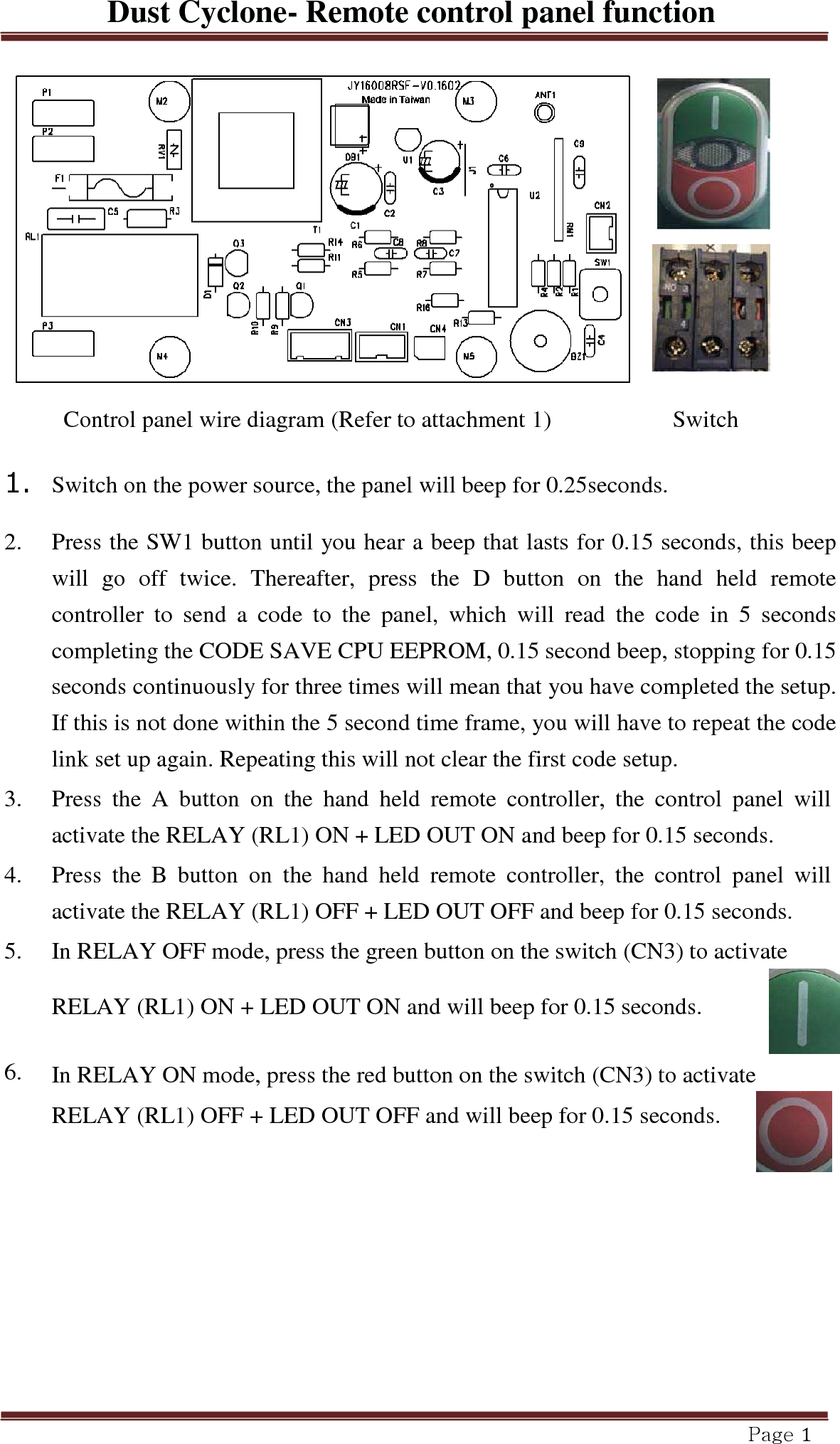
Dust Cyclone- Remote control panel function Page 1         Control panel wire diagram (Refer to attachment 1) Switch  1.  Switch on the power source, the panel will beep for 0.25seconds.  2.   Press the SW1 button until you hear a beep that lasts for 0.15 seconds, this beep will  go  off  twice.  Thereafter,  press  the  D  button  on  the  hand  held  remote controller  to  send  a  code  to  the  panel,  which  will  read  the  code  in  5  seconds completing the CODE SAVE CPU EEPROM, 0.15 second beep, stopping for 0.15 seconds continuously for three times will mean that you have completed the setup. If this is not done within the 5 second time frame, you will have to repeat the code link set up again. Repeating this will not clear the first code setup.  3.   Press  the  A  button  on  the  hand  held  remote  controller,  the  control  panel  will activate the RELAY (RL1) ON + LED OUT ON and beep for 0.15 seconds.  4.   Press  the  B  button  on  the  hand  held  remote  controller,  the  control  panel  will activate the RELAY (RL1) OFF + LED OUT OFF and beep for 0.15 seconds.  5.   In RELAY OFF mode, press the green button on the switch (CN3) to activate RELAY (RL1) ON + LED OUT ON and will beep for 0.15 seconds.    6.   In RELAY ON mode, press the red button on the switch (CN3) to activate RELAY (RL1) OFF + LED OUT OFF and will beep for 0.15 seconds.

Navigation menu