Smarfid Security Equipment MD3221356M Magic Series Desfire Reader User Manual

Shanghai Smarfid Security Equipment Co, Ltd. Magic Series Desfire Reader

User Manual

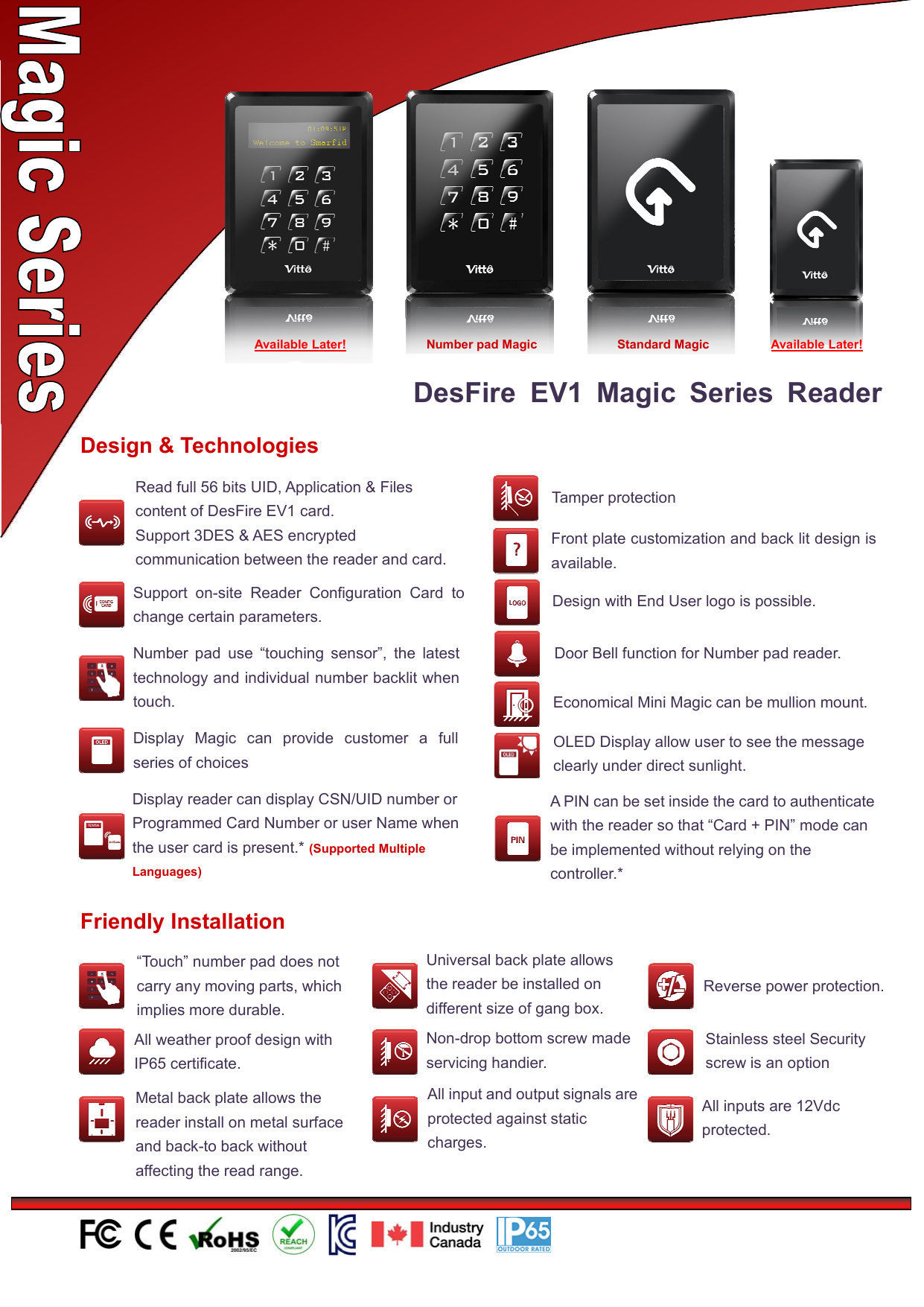
DesFire EV1 Magic Series ReaderDesign & TechnologiesNumber pad use “touching sensor”, the latesttechnology and individual number backlit whentouch. Economical Mini Magic can be mullion mount.Display Magic can provide customer a fullseries of choicesFront plate customization and back lit design isavailable.Design with End User logo is possible.Support on-site Reader Configuration Card tochange certain parameters.OLED Display allow user to see the messageclearly under direct sunlight.Door Bell function for Number pad reader.Tamper protectionFriendly Installation“Touch” number pad does notcarry any moving parts, whichimplies more durable.All weather proof design withIP65 certificate.Universal back plate allowsthe reader be installed ondifferent size of gang box.Non-drop bottom screw madeservicing handier.Metal back plate allows thereader install on metal surfaceand back-to back withoutaffecting the read range.All input and output signals areprotected against staticcharges.Reverse power protection.Stainless steel Securityscrew is an optionAll inputs are 12Vdcprotected.Display reader can display CSN/UID number orProgrammed Card Number or user Name whenthe user card is present.* (Supported MultipleLanguages)Available Later! Standard Magic Available Later!Number pad MagicRead full 56 bits UID, Application & Filescontent of DesFire EV1 card.Support 3DES & AES encryptedcommunication between the reader and card.APINcanbesetinsidethecardtoauthenticatewith the reader so that “Card + PIN” mode canbe implemented without relying on thecontroller.*
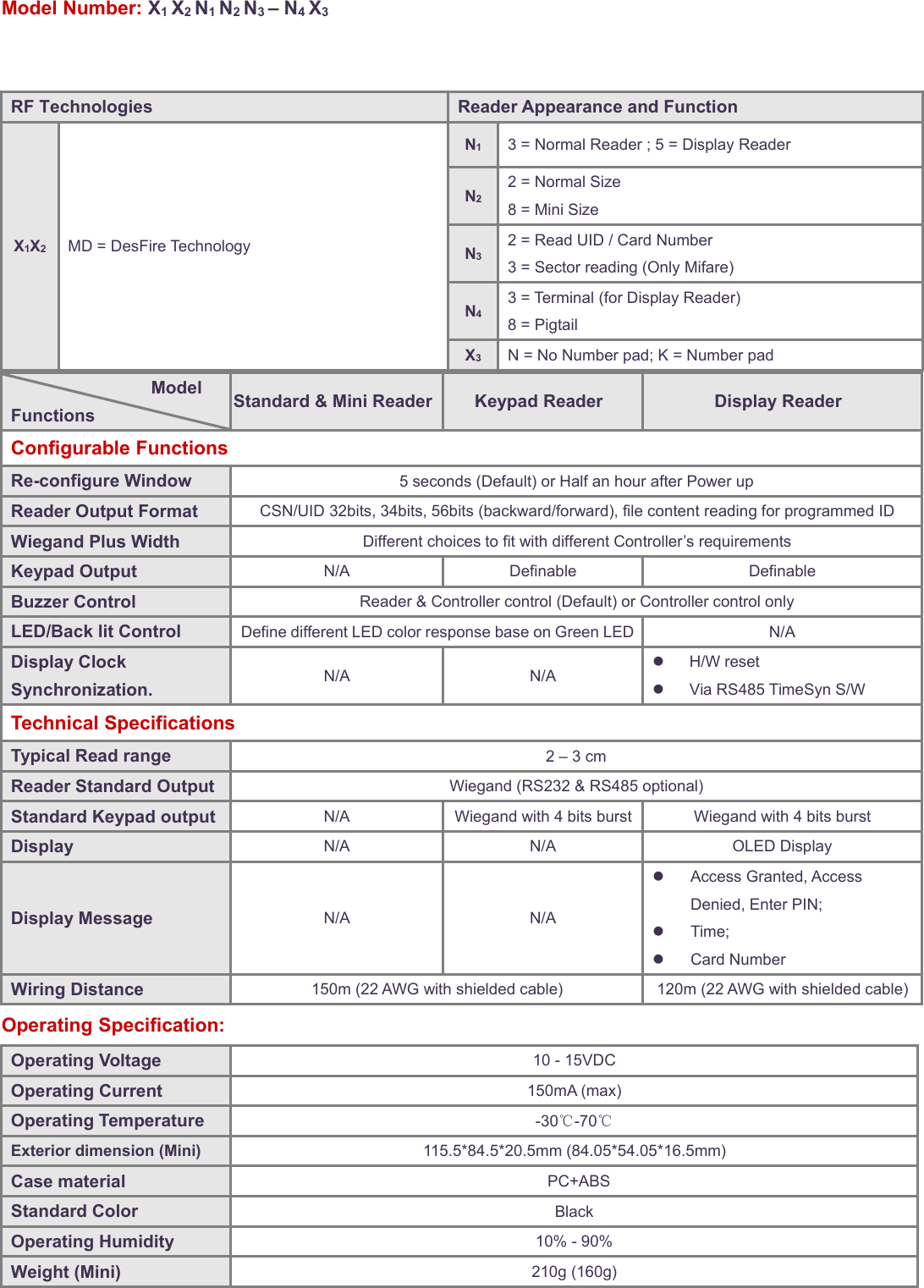
Model Number: X1X2N1N2N3–N4X3ModelFunctions Standard & Mini Reader Keypad Reader Display ReaderConfigurable FunctionsRe-configure Window 5 seconds (Default) or Half an hour after Power upReader Output Format CSN/UID 32bits, 34bits, 56bits (backward/forward), file content reading for programmed IDWiegand Plus Width Different choices to fit with different Controller’s requirementsKeypad Output N/A Definable DefinableBuzzer Control Reader & Controller control (Default) or Controller control onlyLED/Back lit Control Define different LED color response base on Green LED N/ADisplay ClockSynchronization. N/A N/AH/W resetVia RS485 TimeSyn S/WTechnical SpecificationsTypical Read range 2–3cmReader Standard Output Wiegand (RS232 & RS485 optional)Standard Keypad output N/A Wiegand with 4 bits burst Wiegand with 4 bits burstDisplay N/A N/A OLED DisplayDisplay Message N/A N/AAccess Granted, AccessDenied, Enter PIN;Time;Card NumberWiring Distance 150m (22 AWG with shielded cable) 120m (22 AWG with shielded cable)Operating Specification:Operating Voltage 10 - 15VDCOperating Current 150mA (max)Operating Temperature -30℃-70℃Exterior dimension (Mini) 115.5*84.5*20.5mm (84.05*54.05*16.5mm)Case material PC+ABSStandard Color BlackOperating Humidity 10% - 90%Weight (Mini) 210g (160g)RF Technologies Reader Appearance and FunctionX1X2MD = DesFire TechnologyN13 = Normal Reader ; 5 = Display ReaderN22 = Normal Size8=MiniSizeN32 = Read UID / Card Number3 = Sector reading (Only Mifare)N43 = Terminal (for Display Reader)8 = PigtailX3N = No Number pad; K = Number pad
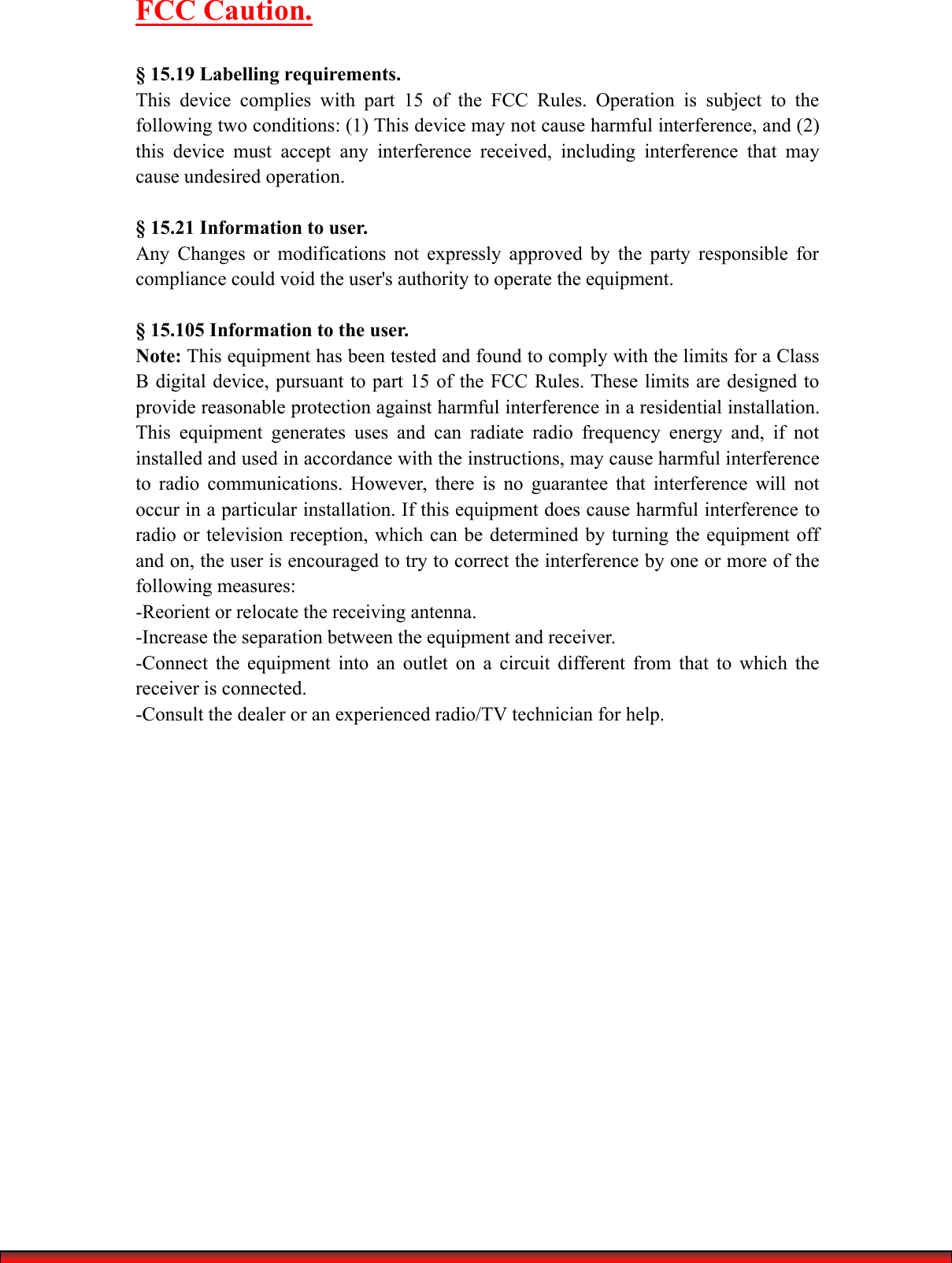
FCC Caution.§ 15.19 Labelling requirements.This device complies with part 15 of the FCC Rules. Operation is subject to thefollowing two conditions: (1) This device may not cause harmful interference, and (2)this device must accept any interference received, including interference that maycause undesired operation.§ 15.21 Information to user.Any Changes or modifications not expressly approved by the party responsible forcompliance could void the user's authority to operate the equipment.§ 15.105 Information to the user.Note: This equipment has been tested and found to comply with the limits for a ClassB digital device, pursuant to part 15 of the FCC Rules. These limits are designed toprovide reasonable protection against harmful interference in a residential installation.This equipment generates uses and can radiate radio frequency energy and, if notinstalled and used in accordance with the instructions, may cause harmful interferenceto radio communications. However, there is no guarantee that interference will notoccur in a particular installation. If this equipment does cause harmful interference toradio or television reception, which can be determined by turning the equipment offand on, the user is encouraged to try to correct the interference by one or more of thefollowing measures:-Reorient or relocate the receiving antenna.-Increase the separation between the equipment and receiver.-Connect the equipment into an outlet on a circuit different from that to which thereceiver is connected.-Consult the dealer or an experienced radio/TV technician for help.

Navigation menu