Southco 03103 WIRELESS RF KEYPAD User Manual J EA R03 M revB

Southco,. Inc WIRELESS RF KEYPAD J EA R03 M revB

Contents

USERS MANUAL

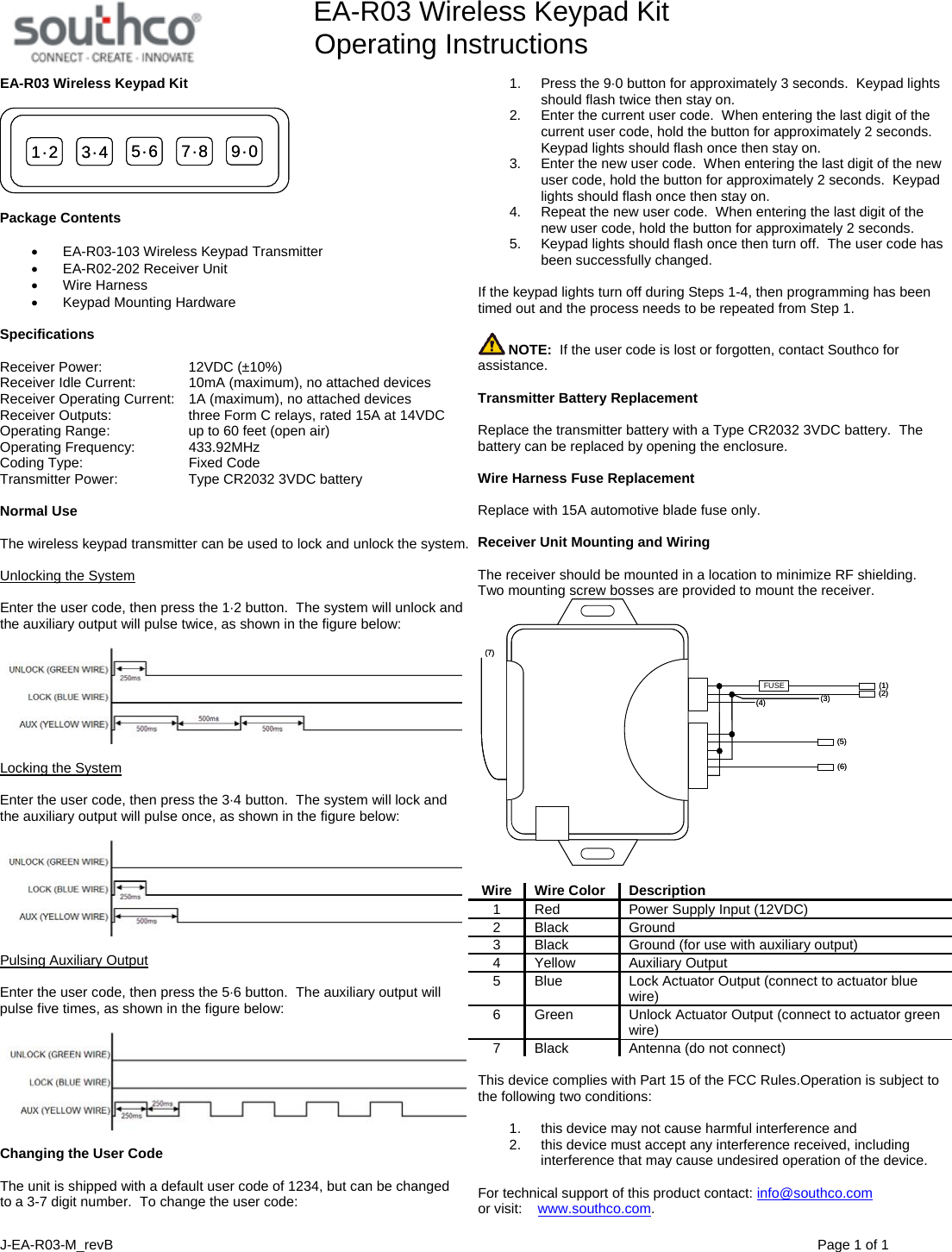
        EA-R03 Wireless Keypad Kit Operating Instructions  J-EA-R03-M_revB                                Page 1 of 1 EA-R03 Wireless Keypad Kit  1·2 3·4 5·6 7·8 9·01·2 3·4 5·6 7·8 9·0  Package Contents  • EA-R03-103 Wireless Keypad Transmitter •  EA-R02-202 Receiver Unit • Wire Harness • Keypad Mounting Hardware  Specifications  Receiver Power:    12VDC (±10%) Receiver Idle Current:    10mA (maximum), no attached devices  Receiver Operating Current:    1A (maximum), no attached devices Receiver Outputs:      three Form C relays, rated 15A at 14VDC Operating Range:      up to 60 feet (open air) Operating Frequency:    433.92MHz Coding Type:      Fixed Code Transmitter Power:    Type CR2032 3VDC battery   Normal Use  The wireless keypad transmitter can be used to lock and unlock the system.  Unlocking the System  Enter the user code, then press the 1·2 button.  The system will unlock and the auxiliary output will pulse twice, as shown in the figure below:    Locking the System  Enter the user code, then press the 3·4 button.  The system will lock and the auxiliary output will pulse once, as shown in the figure below:    Pulsing Auxiliary Output  Enter the user code, then press the 5·6 button.  The auxiliary output will pulse five times, as shown in the figure below:    Changing the User Code  The unit is shipped with a default user code of 1234, but can be changed to a 3-7 digit number.  To change the user code:  1.  Press the 9·0 button for approximately 3 seconds.  Keypad lights should flash twice then stay on. 2.  Enter the current user code.  When entering the last digit of the current user code, hold the button for approximately 2 seconds.  Keypad lights should flash once then stay on. 3.  Enter the new user code.  When entering the last digit of the new user code, hold the button for approximately 2 seconds.  Keypad lights should flash once then stay on. 4.  Repeat the new user code.  When entering the last digit of the new user code, hold the button for approximately 2 seconds.   5.  Keypad lights should flash once then turn off.  The user code has been successfully changed.  If the keypad lights turn off during Steps 1-4, then programming has been timed out and the process needs to be repeated from Step 1.   NOTE:  If the user code is lost or forgotten, contact Southco for assistance.  Transmitter Battery Replacement  Replace the transmitter battery with a Type CR2032 3VDC battery.  The battery can be replaced by opening the enclosure.  Wire Harness Fuse Replacement  Replace with 15A automotive blade fuse only.  Receiver Unit Mounting and Wiring   The receiver should be mounted in a location to minimize RF shielding.  Two mounting screw bosses are provided to mount the receiver. FUSE (1)(2)(3)(4)(5)(6)(7)FUSE (1)(2)(3)(4)(5)(6)(7)  Wire Wire Color Description 1  Red  Power Supply Input (12VDC) 2 Black  Ground 3  Black  Ground (for use with auxiliary output) 4 Yellow  Auxiliary Output 5  Blue  Lock Actuator Output (connect to actuator blue wire) 6  Green  Unlock Actuator Output (connect to actuator green wire) 7  Black  Antenna (do not connect)  This device complies with Part 15 of the FCC Rules.Operation is subject to the following two conditions:   1.  this device may not cause harmful interference and  2.  this device must accept any interference received, including interference that may cause undesired operation of the device.  For technical support of this product contact: info@southco.com or visit:    www.southco.com.

Navigation menu