eSky wireless ES620 GPS Tracker User Manual

eSky wireless Inc. GPS Tracker

user manual

0http://www.eskywireless.comSuzhoueSkywirelessInc.ES620usermanualES620usermanualSuzhoueSkywirelessInc.
1http://www.eskywireless.comSuzhoueSkywirelessInc.ES620usermanualInformationtoUserThisdevicecomplieswithpart15oftheFCCRules.Operationissubjecttothefollowingtwoconditions:(1)Thisdevicemaynotcauseharmfulinterference,and(2)thisdevicemustacceptanyinterferencereceived,includinginterferencethatmaycauseundesiredoperation.RFwarningThisdevicemeetsthegovernment’srequirementsforexposuretoradiowaves.Thisdeviceisdesignedandmanufacturednottoexceedtheemissionlimitsforexposuretoradiofrequency(RF)energysetbytheFederalCommunicationsCommissionoftheU.S.Government.Forbodywornoperation,thisdevicewastestedforcompliancewiththeapplicableFCCspecificabsorptionrate(SAR)limitsforradiofrequency(RF)exposureduringbody‐wornoperations.ToensurethatRFexposurelevelsremainatorbelowthetestedlevels,useabelt‐clip,holster,orsimilaraccessorybetweenyourbodyandthedevice.Suchaccessoriesshouldnotcontainanymetalliccomponents.Body‐wornaccessoriesthatdonotmeetthesespecificationsmaynotensurecompliancewithapplicableSARlimitsandtheiruseshouldbeavoided.
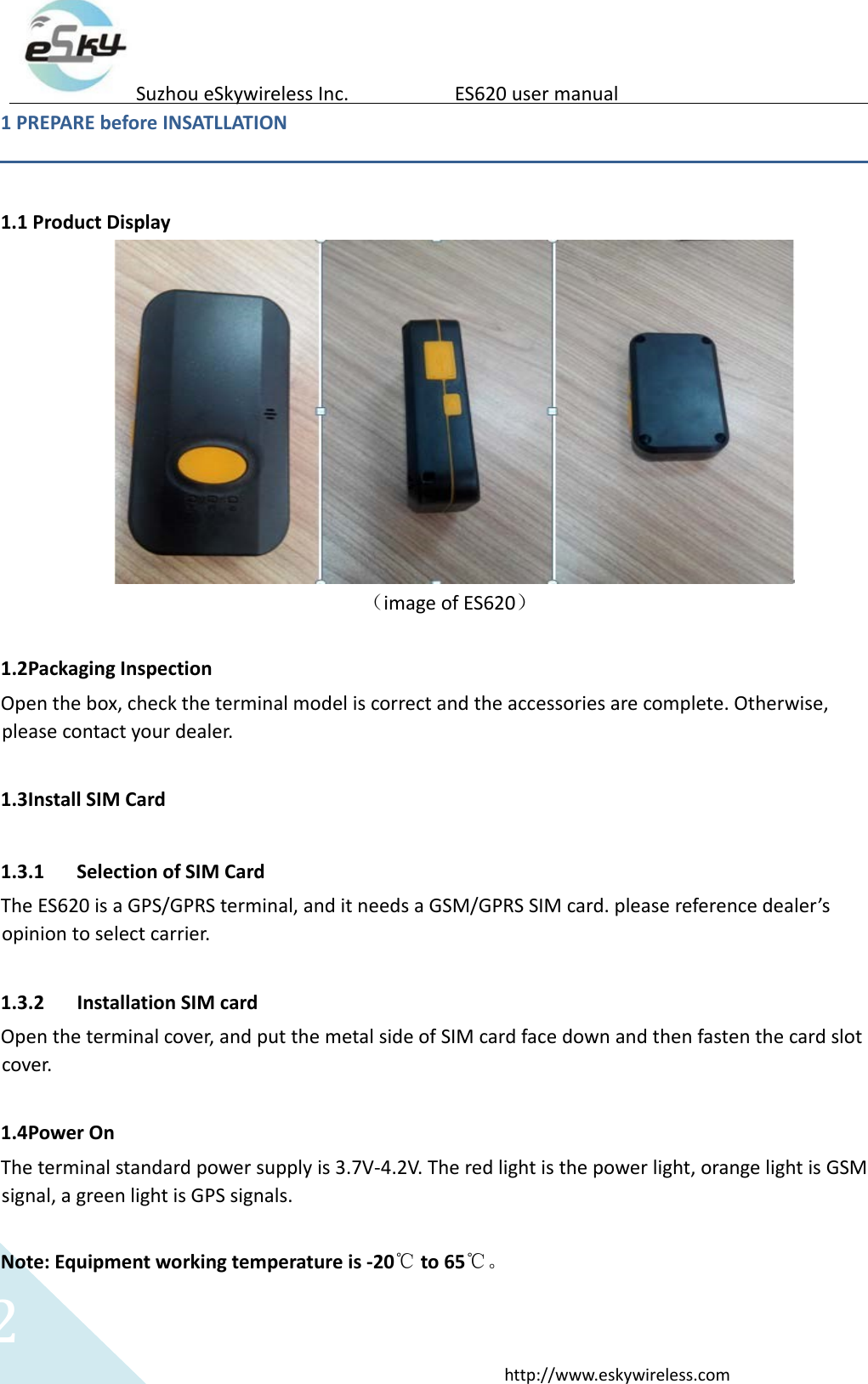
2http://www.eskywireless.comSuzhoueSkywirelessInc.ES620usermanual1PREPAREbeforeINSATLLATION1.1ProductDisplay(imageofES620)1.2PackagingInspectionOpenthebox,checktheterminalmodeliscorrectandtheaccessoriesarecomplete.Otherwise,pleasecontactyourdealer.1.3InstallSIMCard1.3.1 SelectionofSIMCardTheES620isaGPS/GPRSterminal,anditneedsaGSM/GPRSSIMcard.pleasereferencedealer’sopiniontoselectcarrier.1.3.2 InstallationSIMcardOpentheterminalcover,andputthemetalsideofSIMcardfacedownandthenfastenthecardslotcover.1.4PowerOnTheterminalstandardpowersupplyis3.7V‐4.2V.Theredlightisthepowerlight,orangelightisGSMsignal,agreenlightisGPSsignals.Note:Equipmentworkingtemperatureis‐20℃to65℃。
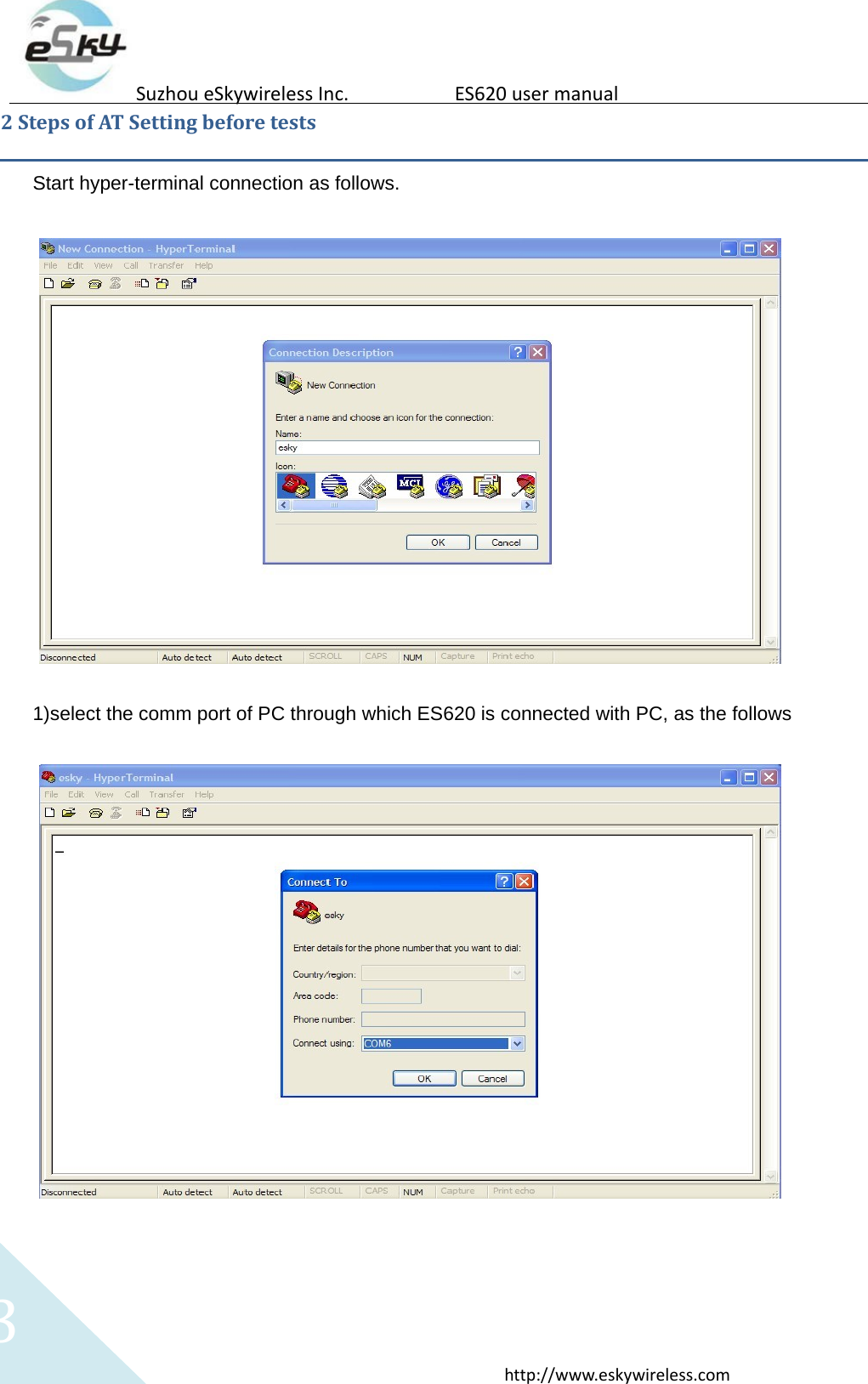
3http://www.eskywireless.comSuzhoueSkywirelessInc.ES620usermanual2StepsofATSettingbeforetestsStart hyper-terminal connection as follows. 1)select the comm port of PC through which ES620 is connected with PC, as the follows 
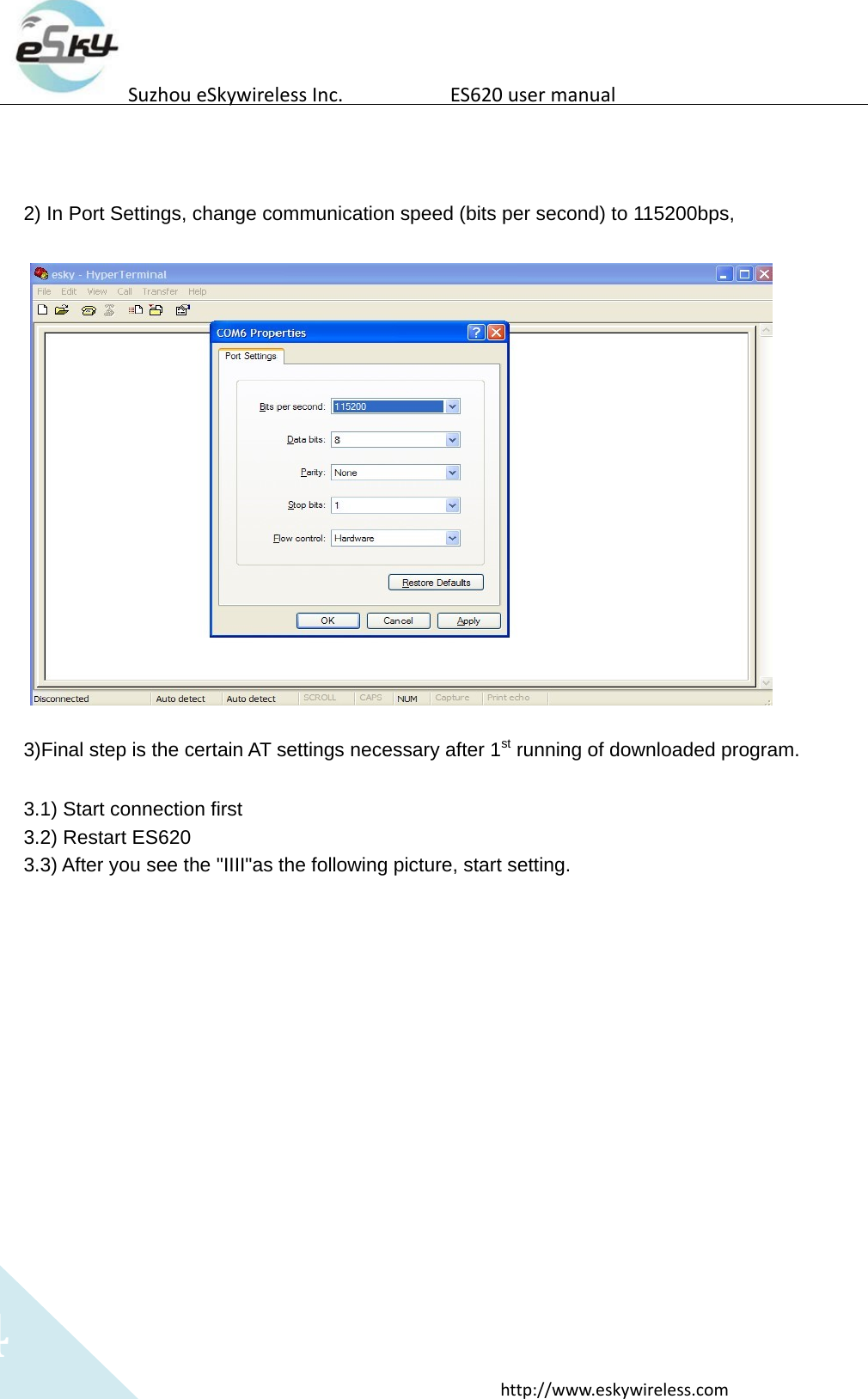
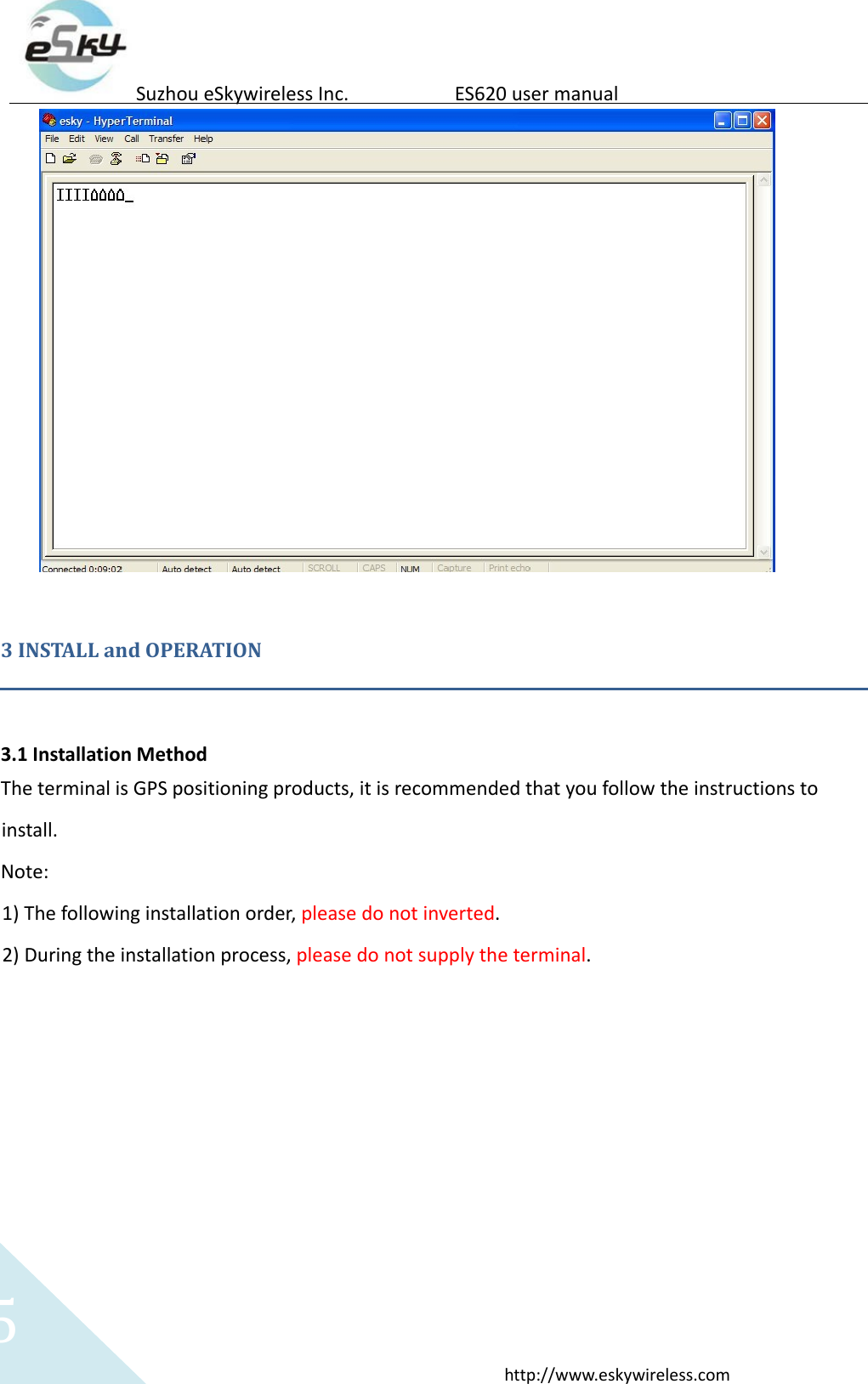
4http://www.eskywireless.comSuzhoueSkywirelessInc.ES620usermanual2) In Port Settings, change communication speed (bits per second) to 115200bps, 3)Final step is the certain AT settings necessary after 1st running of downloaded program. 3.1) Start connection first 3.2) Restart ES620 3.3) After you see the "IIII"as the following picture, start setting. 
5http://www.eskywireless.comSuzhoueSkywirelessInc.ES620usermanual3INSTALLandOPERATION3.1InstallationMethodTheterminalisGPSpositioningproducts,itisrecommendedthatyoufollowtheinstructionstoinstall.Note:1) Thefollowinginstallationorder,pleasedonotinverted.2) Duringtheinstallationprocess,pleasedonotsupplytheterminal.
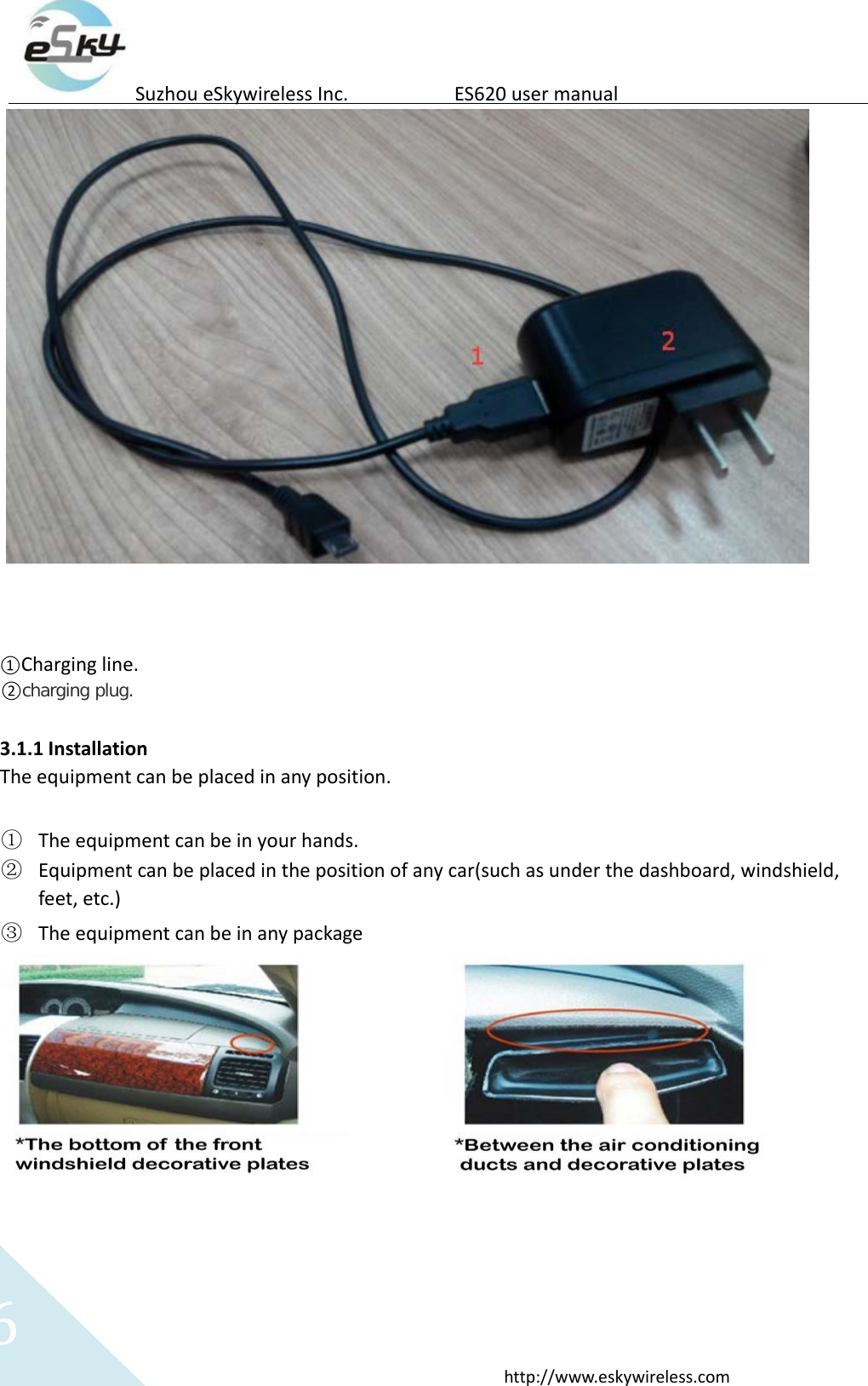
6http://www.eskywireless.comSuzhoueSkywirelessInc.ES620usermanual①Chargingline.②charging plug.3.1.1InstallationTheequipmentcanbeplacedinanyposition.① Theequipmentcanbeinyourhands.② Equipmentcanbeplacedinthepositionofanycar(suchasunderthedashboard,windshield,feet,etc.)③ Theequipmentcanbeinanypackage
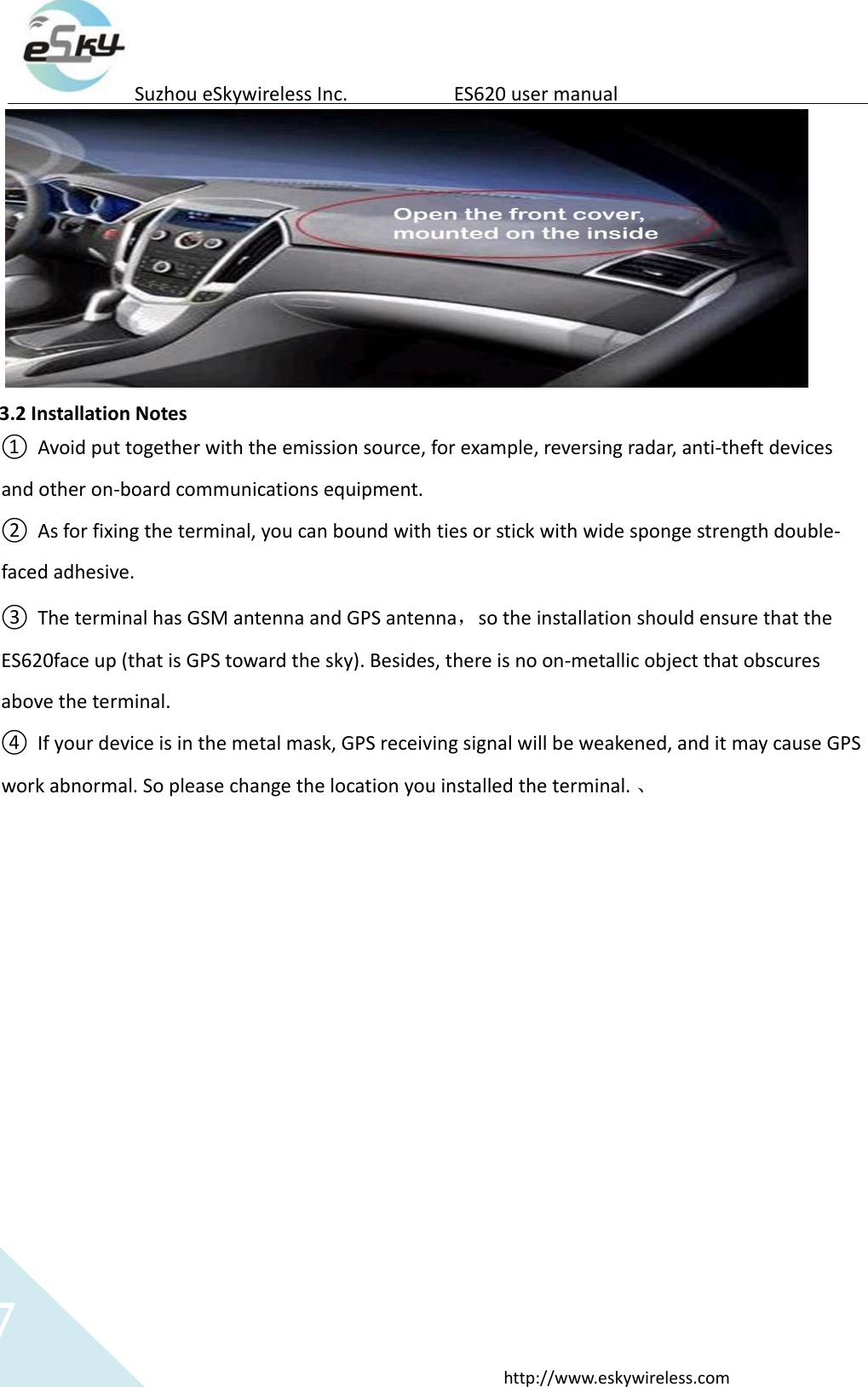
7http://www.eskywireless.comSuzhoueSkywirelessInc.ES620usermanual3.2InstallationNotes① Avoidputtogetherwiththeemissionsource,forexample,reversingradar,anti‐theftdevicesandotheron‐boardcommunicationsequipment.② Asforfixingtheterminal,youcanboundwithtiesorstickwithwidespongestrengthdouble‐facedadhesive.③ TheterminalhasGSMantennaandGPSantenna,sotheinstallationshouldensurethattheES620faceup(thatisGPStowardthesky).Besides,thereisnoon‐metallicobjectthatobscuresabovetheterminal.④ Ifyourdeviceisinthemetalmask,GPSreceivingsignalwillbeweakened,anditmaycauseGPSworkabnormal.Sopleasechangethelocationyouinstalledtheterminal.、
8http://www.eskywireless.comSuzhoueSkywirelessInc.ES620usermanual4.SOSIntroductionSOScanmakeanSOScallorSMSmessagetoapre‐configuredphone.1).SOSmessage:WhenpresstheSOSbutton,ifthedevicepositioningbyGPS,theequipmentwillreceiveGPSinformation;Ifthedevicecan’tpositioningbyGPS,theequipmentwillreceivethebasestationinformation;2).SOScall:WhenpresstheSOSbutton,thedevicewillconnectthespecifiednumber.Duringthecall,pleaseheldtheequipmentclosetoear(theusageissimilarwithmobilephone).
9http://www.eskywireless.comSuzhoueSkywirelessInc.ES620usermanualFederalCommunicationCommissionInterferenceStatementThisequipmenthasbeentestedandfoundtocomplywiththelimitsforaClassBdigitaldevice,pursuanttoPart15oftheFCCRules.Theselimitsaredesignedtoprovidereasonableprotectionagainstharmfulinterferenceinaresidentialinstallation.Thisequipmentgenerates,usesandcanradiateradiofrequencyenergyand,ifnotinstalledandusedinaccordancewiththeinstructions,maycauseharmfulinterferencetoradiocommunications.However,thereisnoguaranteethatinterferencewillnotoccurinaparticularinstallation.Ifthisequipmentdoescauseharmfulinterferencetoradioortelevisionreception,whichcanbedeterminedbyturningtheequipmentoffandon,theuserisencouragedtotrytocorrecttheinterferencebyoneofthefollowingmeasures:‐ Reorientorrelocatethereceivingantenna.‐ Increasetheseparationbetweentheequipmentandreceiver.‐ Connecttheequipmentintoanoutletonacircuitdifferentfromthattowhichthereceiverisconnected.‐ Consultthedealeroranexperiencedradio/TVtechnicianforhelp.FCCCaution:Anychangesormodificationsnotexpresslyapprovedbythepartyresponsibleforcompliancecouldvoidtheuser'sauthoritytooperatethisequipment.Thistransmittermustnotbeco‐locatedoroperatinginconjunctionwithanyotherantennaortransmitter.ThisequipmentcomplieswithFCCradiationexposurelimitssetforthforanuncontrolledenvironment.

Navigation menu