eSky wireless ES620 GPS Tracker User Manual
eSky wireless Inc. GPS Tracker
user manual

0
http://www.eskywireless.com
SuzhoueSkywirelessInc.ES620usermanual
ES620usermanual
SuzhoueSkywirelessInc.

1
http://www.eskywireless.com
SuzhoueSkywirelessInc.ES620usermanual
InformationtoUser
Thisdevicecomplieswithpart15oftheFCCRules.Operationissubjecttothefollowingtwo
conditions:(1)Thisdevicemaynotcauseharmfulinterference,and(2)thisdevicemustacceptany
interferencereceived,includinginterferencethatmaycauseundesiredoperation.
RFwarning
Thisdevicemeetsthegovernment’srequirementsforexposuretoradiowaves.
Thisdeviceisdesignedandmanufacturednottoexceedtheemissionlimitsforexposuretoradio
frequency(RF)energysetbytheFederalCommunicationsCommissionoftheU.S.Government.
Forbodywornoperation,thisdevicewastestedforcompliancewiththeapplicableFCCspecific
absorptionrate(SAR)limitsforradiofrequency(RF)exposureduringbody‐wornoperations.To
ensurethatRFexposurelevelsremainatorbelowthetestedlevels,useabelt‐clip,holster,orsimilar
accessorybetweenyourbodyandthedevice.Suchaccessoriesshouldnotcontainanymetallic
components.Body‐wornaccessoriesthatdonotmeetthesespecificationsmaynotensure
compliancewithapplicableSARlimitsandtheiruseshouldbeavoided.
2
http://www.eskywireless.com
SuzhoueSkywirelessInc.ES620usermanual
1PREPAREbeforeINSATLLATION
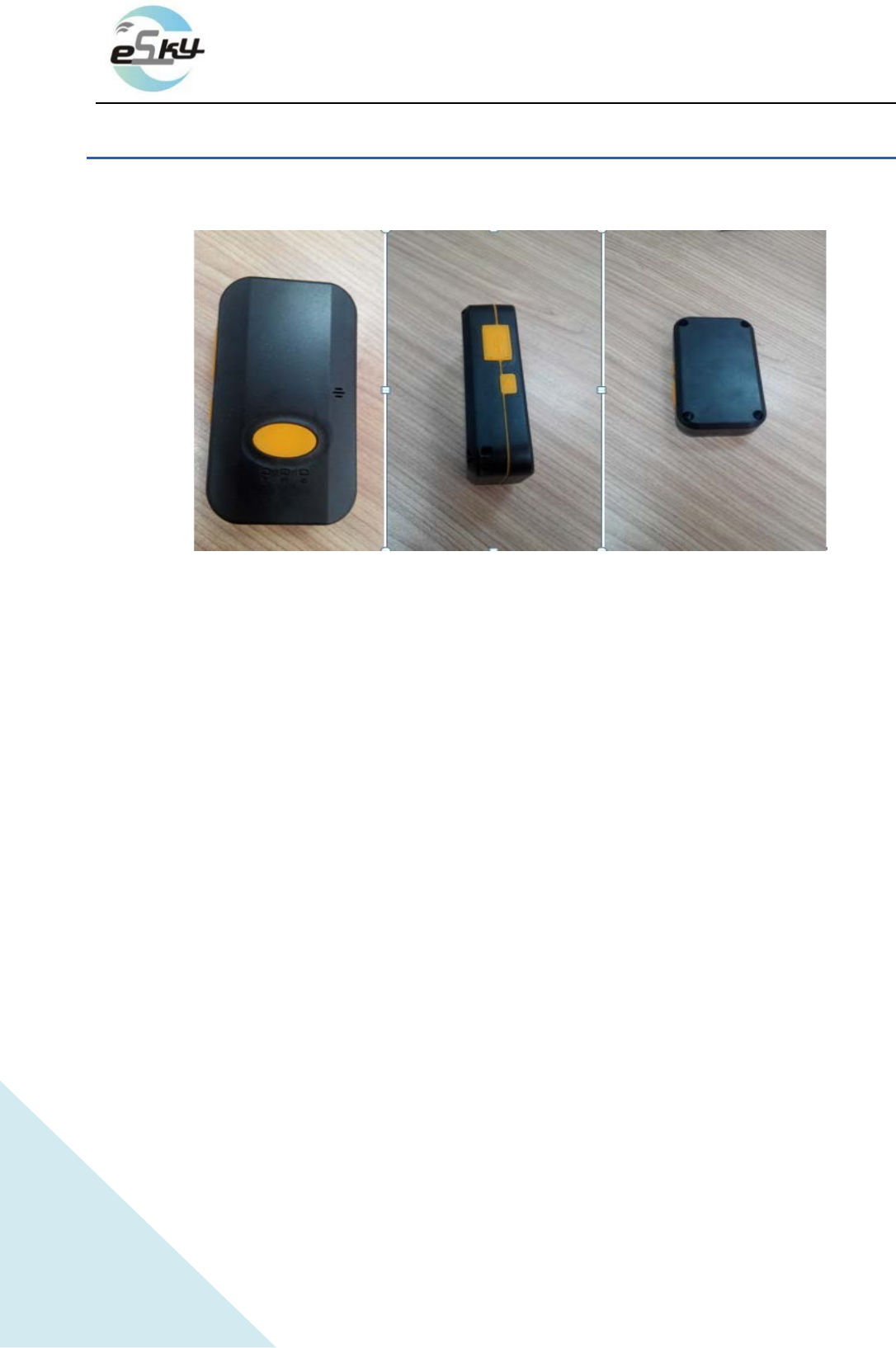
1.1ProductDisplay
(imageofES620)
1.2PackagingInspection
Openthebox,checktheterminalmodeliscorrectandtheaccessoriesarecomplete.Otherwise,
pleasecontactyourdealer.
1.3InstallSIMCard
1.3.1 SelectionofSIMCard
TheES620isaGPS/GPRSterminal,anditneedsaGSM/GPRSSIMcard.pleasereferencedealer’s
opiniontoselectcarrier.
1.3.2 InstallationSIMcard
Opentheterminalcover,andputthemetalsideofSIMcardfacedownandthenfastenthecardslot
cover.
1.4PowerOn
Theterminalstandardpowersupplyis3.7V‐4.2V.Theredlightisthepowerlight,orangelightisGSM
signal,agreenlightisGPSsignals.
Note:Equipmentworkingtemperatureis‐20℃to65℃。
3
http://www.eskywireless.com
SuzhoueSkywirelessInc.ES620usermanual
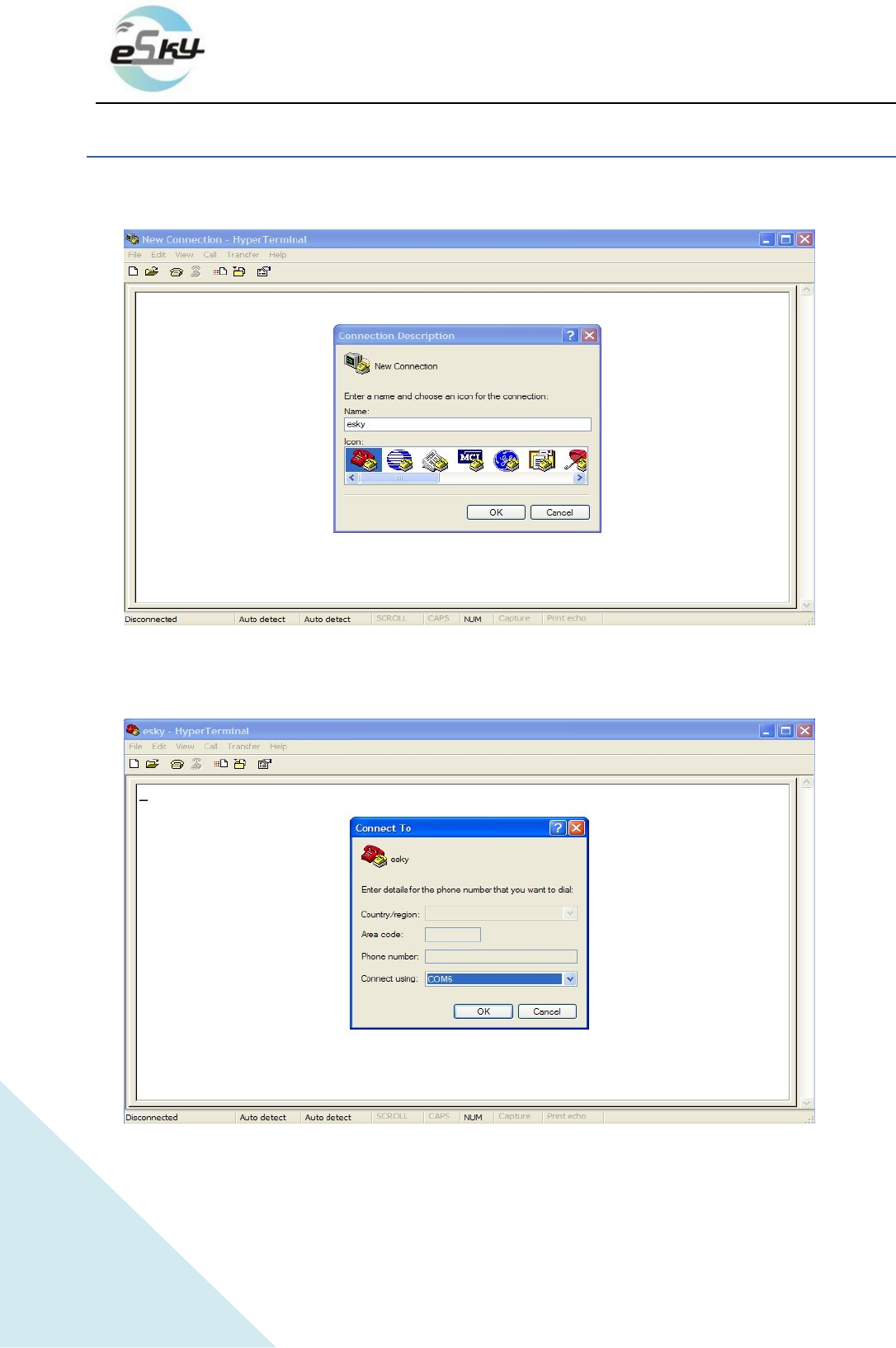
2StepsofATSettingbeforetests
Start hyper-terminal connection as follows.
1)select the comm port of PC through which ES620 is connected with PC, as the follows
4
http://www.eskywireless.com
SuzhoueSkywirelessInc.ES620usermanual
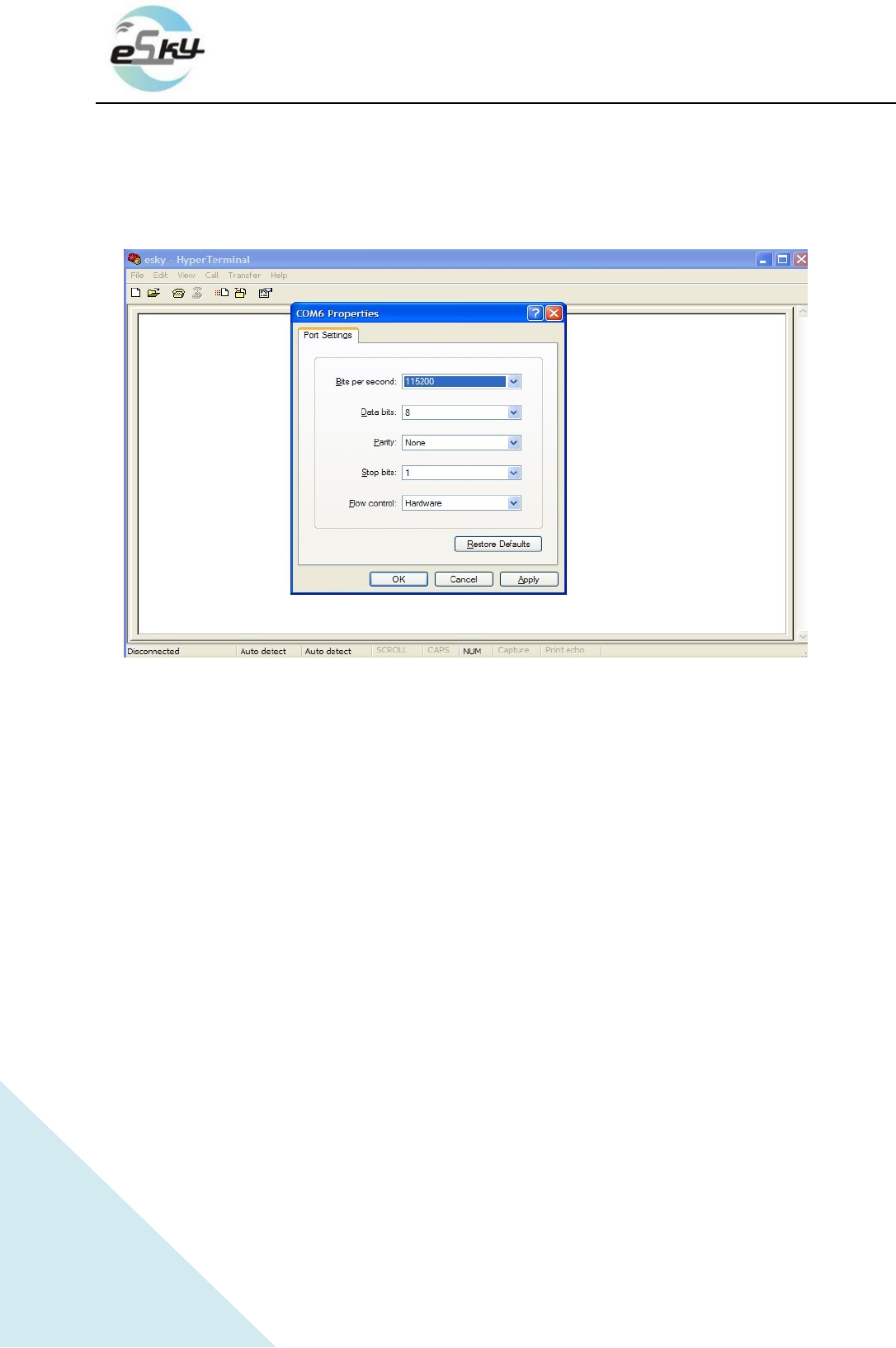
2) In Port Settings, change communication speed (bits per second) to 115200bps,
3)Final step is the certain AT settings necessary after 1st running of downloaded program.
3.1) Start connection first
3.2) Restart ES620
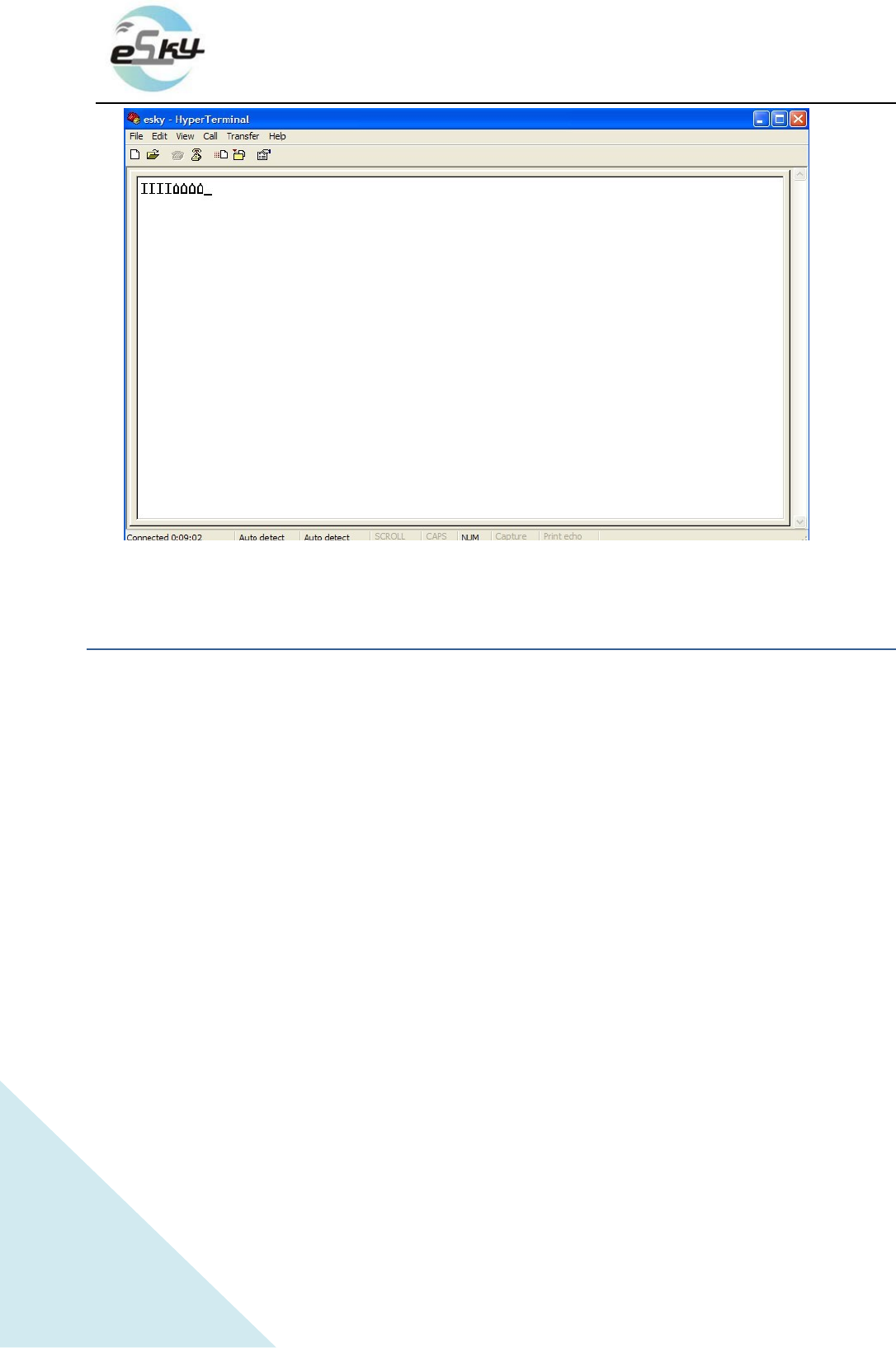
3.3) After you see the "IIII"as the following picture, start setting.
5
http://www.eskywireless.com
SuzhoueSkywirelessInc.ES620usermanual
3INSTALLandOPERATION
3.1InstallationMethod
TheterminalisGPSpositioningproducts,itisrecommendedthatyoufollowtheinstructionsto
install.
Note:
1) Thefollowinginstallationorder,pleasedonotinverted.
2) Duringtheinstallationprocess,pleasedonotsupplytheterminal.
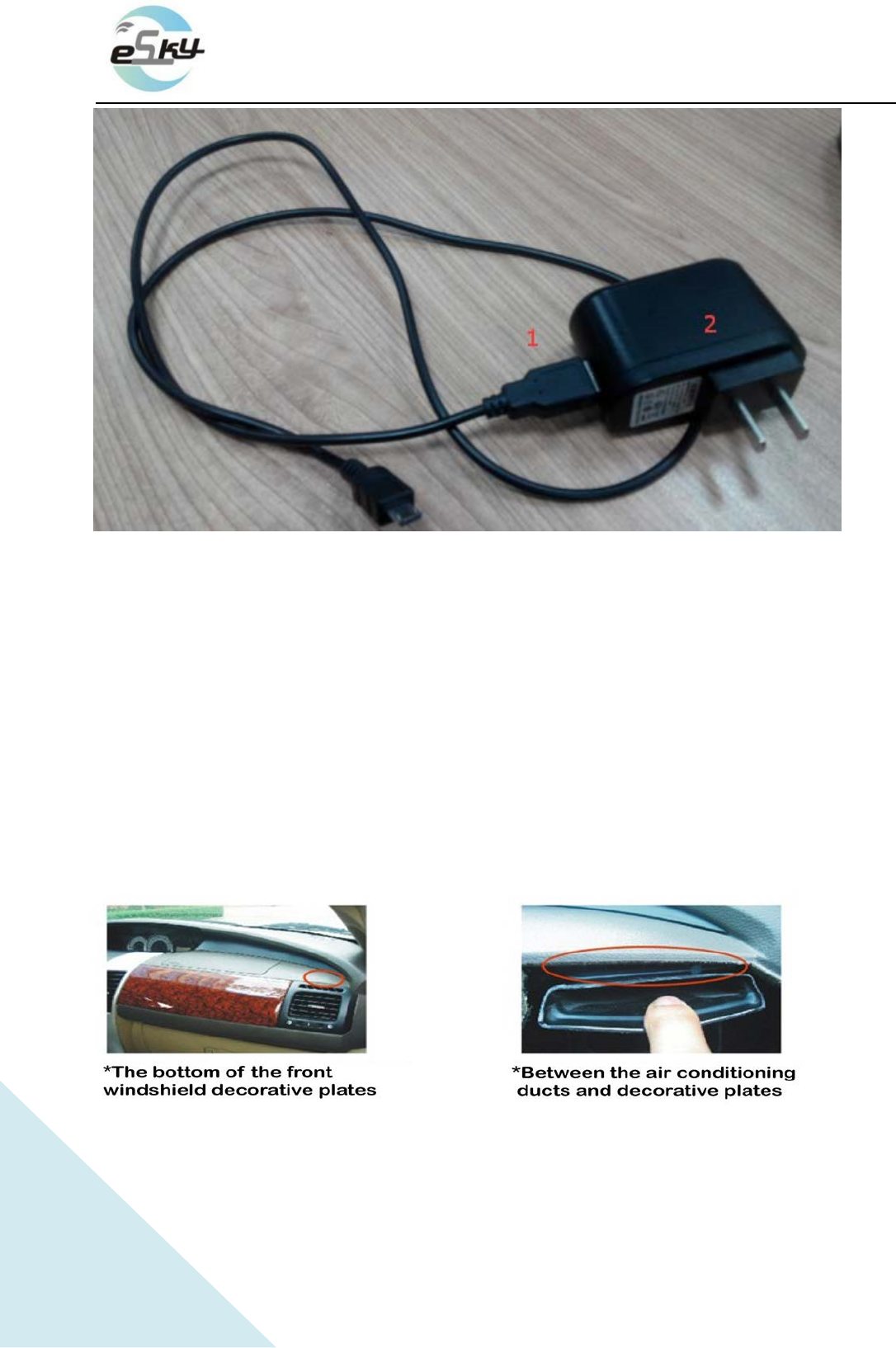
6
http://www.eskywireless.com
SuzhoueSkywirelessInc.ES620usermanual
①Chargingline.
②charging plug.
3.1.1Installation
Theequipmentcanbeplacedinanyposition.
① Theequipmentcanbeinyourhands.
② Equipmentcanbeplacedinthepositionofanycar(suchasunderthedashboard,windshield,
feet,etc.)
③ Theequipmentcanbeinanypackage

7
http://www.eskywireless.com
SuzhoueSkywirelessInc.ES620usermanual
3.2InstallationNotes
① Avoidputtogetherwiththeemissionsource,forexample,reversingradar,anti‐theftdevices
andotheron‐boardcommunicationsequipment.
② Asforfixingtheterminal,youcanboundwithtiesorstickwithwidespongestrengthdouble‐
facedadhesive.
③ TheterminalhasGSMantennaandGPSantenna,sotheinstallationshouldensurethatthe
ES620faceup(thatisGPStowardthesky).Besides,thereisnoon‐metallicobjectthatobscures
abovetheterminal.
④ Ifyourdeviceisinthemetalmask,GPSreceivingsignalwillbeweakened,anditmaycauseGPS
workabnormal.Sopleasechangethelocationyouinstalledtheterminal.、

8
http://www.eskywireless.com
SuzhoueSkywirelessInc.ES620usermanual
4.SOSIntroduction
SOScanmakeanSOScallorSMSmessagetoapre‐configuredphone.
1).SOSmessage:WhenpresstheSOSbutton,ifthedevicepositioningbyGPS,theequipmentwill
receiveGPSinformation;Ifthedevicecan’tpositioningbyGPS,theequipmentwillreceivethebase
stationinformation;
2).SOScall:WhenpresstheSOSbutton,thedevicewillconnectthespecifiednumber.Duringthecall,
pleaseheldtheequipmentclosetoear(theusageissimilarwithmobilephone).

9
http://www.eskywireless.com
SuzhoueSkywirelessInc.ES620usermanual
FederalCommunicationCommissionInterferenceStatement
ThisequipmenthasbeentestedandfoundtocomplywiththelimitsforaClassBdigitaldevice,
pursuanttoPart15oftheFCCRules.Theselimitsaredesignedtoprovidereasonableprotection
againstharmfulinterferenceinaresidentialinstallation.Thisequipmentgenerates,usesand
canradiateradiofrequencyenergyand,ifnotinstalledandusedinaccordancewiththe
instructions,maycauseharmfulinterferencetoradiocommunications.However,thereisno
guaranteethatinterferencewillnotoccurinaparticularinstallation.Ifthisequipmentdoes
causeharmfulinterferencetoradioortelevisionreception,whichcanbedeterminedbyturning
theequipmentoffandon,theuserisencouragedtotrytocorrecttheinterferencebyoneof
thefollowingmeasures:
‐ Reorientorrelocatethereceivingantenna.
‐ Increasetheseparationbetweentheequipmentandreceiver.
‐ Connecttheequipmentintoanoutletonacircuitdifferentfromthattowhichthereceiveris
connected.
‐ Consultthedealeroranexperiencedradio/TVtechnicianforhelp.
FCCCaution:Anychangesormodificationsnotexpresslyapprovedbythepartyresponsiblefor
compliancecouldvoidtheuser'sauthoritytooperatethisequipment.
Thistransmittermustnotbeco‐locatedoroperatinginconjunctionwithanyotherantennaor
transmitter.
ThisequipmentcomplieswithFCCradiationexposurelimitssetforthforanuncontrolled
environment.