Zida Technologies MB-P845GL Motherboard User Manual 845 SERIES MANUAL V2 0 ENGLISH

Zida Technologies Ltd. Motherboard 845 SERIES MANUAL V2 0 ENGLISH

manual 6 of 9

chapter 4:BIOS Setting4.5 Integrated PeripheralsOn-Chip Primary PCI IDEEnabled / Disabled on-chip primary PCI IDE. Default setting is "Enabled".On-Chip Secondary PCI IDEEnabled / Disabled on-chip Secondary PCI IDE. Default setting is "Enabled".IDE Primary Master / Slave PIOIDE Secondary Master / Slave PIOSpecify the IDE mode for the system.IDE Primary Master / Slave UDMAIDE Secondary Master / Slave UDMAAuto / Disabled IDE UDMA function feature. Default setting is "Auto", which letsBIOS determine.USB ControllerEnabled / Disabled USB Controller. Default setting is "Enabled".USB Keyboard SupportEnabled / Disabled USB Keyboard Support in DOS. Default setting is "Disabled"AC97 AudioDefault setting is "Auto", BIOS will automatically detect onboard AC97 Audio.AC97 ModemDefault setting is "Auto", BIOS will automatically detect onboard AC97 Modem.page 38Mainboard Manual
chapter 4:BIOS SettingOnboard /CNR LAN selectionSelect "onboard" to enable the optional onboard LAN function.Selects "Ext.CNR" to disable onboard LAN function and uses LAN function on CNR card.Init Display FirstDefault setting is "PCI Slot", sets Init Display First to PCI Slot.Onboard AC97 Control IDE HDD Block ModeEnabled / Disabled IDE HDD Block Mode. Default setting is "Enabled".Power On FunctionSpecifies the keyboard hot key, mouse button, power button to wakeup thecomputer from S3-S5 state. Available options are Button only: Password, Hotkey, Mouse left, Mouse right, Any key, keyboard 98. Default setting is Buttononly.KB Power On PasswordSets Keyboard Power on Password.Hot Key Power OnSets power on Hot key. Default setting is "Ctrl-F1".On-board FDC ControllerEnabled / Disabled on-board FDC controller. Default setting is "Enabled".Onboard Serial Port 1 & 2Specify the I/O port addresses of serial port 1 and 2. Available settings are Auto, Disabled, 3F8h, 2F8h, 3E8h and 2E8h. Default setting is "Auto".UART Mode SelectSpecifies the operation mode of onboard Serial Port 2. The onboard Serial Port2 can be configured as an Infrared(IR) port or an ordinary RS-232 serial port.Available settings are Normal, IrDA and ASKIR. Default is "Normal".RxD,TxD ActiveOptions are "Hi,Hi","Hi,Lo","Lo,Lo","Lo,Hi".IR Transmission DelayEnabled / Disabled IR Transmission Delay.UR2 Duplex ModeThis option is not available when UART is set to "Normal". Available optionsare Half Duplex and Full Duplex. Default setting is "Half Duplex"page 39Mainboard ManualBIOS Setting
chapter 4:BIOS SettingUse IR pinsSetting IR mode.Default is IR_Rx2Tx2.Onboard Parallel PortSpecifies the I/O port address of the onboard parallel port. Available settingsare Auto, Disable, 378h, 278h and 3BCh. Default is "Auto".Parallel Port ModeSpecifies the onboard parallel port mode. Available options are Normal, Bi-Dir,ECP and EPP. Default is "ECP".EPP Mode SelectSpecifies the Enhanced Parallel Port specification version number. This optiononly appears if the Parallel Port Mode is set to "EPP". The settings are 1.7 or 1.9. Default is N/A because the default setting for the Parallel Port Mode option isnot EPP.ECP Mode USE DMAThis option only appears if the Parallel Port Mode option is set to ECP. Itassigns a DMA channel to the onboard parallel port. Available settings are 1, 3.Default is "3".Game Port AddressSpecifies the Onboard Game Port I/O address. Available settings are 201, 209,and Disabled. Default is "201".Midi Port AddressSpecifies the I/O address of the MIDI interface on the Onboard Game Port.Available options are 300, 330 ,290 and Disabled. Default is "330".Midi Port IRQAssigns the IRQ line to the MIDI interface. Available options are 5 and 10.Default setting is "10". This option is not available if the Onboard Midi Port isdisabled S-232 serial port.page 40Mainboard Manual
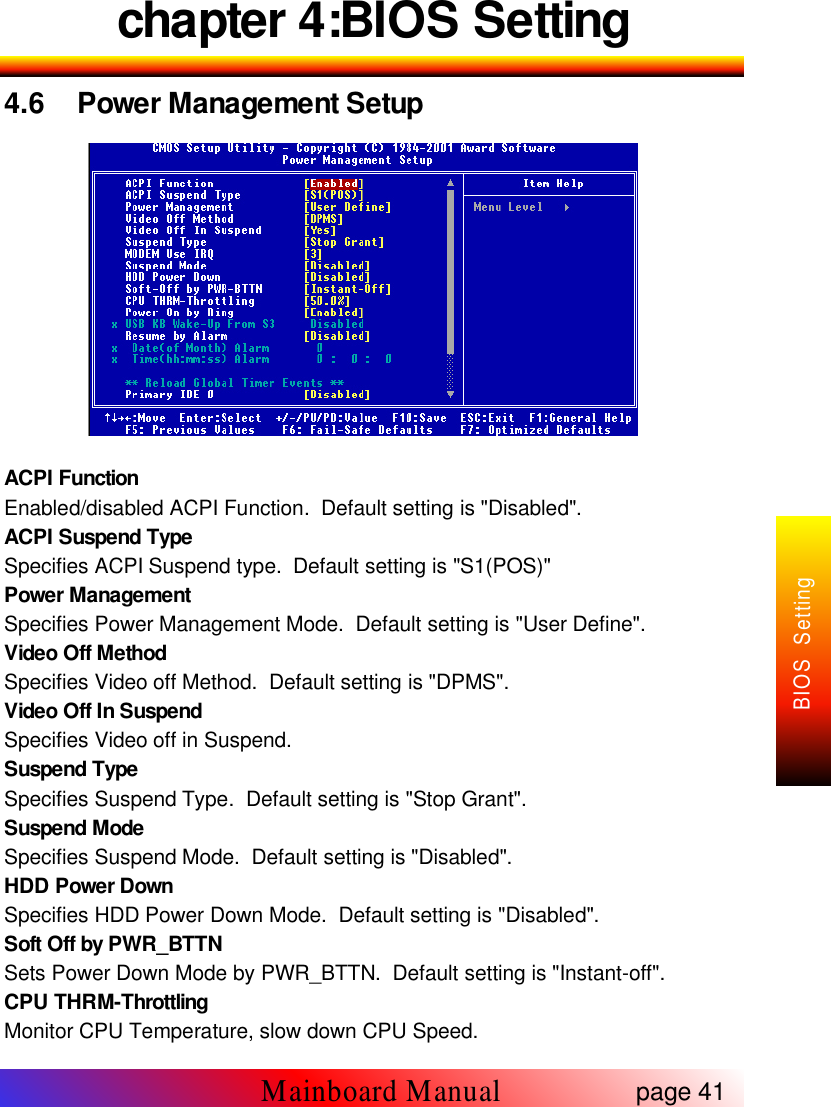
chapter 4:BIOS Setting4.6 Power Management SetupACPI FunctionEnabled/disabled ACPI Function. Default setting is "Disabled".ACPI Suspend TypeSpecifies ACPI Suspend type. Default setting is "S1(POS)"Power ManagementSpecifies Power Management Mode. Default setting is "User Define".Video Off MethodSpecifies Video off Method. Default setting is "DPMS".Video Off In SuspendSpecifies Video off in Suspend.Suspend TypeSpecifies Suspend Type. Default setting is "Stop Grant".Suspend ModeSpecifies Suspend Mode. Default setting is "Disabled".HDD Power DownSpecifies HDD Power Down Mode. Default setting is "Disabled".Soft Off by PWR_BTTNSets Power Down Mode by PWR_BTTN. Default setting is "Instant-off".CPU THRM-ThrottlingMonitor CPU Temperature, slow down CPU Speed.page 41Mainboard ManualBIOS Setting
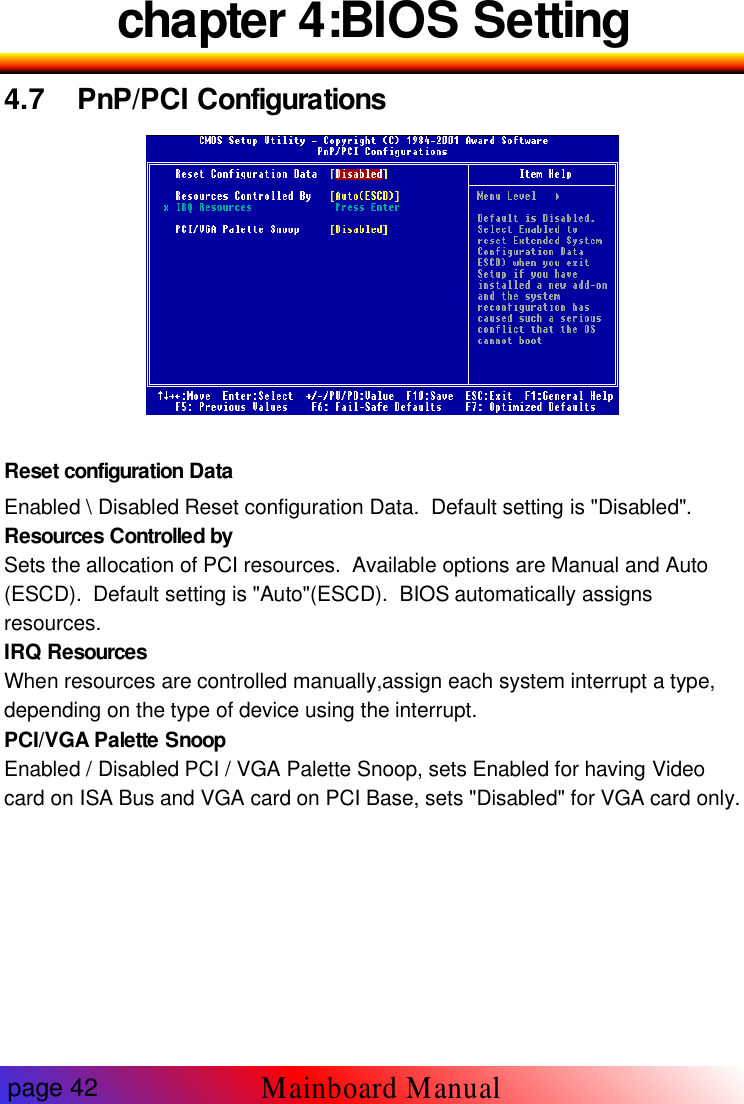
chapter 4:BIOS Setting4.7 PnP/PCI ConfigurationsReset configuration DataEnabled \ Disabled Reset configuration Data. Default setting is "Disabled".Resources Controlled bySets the allocation of PCI resources. Available options are Manual and Auto(ESCD). Default setting is "Auto"(ESCD). BIOS automatically assignsresources.IRQ ResourcesWhen resources are controlled manually,assign each system interrupt a type,depending on the type of device using the interrupt.PCI/VGA Palette SnoopEnabled / Disabled PCI / VGA Palette Snoop, sets Enabled for having Videocard on ISA Bus and VGA card on PCI Base, sets "Disabled" for VGA card only.page 42Mainboard Manual
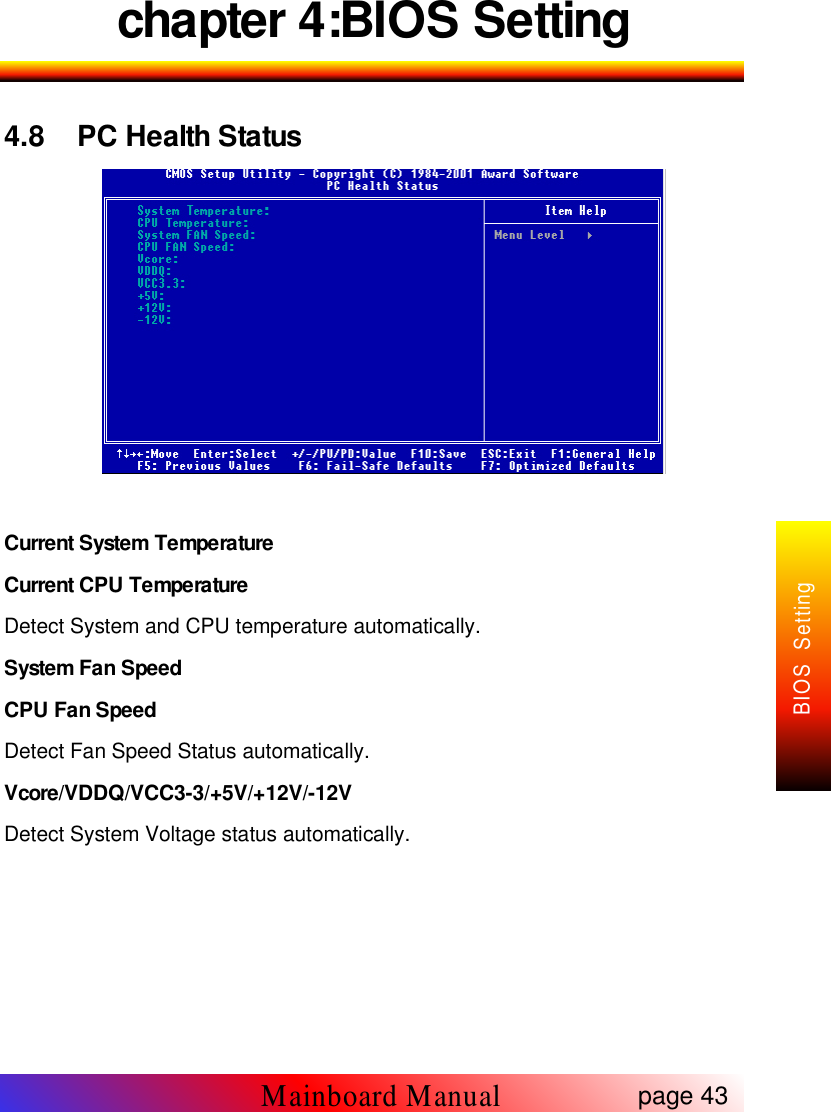
chapter 4:BIOS Setting4.8 PC Health StatusCurrent System TemperatureCurrent CPU TemperatureDetect System and CPU temperature automatically.System Fan SpeedCPU Fan SpeedDetect Fan Speed Status automatically.Vcore/VDDQ/VCC3-3/+5V/+12V/-12VDetect System Voltage status automatically.page 43Mainboard ManualBIOS Setting
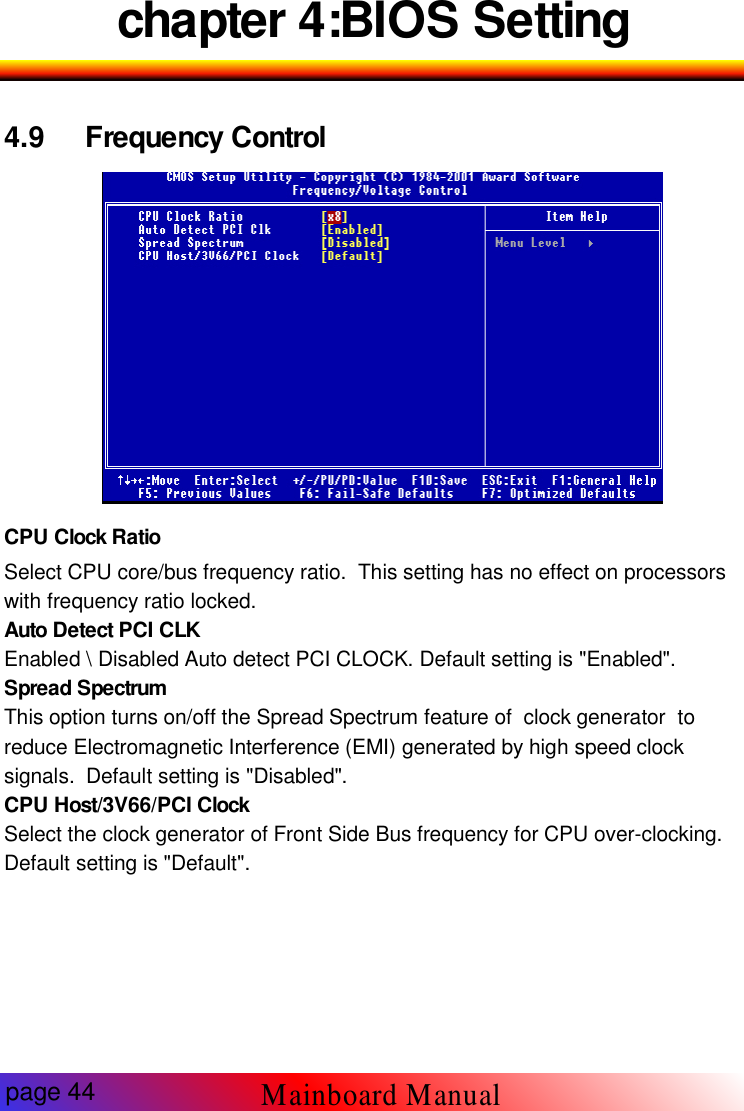
chapter 4:BIOS Setting4.9 Frequency Control-9CPU Clock RatioSelect CPU core/bus frequency ratio. This setting has no effect on processorswith frequency ratio locked.Auto Detect PCI CLKEnabled \ Disabled Auto detect PCI CLOCK. Default setting is "Enabled".Spread SpectrumThis option turns on/off the Spread Spectrum feature of clock generator toreduce Electromagnetic Interference (EMI) generated by high speed clocksignals. Default setting is "Disabled".CPU Host/3V66/PCI ClockSelect the clock generator of Front Side Bus frequency for CPU over-clocking.Default setting is "Default".page 44Mainboard Manual
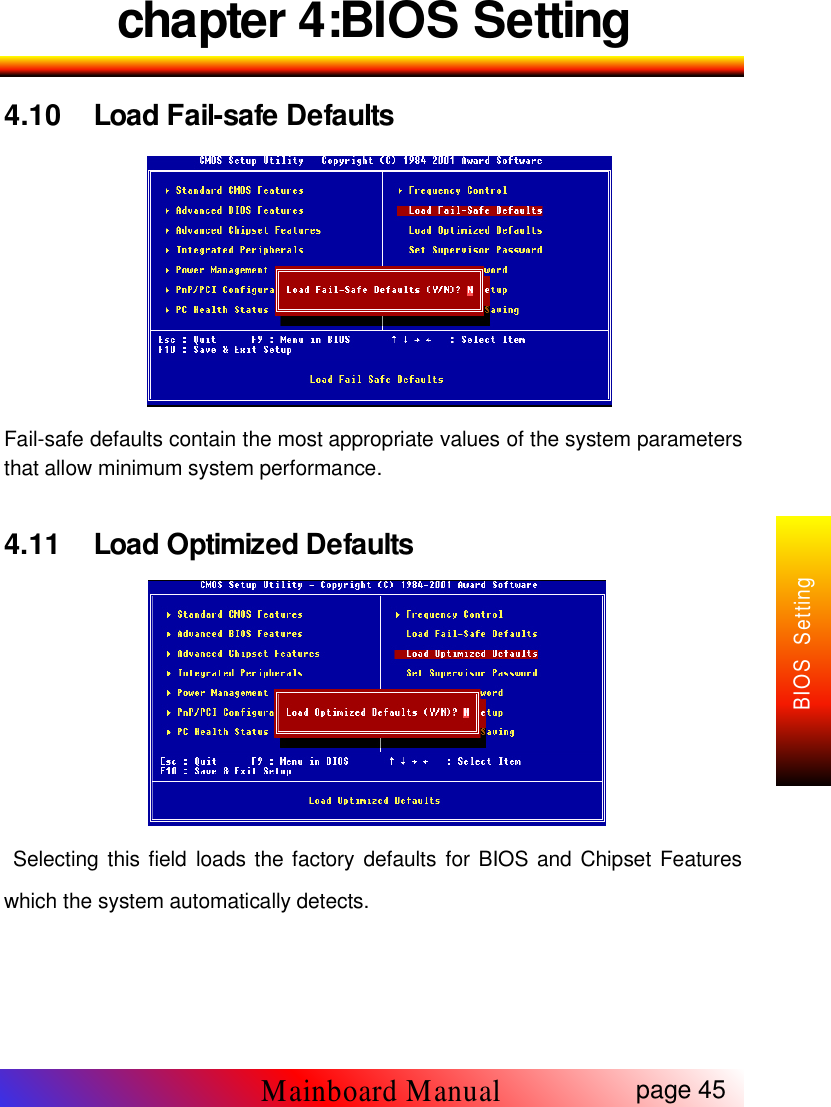
chapter 4:BIOS Setting4.10 Load Fail-safe DefaultsFail-safe defaults contain the most appropriate values of the system parametersthat allow minimum system performance.4.11 Load Optimized DefaultsSelecting this field loads the factory defaults for BIOS and Chipset Featureswhich the system automatically detects.page 45Mainboard ManualBIOS Setting
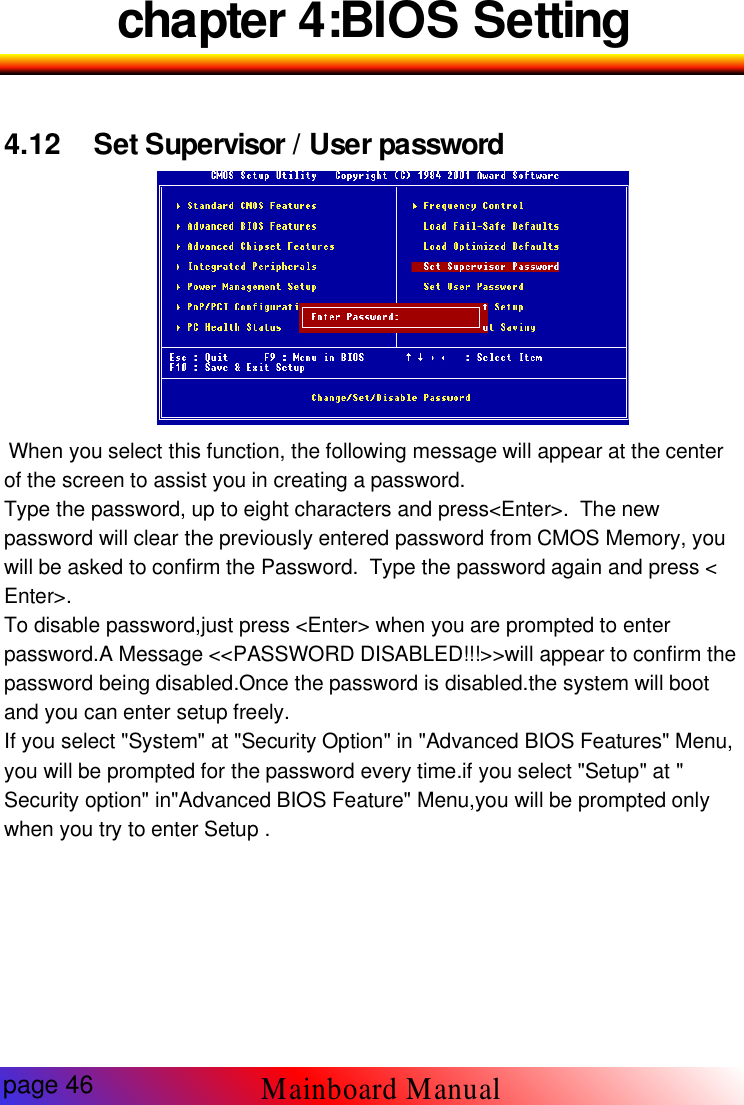
chapter 4:BIOS Setting4.12 Set Supervisor / User password-12 Set SupervisorWhen you select this function, the following message will appear at the centerof the screen to assist you in creating a password.Type the password, up to eight characters and press<Enter>. The newpassword will clear the previously entered password from CMOS Memory, youwill be asked to confirm the Password. Type the password again and press <Enter>.To disable password,just press <Enter> when you are prompted to enterpassword.A Message <<PASSWORD DISABLED!!!>>will appear to confirm thepassword being disabled.Once the password is disabled.the system will bootand you can enter setup freely.If you select "System" at "Security Option" in "Advanced BIOS Features" Menu,you will be prompted for the password every time.if you select "Setup" at "Security option" in"Advanced BIOS Feature" Menu,you will be prompted onlywhen you try to enter Setup .Mainboard Manualpage 46
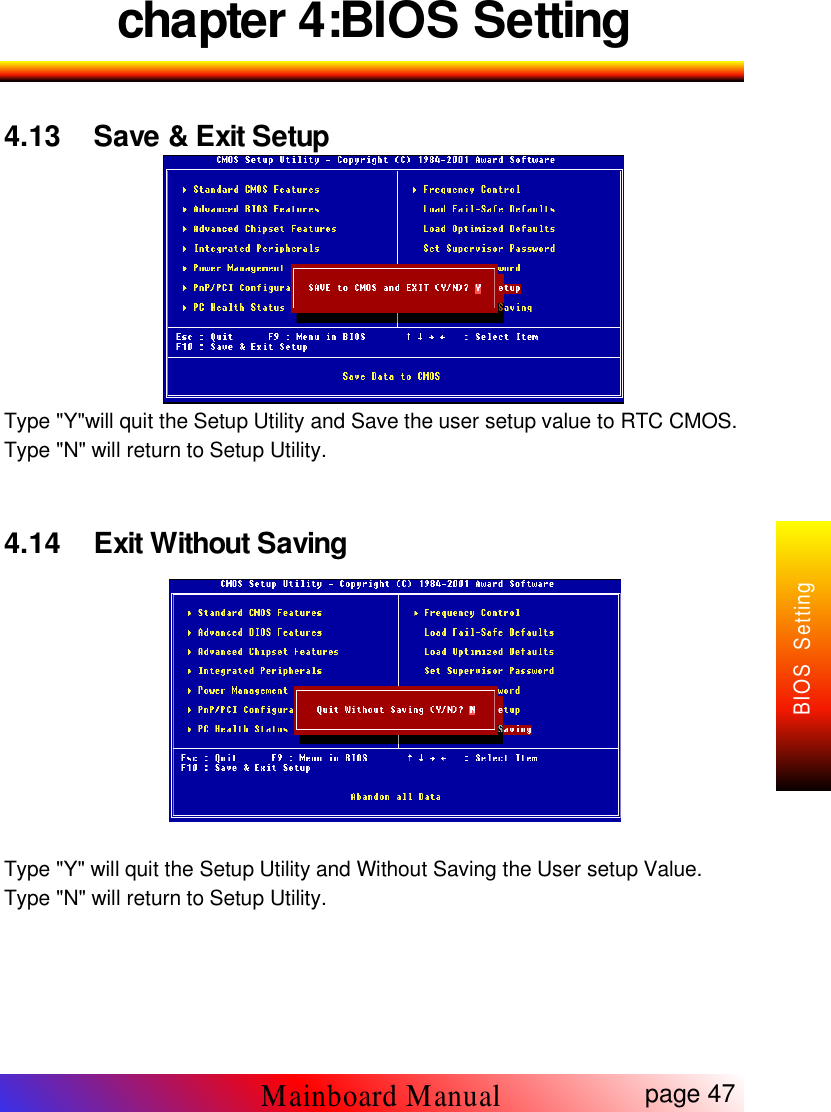
chapter 4:BIOS Setting4.13 Save & Exit SetupType "Y"will quit the Setup Utility and Save the user setup value to RTC CMOS.Type "N" will return to Setup Utility.4.14 Exit Without SavingType "Y" will quit the Setup Utility and Without Saving the User setup Value.Type "N" will return to Setup Utility.page 47Mainboard ManualBIOS Setting

Navigation menu