Zida Technologies MB-A815EP-11 Mainboard User Manual Manual A815E1 indd

Zida Technologies Ltd. Mainboard Manual A815E1 indd

users manual 7

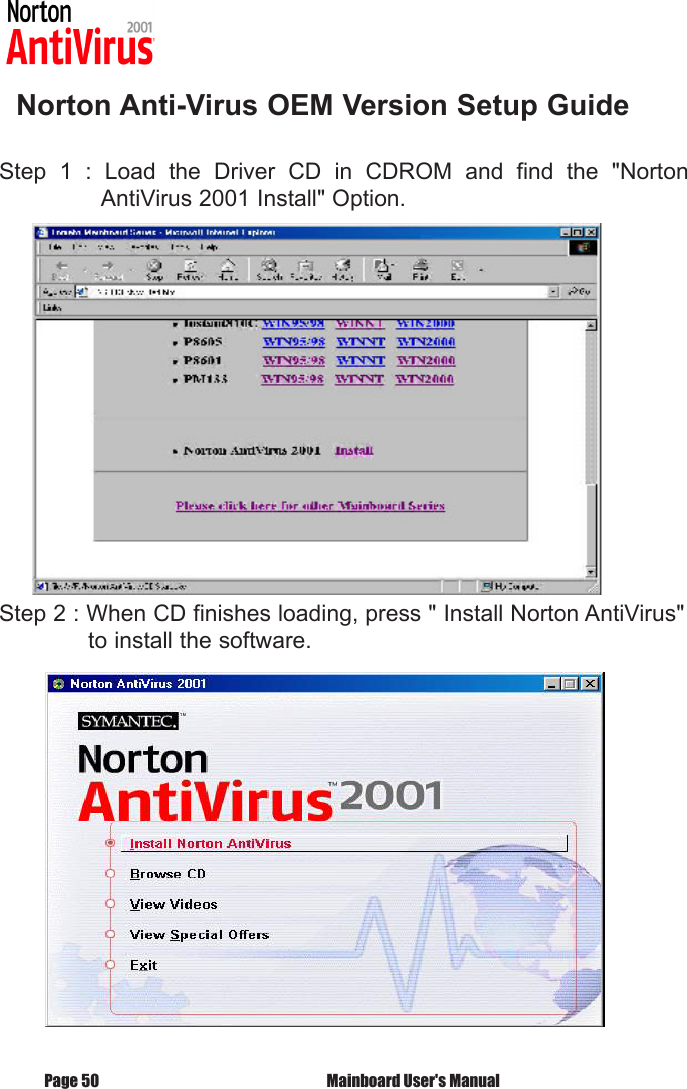
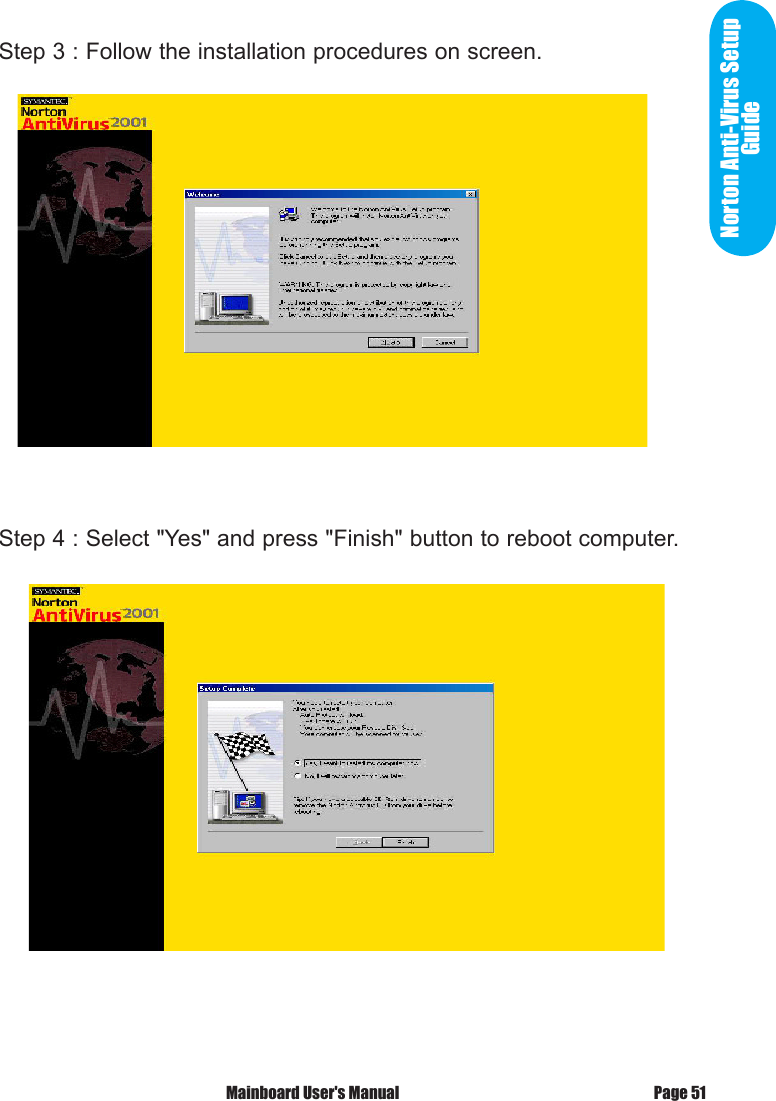
   Norton Anti-Virus OEM Version Setup GuideStep  1  :  Load  the  Driver  CD  in  CDROM  and  find  the  "Norton       AntiVirus 2001 Install" Option.Step 2 : When CD finishes loading, press " Install Norton AntiVirus"    to install the software. Mainboard User's ManualPage 50
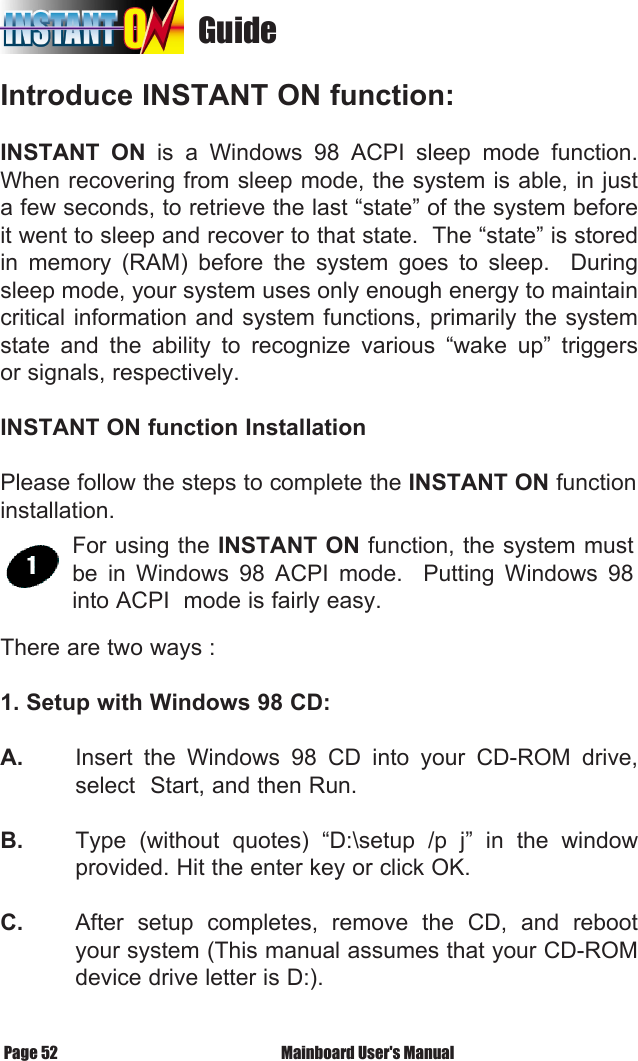
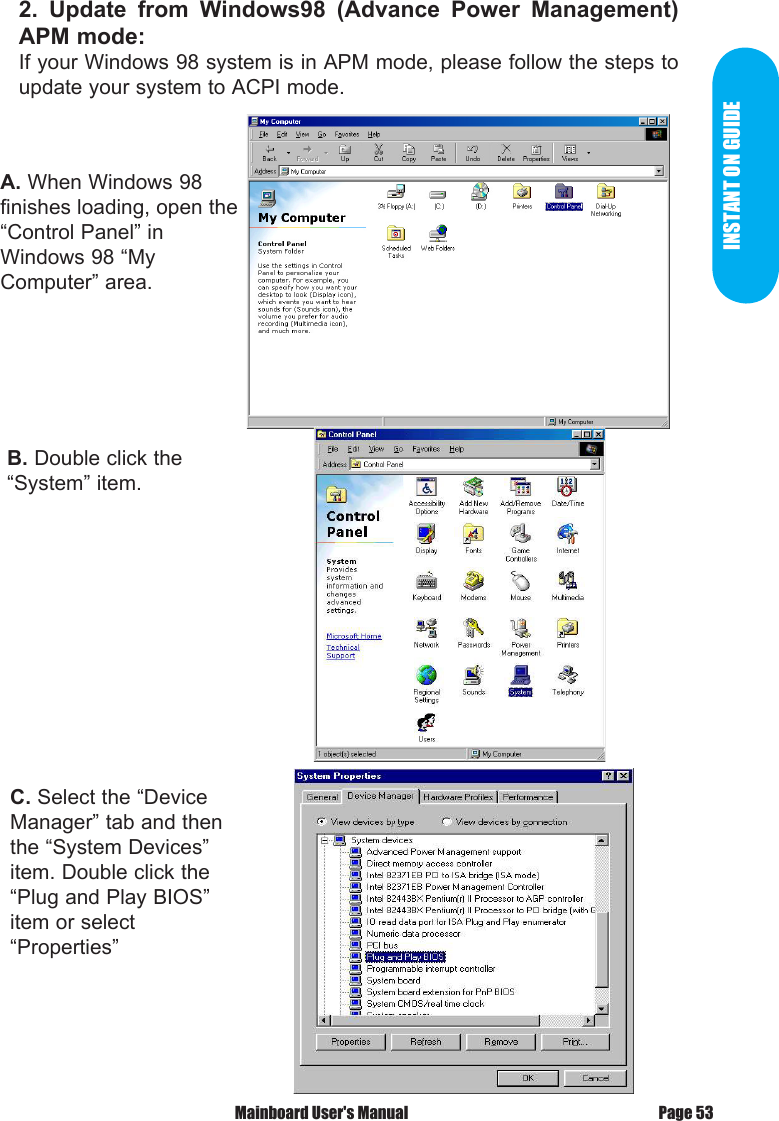
Norton Anti-Virus Setup GuideStep 3 : Follow the installation procedures on screen.Step 4 : Select "Yes" and press "Finish" button to reboot computer.Page 51 Mainboard User's Manual
                                   GuideIntroduce INSTANT ON function:INSTANT  ON  is  a  Windows  98  ACPI  sleep  mode  function. When recovering from sleep mode, the system is able, in just a few seconds, to retrieve the last “state” of the system before it went to sleep and recover to that state.  The “state” is stored in  memory  (RAM)  before  the  system  goes  to  sleep.    During sleep mode, your system uses only enough energy to maintain       critical information and system functions, primarily the system state  and  the  ability  to  recognize  various  “wake  up”  triggers or signals, respectively. INSTANT ON function InstallationPlease follow the steps to complete the INSTANT ON function installation.  There are two ways :1. Setup with Windows 98 CD:A.   Insert  the  Windows  98  CD  into  your  CD-ROM  drive,   select  Start, and then Run.B.   Type  (without  quotes)  “D:\setup  /p  j”  in  the  window   provided. Hit the enter key or click OK.C.   After  setup  completes,  remove  the  CD,  and  reboot   your system (This manual assumes that your CD-ROM   device drive letter is D:).For using the INSTANT ON function, the system must be  in  Windows  98  ACPI  mode.    Putting  Windows  98 into ACPI  mode is fairly easy. Mainboard User's ManualPage 52
INSTANT ON GUIDEA. When Windows 98 finishes loading, open the “Control Panel” inWindows 98 “My Computer” area.B. Double click the “System” item.C. Select the “Device Manager” tab and then the “System Devices” item. Double click the “Plug and Play BIOS” item or select “Properties”2.  Update  from  Windows98  (Advance  Power  Management) APM mode:If your Windows 98 system is in APM mode, please follow the steps to update your system to ACPI mode.Page 53 Mainboard User's Manual
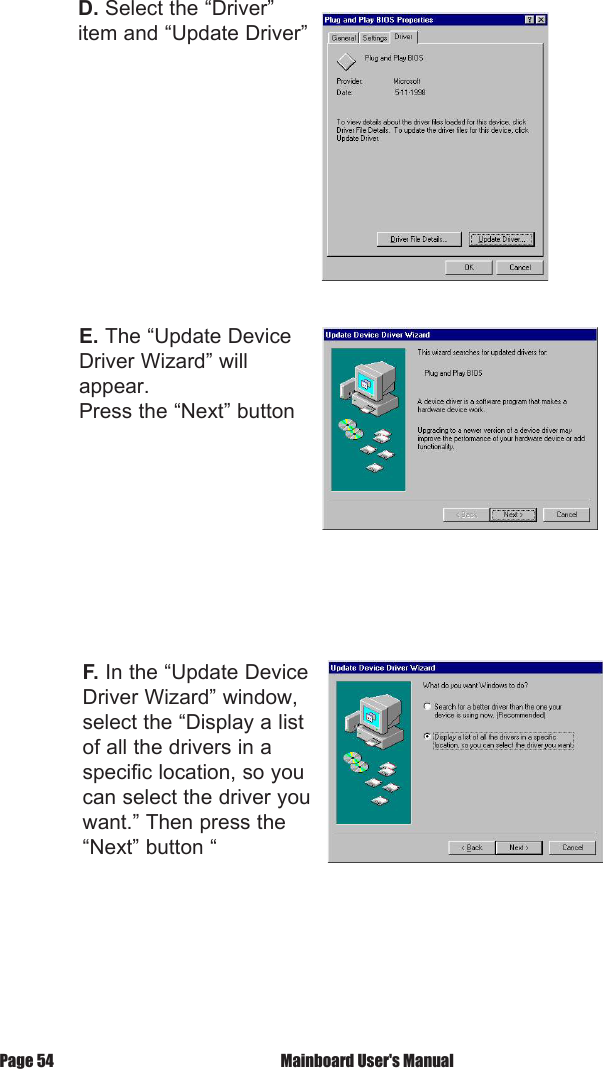
D. Select the “Driver” item and “Update Driver”E. The “Update Device Driver Wizard” will appear.Press the “Next” buttonF. In the “Update Device Driver Wizard” window, select the “Display a listof all the drivers in a specific location, so you can select the driver youwant.” Then press the “Next” button “ Mainboard User's ManualPage 54
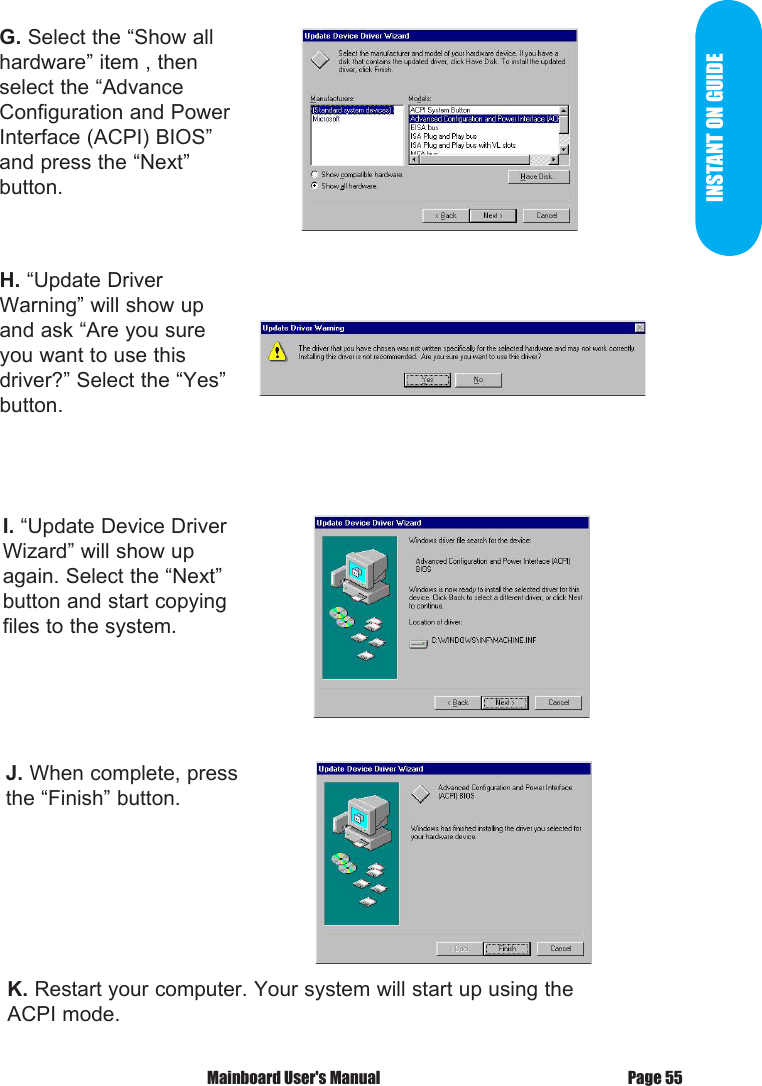
INSTANT ON GUIDEG. Select the “Show all hardware” item , then select the “AdvanceConfiguration and Power Interface (ACPI) BIOS” and press the “Next”button.H. “Update Driver Warning” will show up and ask “Are you sure you want to use this driver?” Select the “Yes” button.I. “Update Device Driver Wizard” will show up again. Select the “Next”button and start copying files to the system.J. When complete, press the “Finish” button.K. Restart your computer. Your system will start up using the ACPI mode.Page 55 Mainboard User's Manual
Power  on  the  computer  when  memory  counting  starts, press <Del>.  You will enter BIOS Setup.  Select the item “POWER MANAGEMENT  SETUP”, then select Enable in  “Suspend  to  RAM”  option.    Remember  to  save  the settings  by  pressing  "ESC"  and  choose  the  “SAVE  & EXIT SETUP” option. The installation of INSTANT ON is completed.You can use this function in Windows 98. Mainboard User's ManualPage 56
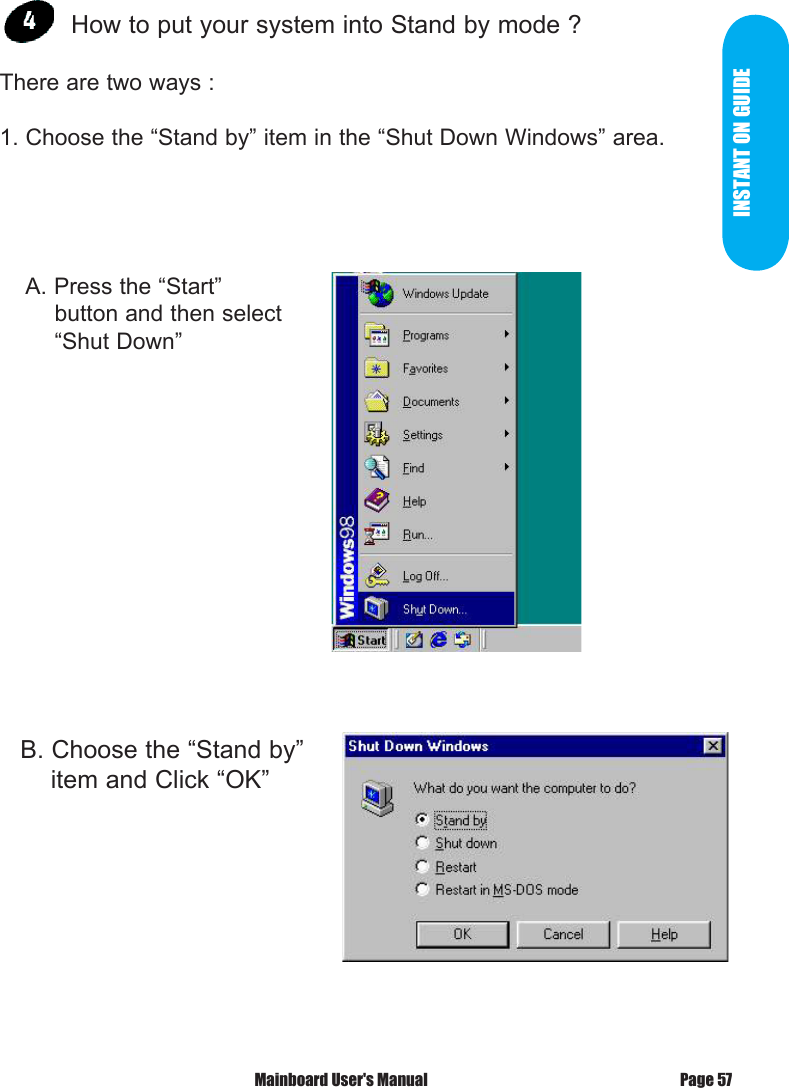
INSTANT ON GUIDE How to put your system into Stand by mode ?There are two ways :1. Choose the “Stand by” item in the “Shut Down Windows” area.   B. Choose the “Stand by”     item and Click “OK”    A. Press the “Start”             button and then select            “Shut Down”Page 57 Mainboard User's Manual
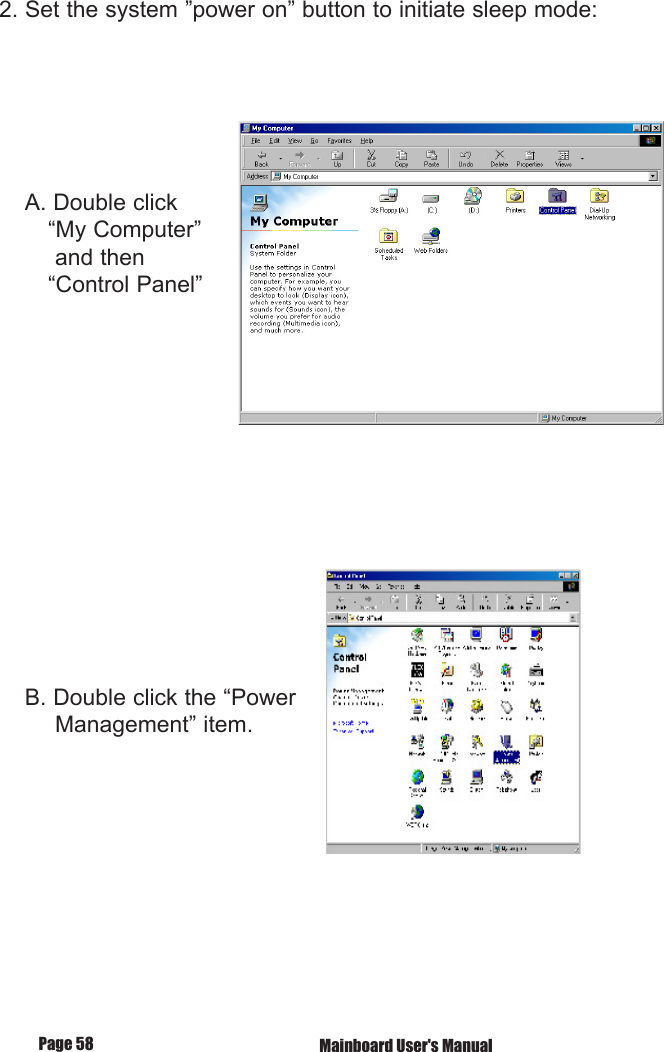
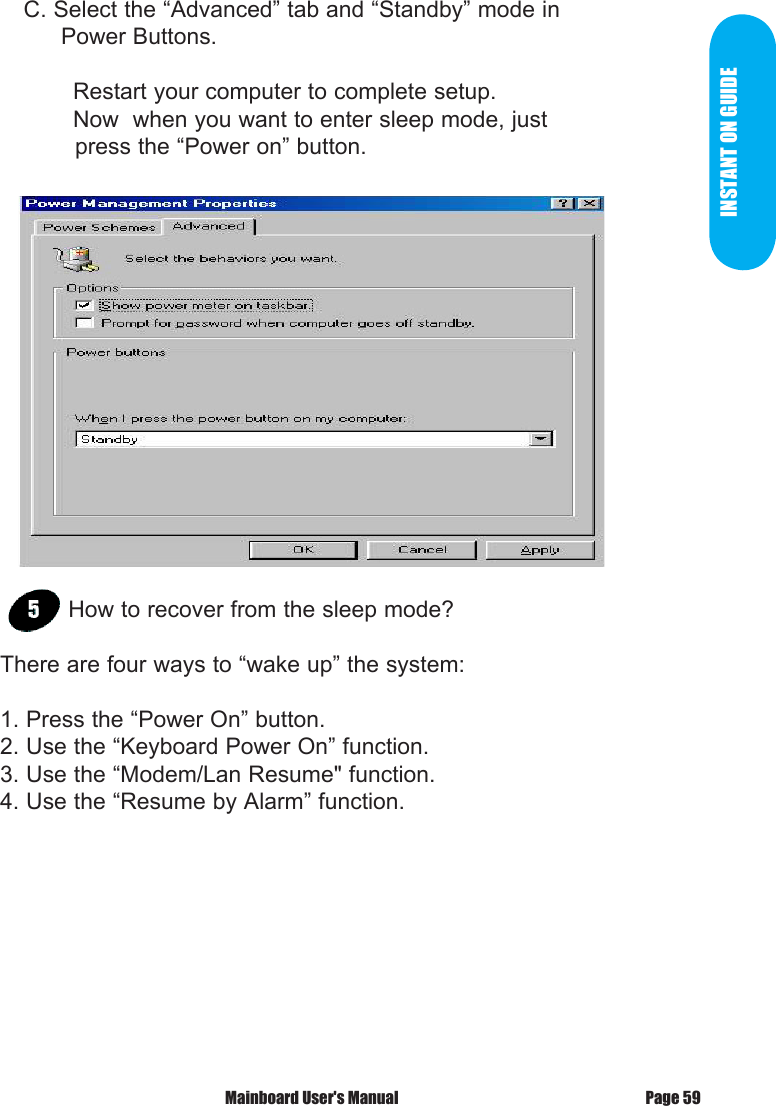
2. Set the system ”power on” button to initiate sleep mode:    A. Double click        “My Computer”         and then        “Control Panel”    B. Double click the “Power         Management” item.         Mainboard User's ManualPage 58
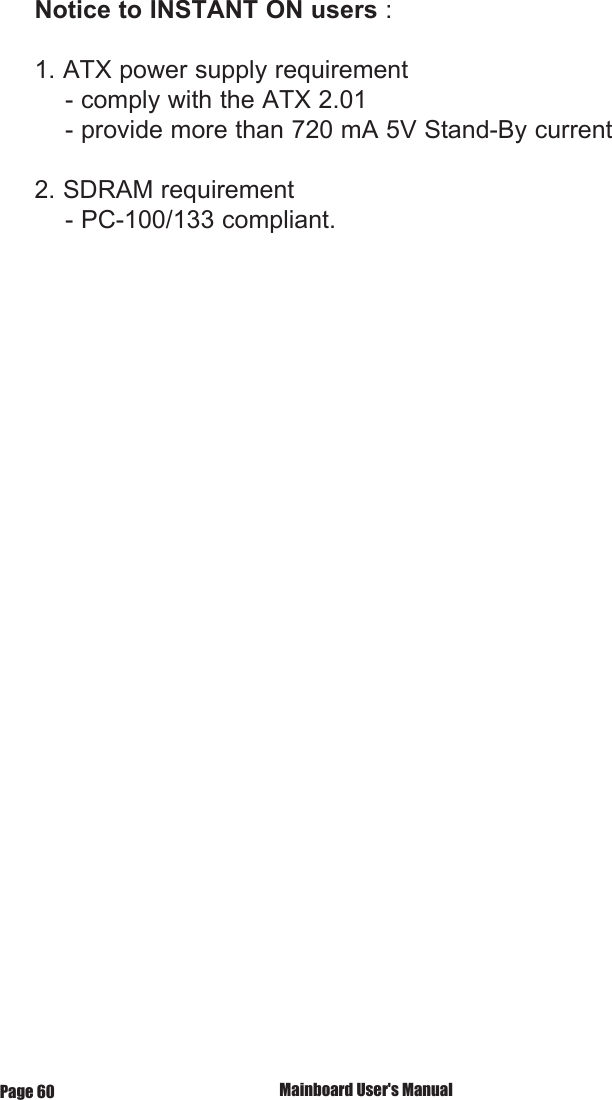
INSTANT ON GUIDE    C. Select the “Advanced” tab and “Standby” mode in          Power Buttons.  Restart your computer to complete setup.  Now  when you want to enter sleep mode, just             press the “Power on” button.How to recover from the sleep mode?There are four ways to “wake up” the system:1. Press the “Power On” button.2. Use the “Keyboard Power On” function.3. Use the “Modem/Lan Resume" function.4. Use the “Resume by Alarm” function.Page 59 Mainboard User's Manual
Notice to INSTANT ON users : 1. ATX power supply requirement    - comply with the ATX 2.01    - provide more than 720 mA 5V Stand-By current2. SDRAM requirement    - PC-100/133 compliant. Mainboard User's ManualPage 60

Navigation menu