Zida Technologies MB-A845 Tomato User Manual 90 A845S1 00 00 indd

Zida Technologies Ltd. Tomato 90 A845S1 00 00 indd

users manual 3

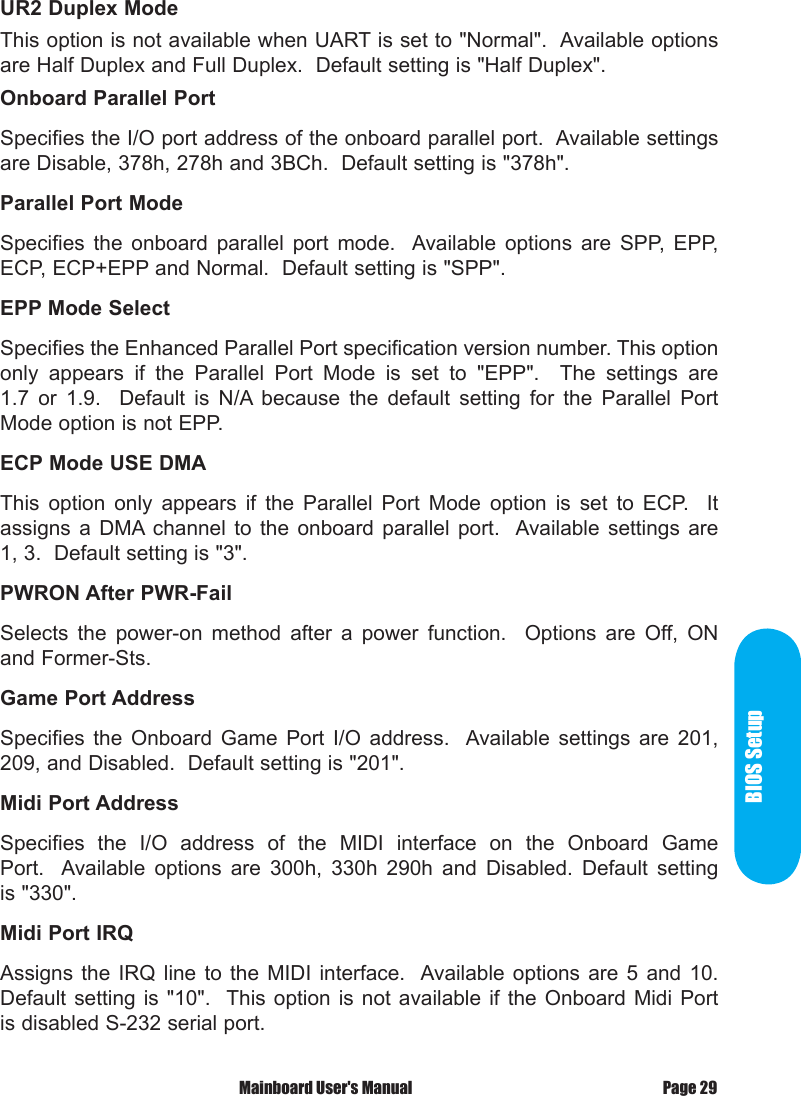
BIOS Setup Mainboard User's Manual Page 29UR2 Duplex ModeThis option is not available when UART is set to "Normal".  Available options are Half Duplex and Full Duplex.  Default setting is "Half Duplex".Onboard Parallel PortSpecifies the I/O port address of the onboard parallel port.  Available settings are Disable, 378h, 278h and 3BCh.  Default setting is "378h".Parallel Port ModeSpecifies  the  onboard  parallel  port  mode.   Available  options  are  SPP,  EPP, ECP, ECP+EPP and Normal.  Default setting is "SPP".EPP Mode SelectSpecifies the Enhanced Parallel Port specification version number. This option only  appears  if  the  Parallel  Port  Mode  is  set  to  "EPP".    The  settings  are 1.7  or  1.9.    Default  is  N/A because  the  default  setting  for  the  Parallel  Port Mode option is not EPP.ECP Mode USE DMAThis  option  only  appears  if  the  Parallel  Port  Mode  option  is  set  to  ECP.    It assigns  a DMA channel  to the  onboard  parallel  port.   Available settings  are 1, 3.  Default setting is "3".PWRON After PWR-FailSelects  the  power-on  method  after  a  power  function.    Options  are  Off,  ON and Former-Sts.Game Port AddressSpecifies  the  Onboard  Game  Port  I/O  address.   Available  settings  are  201, 209, and Disabled.  Default setting is "201".Midi Port AddressSpecifies  the  I/O  address  of  the  MIDI  interface  on  the  Onboard  Game Port.   Available  options  are  300h,  330h  290h  and  Disabled.  Default  setting is "330".Midi Port IRQAssigns  the IRQ  line  to  the  MIDI  interface.   Available options  are  5  and  10.  Default setting  is  "10".  This  option  is not  available  if the  Onboard  Midi Port is disabled S-232 serial port.
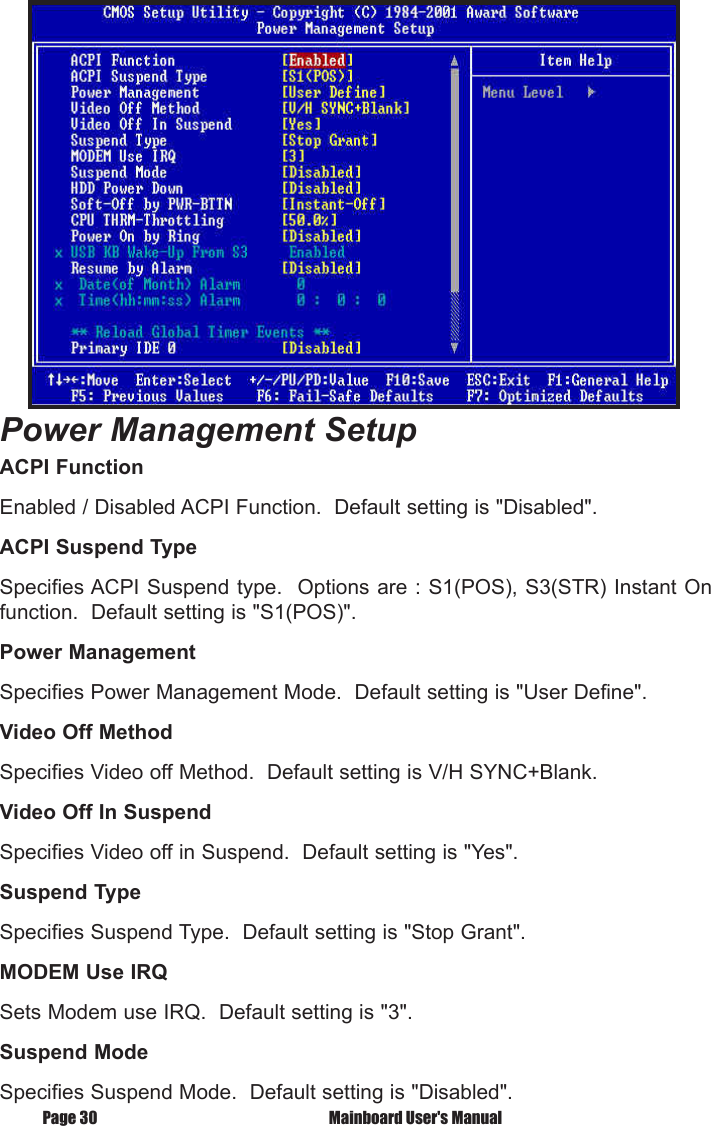
Page 30  Mainboard User's ManualPower Management SetupACPI FunctionEnabled / Disabled ACPI Function.  Default setting is "Disabled".ACPI Suspend TypeSpecifies ACPI Suspend type.  Options are : S1(POS), S3(STR) Instant On function.  Default setting is "S1(POS)".Power ManagementSpecifies Power Management Mode.  Default setting is "User Define".Video Off MethodSpecifies Video off Method.  Default setting is V/H SYNC+Blank.Video Off In SuspendSpecifies Video off in Suspend.  Default setting is "Yes".Suspend TypeSpecifies Suspend Type.  Default setting is "Stop Grant".MODEM Use IRQSets Modem use IRQ.  Default setting is "3".Suspend ModeSpecifies Suspend Mode.  Default setting is "Disabled".
 Mainboard User's Manual Page 31BIOS SetupHDD Power DownSpecifies HDD Power Down Mode.  Default setting is "Disabled".Soft Off by PWR-BTTNSets Power Down Mode by PWR_BTTN.  Default setting is "Instant-off".CPU THRM-ThrottlingMonitor CPU Temperature, slow down CPU Speed.Power On by RingEnabled / Disabled Power on by Ring.  Default setting is "Enabled".USB KB Wake-Up From S3Enabled  /  Disabled  USB  KB  Wake-up  from  S3.    Default  setting  is "Disabled".Resume by AlarmEnabled / Disabled Resume by alarm.  Default setting is "Disabled".Primary IDE0Enabled / Disabled monitor Primary IDE0 for Green event.  Default setting is "Disabled".Primary IDE1Enabled / Disabled monitor Primary IDE1 for Green event.  Default setting is "Disabled".Secondary IDE0Enabled  /  Disabled  monitor  Secondary  IDE0  for  Green  event.    Default setting is "Disabled".Secondary IDE1Enabled  /  Disabled  monitor  Secondary  IDE1  for  Green  event.    Default setting is "Disabled".FDD, COM, LPT PortEnabled  /  Disabled  monitor  FDD,  COM,  LPT  for  Green  event.    Default setting is "Disabled".PCI PIRQ [A-D]#Enabled  PCI  PIRQIA-DJ#,  Monitor  PCI  PIRQIA-DJ#IRQ Active,  Disabled PCI  PIRQIA-DJ#  Ignore  PCI  PIRQIA-DJ#  IRQ  Active.    Default  setting is "Disabled".
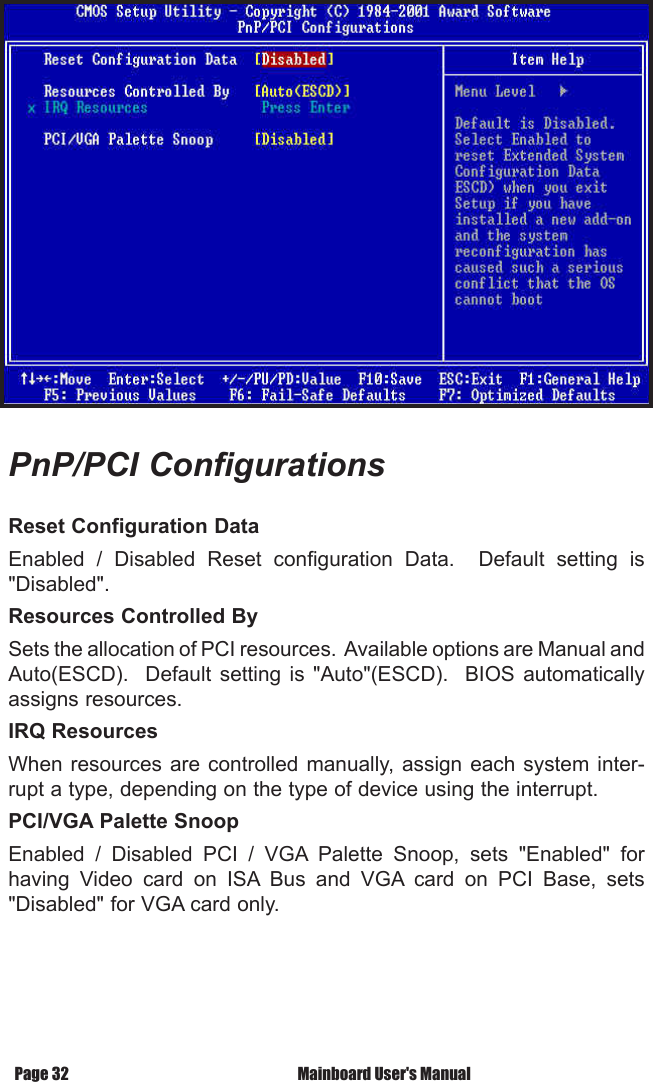
PnP/PCI ConfigurationsReset Configuration DataEnabled  /  Disabled  Reset  configuration  Data.    Default  setting  is "Disabled".Resources Controlled BySets the allocation of PCI resources.  Available options are Manual and Auto(ESCD).    Default  setting  is  "Auto"(ESCD).    BIOS  automatically assigns resources.IRQ ResourcesWhen resources  are controlled  manually, assign each  system inter-rupt a type, depending on the type of device using the interrupt.PCI/VGA Palette SnoopEnabled  /  Disabled  PCI  /  VGA  Palette  Snoop,  sets  "Enabled"  for having  Video  card  on  ISA  Bus  and  VGA  card  on  PCI  Base,  sets "Disabled" for VGA card only. Mainboard User's ManualPage 32
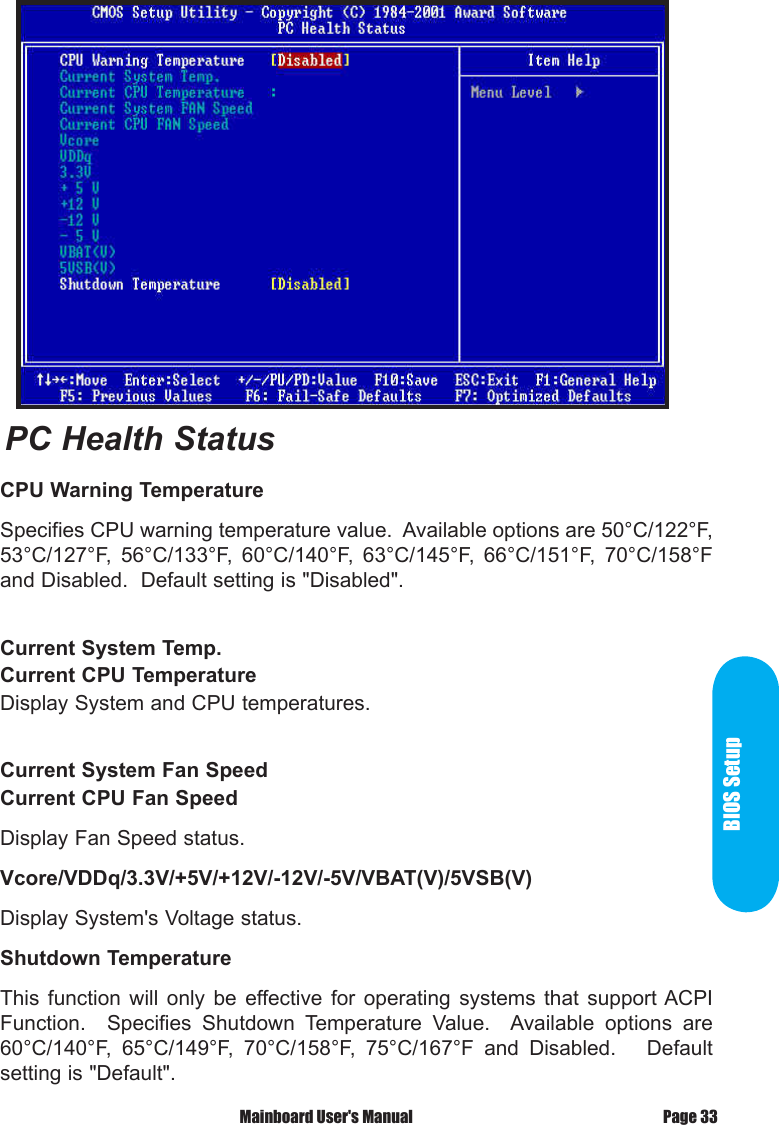
BIOS SetupPage 33 Mainboard User's ManualCPU Warning TemperatureSpecifies CPU warning temperature value.  Available options are 50°C/122°F, 53°C/127°F,  56°C/133°F,  60°C/140°F,  63°C/145°F,  66°C/151°F,  70°C/158°F and Disabled.  Default setting is "Disabled".Current System Temp.Current CPU TemperatureDisplay System and CPU temperatures.Current System Fan SpeedCurrent CPU Fan SpeedDisplay Fan Speed status.Vcore/VDDq/3.3V/+5V/+12V/-12V/-5V/VBAT(V)/5VSB(V)Display System's Voltage status.Shutdown TemperatureThis  function  will  only  be  effective for  operating  systems  that  support ACPI Function.    Specifies  Shutdown  Temperature  Value.    Available  options  are 60°C/140°F,  65°C/149°F,  70°C/158°F,  75°C/167°F  and  Disabled.      Default setting is "Default".PC Health Status
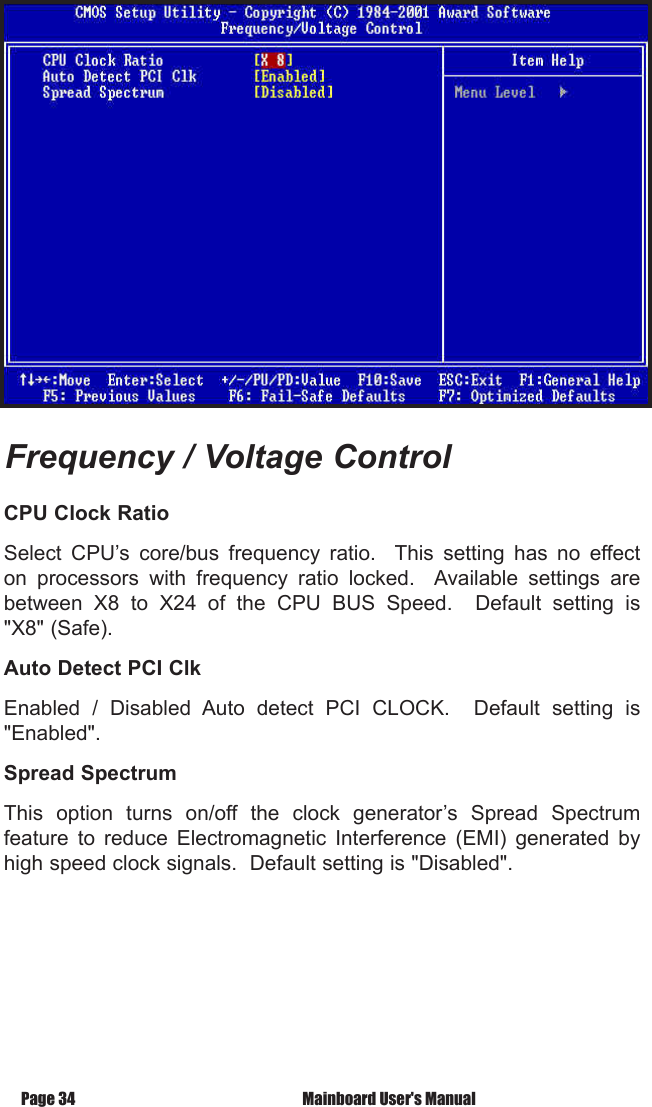
Page 34  Mainboard User's ManualCPU Clock RatioSelect  CPU’s  core/bus  frequency  ratio.    This  setting  has  no  effect on  processors  with  frequency  ratio  locked.    Available  settings  are between  X8  to  X24  of  the  CPU  BUS  Speed.    Default  setting  is "X8" (Safe).Auto Detect PCI Clk Enabled  /  Disabled  Auto  detect  PCI  CLOCK.    Default  setting  is "Enabled". Spread SpectrumThis  option  turns  on/off  the  clock  generator’s  Spread  Spectrum feature  to  reduce  Electromagnetic  Interference  (EMI)  generated  by high speed clock signals.  Default setting is "Disabled".Frequency / Voltage Control
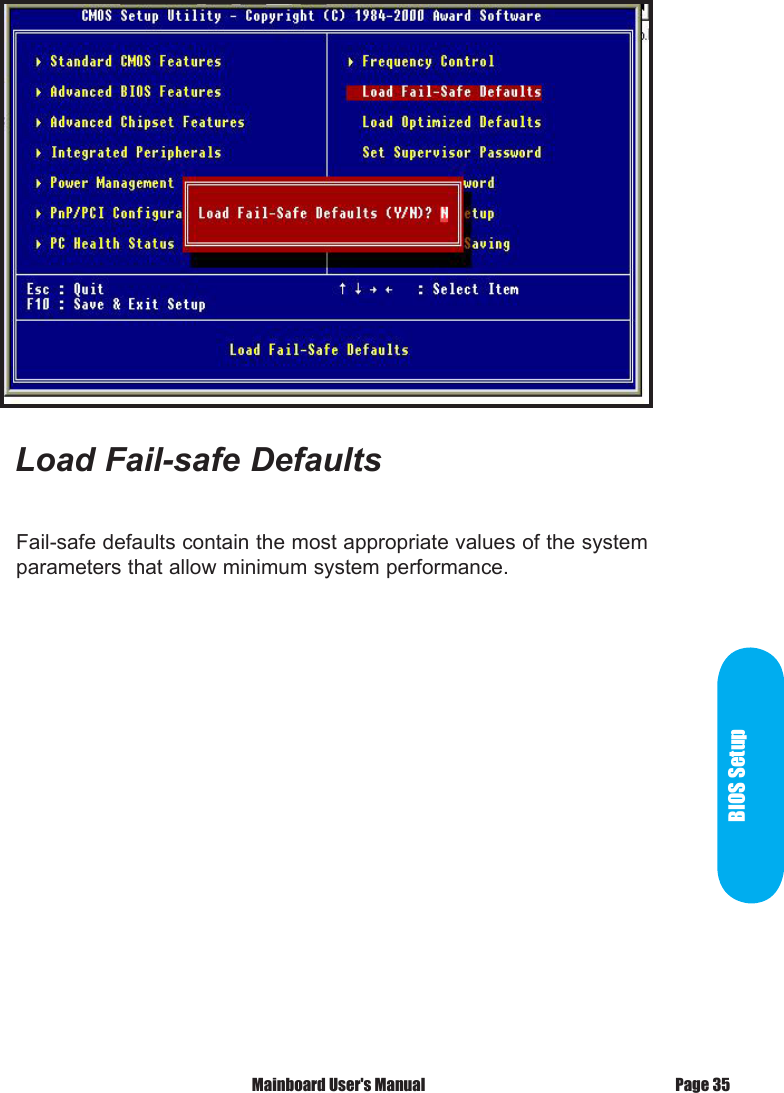
BIOS SetupFail-safe defaults contain the most appropriate values of the system parameters that allow minimum system performance.Load Fail-safe Defaults Mainboard User's Manual Page 35
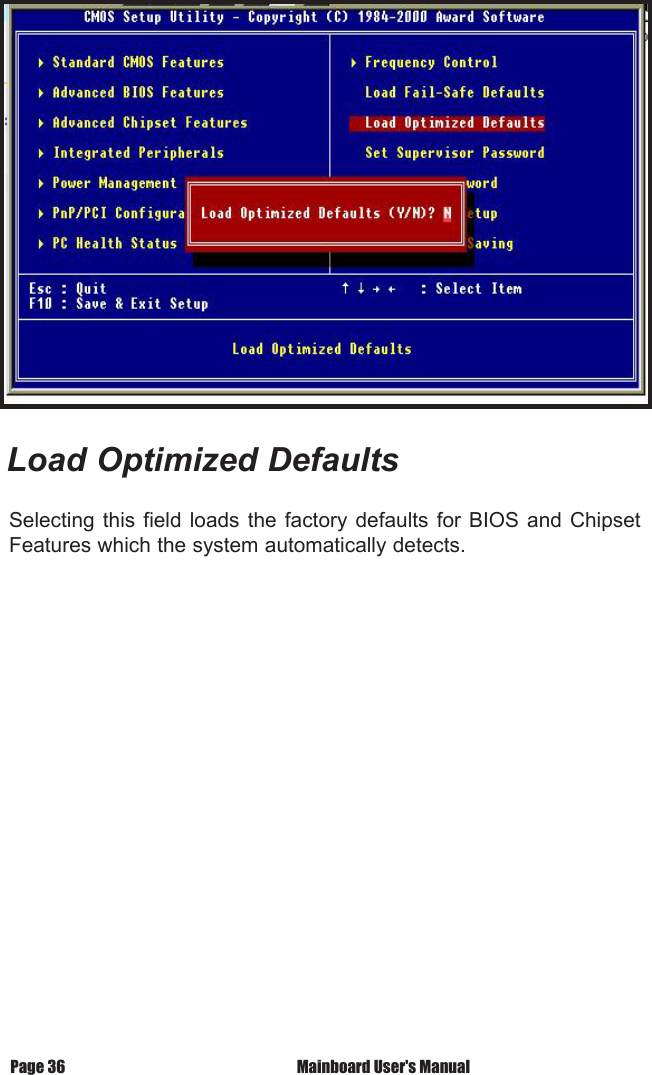
Load Optimized DefaultsSelecting this  field  loads  the  factory defaults  for  BIOS  and  Chipset Features which the system automatically detects.Page 36  Mainboard User's Manual
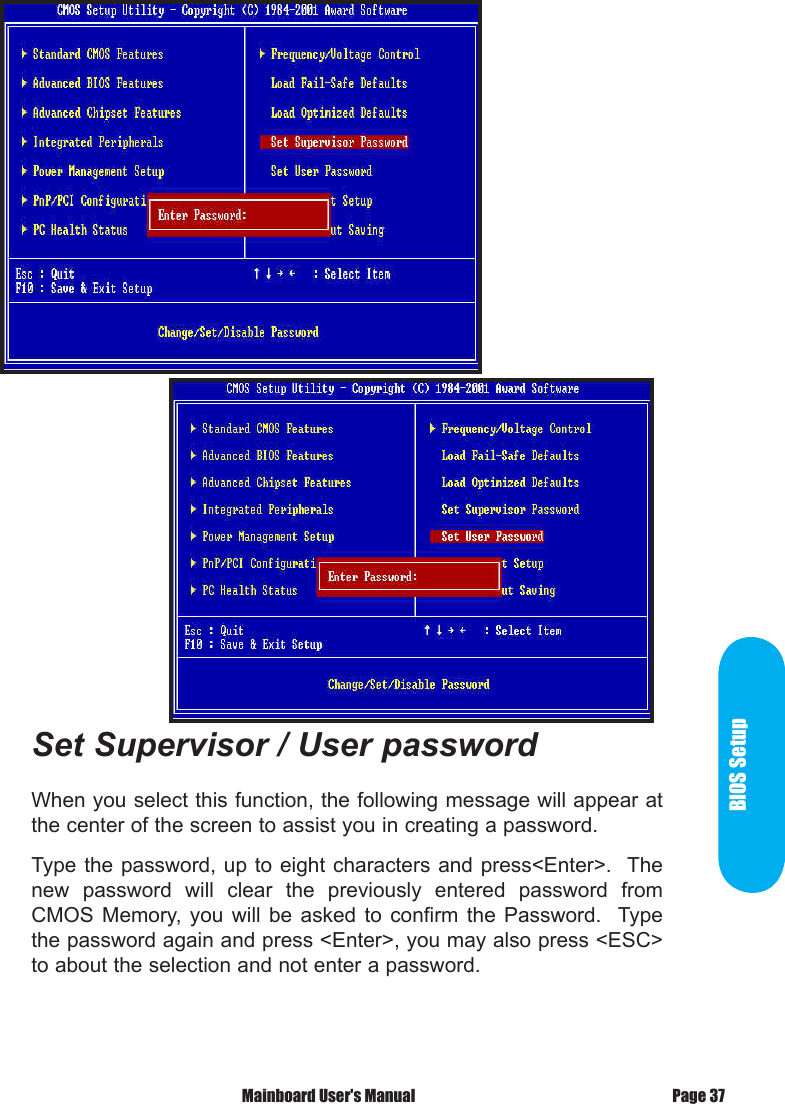
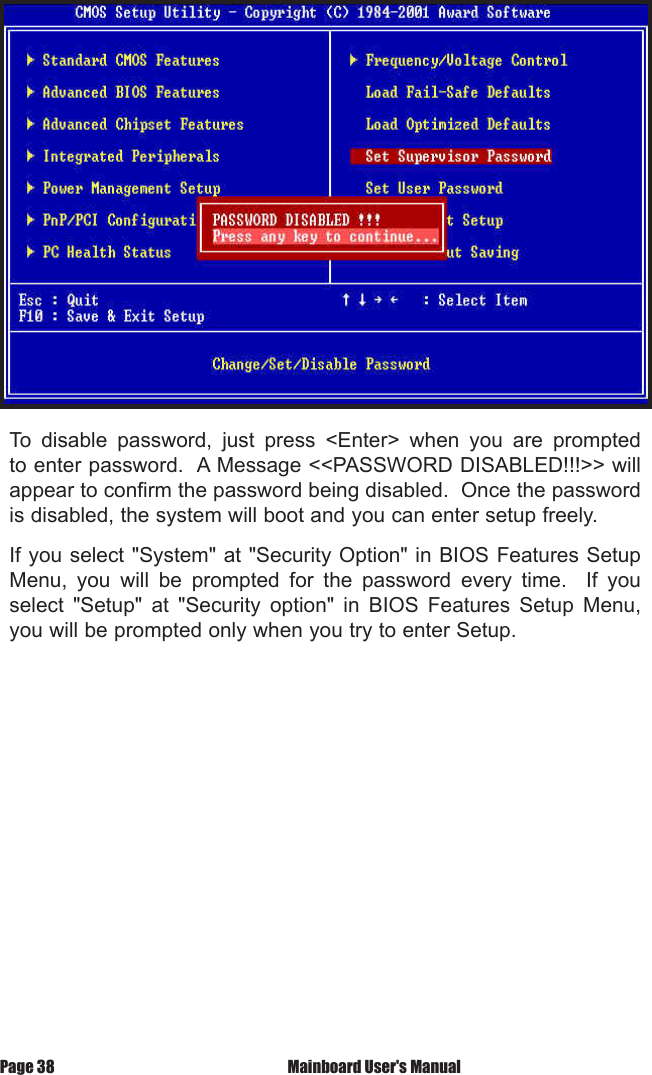
BIOS SetupSet Supervisor / User passwordWhen you select this function, the following message will appear at the center of the screen to assist you in creating a password.Type the password,  up to eight characters  and press<Enter>.  The new  password  will  clear  the  previously  entered  password  from CMOS  Memory, you  will  be  asked  to  confirm  the  Password.    Type the password again and press <Enter>, you may also press <ESC> to about the selection and not enter a password. Mainboard User's Manual Page 37
To  disable  password,  just  press  <Enter>  when  you  are  prompted to enter password.  A Message <<PASSWORD DISABLED!!!>> will appear to confirm the password being disabled.  Once the password is disabled, the system will boot and you can enter setup freely.If you select "System" at "Security Option" in BIOS Features Setup Menu,  you  will  be  prompted  for  the  password  every  time.    If  you select  "Setup"  at  "Security  option"  in  BIOS  Features  Setup  Menu, you will be prompted only when you try to enter Setup.Page 38  Mainboard User's Manual
BIOS SetupType  "Y"  will  quit  the  Setup  Utility  and  Save  the  user  setup  value to RTC CMOS.Type "N" will return to Setup Utility.Save & Exit Setup Mainboard User's Manual Page 39
Type  "Y"  will  quit  the  Setup  Utility  and  Without  Saving  the  User setup Value.Type "N" will return to Setup Utility.Exit Without SavingPage 40  Mainboard User's Manual
Glossary
A                     PS/2 Mouse & Keyboard ConnectorThe Mainboard provides two on-board PS/2 connectors, one for the  keyboard,  and  one  for  the  mouse.  PS/2  devices  all  have a  standard  6-pin  round  shape  connector.    If  you  are  already using  a  PS/2  mouse  or  keyboard,  simply  plug  them  into  the corresponding connector.  No jumper settings are necessary.B             ATX Power Supply ConnectorsThe  Mainboard  provides  20-pin  ATX  power  supply  connector, which incorporates standard +5V and +12V, 3.3V and soft-on/off signals.  With a power supply that supports remote power on/off, the mainboard can turn off the system power through software control,  such  as  the  shutdown  command  in  the  Windows  95  / Windows 98 Start Menu.  The BIOS system will turn the system power  off  when  it  receives  the  proper  APM  / ACPI  command from  the  OS.    APM  / ACPI  must  be  enabled  in  the  BIOS  and OS systems in order to set the soft-off feature working properly.  This Pentium 4 Mainboard  also  provides  a  4-pin  power supply connector,  which  incorporates  additional  +12V  power  for  the CPU power circuitry.20-pin ATX Power Supply ConnectorPin  Signal Name    Pin         Signal Name1    +3.3V      11         +3.3V2    +3.3V      12         -12V3    Ground     13         Ground4    +5V      14         PW_ON5    Ground     15         Ground6    +5V      16         Ground7    Ground     17         Ground8    PWRGOOD    18         -5V9    +5VSB     19         +5V10   +12V      20         +5VGlossaryPage 42  Mainboard User's Manual

Navigation menu