Zida Technologies MB-A845 Tomato User Manual 90 A845S1 00 00 indd

Zida Technologies Ltd. Tomato 90 A845S1 00 00 indd

users manual 4

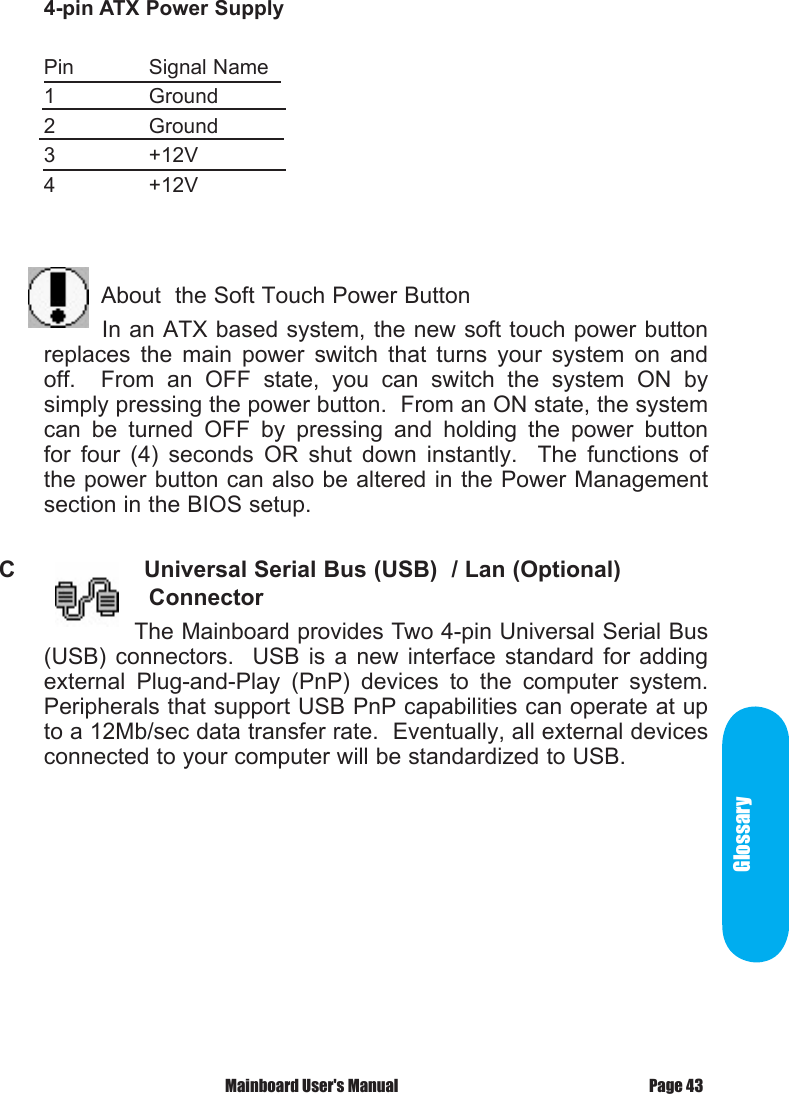
Glossary Mainboard User's Manual Page 434-pin ATX Power SupplyPin  Signal Name1    Ground2    Ground3    +12V4    +12V                       About  the Soft Touch Power Button       In an ATX based system, the new soft touch power button replaces  the  main  power  switch  that  turns  your  system  on  and off.    From  an  OFF  state,  you  can  switch  the  system  ON  by simply pressing the power button.  From an ON state, the system can  be  turned  OFF  by  pressing  and  holding  the  power  button for  four  (4)  seconds  OR  shut  down  instantly.    The  functions  of the power button can also be altered in the Power Management section in the BIOS setup.C            Universal Serial Bus (USB)  / Lan (Optional)     Connector            The Mainboard provides Two 4-pin Universal Serial Bus (USB)  connectors.   USB  is  a  new  interface  standard  for  adding external  Plug-and-Play  (PnP)  devices  to  the  computer  system.  Peripherals that support USB PnP capabilities can operate at up to a 12Mb/sec data transfer rate.  Eventually, all external devices connected to your computer will be standardized to USB.
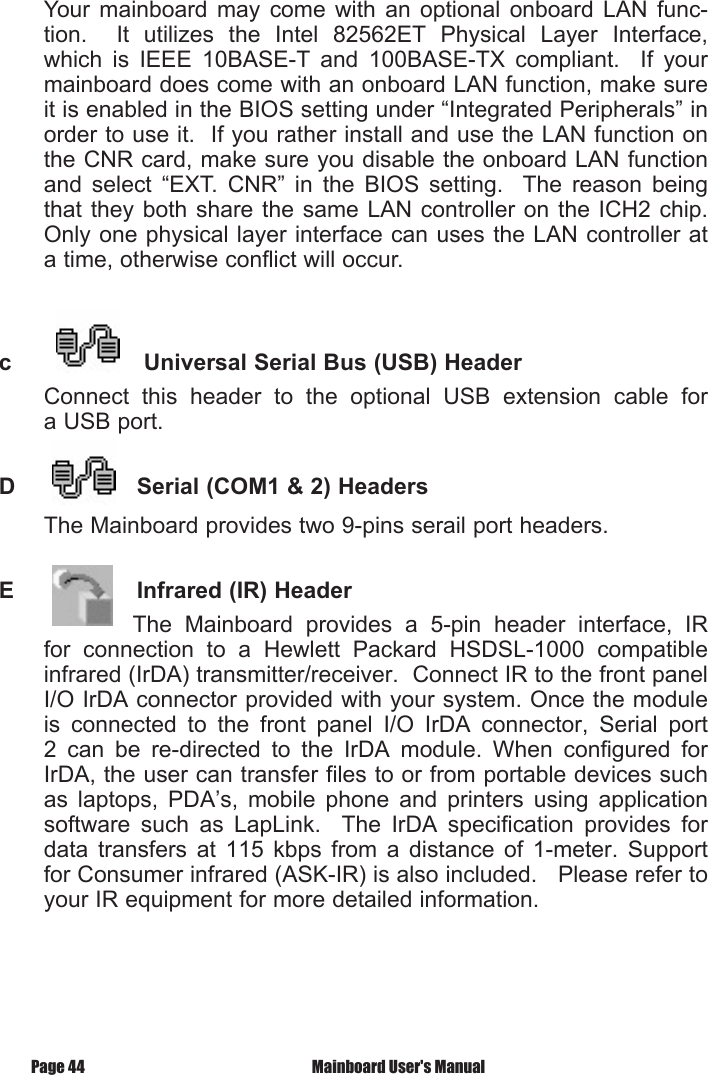
 Mainboard User's ManualPage 44Your mainboard  may  come  with  an  optional  onboard  LAN  func-tion.    It  utilizes  the  Intel  82562ET  Physical  Layer  Interface, which  is  IEEE  10BASE-T  and  100BASE-TX  compliant.    If  your mainboard does come with an onboard LAN function, make sure it is enabled in the BIOS setting under “Integrated Peripherals” in order to use it.  If you rather install and use the LAN function on the CNR card, make sure you disable the onboard LAN function and  select  “EXT.  CNR”  in  the  BIOS  setting.    The  reason  being that they  both  share  the same LAN controller on the ICH2  chip.  Only one physical layer interface can uses the LAN controller at a time, otherwise conflict will occur.c            Universal Serial Bus (USB) HeaderConnect  this  header  to  the  optional  USB  extension  cable  for a USB port.D           Serial (COM1 & 2) HeadersThe Mainboard provides two 9-pins serail port headers.E           Infrared (IR) Header              The  Mainboard  provides  a  5-pin  header  interface,  IR for  connection  to  a  Hewlett  Packard  HSDSL-1000  compatible infrared (IrDA) transmitter/receiver.  Connect IR to the front panel I/O IrDA connector provided with your system. Once the module is  connected  to  the  front  panel  I/O  IrDA  connector,  Serial  port 2  can  be  re-directed  to  the  IrDA  module.  When  configured  for IrDA, the user can transfer files to or from portable devices such as  laptops,  PDA’s,  mobile  phone  and  printers  using  application software  such  as  LapLink.    The  IrDA  specification  provides  for data  transfers  at  115  kbps  from  a  distance  of  1-meter.  Support for Consumer infrared (ASK-IR) is also included.   Please refer to your IR equipment for more detailed information.
GlossaryThe  header pin-out is as follows:Pin  . . . . . . . . . . . . . Signal Name1 . . . . . . . . . . . . . . . VCC, power source2 . . . . . . . . . . . . . . . No Connection3 . . . . . . . . . . . . . . . IRRX, infrared receive4 . . . . . . . . . . . . . . . Ground5 . . . . . . . . . . . . . . . IRTX, infrared transmitF          Memory Module Sockets The  Mainboard  provides  168  pin  standard  DIMM  sockets  for installation of 3.3V unbuffered Single or Double Bank SDRAM modules.G            Parallel Port ConnectorThe ATX Mainboard provides a parallel port connector.  Based on  the  ATX  standard,  a  25-pin  parallel  port  is  now  built  on the mainboard back panel.  This design makes the mainboard installation  easier.    The  parallel  port  can  be  BIOS  configured into standard (SPP) mode, Enhanced Parallel Port (EPP) mode, and a high speed Extended Capabilities Port (ECP) mode.  EPP Mode requires a driver provided by the peripheral manufacturer in order to operate properly. H        Accelerated Graphics Port [AGP] ConnectorThe  Mainboard  provides  an  AGP  slot  compatible  with  the Accelerated Graphics Port specification.  AGP compliant video cards offer a much higher throughput than equivalent PCI bus video cards.  PCI currently only supports a 33MHz bandwidth, and can transport  at  peak  rates  up to 133MB/s  over  its  32  bit data bus.  AGP operates at a 66MHz bandwidth which enables a  peak  rate  of  266MB/s  in  what  is  known  as  'X1'  mode.    'X2' mode has a peak rate of 532MB/S.  'X4' mode has a peak rate as high  as  1.06GB/S.    However,  the  845 chipset  only  support the 1.5V AGP under 4X mode.Page 45 Mainboard User's Manual
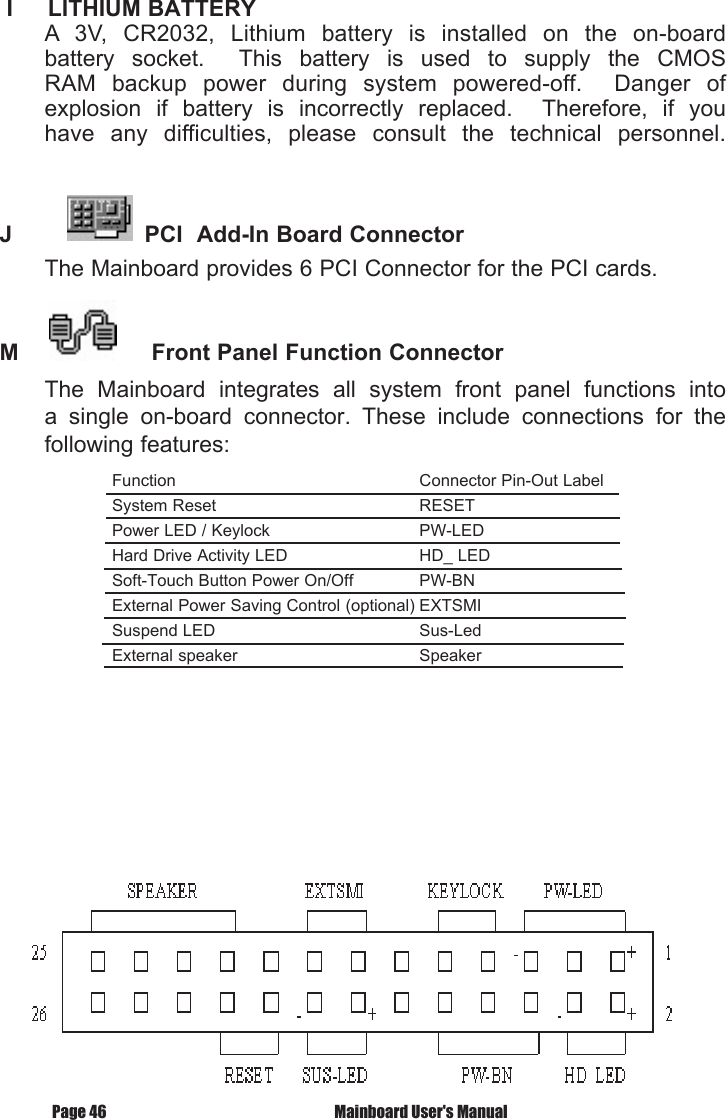
 Mainboard User's ManualPage 46 I     LITHIUM BATTERY A  3V,  CR2032,  Lithium  battery  is  installed  on  the  on-board battery  socket.    This  battery  is  used  to  supply  the  CMOS RAM  backup  power  during  system  powered-off.    Danger  of explosion  if  battery  is  incorrectly  replaced.    Therefore,  if  you have  any  difficulties,  please  consult  the  technical  personnel.J            PCI  Add-In Board ConnectorThe Mainboard provides 6 PCI Connector for the PCI cards.M             Front Panel Function ConnectorThe  Mainboard  integrates  all  system  front  panel  functions  into a  single  on-board  connector.  These  include  connections  for  the following features:Function                                                     Connector Pin-Out LabelSystem Reset                                            RESETPower LED / Keylock                                 PW-LEDHard Drive Activity LED                             HD_ LEDSoft-Touch Button Power On/Off               PW-BNExternal Power Saving Control (optional) EXTSMI       Suspend LED                                             Sus-LedExternal speaker                                        Speaker
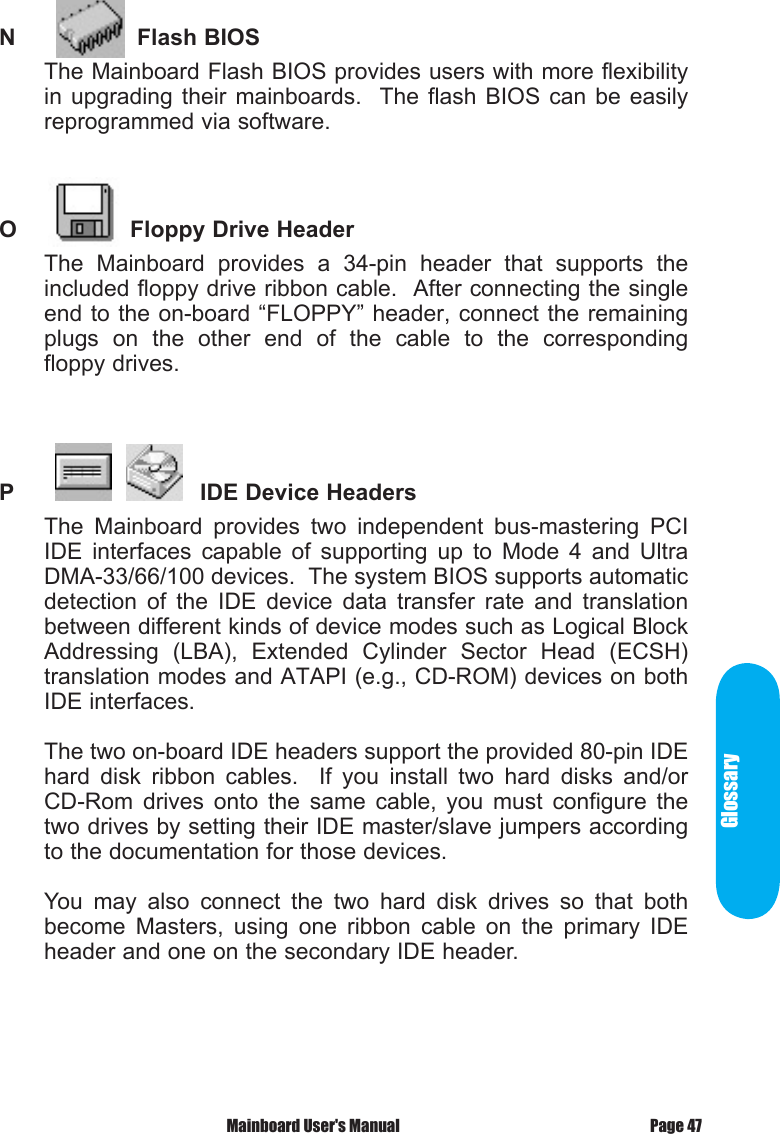
GlossaryN            Flash BIOSThe Mainboard Flash BIOS provides users with more flexibility in upgrading  their  mainboards.    The flash  BIOS  can  be  easily reprogrammed via software.O          Floppy Drive HeaderThe  Mainboard  provides  a  34-pin  header  that  supports  the included floppy drive ribbon cable.  After connecting the single end to the on-board “FLOPPY” header, connect the remaining plugs  on  the  other  end  of  the  cable  to  the  corresponding floppy drives.P                     IDE Device HeadersThe  Mainboard  provides  two  independent  bus-mastering  PCI IDE  interfaces  capable  of  supporting  up  to  Mode  4  and  Ultra DMA-33/66/100 devices.  The system BIOS supports automatic detection  of  the  IDE  device  data  transfer  rate  and  translation between different kinds of device modes such as Logical Block Addressing  (LBA),  Extended  Cylinder  Sector  Head  (ECSH) translation modes and ATAPI (e.g., CD-ROM) devices on both IDE interfaces.The two on-board IDE headers support the provided 80-pin IDE hard  disk  ribbon  cables.    If  you  install  two  hard  disks  and/or CD-Rom  drives  onto  the  same  cable,  you  must  configure  the two drives by setting their IDE master/slave jumpers according to the documentation for those devices.You  may  also  connect  the  two  hard  disk  drives  so  that  both become  Masters,  using  one  ribbon  cable  on  the  primary  IDE header and one on the secondary IDE header.Page 47 Mainboard User's Manual
Q        WAKEUP-LINK HeaderThe  Mainboard  provides  on  WAKEUP-LINK  header  (WOL1) used  to  connect  an  add-in  Network  Interface  Card  which  has Wakeup capability.r              "CNR" Add-in Board ConnectorCommunication  &  Networking  Riser  (CNR)  is  a  new  interface standard for Networking or modem add-in card.S      CPU SocketThe  Mainboard  provides  a  478-pin  CPU  Socket  for  Intel Pentium 4 processor.  The CPU should have a heatsink along  with  a  fan  attached  to  it  to  prevent  overheat.  If  a  fan  is  not present,  a  fan  should  be  installed  prior  to  turning  the  system on. Mainboard User's ManualPage 48
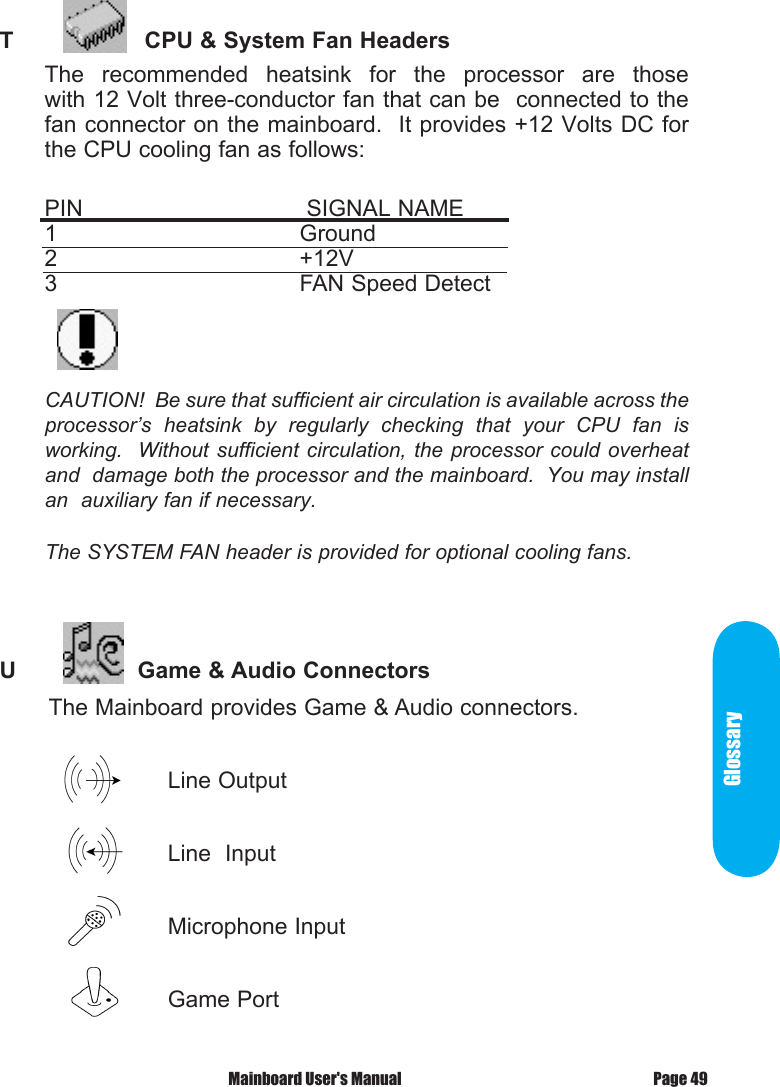
GlossaryT            CPU & System Fan HeadersThe  recommended  heatsink  for  the  processor  are  those             with 12 Volt three-conductor fan that can be  connected to the fan connector on the mainboard.  It provides +12 Volts DC for the CPU cooling fan as follows:PIN       SIGNAL NAME       1        Ground2        +12V3        FAN Speed DetectCAUTION!  Be sure that sufficient air circulation is available across the processor’s  heatsink  by  regularly  checking  that  your  CPU  fan  is working.  Without sufficient  circulation, the processor  could overheat and  damage both the processor and the mainboard.  You may install an  auxiliary fan if necessary.The SYSTEM FAN header is provided for optional cooling fans.U           Game & Audio Connectors       The Mainboard provides Game & Audio connectors.                                Line Output                         Line  Input                        Microphone Input                         Game PortPage 49 Mainboard User's Manual
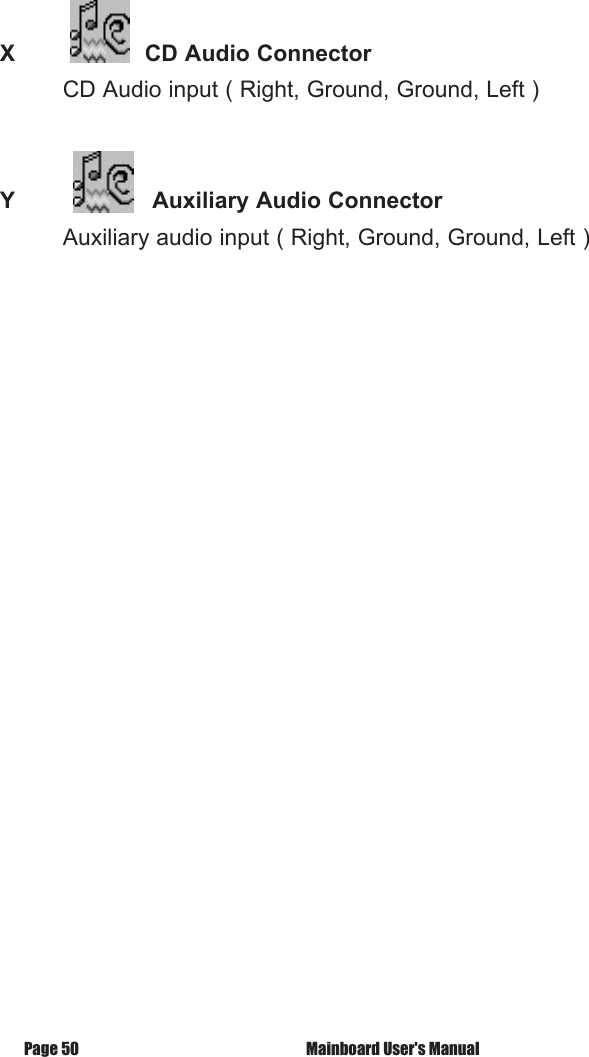
 X            CD Audio Connector         CD Audio input ( Right, Ground, Ground, Left )Y          Auxiliary Audio Connector         Auxiliary audio input ( Right, Ground, Ground, Left ) Mainboard User's ManualPage 50
 Mainboard User's Manual Page 51CD Driver & Software Installation Guide Steps :   1.  Boot up the Operating System ( Windows 95/98/NT/ME/2000 )  2.  Put the CD Disc into the CD-ROM Drive and wait for Autorun  3.  Select A845SD and click your Operating System Type  4.  Follow the instructions and install suitable driversCD Driver & Software Installation Guide
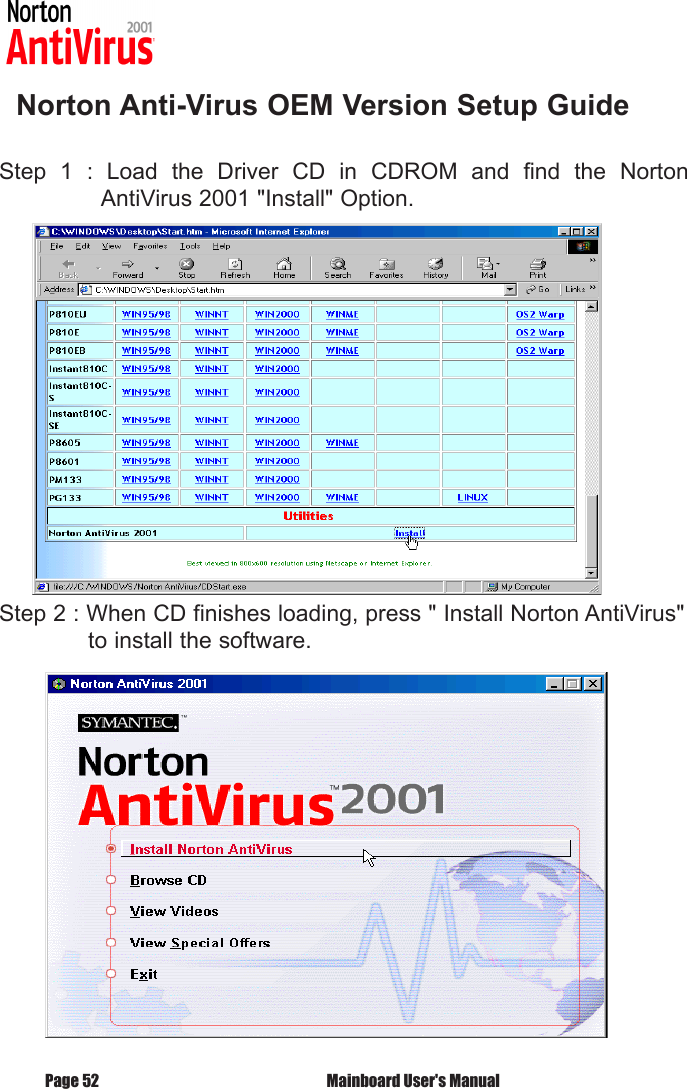
   Norton Anti-Virus OEM Version Setup GuideStep  1  :  Load  the  Driver  CD  in  CDROM  and  find  the  Norton       AntiVirus 2001 "Install" Option.Step 2 : When CD finishes loading, press " Install Norton AntiVirus"    to install the software. Mainboard User's ManualPage 52
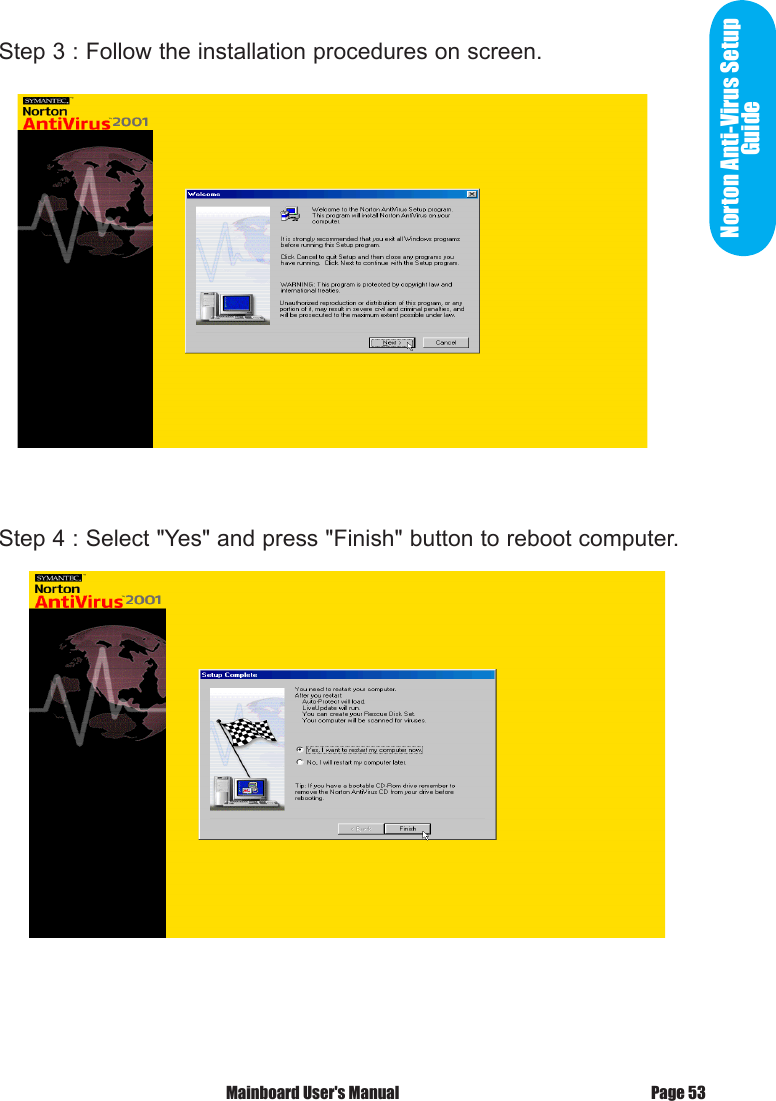
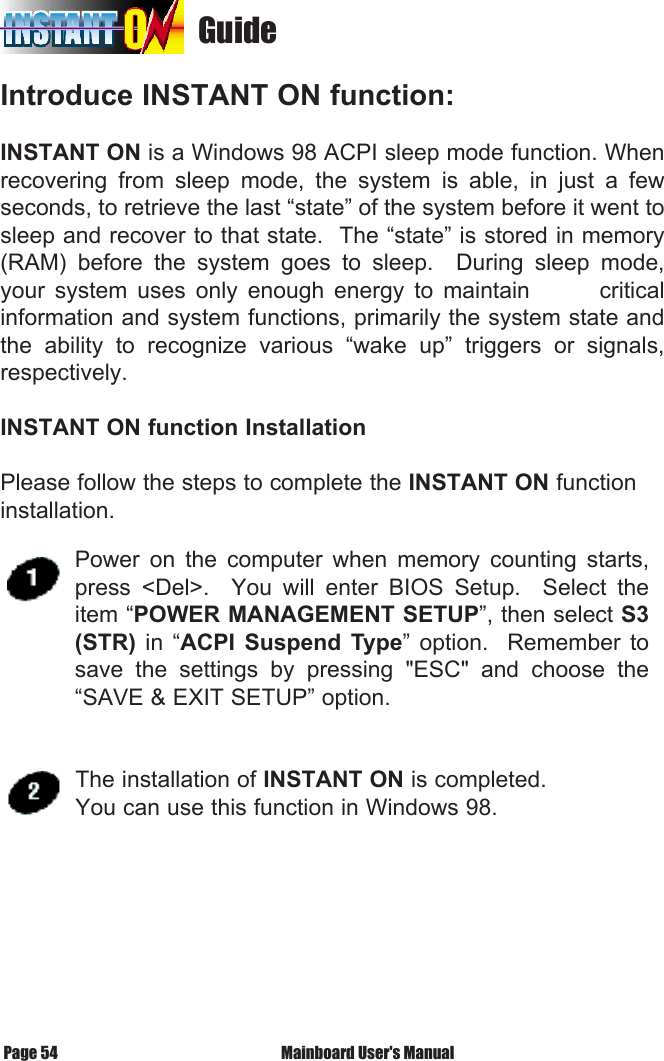
Norton Anti-Virus Setup GuideStep 3 : Follow the installation procedures on screen.Step 4 : Select "Yes" and press "Finish" button to reboot computer.Page 53 Mainboard User's Manual
                                   GuideIntroduce INSTANT ON function:INSTANT ON is a Windows 98 ACPI sleep mode function. When recovering  from  sleep  mode,  the  system  is  able,  in  just  a  few seconds, to retrieve the last “state” of the system before it went to sleep and recover to that state.  The “state” is stored in memory (RAM)  before  the  system  goes  to  sleep.    During  sleep  mode, your  system  uses  only  enough  energy  to  maintain              critical information and system functions, primarily the system state and the  ability  to  recognize  various  “wake  up”  triggers  or  signals, respectively. INSTANT ON function InstallationPlease follow the steps to complete the INSTANT ON function installation. Mainboard User's ManualPage 54Power  on  the  computer  when  memory  counting  starts, press  <Del>.    You  will  enter  BIOS  Setup.    Select  the item “POWER MANAGEMENT SETUP”, then select S3 (STR)  in  “ACPI  Suspend  Type”  option.    Remember  to save  the  settings  by  pressing  "ESC"  and  choose  the “SAVE & EXIT SETUP” option. The installation of INSTANT ON is completed.You can use this function in Windows 98.
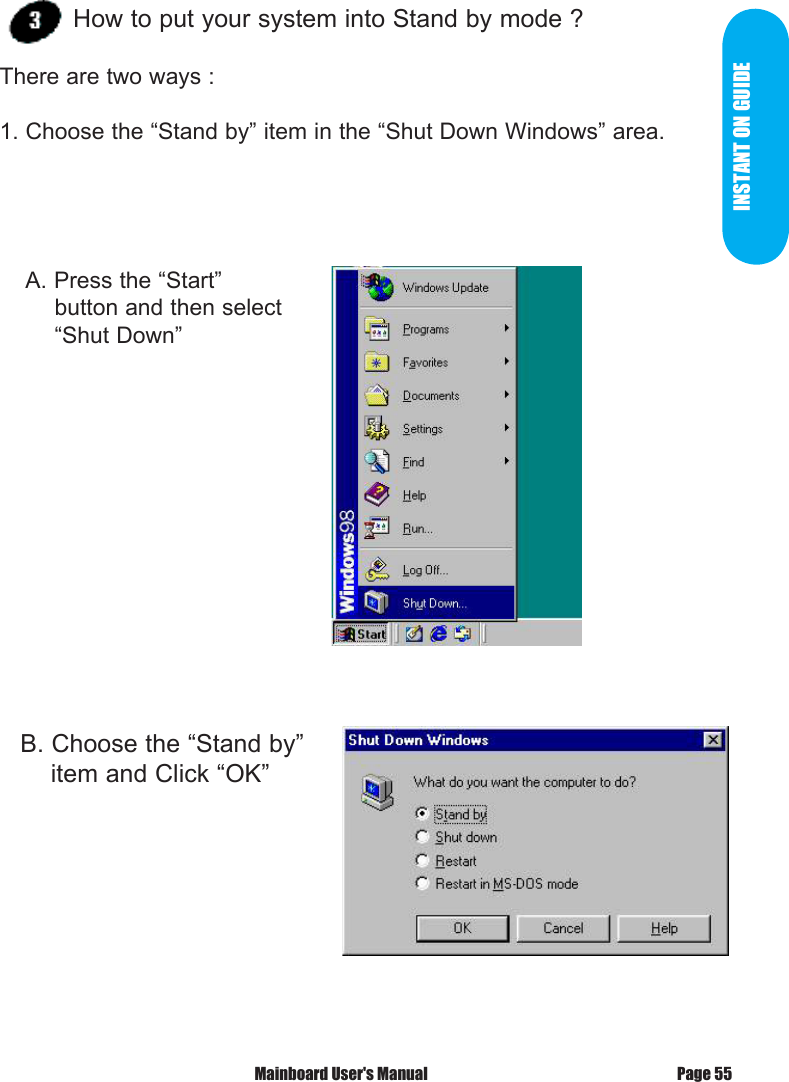
INSTANT ON GUIDE How to put your system into Stand by mode ?There are two ways :1. Choose the “Stand by” item in the “Shut Down Windows” area.   B. Choose the “Stand by”     item and Click “OK”    A. Press the “Start”             button and then select            “Shut Down”Page 55 Mainboard User's Manual
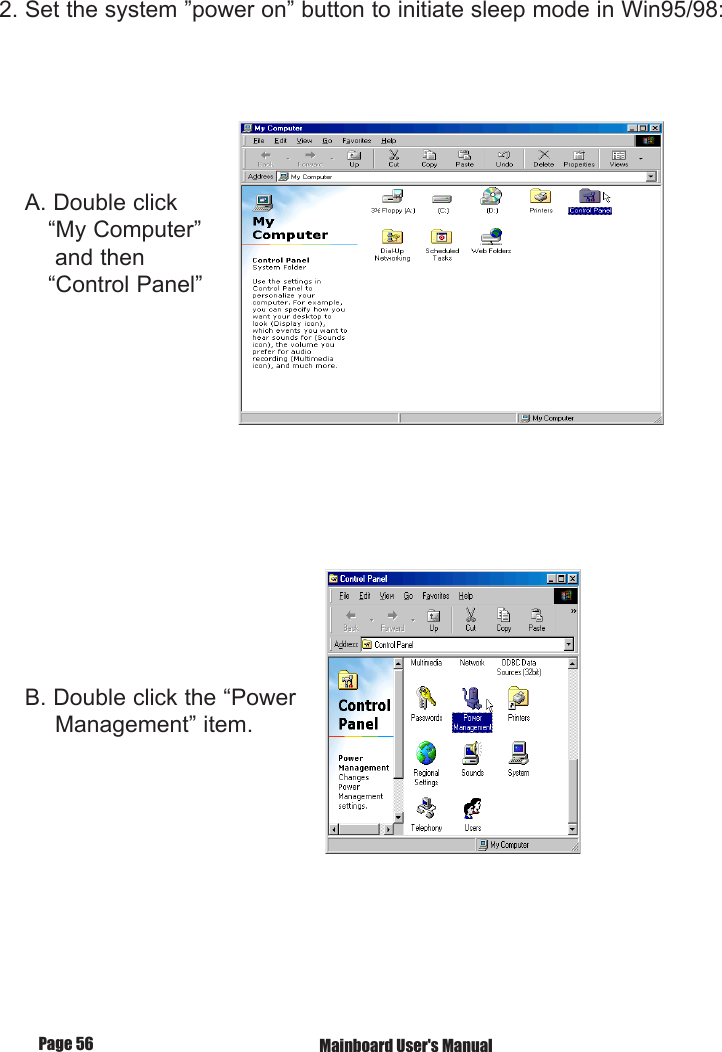
2. Set the system ”power on” button to initiate sleep mode in Win95/98:    A. Double click        “My Computer”         and then        “Control Panel”    B. Double click the “Power         Management” item.         Mainboard User's ManualPage 56
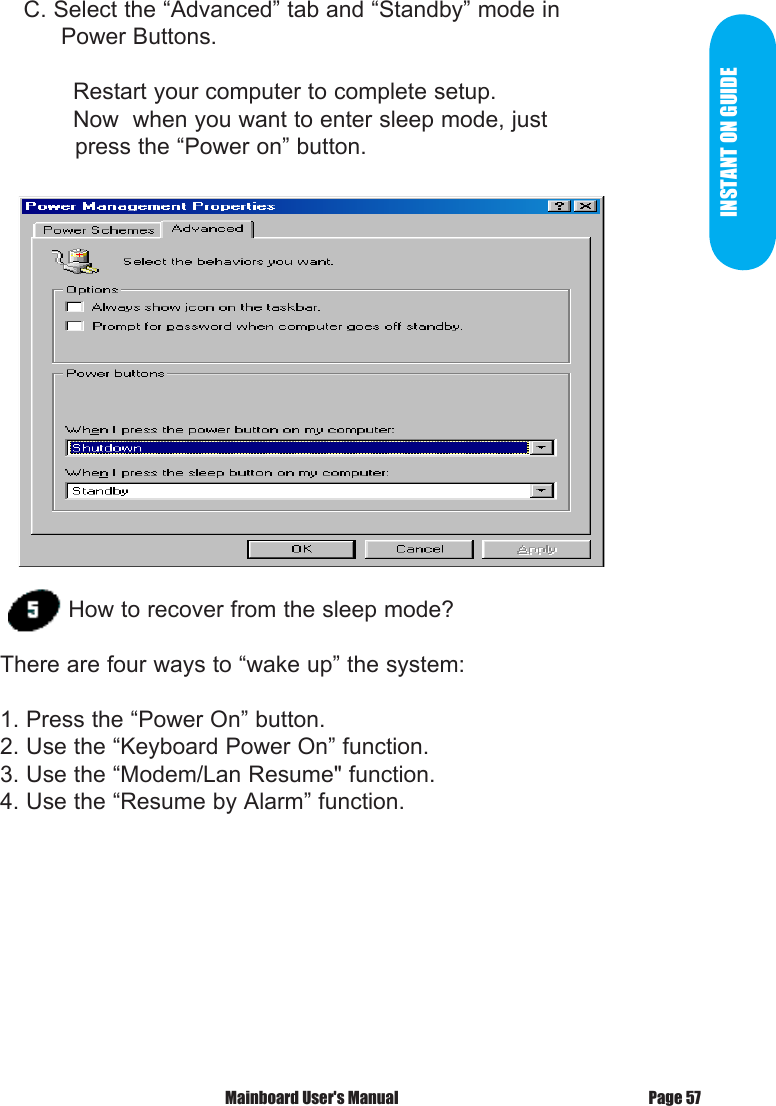
INSTANT ON GUIDE    C. Select the “Advanced” tab and “Standby” mode in          Power Buttons.  Restart your computer to complete setup.  Now  when you want to enter sleep mode, just             press the “Power on” button.How to recover from the sleep mode?There are four ways to “wake up” the system:1. Press the “Power On” button.2. Use the “Keyboard Power On” function.3. Use the “Modem/Lan Resume" function.4. Use the “Resume by Alarm” function.Page 57 Mainboard User's Manual
Notice to INSTANT ON users : 1. ATX power supply requirement    - comply with the ATX 2.01    - provide more than 720 mA 5V Stand-By current2. SDRAM requirement    - PC133 compliant. Mainboard User's ManualPage 58
  According to FCC Rule Parts 15.21 and 15.105(b), the following statements should be placed in a prominent location of the User’s Manual for this device.  NOTE : THE MANUFACTURER IS NOT RESPONSIBLE FOR ANY RADIO OR TV INTERFERENCE CAUSED BY UNAUTHORIZED MODIFICATIONS TO THIS EQUIPMENT.  SUCH MODIFICATIONS COULD VOID THE USER’S AUTHORITY TO OPERATE THE EQUIPMENT.  NOTE :   This equipment has been tested and found to comply with the limits for a Class B digital device, pursuant to part 15 of the FCC Rules.  These limits are designed to provide reasonable protection against harmful Interference in a residential installation.  This equipment generates, uses and can radiate radio frequency energy and, if not installed and used in accordance with the instructions, may cause harmful interference to radio communications.  However, there is no guarantee that interference will not occur in a particular installation.  If this equipment does cause harmful interference to radio or television reception, which can be determined by turning the equipment off and on, the user is encouraged to try to correct the interference by one or more of the following measures:  - Reorient or relocate the receiving antenna. - Increase the separation between the equipment and receiver. - Connect the equipment into an outlet on a circuit different from that to which the receiver is connected. - Consult the dealer or an experienced radio/TV technician for help.

Navigation menu