HAICOM Electronics HI-601VT GPS/GSM Tracking Device - Decoder Unit User Manual Manual 2
HAICOM Electronics Corp. GPS/GSM Tracking Device - Decoder Unit Manual 2
Contents
Manual 2
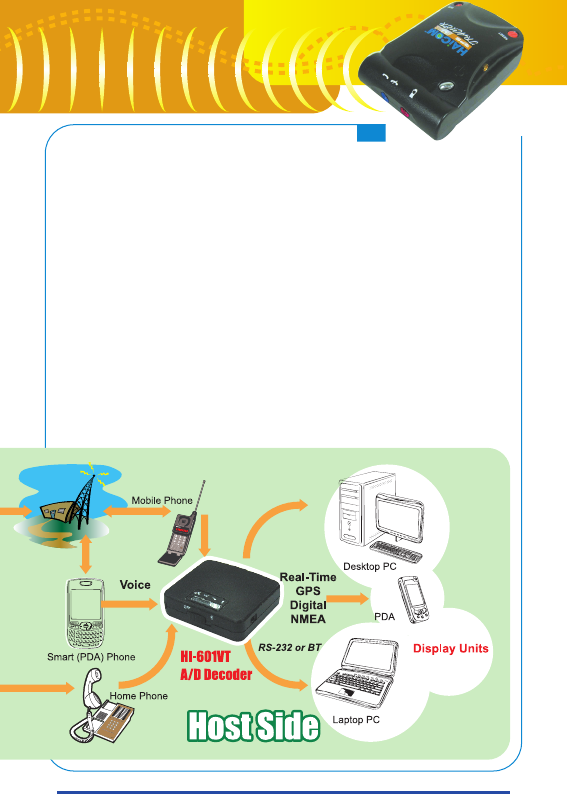
Just like you call someone and he tells you where the object is
and shows you where he is on the mapping software. HI-601VT
provide non-stop and continue real time tracking without time
limitation. Just like you talk to someone over the phone as long
as you can.
3
3
HI-601VT
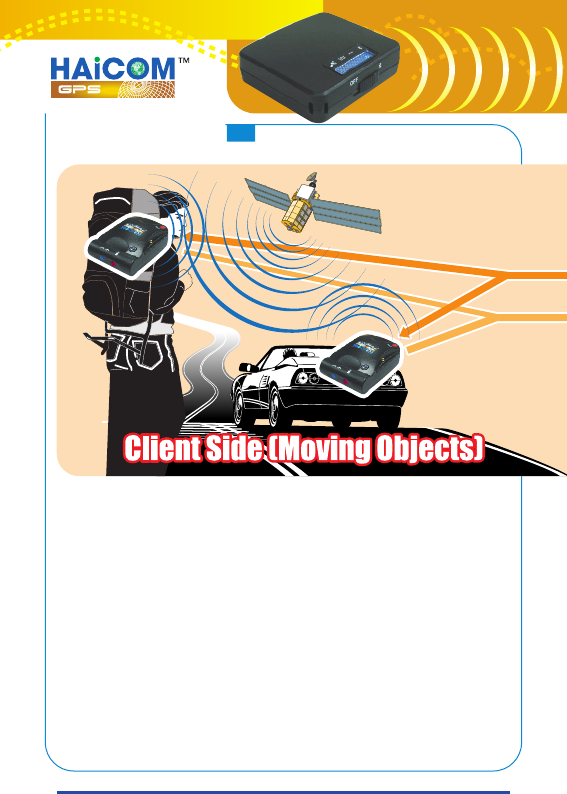
Step by Step operation explanations:
1.Switch power on HI-601VT main unit.
2.The GPS receiver module in HI-601VT start receive GPS
satellite signal (The GPS LED blinking means the GPS is in 3D
fixed and the data is valid)
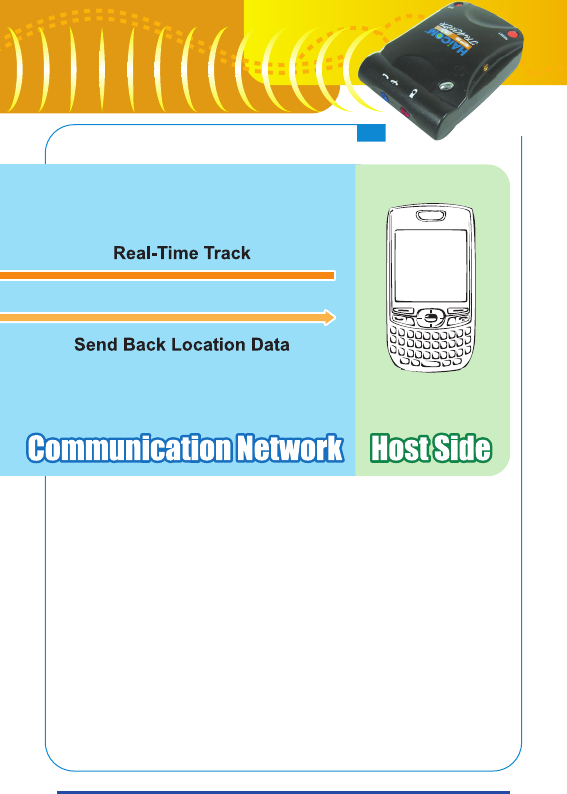
3.The GSM module starts sending the GPS data via GSM
network back to the host side (The GSM LED blinking means
the GSM network stand by and stay on means the GSM
connected with some host)
4.Dial the Telephone number from the host side to the HI-
601VT main unit.
4
4
5.Switch on HI-601VT decoder (Switch on the middle for data
out via wired connection and to the most right side for
wireless Bluetooth connection)
6.Connect the voice jack cable to the voice outlet from the
phone.
7.The HI-601VT A/D decoder start to decoding the Analog GPS
voice message into real-time GPS digital NMEA message.
8.On the decoder unit, connect the PS/II output cable or set up
Bluetooh connection to the display unit (such as smart
phone, PDA, laptopPC, desktopPC, etc.)
9.Using any standard NMEA mapping software, select the com
port, start GPS (just like using normal GPS receiver)
5
5
HI-601VT
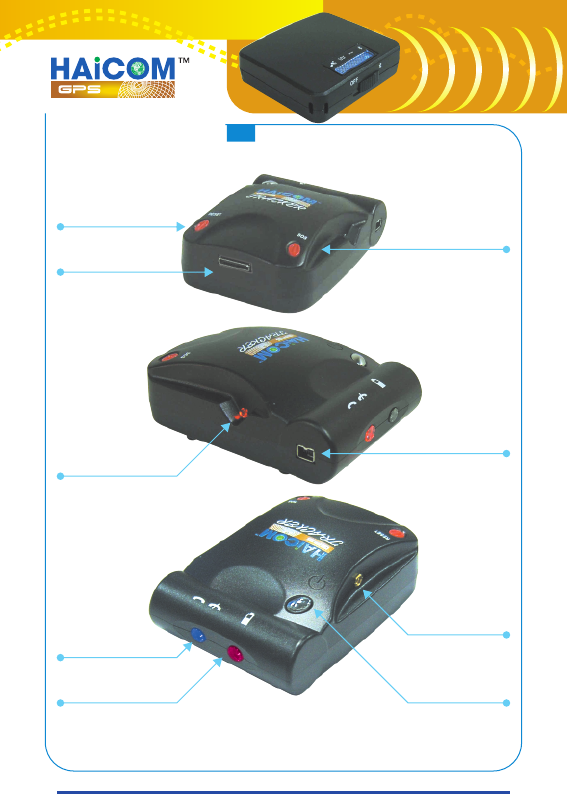
Alarm release
Connector for
data control
output and power in
GPS status LED
GSM status LED
Power status LED
SOS panic button
Mini1394 connector
for GPS data output
and power in
GPS MMCX external
antenna plug
Power ON/OFF
HI-601VT main unit
overview
6
6