HAICOM Electronics HI-601VT GPS/GSM Tracking Device - Decoder Unit User Manual Manual 3
HAICOM Electronics Corp. GPS/GSM Tracking Device - Decoder Unit Manual 3
Contents
Manual 3
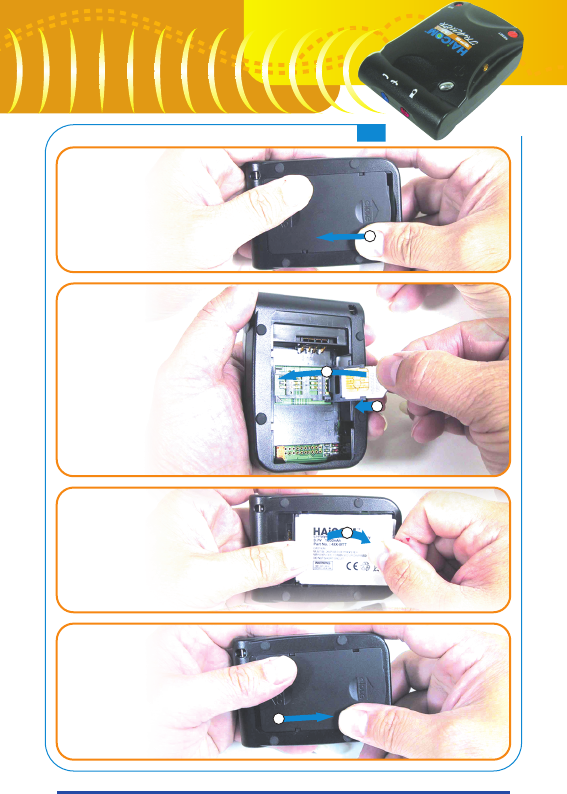
Open battery
cabinet cover
Insert SIM card
Put battery in
Close battery
cabinet cover
3
4
1
5
2
Getting Start
7
7
HI-601VT
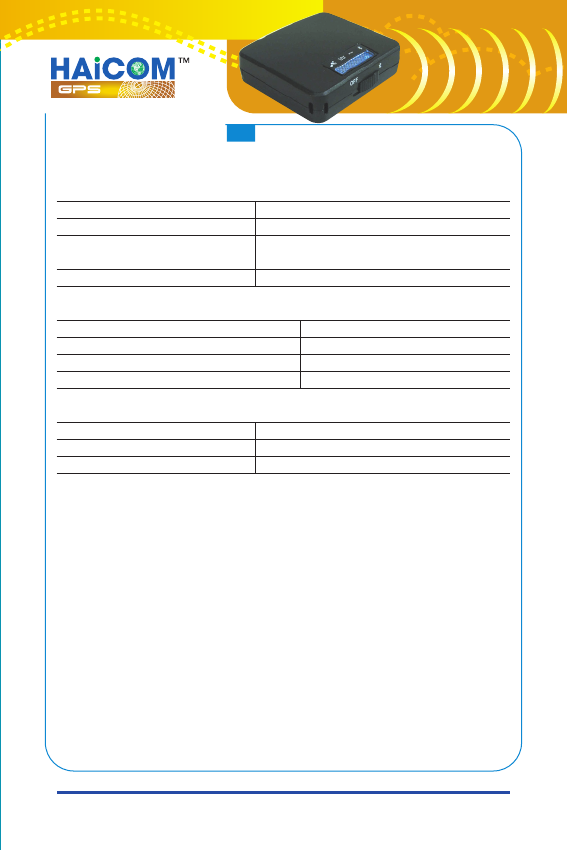
GSM LED indicator
Power LED indicator
GPS LED indicator
HI-601VT set contains two main units:
1. HI-601VT unit installed on the “client side”:
in your car, someones' back pack, etc.
2. Decoder unit carried with the “host side”
Inside HI-601VT contain five main parts: 1) SiRF StarIII high
sensitive GPS receiver module, 2) Tri-band GSM module,
3) System control circuit section, 4) Power management
section, 5) Rechargeable battery
Decoder unit contain three parts: 1) A/D converter circuit
section, 2) Bluetooth module, 3) Two 3A batteries
Status
GSM Stand-by
Searching network or
no SIM card
Network connected
Status
Battery low
External powered (Power full)
External powered - charging
Status
Searching GPS
GPS 3D fixed
LED
Off 3 sec. and on 75 micro Sec.
On 600 micro sec.
and off 600 micro sec.
Stay on
LED (Color)
Red
Green
Orange
LED
Stay on
Blinking
8
8
Inside HI-601VT, the GPS module receive satellite signal and transfer
the data into standard NMEA protocol data. Then, the GSM module
transmit the data in analog voice message via regular communication
network (just like calling and talk from one phone to another phone).
As soon as these two devices communicated, HI-601VT will keep
transmitting the “voice” to the user side. By connecting the voice
phone jack cable from the users' phone to the decoder unit (the
purpose of the decoder unit is to transfer the analog voice message
into the digital NMEA standard sentences), the wireless Bluetooth
module inside will start sending the NMEA message to the display
devices, such as, PDA, laptopPC, desktopPC, etc. after the Bluetooth
connection was set up.
Track with different occasions:
1.With Smartphone:
If user has the smartphone (PDA with Bluetooth feature and phone
function), by connecting the decoder from the voice jack, one can
communicate to the HI-601VT with the smartphone and perform
the tracking on the same smartphone.
2.With PDA and mobile or home phone:
The phone set up communication to HI-601VT. Connect the voice
jack cable between the phone speaker phone jack and the decoder.
The decoder sends the NMEA sentence back to the PDA via the
Bluetooth connection.
3.With laptopPC and mobile or home phone:
The phone set up communication to HI-601VT. Connect the cable
between the phone speaker phone jack and the decoder. The
decoder sends the NMEA sentence back to the laptopPC via the
Bluetooth connection or by the cable sets.
9
9
HI-601VT
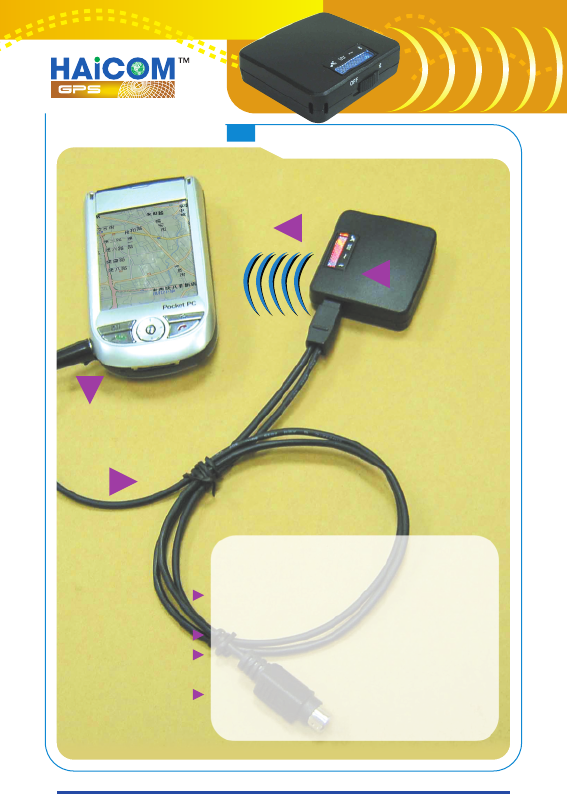
1.Decoder with smart (PDA)
phone:
1.The smart (PDA) phone calling or
communicate with the HI-601VT
2.Voice message to the decoder
3.Voice message was transferred into
standard digital NMEA protocol data
4.The NMEA data was transmitted
back to the smart (PDA) phone via
Bluetooth® connection wirelessly
HOW to USE Option#1
1
2
3
4
10
10