HAICOM Electronics HI-601VT GPS/GSM Tracking Device - Decoder Unit User Manual Manual 5

HAICOM Electronics Corp. GPS/GSM Tracking Device - Decoder Unit Manual 5

Manual 5

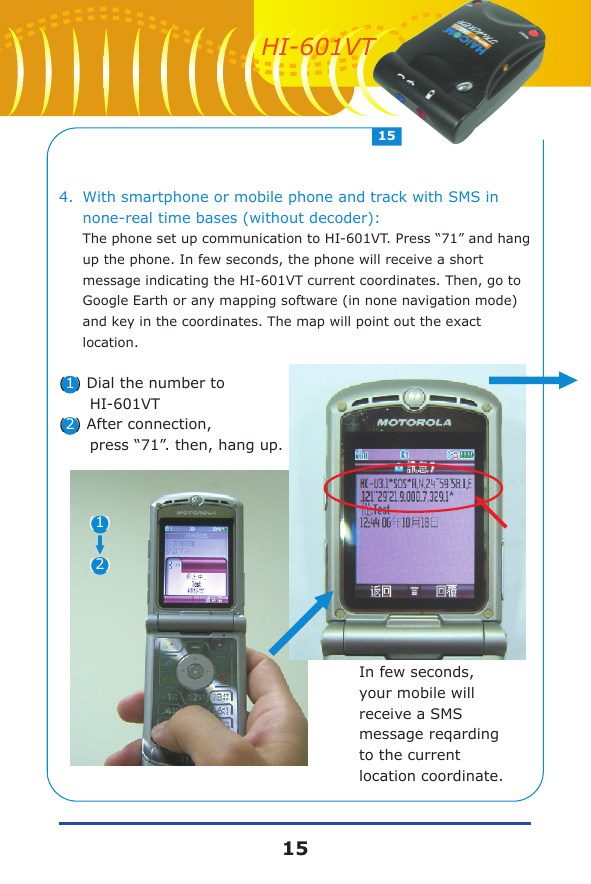
4.With smartphone or mobile phone and track with SMS in none-real time bases (without decoder): The phone set up communication to HI-601VT. Press “71” and hang up the phone. In few seconds, the phone will receive a short message indicating the HI-601VT current coordinates. Then, go to Google Earth or any mapping software (in none navigation mode) and key in the coordinates. The map will point out the exact location.(1) Dial the number to       HI-601VT(2) After connection,       press “71”. then, hang up.    In few seconds,     your mobile will     receive a SMS     message reqarding     to the current     location coordinate.(1)(2)1515HI-601VT
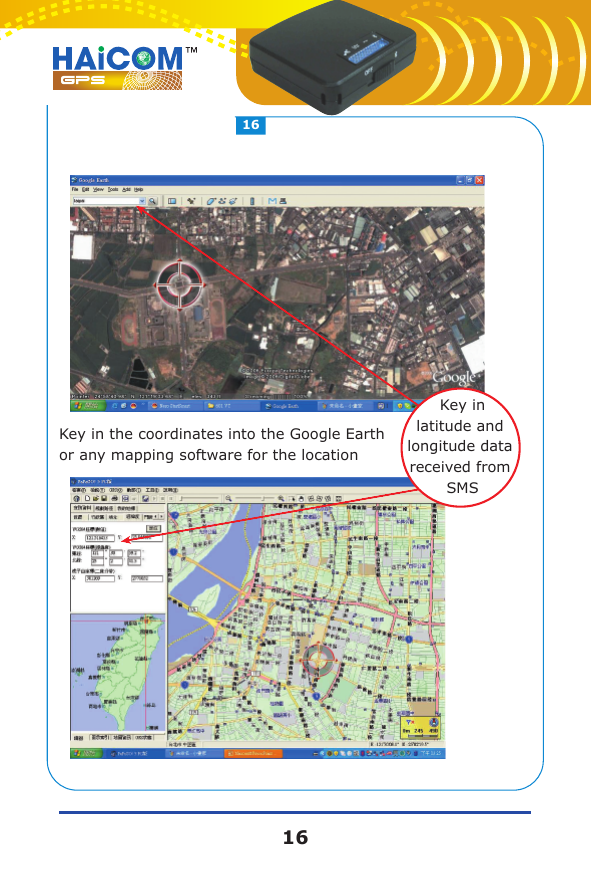
Key in the coordinates into the Google Earth or any mapping software for the locationKey inlatitude and longitude data received from SMS1616
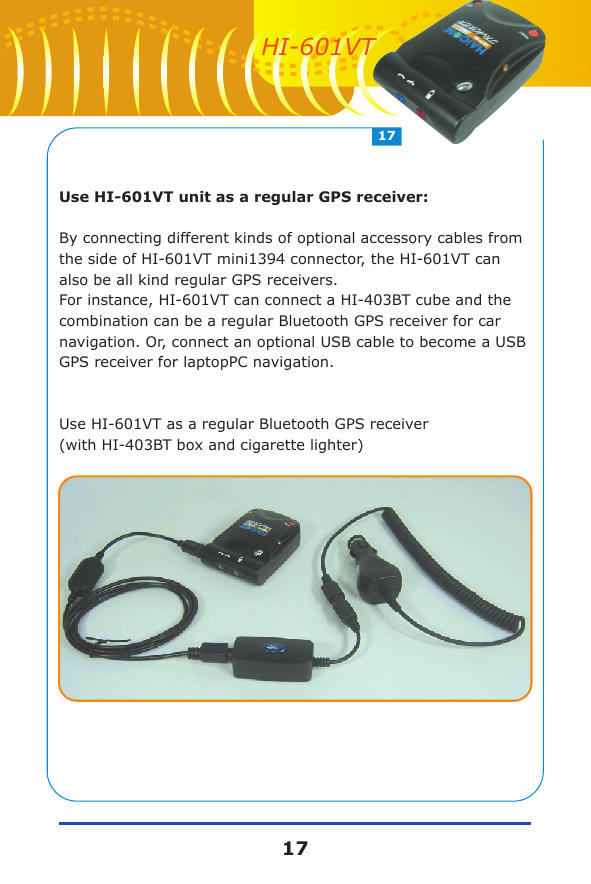
Use HI-601VT unit as a regular GPS receiver:By connecting different kinds of optional accessory cables from the side of HI-601VT mini1394 connector, the HI-601VT can also be all kind regular GPS receivers.For instance, HI-601VT can connect a HI-403BT cube and the combination can be a regular Bluetooth GPS receiver for car navigation. Or, connect an optional USB cable to become a USB GPS receiver for laptopPC navigation.Use HI-601VT as a regular Bluetooth GPS receiver (with HI-403BT box and cigarette lighter)1717HI-601VT
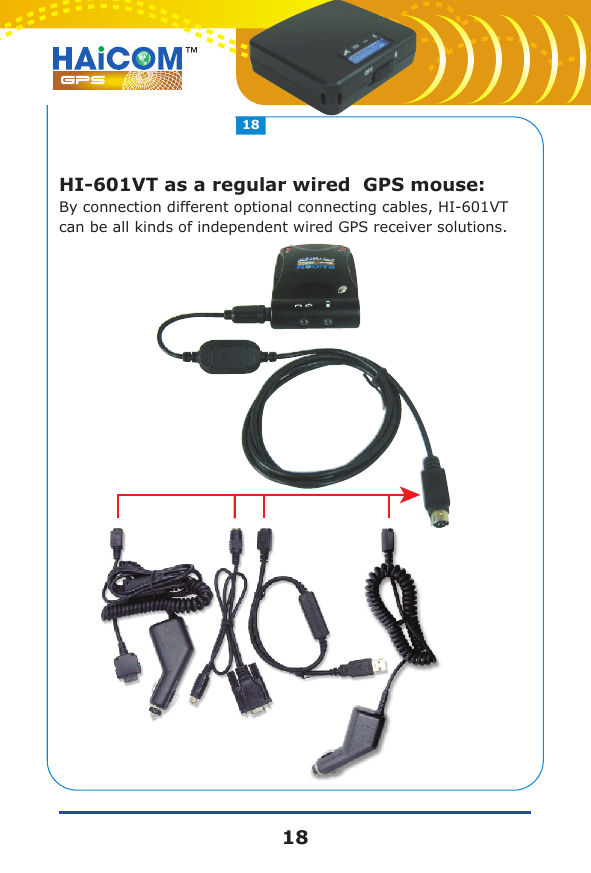
HI-601VT as a regular wired  GPS mouse:By connection different optional connecting cables, HI-601VT can be all kinds of independent wired GPS receiver solutions.1818

Navigation menu