Acrodyne NW8201E DIGITAL TELEVISION BROADCAST TRANSMITTER User Manual 32 NV8202 26 04 06 01 00

Acrodyne Industries, Inc. DIGITAL TELEVISION BROADCAST TRANSMITTER 32 NV8202 26 04 06 01 00

Users Manual Part 15

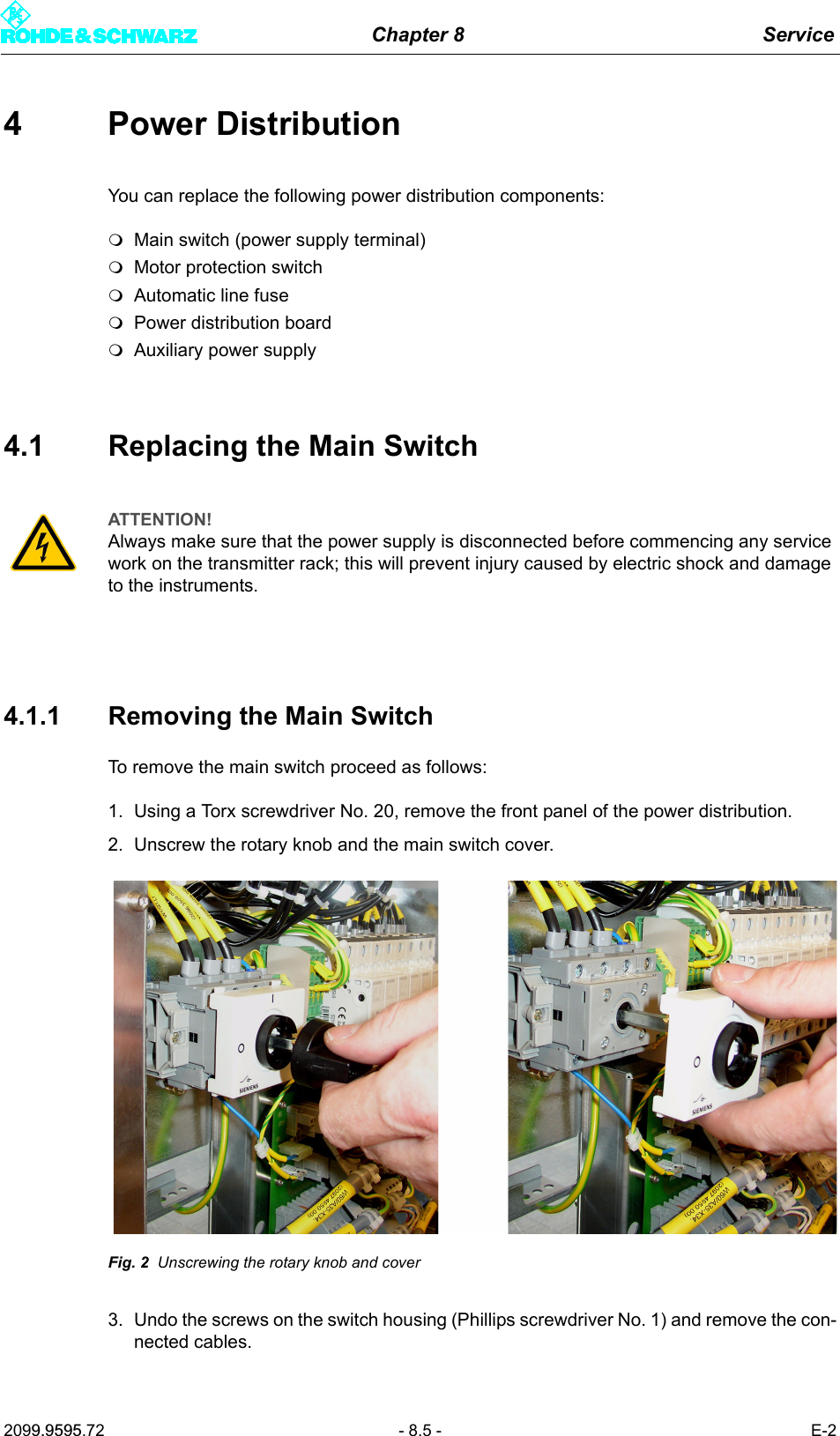
Chapter 8 Service2099.9595.72 - 8.5 - E-24 Power DistributionYou can replace the following power distribution components:Main switch (power supply terminal)Motor protection switchAutomatic line fusePower distribution boardAuxiliary power supply4.1 Replacing the Main Switch4.1.1 Removing the Main SwitchTo remove the main switch proceed as follows:1. Using a Torx screwdriver No. 20, remove the front panel of the power distribution.2. Unscrew the rotary knob and the main switch cover.Fig. 2 Unscrewing the rotary knob and cover3. Undo the screws on the switch housing (Phillips screwdriver No. 1) and remove the con-nected cables.ATTENTION!Always make sure that the power supply is disconnected before commencing any service work on the transmitter rack; this will prevent injury caused by electric shock and damage to the instruments.
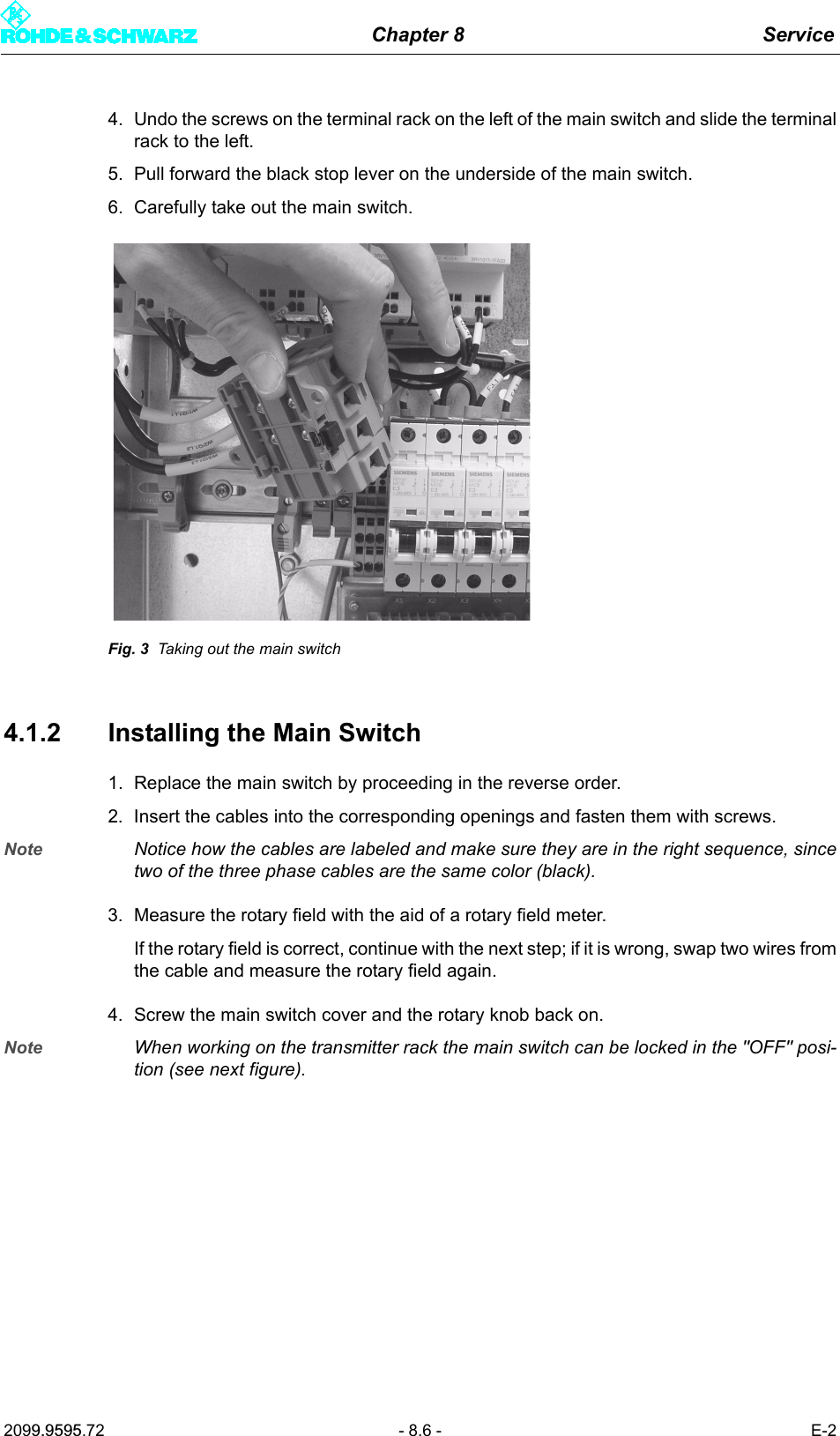
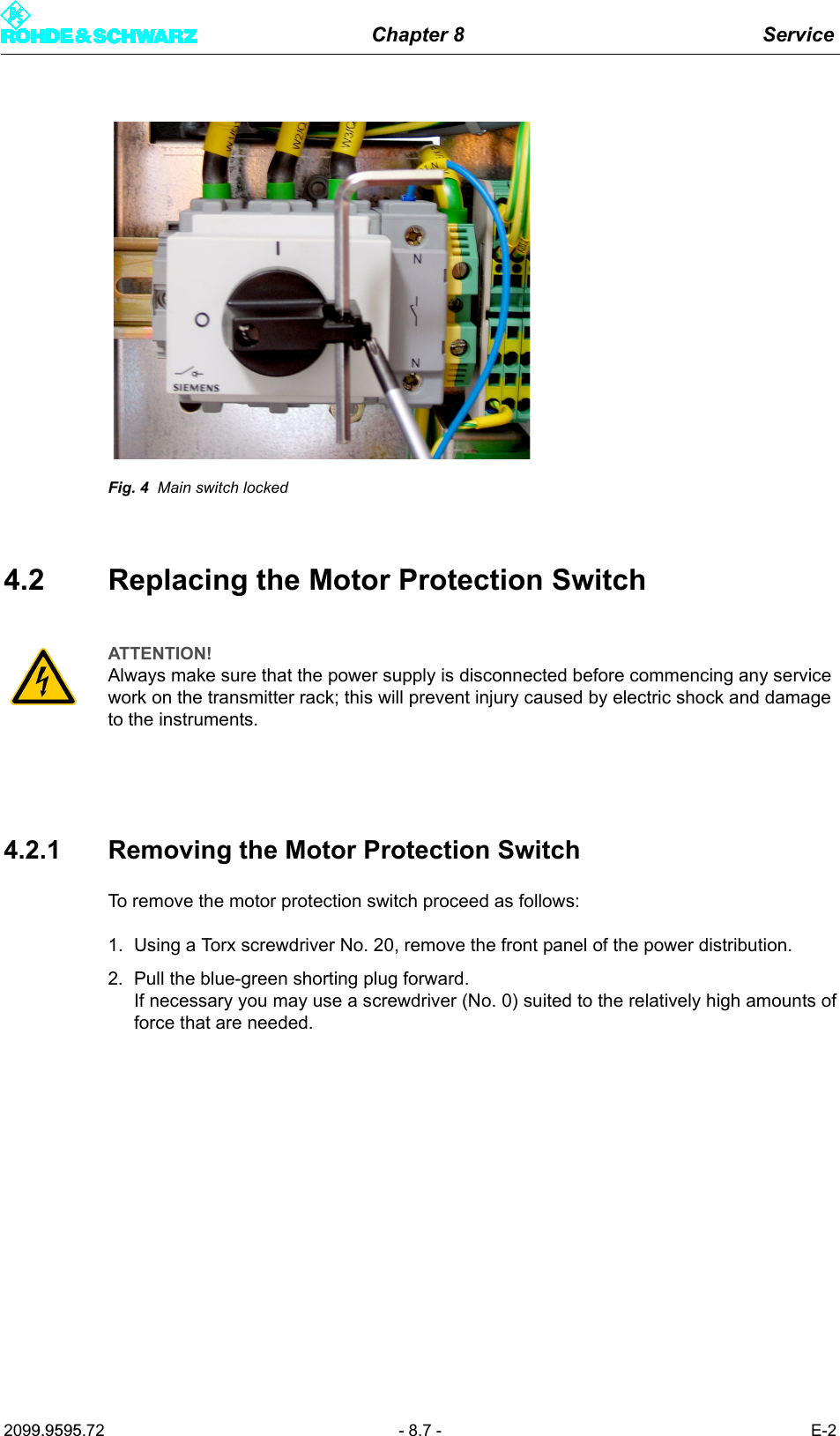
Chapter 8 Service2099.9595.72 - 8.6 - E-24. Undo the screws on the terminal rack on the left of the main switch and slide the terminalrack to the left.5. Pull forward the black stop lever on the underside of the main switch.6. Carefully take out the main switch.Fig. 3 Taking out the main switch4.1.2 Installing the Main Switch1. Replace the main switch by proceeding in the reverse order.2. Insert the cables into the corresponding openings and fasten them with screws.Note Notice how the cables are labeled and make sure they are in the right sequence, sincetwo of the three phase cables are the same color (black).3. Measure the rotary field with the aid of a rotary field meter.If the rotary field is correct, continue with the next step; if it is wrong, swap two wires fromthe cable and measure the rotary field again.4. Screw the main switch cover and the rotary knob back on.Note When working on the transmitter rack the main switch can be locked in the "OFF" posi-tion (see next figure).
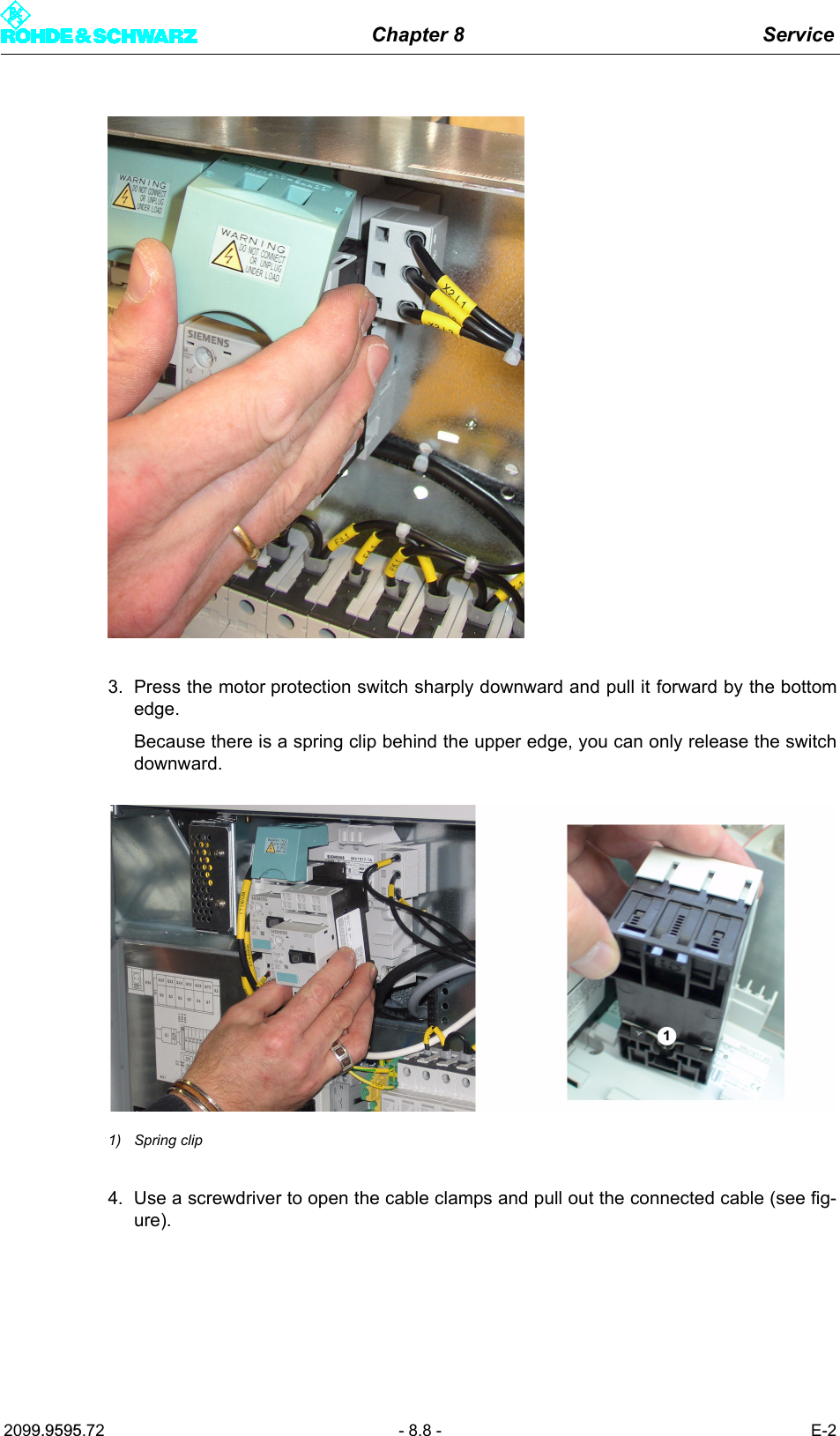
Chapter 8 Service2099.9595.72 - 8.7 - E-2Fig. 4 Main switch locked4.2 Replacing the Motor Protection Switch4.2.1 Removing the Motor Protection SwitchTo remove the motor protection switch proceed as follows:1. Using a Torx screwdriver No. 20, remove the front panel of the power distribution.2. Pull the blue-green shorting plug forward. If necessary you may use a screwdriver (No. 0) suited to the relatively high amounts offorce that are needed.ATTENTION!Always make sure that the power supply is disconnected before commencing any service work on the transmitter rack; this will prevent injury caused by electric shock and damage to the instruments.
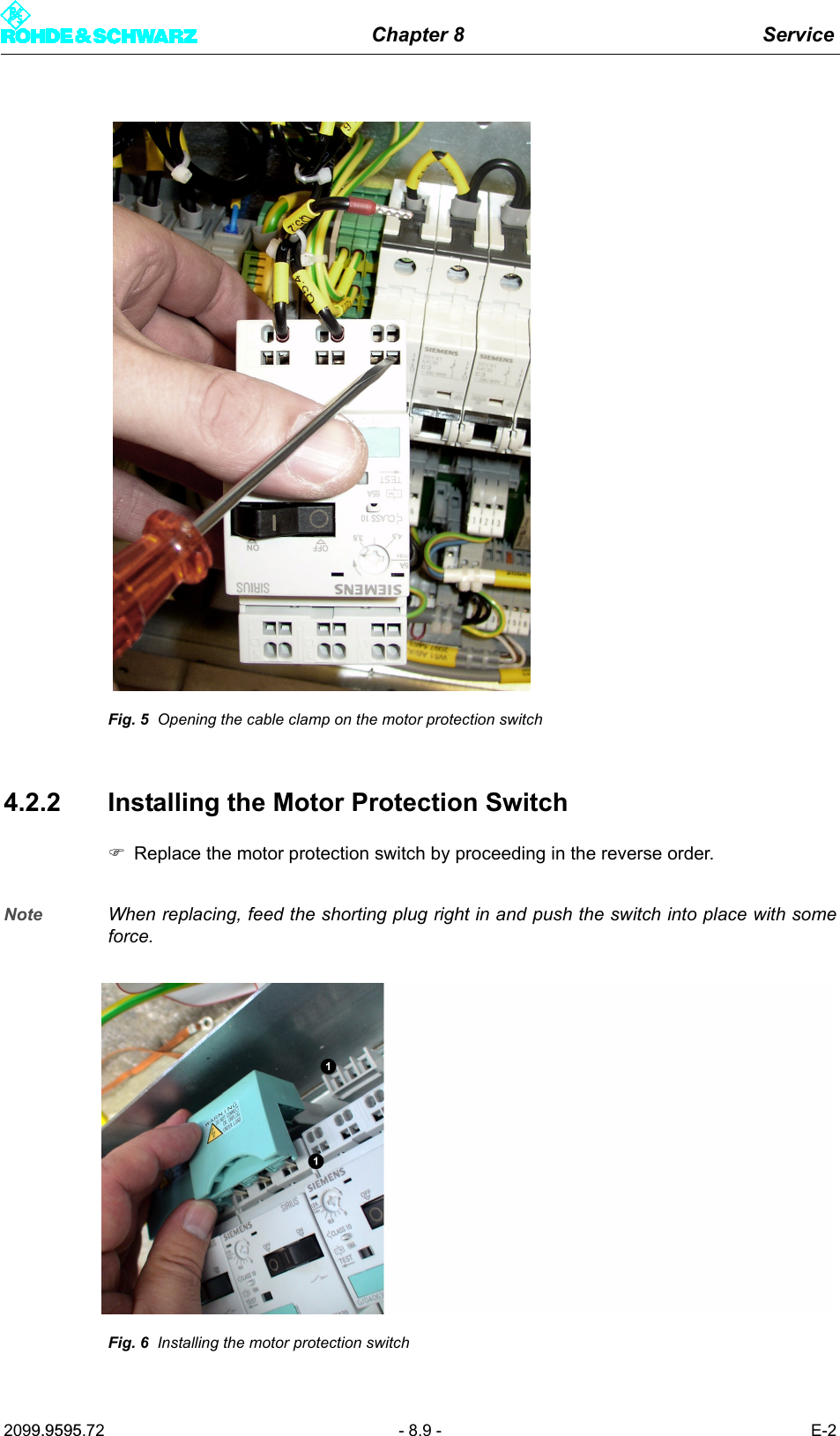
Chapter 8 Service2099.9595.72 - 8.8 - E-23. Press the motor protection switch sharply downward and pull it forward by the bottomedge. Because there is a spring clip behind the upper edge, you can only release the switchdownward.1) Spring clip4. Use a screwdriver to open the cable clamps and pull out the connected cable (see fig-ure).
Chapter 8 Service2099.9595.72 - 8.9 - E-2Fig. 5 Opening the cable clamp on the motor protection switch4.2.2 Installing the Motor Protection Switch)Replace the motor protection switch by proceeding in the reverse order.Note When replacing, feed the shorting plug right in and push the switch into place with someforce.Fig. 6 Installing the motor protection switch

Navigation menu