Acrodyne NW8201E DIGITAL TELEVISION BROADCAST TRANSMITTER User Manual 32 NV8202 26 04 06 01 00

Acrodyne Industries, Inc. DIGITAL TELEVISION BROADCAST TRANSMITTER 32 NV8202 26 04 06 01 00

Users Manual Part 16

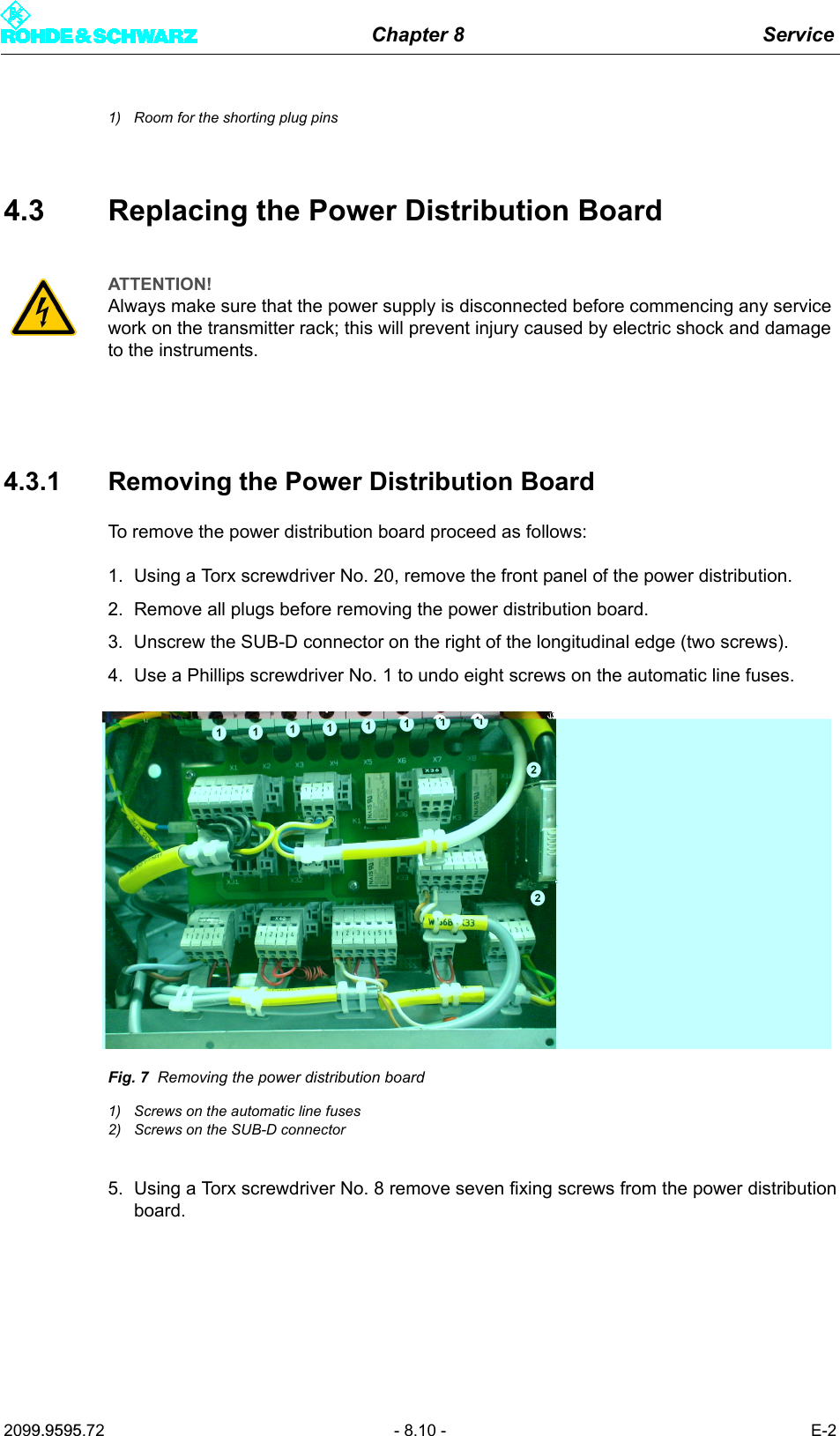
Chapter 8 Service2099.9595.72 - 8.10 - E-21) Room for the shorting plug pins4.3 Replacing the Power Distribution Board4.3.1 Removing the Power Distribution BoardTo remove the power distribution board proceed as follows:1. Using a Torx screwdriver No. 20, remove the front panel of the power distribution.2. Remove all plugs before removing the power distribution board.3. Unscrew the SUB-D connector on the right of the longitudinal edge (two screws).4. Use a Phillips screwdriver No. 1 to undo eight screws on the automatic line fuses.Fig. 7 Removing the power distribution board1) Screws on the automatic line fuses2) Screws on the SUB-D connector5. Using a Torx screwdriver No. 8 remove seven fixing screws from the power distributionboard.ATTENTION!Always make sure that the power supply is disconnected before commencing any service work on the transmitter rack; this will prevent injury caused by electric shock and damage to the instruments.
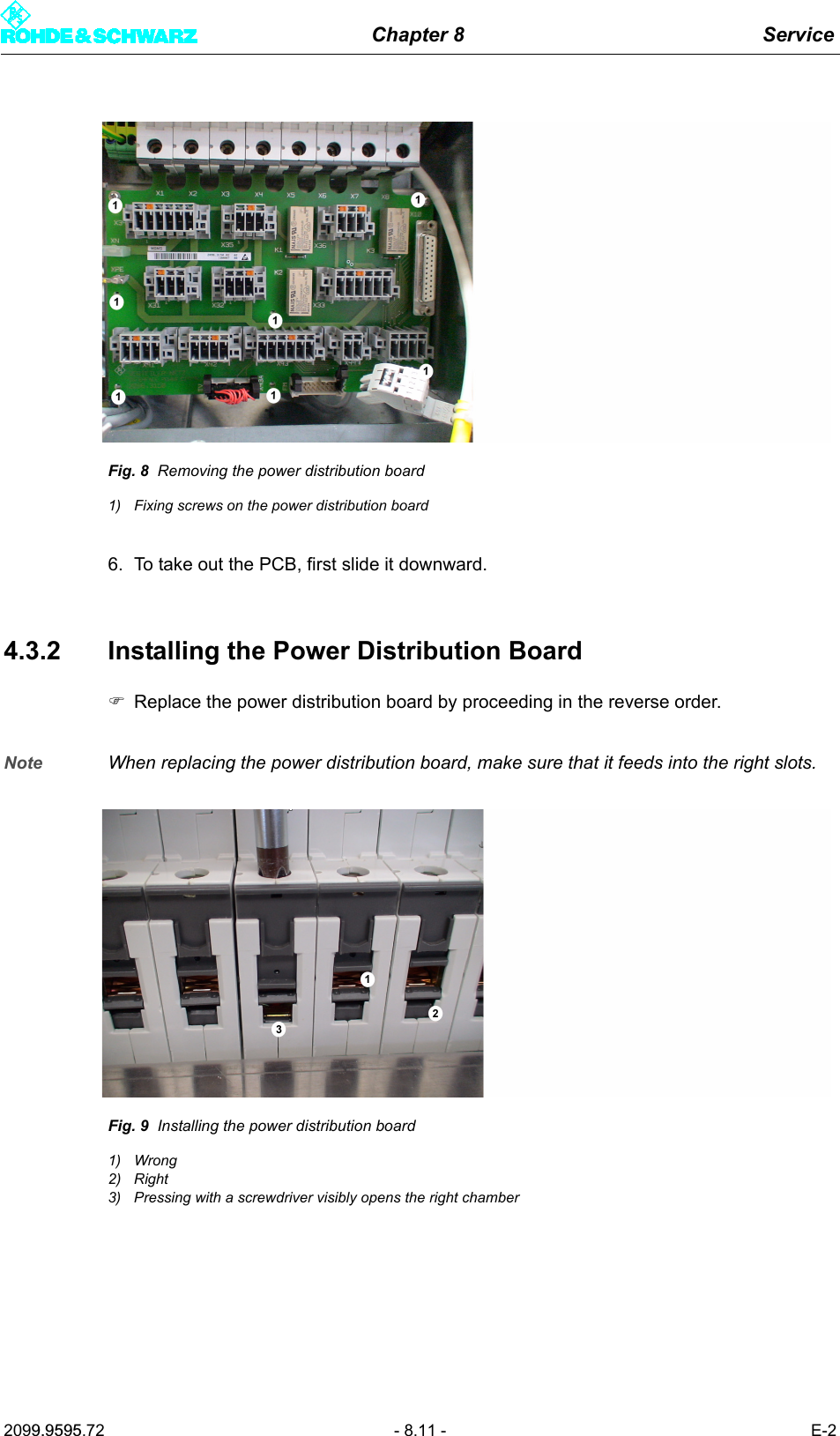
Chapter 8 Service2099.9595.72 - 8.11 - E-2Fig. 8 Removing the power distribution board1) Fixing screws on the power distribution board6. To take out the PCB, first slide it downward.4.3.2 Installing the Power Distribution Board)Replace the power distribution board by proceeding in the reverse order.Note When replacing the power distribution board, make sure that it feeds into the right slots.Fig. 9 Installing the power distribution board1) Wrong2) Right3) Pressing with a screwdriver visibly opens the right chamber
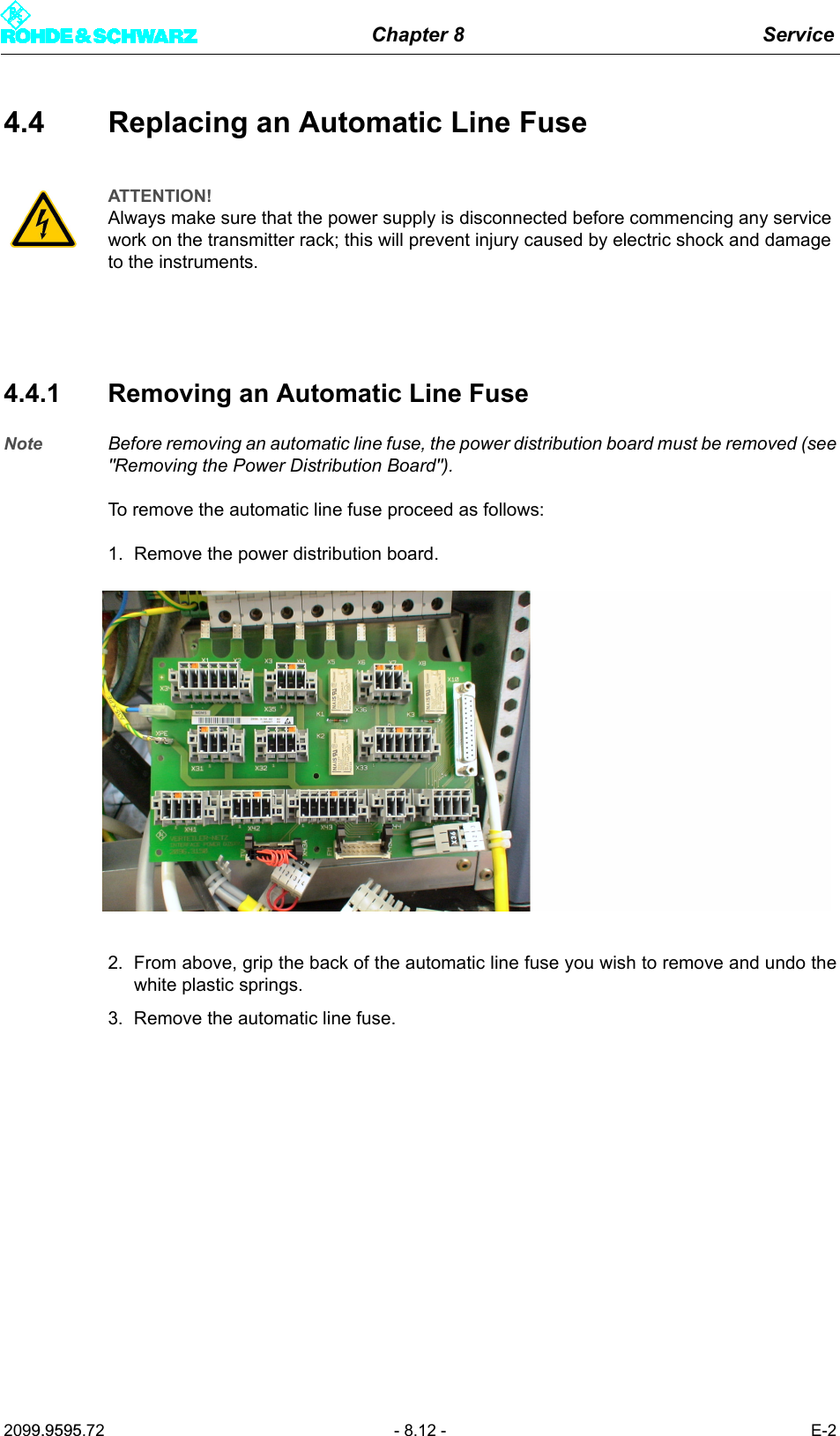
Chapter 8 Service2099.9595.72 - 8.12 - E-24.4 Replacing an Automatic Line Fuse4.4.1 Removing an Automatic Line FuseNote Before removing an automatic line fuse, the power distribution board must be removed (see"Removing the Power Distribution Board"). To remove the automatic line fuse proceed as follows:1. Remove the power distribution board.2. From above, grip the back of the automatic line fuse you wish to remove and undo thewhite plastic springs.3. Remove the automatic line fuse.ATTENTION!Always make sure that the power supply is disconnected before commencing any service work on the transmitter rack; this will prevent injury caused by electric shock and damage to the instruments.
Chapter 8 Service2099.9595.72 - 8.13 - E-2Fig. 10 Automatic line fuse1) Upper plastic spring2) Lower plastic spring
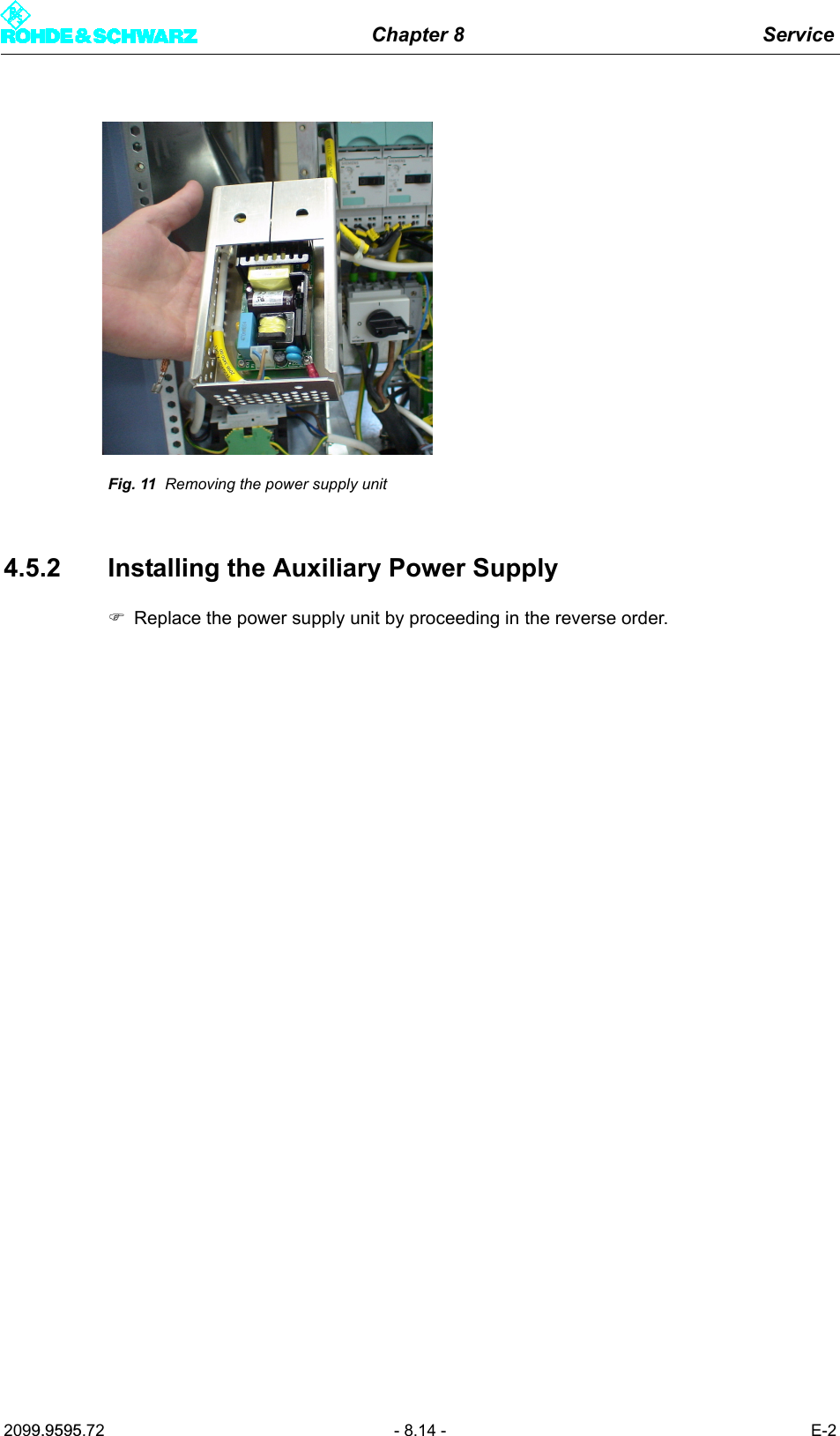
Chapter 8 Service2099.9595.72 - 8.14 - E-2Fig. 11 Removing the power supply unit4.5.2 Installing the Auxiliary Power Supply)Replace the power supply unit by proceeding in the reverse order.

Navigation menu