Acrodyne NW8201E DIGITAL TELEVISION BROADCAST TRANSMITTER User Manual 32 NV8202 26 04 06 01 00

Acrodyne Industries, Inc. DIGITAL TELEVISION BROADCAST TRANSMITTER 32 NV8202 26 04 06 01 00

Users Manual Part 19

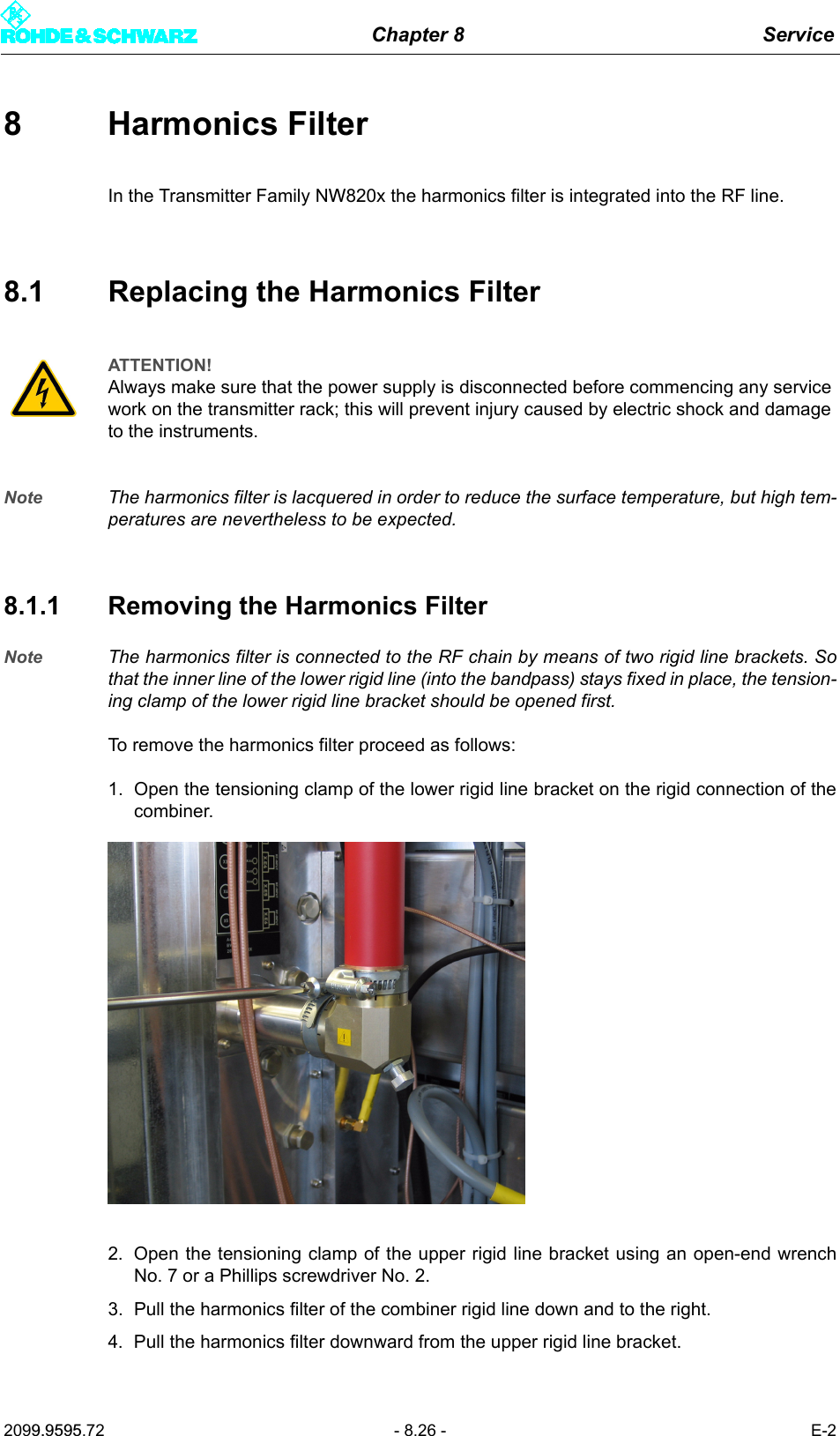
Chapter 8 Service2099.9595.72 - 8.26 - E-28 Harmonics FilterIn the Transmitter Family NW820x the harmonics filter is integrated into the RF line.8.1 Replacing the Harmonics FilterNote The harmonics filter is lacquered in order to reduce the surface temperature, but high tem-peratures are nevertheless to be expected. 8.1.1 Removing the Harmonics FilterNote The harmonics filter is connected to the RF chain by means of two rigid line brackets. Sothat the inner line of the lower rigid line (into the bandpass) stays fixed in place, the tension-ing clamp of the lower rigid line bracket should be opened first.To remove the harmonics filter proceed as follows:1. Open the tensioning clamp of the lower rigid line bracket on the rigid connection of thecombiner.2. Open the tensioning clamp of the upper rigid line bracket using an open-end wrenchNo. 7 or a Phillips screwdriver No. 2.3. Pull the harmonics filter of the combiner rigid line down and to the right.4. Pull the harmonics filter downward from the upper rigid line bracket.ATTENTION!Always make sure that the power supply is disconnected before commencing any service work on the transmitter rack; this will prevent injury caused by electric shock and damage to the instruments.
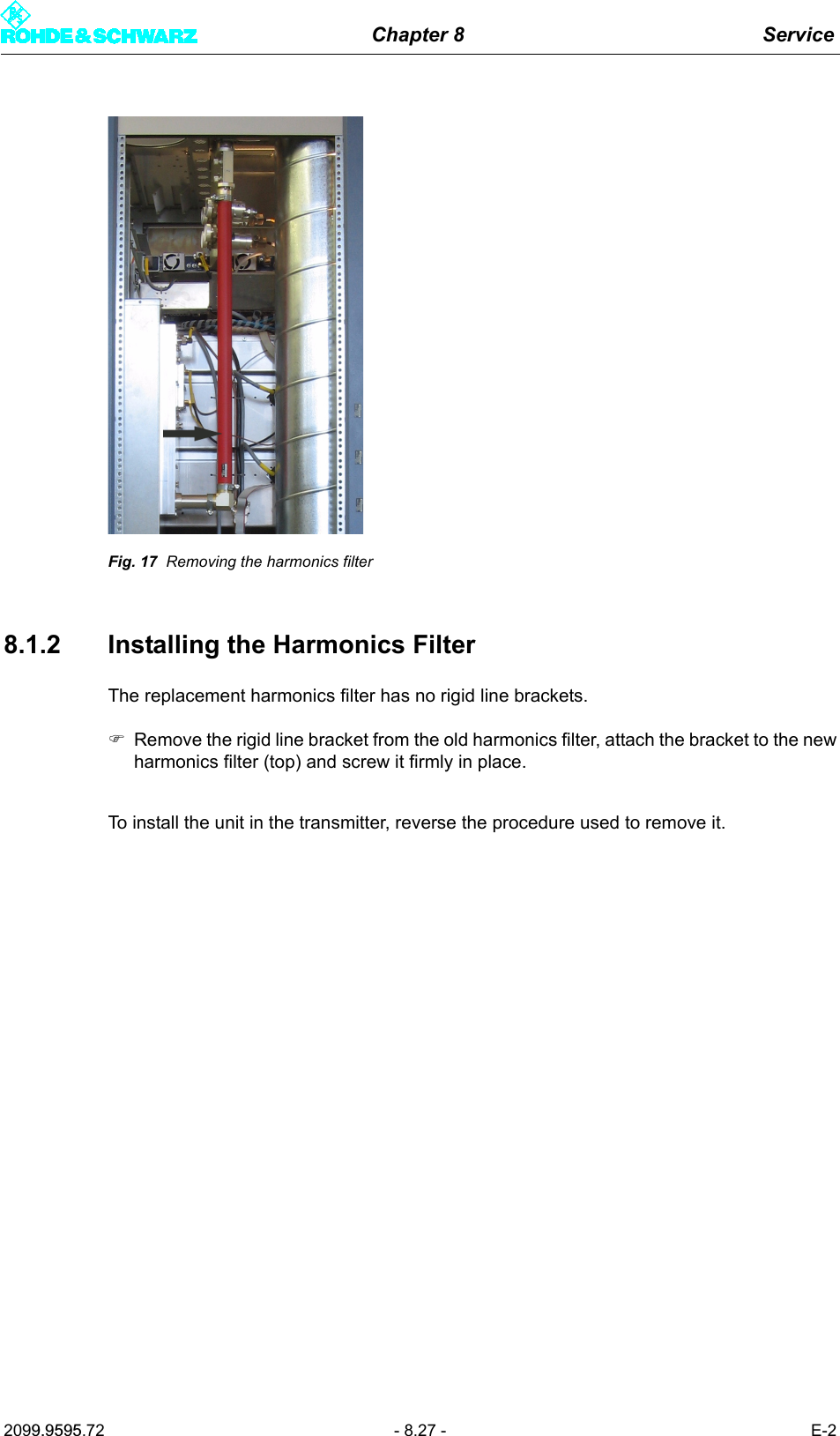
Chapter 8 Service2099.9595.72 - 8.27 - E-2Fig. 17 Removing the harmonics filter8.1.2 Installing the Harmonics FilterThe replacement harmonics filter has no rigid line brackets.)Remove the rigid line bracket from the old harmonics filter, attach the bracket to the newharmonics filter (top) and screw it firmly in place.To install the unit in the transmitter, reverse the procedure used to remove it.
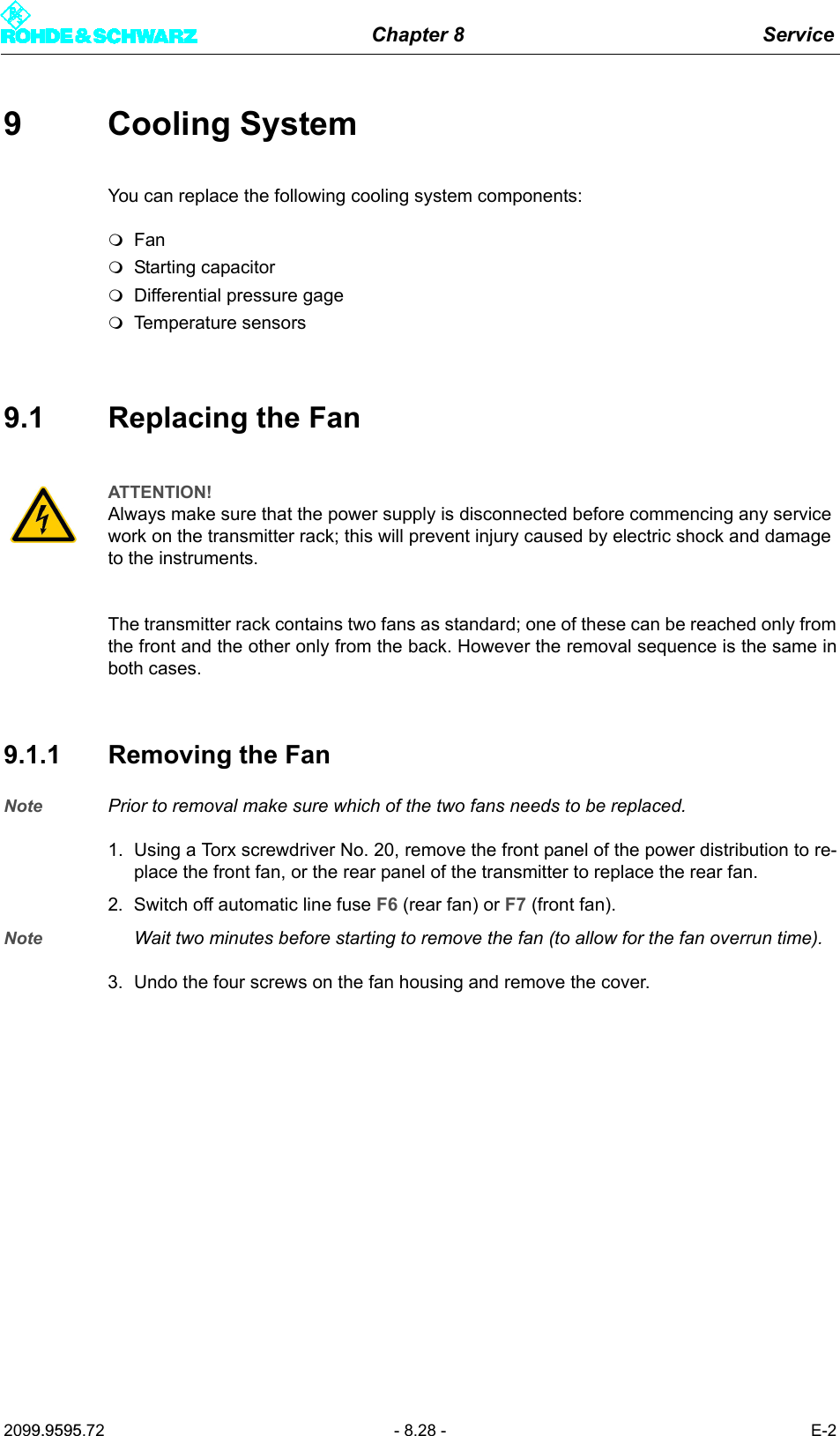
Chapter 8 Service2099.9595.72 - 8.28 - E-29 Cooling SystemYou can replace the following cooling system components:FanStarting capacitorDifferential pressure gageTemperature sensors9.1 Replacing the FanThe transmitter rack contains two fans as standard; one of these can be reached only fromthe front and the other only from the back. However the removal sequence is the same inboth cases.9.1.1 Removing the FanNote Prior to removal make sure which of the two fans needs to be replaced.1. Using a Torx screwdriver No. 20, remove the front panel of the power distribution to re-place the front fan, or the rear panel of the transmitter to replace the rear fan.2. Switch off automatic line fuse F6 (rear fan) or F7 (front fan).Note Wait two minutes before starting to remove the fan (to allow for the fan overrun time).3. Undo the four screws on the fan housing and remove the cover.ATTENTION!Always make sure that the power supply is disconnected before commencing any service work on the transmitter rack; this will prevent injury caused by electric shock and damage to the instruments.
Chapter 8 Service2099.9595.72 - 8.29 - E-2Fig. 18 Undoing the screws from the fan housing4. On the upper side of the fan housing is a retaining device that must be unscrewed usinga Torx screwdriver No. 20.Fig. 19 Unscrewing the retaining device5. Pull the power cable out of the connector and take away the air tube.
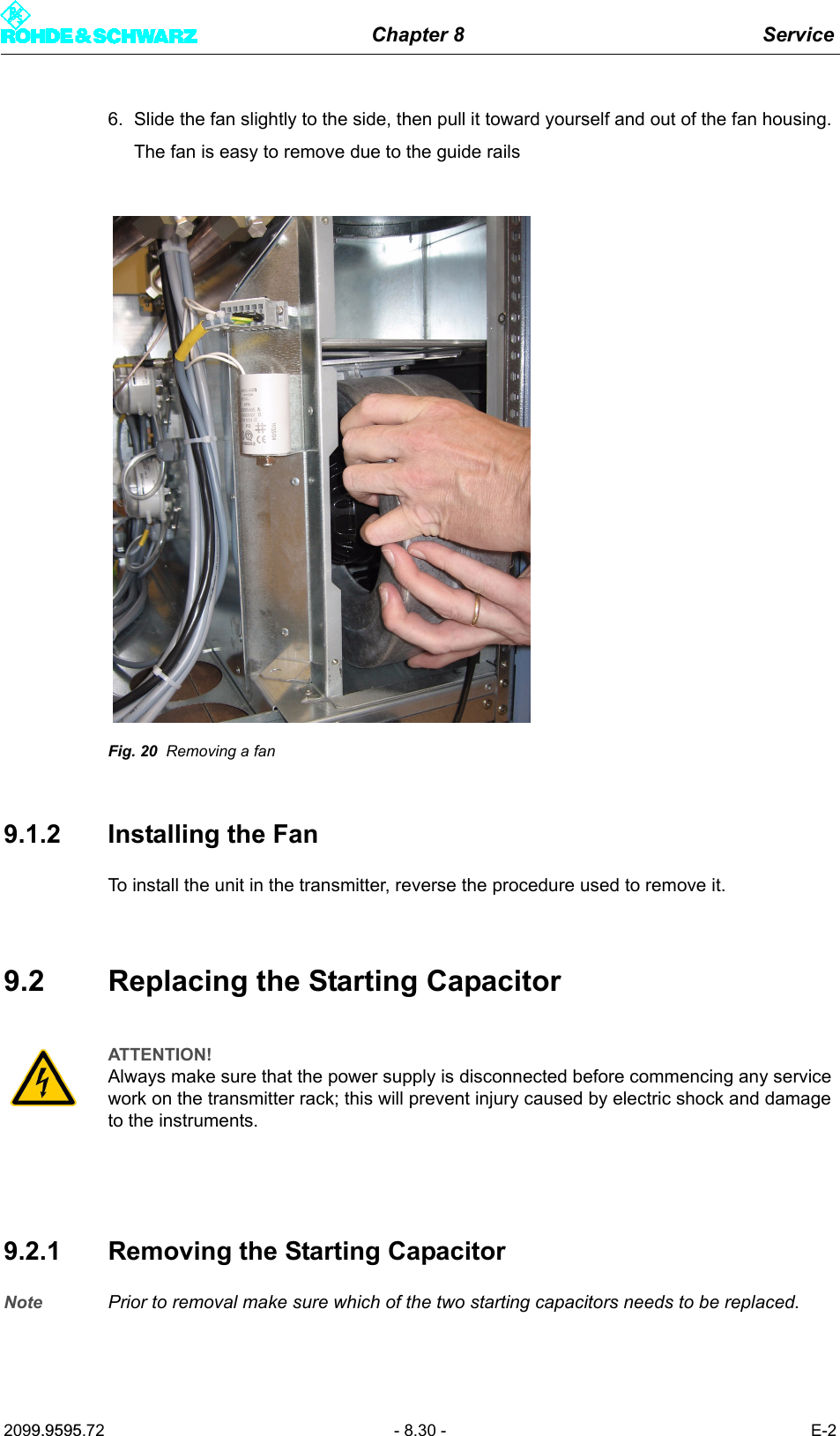
Chapter 8 Service2099.9595.72 - 8.30 - E-26. Slide the fan slightly to the side, then pull it toward yourself and out of the fan housing. The fan is easy to remove due to the guide railsFig. 20 Removing a fan9.1.2 Installing the FanTo install the unit in the transmitter, reverse the procedure used to remove it.9.2 Replacing the Starting Capacitor9.2.1 Removing the Starting CapacitorNote Prior to removal make sure which of the two starting capacitors needs to be replaced.ATTENTION!Always make sure that the power supply is disconnected before commencing any service work on the transmitter rack; this will prevent injury caused by electric shock and damage to the instruments.
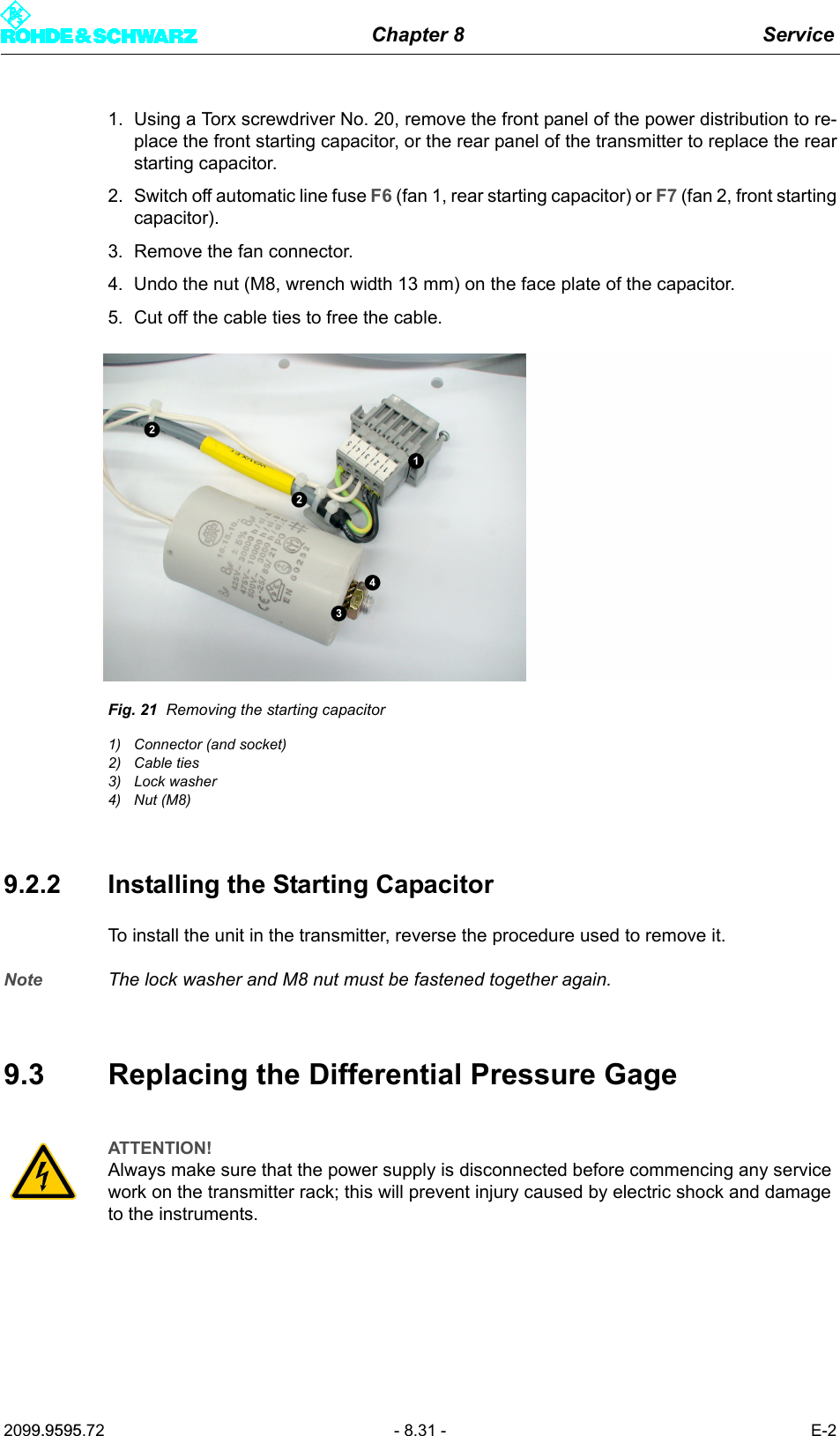
Chapter 8 Service2099.9595.72 - 8.31 - E-21. Using a Torx screwdriver No. 20, remove the front panel of the power distribution to re-place the front starting capacitor, or the rear panel of the transmitter to replace the rearstarting capacitor.2. Switch off automatic line fuse F6 (fan 1, rear starting capacitor) or F7 (fan 2, front startingcapacitor).3. Remove the fan connector.4. Undo the nut (M8, wrench width 13 mm) on the face plate of the capacitor.5. Cut off the cable ties to free the cable.Fig. 21 Removing the starting capacitor1) Connector (and socket)2) Cable ties3) Lock washer4) Nut (M8)9.2.2 Installing the Starting CapacitorTo install the unit in the transmitter, reverse the procedure used to remove it.Note The lock washer and M8 nut must be fastened together again.9.3 Replacing the Differential Pressure GageATTENTION!Always make sure that the power supply is disconnected before commencing any service work on the transmitter rack; this will prevent injury caused by electric shock and damage to the instruments.
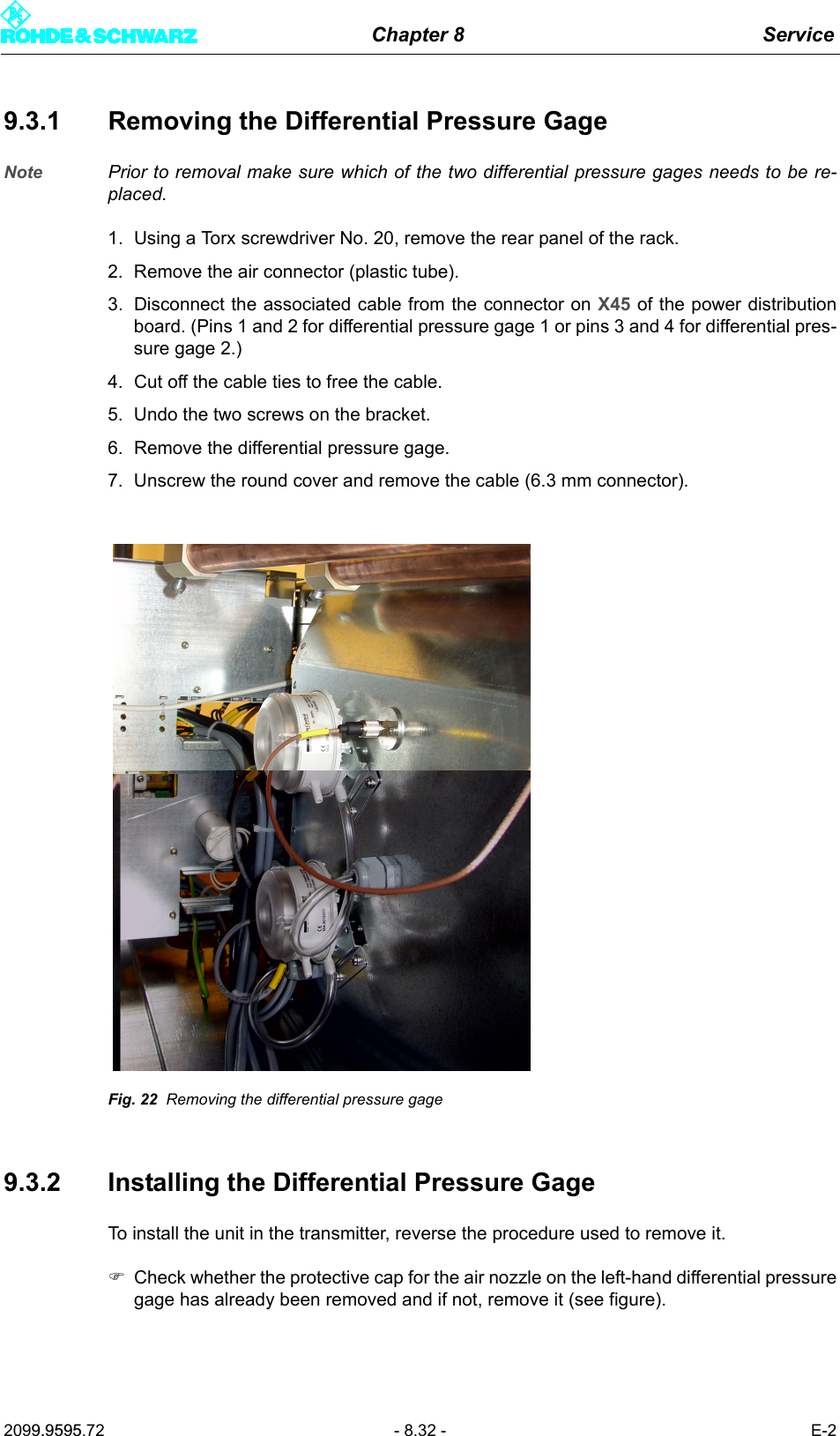
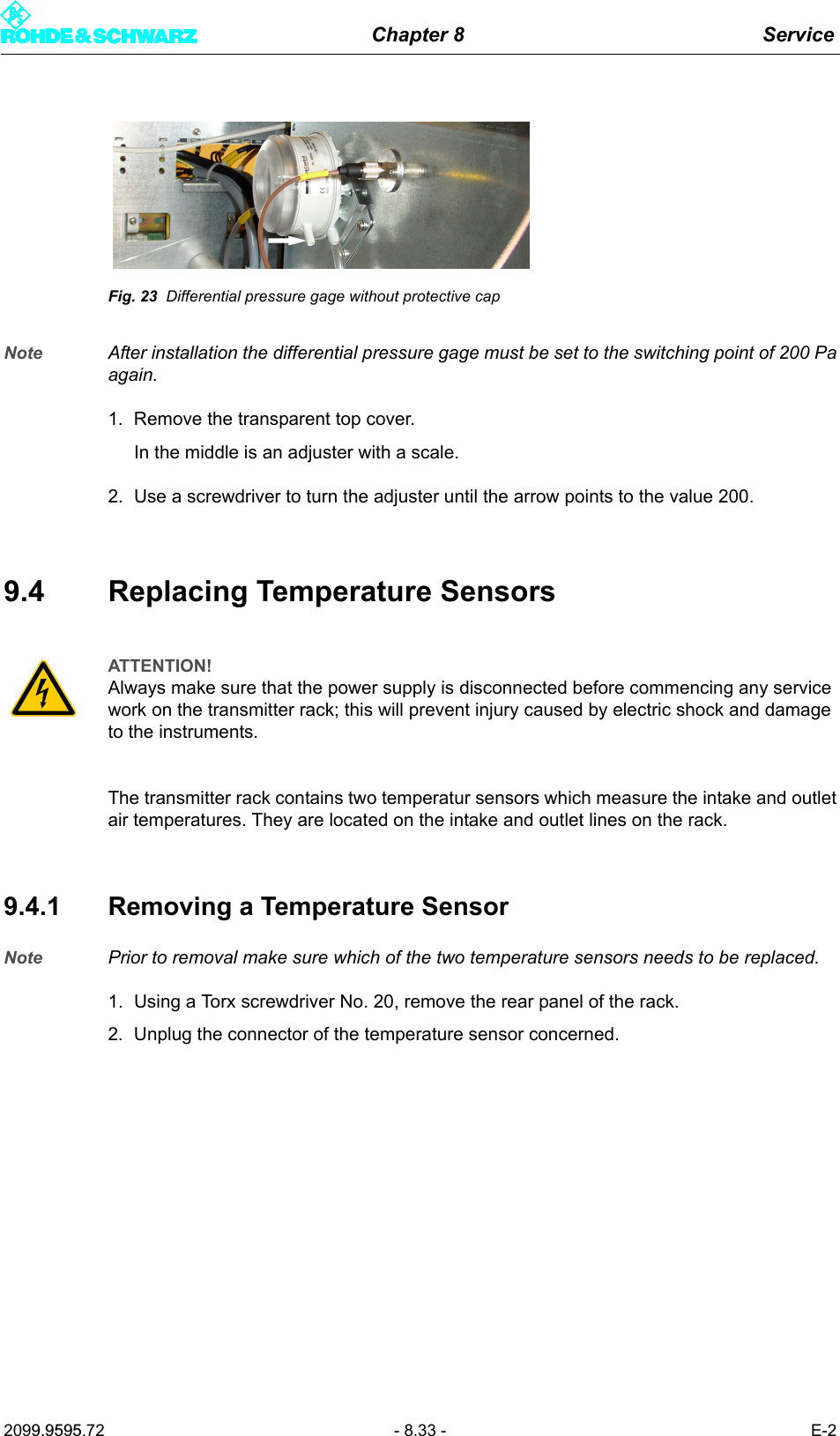
Chapter 8 Service2099.9595.72 - 8.32 - E-29.3.1 Removing the Differential Pressure GageNote Prior to removal make sure which of the two differential pressure gages needs to be re-placed.1. Using a Torx screwdriver No. 20, remove the rear panel of the rack.2. Remove the air connector (plastic tube).3. Disconnect the associated cable from the connector on X45 of the power distributionboard. (Pins 1 and 2 for differential pressure gage 1 or pins 3 and 4 for differential pres-sure gage 2.)4. Cut off the cable ties to free the cable.5. Undo the two screws on the bracket.6. Remove the differential pressure gage.7. Unscrew the round cover and remove the cable (6.3 mm connector).Fig. 22 Removing the differential pressure gage9.3.2 Installing the Differential Pressure GageTo install the unit in the transmitter, reverse the procedure used to remove it.)Check whether the protective cap for the air nozzle on the left-hand differential pressuregage has already been removed and if not, remove it (see figure).
Chapter 8 Service2099.9595.72 - 8.33 - E-2Fig. 23 Differential pressure gage without protective capNote After installation the differential pressure gage must be set to the switching point of 200 Paagain. 1. Remove the transparent top cover.In the middle is an adjuster with a scale.2. Use a screwdriver to turn the adjuster until the arrow points to the value 200.9.4 Replacing Temperature SensorsThe transmitter rack contains two temperatur sensors which measure the intake and outletair temperatures. They are located on the intake and outlet lines on the rack.9.4.1 Removing a Temperature SensorNote Prior to removal make sure which of the two temperature sensors needs to be replaced.1. Using a Torx screwdriver No. 20, remove the rear panel of the rack.2. Unplug the connector of the temperature sensor concerned.ATTENTION!Always make sure that the power supply is disconnected before commencing any service work on the transmitter rack; this will prevent injury caused by electric shock and damage to the instruments.
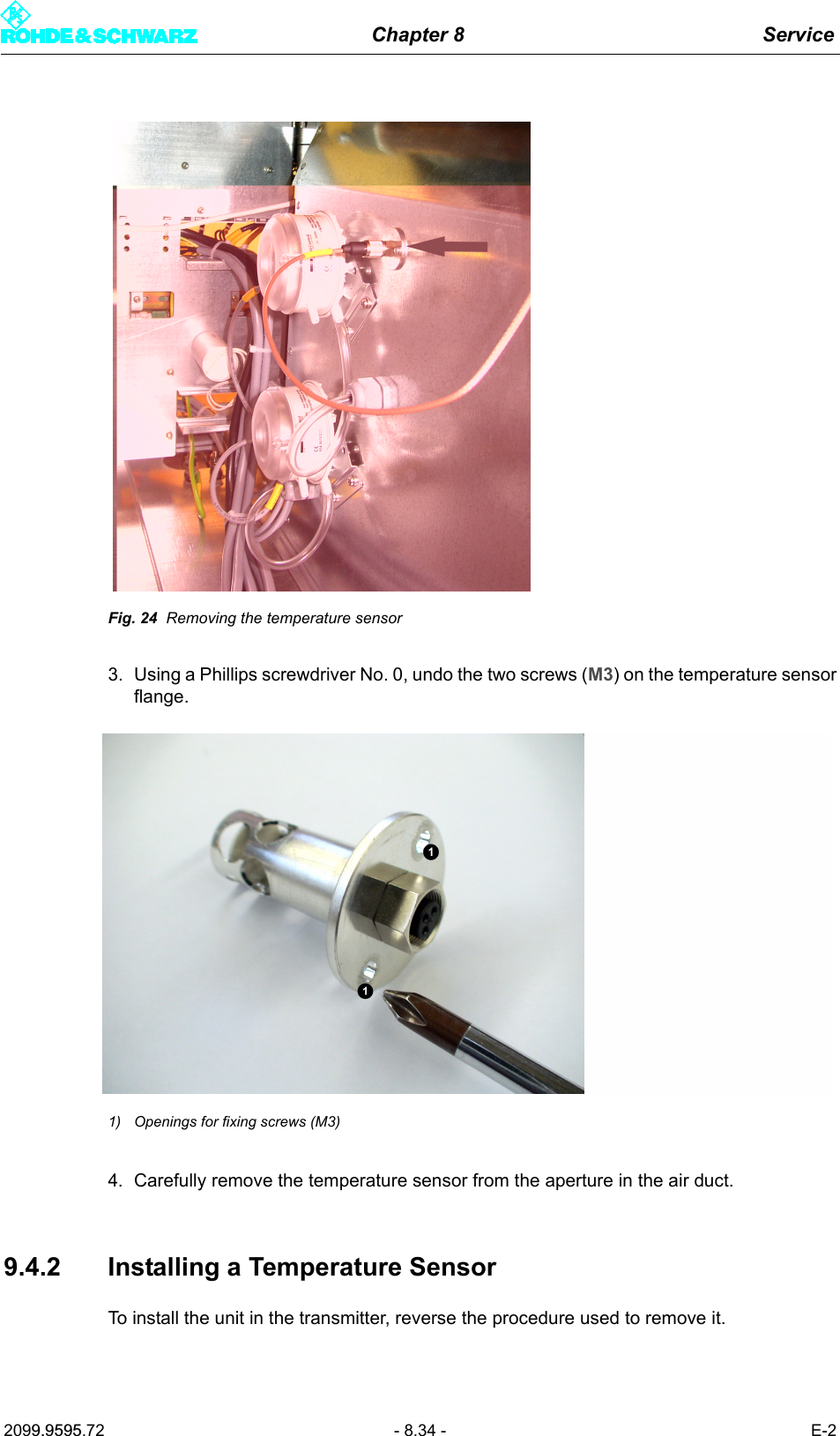
Chapter 8 Service2099.9595.72 - 8.34 - E-2Fig. 24 Removing the temperature sensor3. Using a Phillips screwdriver No. 0, undo the two screws (M3) on the temperature sensorflange.1) Openings for fixing screws (M3)4. Carefully remove the temperature sensor from the aperture in the air duct.9.4.2 Installing a Temperature SensorTo install the unit in the transmitter, reverse the procedure used to remove it.
Chapter 8 Service2099.9595.72 - 8.35 - E-210 TransformerNote For more information about the transformer, refer to the manual on the optional AC supplytransformer.

Navigation menu